Introduction
AI Accounts Receivable Prediction Tools use artificial intelligence, machine learning, and advanced analytics to help finance teams forecast payment behavior, predict invoice collection timelines, identify late-payment risks, and improve cash flow visibility. These tools analyze historical payment patterns, customer behavior, invoice data, communication history, and financial signals to help organizations make better collection decisions.
As businesses manage larger transaction volumes and increasingly complex customer payment cycles, AI-driven accounts receivable prediction has become important for improving working capital management. Modern platforms are moving beyond traditional reporting by using AI agents, predictive models, automation workflows, and intelligent recommendations to support finance teams.
Real-world use cases:
- Predicting which invoices are likely to become overdue before payment deadlines.
- Prioritizing collection activities based on customer payment risk.
- Improving cash flow forecasting accuracy for finance leaders.
- Identifying customers with changing payment behavior.
- Automating collection workflows with AI-assisted recommendations.
- Helping enterprises optimize credit decisions and working capital strategies.
Evaluation Criteria for Buyers:
- Prediction accuracy and reliability of payment forecasts.
- Integration capabilities with ERP, accounting, and CRM systems.
- AI model transparency and explainability.
- Data privacy, retention policies, and security controls.
- Ability to handle large invoice volumes.
- Workflow automation and collection prioritization features.
- Human review capabilities for AI recommendations.
- Reporting, dashboards, and financial analytics.
- API availability and extensibility.
- Cost management and scalability.
Best for: Finance teams, CFO organizations, accounting departments, mid-market companies, and enterprises across industries such as SaaS, manufacturing, healthcare, retail, logistics, and financial services that need better cash flow forecasting and collections intelligence.
Not ideal for: Small businesses with very low invoice volumes, organizations that already have simple accounting workflows, or teams that do not require predictive analytics and can manage collections manually.
What’s Changed in AI Accounts Receivable Prediction Tools
AI Accounts Receivable Prediction Tools are evolving from simple reporting systems into intelligent finance automation platforms. The major changes include:
- AI-powered payment forecasting: Modern tools increasingly use machine learning models to predict payment delays, customer risk, and collection probability instead of relying only on historical reports.
- Agentic finance workflows: AI agents are being introduced to support tasks such as identifying risky invoices, recommending collection actions, and assisting finance professionals with daily decisions.
- Multimodal financial analysis: Some platforms are expanding beyond structured invoice data by analyzing documents, emails, customer communications, and financial records.
- Better AI evaluation practices: Enterprises are demanding stronger testing methods to measure prediction accuracy, reduce false alerts, and validate AI-generated recommendations.
- Explainable AI expectations: Finance teams increasingly require visibility into why an invoice is predicted as risky or why a customer payment behavior changed.
- Enterprise privacy improvements: Organizations are paying more attention to encryption, data residency, retention controls, and secure handling of financial information.
- Flexible AI architecture: Modern solutions are moving toward multi-model approaches, allowing organizations to combine proprietary AI models, third-party models, or internal analytics systems.
- Improved observability: Businesses expect better monitoring of AI performance, prediction accuracy, processing costs, and workflow outcomes.
- Automation with human oversight: AI recommendations are increasingly combined with human approval workflows for sensitive financial decisions.
- Cost and efficiency optimization: Companies are focusing on reducing manual collection effort while improving prediction quality and operational efficiency.
Quick Buyer Checklist
Use this checklist when evaluating AI Accounts Receivable Prediction Tools:
- ✅ Does the platform improve payment forecasting accuracy?
- ✅ Can it connect with your ERP, accounting, CRM, and billing systems?
- ✅ Does it support secure financial data processing?
- ✅ Are data retention and privacy controls clearly documented?
- ✅ Can finance teams understand AI predictions and recommendations?
- ✅ Does it provide evaluation methods for prediction quality?
- ✅ Are alerts and workflows customizable?
- ✅ Does it support APIs or integrations for automation?
- ✅ Can it scale with growing invoice volumes?
- ✅ Does it provide audit trails and administrative controls?
- ✅ Are AI costs predictable and manageable?
- ✅ Does it avoid unnecessary vendor lock-i
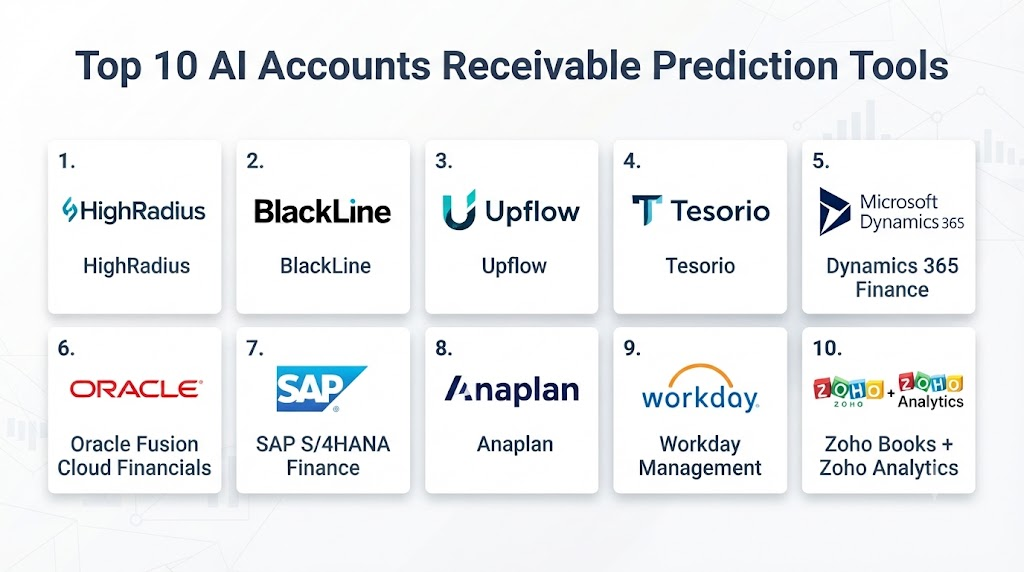
Top 10 AI Accounts Receivable Prediction Tools
#1 — HighRadius
One-line verdict: Best for large enterprises seeking AI-driven accounts receivable automation and financial intelligence.
Short description:
HighRadius is an enterprise-focused finance automation platform that uses artificial intelligence and analytics to improve accounts receivable operations. It helps organizations manage collections, cash forecasting, invoice processing, and customer payment insights.
Standout Capabilities
- AI-supported accounts receivable workflow automation.
- Predictive analytics for payment behavior and collections.
- Cash application and dispute management capabilities.
- Enterprise-scale finance process automation.
- Customer payment risk visibility.
- Financial dashboards and reporting.
- Workflow support for large finance teams.
AI-Specific Depth
- Model support: Proprietary AI capabilities; external model support varies.
- RAG / knowledge integration: Not publicly stated.
- Evaluation: Prediction evaluation capabilities vary by implementation.
- Guardrails: Enterprise workflow controls available; specific AI guardrails vary.
- Observability: Financial analytics and operational reporting available; AI-specific monitoring varies.
Pros
- Strong enterprise finance automation capabilities.
- Designed for complex accounts receivable environments.
- Supports large-scale financial operations.
Cons
- May require significant implementation effort.
- Best suited for larger organizations.
- Pricing information is not publicly stated.
Security & Compliance
Security controls, enterprise access management, and compliance capabilities vary by deployment. Specific certifications are not publicly stated.
Deployment & Platforms
- Cloud-based deployment.
- Enterprise implementation model.
- Platform availability: Web-based access.
- Desktop and mobile availability varies.
Integrations & Ecosystem
HighRadius commonly works with enterprise finance ecosystems.
- ERP integrations.
- Accounting system connections.
- Finance workflow integrations.
- API capabilities.
- Enterprise data exchange.
- Reporting integrations.
Pricing Model
Not publicly stated. Enterprise pricing typically varies based on implementation scope, users, and business requirements.
Best-Fit Scenarios
- Large enterprises managing complex invoice collections.
- Finance departments requiring automation at scale.
- Organizations improving working capital visibility.
#2 — BlackLine
One-line verdict: Best for finance teams combining accounting automation with intelligent receivables management.
Short description:
BlackLine provides cloud-based financial automation solutions that help organizations improve accounting processes, reconciliation, and financial operations. Its capabilities support finance teams looking to improve visibility and operational efficiency.
Standout Capabilities
- Financial close automation.
- Accounting workflow management.
- Transaction monitoring.
- Financial process standardization.
- Enterprise reporting capabilities.
- Automation for repetitive finance tasks.
- Collaboration workflows.
AI-Specific Depth
- Model support: Proprietary AI capabilities; details vary.
- RAG / knowledge integration: Not publicly stated.
- Evaluation: Specific AI evaluation framework not publicly stated.
- Guardrails: Enterprise workflow controls available.
- Observability: Operational reporting available; AI monitoring details vary.
Pros
- Strong financial operations foundation.
- Helps reduce manual accounting processes.
- Suitable for enterprise finance teams.
Cons
- Not exclusively focused on accounts receivable prediction.
- Enterprise deployments may require planning.
- Pricing is not publicly stated.
Security & Compliance
Security features vary by deployment. Specific certifications and compliance details should be verified directly with the vendor.
Deployment & Platforms
- Cloud deployment.
- Web-based platform.
- Enterprise environment support.
Integrations & Ecosystem
Common ecosystem connections include:
- ERP systems.
- Accounting platforms.
- Financial reporting tools.
- Enterprise APIs.
- Data integration workflows.
Pricing Model
Not publicly stated.
Best-Fit Scenarios
- Enterprises improving finance operations.
- Organizations needing accounting automation.
- Finance teams modernizing manual processes.
#3 — Upflow
One-line verdict: Best for growing businesses wanting smarter invoice collection and payment visibility.
Short description:
Upflow is a receivables management platform designed to help companies improve invoice tracking, customer communication, and payment collection processes. It combines automation and analytics to support finance teams.
Standout Capabilities
- Invoice tracking and monitoring.
- Automated customer payment communication.
- Receivables workflow management.
- Payment status visibility.
- Collection process automation.
- Finance team collaboration.
- Customer account insights.
AI-Specific Depth
- Model support: Proprietary automation capabilities; details vary.
- RAG / knowledge integration: Not publicly stated.
- Evaluation: AI evaluation capabilities are not publicly stated.
- Guardrails: Workflow-based controls available.
- Observability: Reporting dashboards available; AI-specific metrics vary.
Pros
- User-friendly receivables management approach.
- Helps organize collection activities.
- Suitable for growing companies.
Cons
- Advanced enterprise AI capabilities may vary.
- May not replace large ERP finance platforms.
- Pricing depends on business requirements.
Security & Compliance
Specific certifications are not publicly stated. Security capabilities vary by service configuration.
Deployment & Platforms
- Cloud-based platform.
- Web application access.
- Mobile availability varies.
Integrations & Ecosystem
Supports connections with finance systems.
- Accounting integrations.
- Payment platforms.
- API capabilities.
- Customer communication workflows.
- Financial data synchronization.
Pricing Model
Not publicly stated.
Best-Fit Scenarios
- Small and medium businesses.
- Companies improving invoice collections.
- Finance teams needing receivable visibility.
#4 — Tesorio
One-line verdict: Best for finance teams using AI-driven cash forecasting and customer payment predictions.
Short description:
Tesorio focuses on cash flow management, accounts receivable automation, and financial forecasting. It helps finance teams understand expected payments and improve working capital planning.
Standout Capabilities
- Cash flow forecasting.
- Accounts receivable analytics.
- Customer payment insights.
- Collection workflow support.
- Finance dashboards.
- Automated reporting.
- Payment behavior analysis.
AI-Specific Depth
- Model support: Proprietary AI and analytics capabilities; details vary.
- RAG / knowledge integration: Not publicly stated.
- Evaluation: Specific AI testing methods are not publicly stated.
- Guardrails: Workflow permissions and controls vary.
- Observability: Financial dashboards available; AI monitoring details vary.
Pros
- Strong focus on cash forecasting.
- Helps finance leaders improve visibility.
- Useful for organizations managing recurring payments.
Cons
- Advanced features may require configuration.
- Enterprise capabilities vary by plan.
- Pricing details are not publicly stated.
Security & Compliance
Security practices and certifications are not publicly stated.
Deployment & Platforms
- Cloud-based deployment.
- Web access.
- Enterprise integrations available.
Integrations & Ecosystem
Common integrations include:
- Accounting platforms.
- ERP systems.
- Billing systems.
- Financial data sources.
- API connectivity.
Pricing Model
Not publicly stated.
Best-Fit Scenarios
- SaaS finance teams.
- Companies improving cash forecasting.
- Businesses managing recurring invoices.
#5 — Microsoft Dynamics 365 Finance
One-line verdict: Best for enterprises needing integrated ERP-based financial intelligence and receivables forecasting.
Short description:
Microsoft Dynamics 365 Finance provides enterprise financial management capabilities with analytics, automation, and AI-assisted insights. It helps organizations manage accounting, cash flow, collections, and financial operations within a broader business management ecosystem.
Standout Capabilities
- AI-assisted financial insights.
- Accounts receivable management.
- Customer payment tracking.
- Cash flow visibility.
- Enterprise accounting workflows.
- Financial reporting and analytics.
- ERP-connected finance operations.
- Automation of repetitive finance activities.
AI-Specific Depth
- Model support: Microsoft AI capabilities; model flexibility varies.
- RAG / knowledge integration: Integration capabilities vary depending on implementation.
- Evaluation: AI evaluation methods vary by configured services.
- Guardrails: Enterprise security and governance controls available.
- Observability: Operational analytics available; AI-specific monitoring varies.
Pros
- Strong enterprise ERP foundation.
- Suitable for organizations already using Microsoft ecosystems.
- Broad financial management capabilities.
Cons
- Implementation can be complex.
- Requires configuration for advanced AI workflows.
- Total cost varies significantly.
Security & Compliance
Microsoft provides enterprise security features such as identity management, access controls, and governance capabilities. Specific certifications depend on service configuration and region.
Deployment & Platforms
- Cloud deployment.
- Enterprise ERP environment.
- Web-based access.
- Platform availability varies by configuration.
Integrations & Ecosystem
Integrates with enterprise business systems.
- ERP modules.
- CRM platforms.
- Microsoft ecosystem tools.
- APIs.
- Data analytics services.
- Business intelligence platforms.
Pricing Model
Typically based on subscription licensing and business requirements. Exact pricing varies by users, modules, and deployment needs.
Best-Fit Scenarios
- Enterprises using Microsoft business applications.
- Large finance departments.
- Organizations requiring ERP-connected receivables intelligence.
#6 — Oracle Fusion Cloud Financials
One-line verdict: Best for global enterprises managing complex finance operations and receivables forecasting.
Short description:
Oracle Fusion Cloud Financials provides enterprise financial management capabilities including accounting, receivables, analytics, and automation. It supports organizations managing complex financial processes across multiple regions and business units.
Standout Capabilities
- Enterprise accounts receivable management.
- Financial analytics.
- Customer payment tracking.
- Automated finance workflows.
- Global accounting support.
- Business performance reporting.
- Enterprise data management.
- Financial process automation.
AI-Specific Depth
- Model support: Oracle AI capabilities; details vary.
- RAG / knowledge integration: Not publicly stated.
- Evaluation: Specific AI evaluation frameworks vary.
- Guardrails: Enterprise governance capabilities available.
- Observability: Financial monitoring available; AI-specific observability varies.
Pros
- Designed for complex global organizations.
- Strong enterprise finance capabilities.
- Supports large-scale financial processes.
Cons
- May be expensive for smaller organizations.
- Requires professional implementation.
- AI-specific features depend on configuration.
Security & Compliance
Enterprise security controls, access management, and governance features are available. Specific certifications depend on deployment details.
Deployment & Platforms
- Cloud-based deployment.
- Enterprise finance platform.
- Web access.
- Mobile availability varies.
Integrations & Ecosystem
Common integrations include:
- ERP applications.
- CRM systems.
- Data platforms.
- Business intelligence tools.
- APIs.
- Enterprise workflows.
Pricing Model
Not publicly stated. Enterprise licensing generally depends on modules, users, and implementation requirements.
Best-Fit Scenarios
- Multinational enterprises.
- Large finance departments.
- Companies requiring global receivables management.
#7 — SAP S/4HANA Finance
One-line verdict: Best for enterprises requiring intelligent ERP finance operations with predictive analytics.
Short description:
SAP S/4HANA Finance provides enterprise financial management capabilities built around real-time business data processing. It supports accounts receivable processes, financial forecasting, and automation for large organizations.
Standout Capabilities
- Real-time financial analytics.
- Accounts receivable processing.
- Customer payment monitoring.
- Enterprise resource planning integration.
- Financial reporting.
- Automated finance workflows.
- Large-scale transaction management.
AI-Specific Depth
- Model support: SAP AI capabilities; configuration dependent.
- RAG / knowledge integration: Not publicly stated.
- Evaluation: Varies by AI implementation.
- Guardrails: Enterprise governance controls available.
- Observability: Enterprise monitoring capabilities vary.
Pros
- Strong ERP integration.
- Handles complex financial environments.
- Suitable for global enterprises.
Cons
- Requires significant implementation expertise.
- Not designed as a lightweight standalone tool.
- Costs vary based on deployment.
Security & Compliance
Enterprise security features include role management and access controls. Specific certifications depend on service configuration.
Deployment & Platforms
- Cloud, private cloud, and enterprise deployment options.
- Web-based access.
- Enterprise infrastructure support.
Integrations & Ecosystem
Supports:
- SAP ecosystem.
- ERP modules.
- Data platforms.
- Analytics tools.
- APIs.
- Enterprise applications.
Pricing Model
Not publicly stated.
Best-Fit Scenarios
- Large organizations running SAP environments.
- Global finance operations.
- Enterprises requiring ERP-connected prediction workflows.
#8 — Anaplan
One-line verdict: Best for organizations combining financial planning with predictive business forecasting.
Short description:
Anaplan is a cloud-based planning platform that helps organizations model financial scenarios, forecast business outcomes, and improve decision-making. It supports finance teams that need connected planning across departments.
Standout Capabilities
- Financial forecasting.
- Scenario planning.
- Business modeling.
- Data-driven decision support.
- Enterprise collaboration.
- Planning automation.
- Performance analytics.
AI-Specific Depth
- Model support: AI capabilities vary.
- RAG / knowledge integration: Not publicly stated.
- Evaluation: Not publicly stated.
- Guardrails: Enterprise controls available.
- Observability: Planning analytics available.
Pros
- Strong forecasting and planning capabilities.
- Useful for strategic finance teams.
- Supports cross-functional planning.
Cons
- More focused on planning than pure receivables prediction.
- Requires skilled implementation.
- Pricing is not publicly stated.
Security & Compliance
Enterprise security capabilities are available. Specific certifications vary by deployment.
Deployment & Platforms
- Cloud platform.
- Web-based access.
- Enterprise deployment.
Integrations & Ecosystem
Integrations include:
- ERP systems.
- Financial applications.
- Data warehouses.
- Business intelligence tools.
- APIs.
- Enterprise data connectors.
Pricing Model
Not publicly stated.
Best-Fit Scenarios
- Finance planning teams.
- Organizations improving forecasting accuracy.
- Enterprises connecting financial planning processes.
#9 — Workday Financial Management
One-line verdict: Best for organizations wanting finance automation connected with enterprise workforce systems.
Short description:
Workday Financial Management provides cloud financial management capabilities with analytics and automation features. It helps organizations manage accounting, reporting, and finance operations while connecting financial insights across business functions.
Standout Capabilities
- Financial management workflows.
- Reporting and analytics.
- Accounting automation.
- Business process management.
- Enterprise finance visibility.
- Data-driven decision support.
- Workflow automation.
AI-Specific Depth
- Model support: Workday AI capabilities; details vary.
- RAG / knowledge integration: Not publicly stated.
- Evaluation: Not publicly stated.
- Guardrails: Enterprise governance controls available.
- Observability: Analytics and reporting capabilities available.
Pros
- Strong enterprise finance ecosystem.
- Good integration with HR and business operations.
- Suitable for large organizations.
Cons
- Not a dedicated accounts receivable prediction platform.
- Enterprise implementation complexity.
- Pricing varies.
Security & Compliance
Provides enterprise access controls and security capabilities. Specific certifications depend on configuration.
Deployment & Platforms
- Cloud-based platform.
- Web application.
- Enterprise environment.
Integrations & Ecosystem
Supports:
- HR systems.
- ERP workflows.
- Financial applications.
- APIs.
- Data integrations.
- Reporting systems.
Pricing Model
Not publicly stated.
Best-Fit Scenarios
- Enterprises using Workday ecosystem.
- Organizations needing connected finance operations.
- Large finance teams.
#10 — Zoho Books + Zoho Analytics
One-line verdict: Best for small businesses needing affordable financial analytics and receivables insights.
Short description:
Zoho Books combined with Zoho Analytics provides accounting management, reporting, and business intelligence capabilities for small and medium businesses. It helps teams monitor invoices, payments, and financial trends.
Standout Capabilities
- Invoice management.
- Payment tracking.
- Financial reporting.
- Business dashboards.
- Accounting automation.
- Customer balance monitoring.
- Small business finance workflows.
AI-Specific Depth
- Model support: Proprietary AI capabilities vary.
- RAG / knowledge integration: Not publicly stated.
- Evaluation: Not publicly stated.
- Guardrails: Standard platform controls available.
- Observability: Analytics dashboards available.
Pros
- Suitable for SMB finance teams.
- Easier adoption compared with enterprise platforms.
- Combines accounting and analytics.
Cons
- Limited advanced enterprise prediction capabilities.
- May require additional tools for complex finance operations.
- AI-specific capabilities vary.
Security & Compliance
Security controls are available. Specific certifications are not publicly stated.
Deployment & Platforms
- Cloud deployment.
- Web access.
- Mobile applications available.
Integrations & Ecosystem
Supports:
- Accounting workflows.
- Payment systems.
- Business applications.
- APIs.
- Reporting tools.
- Third-party integrations.
Pricing Model
Subscription-based pricing model. Exact pricing varies by plan and region.
Best-Fit Scenarios
- Small businesses.
- Startups managing invoices.
- Teams needing simple financial analytics.
Comparison Table — Top 10 AI Accounts Receivable Prediction Tools
| Tool Name | Best For | Deployment | Model Flexibility | Strength | Watch-Out | Public Rating |
|---|---|---|---|---|---|---|
| HighRadius | Enterprise finance automation | Cloud | Hosted AI | AR automation depth | Enterprise complexity | N/A |
| BlackLine | Financial operations automation | Cloud | Hosted AI | Finance workflow management | Not AR-only | N/A |
| Upflow | Growing businesses | Cloud | Hosted AI | Invoice collection workflows | Limited enterprise depth | N/A |
| Tesorio | Cash forecasting | Cloud | Hosted AI | Payment prediction insights | Scope limitations | N/A |
| Microsoft Dynamics 365 Finance | Enterprise ERP users | Cloud | Hosted AI | ERP integration | Implementation effort | N/A |
| Oracle Fusion Cloud Financials | Global enterprises | Cloud | Hosted AI | Enterprise finance scale | Complex deployment | N/A |
| SAP S/4HANA Finance | SAP organizations | Hybrid/Cloud | Enterprise AI | ERP-connected finance | Requires expertise | N/A |
| Anaplan | Planning teams | Cloud | Hosted AI | Forecast modeling | Less AR-specific | N/A |
| Workday Financial Management | Enterprise finance teams | Cloud | Hosted AI | Business-wide finance visibility | Not AR-focused | N/A |
| Zoho Books + Analytics | SMBs | Cloud | Hosted AI | Accessibility and simplicity | Limited advanced AI | N/A |
Scoring & Evaluation (Transparent Rubric)
The scoring below is a comparative evaluation based on category capabilities, AI readiness, enterprise suitability, integration strength, and operational flexibility. Scores are not absolute rankings and may change depending on business requirements, implementation quality, and organizational priorities.
Evaluation weights:
- Core features – 20%
- AI reliability & evaluation – 15%
- Guardrails & safety – 10%
- Integrations & ecosystem – 15%
- Ease of use – 10%
- Performance & cost controls – 15%
- Security & admin – 10%
- Support & community – 5%
| Tool | Core | Reliability/Eval | Guardrails | Integrations | Ease | Perf/Cost | Security/Admin | Support | Weighted Total |
|---|---|---|---|---|---|---|---|---|---|
| HighRadius | 9 | 8 | 8 | 9 | 7 | 8 | 9 | 8 | 8.35 |
| BlackLine | 8 | 7 | 8 | 9 | 7 | 8 | 9 | 8 | 8.05 |
| Upflow | 7 | 7 | 6 | 7 | 9 | 8 | 7 | 7 | 7.25 |
| Tesorio | 8 | 8 | 7 | 8 | 8 | 8 | 7 | 7 | 7.75 |
| Microsoft Dynamics 365 Finance | 9 | 8 | 9 | 10 | 7 | 8 | 10 | 9 | 8.85 |
| Oracle Fusion Cloud Financials | 9 | 8 | 9 | 10 | 6 | 8 | 10 | 9 | 8.65 |
| SAP S/4HANA Finance | 9 | 8 | 9 | 10 | 6 | 8 | 10 | 9 | 8.65 |
| Anaplan | 8 | 7 | 7 | 8 | 8 | 8 | 8 | 8 | 7.85 |
| Workday Financial Management | 8 | 7 | 8 | 9 | 7 | 8 | 9 | 8 | 8.00 |
| Zoho Books + Analytics | 7 | 6 | 6 | 7 | 9 | 9 | 7 | 8 | 7.35 |
Which AI Accounts Receivable Prediction Tool Is Right for You?
Choosing the right AI Accounts Receivable Prediction Tool depends on company size, financial complexity, existing technology stack, compliance requirements, and automation goals. There is no single universal winner because different organizations need different levels of prediction capability, integration depth, and operational control.
Solo / Freelancer
For freelancers and very small businesses, advanced enterprise finance platforms may create unnecessary complexity. The priority should be improving invoice visibility, tracking customer payments, and reducing manual follow-ups.
Recommended approach:
- Choose lightweight accounting platforms with analytics capabilities.
- Focus on invoice tracking and payment reminders.
- Avoid complex enterprise implementations.
- Prioritize affordability and ease of use.
Suitable options:
- Zoho Books + Analytics
- Upflow
SMB
Small and medium businesses usually need better payment forecasting without requiring a complete enterprise ERP transformation.
Recommended approach:
- Select tools with simple onboarding.
- Prioritize invoice prediction, collection workflows, and dashboards.
- Look for accounting integrations.
- Ensure the platform can scale as transaction volume grows.
Suitable options:
- Upflow
- Tesorio
- Zoho Books + Analytics
Mid-Market
Mid-market organizations often require stronger automation, deeper integrations, and better financial forecasting capabilities.
Recommended approach:
- Evaluate ERP compatibility.
- Implement AI-based collection prioritization.
- Establish reporting standards.
- Improve collaboration between finance and operations teams.
Suitable options:
- Tesorio
- HighRadius
- Microsoft Dynamics 365 Finance
Enterprise
Large organizations typically require enterprise-grade security, scalability, governance, and integration with existing finance ecosystems.
Recommended approach:
- Select platforms that support complex workflows.
- Prioritize auditability and administrative controls.
- Evaluate AI transparency and prediction accuracy.
- Integrate with ERP and financial data systems.
Suitable options:
- HighRadius
- Microsoft Dynamics 365 Finance
- Oracle Fusion Cloud Financials
- SAP S/4HANA Finance
Regulated Industries (Finance, Healthcare, Public Sector)
Organizations operating in regulated environments need stronger controls around financial data, access management, and governance.
Key requirements:
- Strong identity and access controls.
- Data retention policies.
- Audit capabilities.
- Human approval workflows.
- Secure AI usage policies.
- Transparent prediction processes.
Recommended approach:
Enterprise finance platforms with established governance frameworks are usually more suitable. Organizations should verify security requirements directly with vendors before deployment.
Budget vs Premium
Budget-focused approach
Best for:
- Small businesses.
- Startups.
- Teams with limited finance automation needs.
Focus on:
- Simple workflows.
- Basic analytics.
- Low implementation effort.
- Predictable operating costs.
Premium enterprise approach
Best for:
- Global companies.
- High invoice volumes.
- Complex financial operations.
Focus on:
- Advanced forecasting.
- ERP integration.
- AI governance.
- Enterprise scalability.
Build vs Buy: When to DIY
Building an internal AI accounts receivable prediction system may make sense when organizations have:
- Large amounts of proprietary financial data.
- Dedicated AI engineering teams.
- Unique forecasting requirements.
- Strong data infrastructure.
- Need for complete model control.
Buying a platform is usually better when organizations need:
- Faster implementation.
- Proven finance workflows.
- Vendor-managed infrastructure.
- Lower engineering overhead.
A hybrid approach can also work by combining commercial finance platforms with internal analytics models.
Implementation Playbook (30 / 60 / 90 Days)
First 30 Days: Pilot + Success Metrics
The first phase should focus on understanding business requirements and validating AI prediction value.
Key activities:
- Identify priority accounts receivable problems.
- Select pilot invoices or customer segments.
- Connect accounting and finance data sources.
- Define success metrics.
- Establish prediction accuracy benchmarks.
- Create baseline collection performance measurements.
- Configure user roles and access permissions.
- Start human review of AI recommendations.
Important AI tasks:
- Create an evaluation framework.
- Define acceptable prediction accuracy levels.
- Document AI decision criteria.
- Establish data quality checks.
First 60 Days: Security Hardening + Controlled Rollout
The second phase focuses on reliability, governance, and operational adoption.
Key activities:
- Expand usage across finance teams.
- Review prediction accuracy.
- Improve workflows based on feedback.
- Configure security controls.
- Establish monitoring processes.
- Train finance users.
Important AI tasks:
- Build evaluation test cases.
- Monitor false predictions.
- Create AI incident handling procedures.
- Review data retention settings.
- Implement approval workflows for sensitive actions.
- Test system behavior with unusual financial scenarios.
First 90 Days: Optimization + Governance + Scale
The final phase focuses on long-term operational improvement.
Key activities:
- Expand across departments.
- Optimize forecasting workflows.
- Improve automation coverage.
- Reduce manual collection effort.
- Establish governance standards.
Important AI tasks:
- Optimize model performance.
- Monitor cost and processing efficiency.
- Improve prediction explanations.
- Maintain prompt and model version control where applicable.
- Conduct periodic AI risk reviews.
- Establish continuous improvement processes.
Common Mistakes & How to Avoid Them
- Choosing AI tools without understanding data quality requirements
Poor financial data can reduce prediction accuracy. - Ignoring data privacy considerations
Financial information requires strong protection and governance. - Automating collections without human review
Sensitive customer interactions often require human judgment. - Skipping AI evaluation processes
Organizations should measure prediction reliability before scaling. - Not monitoring prediction accuracy over time
Customer payment behavior changes continuously. - Ignoring integration requirements
Finance teams need tools that connect with existing systems. - Failing to establish access controls
Financial data should only be available to authorized users. - Overlooking AI explainability
Teams need to understand why predictions are generated. - Not tracking operational costs
AI usage and automation expenses should be monitored. - Creating vendor dependency without flexibility
Organizations should consider portability and integration options. - Using outdated financial workflows with new AI tools
AI works best when combined with modern processes. - Ignoring change management
Finance teams need training and adoption support. - Over-automating decision-making
AI should support financial decisions rather than replace critical judgment.
FAQs
1. What are AI Accounts Receivable Prediction Tools?
AI Accounts Receivable Prediction Tools use machine learning and analytics to forecast payment behavior, identify collection risks, and improve cash flow visibility. They help finance teams make better decisions using historical and current financial data.
2. How accurate are AI payment prediction tools?
Accuracy depends on data quality, business conditions, customer behavior, and model performance. Organizations should evaluate prediction results using their own historical financial data.
3. Are AI Accounts Receivable tools safe for financial data?
Security depends on the platform architecture, deployment model, and organization’s configuration. Businesses should review encryption, access controls, retention policies, and governance capabilities before adoption.
4. Can AI tools use my existing accounting data?
Many platforms support integrations with accounting, ERP, billing, and financial systems. Available connectors depend on the specific product.
5. Do these tools support BYO AI models?
Most finance platforms primarily use their own AI capabilities. BYO model support varies and should be verified with individual vendors.
6. Can these platforms be self-hosted?
Most enterprise finance platforms are cloud-based. Self-hosting availability varies by vendor and deployment model.
7. How do companies evaluate AI prediction quality?
Organizations typically measure forecast accuracy, missed risks, false predictions, collection improvements, and operational efficiency improvements.
8. Do AI receivables tools replace finance teams?
No. These tools are designed to support finance professionals by providing insights, automation, and recommendations while keeping human oversight.
9. Are AI accounts receivable tools expensive?
Pricing varies based on users, features, transaction volume, integrations, and deployment requirements. Exact costs depend on vendor agreements.
10. What integrations should businesses look for?
Important integrations include ERP systems, accounting platforms, CRM systems, payment platforms, billing systems, and data warehouses.
11. How can companies avoid AI vendor lock-in?
Organizations should prioritize API availability, data export options, integration flexibility, and clear ownership of financial data.
12. Are AI receivables tools suitable for regulated industries?
They can be suitable when appropriate security, governance, access controls, and compliance requirements are addressed.
13. What alternatives exist to AI Accounts Receivable Prediction Tools?
Alternatives include traditional accounting software, business intelligence dashboards, manual forecasting models, and custom analytics solutions.
Conclusion
AI Accounts Receivable Prediction Tools are becoming valuable solutions for organizations that want better cash flow forecasting, improved collections efficiency, and stronger financial visibility. The right platform depends on business size, financial complexity, integration needs, and governance expectations.Enterprise organizations may benefit from platforms with deep ERP integration and advanced automation, while smaller businesses may prefer simpler tools focused on invoice tracking and payment insights. Successful adoption requires strong data quality, evaluation processes, security practices, and human oversight.
