Introduction
Archive cataloging software helps organizations organize, preserve, and retrieve historical records, documents, and digital assets in a structured digital repository.
These platforms support archivists, librarians, and records managers by offering cataloging standards, metadata taxonomy, and access controls.
Modern systems enhance preservation, ensure legal compliance, and make archival materials discoverable to researchers and stakeholders.
Selecting the right solution improves accuracy, saves time, and ensures long‑term access to valuable institutional records.
Real‑world use cases:
- University and research archives managing special collections
- Government agencies preserving public records and legal documents
- Corporate archives tracking historical business records
- Nonprofits storing donor and organizational archives
- Libraries enhancing access to manuscript collections
Key buyer evaluation criteria:
- Metadata standards and controlled vocabularies
- Digital asset management and file handling
- Search, discovery, and indexing capabilities
- Access controls and user rights management
- Integration with external systems and repositories
- Automated preservation workflows
- Reporting and audit trails
- Scalability and performance
- Security and compliance
Best for: Archivists, records managers, universities, government archives, corporate historical departments.
Not ideal for: Organizations with minimal archival needs or informal record‑keeping processes.
Key Trends in Archive Cataloging Software
- AI‑assisted metadata tagging and automated indexing
- Cloud‑native repositories for remote accessibility
- Support for complex digital formats (audio, video, 3D scans)
- Integration with digital asset management and discovery platforms
- Automated versioning and preservation workflows
- Enhanced user rights and role‑based access controls
- Analytics dashboards for usage and access trends
- APIs for integration with research and publishing systems
- Flexible subscription and tiered pricing models
- Compliance adherence (GDPR, cultural heritage policies)
How We Selected These Tools (Methodology)
- Adoption and reputation in archival and library communities
- Metadata standards support (Dublin Core, EAD, MARC, PREMIS)
- Feature completeness across cataloging, search, and preservation
- Security posture, access control, and audit capabilities
- Integration and API extensibility
- Suitability for institutional archives of varying sizes
- Cloud vs self‑hosted flexibility
- Operational performance and reliability
- Support resources and ecosystem maturity
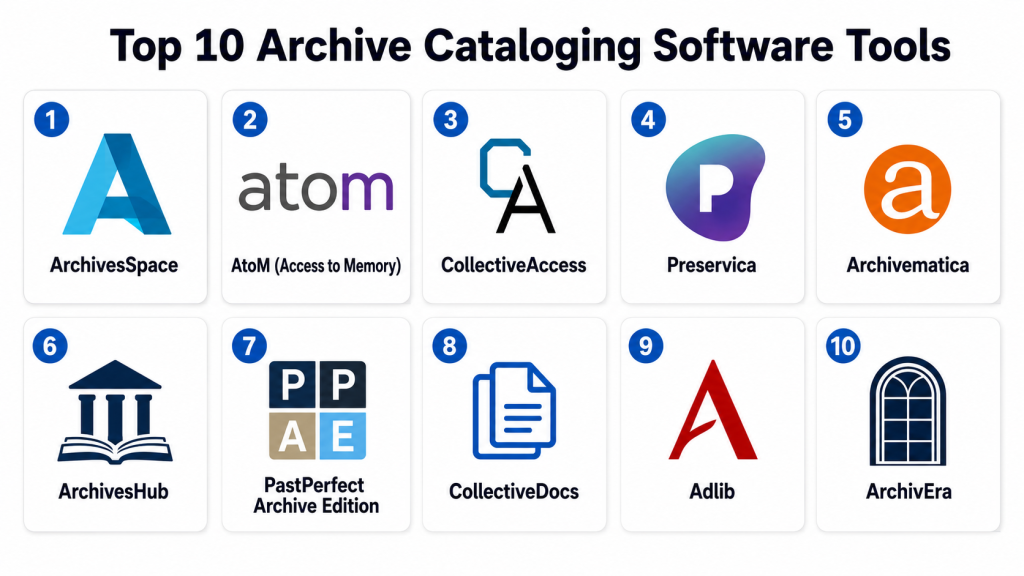
Top 10 Archive Cataloging Software Tools
#1 — ArchivesSpace
Short description:
ArchivesSpace is a widely used open‑source archival management system.
It supports hierarchical descriptive metadata and controlled vocabularies.
Designed for institutional archives and special collections.
Ideal for archivists needing structured, standards‑based cataloging.
Key Features
- Support for EAD, Dublin Core, and hierarchical metadata
- Controlled vocabulary management
- Archival description and accession tracking
- User roles and permissions
- Reporting and export tools
- APIs for integration
Pros
- Open‑source and customizable
- Strong metadata standards support
- Active development community
Cons
- Technical setup required
- Interfaces less modern
- Some features need plugins
Platforms / Deployment
- Web
- Cloud / Self‑hosted
Security & Compliance
- Not publicly stated
Integrations & Ecosystem
- APIs for custom integration
- Support for external repositories
- Plugins for export and search
Support & Community
- Community forums
- Online documentation
- Third‑party support options
#2 — AtoM (Access to Memory)
Short description:
AtoM is an open‑source archival description and access platform.
It implements international standards like ISAD(G) and ISAAR(CPF).
Designed for public access and archival discovery workflows.
Ideal for archives and heritage institutions emphasizing access.
Key Features
- Support for archival metadata standards
- Search and discovery portal
- Access controls and user roles
- Digital object linking
- Reporting tools
Pros
- Standards‑based metadata
- Public‑facing access capabilities
- No licensing fees
Cons
- Requires technical expertise
- Limited advanced analytics
Platforms / Deployment
- Web
- Cloud / Self‑hosted
Security & Compliance
- Not publicly stated
Integrations & Ecosystem
- APIs for external integration
- Search indexing
- Integration with storage systems
Support & Community
- Documentation and tutorials
- Community mailing lists
- Professional support services
#3 — CollectiveAccess
Short description:
CollectiveAccess is an open‑source archive and collection management suite.
It supports detailed metadata, controlled vocabularies, and digital assets.
Flexible for archives, museums, and special collections.
Ideal for organizations seeking highly customizable workflows.
Key Features
- Metadata and taxonomy customization
- Digital asset integration
- Controlled vocabularies
- Public‑facing discovery interface
- Export and reporting tools
Pros
- Highly flexible and configurable
- Community‑driven development
- Strong asset management features
Cons
- Can require technical expertise
- Setup is complex
- UI may feel dated
Platforms / Deployment
- Web
- Cloud / Self‑hosted
Security & Compliance
- Not publicly stated
Integrations & Ecosystem
- APIs and connectors
- Export tools
- Public search integration
Support & Community
- Documentation
- Community forums
- Third‑party professional services
#4 — Preservica
Short description:
Preservica is a digital preservation and archive management platform.
It focuses on long‑term access and file authenticity.
Supports complex digital formats and preservation workflows.
Ideal for institutions prioritizing digital asset longevity.
Key Features
- Automated preservation workflows
- Digital object versioning
- Metadata and description tools
- Secure storage and audit trails
- Search and retrieval interface
Pros
- Strong digital preservation focus
- Handles complex file formats
- Built‑in audit trails
Cons
- Cost may be high for small archives
- Requires planning for deployment
Platforms / Deployment
- Web
- Cloud / Hybrid
Security & Compliance
- Encryption and audit features
- GDPR compliance: Not publicly stated
Integrations & Ecosystem
- APIs for archive integration
- Connectors to storage and publishing systems
Support & Community
- Vendor support
- Documentation and training resources
#5 — Archivematica
Short description:
Archivematica is an open‑source digital preservation system.
It automates archival ingest and preservation workflows.
Designed for institutions needing robust digital archiving.
Ideal for records managers focusing on preservation pipelines.
Key Features
- Automated format validation and normalization
- Metadata extraction
- Integration with storage systems
- Preservation policy workflows
Pros
- Robust automation
- Open‑source flexibility
- Standards‑based workflows
Cons
- Technical installation complexity
- UI requires training
Platforms / Deployment
- Web
- Cloud / Self‑hosted
Security & Compliance
- Not publicly stated
Integrations & Ecosystem
- API hooks for repository integration
- Connectors to digital storage
Support & Community
- Active community
- Documentation and tutorials
#6 — ArchivesHub
Short description:
ArchivesHub aggregates archival descriptions for discovery and access.
It helps institutions share and expose collections publicly.
Suitable for archives wanting wider visibility.
Ideal for academic and national collections seeking discovery.
Key Features
- Public access portal
- Metadata aggregation
- Search and browse tools
- Controlled vocabularies support
Pros
- Enhances archives visibility
- Standards‑based discovery
- Suitable for collaborative collections
Cons
- Not a full management system
- Requires external catalog system
Platforms / Deployment
- Web
- Cloud
Security & Compliance
- Not publicly stated
Integrations & Ecosystem
- Integration with institutional repositories
- Search APIs
Support & Community
- Documentation
- Hub support team
#7 — PastPerfect Archive Edition
Short description:
PastPerfect is an archive cataloging and museum records solution.
Manages artifacts, photographs, and archival documents.
Includes search, indexing, and reporting tools.
Ideal for small archives and historical societies.
Key Features
- Cataloging and indexing
- Digital media storage
- Search and reporting
- Donor and accession tracking
Pros
- Easy to use
- Affordable for small teams
- Strong basic functionality
Cons
- Limited advanced analytics
- Not ideal for large repositories
Platforms / Deployment
- Web / Windows
- Cloud / Hybrid
Security & Compliance
- Not publicly stated
Integrations & Ecosystem
- Digital file support
- Barcode integration
Support & Community
- Vendor support
- Tutorials and documentation
#8 — CollectiveDocs
Short description:
CollectiveDocs supports multi‑format digital assets and records.
It handles metadata, access control, and indexing.
Designed for archives and research institutions.
Ideal for organizations needing flexible access policies.
Key Features
- Asset and document cataloging
- Metadata tagging
- Search and indexing
- Access control tools
Pros
- Flexible metadata policies
- Handles varied file formats
- Strong indexing
Cons
- Requires configuration expertise
- Limited reporting
Platforms / Deployment
- Web
- Cloud / Hybrid
Security & Compliance
- Not publicly stated
Integrations & Ecosystem
- API integration
- Search connectors
Support & Community
- Documentation
- Support channels
#9 — Adlib
Short description:
Adlib manages collections and archival metadata comprehensively.
Supports digital objects, indexing, and cataloging workflows.
Includes search, reporting, and access controls.
Ideal for medium to large archives with diverse collections.
Key Features
- Metadata creation and editing
- Digital object integration
- Search and discovery
- Workflow tracking
Pros
- Enterprise‑grade functionality
- Strong metadata support
- Scalable for large collections
Cons
- Cost may be high
- Implementation requires training
Platforms / Deployment
- Web
- Cloud / Hybrid
Security & Compliance
- Not publicly stated
Integrations & Ecosystem
- API connectors
- Digital asset integration
Support & Community
- Vendor support
- Documentation
#10 — ArchivEra
Short description:
ArchivEra is a cataloging and digital archive platform for institutions.
Handles descriptive metadata, search, and access control.
Supports digital asset storage and indexing.
Ideal for archives needing straightforward cataloging tools.
Key Features
- Descriptive metadata tools
- Search and discovery
- Digital asset integration
- Simple user interface
Pros
- Easy to implement
- Affordable for small archives
- Intuitive UI
Cons
- Limited advanced features
- Smaller support ecosystem
Platforms / Deployment
- Web
- Cloud
Security & Compliance
- Not publicly stated
Integrations & Ecosystem
- Basic API support
- Asset connectors
Support & Community
- Documentation
- Support channels
Comparison Table (Top 10)
| Tool Name | Best For | Platform(s) Supported | Deployment | Standout Feature | Public Rating |
|---|---|---|---|---|---|
| ArchivesSpace | Institutional archives | Web | Cloud / Self‑hosted | Standards metadata | N/A |
| AtoM | Public access archives | Web | Cloud / Self‑hosted | International standards | N/A |
| CollectiveAccess | Customizable workflows | Web | Cloud / Self‑hosted | Flexibility & taxonomy | N/A |
| Preservica | Digital preservation | Web | Cloud / Hybrid | Preservation workflows | N/A |
| Archivematica | Digital preservation automation | Web | Cloud / Self‑hosted | Automated workflows | N/A |
| ArchivesHub | Aggregated discovery | Web | Cloud | Linked overview | N/A |
| PastPerfect Archive | Small archives | Web / Windows | Cloud / Hybrid | Ease of use | N/A |
| CollectiveDocs | Flexible indexing | Web | Cloud / Hybrid | Access control | N/A |
| Adlib | Large archives | Web | Cloud / Hybrid | Scalable metadata | N/A |
| ArchivEra | Simple archive needs | Web | Cloud | Intuitive UI | N/A |
Evaluation & Scoring
| Tool Name | Core (25%) | Ease (15%) | Integrations (15%) | Security (10%) | Performance (10%) | Support (10%) | Value (15%) | Weighted Total |
|---|---|---|---|---|---|---|---|---|
| ArchivesSpace | 9 | 7 | 8 | 6 | 8 | 7 | 9 | 8.0 |
| AtoM | 8 | 8 | 7 | 6 | 7 | 7 | 9 | 7.4 |
| CollectiveAccess | 8 | 7 | 8 | 6 | 7 | 7 | 8 | 7.5 |
| Preservica | 9 | 8 | 8 | 7 | 9 | 8 | 6 | 8.0 |
| Archivematica | 8 | 7 | 7 | 6 | 8 | 7 | 9 | 7.8 |
| ArchivesHub | 6 | 9 | 7 | 6 | 6 | 7 | 8 | 7.0 |
| PastPerfect Archive | 7 | 9 | 6 | 6 | 7 | 7 | 8 | 7.4 |
| CollectiveDocs | 7 | 7 | 7 | 6 | 7 | 7 | 8 | 7.3 |
| Adlib | 9 | 7 | 8 | 7 | 8 | 7 | 6 | 7.9 |
| ArchivEra | 7 | 9 | 6 | 6 | 7 | 7 | 8 | 7.3 |
Decision Guide
Solo / Freelancer
PastPerfect Archive or ArchivEra – easy setup and low cost with basic features.
SMB / Small Teams
AtoM and CollectiveAccess – standards‑based metadata with discovery focus.
Mid‑Market
Preservica and Archivematica – strong digital preservation and workflows.
Enterprise
ArchivesSpace and Adlib – scalable metadata, multi‑user, regulatory support.
Budget vs Premium
Open‑source tools offer customization at low licensing cost; premium solutions deliver advanced workflows and support.
Feature Depth vs Ease of Use
Enterprise platforms provide deep features but require training. Simpler tools prioritize usability and quick deployment.
Integrations & Scalability
Tools like Adlib and Preservica integrate with DAM and research systems; smaller tools may focus on core cataloging.
Security & Compliance Needs
Enterprise grade tools support structured access and audit trails; open‑source can be configured for security but require IT setup.
Frequently Asked Questions (FAQs)
1. What is the pricing model for archive cataloging software?
Most tools use subscription pricing. Open‑source software is free but may require paid hosting or support. Costs vary with features, users, and deployment.
2. How difficult is onboarding and setup?
Onboarding varies by tool; enterprise systems may need planning and training, while lighter options can go live quickly with basic training.
3. Can I migrate data from another system?
Yes. Exporting existing cataloging data in standard formats helps migration, but custom mapping may be needed for complex metadata.
4. What metadata standards should I look for?
Look for tools supporting Dublin Core, EAD, PREMIS, and controlled vocabularies to ensure proper archival interoperability.
5. Do these tools support digital preservation?
Many platforms have built‑in preservation workflows; others integrate with dedicated preservation tools for long‑term digital access.
6. Can multiple users work simultaneously?
Yes. Most systems support role‑based access, enabling archivists, curators, and visitors to interact according to permissions.
7. What common mistakes should archives avoid?
Avoid choosing tools without proper metadata standards, overlooking backups, and underestimating integration needs with other systems.
8. How do integrations work?
Archive tools use APIs and connectors to integrate with digital storage, discovery portals, and publishing systems for seamless workflows.
9. Can these systems provide public search?
Many platforms offer public portals or search interfaces, enhancing accessibility for researchers and community audiences.
10. Are there alternatives to archive software?
Small organizations sometimes use spreadsheets or lightweight databases, but these lack scalability, automation, and preservation capabilities.
Conclusion
Choosing the right archive cataloging software depends on archival scope, technical capabilities, and institutional goals. Small and mid‑sized archives may prefer open‑source or affordable options, while large archives benefit from enterprise‑grade systems with advanced metadata and preservation workflows. Shortlist, run pilots, and validate metadata standards, integrations, and security before full implementation. The right software ensures well‑organized archives, long‑term preservation, and enhanced accessibility for both staff and researchers.
