Introduction
Cloud Migration Tools help organizations move applications, databases, workloads, virtual machines, storage, and business systems from on-premises environments or legacy infrastructure to public, private, or hybrid cloud platforms. These tools automate discovery, assessment, planning, migration, synchronization, testing, and optimization activities that would otherwise require significant manual effort.
As enterprises accelerate digital transformation initiatives in and beyond, cloud migration has become a strategic priority. Organizations are modernizing legacy systems, reducing infrastructure costs, improving scalability, enhancing disaster recovery capabilities, and enabling AI-driven business operations. Modern migration platforms now include automated dependency mapping, AI-assisted migration recommendations, cloud cost forecasting, and continuous optimization features.
Real-World Use Cases
- Migrating on-premises data centers to cloud environments
- Moving virtual machines to AWS, Azure, or Google Cloud
- Database modernization projects
- Enterprise application rehosting and replatforming
- Hybrid and multi-cloud transformation initiatives
Evaluation Criteria for Buyers
Organizations evaluating cloud migration tools should consider:
- Migration automation capabilities
- Cloud platform compatibility
- Application discovery and dependency mapping
- Downtime minimization features
- Scalability for large migrations
- Security and compliance controls
- Cost estimation and optimization features
- Integration ecosystem
- Monitoring and reporting capabilities
- Vendor support and implementation assistance
Best for: Enterprises, mid-market organizations, IT teams, cloud architects, MSPs, digital transformation leaders, and businesses planning large-scale cloud adoption.
Not ideal for: Organizations with minimal cloud requirements, very small IT environments, or companies already operating entirely in cloud-native architectures.
Key Trends in Cloud Migration Tools
- AI-assisted migration planning and workload assessment
- Automated application dependency discovery
- Increased adoption of cloud-native modernization workflows
- Multi-cloud migration support becoming standard
- Integration with FinOps and cloud cost management platforms
- Enhanced security posture assessment during migration
- Automated compliance validation and reporting
- Containerization recommendations during migration projects
- Zero-downtime migration technologies gaining adoption
- Increased focus on post-migration optimization and governance
How We Selected These Tools
The following tools were evaluated using a structured methodology:
- Market adoption and enterprise mindshare
- Migration automation capabilities
- Multi-cloud support maturity
- Reliability and migration success rates
- Security and compliance features
- Integration ecosystem strength
- Scalability across organization sizes
- Customer support and implementation services
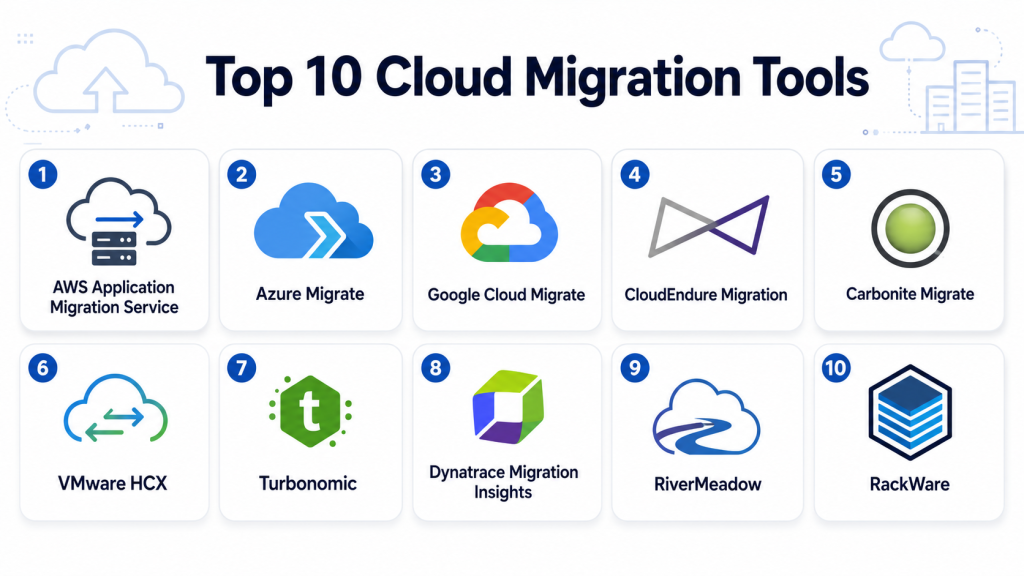
Top 10 Cloud Migration Tools
1- AWS Application Migration Service
Short description: AWS Application Migration Service is Amazon’s flagship migration platform designed to simplify and accelerate migration of physical, virtual, and cloud-based servers to AWS. It enables lift-and-shift migrations with minimal downtime and supports large-scale enterprise transformation projects. Organizations use it to migrate legacy applications, infrastructure, and business-critical systems into AWS environments. Its automation capabilities reduce migration complexity while improving migration consistency. The platform is especially useful for enterprises standardizing on AWS infrastructure and services.
Key Features
- Automated server replication
- Lift-and-shift migration support
- Continuous data synchronization
- Minimal downtime migration
- Migration progress monitoring
- Multi-source workload support
- AWS ecosystem integration
Pros
- Native AWS integration
- Strong automation capabilities
- Scalable enterprise migrations
Cons
- AWS-focused platform
- Less useful for multi-cloud strategies
Platforms / Deployment
- Cloud
Security & Compliance
- Encryption
- IAM integration
- Audit logging
- RBAC
Integrations & Ecosystem
AWS Application Migration Service integrates deeply with AWS infrastructure and modernization services.
- Amazon EC2
- AWS Migration Hub
- AWS Database Migration Service
- AWS IAM
- AWS Cost Explorer
Support & Community
Strong documentation, enterprise support plans, and a large AWS partner ecosystem.
2- Azure Migrate
Short description: Azure Migrate provides a centralized platform for discovering, assessing, and migrating servers, databases, applications, and virtual desktops to Microsoft Azure. It offers migration readiness assessments, cost estimation tools, and workload modernization recommendations. Organizations leveraging Microsoft technologies often choose Azure Migrate for its native cloud integration and streamlined migration workflows.
Key Features
- Infrastructure discovery
- Migration readiness assessments
- Cost estimation
- Server migration automation
- Dependency mapping
- Database migration support
- Azure optimization recommendations
Pros
- Strong Microsoft ecosystem integration
- Comprehensive assessment capabilities
- Native Azure support
Cons
- Azure-centric platform
- Advanced scenarios may require additional tools
Platforms / Deployment
- Cloud
Security & Compliance
- RBAC
- Encryption
- Audit capabilities
Integrations & Ecosystem
- Microsoft Azure
- Azure Arc
- Azure SQL
- Microsoft Defender
- Azure Monitor
Support & Community
Large enterprise community and extensive Microsoft documentation.
3- Google Cloud Migrate
Short description: Google Cloud Migrate provides migration tools and services that help organizations move workloads into Google Cloud environments. It supports virtual machine migration, modernization projects, and infrastructure transformation initiatives. Businesses seeking cloud-native innovation often use Google Cloud migration technologies to accelerate modernization.
Key Features
- VM migration support
- Infrastructure modernization
- Application assessment
- Migration orchestration
- Dependency analysis
- Monitoring integration
- Cloud-native transformation
Pros
- Strong modernization focus
- Integration with Google Cloud services
- Supports complex migration scenarios
Cons
- Best suited for Google Cloud adopters
- Smaller enterprise migration ecosystem
Platforms / Deployment
- Cloud
Security & Compliance
- Encryption
- IAM controls
- Audit logging
Integrations & Ecosystem
- Google Cloud Platform
- BigQuery
- Kubernetes Engine
- Cloud Monitoring
- Identity services
Support & Community
Strong documentation and cloud migration resources.
4- CloudEndure Migration
Short description: CloudEndure, now integrated into AWS migration services, became widely recognized for continuous replication and near-zero downtime migration capabilities. It remains an influential migration technology for enterprises managing large-scale cloud transformation projects requiring business continuity.
Key Features
- Continuous replication
- Near-zero downtime migration
- Automated cutover
- Disaster recovery support
- Cross-platform migration
- Migration automation
- Recovery testing
Pros
- Minimal downtime
- Reliable replication engine
- Enterprise scalability
Cons
- AWS alignment
- Limited standalone positioning
Platforms / Deployment
- Cloud
Security & Compliance
- Encryption
- Access controls
Integrations & Ecosystem
- AWS infrastructure
- Migration services
- Disaster recovery tools
Support & Community
Strong enterprise support resources through AWS.
5- Carbonite Migrate
Short description: Carbonite Migrate specializes in workload migration across physical, virtual, and cloud environments. The platform helps organizations perform migrations with reduced downtime while maintaining application availability. It is frequently used for complex migration and modernization projects.
Key Features
- Workload migration
- Continuous replication
- Minimal downtime cutovers
- Multi-cloud support
- Server migration
- Data synchronization
- Migration orchestration
Pros
- Flexible migration scenarios
- Reliable replication
- Broad infrastructure support
Cons
- Enterprise-focused pricing
- Learning curve for advanced deployments
Platforms / Deployment
- Hybrid
Security & Compliance
- Encryption
- Access controls
Integrations & Ecosystem
- VMware
- Hyper-V
- AWS
- Azure
- Data center environments
Support & Community
Enterprise support and implementation assistance available.
6- VMware HCX
Short description: VMware HCX is designed for large-scale hybrid cloud migration and workload mobility. It enables organizations to move applications and virtual machines across VMware environments and cloud platforms while minimizing operational disruption.
Key Features
- Bulk workload migration
- Hybrid cloud mobility
- Live migration support
- Application mobility
- Network extension
- Disaster recovery integration
- Migration automation
Pros
- Excellent VMware compatibility
- Large-scale migration capabilities
- Supports hybrid strategies
Cons
- Best suited for VMware customers
- Complex deployment requirements
Platforms / Deployment
- Hybrid
Security & Compliance
- Encryption
- Access management
Integrations & Ecosystem
- VMware vSphere
- VMware Cloud
- AWS
- Azure
- Google Cloud
Support & Community
Strong VMware ecosystem and enterprise support.
7- Turbonomic
Short description: Turbonomic focuses on workload optimization and migration planning through AI-driven resource analysis. While not purely a migration platform, it helps organizations make informed migration decisions and optimize cloud resource allocation before and after migration.
Key Features
- AI-driven workload analysis
- Capacity planning
- Migration recommendations
- Resource optimization
- Cost management
- Performance monitoring
- Cloud governance
Pros
- Intelligent migration planning
- Strong optimization capabilities
- Supports FinOps initiatives
Cons
- Not a dedicated migration engine
- Best used alongside migration tools
Platforms / Deployment
- Hybrid
Security & Compliance
- Access controls
- Audit capabilities
Integrations & Ecosystem
- VMware
- AWS
- Azure
- Kubernetes
- Monitoring platforms
Support & Community
Strong enterprise documentation and support.
8- Dynatrace Migration Insights
Short description: Dynatrace helps organizations understand application dependencies and performance characteristics before migration. Its observability capabilities provide critical migration intelligence and risk assessment for cloud transformation initiatives.
Key Features
- Application dependency mapping
- Performance analytics
- Migration readiness insights
- AI-powered observability
- Root cause analysis
- Cloud monitoring
- Risk assessment
Pros
- Deep visibility
- Excellent dependency discovery
- AI-assisted analytics
Cons
- Not a full migration platform
- Additional migration tooling required
Platforms / Deployment
- Cloud
- Hybrid
Security & Compliance
- RBAC
- Audit controls
- Encryption
Integrations & Ecosystem
- AWS
- Azure
- Google Cloud
- Kubernetes
- Enterprise monitoring systems
Support & Community
Strong observability community and enterprise support.
9- RiverMeadow
Short description: RiverMeadow provides cloud migration automation focused on workload portability and cloud transformation. The platform helps organizations move workloads between data centers and cloud providers while reducing manual migration effort.
Key Features
- Migration automation
- Multi-cloud support
- Workload transformation
- Discovery tools
- Cost optimization
- Migration planning
- Reporting dashboards
Pros
- Multi-cloud flexibility
- Automation-focused workflows
- Strong transformation capabilities
Cons
- Smaller ecosystem than hyperscalers
- Less mainstream adoption
Platforms / Deployment
- Hybrid
Security & Compliance
- Encryption
- Access controls
Integrations & Ecosystem
- AWS
- Azure
- Google Cloud
- VMware
- Enterprise platforms
Support & Community
Enterprise implementation support available.
10- RackWare
Short description: RackWare provides workload mobility, disaster recovery, and migration automation capabilities. Organizations use RackWare to simplify migration projects while maintaining business continuity and reducing migration risk across cloud environments.
Key Features
- Workload mobility
- Disaster recovery
- Migration automation
- Multi-cloud support
- Replication engine
- Recovery testing
- Migration reporting
Pros
- Flexible deployment models
- Disaster recovery capabilities
- Broad platform compatibility
Cons
- Smaller market presence
- Limited community compared to major vendors
Platforms / Deployment
- Hybrid
Security & Compliance
- Encryption
- Access controls
Integrations & Ecosystem
- AWS
- Azure
- Google Cloud
- VMware
- Data center infrastructure
Support & Community
Dedicated enterprise support with migration expertise.
Comparison Table
| Tool Name | Best For | Platforms Supported | Deployment | Standout Feature | Public Rating |
|---|---|---|---|---|---|
| AWS Application Migration Service | AWS migrations | AWS | Cloud | Native AWS migration automation | N/A |
| Azure Migrate | Azure adoption | Azure | Cloud | Migration assessments | N/A |
| Google Cloud Migrate | Google Cloud projects | GCP | Cloud | Modernization workflows | N/A |
| CloudEndure | Low downtime migration | Multi-platform | Cloud | Continuous replication | N/A |
| Carbonite Migrate | Enterprise migrations | Multi-platform | Hybrid | Workload portability | N/A |
| VMware HCX | VMware environments | Multi-platform | Hybrid | Hybrid cloud mobility | N/A |
| Turbonomic | Migration planning | Multi-platform | Hybrid | AI optimization | N/A |
| Dynatrace Migration Insights | Dependency analysis | Multi-platform | Hybrid | AI observability | N/A |
| RiverMeadow | Multi-cloud migration | Multi-platform | Hybrid | Automation platform | N/A |
| RackWare | Migration and DR | Multi-platform | Hybrid | Workload mobility | N/A |
Evaluation & Scoring of Cloud Migration Tools
| Tool Name | Core | Ease | Integrations | Security | Performance | Support | Value | Weighted Total |
| AWS Application Migration Service | 10 | 8 | 10 | 9 | 9 | 9 | 9 | 9.2 |
| Azure Migrate | 9 | 9 | 9 | 9 | 9 | 9 | 9 | 9.0 |
| Google Cloud Migrate | 8 | 8 | 8 | 9 | 8 | 8 | 8 | 8.1 |
| CloudEndure | 9 | 8 | 8 | 8 | 9 | 8 | 8 | 8.4 |
| Carbonite Migrate | 8 | 7 | 8 | 8 | 8 | 8 | 7 | 7.8 |
| VMware HCX | 9 | 7 | 9 | 8 | 9 | 8 | 7 | 8.3 |
| Turbonomic | 8 | 8 | 8 | 8 | 9 | 8 | 8 | 8.1 |
| Dynatrace Migration Insights | 8 | 8 | 8 | 8 | 9 | 8 | 8 | 8.1 |
| RiverMeadow | 8 | 7 | 8 | 8 | 8 | 7 | 8 | 7.8 |
| RackWare | 8 | 7 | 8 | 8 | 8 | 7 | 8 | 7.8 |
These scores provide a comparative framework rather than absolute rankings. Organizations should prioritize the criteria most aligned with their migration strategy. Enterprises focused on large-scale migrations may prioritize automation and integrations, while mid-market organizations may place greater emphasis on simplicity and value. Always validate requirements through pilot migrations before selecting a platform.
Which Cloud Migration Tool Is Right for You?
Solo / Freelancer
Most solo users rarely require dedicated cloud migration platforms. Lightweight migration services offered by cloud providers are typically sufficient.
SMB
Azure Migrate, AWS Application Migration Service, and Google Cloud Migrate provide straightforward migration paths with strong vendor support.
Mid-Market
Carbonite Migrate, VMware HCX, and RiverMeadow offer flexibility and broader migration capabilities for growing organizations.
Enterprise
AWS Application Migration Service, VMware HCX, Turbonomic, and Dynatrace are strong choices for complex, large-scale transformation projects.
Budget vs Premium
Native cloud provider tools generally provide the most cost-effective approach, while advanced platforms offer additional automation and governance capabilities.
Feature Depth vs Ease of Use
Azure Migrate emphasizes simplicity, while VMware HCX and Turbonomic deliver deeper enterprise functionality.
Integrations & Scalability
Large organizations with complex infrastructure should prioritize AWS, Azure, VMware, or Dynatrace ecosystems.
Security & Compliance Needs
Organizations operating in regulated industries should prioritize platforms with strong auditing, encryption, access controls, and compliance reporting capabilities.
Frequently Asked Questions
1- What is a cloud migration tool?
A cloud migration tool helps organizations move applications, workloads, servers, databases, and data from on-premises infrastructure or legacy environments into cloud platforms while minimizing risk and downtime.
2- Why are cloud migration tools important?
These tools automate complex migration processes, reduce manual effort, improve consistency, and help organizations accelerate digital transformation initiatives.
3- Can migration tools reduce downtime?
Yes. Many modern platforms use replication technologies and automated cutover workflows to significantly reduce service interruptions during migration.
4- Are cloud migration tools secure?
Most enterprise migration tools provide encryption, access controls, auditing capabilities, and secure data transfer mechanisms to protect sensitive information.
5- How long does a cloud migration project take?
Project duration depends on workload complexity, data volume, application dependencies, compliance requirements, and migration strategy.
6- What is the difference between rehosting and replatforming?
Rehosting moves applications with minimal changes, while replatforming introduces modifications to better leverage cloud-native capabilities.
7- Can migration tools support multi-cloud strategies?
Many enterprise migration platforms support migration across AWS, Azure, Google Cloud, and hybrid environments.
8- What are the most common migration mistakes?
Common mistakes include poor dependency mapping, inadequate testing, inaccurate cost forecasting, weak governance planning, and insufficient user training.
9- Do cloud migration tools help with compliance?
Many platforms provide auditing, reporting, security assessments, and governance controls that support compliance initiatives during migration projects.
10- How should organizations evaluate cloud migration platforms?
Organizations should assess automation capabilities, cloud compatibility, security features, scalability, integrations, support quality, and total migration costs before selecting a solution.
Conclusion
Cloud migration remains one of the most important technology initiatives for organizations modernizing infrastructure and enabling future growth. The right migration platform can significantly reduce project complexity, improve migration success rates, minimize downtime, and accelerate cloud adoption. Native cloud migration services such as AWS Application Migration Service, Azure Migrate, and Google Cloud Migrate are excellent choices for organizations committed to specific cloud providers, while platforms like VMware HCX, Carbonite Migrate, RiverMeadow, and RackWare offer broader flexibility for hybrid and multi-cloud environments. Solutions such as Turbonomic and Dynatrace provide valuable intelligence that improves migration planning and optimization. The best choice depends on your infrastructure landscape, cloud strategy, compliance requirements, and modernization goals. Start by shortlisting two or three platforms, conduct a pilot migration, validate performance and security requirements, and then scale the solution that aligns best with your long-term cloud transformation roadmap.
