Introduction
Construction Estimating Software helps contractors, builders, and project managers calculate the total cost of a construction project by analyzing materials, labor, equipment, overheads, and timelines. In simple terms, it replaces manual spreadsheets and guesswork with structured, data-driven cost estimation.
In and beyond, estimating tools are becoming more advanced due to rising material costs, complex project scopes, and the need for faster bidding cycles. AI-assisted cost prediction, real-time supplier pricing, and integration with BIM and project management systems are now standard expectations.
Real-world use cases include:
- Preparing accurate project bids for commercial and residential construction.
- Estimating material and labor costs for large infrastructure projects.
- Generating fast quotations for clients and tenders.
- Tracking cost variations during project execution.
- Integrating estimates with scheduling and project management tools.
What buyers should evaluate:
- Accuracy of cost estimation and historical data usage.
- Material and labor cost database updates.
- Integration with BIM, ERP, and accounting systems.
- Ease of creating and managing bids and proposals.
- Customization of cost templates and assemblies.
- Real-time supplier pricing and updates.
- Collaboration features for teams and subcontractors.
- Reporting and analytics for profitability.
- Scalability for multiple projects.
- Cloud accessibility and mobile support.
Best for: Contractors, builders, construction firms, estimators, real estate developers, and civil engineering companies.
Not ideal for: Small teams without structured bidding processes or non-project-based businesses.
Key Trends in Construction Estimating Software
- AI-powered cost estimation and predictive pricing models.
- Real-time material pricing integration from suppliers.
- BIM-based 5D estimating (cost + time integration).
- Cloud-first collaboration between estimators and project teams.
- Automated bid generation and proposal creation.
- Machine learning for historical cost benchmarking.
- Mobile estimating tools for on-site quoting.
- Integration with ERP and accounting platforms.
- Digital takeoff automation using drawings and PDFs.
- Increased focus on margin optimization and profitability tracking.
How We Selected These Tools (Methodology)
The tools in this list were selected based on:
- Market adoption in construction estimating and bidding workflows.
- Accuracy and depth of cost estimation capabilities.
- Integration with BIM, ERP, and project management systems.
- Ease of use for estimators and contractors.
- Database quality for materials, labor, and cost libraries.
- Scalability for small contractors to enterprise firms.
- Reporting and analytics capabilities.
- Vendor reputation in construction and engineering industries.
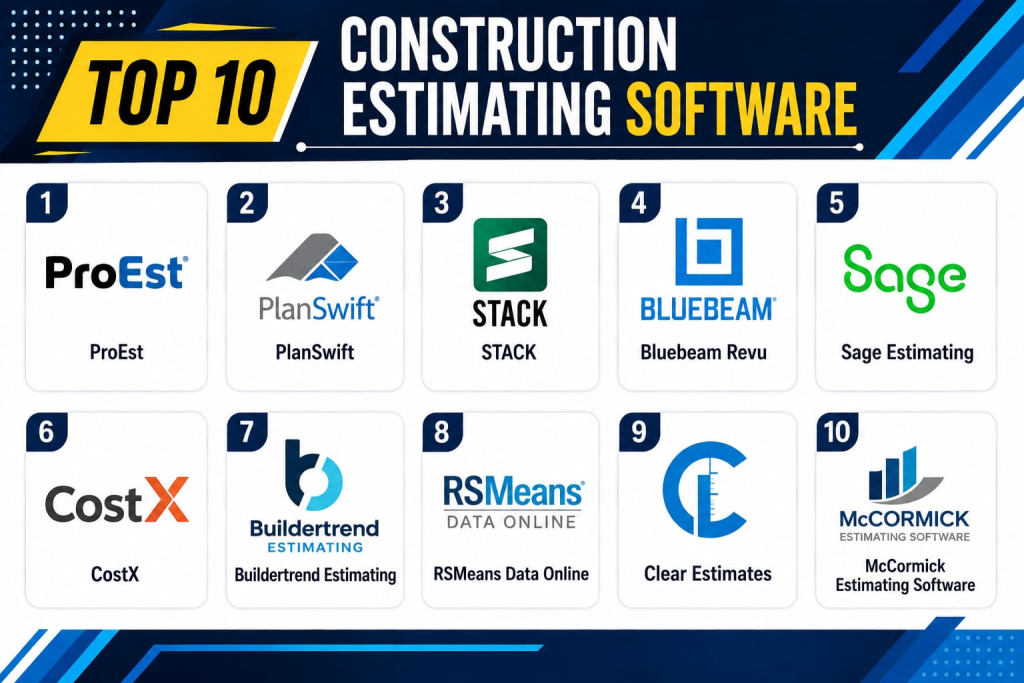
Top 10 Construction Estimating Software
1- ProEst
Short description:
ProEst is a cloud-based construction estimating platform designed for contractors and construction firms that need fast, accurate, and data-driven estimates. It helps automate takeoffs, cost calculations, and bid management. It is widely used in commercial construction environments. The platform provides a centralized cost database and integrates with project management tools. It is ideal for contractors seeking scalable estimating workflows. It improves bid accuracy and speed.
Key Features
- Cloud-based estimating system.
- Automated digital takeoffs.
- Cost database management.
- Bid management and proposals.
- Real-time collaboration tools.
- Historical cost tracking.
- Reporting dashboards.
Pros
- Strong estimating accuracy.
- Easy cloud collaboration.
- Good scalability.
Cons
- High pricing tiers.
- Requires onboarding time.
- Limited offline capabilities.
Platforms / Deployment
- Web
- Cloud
Security & Compliance
- SSO/SAML
- MFA
- Encryption
- RBAC
- Audit logs
- Not publicly stated certifications
Integrations & Ecosystem
ProEst integrates with construction and business systems to streamline estimating workflows:
- Project management tools
- ERP systems
- Accounting software
- BIM tools
- APIs
- CRM systems
Support & Community
Strong enterprise support and onboarding assistance
2- PlanSwift
Short description:
PlanSwift is a popular takeoff and estimating software widely used by contractors for measuring materials and generating cost estimates. It focuses heavily on digital takeoffs from blueprints and drawings. It is widely used in electrical, plumbing, and general contracting industries. It helps reduce manual measurement time. It is ideal for small to mid-sized contractors. It improves speed and accuracy of estimates.
Key Features
- Digital blueprint takeoffs.
- Drag-and-drop estimating tools.
- Material and labor calculation.
- Custom assemblies.
- Reporting tools.
- Measurement automation.
- Exportable estimates.
Pros
- Very fast takeoff process.
- Easy to learn.
- Good for SMB contractors.
Cons
- Windows-only limitation.
- Limited cloud-native capabilities.
- Not ideal for enterprise-scale workflows.
Platforms / Deployment
- Windows
- On-premise / Desktop-based
Security & Compliance
- Local encryption
- User access controls
- Backup support
- Not publicly stated certifications
Integrations & Ecosystem
- Excel exports
- Accounting tools
- ERP systems
- APIs (limited)
- Construction software tools
- Estimating add-ons
Support & Community
Strong user community and documentation
3- STACK
Short description:
STACK is a cloud-based construction estimating and takeoff platform designed for speed and collaboration. It helps contractors perform digital takeoffs, create estimates, and manage preconstruction workflows. It is widely used in commercial and residential construction. The platform supports real-time collaboration between teams. It is ideal for growing construction firms. It improves bid accuracy and efficiency.
Key Features
- Cloud-based takeoff tools.
- Estimating automation.
- Prebuilt cost databases.
- Collaboration tools.
- Bid management system.
- Reporting dashboards.
- Template-based estimating.
Pros
- Strong cloud collaboration.
- Easy interface.
- Good for teams.
Cons
- Limited offline use.
- Advanced features require higher plans.
- Can be expensive at scale.
Platforms / Deployment
- Web
- Cloud
Security & Compliance
- SSO/SAML
- MFA
- Encryption
- RBAC
- Audit logs
- Not publicly stated certifications
Integrations & Ecosystem
- Procore
- Autodesk tools
- Excel
- APIs
- ERP systems
- Project management tools
Support & Community
Strong SMB and mid-market support
4- Bluebeam Revu
Short description:
Bluebeam Revu is a PDF-based construction estimating and markup tool widely used for digital takeoffs and document collaboration. It is popular among architects, engineers, and contractors. It allows users to mark up drawings and perform quantity takeoffs. It is widely used in design and preconstruction workflows. It is ideal for document-heavy estimating environments. It improves accuracy in blueprint analysis.
Key Features
- PDF-based takeoff tools.
- Measurement and markup tools.
- Quantity calculation.
- Collaboration tools.
- Document management.
- Cloud collaboration via Studio.
- Custom toolsets.
Pros
- Excellent PDF workflow.
- Strong accuracy for takeoffs.
- Widely adopted in industry.
Cons
- Not fully cloud-native.
- Requires training for advanced use.
- Limited cost database features.
Platforms / Deployment
- Windows
- iOS
- Cloud (Studio)
Security & Compliance
- SSO/SAML
- MFA
- Encryption
- RBAC
- Audit logs
- Enterprise compliance varies
Integrations & Ecosystem
- Procore
- Autodesk
- SharePoint
- APIs
- ERP systems
- Construction tools
Support & Community
Strong professional user community
5- Sage Estimating
Short description:
Sage Estimating is an enterprise-level estimating solution designed for contractors who need detailed cost control and financial integration. It provides advanced estimating tools integrated with Sage ERP systems. It is widely used in large construction firms. It supports complex cost modeling and forecasting. It is ideal for enterprise construction finance environments. It improves budget accuracy and control.
Key Features
- Advanced cost estimation tools.
- ERP integration.
- Historical cost databases.
- Bid management.
- Reporting and forecasting.
- Custom assemblies.
- Multi-project estimation.
Pros
- Strong financial integration.
- Good enterprise scalability.
- Accurate cost modeling.
Cons
- Complex setup.
- High cost structure.
- Requires training.
Platforms / Deployment
- Windows
- Cloud / Hybrid
Security & Compliance
- SSO/SAML
- MFA
- Encryption
- RBAC
- Audit logs
- Sage enterprise compliance standards
Integrations & Ecosystem
- Sage ERP
- Accounting systems
- BIM tools
- APIs
- Project management systems
- Construction platforms
Support & Community
Strong enterprise support
6- CostX
Short description:
CostX is a powerful construction estimating software known for its advanced 2D and 3D takeoff capabilities. It is widely used in quantity surveying and cost estimation. It enables precise measurement from drawings and BIM models. It is ideal for large-scale construction projects. It supports detailed cost planning. It improves estimation accuracy significantly.
Key Features
- 2D and 3D takeoff tools.
- BIM integration.
- Cost database management.
- Automated measurements.
- Reporting dashboards.
- Revision tracking.
- Custom templates.
Pros
- Excellent BIM integration.
- High accuracy estimating.
- Strong for large projects.
Cons
- Expensive licensing.
- Steep learning curve.
- Requires technical expertise.
Platforms / Deployment
- Windows
- Cloud (limited)
Security & Compliance
- SSO/SAML
- MFA
- Encryption
- RBAC
- Audit logs
- Not publicly stated certifications
Integrations & Ecosystem
- BIM platforms
- ERP systems
- Excel
- APIs
- Project tools
- Construction software
Support & Community
Strong professional support
7- Buildertrend Estimating
Short description:
Buildertrend offers integrated estimating tools within its broader construction management platform. It is widely used by home builders and remodelers. It supports budgeting, proposals, and cost tracking. It is ideal for residential construction workflows. It simplifies client communication and estimating. It improves project transparency.
Key Features
- Budget-based estimating.
- Proposal generation.
- Cost tracking tools.
- Client communication portal.
- Change order management.
- Reporting dashboards.
- Mobile estimating tools.
Pros
- Easy to use.
- Strong residential focus.
- Good client integration.
Cons
- Limited enterprise features.
- Basic advanced estimating tools.
- Not ideal for large infrastructure projects.
Platforms / Deployment
- Web
- iOS
- Android
- Cloud
Security & Compliance
- SSO/SAML
- MFA
- Encryption
- RBAC
- Audit logs
- Not publicly stated certifications
Integrations & Ecosystem
- QuickBooks
- Xero
- CRM tools
- APIs
- Scheduling systems
- Project tools
Support & Community
Strong SMB support
8- RSMeans Data Online
Short description:
RSMeans Data Online provides one of the most widely used construction cost databases for estimating. It is used by estimators to access up-to-date material, labor, and equipment costs. It supports accurate budgeting and forecasting. It is widely used in North America. It is ideal for cost benchmarking. It improves estimate reliability.
Key Features
- Comprehensive cost database.
- Labor and material pricing.
- Location-based cost adjustment.
- Historical cost data.
- Estimating templates.
- Reporting tools.
- Integration with estimating software.
Pros
- Highly reliable cost data.
- Industry-standard database.
- Strong benchmarking capability.
Cons
- Not a full estimating tool.
- Subscription-based data access.
- Requires integration with other tools.
Platforms / Deployment
- Web
- Cloud
Security & Compliance
- SSO/SAML
- MFA
- Encryption
- RBAC
- Audit logs
- Not publicly stated certifications
Integrations & Ecosystem
- Estimating software
- ERP systems
- Excel
- APIs
- Construction platforms
- BIM tools
Support & Community
Strong industry adoption and documentation
9- Clear Estimates
Short description:
Clear Estimates is a simple estimating tool designed for contractors and small construction businesses. It helps generate fast estimates and proposals. It is widely used in residential and small commercial projects. It focuses on simplicity and speed. It is ideal for small contractors. It improves quoting efficiency.
Key Features
- Fast estimate generation.
- Prebuilt cost templates.
- Proposal creation tools.
- Material pricing database.
- Reporting tools.
- Customer management.
- Mobile access.
Pros
- Easy to use.
- Fast setup.
- Affordable pricing.
Cons
- Limited advanced features.
- Not suitable for large enterprises.
- Basic customization options.
Platforms / Deployment
- Web
- Cloud
Security & Compliance
- SSO/SAML
- MFA
- Encryption
- RBAC
- Audit logs
- Not publicly stated certifications
Integrations & Ecosystem
- QuickBooks
- CRM tools
- APIs
- Accounting systems
- Scheduling tools
- Project tools
Support & Community
Good SMB support
10- McCormick Estimating Software
Short description:
McCormick Estimating Software is an enterprise-grade construction estimating platform designed for contractors needing detailed cost control and structured estimating workflows. It supports complex estimating, bidding, and reporting. It is widely used in commercial construction. It helps manage large-scale project cost structures. It is ideal for enterprise contractors. It improves estimation accuracy and consistency.
Key Features
- Advanced estimating tools.
- Cost database management.
- Bid creation and tracking.
- Reporting dashboards.
- Custom assemblies.
- Multi-project support.
- Historical cost tracking.
Pros
- Strong enterprise capabilities.
- Good cost control.
- Reliable estimating structure.
Cons
- Complex interface.
- Requires training.
- Higher cost structure.
Platforms / Deployment
- Windows
- Cloud (varies)
Security & Compliance
- SSO/SAML
- MFA
- Encryption
- RBAC
- Audit logs
- Not publicly stated certifications
Integrations & Ecosystem
- ERP systems
- Accounting tools
- Excel
- APIs
- Construction platforms
- Project systems
Support & Community
Strong enterprise support
Comparison Table
| Tool Name | Best For | Platform(s) Supported | Deployment | Standout Feature | Public Rating |
|---|---|---|---|---|---|
| ProEst | Contractors | Web | Cloud | Cloud estimating | N/A |
| PlanSwift | SMB contractors | Windows | Desktop | Digital takeoffs | N/A |
| STACK | Teams | Web | Cloud | Collaboration takeoffs | N/A |
| Bluebeam Revu | Engineers | Windows | Desktop/Cloud | PDF takeoffs | N/A |
| Sage Estimating | Enterprises | Windows | Hybrid | ERP integration | N/A |
| CostX | Quantity surveyors | Windows | Hybrid | 3D BIM takeoff | N/A |
| Buildertrend | Residential builders | Web | Cloud | Client proposals | N/A |
| RSMeans Data | Cost benchmarking | Web | Cloud | Cost database | N/A |
| Clear Estimates | Small contractors | Web | Cloud | Fast quoting | N/A |
| McCormick | Enterprise contractors | Windows | Hybrid | Advanced estimating | N/A |
Evaluation & Scoring of Construction Estimating Software
| Tool Name | Core | Ease | Integrations | Security | Performance | Support | Value | Total |
|---|---|---|---|---|---|---|---|---|
| ProEst | 10 | 8 | 10 | 10 | 9 | 9 | 8 | 9.0 |
| PlanSwift | 9 | 9 | 8 | 8 | 9 | 8 | 9 | 8.6 |
| STACK | 9 | 9 | 9 | 9 | 9 | 9 | 8 | 8.9 |
| Bluebeam | 9 | 9 | 9 | 9 | 9 | 9 | 8 | 8.9 |
| Sage Estimating | 10 | 7 | 10 | 10 | 9 | 9 | 8 | 9.0 |
| CostX | 10 | 7 | 10 | 10 | 9 | 9 | 7 | 8.8 |
| Buildertrend | 8 | 9 | 8 | 8 | 9 | 8 | 9 | 8.6 |
| RSMeans Data | 8 | 9 | 9 | 9 | 8 | 8 | 9 | 8.6 |
| Clear Estimates | 7 | 10 | 7 | 8 | 8 | 8 | 9 | 8.2 |
| McCormick | 9 | 7 | 9 | 9 | 9 | 9 | 8 | 8.7 |
These scores reflect differences in estimating accuracy, database strength, BIM integration, and ease of use. Enterprise tools excel in precision and scalability, while SMB tools prioritize speed and simplicity. The best choice depends on project complexity, bidding volume, and integration needs.
Frequently Asked Questions
1. What is construction estimating software?
It is software used to calculate construction project costs including materials, labor, and equipment.
2. Who uses estimating software?
Contractors, builders, estimators, and construction firms use it.
3. Does it replace spreadsheets?
Yes, it replaces manual spreadsheets with automated and accurate estimating tools.
4. Can it integrate with BIM?
Yes, many advanced tools support BIM-based estimating.
5. Is it useful for small contractors?
Yes, tools like Clear Estimates and PlanSwift are ideal for SMBs.
6. Does it include cost databases?
Yes, many tools include or integrate with cost databases like RSMeans.
7. Can it generate bids?
Yes, most tools generate proposals and bid documents.
8. Is it cloud-based?
Many modern tools are cloud-based, while some remain desktop-based.
9. What is the biggest benefit?
Faster, more accurate cost estimation and better bid management.
10. Is training required?
Yes, advanced tools require onboarding and training for best results.
Conclusion
Construction Estimating Software plays a critical role in improving accuracy, speed, and profitability in construction projects. Platforms like ProEst, Sage Estimating, and CostX lead enterprise-level estimating with advanced capabilities, while PlanSwift, Clear Estimates, and Buildertrend serve SMB contractors with simpler workflows. The right choice depends on project scale, BIM needs, and estimating complexity. Organizations should evaluate cost database quality, integration support, and ease of use before selecting a platform and validate performance through real project bidding scenarios.
