Introduction
Form Builder Tools are software platforms that allow users to create, distribute, and manage digital forms without coding. In simple terms, they help businesses collect structured data such as leads, surveys, registrations, feedback, and payments through customizable web forms.
In and beyond, form builders are no longer just “data collection tools.” They are becoming automation hubs that connect directly with CRMs, marketing platforms, payment systems, and AI workflows. Organizations now expect intelligent forms that validate data in real time, personalize questions, and trigger automated actions after submission.
Real-world use cases include:
- Lead generation forms on websites and landing pages.
- Customer feedback and survey collection.
- Job application and recruitment forms.
- Event registration and webinar sign-ups.
- Payment collection and order forms.
What buyers should evaluate:
- Ease of form creation and drag-and-drop usability.
- Conditional logic and advanced branching.
- Integration with CRM, email, and automation tools.
- Data security, encryption, and compliance readiness.
- Custom branding and UI flexibility.
- Multi-step forms and conversion optimization features.
- Payment gateway support.
- Analytics and response tracking.
- API availability and extensibility.
- Scalability for high-volume submissions.
Best for: Marketing teams, HR departments, SaaS companies, educators, startups, and enterprises collecting structured user data.
Not ideal for: Organizations that do not collect user input or rely purely on backend system data with no external interaction.
Key Trends in Form Builder Tools
- AI-powered form generation from natural language prompts.
- Conversational and chatbot-style forms replacing static layouts.
- Deep CRM-native form automation and enrichment.
- Real-time validation using AI and external data sources.
- No-code workflow automation triggered by form submissions.
- Hyper-personalized dynamic forms based on user behavior.
- Stronger compliance for GDPR, HIPAA, and data privacy laws.
- Embedded payment and e-commerce-enabled forms.
- Multi-channel form distribution (web, email, QR, mobile apps).
- Advanced analytics for conversion optimization and drop-off analysis.
How We Selected These Tools (Methodology)
The tools in this list were selected based on:
- Market adoption across SMB and enterprise segments.
- Feature depth in form logic, automation, and customization.
- Integration ecosystem with CRMs and marketing platforms.
- Ease of use and no-code experience quality.
- Security, compliance, and data protection standards.
- Performance in handling high submission volumes.
- Extensibility via APIs and webhooks.
- Analytics and reporting capabilities.
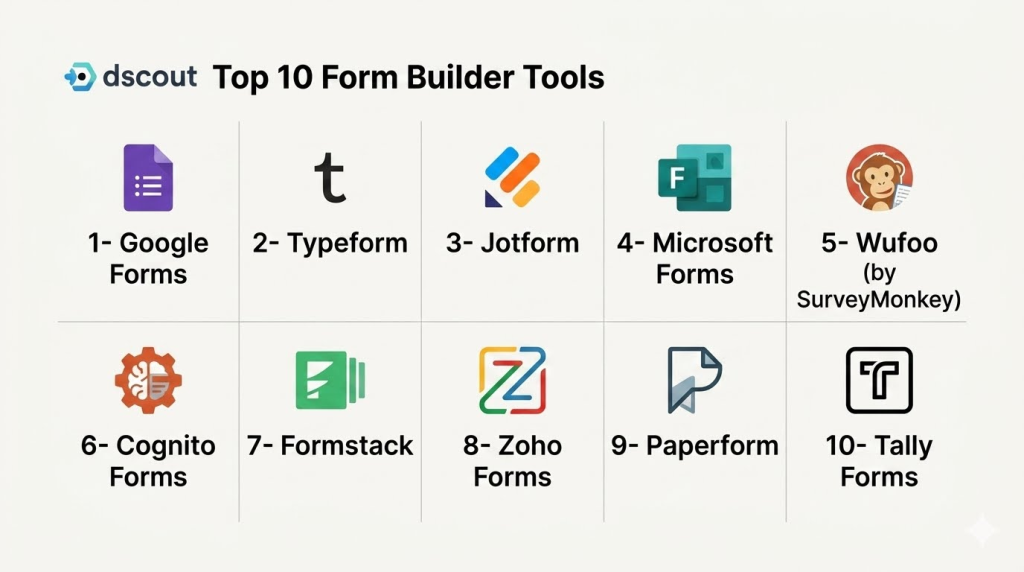
Top 10 Form Builder Tools
1- Google Forms
Short description:
Google Forms is a free and widely used form builder integrated within Google Workspace. It allows users to quickly create surveys, quizzes, and data collection forms with minimal setup. It is widely used in education, small businesses, and internal teams. Google Forms is known for simplicity and ease of use. It integrates seamlessly with Google Sheets for data analysis. It is best suited for basic form collection needs.
Key Features
- Simple drag-and-drop form creation.
- Real-time response collection.
- Google Sheets integration.
- Basic conditional logic.
- Quiz and survey mode.
- File upload support.
- Collaboration features.
Pros
- Free and easy to use.
- Strong Google ecosystem integration.
- Fast setup and deployment.
Cons
- Limited design customization.
- Basic logic capabilities.
- Not suitable for advanced workflows.
Platforms / Deployment
- Web
- Cloud
Security & Compliance
- Google OAuth authentication
- Encryption in transit and at rest
- SSO via Google Workspace
- Access control via Google permissions
- Not publicly stated certifications
Integrations & Ecosystem
- Google Sheets
- Google Drive
- Google Workspace
- Add-ons ecosystem
- Basic APIs
- Third-party automation tools
Support & Community
Strong documentation and large user community.
2- Typeform
Short description:
Typeform is a conversational form builder designed to improve user engagement through interactive and one-question-at-a-time forms. It is widely used for surveys, lead generation, and customer feedback. Typeform focuses heavily on user experience and design. It increases completion rates by making forms feel more like conversations. It is best suited for marketing and customer experience teams.
Key Features
- Conversational form interface.
- Advanced logic jumps.
- Custom branding and design.
- Survey and quiz builder.
- Integration with CRM tools.
- Payment collection forms.
- Analytics dashboard.
Pros
- High engagement and completion rates.
- Beautiful, modern UI.
- Strong logic capabilities.
Cons
- Higher pricing tiers.
- Limited free plan features.
- Can be slower for large forms.
Platforms / Deployment
- Web
- Cloud
Security & Compliance
- SSO/SAML
- MFA
- Encryption
- RBAC
- Audit logs
- Not publicly stated certifications
Integrations & Ecosystem
- HubSpot
- Salesforce
- Slack
- Google Sheets
- Zapier
- APIs
Support & Community
Strong documentation and active product community.
3- Jotform
Short description:
Jotform is a powerful and flexible form builder that supports advanced workflows, payments, and enterprise-grade customization. It is widely used across industries including healthcare, education, and business operations. Jotform offers thousands of templates and strong automation capabilities. It supports both simple and complex form workflows. It is ideal for SMBs and enterprises needing advanced form logic.
Key Features
- Drag-and-drop form builder.
- Conditional logic workflows.
- Payment integrations.
- Thousands of templates.
- E-signature support.
- Multi-step forms.
- Workflow automation.
Pros
- Highly versatile platform.
- Strong feature depth.
- Good for complex forms.
Cons
- Interface can feel overwhelming.
- Advanced features require learning curve.
- Performance varies with complex forms.
Platforms / Deployment
- Web
- Cloud
Security & Compliance
- SSO/SAML
- MFA
- Encryption
- RBAC
- Audit logs
- HIPAA compliance support (varies by plan)
Integrations & Ecosystem
- PayPal
- Stripe
- Google Workspace
- Salesforce
- Slack
- APIs and webhooks
Support & Community
Strong support and large template community.
4- Microsoft Forms
Short description:
Microsoft Forms is a lightweight form builder integrated into Microsoft 365. It is widely used for internal surveys, quizzes, and feedback collection. The platform is designed for simplicity and quick deployment. It integrates deeply with Excel and Teams. Microsoft Forms is best suited for organizations already using Microsoft 365. It is ideal for internal business workflows.
Key Features
- Simple form and survey creation.
- Real-time response analytics.
- Excel integration.
- Quiz mode.
- Collaboration features.
- Basic conditional logic.
- Microsoft Teams integration.
Pros
- Easy for Microsoft users.
- Fast deployment.
- Strong enterprise integration.
Cons
- Limited customization.
- Basic logic capabilities.
- Not suitable for advanced workflows.
Platforms / Deployment
- Web
- Cloud
Security & Compliance
- SSO via Azure Active Directory
- MFA
- Encryption
- RBAC
- Microsoft compliance frameworks
Integrations & Ecosystem
- Microsoft Excel
- Microsoft Teams
- SharePoint
- Power Automate
- Power BI
- APIs
Support & Community
Enterprise Microsoft support and documentation.
5- Wufoo (by SurveyMonkey)
Short description:
Wufoo is a long-standing online form builder known for simplicity and ease of use. It allows users to create forms, surveys, and payment forms quickly. Wufoo is widely used by small businesses and non-technical users. It provides customizable templates and basic automation. It is best suited for simple data collection needs.
Key Features
- Drag-and-drop form builder.
- Pre-built templates.
- Payment integration support.
- Basic reporting tools.
- Email notifications.
- File upload support.
- API access.
Pros
- Very easy to use.
- Quick setup.
- Good for basic forms.
Cons
- Outdated UI compared to modern tools.
- Limited advanced logic.
- Basic automation features.
Platforms / Deployment
- Web
- Cloud
Security & Compliance
- SSO/SAML
- MFA
- Encryption
- RBAC
- Audit logs
- Not publicly stated certifications
Integrations & Ecosystem
- Salesforce
- Mailchimp
- Stripe
- Zapier
- Google Sheets
- APIs
Support & Community
Standard support and documentation.
6- Cognito Forms
Short description:
Cognito Forms is a flexible form builder designed for businesses needing advanced logic, calculations, and workflows. It is widely used in finance, healthcare, and operations teams. The platform supports complex forms with conditional logic and calculations. It also supports payment collection and document generation. It is best suited for structured business workflows.
Key Features
- Advanced conditional logic.
- Calculation-based forms.
- Payment processing.
- Workflow automation.
- Document generation.
- Multi-step forms.
- Data export tools.
Pros
- Strong logic capabilities.
- Good for complex workflows.
- Affordable pricing tiers.
Cons
- Less modern UI.
- Limited design flexibility.
- Learning curve for advanced features.
Platforms / Deployment
- Web
- Cloud
Security & Compliance
- SSO/SAML
- MFA
- Encryption
- RBAC
- Audit logs
- Not publicly stated certifications
Integrations & Ecosystem
- Stripe
- PayPal
- Microsoft 365
- Zapier
- Google Workspace
- APIs
Support & Community
Good documentation and responsive support.
7- Formstack
Short description:
Formstack is an enterprise-grade form automation platform that focuses on workflow automation, compliance, and data collection. It is widely used in healthcare, finance, and government sectors. Formstack supports advanced form logic and document automation. It integrates deeply with enterprise systems. It is ideal for regulated industries needing secure data capture.
Key Features
- Advanced workflow automation.
- Conditional logic forms.
- Document generation.
- E-signature support.
- HIPAA-compliant workflows.
- Data routing automation.
- Analytics dashboards.
Pros
- Strong enterprise capabilities.
- Excellent compliance support.
- Workflow automation strength.
Cons
- Higher cost structure.
- Complex setup.
- Requires training for full use.
Platforms / Deployment
- Web
- Cloud
Security & Compliance
- HIPAA support
- SSO/SAML
- MFA
- Encryption
- RBAC
- Audit logs
Integrations & Ecosystem
- Salesforce
- HubSpot
- Google Workspace
- Microsoft 365
- APIs
- Zapier
Support & Community
Strong enterprise support and onboarding services.
8- Zoho Forms
Short description:
Zoho Forms is part of the Zoho ecosystem and offers a powerful form builder with deep integration into Zoho CRM and other Zoho apps. It is widely used by SMBs and enterprises in the Zoho ecosystem. It supports automation, approvals, and workflows. It is highly customizable and cost-effective. It is best suited for Zoho users and SMBs.
Key Features
- Drag-and-drop form builder.
- Workflow automation.
- Approval workflows.
- Offline form collection.
- Payment integration.
- Custom branding.
- Analytics dashboard.
Pros
- Strong Zoho ecosystem integration.
- Affordable pricing.
- Good automation features.
Cons
- Best within Zoho ecosystem.
- UI less modern than competitors.
- Limited third-party depth.
Platforms / Deployment
- Web
- Mobile apps
- Cloud
Security & Compliance
- SSO/SAML
- MFA
- Encryption
- RBAC
- Audit logs
- Zoho security framework
Integrations & Ecosystem
- Zoho CRM
- Zoho Books
- Google Workspace
- Slack
- APIs
- Third-party tools
Support & Community
Strong Zoho ecosystem support.
9- Paperform
Short description:
Paperform is a flexible form builder that allows users to create document-style, highly customizable forms. It is widely used for marketing, bookings, and payments. The platform focuses on design flexibility and storytelling. It supports advanced logic and integrations. It is ideal for creative and marketing teams.
Key Features
- Document-style form builder.
- Conditional logic.
- Payment integration.
- Booking forms.
- Custom branding.
- Workflow automation.
- Analytics tracking.
Pros
- Highly customizable design.
- Strong user experience.
- Good for marketing use cases.
Cons
- Not ideal for enterprise complexity.
- Smaller ecosystem.
- Pricing can scale quickly.
Platforms / Deployment
- Web
- Cloud
Security & Compliance
- SSO/SAML
- MFA
- Encryption
- RBAC
- Audit logs
- Not publicly stated certifications
Integrations & Ecosystem
- Stripe
- Zapier
- Google Sheets
- CRMs
- APIs
- Email marketing tools
Support & Community
Good support and active user base.
10- Tally Forms
Short description:
Tally is a modern, lightweight form builder that offers a Notion-like editing experience. It is widely used by startups and creators for fast and simple form creation. Tally supports powerful logic and is highly intuitive. It offers generous free usage compared to competitors. It is ideal for fast-moving teams and solo creators.
Key Features
- Notion-style form editor.
- Unlimited forms (free tier friendly).
- Conditional logic.
- Payment collection.
- Email notifications.
- Custom branding.
- Simple analytics.
Pros
- Very easy to use.
- Generous free plan.
- Fast setup.
Cons
- Limited enterprise features.
- Smaller ecosystem.
- Basic reporting tools.
Platforms / Deployment
- Web
- Cloud
Security & Compliance
- SSO/SAML
- MFA
- Encryption
- RBAC
- Audit logs
- Not publicly stated certifications
Integrations & Ecosystem
- Zapier
- Notion
- Google Sheets
- Stripe
- APIs
- Email tools
Support & Community
Active community and fast-growing support ecosystem.
Comparison Table
| Tool Name | Best For | Platform(s) Supported | Deployment | Standout Feature | Public Rating |
|---|---|---|---|---|---|
| Google Forms | Basic surveys | Web | Cloud | Free Google integration | N/A |
| Typeform | Marketing forms | Web | Cloud | Conversational UI | N/A |
| Jotform | Complex workflows | Web | Cloud | Advanced logic builder | N/A |
| Microsoft Forms | Internal surveys | Web | Cloud | Microsoft 365 integration | N/A |
| Wufoo | SMB forms | Web | Cloud | Simple form creation | N/A |
| Cognito Forms | Business logic forms | Web | Cloud | Calculation-based forms | N/A |
| Formstack | Enterprise workflows | Web | Cloud | Compliance automation | N/A |
| Zoho Forms | Zoho users | Web, Mobile | Cloud | Zoho ecosystem integration | N/A |
| Paperform | Marketing forms | Web | Cloud | Document-style forms | N/A |
| Tally | Startups & creators | Web | Cloud | Notion-style builder | N/A |
Evaluation & Scoring of Form Builder Tools
| Tool Name | Core (25%) | Ease (15%) | Integrations (15%) | Security (10%) | Performance (10%) | Support (10%) | Value (15%) | Weighted Total (0–10) |
|---|---|---|---|---|---|---|---|---|
| Google Forms | 8 | 10 | 8 | 8 | 9 | 8 | 10 | 8.7 |
| Typeform | 9 | 9 | 9 | 9 | 9 | 9 | 8 | 9.0 |
| Jotform | 10 | 8 | 10 | 9 | 9 | 9 | 9 | 9.1 |
| Microsoft Forms | 8 | 10 | 9 | 9 | 9 | 9 | 9 | 8.9 |
| Wufoo | 7 | 10 | 8 | 8 | 8 | 8 | 9 | 8.3 |
| Cognito Forms | 9 | 8 | 9 | 8 | 9 | 8 | 9 | 8.7 |
| Formstack | 10 | 7 | 10 | 10 | 9 | 9 | 8 | 9.0 |
| Zoho Forms | 9 | 8 | 9 | 9 | 9 | 9 | 9 | 8.9 |
| Paperform | 9 | 9 | 9 | 8 | 9 | 8 | 8 | 8.7 |
| Tally Forms | 8 | 10 | 8 | 8 | 8 | 8 | 10 | 8.5 |
These scores are comparative and reflect usability, integration strength, and workflow complexity support. Simple tools excel in ease of use, while enterprise platforms dominate in automation and compliance readiness. The right choice depends on whether the focus is simplicity, design flexibility, or enterprise workflow automation.
Which Form Builder Tool Is Right for You?
Solo / Freelancer
Tally, Google Forms, and Paperform are ideal for quick and simple form creation.
SMB
Typeform, Jotform, Cognito Forms, and Zoho Forms offer a balance of flexibility and affordability.
Mid-Market
Formstack, Jotform, and Typeform provide strong automation and integration capabilities.
Enterprise
Formstack, Microsoft Forms, and Jotform Enterprise are best for compliance-heavy and large-scale workflows.
Budget vs Premium
Budget tools include Google Forms and Tally. Premium tools include Formstack and Typeform enterprise plans.
Feature Depth vs Ease of Use
Google Forms and Tally are easiest. Jotform and Formstack offer deeper but more complex workflows.
Integrations & Scalability
Jotform, Formstack, and Zoho Forms provide the strongest integration ecosystems.
Security & Compliance Needs
Formstack, Microsoft Forms, and enterprise Jotform setups are best for regulated industries.
Frequently Asked Questions
1. What is a form builder tool?
It is software that allows users to create online forms to collect data without coding.
2. Are form builders free?
Yes, many tools like Google Forms and Tally offer free plans with limitations.
3. Can forms collect payments?
Yes, many tools integrate with Stripe, PayPal, and other payment gateways.
4. Are form builders secure?
Yes, most use encryption and authentication, but enterprise compliance varies.
5. Can I embed forms on my website?
Yes, almost all modern tools support embedding forms into websites.
6. What is conditional logic in forms?
It allows forms to change questions dynamically based on user responses.
7. Do form builders integrate with CRMs?
Yes, most integrate with tools like Salesforce, HubSpot, and Zoho CRM.
8. Can forms handle large-scale submissions?
Yes, enterprise tools can handle high-volume data collection.
9. What is the biggest limitation?
Limited customization or advanced workflow complexity in basic tools.
10. Who uses form builders?
Marketers, HR teams, educators, startups, and enterprises use them widely.
Conclusion
Form Builder Tools are essential for modern digital operations, enabling organizations to collect structured data efficiently and at scale. Tools like Jotform, Formstack, and Typeform lead in advanced automation and enterprise workflows, while Google Forms and Tally dominate simplicity and accessibility. The best solution depends on your workflow complexity, integration needs, and customization requirements. Businesses should shortlist a few tools, test real form workflows, and evaluate integration with their existing systems before scaling adoption.
