Introduction
Mobile Analytics SDKs are embedded in mobile apps to capture, process, and report data about how users interact with applications. They provide insights into user behavior, feature adoption, retention, funnels, crashes, and engagement metrics. Unlike web analytics, mobile SDKs are optimized for app lifecycle events, offline scenarios, push triggers, and device-level insights.
In and beyond, understanding mobile user behavior is critical. Teams rely on analytics to optimize onboarding, reduce churn, improve conversion, and inform product decisions. Modern SDKs transform raw events into actionable insights for product, growth, and marketing teams.
Real-world use cases include:
- User behavior tracking: Screen flows, feature usage, and interaction patterns.
- Retention and churn analysis: Identify when and why users disengage.
- Funnel analysis: Track sign-ups, purchases, subscriptions, and feature adoption.
- Crash and error monitoring: Prioritize fixes based on user impact.
- Audience segmentation: Group users by behavior, attributes, or lifecycle stage.
- A/B testing and experimentation: Measure feature impact on engagement.
- Push and in-app messaging triggers: Personalized messaging based on events.
- Monetization tracking: Optimize subscriptions, in-app purchases, and ad interactions.
Evaluation Criteria for Buyers:
- Event tracking flexibility
- Retention and lifecycle insights
- Segmentation and audience building
- SDK performance and reliability
- Integrations with CDPs, BI, and marketing tools
- Developer experience and documentation
- Privacy and compliance support
- Real-time reporting and dashboards
- Experimentation and A/B testing
- Ease of adoption
Best for: Mobile product teams, growth teams, marketers, analytics engineers, and enterprises requiring granular mobile insights.
Not ideal for: Apps without active user engagement, teams not using mobile apps, or organizations that rely solely on web analytics.
Key Trends in Mobile Analytics SDKs
- Cross-platform analytics for Android, iOS, and hybrid apps
- Real-time insights for personalization and engagement
- Privacy-first SDKs with GDPR/CCPA consent management
- AI-assisted anomaly detection and predictive insights
- Integration with data lakes, CDPs, and BI tools
- A/B testing and experimentation tied to analytics
- Unified customer profiles across devices and channels
- Engagement-triggered push and in-app messages
- Attribution and campaign analytics
- Crash and performance telemetry converging with analytics
How We Selected These Tools (Methodology)
- Market adoption among developers, product teams, and enterprises
- Feature completeness: tracking, funnels, retention, and integrations
- SDK performance: minimal overhead, accurate event capture, offline support
- Developer experience: documentation, cross-platform support, SDK quality
- Privacy and compliance capabilities
- Integration ecosystem with CDPs, marketing, and BI platforms
- Reporting and dashboard capabilities
- Customer fit across startups, SMBs, and enterprise teams
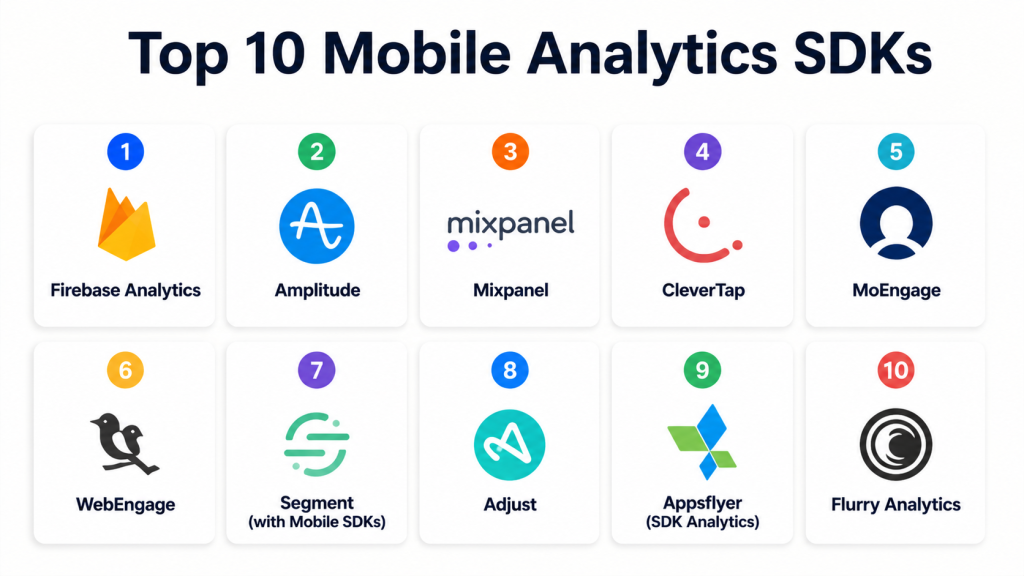
Top 10 Mobile Analytics SDKs
1- Firebase Analytics
Short description:
Firebase Analytics, part of Google’s Firebase suite, is widely used for Android and iOS apps. It provides event tracking, real-time dashboards, audience segmentation, and funnel analysis, integrated with Firebase Crashlytics, Cloud Messaging, and Remote Config. Ideal for developer teams in the Google ecosystem seeking real-time insights.
Key Features
- Cross-platform event tracking
- Automatic event capture
- Real-time dashboards
- Audience segmentation
- Funnel and retention analysis
- Integration with other Firebase tools
- Data export to warehouses
Pros
- Seamless Firebase integration
- Real-time insights with minimal setup
- Free for most use cases
Cons
- Advanced segmentation may require external tools
- Full data control requires export
- GDPR/CCPA compliance requires custom consent
Platforms / Deployment
Android / iOS / Web / Cloud
Security & Compliance
Firebase security controls; GDPR/CCPA requires runtime consent
Integrations & Ecosystem
Crashlytics, Remote Config, Cloud Messaging, BigQuery, backend systems
Support & Community
Comprehensive documentation, community forums, Google support
2- Amplitude
Short description:
Amplitude provides product analytics SDKs for user behavior, retention, funnel, and revenue tracking. Its real-time dashboards, segmentation, and A/B integration make it ideal for enterprises and growth-focused teams.
Key Features
- Event tracking SDKs
- Real-time dashboards
- Funnels and retention cohorts
- Behavioral segmentation
- Experimentation support
- Revenue tracking
- User path analysis
Pros
- Deep insights for product and growth teams
- Powerful real-time and historical comparison
- Flexible dashboards
Cons
- Pricing scales with events
- Requires proper event taxonomy
- Learning curve for advanced analysis
Platforms / Deployment
Android / iOS / Web / Cloud
Security & Compliance
Enterprise security and GDPR/CCPA compliance depending on configuration
Integrations & Ecosystem
CDPs, experimentation tools, BI platforms, mobile engagement SDKs
Support & Community
Documentation, customer success, training resources
3- Mixpanel
Short description:
Mixpanel is a behavior analytics platform that tracks user events, funnels, retention, and engagement. It offers SDKs for mobile and web, real-time tracking, segmentation, and A/B testing integration, providing actionable insights for product and marketing teams.
Key Features
- Event tracking and user profiles
- Funnels and cohort analysis
- Retention monitoring
- Behavioral segmentation
- SDKs for mobile/web
- Real-time dashboards
- A/B testing support
Pros
- Flexible analytics and segmentation
- Real-time insights for product decisions
- Developer-friendly
Cons
- Pricing may increase with volume
- Requires structured event planning
- Advanced features need setup
Platforms / Deployment
Android / iOS / Web / Cloud
Security & Compliance
Access controls, consent handling; GDPR/CCPA compliance configurable
Integrations & Ecosystem
CDPs, marketing tools, experimentation platforms, BI integrations
Support & Community
Documentation, forums, customer support
4- CleverTap
Short description:
CleverTap combines mobile analytics SDKs with customer engagement, retention, and push capabilities. It enables segmentation, retention tracking, funnel analysis, and lifecycle campaigns. Popular with consumer apps and eCommerce mobile teams.
Key Features
- Push and in-app messaging
- Analytics SDKs for mobile
- Retention and funnels
- Behavioral segmentation
- A/B testing support
- Campaign automation
- Cohort and lifecycle tracking
Pros
- Analytics plus engagement integration
- Supports retention and lifecycle campaigns
- Developer and marketer-friendly
Cons
- Complex setup for smaller teams
- Data quality impacts insights
- Advanced analytics may require training
Platforms / Deployment
Android / iOS / Web / Cloud
Security & Compliance
Access controls, privacy features, GDPR/CCPA compliance
Integrations & Ecosystem
Push, email, CRM, CDPs, BI tools
Support & Community
Documentation, onboarding support, professional services
5- MoEngage
Short description:
MoEngage provides mobile analytics SDKs combined with push, in-app, email, and lifecycle messaging. It tracks behavior, retention, and funnels, enabling personalized engagement campaigns. Ideal for consumer brands and product-led growth teams.
Key Features
- Event tracking and segmentation
- Retention and funnel analysis
- Multi-channel campaigns
- Real-time dashboards
- Cohort analysis
- Personalization workflows
- SDKs for Android/iOS
Pros
- Integrates analytics with engagement
- Supports behavioral segmentation
- Useful for retention campaigns
Cons
- Requires event planning
- Complexity for smaller teams
- Pricing should be reviewed
Platforms / Deployment
Android / iOS / Web / Cloud
Security & Compliance
Access control, privacy settings; GDPR/CCPA compliance supported
Integrations & Ecosystem
CDPs, marketing automation, BI tools, push platforms
Support & Community
Documentation, onboarding, customer success
6- WebEngage
Short description:
WebEngage provides mobile analytics SDKs, push notifications, email, SMS, and in-app messaging. It is designed for lifecycle campaigns, segmentation, retention analysis, and engagement optimization. Popular with eCommerce and consumer apps.
Key Features
- Mobile analytics SDKs
- Push notifications
- In-app messages
- Retention analysis
- Segmentation and personalization
- Lifecycle campaigns
- Real-time dashboards
Pros
- Strong retention and lifecycle focus
- Multi-channel integration
- Flexible segmentation
Cons
- Complexity for simple push analytics
- Requires clean event tracking
- Enterprise features depend on plan
Platforms / Deployment
Android / iOS / Web / Cloud
Security & Compliance
Access control, privacy workflows; GDPR/CCPA compliance
Integrations & Ecosystem
CDPs, push platforms, CRM, analytics pipelines
Support & Community
Documentation, onboarding, support resources
7- Segment (with Mobile SDKs)
Short description:
Segment provides analytics SDKs to collect mobile app data and route it to various analytics, marketing, and BI tools. It allows event tracking, user identity management, and cross-platform integration. Popular for teams that want a central event collection SDK feeding multiple downstream tools.
Key Features
- Mobile SDKs for Android/iOS
- Event tracking and routing
- User identity resolution
- Integration with BI and CDPs
- Funnels and retention analysis
- Real-time dashboards
- Flexible API access
Pros
- Centralized event collection
- Integrates with multiple tools
- Useful for large data ecosystems
Cons
- Requires downstream tool setup
- Event planning is critical
- Not a full analytics platform by itself
Platforms / Deployment
Android / iOS / Web / Cloud
Security & Compliance
Access controls, privacy features; GDPR/CCPA configurable
Integrations & Ecosystem
BI tools, marketing platforms, push systems, CDPs
Support & Community
Documentation, onboarding guides, community resources
8- Adjust
Short description:
Adjust is a mobile measurement and analytics SDK focused on attribution, engagement, retention, and user behavior. It tracks installs, in-app events, funnels, retention cohorts, and ROI from campaigns. Popular for mobile marketing, growth teams, and ad attribution analysis.
Key Features
- Mobile SDKs for Android/iOS
- Install and event tracking
- Retention and funnel analysis
- Attribution for marketing campaigns
- Cohort analysis
- Revenue and ROI tracking
- Real-time dashboards
Pros
- Attribution-focused analytics
- Mobile marketing insights
- Developer-friendly SDKs
Cons
- Limited depth in product-level behavioral analytics
- Requires marketing/technical setup
- Pricing scales with event volume
Platforms / Deployment
Android / iOS / Cloud
Security & Compliance
Access control, privacy, and compliance features; GDPR/CCPA supported
Integrations & Ecosystem
Ad networks, analytics pipelines, BI tools, CDPs
Support & Community
Documentation, support tiers, professional onboarding
9- Appsflyer (SDK Analytics)
Short description:
Appsflyer provides mobile attribution and analytics SDKs to measure installs, user journeys, campaign effectiveness, and retention. It is popular for marketing attribution, engagement tracking, and ROI analysis on mobile apps.
Key Features
- Mobile SDKs
- Attribution tracking
- Event and revenue analytics
- Retention and cohort reports
- Funnel analysis
- Marketing campaign reporting
- Cross-platform measurement
Pros
- Strong for marketing attribution and ROI
- Real-time dashboards
- SDKs for both developers and marketers
Cons
- Less product behavior depth than product analytics SDKs
- Requires campaign setup
- Pricing may be high for smaller apps
Platforms / Deployment
Android / iOS / Cloud
Security & Compliance
Access control, encryption, GDPR/CCPA support
Integrations & Ecosystem
Ad networks, marketing platforms, CRM, BI tools
Support & Community
Documentation, professional onboarding, community support
10- Flurry Analytics
Short description:
Flurry Analytics is a free mobile analytics SDK for app usage, engagement, retention, and demographics. It tracks sessions, events, funnels, and crash reporting, commonly used by small apps, indie developers, and mobile startups.
Key Features
- Android/iOS SDKs
- Event tracking and session metrics
- Funnel and retention reports
- Audience segmentation
- Crash reporting
- Real-time dashboards
- Demographics and usage insights
Pros
- Free and simple to integrate
- Good for small apps and startups
- Offers core behavioral analytics
Cons
- Lacks advanced lifecycle, experimentation, or attribution features
- Dashboard UI less modern
- Limited integrations with enterprise tools
Platforms / Deployment
Android / iOS / Cloud
Security & Compliance
Basic access control and data security; privacy settings must be configured
Integrations & Ecosystem
Limited compared to enterprise analytics SDKs; some integration with backend tools
Support & Community
Documentation, forums, and basic support
Comparison Table Top 10
| Tool Name | Best For | Platforms Supported | Deployment | Standout Feature | Public Rating |
|---|---|---|---|---|---|
| Firebase Analytics | Developer-led apps | Android/iOS/Web | Cloud | Firebase ecosystem integration | N/A |
| Amplitude | Product & growth teams | Android/iOS/Web | Cloud | Deep retention and funnel analysis | N/A |
| Mixpanel | Behavioral analytics | Android/iOS/Web | Cloud | Real-time event insights | N/A |
| CleverTap | Consumer app retention | Android/iOS/Web | Cloud | Retention + engagement suite | N/A |
| MoEngage | Lifecycle engagement | Android/iOS/Web | Cloud | Analytics + multi-channel campaigns | N/A |
| WebEngage | eCommerce & apps | Android/iOS/Web | Cloud | Lifecycle automation | N/A |
| Segment | Centralized event routing | Android/iOS/Web | Cloud | Event collection & integration | N/A |
| Adjust | Mobile marketing & attribution | Android/iOS | Cloud | Campaign attribution & ROI | N/A |
| Appsflyer | Marketing & attribution | Android/iOS | Cloud | Campaign ROI analytics | N/A |
| Flurry Analytics | Small apps & startups | Android/iOS | Cloud | Free behavioral analytics | N/A |
Evaluation & Scoring of Mobile Analytics SDKs
| Tool Name | Core 25% | Ease 15% | Integrations 15% | Security 10% | Performance 10% | Support 10% | Value 15% | Weighted Total |
|---|---|---|---|---|---|---|---|---|
| Firebase Analytics | 9.0 | 9.0 | 8.5 | 8.0 | 8.5 | 8.0 | 9.0 | 8.65 |
| Amplitude | 9.5 | 8.0 | 9.0 | 8.5 | 9.0 | 8.5 | 7.5 | 8.55 |
| Mixpanel | 9.0 | 8.0 | 8.5 | 8.0 | 8.5 | 8.0 | 8.0 | 8.35 |
| CleverTap | 9.0 | 8.0 | 8.5 | 8.0 | 8.0 | 8.0 | 8.0 | 8.25 |
| MoEngage | 9.0 | 8.0 | 8.5 | 8.0 | 8.0 | 8.0 | 8.0 | 8.25 |
| WebEngage | 8.5 | 8.0 | 8.0 | 8.0 | 8.0 | 8.0 | 8.0 | 8.10 |
| Segment | 8.5 | 8.0 | 9.0 | 8.0 | 8.0 | 8.0 | 8.0 | 8.20 |
| Adjust | 8.5 | 7.5 | 8.0 | 8.0 | 8.0 | 7.5 | 8.0 | 8.05 |
| Appsflyer | 8.5 | 7.5 | 8.0 | 8.0 | 8.0 | 7.5 | 8.0 | 8.05 |
| Flurry Analytics | 7.5 | 8.5 | 7.0 | 7.5 | 7.5 | 7.5 | 9.0 | 7.85 |
Interpretation:
- 8.5+ indicates strong cross-platform SDKs with robust features and integrations.
- 8.0–8.4 indicates solid options with minor limitations or plan constraints.
- 7.5–7.9 are practical for startups, small apps, or niche use cases.
- Always pilot with your app events and user flows to validate fit.
Which Mobile Analytics SDK Is Right for You?
Solo / Freelancer
- Flurry Analytics, Firebase Analytics, or Pusher Beams for simple integration and free or low-cost tracking.
SMB
- Mixpanel, MoEngage, or WebEngage for segmentation, retention, and growth analysis.
Mid-Market
- Amplitude, CleverTap, Segment, or Adjust for deep insights, funnels, cohort analysis, and attribution.
Enterprise
- Amplitude, CleverTap, MoEngage, or Segment for cross-platform analytics, data governance, privacy, and large user bases.
Budget vs Premium
- Free or budget: Flurry, Firebase
- Premium/enterprise: Amplitude, Mixpanel, CleverTap, MoEngage
Feature Depth vs Ease of Use
- Developer-focused: Firebase, Segment, Adjust
- Marketer-friendly: Mixpanel, CleverTap, MoEngage, WebEngage
Integrations & Scalability
- Enterprise SaaS and mobile ecosystems: Amplitude, Segment, CleverTap
Security & Compliance Needs
- Enterprise SDKs with privacy and compliance: Amplitude, CleverTap, MoEngage, Segment
Frequently Asked Questions (FAQs)
1. What is a mobile analytics SDK?
A library integrated into apps to collect events, user actions, and device metrics for product, marketing, and growth insights.
2. Can one SDK handle multiple platforms?
Yes, most SDKs support Android, iOS, and web hybrids with cross-platform event consistency.
3. How do I track retention and churn?
Use cohort analysis, session tracking, and event funnels within the SDK dashboards to monitor returning users and disengagement.
4. What are key metrics for mobile analytics?
Active users, session length, retention, churn, conversion funnels, revenue, feature adoption, engagement rate, and crash frequency.
5. Are analytics SDKs compliant with privacy regulations?
Many SDKs support GDPR, CCPA, and consent management, but developers must implement runtime consent handling and privacy workflows.
6. Can analytics SDKs integrate with marketing tools?
Yes, most SDKs export data to CDPs, BI tools, marketing automation platforms, and experimentation frameworks.
7. Which SDK is best for startups?
Firebase Analytics and Flurry are cost-effective, easy to integrate, and provide essential analytics without enterprise complexity.
8. Which SDK is best for product-led growth teams?
Amplitude, Mixpanel, CleverTap, and MoEngage provide behavioral insights, funnels, segmentation, and retention analysis.
9. How do SDKs handle offline events?
Most SDKs batch events locally and send when network connectivity is available, ensuring accurate capture.
10. Can I combine multiple SDKs?
Yes, but care is needed to avoid performance issues, duplicate events, and consent conflicts. Consider a centralized event routing solution.
Conclusion
Mobile Analytics SDKs are essential for understanding user behavior, engagement, retention, and monetization. Firebase Analytics is ideal for developer-focused apps and free usage. Amplitude, Mixpanel, CleverTap, and MoEngage are strong for product, growth, and enterprise teams with advanced segmentation, retention, and funnel analysis. WebEngage, Segment, Adjust, Appsflyer, and Flurry Analytics fill niches from marketing attribution, centralized event routing, and startup-friendly analytics. Buyers should shortlist 2–3 SDKs, integrate test events, validate dashboards, evaluate real-time insights, monitor performance, and scale the SDK that aligns with product goals, user engagement needs, and data governance requirements.
