Introduction
Print Management Tools are software platforms that help organizations control, monitor, secure, and optimize printing activities across office networks, users, and devices. These tools manage everything from print job routing and cost tracking to security policies, quota enforcement, and cloud-based printing workflows.
In modern enterprises, printing is still a significant operational cost and security risk. Sensitive documents can be left unattended at printers, costs can spiral without controls, and IT teams often struggle with managing distributed print infrastructure across multiple offices and hybrid environments.
Print management platforms solve these problems by centralizing control, improving security, and providing visibility into printing behavior across the organization.
Real-world use cases include:
- Controlling printing costs across departments
- Secure print release for confidential documents
- Cloud printing for hybrid and remote teams
- Print job tracking and auditing for compliance
- Education sector printing quota management
- Healthcare document security and HIPAA-style compliance
What buyers should evaluate:
- Print tracking and reporting accuracy
- Secure print release mechanisms
- Cloud vs on-prem deployment options
- Multi-device and multi-site support
- Integration with Windows, macOS, and mobile
- Cost allocation and chargeback capabilities
- Policy-based print controls
- Security and compliance features
- Scalability across enterprise networks
- Ease of deployment and user adoption
Best for: Enterprises, educational institutions, healthcare organizations, government offices, and IT teams managing large-scale print infrastructure.
Not ideal for: Very small teams with minimal printing needs or fully digital-first organizations with no physical document workflows.
Key Trends in Print Management Tools
- Shift from on-prem print servers to cloud-managed printing
- Zero-trust security models for print jobs
- AI-driven print cost optimization and usage insights
- Mobile and BYOD printing becoming standard
- Secure pull-printing replacing direct printer access
- Integration with identity and access management systems
- Sustainability tracking (paper and energy usage reduction)
- Serverless printing architectures for hybrid workplaces
- Centralized print analytics dashboards
- Automation of printer maintenance and consumable tracking
How We Selected These Tools (Methodology)
- Enterprise adoption and market presence
- Print security and compliance capabilities
- Cloud and hybrid deployment flexibility
- Multi-OS and multi-device compatibility
- Reporting and analytics depth
- Ease of IT administration and deployment
- Integration with identity and directory systems
- Scalability across distributed environments
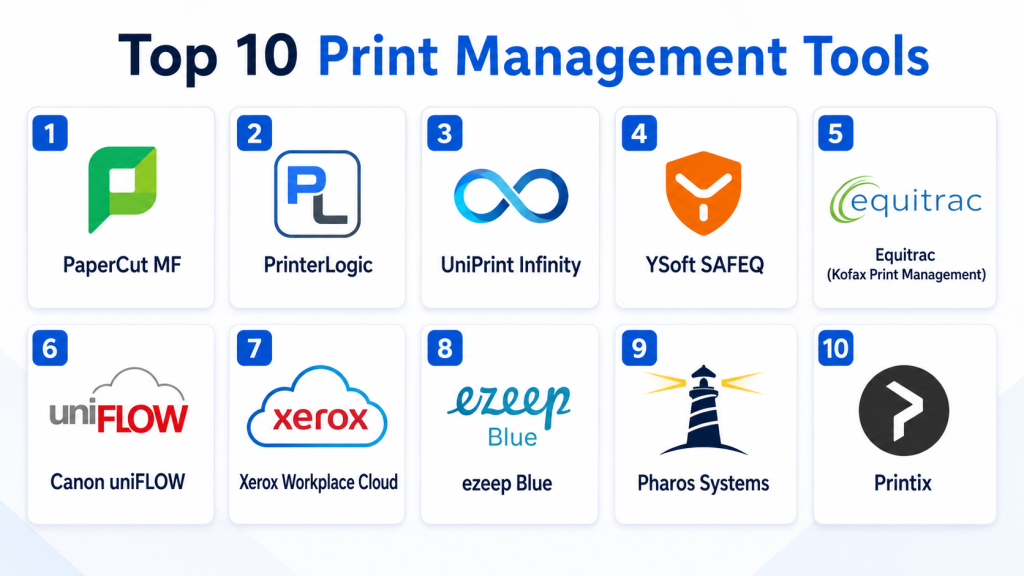
Top 10 Print Management Tools
1- PaperCut MF
Short description:
PaperCut MF is one of the most widely used print management platforms designed to help organizations track, control, and secure printing across networks. It supports both on-prem and cloud deployments and is widely used in education, healthcare, and enterprise environments. The platform enables secure print release, detailed usage reporting, and print cost allocation. It helps reduce unnecessary printing and improves document security. PaperCut MF is known for its strong device compatibility and scalability. It is suitable for organizations of all sizes.
Key Features
- Secure print release (pull printing)
- Detailed print tracking and reporting
- Print quota and policy controls
- Mobile and BYOD printing
- Cost allocation and chargeback
- Cloud print management options
- Printer health monitoring
Pros
- Very strong enterprise adoption
- Highly flexible deployment options
- Excellent device compatibility
Cons
- Complex setup for large environments
- Requires IT expertise
- Advanced features require licensing
Platforms / Deployment
- Windows / macOS / Linux
- Cloud / On-prem / Hybrid
Security & Compliance
- SSO/SAML
- MFA
- Encryption
- Audit logs
- RBAC
Integrations & Ecosystem
- Active Directory
- Google Workspace
- Microsoft 365
- Identity providers
- Print hardware ecosystems
- APIs
Support & Community
Strong global support, documentation, and enterprise partner ecosystem.
2- PrinterLogic
Short description:
PrinterLogic is a serverless print management platform designed to eliminate traditional print servers while providing centralized print control. It is widely used by IT teams looking to simplify print infrastructure and reduce server dependency. The platform offers secure printing, printer deployment automation, and cloud-based management. It is known for reducing IT overhead and improving print reliability. PrinterLogic is especially strong in enterprise IT environments. It supports scalable print infrastructure modernization.
Key Features
- Serverless printing architecture
- Centralized printer deployment
- Secure print release
- Driver management automation
- Print analytics dashboard
- Cloud print management
- Mobile printing support
Pros
- Eliminates print servers
- Reduces IT workload
- Strong scalability
Cons
- Higher enterprise cost
- Migration effort required
- Limited offline flexibility
Platforms / Deployment
- Windows / macOS
- Cloud / Hybrid
Security & Compliance
- SSO/SAML
- MFA
- Encryption
- Audit logs
Integrations & Ecosystem
- Active Directory
- Azure AD
- Google Workspace
- ITSM tools
- APIs
- Cloud storage systems
Support & Community
Strong enterprise onboarding and technical support.
3- UniPrint Infinity
Short description:
UniPrint Infinity is a virtual print management solution focused on secure, centralized printing and mobility. It enables users to print from any device to any printer securely. The platform supports cloud printing, secure release, and print job virtualization. It is widely used in healthcare, finance, and education. UniPrint Infinity helps organizations reduce print complexity and improve security. It is suitable for hybrid and distributed environments.
Key Features
- Virtual print driver technology
- Secure print release
- Mobile printing support
- Cloud printing capabilities
- Print job tracking
- Centralized print management
- Cross-platform compatibility
Pros
- Strong virtual printing model
- Good mobility support
- Secure document handling
Cons
- Requires infrastructure setup
- Learning curve for admins
- Enterprise-focused pricing
Platforms / Deployment
- Windows / macOS / Linux
- Cloud / On-prem
Security & Compliance
- SSO
- Encryption
- Access controls
- Audit logging
Integrations & Ecosystem
- Active Directory
- Citrix environments
- VMware
- Cloud storage
- APIs
- Enterprise IT systems
Support & Community
Good enterprise support with implementation assistance.
4- YSoft SAFEQ
Short description:
YSoft SAFEQ is an enterprise print management and workflow automation platform designed for secure and cost-controlled printing environments. It is widely used in large organizations, universities, and government institutions. The platform supports secure print release, advanced workflow automation, and detailed analytics. It helps organizations enforce print policies and reduce waste. SAFEQ is known for strong security and scalability. It is suitable for complex enterprise environments.
Key Features
- Secure print release
- Workflow automation
- Print policy enforcement
- Cost tracking and reporting
- Device management
- Mobile printing
- Document capture integration
Pros
- Strong enterprise capabilities
- Excellent security controls
- Scalable architecture
Cons
- Complex deployment
- Higher cost structure
- Requires IT expertise
Platforms / Deployment
- Windows / Linux
- Cloud / On-prem / Hybrid
Security & Compliance
- SSO/SAML
- MFA
- Encryption
- Audit logs
- Compliance controls
Integrations & Ecosystem
- Active Directory
- ERP systems
- Cloud storage
- Print hardware vendors
- APIs
- Identity systems
Support & Community
Strong enterprise support and global partner network.
5- Equitrac (Kofax Print Management)
Short description:
Equitrac by Kofax is a print management solution focused on enterprise cost control, security, and compliance. It enables organizations to track print usage, enforce policies, and implement secure print release workflows. It is widely used in legal, financial, and corporate environments. The platform helps reduce unnecessary printing and improve document security. Equitrac integrates with enterprise document systems. It is suitable for regulated industries.
Key Features
- Print tracking and reporting
- Secure print release
- Cost allocation
- Print policy enforcement
- User authentication
- Document security controls
- Analytics dashboards
Pros
- Strong compliance support
- Good cost control features
- Enterprise-ready
Cons
- Complex setup
- Legacy system feel
- Higher implementation cost
Platforms / Deployment
- Windows
- On-prem / Cloud
Security & Compliance
- SSO
- Encryption
- Audit logs
- Compliance controls
Integrations & Ecosystem
- Microsoft environments
- Active Directory
- Document management systems
- ERP systems
- APIs
- Identity platforms
Support & Community
Enterprise support through Kofax ecosystem.
6- Canon uniFLOW
Short description:
Canon uniFLOW is a print and scan management platform designed for organizations using Canon multifunction printers and enterprise environments. It provides secure printing, cost tracking, and document workflow automation. The platform supports hybrid print environments and mobile printing. It is widely used in enterprises and educational institutions. uniFLOW helps organizations optimize print infrastructure and improve security. It integrates deeply with Canon hardware ecosystems.
Key Features
- Secure print release
- Print and scan workflows
- Cost tracking
- Mobile printing
- Device management
- Cloud printing
- Document routing
Pros
- Strong Canon integration
- Reliable enterprise performance
- Good document workflow features
Cons
- Best suited for Canon environments
- Complex setup
- Limited flexibility outside ecosystem
Platforms / Deployment
- Windows / Cloud
- On-prem / Hybrid
Security & Compliance
- SSO
- MFA
- Encryption
- Audit logs
Integrations & Ecosystem
- Canon devices
- Microsoft 365
- Google Workspace
- Active Directory
- APIs
- Enterprise systems
Support & Community
Strong enterprise hardware-aligned support.
7- Xerox Workplace Cloud
Short description:
Xerox Workplace Cloud is a cloud-based print management platform designed to simplify printing across distributed environments. It enables secure printing, mobile printing, and centralized print control. The platform is widely used in enterprise and hybrid workplaces. It helps organizations manage print policies without heavy infrastructure. Xerox Workplace Cloud is known for its simplicity and cloud-first design. It is suitable for modern workplaces transitioning to cloud printing.
Key Features
- Cloud print management
- Secure print release
- Mobile printing support
- Print policy controls
- User authentication
- Usage tracking
- Multi-device support
Pros
- Strong cloud-first approach
- Easy deployment
- Good mobility support
Cons
- Limited advanced customization
- Best within Xerox ecosystem
- Basic analytics
Platforms / Deployment
- Web / Mobile
- Cloud
Security & Compliance
- SSO
- Encryption
- MFA
- Access controls
Integrations & Ecosystem
- Xerox devices
- Microsoft 365
- Google Workspace
- Active Directory
- APIs
- Identity providers
Support & Community
Good enterprise support via Xerox ecosystem.
8- ezeep Blue
Short description:
ezeep Blue is a cloud-based print management solution designed for modern, distributed teams. It enables secure printing from any device to any printer without complex infrastructure. The platform is widely used in SMB and mid-market environments. It supports mobile and remote printing workflows. ezeep Blue focuses on simplicity and cloud scalability. It is ideal for hybrid workplaces.
Key Features
- Cloud printing infrastructure
- Secure print release
- Mobile printing
- Printer management
- Usage tracking
- API integration
- Cross-platform support
Pros
- Very easy cloud deployment
- Strong mobility support
- Low IT overhead
Cons
- Limited enterprise features
- Less advanced analytics
- Requires stable internet
Platforms / Deployment
- Web / Mobile
- Cloud
Security & Compliance
- Encryption
- SSO
- Access controls
- Audit logs
Integrations & Ecosystem
- Microsoft 365
- Google Workspace
- Slack
- APIs
- Cloud storage systems
Support & Community
Good SMB-focused support and documentation.
9- Pharos Systems
Short description:
Pharos Systems is an enterprise print management platform focused on secure printing, cost control, and sustainability. It helps organizations manage printing environments across large distributed networks. The platform supports secure release, cloud printing, and analytics. It is widely used in higher education and enterprise environments. Pharos is known for sustainability-focused print optimization. It is suitable for large-scale print governance.
Key Features
- Secure print release
- Print analytics
- Cost tracking
- Cloud print management
- Mobile printing
- Policy enforcement
- Sustainability reporting
Pros
- Strong sustainability focus
- Enterprise-grade capabilities
- Good analytics
Cons
- Complex deployment
- Higher cost
- Requires IT management
Platforms / Deployment
- Windows / Cloud
- Hybrid
Security & Compliance
- SSO
- MFA
- Encryption
- Audit logs
Integrations & Ecosystem
- Active Directory
- Microsoft 365
- Google Workspace
- ERP systems
- APIs
- Identity systems
Support & Community
Strong enterprise support and education sector presence.
10- Printix
Short description:
Printix is a cloud-based print management platform designed to simplify printing infrastructure for modern workplaces. It enables secure printing, centralized management, and cloud-based deployment. The platform is widely used by SMB and mid-market organizations. It eliminates the need for traditional print servers. Printix is known for fast deployment and ease of use. It is suitable for cloud-first IT environments.
Key Features
- Cloud print management
- Secure print release
- Printer discovery automation
- User authentication
- Mobile printing
- Usage reporting
- Multi-site support
Pros
- Very simple deployment
- Cloud-native architecture
- Good for SMBs
Cons
- Limited enterprise customization
- Basic advanced analytics
- Requires cloud dependency
Platforms / Deployment
- Windows / macOS
- Cloud
Security & Compliance
- SSO
- Encryption
- Access controls
- Audit logs
Integrations & Ecosystem
- Microsoft 365
- Google Workspace
- Active Directory
- APIs
- Cloud storage
Support & Community
Good SMB and mid-market support.
Comparison Table
| Tool Name | Best For | Platform(s) Supported | Deployment | Standout Feature | Public Rating |
|---|---|---|---|---|---|
| PaperCut MF | Enterprise printing | Windows, macOS, Linux | Cloud/On-prem | Secure print control | N/A |
| PrinterLogic | Serverless printing | Windows, macOS | Cloud/Hybrid | No print servers | N/A |
| UniPrint Infinity | Virtual printing | Windows, macOS | Cloud/On-prem | Virtual print driver | N/A |
| YSoft SAFEQ | Large enterprises | Windows, Linux | Hybrid | Workflow automation | N/A |
| Equitrac | Regulated industries | Windows | On-prem/Cloud | Cost control | N/A |
| Canon uniFLOW | Canon ecosystems | Windows | Hybrid | Device integration | N/A |
| Xerox Workplace Cloud | Cloud printing | Web, Mobile | Cloud | Cloud-native printing | N/A |
| ezeep Blue | SMB cloud printing | Web, Mobile | Cloud | Easy deployment | N/A |
| Pharos Systems | Education & enterprise | Windows | Hybrid | Sustainability analytics | N/A |
| Printix | SMB cloud-first | Windows, macOS | Cloud | Serverless printing | N/A |
Evaluation & Scoring of Print Management Tools
| Tool Name | Core | Ease | Integrations | Security | Performance | Support | Value | Weighted Total |
|---|---|---|---|---|---|---|---|---|
| PaperCut | 9.5 | 8.5 | 9.5 | 9.5 | 9.0 | 9.0 | 9.0 | 9.1 |
| PrinterLogic | 9.5 | 8.5 | 9.5 | 9.5 | 9.0 | 9.0 | 8.5 | 9.0 |
| UniPrint | 9.0 | 8.0 | 9.0 | 9.0 | 8.5 | 8.5 | 8.5 | 8.7 |
| YSoft SAFEQ | 9.5 | 8.0 | 9.0 | 9.5 | 9.0 | 9.0 | 8.5 | 9.0 |
| Equitrac | 9.0 | 7.5 | 8.5 | 9.0 | 8.5 | 8.5 | 8.0 | 8.5 |
| Canon uniFLOW | 8.5 | 8.0 | 9.0 | 9.0 | 8.5 | 8.5 | 8.0 | 8.6 |
| Xerox Cloud | 8.5 | 9.0 | 9.0 | 9.0 | 8.5 | 8.5 | 9.0 | 8.8 |
| ezeep Blue | 8.0 | 9.5 | 9.0 | 8.5 | 8.5 | 8.5 | 9.5 | 8.7 |
| Pharos | 9.0 | 8.0 | 9.0 | 9.0 | 8.5 | 8.5 | 8.5 | 8.7 |
| Printix | 8.5 | 9.5 | 9.0 | 8.5 | 8.5 | 8.5 | 9.5 | 8.8 |
These scores reflect differences between enterprise print governance platforms and cloud-first SMB solutions. Enterprises with strict compliance needs benefit most from PaperCut, YSoft, or PrinterLogic, while SMB and hybrid workplaces benefit from Printix or ezeep Blue due to simplicity and cloud-native deployment.
Frequently Asked Questions (FAQs)
1. What is a print management tool?
It is software that helps organizations monitor, control, and secure printing activities across users and devices.
2. Why is print management important?
It reduces costs, improves security, and ensures compliance for sensitive document handling.
3. Do these tools support cloud printing?
Yes, many modern tools offer cloud-based printing for hybrid and remote environments.
4. Can they track printing costs?
Yes, most platforms provide detailed cost tracking and reporting features.
5. Are print management tools secure?
Enterprise tools include encryption, SSO, audit logs, and secure print release.
6. Do they support mobile printing?
Yes, many tools support printing from mobile devices and BYOD environments.
7. Can they work without print servers?
Yes, serverless printing solutions like PrinterLogic and Printix eliminate print servers.
8. Are these tools suitable for SMBs?
Yes, cloud-first tools like ezeep Blue and Printix are ideal for SMBs.
9. What is secure print release?
It ensures documents are only printed when the authorized user is physically present at the printer.
10. What is the biggest benefit?
The biggest benefit is improved security, cost control, and centralized print visibility.
Conclusion
Print Management Tools are essential for organizations that still rely heavily on physical document workflows and want to improve security, efficiency, and cost control. Platforms like PaperCut MF, PrinterLogic, YSoft SAFEQ, and Equitrac provide enterprise-grade governance, while Printix and ezeep Blue offer modern cloud-first simplicity for SMBs. The right choice depends on infrastructure complexity, security requirements, and deployment preferences. A practical next step is to shortlist , run a pilot across departments, validate print security controls, and evaluate reporting and cost savings before full-scale deployment.
