Introduction
Risk-based authentication tools help organizations decide how much authentication a user needs based on real-time risk signals. Instead of asking every user for the same login challenge every time, these tools evaluate signals such as device, location, IP reputation, user behavior, impossible travel, login frequency, session context, and access sensitivity. If the login looks normal, access may remain smooth. If the login looks risky, the system can require MFA, step-up verification, passwordless proof, or block access.
Risk-based authentication matters now because identity attacks, phishing, credential stuffing, session hijacking, remote work risks, and AI-assisted fraud are increasing. Businesses use these tools for workforce access, customer login protection, banking apps, SaaS access, privileged access, and zero trust security.
What buyers should evaluate:
- Risk signal coverage
- Adaptive MFA support
- Identity provider integrations
- Device and location intelligence
- Behavioral analytics
- Policy flexibility
- API and SDK support
- Audit logs and reporting
- Deployment model
- Security and compliance controls
Best for: Security teams, IT administrators, IAM architects, SaaS companies, banks, healthcare organizations, e-commerce platforms, enterprises, and regulated businesses that need stronger login protection without adding unnecessary friction for every user.
Not ideal for: Very small teams with low-risk internal apps, companies that only need basic password login, or organizations without the resources to configure policies, review alerts, and maintain identity security workflows.
Key Trends in Risk-based Authentication Tools
- AI-driven risk scoring is becoming more common: Modern authentication platforms increasingly use behavioral patterns, device signals, location context, and automated analysis to detect suspicious access attempts.
- Passwordless authentication is becoming a core strategy: Risk-based authentication is moving beyond passwords toward passkeys, biometrics, FIDO2, device trust, and phishing-resistant MFA.
- Continuous authentication is gaining importance: Security teams want tools that evaluate risk not only at login but throughout the session, especially for sensitive apps and privileged actions.
- Identity threat detection is merging with authentication: Risk-based login decisions are increasingly connected with identity threat detection, session monitoring, fraud signals, and security operations workflows.
- Zero trust policies are driving adoption: Organizations want dynamic access controls based on user, device, location, app sensitivity, and risk level rather than static network-based trust.
- Customer identity needs smoother risk controls: Consumer-facing apps need to reduce fraud without hurting conversion, so adaptive authentication is becoming important in banking, fintech, retail, and SaaS.
- Device posture is becoming a major signal: Managed device status, endpoint health, jailbreak detection, browser behavior, and device reputation are now important for access decisions.
- Compliance pressure is increasing: Regulated industries are paying closer attention to audit logs, access reviews, MFA enforcement, data protection, and strong authentication controls.
- Integration depth is a buying factor: Buyers want risk-based authentication tools that connect with SIEM, EDR, IAM, HRIS, SaaS apps, API gateways, and security orchestration platforms.
- User experience is now part of security evaluation: The best tools reduce unnecessary MFA prompts while still challenging risky behavior, helping improve both security and productivity.
How We Selected These Tools
- Selected tools with strong recognition in identity and access management, adaptive MFA, conditional access, or risk-based authentication.
- Prioritized platforms used by enterprises, mid-market businesses, SaaS companies, regulated organizations, and security teams.
- Evaluated breadth of risk signals such as device, user behavior, location, IP, session, and access context.
- Considered support for adaptive MFA, passwordless authentication, step-up verification, and conditional policies.
- Reviewed integration strength with IAM platforms, directories, SaaS applications, cloud systems, and security tools.
- Considered fit across workforce identity, customer identity, privileged access, and hybrid environments.
- Avoided guessing public ratings, certifications, or compliance claims where details are not clearly known.
- Balanced enterprise-grade platforms with developer-friendly and cloud-first options.
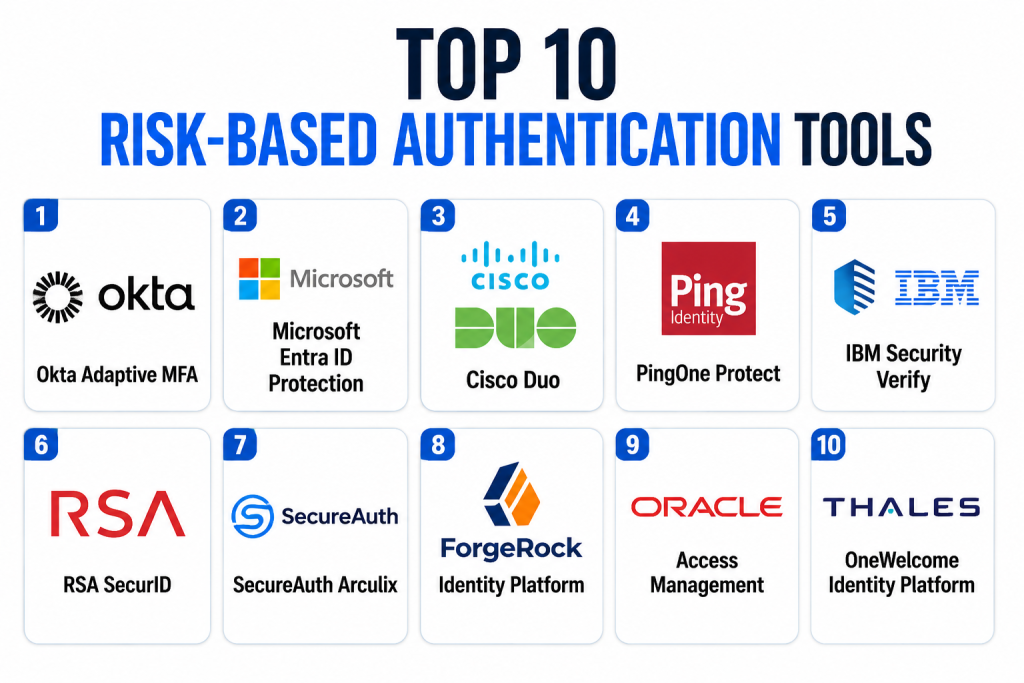
Top 10 Risk-based Authentication Tools
1- Okta Adaptive MFA
Short description: Okta Adaptive MFA is a risk-based authentication tool designed to protect workforce and customer access with contextual login decisions. It evaluates signals such as device, location, network, user behavior, and login context to determine whether a user should be allowed, challenged, or blocked. Okta is widely used by enterprises and mid-market organizations that need strong identity security across SaaS, cloud, and internal applications. The platform supports adaptive policies, MFA factors, device context, and integrations with a large app ecosystem. It is especially useful for organizations standardizing identity access across multiple business apps. Okta Adaptive MFA works best when paired with a mature identity governance and security operations process.
Key Features
- Context-aware adaptive MFA policies
- Risk-based access decisions using device, location, and network signals
- Support for multiple MFA factors and passwordless options
- Strong SaaS application integration ecosystem
- Policy-based step-up authentication
- Centralized admin dashboard and reporting
- Workforce and customer identity use cases
Pros
- Strong fit for enterprises using many SaaS applications.
- Mature identity ecosystem with broad integration coverage.
- Helps reduce unnecessary MFA prompts through adaptive policies.
Cons
- Advanced configuration may require IAM expertise.
- Costs can increase depending on modules and user count.
- Organizations must tune policies carefully to avoid user friction.
Platforms / Deployment
Web / iOS / Android / Cloud
Security & Compliance
Supports SSO, MFA, adaptive access policies, lifecycle controls, and audit-oriented identity workflows. Specific certifications and compliance coverage should be verified directly during procurement.
Integrations & Ecosystem
Okta has a broad identity ecosystem for SaaS apps, directories, cloud platforms, security tools, and HR systems. It is often used as a central identity provider across modern enterprise environments.
- SaaS applications
- HRIS platforms
- Cloud infrastructure
- SIEM and security tools
- Directory services
- API and developer integrations
Support & Community
Okta provides documentation, admin guides, developer resources, training, and support tiers. Community strength is strong due to wide enterprise adoption.
2- Microsoft Entra ID Protection
Short description: Microsoft Entra ID Protection helps organizations detect risky sign-ins, risky users, and identity-related threats across Microsoft identity environments. It is especially useful for businesses already using Microsoft Entra ID, Microsoft 365, Azure, and Microsoft security products. The tool can evaluate risk signals such as impossible travel, leaked credentials, unfamiliar sign-in properties, anonymous IP usage, and suspicious access behavior. It works with Conditional Access to trigger MFA, password changes, access blocks, or other policy actions. Entra ID Protection is a strong choice for enterprises that want risk-based authentication inside the Microsoft ecosystem. It is most valuable when organizations already rely on Microsoft identity as their central access layer.
Key Features
- Risky user and risky sign-in detection
- Conditional Access integration
- Adaptive MFA and step-up policy support
- Identity threat detection signals
- Microsoft 365 and Azure integration
- Reporting and investigation workflows
- Automated remediation options
Pros
- Excellent fit for Microsoft-first organizations.
- Strong integration with Conditional Access and Microsoft security tools.
- Useful for enterprise identity threat monitoring.
Cons
- Best value is within the Microsoft ecosystem.
- Advanced features may require higher-tier licensing.
- Non-Microsoft environments may need extra integration planning.
Platforms / Deployment
Web / Windows / macOS / iOS / Android / Cloud
Security & Compliance
Supports MFA, Conditional Access, identity risk policies, reporting, and audit-related controls. Specific licensing, security features, and compliance coverage should be validated based on the Microsoft plan selected.
Integrations & Ecosystem
Microsoft Entra ID Protection integrates deeply with Microsoft 365, Azure, Defender, Sentinel, endpoint tools, and enterprise directories. It is strongest where Microsoft is already the primary identity provider.
- Microsoft 365
- Azure services
- Microsoft Defender
- Microsoft Sentinel
- Enterprise directories
- SaaS applications through Entra ID
Support & Community
Microsoft offers extensive documentation, admin resources, learning paths, partner support, and enterprise support options. Community support is strong because Entra ID is widely used.
3- Cisco Duo
Short description: Cisco Duo is a widely used MFA and zero trust access platform that supports risk-aware access decisions based on user, device, application, and location context. It is popular among organizations that want simple MFA deployment, strong device visibility, and adaptive access controls without overly complex identity architecture. Duo helps teams verify users and devices before granting access to applications, VPNs, cloud tools, and internal systems. It is especially useful for SMBs, mid-market companies, education, healthcare, and enterprises looking for practical MFA and device trust. Cisco Duo is known for user-friendly authentication workflows. It is a strong option when device posture and simple rollout are key priorities.
Key Features
- MFA and adaptive access controls
- Device trust and endpoint visibility
- Risk-based access policies
- Support for VPN, SaaS, and internal applications
- User-friendly push authentication
- Admin reporting and access logs
- Zero trust access support
Pros
- Easy to deploy compared with many enterprise IAM platforms.
- Strong device visibility and user-friendly MFA experience.
- Good fit for organizations starting or improving MFA programs.
Cons
- May not replace a full IAM or identity governance suite.
- Complex enterprise identity workflows may require additional tools.
- Advanced policy needs may require careful configuration.
Platforms / Deployment
Web / Windows / macOS / Linux / iOS / Android / Cloud
Security & Compliance
Supports MFA, device trust, access policies, logging, and authentication controls. Specific certifications and compliance details should be verified directly during procurement.
Integrations & Ecosystem
Cisco Duo integrates with VPNs, cloud apps, on-prem applications, identity providers, endpoint environments, and security tools. It is commonly used to strengthen access across mixed infrastructure.
- VPN platforms
- SaaS applications
- Identity providers
- Endpoint environments
- Internal web apps
- Security monitoring tools
Support & Community
Cisco provides product documentation, deployment guides, support resources, and enterprise support options. Duo has strong community recognition due to broad adoption.
4- PingOne Protect
Short description: PingOne Protect is a risk-based authentication and fraud detection capability within Ping Identity’s broader identity platform. It evaluates user behavior, device signals, network patterns, and contextual risk to help organizations decide when to allow, challenge, or block access. PingOne Protect is especially relevant for enterprises and customer-facing digital platforms that need adaptive authentication without creating unnecessary user friction. It can support workforce, customer, and partner identity scenarios. Ping’s identity ecosystem is strong for complex enterprises that need orchestration, federation, SSO, MFA, and access management. PingOne Protect is a good fit when risk-based authentication needs to work across multiple identity journeys.
Key Features
- Risk-based authentication decisions
- Behavioral and contextual risk signals
- Step-up authentication support
- Customer and workforce identity use cases
- Identity orchestration and policy workflows
- Integration with Ping identity products
- Fraud and suspicious access detection support
Pros
- Strong fit for enterprise identity orchestration.
- Useful for customer-facing access journeys.
- Supports adaptive security without forcing MFA every time.
Cons
- May require identity architecture expertise.
- Best value is achieved within Ping’s broader identity ecosystem.
- Implementation can be more complex for small teams.
Platforms / Deployment
Web / iOS / Android / Cloud / Hybrid
Security & Compliance
Supports SSO, MFA, adaptive authentication, policy workflows, and identity access controls. Specific certifications, audit features, and compliance scope should be verified based on deployment and licensing.
Integrations & Ecosystem
Ping integrates with enterprise IAM environments, SaaS apps, directories, CIAM flows, APIs, and security tools. It is strong for organizations with complex access patterns and multiple identity use cases.
- Enterprise directories
- SaaS applications
- API gateways
- CIAM platforms
- MFA tools
- Security analytics systems
Support & Community
Ping provides documentation, enterprise support, onboarding resources, and partner ecosystem support. Community strength is strongest among enterprise IAM teams and identity specialists.
5- IBM Security Verify
Short description: IBM Security Verify is an identity and access management platform that includes adaptive access, MFA, SSO, identity governance, and security-focused identity controls. It helps organizations evaluate access risk and enforce authentication policies across workforce and customer environments. IBM Security Verify is especially relevant for large enterprises, regulated industries, and organizations that need identity security connected with governance and compliance workflows. It can support cloud and hybrid identity environments where users access many applications and systems. The platform is often considered when IAM needs to connect with broader security operations and enterprise governance. It is best for organizations with mature IT and security teams.
Key Features
- Adaptive access and MFA capabilities
- SSO and identity management workflows
- Identity governance and access control support
- Risk-aware policy enforcement
- Workforce and customer identity use cases
- Cloud and hybrid identity support
- Reporting and audit-focused controls
Pros
- Strong fit for enterprise and regulated environments.
- Combines identity security with governance-oriented workflows.
- Useful for organizations already invested in IBM security products.
Cons
- May be too complex for smaller teams.
- Implementation and administration can require skilled IAM resources.
- Buyers should validate licensing and product packaging carefully.
Platforms / Deployment
Web / iOS / Android / Cloud / Hybrid
Security & Compliance
Supports MFA, SSO, adaptive access, audit-related controls, and governance workflows. Specific certifications and compliance coverage should be verified directly with IBM based on deployment.
Integrations & Ecosystem
IBM Security Verify integrates with enterprise applications, directories, cloud systems, governance tools, and broader IBM security environments. It is suitable for complex enterprise identity ecosystems.
- Enterprise directories
- SaaS applications
- IBM security tools
- Governance systems
- Cloud platforms
- Custom applications
Support & Community
IBM provides enterprise documentation, professional services, support tiers, and partner resources. Community strength is stronger in enterprise IT environments than small developer communities.
6- RSA SecurID
Short description: RSA SecurID is a long-established authentication and access security platform used by enterprises, government organizations, and regulated industries. It supports MFA, risk-based access, identity assurance, and authentication policies for cloud, hybrid, and on-prem environments. RSA SecurID is often selected by organizations with strict security requirements, legacy infrastructure, or complex workforce access needs. It can help protect VPNs, SaaS apps, privileged systems, and internal applications with stronger authentication controls. The platform is well suited for organizations that prioritize mature authentication workflows and enterprise control. It may be more than needed for smaller companies seeking lightweight MFA only.
Key Features
- MFA and risk-based authentication
- Identity assurance and access policies
- Cloud, hybrid, and on-prem support
- Hardware, software, and mobile authentication options
- Enterprise access protection
- Reporting and audit logs
- Support for regulated and complex environments
Pros
- Mature authentication platform with enterprise recognition.
- Useful for hybrid and legacy environments.
- Strong fit for regulated organizations with strict access needs.
Cons
- May feel complex for cloud-first small businesses.
- Modern UX expectations should be reviewed during evaluation.
- Implementation may require dedicated IAM administration.
Platforms / Deployment
Web / Windows / macOS / Linux / iOS / Android / Cloud / Hybrid / Self-hosted
Security & Compliance
Supports MFA, access policies, authentication controls, audit logs, and enterprise security workflows. Specific certifications and compliance coverage should be validated directly.
Integrations & Ecosystem
RSA SecurID integrates with enterprise applications, VPNs, directories, cloud services, privileged systems, and access gateways. It is often used in environments with demanding authentication requirements.
- VPN and remote access tools
- Enterprise directories
- SaaS applications
- Privileged access systems
- Cloud platforms
- Internal applications
Support & Community
RSA provides enterprise documentation, support resources, and professional services options. Community strength is strongest among enterprise IAM and security teams.
7- SecureAuth Arculix
Short description: SecureAuth Arculix is an adaptive authentication and identity security platform focused on passwordless access, continuous authentication, risk-based policies, and identity threat protection. It helps organizations reduce reliance on passwords while applying contextual risk checks across login and access events. Arculix is especially relevant for enterprises and mid-market organizations that want phishing-resistant authentication, adaptive MFA, and identity security controls. It can support workforce access, privileged access, and application protection use cases. The platform is useful for organizations looking to modernize legacy authentication while improving user experience. Buyers should validate integration fit with their existing identity stack.
Key Features
- Adaptive authentication and risk-based access
- Passwordless and MFA capabilities
- Continuous authentication support
- Identity threat detection signals
- Policy-based access control
- Workforce identity protection
- Support for hybrid identity environments
Pros
- Strong focus on adaptive and passwordless authentication.
- Useful for modernizing legacy authentication environments.
- Helps reduce friction through contextual access decisions.
Cons
- May require planning for migration from existing IAM systems.
- Buyers should validate ecosystem fit and integration coverage.
- Some advanced details may be contract or deployment specific.
Platforms / Deployment
Web / iOS / Android / Cloud / Hybrid
Security & Compliance
Supports MFA, passwordless authentication, adaptive access, and identity security workflows. Specific certifications, audit controls, and compliance details should be verified directly.
Integrations & Ecosystem
SecureAuth Arculix integrates with enterprise applications, identity providers, directories, VPNs, cloud apps, and security workflows. It is useful for organizations modernizing access control.
- Identity providers
- Enterprise directories
- SaaS applications
- VPN and remote access tools
- Security tools
- Custom applications
Support & Community
SecureAuth provides documentation, onboarding resources, and customer support. Support depth and community resources may vary by plan and deployment complexity.
8- ForgeRock Identity Platform
Short description: ForgeRock Identity Platform, now part of Ping Identity’s broader portfolio, is an enterprise identity platform used for customer identity, workforce identity, access management, and adaptive authentication workflows. It helps organizations build flexible login journeys, risk-based access policies, and identity orchestration for complex digital experiences. ForgeRock is especially relevant for large enterprises, banks, telecoms, government organizations, and companies with advanced CIAM requirements. It supports customizable authentication trees and journeys, making it useful when standard login flows are not enough. The platform is strong for organizations that need deep identity customization. It may require experienced identity engineers for effective implementation.
Key Features
- Adaptive authentication journeys
- Customer and workforce identity support
- Identity orchestration and access management
- Customizable authentication trees
- SSO, MFA, and policy enforcement
- API and developer extensibility
- Enterprise-scale identity architecture support
Pros
- Strong fit for complex CIAM and enterprise identity use cases.
- Highly flexible authentication journey design.
- Useful for organizations needing deep customization.
Cons
- Can be complex to implement and maintain.
- Requires skilled IAM architects or implementation partners.
- May be excessive for simple workforce MFA needs.
Platforms / Deployment
Web / iOS / Android / Cloud / Hybrid / Self-hosted
Security & Compliance
Supports SSO, MFA, adaptive authentication, access policies, identity orchestration, and audit-related workflows. Specific certifications and compliance details should be verified based on deployment.
Integrations & Ecosystem
ForgeRock integrates with enterprise directories, customer apps, APIs, SaaS platforms, fraud tools, and security systems. It is useful for complex organizations building customized identity journeys.
- Customer applications
- Enterprise directories
- API gateways
- Fraud detection tools
- SaaS platforms
- Security monitoring systems
Support & Community
ForgeRock offers enterprise documentation, implementation resources, support options, and partner ecosystem support. Community strength is strongest among enterprise IAM professionals.
9- Oracle Access Management
Short description: Oracle Access Management is an enterprise access management platform that supports SSO, adaptive authentication, federation, access policies, and identity security controls. It is especially relevant for organizations already using Oracle applications, Oracle Cloud, Oracle databases, or Oracle identity infrastructure. The platform can help protect enterprise applications, web resources, cloud workloads, and hybrid access environments with policy-based authentication. Oracle Access Management is often used by large enterprises with complex legacy and modern application environments. It is best for organizations that need access management connected to broader Oracle identity and enterprise systems. Smaller businesses may find it too heavy for basic adaptive MFA needs.
Key Features
- Enterprise access management
- SSO and federation support
- Adaptive authentication and policy controls
- Integration with Oracle identity ecosystem
- Support for hybrid and enterprise applications
- Centralized access governance workflows
- Audit and reporting capabilities
Pros
- Strong fit for Oracle-centered enterprise environments.
- Useful for hybrid access management and legacy applications.
- Supports complex enterprise access policies.
Cons
- May be complex for organizations outside the Oracle ecosystem.
- Implementation can require specialized expertise.
- Not ideal for lightweight SMB authentication needs.
Platforms / Deployment
Web / Cloud / Hybrid / Self-hosted
Security & Compliance
Supports SSO, MFA-related access workflows, policy enforcement, federation, audit logs, and enterprise identity controls. Specific compliance and certification details should be verified directly.
Integrations & Ecosystem
Oracle Access Management integrates strongly with Oracle enterprise systems, directories, cloud applications, custom web apps, and federation environments. It is best suited for Oracle-heavy enterprises.
- Oracle Cloud
- Oracle enterprise applications
- Enterprise directories
- Custom web applications
- Federation systems
- Security and audit tools
Support & Community
Oracle provides enterprise documentation, implementation resources, support contracts, and partner services. Community strength is strongest among Oracle administrators and enterprise IAM teams.
10- Thales OneWelcome Identity Platform
Short description: Thales OneWelcome Identity Platform supports customer identity, access management, adaptive authentication, consent, and identity security for digital businesses. It is especially relevant for organizations that need secure customer login journeys, risk-based authentication, privacy controls, and scalable identity workflows. The platform is useful for financial services, insurance, public sector, healthcare, and digital service providers that need strong identity assurance. Thales also has broader security expertise, which can be valuable for organizations with high security expectations. OneWelcome is best suited for businesses that need customer identity security rather than only simple employee MFA. Buyers should validate product fit, regional availability, and integration requirements.
Key Features
- Customer identity and access management
- Risk-based authentication capabilities
- Consent and privacy-oriented identity workflows
- MFA and adaptive access support
- Identity orchestration for digital services
- Scalable customer login experiences
- Integration with broader security and identity environments
Pros
- Strong fit for customer identity and regulated digital services.
- Useful for privacy-aware authentication journeys.
- Supports adaptive authentication for customer-facing applications.
Cons
- May be more specialized for CIAM than general workforce IAM.
- Implementation may require careful journey design.
- Buyers should verify ecosystem fit with existing systems.
Platforms / Deployment
Web / iOS / Android / Cloud / Hybrid
Security & Compliance
Supports MFA, adaptive authentication, access policies, consent workflows, and identity security controls. Specific certifications, SSO, audit logs, and compliance coverage should be verified directly.
Integrations & Ecosystem
Thales OneWelcome integrates with customer applications, identity systems, consent workflows, security tools, and digital service platforms. It is particularly relevant for organizations building secure customer access journeys.
- Customer-facing applications
- Consent management systems
- Identity providers
- API-based digital platforms
- Security tools
- Regulated service environments
Support & Community
Thales provides product documentation, onboarding resources, enterprise support, and security-focused expertise. Support depth may vary by contract, region, and deployment scope.
Comparison Table
| Tool Name | Best For | Platform(s) Supported | Deployment | Standout Feature | Public Rating |
|---|---|---|---|---|---|
| Okta Adaptive MFA | SaaS-heavy workforce identity | Web / iOS / Android | Cloud | Adaptive MFA with broad app ecosystem | N/A |
| Microsoft Entra ID Protection | Microsoft-first enterprises | Web / Windows / macOS / iOS / Android | Cloud | Risky sign-in detection with Conditional Access | N/A |
| Cisco Duo | Easy MFA and device trust | Web / Windows / macOS / Linux / iOS / Android | Cloud | Simple adaptive access with device visibility | N/A |
| PingOne Protect | Enterprise and customer identity risk | Web / iOS / Android | Cloud / Hybrid | Risk-based identity orchestration | N/A |
| IBM Security Verify | Regulated enterprise identity | Web / iOS / Android | Cloud / Hybrid | Adaptive access with governance alignment | N/A |
| RSA SecurID | Hybrid and regulated environments | Web / Windows / macOS / Linux / iOS / Android | Cloud / Hybrid / Self-hosted | Mature enterprise authentication controls | N/A |
| SecureAuth Arculix | Passwordless and adaptive access | Web / iOS / Android | Cloud / Hybrid | Continuous and risk-aware authentication | N/A |
| ForgeRock Identity Platform | Complex CIAM and custom journeys | Web / iOS / Android | Cloud / Hybrid / Self-hosted | Customizable authentication journeys | N/A |
| Oracle Access Management | Oracle-centered enterprises | Web | Cloud / Hybrid / Self-hosted | Enterprise access management for Oracle ecosystems | N/A |
| Thales OneWelcome Identity Platform | Customer identity and regulated digital services | Web / iOS / Android | Cloud / Hybrid | Customer identity with adaptive authentication | N/A |
Evaluation & Scoring of Risk-based Authentication Tools
| Tool Name | Core (25%) | Ease (15%) | Integrations (15%) | Security (10%) | Performance (10%) | Support (10%) | Value (15%) | Weighted Total (0–10) |
| Okta Adaptive MFA | 9.2 | 8.5 | 9.4 | 8.8 | 8.8 | 8.5 | 8.0 | 8.76 |
| Microsoft Entra ID Protection | 9.0 | 8.2 | 9.2 | 9.0 | 8.8 | 8.6 | 8.4 | 8.75 |
| Cisco Duo | 8.4 | 9.0 | 8.5 | 8.5 | 8.7 | 8.5 | 8.5 | 8.58 |
| PingOne Protect | 8.8 | 7.8 | 8.7 | 8.8 | 8.6 | 8.3 | 7.8 | 8.39 |
| IBM Security Verify | 8.5 | 7.5 | 8.4 | 8.8 | 8.4 | 8.2 | 7.6 | 8.16 |
| RSA SecurID | 8.4 | 7.2 | 8.2 | 8.8 | 8.5 | 8.2 | 7.5 | 8.09 |
| SecureAuth Arculix | 8.3 | 7.8 | 8.0 | 8.6 | 8.3 | 7.8 | 7.8 | 8.08 |
| ForgeRock Identity Platform | 8.8 | 7.0 | 8.8 | 8.8 | 8.5 | 8.0 | 7.4 | 8.17 |
| Oracle Access Management | 8.0 | 6.8 | 8.2 | 8.5 | 8.2 | 8.0 | 7.3 | 7.78 |
| Thales OneWelcome Identity Platform | 8.2 | 7.5 | 8.0 | 8.6 | 8.2 | 7.8 | 7.6 | 7.99 |
These scores are comparative, not official product ratings. A higher score means the tool is broadly strong across the selected criteria, but the best choice depends on company size, identity architecture, compliance needs, user type, and integration environment. Microsoft Entra ID Protection may be best for Microsoft-first companies, while Okta is strong for broad SaaS identity ecosystems. Cisco Duo is strong for fast MFA rollout, while ForgeRock, PingOne, IBM, RSA, Oracle, and Thales are often better for complex enterprise or regulated environments.
Which Risk-based Authentication Tool Is Right for You?
Solo / Freelancer
Solo professionals and freelancers usually do not need a full enterprise risk-based authentication platform. If the goal is to protect a few business accounts, built-in MFA from Google, Microsoft, Apple, or password managers may be enough. However, solo consultants managing client systems may benefit from Cisco Duo or Microsoft Entra ID if they need stronger access protection.
For freelancers building SaaS products, customer authentication tools with adaptive login controls may be more relevant than workforce IAM. The key is to avoid paying for enterprise complexity before there is a real risk and compliance need.
SMB
SMBs should look for tools that are easy to deploy, simple to administer, and strong enough to protect cloud apps, email, VPNs, and business systems. Cisco Duo is a practical option for easy MFA and device trust. Microsoft Entra ID Protection is a strong fit for SMBs already using Microsoft 365. Okta Adaptive MFA can also work well for SaaS-heavy SMBs that need centralized identity.
SMBs should focus on basic risk controls first: MFA, device trust, conditional access, admin protection, and reporting. Complex identity orchestration can come later.
Mid-Market
Mid-market companies often need more flexible policies, better app integrations, stronger audit logs, and scalable access governance. Okta Adaptive MFA, Microsoft Entra ID Protection, Cisco Duo, PingOne Protect, and SecureAuth Arculix are strong candidates. The right choice depends on whether the company is Microsoft-first, SaaS-first, hybrid, or customer-facing.
Mid-market buyers should test policy configuration, user experience, helpdesk impact, device coverage, and SIEM integration. Risk-based authentication should reduce friction, not create constant login challenges.
Enterprise
Enterprises need scale, governance, compliance, hybrid support, custom policies, federation, and advanced reporting. Microsoft Entra ID Protection is strong for Microsoft ecosystems. Okta is strong for broad SaaS identity. PingOne Protect and ForgeRock are strong for complex identity orchestration. IBM Security Verify, RSA SecurID, Oracle Access Management, and Thales OneWelcome are strong candidates for regulated or complex enterprise environments.
Enterprise buyers should involve security, IAM, compliance, legal, IT operations, HR, and application owners. Risk-based authentication affects security posture, user productivity, audit readiness, and incident response.
Budget vs Premium
Budget-focused teams should start with tools already included in existing identity licenses. Microsoft-first organizations may get strong value from Entra-based controls. Smaller companies may prefer Cisco Duo for practical MFA and device trust. Premium enterprise solutions such as PingOne, ForgeRock, IBM, RSA, Oracle, and Thales may justify their cost when identity complexity, compliance, and scale are high.
Budget decisions should include hidden costs such as implementation time, helpdesk tickets, user training, policy tuning, and security operations workload.
Feature Depth vs Ease of Use
Cisco Duo is strong when ease of use and fast rollout are priorities. Okta balances usability with strong SaaS ecosystem coverage. Microsoft Entra ID Protection is deep and practical for Microsoft environments. ForgeRock, PingOne, IBM, RSA, Oracle, and Thales provide more advanced enterprise identity depth but may require more expertise.
Choose ease of use when the main goal is quick MFA improvement. Choose feature depth when risk-based authentication must support complex apps, customer journeys, hybrid environments, or regulatory requirements.
Integrations & Scalability
For integrations, buyers should evaluate support for SaaS apps, directories, HR systems, SIEM tools, EDR platforms, VPNs, API gateways, and custom applications. Okta and Microsoft are strong for broad ecosystem integration. Cisco Duo is strong for practical app and device coverage. PingOne, ForgeRock, IBM, RSA, Oracle, and Thales are better suited for deeper enterprise identity architecture.
Scalability is not just user count. It also includes policy management, delegated administration, reporting, audit readiness, uptime, global access patterns, and support operations.
Security & Compliance Needs
Security-focused buyers should prioritize phishing-resistant MFA, device trust, impossible travel detection, risky sign-in analysis, audit logs, admin controls, session protection, and step-up authentication for sensitive actions. Regulated organizations should also evaluate data retention, compliance reporting, access reviews, and integration with security monitoring tools.
For high-risk industries such as banking, healthcare, government, insurance, and critical infrastructure, risk-based authentication should be part of a broader zero trust and identity governance strategy.
Frequently Asked Questions
1- What is risk-based authentication?
Risk-based authentication is a login security method that adjusts authentication requirements based on risk signals. If a login looks normal, the user may continue with minimal friction. If it looks suspicious, the system can require MFA, step-up verification, or block access.
2- How is risk-based authentication different from MFA?
MFA requires additional verification factors, while risk-based authentication decides when and how MFA should be used. It evaluates context such as device, location, behavior, and IP reputation. This helps reduce unnecessary prompts while still protecting risky logins.
3- What signals do risk-based authentication tools use?
Common signals include device type, device health, IP address, location, impossible travel, user behavior, login time, network reputation, browser fingerprint, session context, and application sensitivity. Some tools also use identity threat intelligence and behavioral analytics.
4- Which tool is best for Microsoft users?
Microsoft Entra ID Protection is usually a strong choice for organizations already using Microsoft 365, Azure, and Entra ID. It integrates with Conditional Access and Microsoft security tools. However, buyers should confirm licensing and feature availability.
5- Which tool is easiest for SMBs?
Cisco Duo is often a practical option for SMBs because it is known for straightforward MFA deployment and device trust. Microsoft Entra ID Protection may also be easy for Microsoft-first SMBs. Okta can work well for SaaS-heavy SMB environments.
6- Are risk-based authentication tools expensive?
Pricing varies by vendor, user count, features, deployment model, and support requirements. Some tools are licensed as part of broader IAM platforms, while others are separate MFA or adaptive authentication products. Buyers should evaluate total cost, not just license price.
7- How long does implementation take?
Implementation time depends on the number of users, applications, directories, policies, devices, and compliance requirements. A basic MFA rollout can be faster, while enterprise adaptive access across many apps may take longer. Pilot testing is strongly recommended.
8- What are common mistakes during implementation?
Common mistakes include enabling strict policies too quickly, failing to test edge cases, ignoring user communication, not integrating logs with security tools, and treating risk-based authentication as a one-time setup. Policies should be reviewed and tuned regularly.
9- Can risk-based authentication reduce user friction?
Yes, when configured well. Low-risk users can experience fewer prompts, while suspicious attempts receive stronger verification. The goal is to apply security only when needed, instead of forcing the same challenge for every login.
10- Is risk-based authentication enough for zero trust?
Risk-based authentication is an important part of zero trust, but it is not enough by itself. Zero trust also requires device security, least privilege access, monitoring, segmentation, identity governance, endpoint protection, and continuous verification.
11- What integrations are most important?
Important integrations include identity providers, directories, SaaS apps, VPNs, SIEM platforms, EDR tools, HR systems, cloud platforms, and privileged access tools. Strong integrations help risk signals become part of broader security operations.
12- When should a company switch tools?
A company may switch if the current tool lacks app coverage, creates too much user friction, has weak reporting, does not support modern MFA, or cannot scale with compliance needs. Switching should be planned carefully because authentication affects every user.
Conclusion
Risk-based authentication tools help organizations improve login security while reducing unnecessary friction for trusted users. The best tool depends on identity architecture, company size, user type, application environment, compliance requirements, and internal security maturity. Okta is strong for SaaS-heavy identity ecosystems, Microsoft Entra ID Protection is powerful for Microsoft-first organizations, Cisco Duo is practical for easy MFA and device trust, PingOne and ForgeRock fit complex identity journeys, IBM, RSA, Oracle, and Thales serve regulated enterprise needs, and SecureAuth Arculix is useful for adaptive and passwordless modernization. is to shortlist two or three tools, map them to your applications and risk policies, run a pilot with real users, validate integrations and logs, review security requirements, and then expand gradually across the organization.
