Introduction
Root Cause Analysis RCA tools help IT, DevOps, SRE, security, and operations teams identify the real reason behind incidents, outages, slow applications, failed deployments, infrastructure errors, and service disruptions. Instead of only showing alerts, these tools connect logs, metrics, traces, events, topology, service maps, and incident data to explain what caused the problem.
These tools matter because modern IT environments are more complex than ever, with cloud platforms, containers, microservices, APIs, databases, SaaS applications, and hybrid infrastructure working together. When something breaks, teams need faster answers, not more dashboards. RCA tools reduce manual troubleshooting, improve incident response, lower alert noise, and help teams prevent the same issue from happening again.
Common use cases include production incident investigation, application performance troubleshooting, cloud infrastructure issue analysis, deployment failure diagnosis, security-event correlation, network outage investigation, and post-incident reporting.
Buyers should evaluate:
- Alert correlation and noise reduction
- Logs, metrics, traces, and event coverage
- Service dependency mapping
- AI-assisted investigation
- Incident response workflow integration
- Cloud, Kubernetes, and hybrid support
- Security controls such as SSO, RBAC, MFA, encryption, and audit logs
- Ease of deployment and daily use
- Pricing flexibility and scalability
- Support, documentation, and onboarding quality
Best for: Root Cause Analysis RCA tools are best for SRE teams, DevOps teams, IT operations teams, platform engineering teams, NOC teams, incident response teams, security operations teams, and enterprises managing complex digital services.
Not ideal for: These tools may not be necessary for very small teams with simple systems, businesses that only need basic uptime monitoring, or organizations that do not yet have structured logging, alerting, incident response, or service ownership practices.
Key Trends in Root Cause Analysis RCA Tools
- AI-assisted investigation is becoming common: RCA platforms increasingly use AI to detect anomalies, group related events, summarize incidents, and suggest likely causes.
- Alert correlation is replacing alert overload: Teams want fewer, smarter alerts instead of hundreds of disconnected notifications from different systems.
- Observability and RCA are merging: Logs, metrics, traces, alerts, incidents, and topology maps are now expected to work together in one investigation flow.
- Kubernetes and cloud-native visibility are essential: Modern RCA tools must understand containers, pods, clusters, services, serverless functions, and cloud dependencies.
- Change tracking is now critical: Many incidents are caused by deployments, configuration changes, feature releases, or infrastructure updates, so change correlation is important.
- Incident response integration matters: RCA tools are more valuable when they connect with on-call tools, ticketing systems, chat platforms, and postmortem workflows.
- Automation is moving beyond alerts: Advanced platforms now support automated runbooks, workflow actions, and guided remediation steps.
- Security and reliability signals are coming together: Some RCA tools help correlate performance issues with security events, access changes, and suspicious system behavior.
- Hybrid environments still need support: Enterprises often need visibility across cloud, on-premises, legacy systems, and SaaS applications.
- Cost control is becoming a buyer priority: Teams are paying closer attention to usage-based pricing, data ingestion, retention, and module-based costs.
How We Selected These Tools Methodology
The following tools were selected based on their practical value for IT operations, DevOps, SRE, observability, AIOps, and incident response use cases.
- Market adoption and recognition among technical teams
- Feature depth across monitoring, observability, event correlation, and RCA
- Ability to connect logs, metrics, traces, alerts, topology, and incidents
- AI and automation capabilities that reduce manual investigation
- Cloud, Kubernetes, hybrid, and enterprise environment support
- Strength of integrations with ITSM, incident response, CI/CD, and collaboration tools
- Security posture signals such as SSO, RBAC, audit logs, and encryption
- Suitability for SMB, mid-market, and enterprise teams
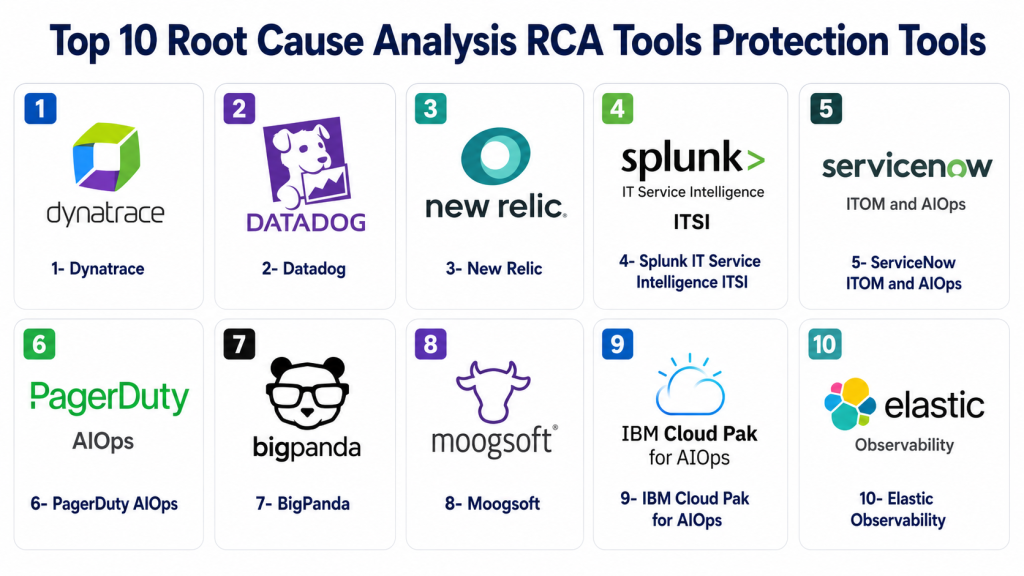
Top 10 Root Cause Analysis RCA Tools Protection Tools
1- Dynatrace
Short description:
Dynatrace is an enterprise observability and AIOps platform built for complex applications, cloud infrastructure, microservices, and hybrid systems.
It helps teams automatically discover services, map dependencies, detect anomalies, and identify likely root causes.
The platform is useful for IT, DevOps, SRE, and platform teams that need deep automated analysis.
It is best suited for mature organizations managing large-scale digital environments.
Key Features
- Automatic service discovery and dependency mapping
- AI-assisted anomaly detection and RCA
- Full-stack observability across applications, infrastructure, logs, traces, and user experience
- Kubernetes, cloud, hybrid, and microservices monitoring
- Business impact analysis for service disruptions
- Workflow automation and incident support
- Application security visibility in supported environments
Pros
- Strong for complex enterprise environments
- Reduces manual troubleshooting with automated dependency analysis
- Broad visibility across application, infrastructure, and user experience layers
Cons
- Can be costly for small teams
- Advanced setup may require proper onboarding
- May feel too broad for teams needing only basic RCA
Platforms / Deployment
Cloud / Self-hosted / Hybrid
Web-based console with agents and integrations for cloud, applications, infrastructure, and containers.
Security & Compliance
Supports enterprise controls such as SSO, RBAC, encryption, access controls, and audit-related capabilities. Specific certifications and compliance details may vary by plan, deployment, and region.
Integrations & Ecosystem
Dynatrace integrates with major cloud platforms, DevOps tools, ITSM systems, automation workflows, and collaboration platforms. Its ecosystem is strong for teams that want RCA connected to application performance, infrastructure, deployment activity, and incident workflows.
- AWS, Azure, and Google Cloud
- Kubernetes and container platforms
- ServiceNow and ITSM systems
- Slack and Microsoft Teams
- CI/CD and deployment pipelines
- APIs and automation tools
Support & Community
Dynatrace offers enterprise documentation, onboarding resources, training, partner support, and customer success options. Large implementations usually benefit from structured planning and expert guidance.
2- Datadog
Short description:
Datadog is a cloud-based observability, monitoring, and security platform used by DevOps, SRE, cloud, and platform teams.
It connects metrics, logs, traces, infrastructure data, security signals, dashboards, alerts, and incidents.
For RCA, Datadog helps teams investigate anomalies, service dependencies, deployments, and performance changes.
It is a strong choice for cloud-native teams that want broad visibility with a large integration ecosystem.
Key Features
- Metrics, logs, traces, APM, infrastructure, and security monitoring
- Automated investigation support through intelligent correlation
- Anomaly detection and service-level monitoring
- Dashboards, monitors, alerts, and incident workflows
- Cloud, Kubernetes, serverless, and container visibility
- Deployment and change correlation
- Large third-party integration library
Pros
- Strong cloud and DevOps integrations
- Useful for combining observability, alerting, and RCA
- Flexible dashboards and investigation workflows
Cons
- Costs can increase with high data volume
- Many modules can make budgeting complex
- Requires good tagging and data structure for best results
Platforms / Deployment
Cloud
Web-based platform with agents, APIs, and integrations for cloud, containers, hosts, applications, and services.
Security & Compliance
Supports common enterprise controls such as SSO, RBAC, encryption, access controls, and audit logs. Specific compliance details may vary by product, plan, and region.
Integrations & Ecosystem
Datadog has a broad integration ecosystem across infrastructure, cloud, applications, databases, CI/CD tools, incident platforms, and security tools. This makes it practical for teams that want RCA across many parts of the technology stack.
- AWS, Azure, and Google Cloud
- Kubernetes and Docker
- GitHub, GitLab, Jenkins, and CI/CD tools
- Slack, Microsoft Teams, and PagerDuty
- Databases, queues, caches, and APIs
- Webhooks and automation workflows
Support & Community
Datadog provides documentation, learning resources, customer support plans, and onboarding guidance. Its community is strong among cloud-native engineering and DevOps teams.
3- New Relic
Short description:
New Relic is an observability platform focused on application performance, infrastructure monitoring, logs, traces, browser monitoring, and incident investigation.
It helps teams understand how applications behave and where performance issues begin.
For RCA, New Relic connects application traces, service maps, infrastructure metrics, logs, and user impact.
It is especially useful for developer-led teams that want practical troubleshooting and application-level visibility.
Key Features
- APM, logs, traces, infrastructure, browser, mobile, and synthetics monitoring
- Service maps and dependency visibility
- Error tracking and performance analysis
- Alerting and incident investigation workflows
- Dashboards and custom telemetry analysis
- Kubernetes and cloud monitoring support
- AI-assisted observability capabilities in supported plans
Pros
- Developer-friendly interface
- Strong APM and application troubleshooting capabilities
- Good for connecting user experience with backend performance
Cons
- Requires proper instrumentation for best RCA value
- Data usage and retention planning are important
- Some enterprise features may depend on plan level
Platforms / Deployment
Cloud
Web-based platform with agents, APIs, and integrations for applications, hosts, cloud systems, and Kubernetes.
Security & Compliance
Supports common enterprise security controls such as SSO, access management, encryption, and role-based permissions. Specific certifications and compliance details may vary by plan and region.
Integrations & Ecosystem
New Relic integrates with cloud providers, application frameworks, DevOps pipelines, alerting tools, and collaboration platforms. It is helpful for engineering teams that want RCA closely connected to application behavior and code-level context.
- AWS, Azure, and Google Cloud
- Kubernetes and container platforms
- CI/CD systems and deployment tracking
- Slack and Microsoft Teams
- Incident response tools
- OpenTelemetry and APIs
Support & Community
New Relic offers documentation, developer resources, support plans, onboarding materials, and a strong technical community. It is popular among developers, DevOps teams, and observability practitioners.
4- Splunk IT Service Intelligence ITSI
Short description:
Splunk IT Service Intelligence ITSI is an AIOps and service-monitoring solution built on the Splunk platform.
It helps teams analyze machine data, events, KPIs, service health, and alerts to identify operational issues.
For RCA, it is useful when organizations already rely on Splunk for logs, security analytics, and IT operations data.
It is best suited for large enterprises with complex services, high event volume, and mature operations teams.
Key Features
- Service health monitoring and KPI tracking
- Event correlation and alert noise reduction
- Machine learning-assisted anomaly detection
- Deep log and event analytics
- Operational dashboards and service analyzers
- ITSM and incident workflow integration
- Strong enterprise search capabilities
Pros
- Strong for organizations already using Splunk
- Powerful log analytics and event investigation
- Good for enterprise NOC and service operations teams
Cons
- Implementation can be complex
- Data ingest and retention costs can be high
- Requires strong service modeling for best RCA results
Platforms / Deployment
Cloud / Self-hosted / Hybrid
Deployment depends on the Splunk environment and enterprise architecture.
Security & Compliance
Splunk environments commonly support SSO, RBAC, encryption, access governance, and audit capabilities. Specific certifications and compliance coverage vary by product, deployment, and contract.
Integrations & Ecosystem
Splunk ITSI benefits from Splunk’s broader ecosystem of apps, add-ons, connectors, and data ingestion options. It is valuable when operational data, security data, and business service data need to be analyzed together.
- Splunk Enterprise and Splunk Cloud
- ServiceNow and ITSM tools
- Cloud platforms and infrastructure tools
- Security and SIEM workflows
- Network and application data sources
- APIs and custom data pipelines
Support & Community
Splunk has strong documentation, training, enterprise support, partner services, and a large user community. Complex deployments often require skilled administrators or implementation partners.
5- ServiceNow ITOM and AIOps
Short description:
ServiceNow ITOM and AIOps help enterprises monitor service health, correlate events, reduce alert noise, and connect incidents to business services.
It is especially useful for organizations already using ServiceNow for ITSM, CMDB, change management, and incident management.
For RCA, it connects alerts, events, service maps, configuration items, incidents, and change records.
It is best for large IT teams that want RCA connected with governance, workflows, and service management.
Key Features
- Event management and alert correlation
- Service mapping and CMDB integration
- AIOps-assisted incident prioritization
- Incident, problem, change, and workflow automation
- Business-service impact visibility
- Runbook and remediation workflow support
- Enterprise service operations alignment
Pros
- Strong fit for ServiceNow-based enterprises
- Connects RCA with ITSM and CMDB workflows
- Good for incident, problem, and change management alignment
Cons
- Can be complex for smaller organizations
- RCA quality depends on CMDB and service-map maturity
- Customization may require experienced administrators
Platforms / Deployment
Cloud / Hybrid
Primarily cloud-based with integrations into cloud, on-premises, and hybrid enterprise systems.
Security & Compliance
Supports enterprise controls such as SSO, RBAC, access controls, encryption, audit logs, and governance workflows. Specific compliance coverage varies by product, region, and customer configuration.
Integrations & Ecosystem
ServiceNow has a large enterprise integration ecosystem. It is valuable when RCA needs to connect with incidents, changes, CMDB records, assets, approvals, automation, and business service workflows.
- ServiceNow ITSM, CMDB, and ITOM
- Monitoring and observability platforms
- Cloud and infrastructure tools
- ChatOps and notification platforms
- Automation and runbook systems
- APIs and IntegrationHub workflows
Support & Community
ServiceNow provides enterprise support, documentation, training, implementation partners, and customer success resources. Large deployments usually require governance and structured configuration.
6- PagerDuty AIOps
Short description:
PagerDuty AIOps helps teams reduce alert noise, group related incidents, improve escalation, and speed up incident response.
It is widely used by SRE, DevOps, IT operations, and on-call teams that need reliable incident coordination.
For RCA, PagerDuty helps connect alerts, service ownership, incident timelines, event patterns, and response workflows.
It works best as an incident intelligence layer across multiple monitoring and observability tools.
Key Features
- Event correlation and alert noise reduction
- AIOps-assisted incident grouping
- On-call scheduling and escalation policies
- Incident response automation
- Service ownership and incident timelines
- Integrations with monitoring and ITSM tools
- Runbook and workflow automation support
Pros
- Strong incident response and on-call workflows
- Works across many monitoring tools
- Helps reduce alert fatigue and improve triage
Cons
- Not a full observability replacement
- RCA depends on quality of incoming alert data
- Advanced features may require higher-tier plans
Platforms / Deployment
Cloud
Web / iOS / Android with integrations into monitoring, observability, ITSM, and collaboration tools.
Security & Compliance
Supports enterprise security capabilities such as SSO, role-based permissions, audit logs, and access controls. Specific certifications and compliance details may vary by plan and contract.
Integrations & Ecosystem
PagerDuty integrates with monitoring, observability, ITSM, collaboration, and automation tools. It is commonly used as the central incident response layer for alert routing and escalation.
- Datadog, New Relic, Dynatrace, and Splunk
- ServiceNow and ITSM tools
- Slack and Microsoft Teams
- Jira and engineering tools
- Cloud infrastructure alerts
- APIs and webhooks
Support & Community
PagerDuty offers documentation, support tiers, onboarding resources, and incident-response best practices. Its community is strong among SRE, DevOps, and on-call engineering teams.
7- BigPanda
Short description:
BigPanda is an AIOps platform focused on event correlation, incident intelligence, alert noise reduction, and operational automation.
It helps IT operations and SRE teams group related alerts and understand the context behind incidents.
For RCA, BigPanda uses event patterns, topology, changes, and enrichment to highlight likely root causes.
It is best for organizations that receive high alert volumes from many monitoring systems.
Key Features
- Event correlation and incident grouping
- Alert noise reduction and deduplication
- Topology-aware incident context
- Probable root cause identification
- Change correlation and impact analysis
- ITSM and monitoring integrations
- Incident enrichment and automation workflows
Pros
- Strong for reducing alert noise
- Useful for NOC and enterprise operations teams
- Helps standardize incident context before escalation
Cons
- Depends on quality of source alerts and integrations
- Requires configuration to match service ownership
- Less suitable as a complete observability platform
Platforms / Deployment
Cloud / Hybrid
Deployment depends on integrations, data sources, and enterprise architecture.
Security & Compliance
Supports enterprise security controls such as SSO, RBAC, encryption, and access management. Specific compliance details should be validated during procurement.
Integrations & Ecosystem
BigPanda integrates with monitoring, observability, ITSM, cloud, collaboration, and change-management systems. It is useful when teams need to normalize many alert sources into fewer actionable incidents.
- ServiceNow and ITSM tools
- Datadog, Splunk, New Relic, and monitoring tools
- Cloud infrastructure alerts
- Slack and Microsoft Teams
- Change-management systems
- APIs and webhooks
Support & Community
BigPanda provides enterprise support, onboarding help, documentation, and customer success resources. Its community is more enterprise-focused than open-source driven.
8- Moogsoft
Short description:
Moogsoft is an AIOps and incident intelligence platform built to reduce alert noise and improve operational response.
It helps teams correlate events, cluster incidents, detect patterns, and understand relationships between alerts.
For RCA, it gives IT operations, DevOps, and NOC teams better context across fragmented monitoring systems.
It is useful for organizations that want event intelligence without replacing every monitoring tool.
Key Features
- Event correlation and incident clustering
- Alert noise reduction and deduplication
- Machine learning-assisted pattern detection
- Incident enrichment and collaboration workflows
- Monitoring and ITSM integrations
- Service and topology context
- Automation workflow support
Pros
- Useful for high-volume alert environments
- Helps reduce duplicate and low-value alerts
- Works across existing monitoring tools
Cons
- Requires good event data for strong results
- May need tuning to improve correlation quality
- Product packaging and availability may vary
Platforms / Deployment
Cloud / Hybrid
Deployment and packaging may vary.
Security & Compliance
Enterprise security capabilities may include SSO, access controls, and encryption depending on plan and deployment. Specific compliance certifications are not publicly stated for every configuration.
Integrations & Ecosystem
Moogsoft integrates with monitoring, ITSM, collaboration, and event-management tools. It works best when several alert sources need to be consolidated into clearer incident views.
- Monitoring and observability tools
- ITSM platforms
- ChatOps and collaboration tools
- Cloud and infrastructure events
- APIs and webhooks
- Automation tools
Support & Community
Support and documentation are available through vendor channels. Community strength is more limited than larger observability platforms, so buyers should validate support expectations.
9- IBM Cloud Pak for AIOps
Short description:
IBM Cloud Pak for AIOps is an enterprise AIOps platform designed for complex hybrid cloud and IT operations environments.
It helps teams detect incidents, correlate events, analyze operational data, and automate remediation.
For RCA, it focuses on event correlation, anomaly detection, topology awareness, and AI-assisted insights.
It is best for large enterprises that need governance, automation, and hybrid deployment support.
Key Features
- AI-assisted event correlation and anomaly detection
- Hybrid cloud and enterprise IT operations support
- Topology and dependency awareness
- Automation and remediation workflows
- Integration with ITSM and observability tools
- Incident prediction and prioritization support
- Enterprise governance and operational controls
Pros
- Strong fit for hybrid enterprise environments
- Useful for organizations invested in IBM ecosystems
- Supports advanced automation and AIOps use cases
Cons
- Can be complex for smaller teams
- Requires implementation planning and skilled users
- Value depends on integration depth and data readiness
Platforms / Deployment
Cloud / Self-hosted / Hybrid
Deployment commonly supports enterprise and hybrid cloud architectures.
Security & Compliance
Supports enterprise-grade security features such as access control, encryption, identity integration, and governance capabilities. Specific certifications and compliance coverage vary by deployment and contract.
Integrations & Ecosystem
IBM Cloud Pak for AIOps integrates with enterprise operations, automation, observability, ITSM, infrastructure, and hybrid cloud tools. It is useful for organizations with complex technology estates.
- IBM ecosystem tools
- Kubernetes and hybrid cloud platforms
- ITSM and incident-management tools
- Monitoring and observability systems
- Automation and remediation workflows
- APIs and enterprise connectors
Support & Community
IBM provides enterprise support, professional services, documentation, training, and partner resources. Complex deployments usually benefit from expert implementation support.
10- Elastic Observability
Short description:
Elastic Observability helps teams collect, search, analyze, and visualize logs, metrics, traces, uptime data, and APM signals.
It is built on the Elastic Stack and is useful for DevOps, security, IT operations, and engineering teams.
For RCA, Elastic is strong when teams need fast log search, distributed tracing, infrastructure metrics, and flexible data exploration.
It is a good fit for teams that want cloud or self-managed observability with strong search capabilities.
Key Features
- Logs, metrics, traces, uptime, and APM visibility
- Powerful search and analytics capabilities
- Dashboards, alerts, and anomaly detection
- Kubernetes, cloud, and infrastructure monitoring
- OpenTelemetry support
- Cloud and self-managed deployment options
- Security analytics alignment through Elastic ecosystem
Pros
- Strong search and log-analysis foundation
- Flexible deployment options
- Useful for combining observability and security data
Cons
- Requires planning for ingest, storage, and retention
- RCA may require more hands-on analysis
- Advanced operations can require skilled administrators
Platforms / Deployment
Cloud / Self-hosted / Hybrid
Web-based console with agents, integrations, APIs, and OpenTelemetry support.
Security & Compliance
Supports enterprise controls such as RBAC, encryption, authentication options, and audit-related features depending on plan and deployment. Specific certifications and compliance coverage should be verified during procurement.
Integrations & Ecosystem
Elastic integrates with cloud platforms, Kubernetes, applications, security tools, data pipelines, and telemetry systems. It is strong for teams that want searchable operational data and flexible RCA workflows.
- AWS, Azure, and Google Cloud
- Kubernetes and containers
- OpenTelemetry and Beats agents
- CI/CD and application frameworks
- Security and SIEM workflows
- APIs and ingest pipelines
Support & Community
Elastic has strong documentation, community resources, training, and commercial support options. Production deployments require good planning around data storage, retention, and performance.
Comparison Table Top 10
| Tool Name | Best For | Platforms Supported | Deployment | Standout Feature | Public Rating |
|---|---|---|---|---|---|
| Dynatrace | Enterprise observability and automated RCA | Web | Cloud / Self-hosted / Hybrid | AI-assisted full-stack RCA | N/A |
| Datadog | Cloud-native DevOps and SRE teams | Web | Cloud | Broad telemetry correlation | N/A |
| New Relic | Developer-led APM and troubleshooting | Web | Cloud | Application-focused investigation | N/A |
| Splunk ITSI | Enterprise service intelligence | Web | Cloud / Self-hosted / Hybrid | Service health and event analytics | N/A |
| ServiceNow ITOM and AIOps | ITSM-connected enterprise operations | Web | Cloud / Hybrid | RCA connected to CMDB and workflows | N/A |
| PagerDuty AIOps | On-call and incident response teams | Web / iOS / Android | Cloud | Incident intelligence and alert grouping | N/A |
| BigPanda | Alert noise reduction and event correlation | Web | Cloud / Hybrid | AIOps event grouping | N/A |
| Moogsoft | Incident clustering across tools | Web | Cloud / Hybrid | Alert correlation and deduplication | N/A |
| IBM Cloud Pak for AIOps | Hybrid enterprise AIOps | Web | Cloud / Self-hosted / Hybrid | Hybrid cloud automation | N/A |
| Elastic Observability | Search-driven RCA and observability | Web | Cloud / Self-hosted / Hybrid | Log analytics and OpenTelemetry flexibility | N/A |
Evaluation & Scoring of Root Cause Analysis RCA Tools
| Tool Name | Core 25% | Ease 15% | Integrations 15% | Security 10% | Performance 10% | Support 10% | Value 15% | Weighted Total 0–10 |
| Dynatrace | 9.5 | 8.0 | 9.0 | 9.0 | 9.0 | 9.0 | 7.5 | 8.75 |
| Datadog | 9.0 | 8.5 | 9.5 | 8.5 | 8.5 | 8.5 | 7.5 | 8.55 |
| New Relic | 8.5 | 8.5 | 8.5 | 8.0 | 8.0 | 8.0 | 8.0 | 8.25 |
| Splunk ITSI | 9.0 | 7.0 | 8.5 | 9.0 | 8.5 | 8.5 | 7.0 | 8.15 |
| ServiceNow ITOM and AIOps | 8.5 | 7.5 | 8.5 | 9.0 | 8.0 | 9.0 | 7.0 | 8.10 |
| PagerDuty AIOps | 8.0 | 8.5 | 9.0 | 8.5 | 8.0 | 8.5 | 8.0 | 8.25 |
| BigPanda | 8.5 | 8.0 | 8.5 | 8.0 | 8.0 | 8.0 | 7.5 | 8.10 |
| Moogsoft | 8.0 | 7.5 | 8.0 | 7.5 | 7.5 | 7.5 | 7.5 | 7.70 |
| IBM Cloud Pak for AIOps | 8.5 | 7.0 | 8.0 | 9.0 | 8.0 | 8.5 | 7.0 | 7.95 |
| Elastic Observability | 8.0 | 7.5 | 8.5 | 8.0 | 8.0 | 8.0 | 8.5 | 8.05 |
The scores are comparative and should be used as a practical selection guide, not as a universal ranking. A higher score means the tool performs strongly across the listed criteria, but the best fit depends on your team size, infrastructure complexity, budget, compliance needs, and existing toolchain. Teams should validate scoring through a real pilot using actual incidents, integrations, dashboards, alert workflows, and security requirements.
Which Root Cause Analysis RCA Tool Is Right for You?
Solo / Freelancer
Solo users and freelancers usually do not need a heavy enterprise AIOps platform unless they manage complex client environments. New Relic, Elastic Observability, or Datadog can be practical choices because they provide useful application, infrastructure, and log visibility without requiring a large operations team. Choose Elastic if you want flexible search and more control. Choose New Relic or Datadog if you want faster cloud-based onboarding.
SMB
Small and midsize businesses should focus on ease of use, fast setup, useful dashboards, strong alerts, and predictable costs. Datadog, New Relic, PagerDuty AIOps, and Elastic Observability are strong options for this segment. Datadog works well for cloud-native teams, New Relic is good for developer-led troubleshooting, PagerDuty helps improve on-call response, and Elastic works well for search-driven investigations.
Mid-Market
Mid-market teams often need better alert correlation, stronger service visibility, deployment tracking, and incident workflows. Datadog, Dynatrace, New Relic, PagerDuty, BigPanda, and Elastic are strong candidates. If alert noise is the main problem, BigPanda or PagerDuty may help. If application and infrastructure visibility are more important, Dynatrace, Datadog, or New Relic may be better.
Enterprise
Enterprises should prioritize scalability, governance, security controls, hybrid support, service modeling, workflow automation, and integration with existing IT systems. Dynatrace, Splunk ITSI, ServiceNow ITOM and AIOps, IBM Cloud Pak for AIOps, BigPanda, and Datadog are strong enterprise options. ServiceNow is useful for ITSM-heavy organizations, Splunk ITSI is useful for Splunk-heavy teams, and IBM Cloud Pak for AIOps is suitable for hybrid enterprise environments.
Budget vs Premium
Budget-conscious teams should evaluate how pricing scales with users, hosts, logs, traces, metrics, events, retention, and advanced modules. Elastic may offer flexibility, especially for teams with strong technical skills. New Relic and Datadog can be efficient for managed observability, but data volume should be estimated carefully. Premium platforms may justify higher cost when they reduce downtime and improve enterprise operations.
Feature Depth vs Ease of Use
Dynatrace, Splunk ITSI, ServiceNow ITOM, IBM Cloud Pak for AIOps, and BigPanda offer deep RCA and enterprise operations capabilities. Datadog, New Relic, PagerDuty, and Elastic may feel easier for engineering and DevOps teams to adopt. Teams should not choose the deepest tool if they lack the data maturity, process discipline, or staff capacity to use it properly.
Integrations & Scalability
RCA tools become more valuable when they integrate with existing monitoring tools, cloud platforms, ITSM systems, incident response workflows, CI/CD systems, and chat tools. PagerDuty, BigPanda, ServiceNow, Datadog, Splunk, and Elastic are strong in integration-heavy environments. Before buying, confirm API access, event volume handling, data retention, service ownership support, and automation options.
Security & Compliance Needs
Security-conscious teams should check SSO, SAML, MFA, RBAC, audit logs, encryption, data residency, retention controls, private connectivity, and compliance documentation. Large enterprises and regulated industries should verify security claims directly during procurement. Do not assume certifications or compliance coverage unless the vendor clearly provides it for your plan, region, and deployment model.
Frequently Asked Questions FAQs
1- What is a Root Cause Analysis RCA tool?
A Root Cause Analysis RCA tool helps teams identify the real cause behind an incident, outage, slow application, or infrastructure issue.
It connects alerts, logs, metrics, traces, events, service maps, and changes into a clearer investigation view.
Instead of only saying something is broken, it helps explain why the problem happened.
This makes incident response faster and post-incident learning more useful.
2- How is an RCA tool different from a monitoring tool?
A monitoring tool shows what is happening in systems, applications, or infrastructure.
An RCA tool helps explain why the issue is happening by connecting multiple signals together.
Many observability platforms now include RCA capabilities, but AIOps tools often go deeper into event correlation.
The best setup usually combines monitoring, observability, alerting, and incident workflows.
3- Do RCA tools use AI?
Many modern RCA tools use AI, machine learning, anomaly detection, or automated correlation.
These features help detect unusual behavior, group related alerts, and suggest likely causes.
AI is useful for speeding up investigation, but teams should still validate evidence manually.
AI should support engineers, not replace proper incident response judgment.
4- What pricing models do RCA tools use?
Pricing varies by vendor and may depend on users, hosts, services, events, metrics, logs, traces, or data retention.
Some platforms use module-based pricing, while others charge based on data ingestion or usage.
Buyers should estimate real data volume before choosing a plan.
This helps avoid unexpected costs after deployment.
5- How long does RCA tool implementation take?
Small teams may set up basic monitoring and RCA workflows in a few days or weeks.
Enterprise deployments can take longer because they require integrations, tagging, service mapping, access controls, and process alignment.
The timeline depends on environment complexity and data readiness.
A pilot project is the safest way to test implementation effort.
6- What are common mistakes when buying RCA tools?
Common mistakes include choosing a tool before defining incident goals, ignoring data quality, and underestimating integration needs.
Some teams also buy advanced AI features without having proper alerting, tagging, or ownership processes.
Another mistake is not checking pricing against real usage.
A controlled pilot with real incidents can reduce these risks.
7- Are RCA tools secure?
Most enterprise RCA tools include security features such as SSO, RBAC, encryption, access controls, and audit logs.
However, exact security features vary by vendor, plan, region, and deployment model.
Teams should verify compliance documentation before purchasing.
This is especially important for regulated industries and enterprise environments.
8- Can RCA tools scale for large enterprises?
Yes, many RCA and AIOps tools are designed for large enterprise environments.
Scalability depends on event volume, data retention, architecture, integrations, access governance, and service ownership models.
Enterprise teams should test performance under realistic data loads.
They should also confirm support for hybrid, cloud, and multi-team operations.
9- Which integrations matter most for RCA tools?
Important integrations include cloud platforms, Kubernetes, observability tools, logging systems, ITSM tools, CI/CD platforms, and incident response tools.
Chat platforms, ticketing systems, databases, and security tools are also useful.
Deployment and change-management integrations are especially valuable.
They help teams connect incidents with recent releases or configuration updates.
10- Is it difficult to switch RCA tools?
Switching can be challenging if dashboards, alerts, workflows, integrations, and historical data are deeply embedded.
Teams should plan migration carefully and identify which workflows must be rebuilt.
Running old and new tools in parallel for a short period can reduce risk.
Documentation and ownership mapping also help make switching smoother.
Conclusion
Root Cause Analysis RCA tools help modern IT, DevOps, SRE, and operations teams move from reactive troubleshooting to faster, evidence-based incident resolution. The right tool can reduce alert noise, improve investigation speed, connect incidents with service impact, and help teams prevent repeated failures. However, there is no single best tool for every organization. Dynatrace, Datadog, New Relic, Splunk ITSI, ServiceNow ITOM and AIOps, PagerDuty AIOps, BigPanda, Moogsoft, IBM Cloud Pak for AIOps, and Elastic Observability each fit different needs is to shortlist two or three tools based on your biggest challenge, such as alert overload, slow incident response, weak service visibility, poor deployment correlation, or hybrid infrastructure complexity. Run a pilot with real incidents, test integrations with your monitoring and ITSM stack, review security controls, compare pricing against expected usage, and confirm that the tool helps your team find root causes faster and more confidently.
