Introduction
Single pane of glass IT dashboard protection tools are centralized platforms that bring all IT monitoring, security alerts, infrastructure data, logs, and performance metrics into one unified view. In simple terms, they allow IT teams to see everything happening across systems without switching between multiple tools.
These platforms are critical today because modern IT environments are complex, distributed, and cloud-heavy. Organizations rely on them to reduce downtime, improve security visibility, and speed up incident response.
Common use cases include:
- Monitoring cloud and on-prem infrastructure health
- Detecting security threats in real time
- Managing application performance across microservices
- Centralizing logs, metrics, and traces
- Supporting DevOps and IT operations workflows
What buyers typically evaluate:
- Real-time visibility and dashboard clarity
- Integration with cloud and DevOps tools
- AI-based anomaly detection
- Scalability across systems
- Security monitoring capabilities
- Ease of setup and usability
- Cost vs value balance
- Alerting accuracy and noise reduction
- Support and ecosystem maturity
Best for: IT operations teams, DevOps engineers, SRE teams, SOC teams, and enterprises managing hybrid or multi-cloud systems.
Not ideal for: Small businesses with simple infrastructure or teams that only need basic monitoring.
Key Trends in Single Pane of Glass IT Dashboards Tools
- AI-driven monitoring for predictive issue detection
- Unified observability combining logs, metrics, and traces
- Strong shift toward automation and self-healing systems
- Growing adoption of OpenTelemetry standards
- Integration of security + observability (DevSecOps convergence)
- Real-time incident response and auto-remediation workflows
- Increased focus on cost visibility (FinOps integration)
- Expansion into multi-cloud and edge environments
- Reduced alert noise through intelligent filtering
- API-first architecture for flexible integrations
How We Selected These Tools (Methodology)
- Market adoption and global usage across enterprises
- Depth of observability and dashboard capabilities
- Security monitoring and protection features
- Ability to unify logs, metrics, and traces
- Integration ecosystem strength
- AI and automation capabilities
- Scalability across SMB to enterprise workloads
- Reliability and performance consistency
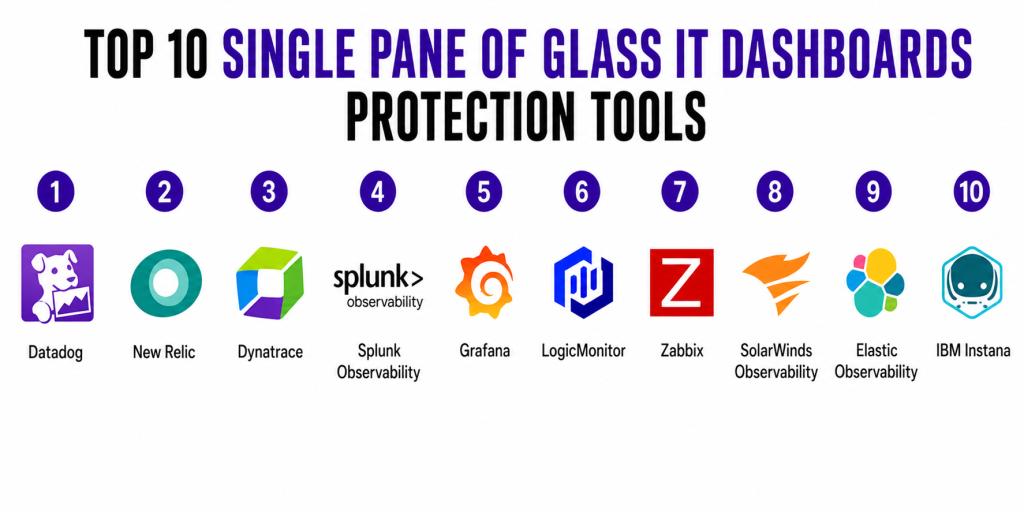
Top 10 Single Pane of Glass IT Dashboards Protection Tools
1 — Datadog
Short description:
Datadog is a cloud-native monitoring and security platform that provides unified visibility across infrastructure, applications, logs, and security signals. It is widely used by DevOps and SRE teams in cloud-first organizations. It offers real-time dashboards for monitoring system health and application performance. It supports hybrid and multi-cloud environments. It is designed for scalability and enterprise observability needs. It also includes security monitoring capabilities. It is ideal for teams needing a complete visibility platform.
Key Features
- Unified dashboards for logs, metrics, traces
- AI-powered anomaly detection
- Cloud infrastructure monitoring
- Application performance monitoring (APM)
- Security monitoring module
- Real-time alerting system
- Custom dashboard builder
Pros
- Strong all-in-one observability platform
- Excellent cloud integrations
- Highly scalable architecture
Cons
- Can become expensive at scale
- Requires setup expertise
Platforms / Deployment
- Web / Cloud
Security & Compliance
- RBAC, SSO, encryption
- Not publicly stated certifications
Integrations & Ecosystem
- AWS, Azure, Google Cloud
- Kubernetes, Docker
- CI/CD tools
- Slack, PagerDuty
Support & Community
Strong enterprise support and large global DevOps community.
2 — New Relic
Short description:
New Relic is a full-stack observability platform designed to provide deep visibility into applications, infrastructure, and user experience. It helps teams identify performance bottlenecks quickly. It supports cloud-native architectures. It offers real-time dashboards and analytics. It is widely used by developers and DevOps teams. It provides strong monitoring across microservices. It is suitable for scaling digital systems.
Key Features
- Full-stack observability dashboards
- Distributed tracing
- Infrastructure monitoring
- Log management
- Real user monitoring
- AI-based alerting
- Query-based analytics
Pros
- Easy onboarding for developers
- Strong visibility across systems
- Good free-tier availability
Cons
- Cost increases with usage
- Learning curve for advanced features
Platforms / Deployment
- Web / Cloud
Security & Compliance
- Encryption and RBAC
- Not publicly stated certifications
Integrations & Ecosystem
- AWS, Azure, GCP
- Kubernetes
- CI/CD tools
- Slack, Jira
Support & Community
Strong documentation and active developer community.
3 — Dynatrace
Short description:
Dynatrace is an AI-powered observability platform that automatically detects issues and identifies root causes across complex environments. It is designed for large enterprises managing distributed systems. It provides automatic topology mapping. It delivers real-time insights into application performance. It reduces manual monitoring effort through automation. It is widely used in mission-critical environments. It is highly scalable and intelligent.
Key Features
- AI-driven root cause analysis
- Automatic dependency mapping
- Infrastructure monitoring
- Application performance tracking
- Real-user monitoring
- Cloud observability
- Kubernetes monitoring
Pros
- Strong AI automation capabilities
- Excellent enterprise scalability
- Reduces manual troubleshooting
Cons
- High complexity for beginners
- Premium pricing structure
Platforms / Deployment
- Web / Cloud / Hybrid
Security & Compliance
- SSO, MFA, RBAC
- Not publicly stated certifications
Integrations & Ecosystem
- AWS, Azure, GCP
- Kubernetes
- ServiceNow
- DevOps tools
Support & Community
Enterprise-grade support with dedicated onboarding.
4 — Splunk Observability
Short description:
Splunk Observability provides unified monitoring and analytics for logs, metrics, and traces across IT environments. It is widely used in enterprise security and operations teams. It offers deep log analytics capabilities. It supports large-scale data processing. It provides real-time dashboards. It is highly trusted in security-heavy environments. It is suitable for complex enterprise systems.
Key Features
- Log analytics engine
- Metrics and trace correlation
- AI-based anomaly detection
- Infrastructure monitoring
- Security monitoring
- Custom dashboards
- Event correlation
Pros
- Powerful log analytics
- Strong enterprise adoption
- Good security capabilities
Cons
- High cost of ownership
- Requires expertise
Platforms / Deployment
- Web / Cloud / Hybrid
Security & Compliance
- RBAC and encryption
- Not publicly stated certifications
Integrations & Ecosystem
- AWS, Azure, GCP
- SIEM tools
- ITSM platforms
Support & Community
Strong enterprise support structure.
5 — Grafana
Short description:
Grafana is an open-source dashboard and observability platform used for visualizing metrics from multiple data sources. It is widely adopted by DevOps and SRE teams. It supports flexible dashboard creation. It integrates with many monitoring systems. It can be self-hosted or cloud-based. It is highly customizable. It is ideal for technical teams needing flexibility.
Key Features
- Multi-source dashboards
- Open-source plugin ecosystem
- Alerting system
- Time-series visualization
- Kubernetes integration
- Prometheus support
- Custom plugins
Pros
- Open-source and flexible
- Strong community support
- Cost-effective
Cons
- Requires manual setup
- Not a full enterprise suite
Platforms / Deployment
- Web / Cloud / Self-hosted
Security & Compliance
- Role-based access (enterprise)
- Not fully standardized certifications
Integrations & Ecosystem
- Prometheus
- Elasticsearch
- AWS tools
- Kubernetes
Support & Community
Large open-source community and enterprise support options.
6 — LogicMonitor
Short description:
LogicMonitor is a cloud-based infrastructure monitoring platform designed for hybrid IT environments. It provides automated discovery and monitoring. It supports network and cloud systems. It delivers unified dashboards for IT operations. It reduces manual configuration effort. It is widely used in mid-market and enterprise IT teams. It focuses on automation and scalability.
Key Features
- Automated infrastructure discovery
- Cloud monitoring
- Network monitoring
- AI alert noise reduction
- Dashboard customization
- SLA tracking
- Log correlation
Pros
- Easy onboarding
- Strong hybrid support
- Automation features
Cons
- Pricing can be high
- Limited deep customization
Platforms / Deployment
- Web / Cloud
Security & Compliance
- RBAC and encryption
- Not publicly stated
Integrations & Ecosystem
- AWS, Azure
- ITSM tools
- APIs
Support & Community
Strong enterprise support.
7 — Zabbix
Short description:
Zabbix is an open-source monitoring platform for IT infrastructure and network monitoring. It is widely used for self-hosted environments. It provides flexible dashboards. It supports distributed monitoring setups. It is highly customizable. It is cost-effective. It is best for technical teams with infrastructure control needs.
Key Features
- Server and network monitoring
- Custom alerting system
- Dashboard visualization
- Agent-based monitoring
- API support
- Historical data tracking
- Distributed monitoring
Pros
- Free and open-source
- Highly customizable
- Strong community
Cons
- Requires technical expertise
- UI is less modern
Platforms / Deployment
- Web / Self-hosted
Security & Compliance
- Depends on deployment
- Not publicly stated
Integrations & Ecosystem
- SNMP tools
- APIs
- Databases
- Cloud services
Support & Community
Strong open-source community.
8 — SolarWinds Observability
Short description:
SolarWinds Observability provides monitoring and visibility across hybrid IT environments. It is widely used in traditional IT operations. It supports infrastructure and network monitoring. It offers unified dashboards. It is designed for hybrid enterprise environments. It helps reduce downtime. It focuses on operational stability.
Key Features
- Hybrid infrastructure monitoring
- Network performance monitoring
- Application monitoring
- Log aggregation
- Dependency mapping
- Alerting system
- Cloud monitoring
Pros
- Strong network monitoring
- Good hybrid IT support
- Easy deployment
Cons
- Less modern UI
- Limited AI capabilities
Platforms / Deployment
- Web / Cloud / Hybrid
Security & Compliance
- Not publicly stated
Integrations & Ecosystem
- Cloud platforms
- ITSM tools
- APIs
Support & Community
Established enterprise support.
9 — Elastic Observability
Short description:
Elastic Observability is built on Elasticsearch and provides powerful search-driven observability across logs, metrics, and traces. It is highly scalable. It supports real-time analytics. It is widely used in large data environments. It offers flexible deployment models. It integrates deeply with DevOps workflows. It is ideal for search-heavy observability needs.
Key Features
- Elasticsearch-powered analytics
- Log and metric correlation
- APM tracing
- Machine learning anomaly detection
- Custom dashboards
- Scalable search engine
- Kubernetes integration
Pros
- Extremely powerful search capabilities
- Highly scalable
- Flexible deployment
Cons
- Complex setup
- Requires technical expertise
Platforms / Deployment
- Web / Cloud / Self-hosted / Hybrid
Security & Compliance
- RBAC and encryption
- Not publicly stated
Integrations & Ecosystem
- Elastic Stack tools
- Cloud platforms
- DevOps tools
Support & Community
Large open-source ecosystem and enterprise support.
10 — IBM Instana
Short description:
IBM Instana is an AI-driven observability platform designed for automatic application monitoring and performance optimization. It is widely used in enterprise microservices environments. It provides automatic discovery. It reduces manual monitoring efforts. It delivers real-time insights. It focuses on automation and scalability. It is suitable for complex enterprise workloads.
Key Features
- Automatic application discovery
- AI root cause analysis
- Microservices monitoring
- Real-time dashboards
- Cloud-native monitoring
- Performance tracking
- Dependency mapping
Pros
- Strong automation capabilities
- Excellent enterprise performance
- Good microservices support
Cons
- Enterprise pricing model
- Limited SMB suitability
Platforms / Deployment
- Web / Cloud
Security & Compliance
- SSO, RBAC, encryption
- Not publicly stated
Integrations & Ecosystem
- IBM Cloud
- AWS, Azure
- Kubernetes
- DevOps tools
Support & Community
Strong enterprise IBM support ecosystem.
Comparison Table (Top 10)
| Tool Name | Best For | Platform(s) Supported | Deployment | Standout Feature | Public Rating |
|---|---|---|---|---|---|
| Datadog | Cloud monitoring | Web | Cloud | Unified observability | N/A |
| New Relic | Developers | Web | Cloud | Full-stack monitoring | N/A |
| Dynatrace | Enterprises | Web | Cloud/Hybrid | AI root cause analysis | N/A |
| Splunk | Security teams | Web | Cloud/Hybrid | Log analytics engine | N/A |
| Grafana | DevOps teams | Web | Cloud/Self-hosted | Open dashboards | N/A |
| LogicMonitor | IT ops | Web | Cloud | Automated discovery | N/A |
| Zabbix | Open-source users | Web | Self-hosted | Free monitoring | N/A |
| SolarWinds | Hybrid IT | Web | Cloud/Hybrid | Network monitoring | N/A |
| Elastic Observability | Data-heavy systems | Web | Hybrid | Search analytics | N/A |
| IBM Instana | Enterprise apps | Web | Cloud | AI automation | N/A |
Evaluation & Scoring of Tools
| Tool Name | Core (25%) | Ease (15%) | Integrations (15%) | Security (10%) | Performance (10%) | Support (10%) | Value (15%) | Weighted Total |
|---|---|---|---|---|---|---|---|---|
| Datadog | 10 | 8 | 10 | 9 | 10 | 9 | 7 | 8.9 |
| New Relic | 9 | 8 | 9 | 8 | 9 | 8 | 8 | 8.4 |
| Dynatrace | 10 | 7 | 9 | 9 | 10 | 9 | 7 | 8.6 |
| Splunk | 10 | 6 | 9 | 9 | 10 | 9 | 6 | 8.2 |
| Grafana | 8 | 8 | 9 | 7 | 8 | 8 | 10 | 8.3 |
| LogicMonitor | 8 | 8 | 8 | 8 | 8 | 8 | 8 | 8.0 |
| Zabbix | 7 | 6 | 7 | 7 | 7 | 7 | 10 | 7.4 |
| SolarWinds | 8 | 8 | 8 | 8 | 8 | 8 | 8 | 8.0 |
| Elastic | 9 | 6 | 9 | 8 | 9 | 8 | 8 | 8.3 |
| IBM Instana | 9 | 7 | 9 | 9 | 9 | 9 | 7 | 8.5 |
Scores are comparative and reflect market positioning rather than absolute performance. Enterprise tools generally score higher in scalability and automation, while open-source tools score higher in flexibility and value. Selection should always depend on infrastructure complexity, budget, and operational maturity.
Which Tool Is Right for You?
Solo / Freelancer
- Grafana
- Zabbix
Focus on cost-free monitoring and customization.
SMB
- New Relic
- LogicMonitor
Focus on simplicity and fast deployment.
Mid-Market
- Datadog
- Elastic Observability
Focus on scalability and integrations.
Enterprise
- Dynatrace
- Splunk
- IBM Instana
Focus on automation, governance, and AI-driven insights.
Budget vs Premium
- Budget: Grafana, Zabbix
- Premium: Datadog, Dynatrace, Splunk
Feature Depth vs Ease of Use
- Deep systems: Splunk, Dynatrace
- Easy onboarding: New Relic, LogicMonitor
Integrations & Scalability
- Strongest ecosystems: Datadog, Elastic
- Highest scalability: Dynatrace
Security & Compliance Needs
- Strong enterprise governance: Splunk, IBM Instana, Dynatrace
- Basic monitoring setups: Grafana, Zabbix
Frequently Asked Questions
1 — What is a single pane of glass IT dashboard?
It is a centralized platform that combines monitoring, logs, and security insights into one view. It helps teams avoid switching between multiple tools. It improves visibility and operational efficiency. It is widely used in modern IT environments.
2 — Why are these tools important?
They reduce system complexity and improve incident response speed. They help detect issues before they impact users. They unify fragmented IT data. They are essential for cloud and hybrid environments.
3 — Do small companies need these tools?
Not always. Small setups may not need full observability platforms. However, cloud-based startups often adopt lightweight versions. It depends on infrastructure complexity.
4 — Are these tools expensive?
Some enterprise tools can be costly. Pricing depends on data usage and scale. Open-source tools are free but require maintenance. Costs vary widely.
5 — Do these tools support AI?
Yes, most modern platforms include AI-based anomaly detection. Some even provide root cause analysis automation. AI reduces alert noise and speeds up troubleshooting. It is now a standard feature.
6 — Can they monitor cloud environments?
Yes, they support AWS, Azure, and Google Cloud. They provide real-time infrastructure visibility. They also support hybrid setups. Cloud monitoring is a core capability.
7 — Are open-source tools reliable?
Yes, tools like Grafana and Zabbix are widely used. They are stable but require technical expertise. They offer flexibility and control. Many enterprises use them in production.
8 — Do they improve security?
Yes, many include security monitoring features. They detect anomalies and suspicious activity. They also integrate with SIEM systems. Security visibility is a key benefit.
9 — How difficult is implementation?
It varies by tool. Some are plug-and-play while others require setup. Enterprise tools may take weeks to deploy. Complexity depends on infrastructure size.
10 — What are alternatives?
Alternatives include basic cloud dashboards or manual monitoring. However, they lack automation and centralization. They are less scalable. Full platforms provide better long-term value.
Conclusion
Single pane of glass IT dashboard protection tools are essential for managing modern distributed systems. They bring together observability, security, and infrastructure management into a single unified interface. This helps teams respond faster, reduce downtime, and improve system reliability.However, no single tool fits every organization. The right choice depends on scale, budget, technical maturity, and integration needs. Enterprise organizations benefit from AI-driven automation platforms, while SMBs may prefer simpler, cost-effective solutions.
