Introduction
Web Application Scanners are security tools that test websites, web applications, and APIs for vulnerabilities before attackers can exploit them. In plain English, they act like automated security testers that crawl an application, inspect inputs, test common attack paths, and report weaknesses such as SQL injection, cross-site scripting, authentication gaps, exposed files, misconfigurations, and insecure APIs.
They matter now because modern applications are updated faster, connected through APIs, deployed across cloud platforms, and exposed to more automated attacks. Manual testing alone is no longer enough for most teams.
Real-world use cases include pre-release security testing, continuous vulnerability scanning, compliance preparation, penetration testing support, API security validation, and external attack surface checks.
Buyers should evaluate scan accuracy, false-positive handling, authentication support, API coverage, CI/CD integrations, reporting quality, scalability, compliance support, deployment flexibility, and ease of remediation.
Best for: AppSec teams, DevSecOps teams, penetration testers, SaaS companies, e-commerce businesses, fintech, healthcare, agencies, and enterprises managing public-facing applications.
Not ideal for: Static websites, very small brochure sites, or teams that only need basic hosting security. In those cases, managed hosting security, WAF rules, or periodic manual testing may be enough.
Key Trends in Web Application Scanners
- AI-assisted vulnerability prioritization is helping teams reduce alert fatigue and focus on exploitable issues.
- DAST and API scanning are converging because web applications increasingly depend on REST, GraphQL, and microservice APIs.
- CI/CD-based scanning is becoming standard for teams that want security testing before deployment.
- Proof-based vulnerability validation is growing because buyers want fewer false positives and more confidence in findings.
- Cloud-hosted scanning platforms are becoming popular for distributed teams, while self-hosted scanners remain important for sensitive environments.
- Authentication-aware scanning is becoming more important for testing logged-in areas, customer portals, and admin panels.
- Security reporting for compliance is now a key buying factor for regulated industries.
- Developer-friendly remediation guidance is becoming essential for fixing issues faster.
- Open-source tools remain important for learning, manual testing, and budget-conscious teams.
- Scanner consolidation is increasing as buyers prefer platforms that combine web, API, SAST, SCA, and runtime signals.
How We Selected These Tools Methodology
- Selected tools with strong recognition in web application scanning and DAST workflows.
- Prioritized platforms used by AppSec teams, penetration testers, and DevSecOps teams.
- Considered scan coverage, automation, authentication handling, and vulnerability validation.
- Included enterprise platforms, SMB-friendly tools, developer-first tools, and open-source options.
- Evaluated integration support for CI/CD, issue tracking, SIEM, and developer workflows.
- Considered deployment flexibility across cloud, self-hosted, and hybrid environments.
- Looked at practical fit for solo testers, SMBs, mid-market teams, and large enterprises.
- Avoided unsupported claims around certifications, public ratings, and pricing.
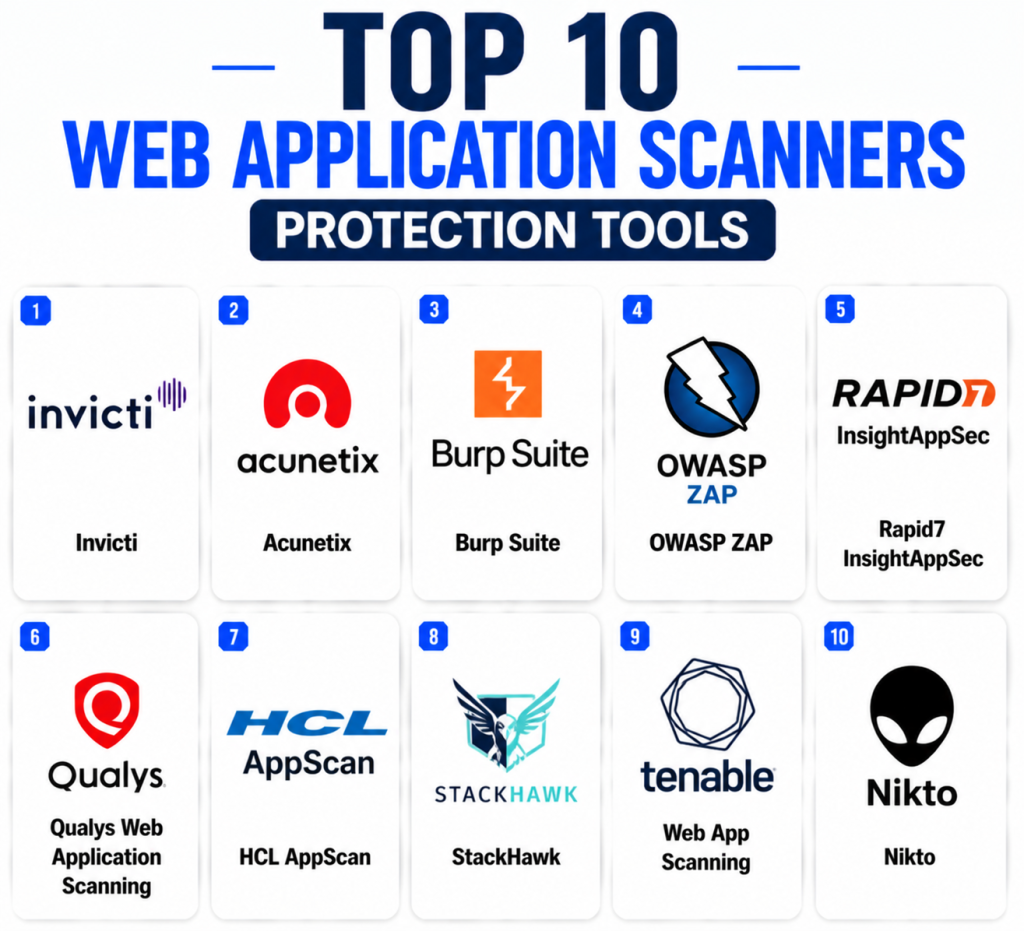
Top 10 Web Application Scanners Protection Tools
1 — Invicti
Short description: Invicti is a web application and API security scanning platform designed for automated DAST and vulnerability management. It is widely used by security teams that need scalable scanning across many websites, applications, and APIs. The platform focuses on proof-based scanning to help reduce false positives and improve remediation confidence. Invicti is suitable for enterprises, mid-market companies, and AppSec teams that need continuous web security testing. It can help teams prioritize real risk rather than spending time on noisy findings. It is a strong option for organizations that need automation, reporting, and governance.
Key Features
- Automated DAST scanning
- Web application vulnerability detection
- API scanning support
- Proof-based vulnerability validation
- Risk-based prioritization
- Scheduled scanning
- Vulnerability management workflows
Pros
- Strong automated scanning depth
- Useful proof-based validation
- Good fit for large web application portfolios
Cons
- May require tuning for complex applications
- Premium platform may be more than small teams need
- Full value depends on proper scan configuration
Platforms / Deployment
Cloud / Self-hosted / Hybrid
Security & Compliance
SSO/SAML, RBAC, audit logs, and encryption are commonly expected in enterprise deployments. Specific certifications should be verified directly with the vendor.
Integrations & Ecosystem
Invicti integrates with security, development, and operations workflows to help teams move findings into remediation pipelines.
- Jira
- GitHub
- GitLab
- Jenkins
- Azure DevOps
- SIEM workflows
Support & Community
Invicti provides enterprise support, onboarding resources, documentation, and technical guidance for security teams.
2 — Acunetix
Short description: Acunetix is a web application security scanner focused on automated vulnerability detection for websites, web applications, and APIs. It is often used by SMBs, mid-market companies, consultants, and internal security teams that need practical DAST coverage. The platform helps detect issues such as injection flaws, cross-site scripting, authentication weaknesses, exposed files, and misconfigurations. Acunetix is known for accessible scanning workflows and practical reporting. It is a good choice for teams starting or expanding a web security testing program. It works well when teams need strong scanning without overly complex enterprise overhead.
Key Features
- Web vulnerability scanning
- DAST testing
- API scanning support
- Authentication scanning
- Scheduled scans
- Vulnerability reporting
- Remediation guidance
Pros
- Easy to adopt for smaller teams
- Strong web scanning focus
- Practical reports for remediation
Cons
- Less broad than full enterprise AppSec suites
- Complex authenticated scans may require setup effort
- Advanced governance may be limited compared with larger platforms
Platforms / Deployment
Cloud / Self-hosted / Hybrid
Security & Compliance
RBAC, access controls, encryption, and audit logs are commonly expected. Specific compliance certifications should be verified directly.
Integrations & Ecosystem
Acunetix connects scanning results with development and remediation workflows.
- Jira
- GitHub
- GitLab
- Jenkins
- Azure DevOps
- API workflows
Support & Community
Acunetix offers documentation, commercial support, and onboarding resources. Community visibility is strong among web security testers and SMB security teams.
3 — Burp Suite
Short description: Burp Suite is a widely recognized web application security testing toolkit used by penetration testers, security researchers, AppSec teams, and enterprises. It supports manual testing, automated scanning, proxy-based analysis, request manipulation, and advanced testing workflows. Burp Suite Professional is popular for hands-on security testing, while Burp Suite Enterprise supports scalable automated DAST. It is especially valuable for teams that need both manual testing flexibility and automated scanning. Security professionals often use it to deeply inspect application behavior. It is a strong choice for technical teams and mature security programs.
Key Features
- Web vulnerability scanner
- Intercepting proxy
- Manual penetration testing tools
- Automated DAST options
- Request and response manipulation
- Extensions ecosystem
- CI-driven scanning options
Pros
- Excellent for hands-on testing
- Strong security professional adoption
- Flexible extension ecosystem
Cons
- Requires skill for advanced use
- Manual workflows can take time
- Enterprise automation may need careful setup
Platforms / Deployment
Windows / macOS / Linux / Cloud / Self-hosted / Hybrid
Security & Compliance
RBAC, access controls, and audit features may vary by edition. Specific compliance details should be verified directly.
Integrations & Ecosystem
Burp Suite supports manual workflows, automated scanning, and extensibility through integrations and extensions.
- CI/CD pipelines
- Jira workflows
- Custom extensions
- Security testing labs
- Manual pentest workflows
- Enterprise dashboards
Support & Community
Burp has extensive documentation, training resources, professional adoption, and a large security testing community.
4 — OWASP ZAP
Short description: OWASP ZAP is a free and open-source web application security scanner used for DAST, learning, automation, and penetration testing support. It is popular among developers, students, consultants, bug bounty hunters, and security teams that want a flexible scanner without commercial licensing costs. ZAP can be used manually through its proxy interface or automated inside CI/CD pipelines. It is useful for detecting common web vulnerabilities and learning web security testing concepts. While it may require more tuning than commercial scanners, its flexibility is a major advantage. It is ideal for technical users and budget-conscious teams.
Key Features
- Open-source web application scanning
- Intercepting proxy
- Passive and active scanning
- Automation framework
- Add-on marketplace
- API testing support
- CI/CD integration options
Pros
- Free and open source
- Strong learning and automation value
- Flexible for technical teams
Cons
- Requires security knowledge for best results
- Reporting is less polished than commercial platforms
- Governance features are limited
Platforms / Deployment
Windows / macOS / Linux / Self-hosted
Security & Compliance
Not publicly stated
Integrations & Ecosystem
OWASP ZAP integrates well into technical testing workflows and automation pipelines.
- CI/CD pipelines
- Docker workflows
- Manual penetration testing
- API testing workflows
- Custom scripts
- Open-source add-ons
Support & Community
ZAP has strong open-source community support, extensive documentation, and active usage among security learners and practitioners.
5 — Rapid7 InsightAppSec
Short description: Rapid7 InsightAppSec is a dynamic application security testing platform designed to help teams find vulnerabilities in running web applications. It is useful for security teams that need automated scanning, vulnerability management, reporting, and integration with broader security operations. InsightAppSec is often considered by organizations already using Rapid7 products for vulnerability management or security analytics. It supports scanning of modern web applications and helps teams prioritize remediation. The platform is suitable for mid-market and enterprise teams. It is a strong option when DAST needs to connect with security operations workflows.
Key Features
- Dynamic application security testing
- Web application vulnerability scanning
- Attack replay and validation workflows
- Vulnerability reporting
- Risk prioritization
- Authentication support
- Security operations integration
Pros
- Good fit for Rapid7 ecosystem users
- Practical vulnerability management workflows
- Useful for security operations teams
Cons
- May be less developer-first than some modern tools
- Advanced scanning requires configuration
- Best value depends on broader security workflow alignment
Platforms / Deployment
Cloud
Security & Compliance
SSO/SAML, RBAC, encryption, and audit logs are commonly expected. Specific certifications should be verified directly with the vendor.
Integrations & Ecosystem
InsightAppSec integrates with Rapid7 security workflows and common remediation tools.
- Rapid7 ecosystem
- Jira
- CI/CD workflows
- SIEM workflows
- Ticketing systems
- Security dashboards
Support & Community
Rapid7 provides documentation, support options, onboarding resources, and a strong security operations community.
6 — Qualys Web Application Scanning
Short description: Qualys Web Application Scanning is a cloud-based scanning solution designed to identify vulnerabilities in web applications and APIs. It is often used by enterprises that already rely on Qualys for vulnerability management, asset visibility, or compliance workflows. The platform helps teams scan web applications, track risk, and produce reports for remediation and audit purposes. It is well suited for organizations that need centralized security visibility across infrastructure and applications. Qualys WAS is particularly useful for large environments with many web assets. It is a strong fit for governance-focused security teams.
Key Features
- Web application vulnerability scanning
- API scanning support
- Authenticated scanning
- Scheduled and continuous scanning
- Asset and vulnerability tracking
- Compliance reporting
- Centralized dashboarding
Pros
- Strong fit for Qualys users
- Good for enterprise vulnerability management
- Useful compliance reporting workflows
Cons
- May feel enterprise-heavy for smaller teams
- Advanced configuration can take effort
- Developer experience may not be its strongest area
Platforms / Deployment
Cloud
Security & Compliance
SSO/SAML, RBAC, audit logs, encryption, and enterprise access controls are commonly expected. Specific certifications should be verified directly.
Integrations & Ecosystem
Qualys WAS fits well into vulnerability management, compliance, and enterprise security workflows.
- Qualys ecosystem
- SIEM workflows
- Ticketing systems
- Cloud environments
- Reporting dashboards
- API workflows
Support & Community
Qualys provides enterprise support, documentation, knowledge resources, and professional services.
7 — HCL AppScan
Short description: HCL AppScan is an application security testing platform that supports web application scanning, dynamic testing, and broader AppSec workflows. It is commonly used by enterprises and regulated organizations that need structured application security testing. AppScan helps teams identify vulnerabilities in running applications and manage remediation across development and security teams. It supports both security testing specialists and teams looking for automated scanning capabilities. The platform is suitable for organizations with formal AppSec governance. It is a strong option for enterprise environments with mature security requirements.
Key Features
- Dynamic application security testing
- Web application vulnerability scanning
- Security reporting
- Remediation guidance
- Enterprise policy support
- Application risk tracking
- Integration with development workflows
Pros
- Strong enterprise AppSec history
- Useful governance features
- Suitable for regulated teams
Cons
- May require experienced users
- Setup can be complex in large environments
- Smaller teams may prefer simpler tools
Platforms / Deployment
Cloud / Self-hosted / Hybrid
Security & Compliance
SSO/SAML, RBAC, audit logs, and encryption are commonly expected. Specific compliance certifications should be verified directly.
Integrations & Ecosystem
HCL AppScan integrates with development, testing, and security workflows for enterprise application security programs.
- Jenkins
- GitHub
- GitLab
- Jira
- Azure DevOps
- Enterprise reporting tools
Support & Community
HCL provides enterprise documentation, support options, implementation guidance, and training resources.
8 — StackHawk
Short description: StackHawk is a developer-first DAST platform designed to help engineering teams find and fix web application and API vulnerabilities during development. It is well suited for DevSecOps teams that want scanning integrated directly into CI/CD pipelines. StackHawk focuses on making dynamic testing easier for developers by providing clear results and workflow-friendly automation. It is often used by cloud-native teams and modern software organizations. The platform supports security testing earlier in the delivery process. It is a strong option for teams that want practical DAST without heavy security operations overhead.
Key Features
- Developer-first DAST
- CI/CD scanning
- Web application testing
- API testing support
- Authenticated scanning
- Remediation guidance
- Team workflow integration
Pros
- Strong developer experience
- Good CI/CD alignment
- Practical for cloud-native teams
Cons
- May not replace enterprise governance platforms
- Requires developer workflow adoption
- Best suited for teams comfortable with pipeline-based scanning
Platforms / Deployment
Cloud / Hybrid
Security & Compliance
SSO/SAML, RBAC, audit logs, and encryption are commonly expected in enterprise plans. Specific certifications should be verified directly.
Integrations & Ecosystem
StackHawk integrates with developer platforms and CI/CD pipelines to make DAST part of routine engineering work.
- GitHub
- GitLab
- Jenkins
- CircleCI
- Jira
- Docker workflows
Support & Community
StackHawk offers documentation, developer resources, onboarding help, and support options focused on engineering teams.
9 — Tenable Web App Scanning
Short description: Tenable Web App Scanning helps organizations identify vulnerabilities in web applications as part of broader exposure management and vulnerability management workflows. It is especially useful for teams already using Tenable products for asset discovery, vulnerability management, or risk-based security programs. The platform supports automated scanning of web applications and helps security teams track application risk alongside infrastructure risk. It is suitable for mid-market and enterprise security teams. Tenable WAS is valuable when organizations want centralized visibility across multiple security domains. It is a good option for risk-based vulnerability management programs.
Key Features
- Web application vulnerability scanning
- Automated DAST workflows
- Risk-based vulnerability management
- Asset visibility alignment
- Reporting and dashboards
- Scheduled scanning
- Enterprise security workflow support
Pros
- Strong fit for Tenable ecosystem users
- Useful risk-based reporting
- Good for centralized security visibility
Cons
- May be less specialized than dedicated DAST-only tools
- Complex scans may need configuration
- Developer workflow depth may vary
Platforms / Deployment
Cloud
Security & Compliance
SSO/SAML, RBAC, audit logs, and encryption are commonly expected. Specific certifications should be verified directly.
Integrations & Ecosystem
Tenable Web App Scanning connects with vulnerability management, reporting, and enterprise security workflows.
- Tenable ecosystem
- SIEM workflows
- Ticketing systems
- Cloud environments
- Reporting dashboards
- Security operations workflows
Support & Community
Tenable provides enterprise support, documentation, training resources, and a strong vulnerability management community.
10 — Nikto
Short description: Nikto is an open-source web server scanner used to detect common web server issues, outdated components, misconfigurations, dangerous files, and insecure server settings. It is not a full modern enterprise DAST platform, but it remains useful for quick checks, security assessments, learning, and penetration testing support. Nikto is popular with security testers who need a lightweight command-line scanner. It is best used alongside deeper scanners rather than as a complete web application security solution. Technical users value it for speed, simplicity, and open-source accessibility. It is a practical addition to security testing toolkits.
Key Features
- Web server scanning
- Misconfiguration detection
- Dangerous file checks
- Outdated software identification
- Command-line usage
- Open-source availability
- Lightweight testing workflow
Pros
- Free and lightweight
- Useful for quick web server checks
- Good for security learning and pentest support
Cons
- Not a full DAST platform
- Limited governance and reporting
- Requires technical knowledge
Platforms / Deployment
Linux / macOS / Windows / Self-hosted
Security & Compliance
Not publicly stated
Integrations & Ecosystem
Nikto is commonly used in technical security workflows and can be combined with scripts and broader testing toolchains.
- Command-line workflows
- Penetration testing toolkits
- Linux security environments
- Custom scripts
- Manual assessment workflows
- Lab environments
Support & Community
Nikto has open-source community support and documentation. Commercial onboarding and enterprise support are not its primary model.
Comparison Table Top 10
| Tool Name | Best For | Platform(s) Supported | Deployment | Standout Feature | Public Rating |
|---|---|---|---|---|---|
| Invicti | Enterprise automated DAST | Web | Cloud / Self-hosted / Hybrid | Proof-based vulnerability validation | N/A |
| Acunetix | SMB and mid-market web scanning | Web | Cloud / Self-hosted / Hybrid | Accessible automated scanning | N/A |
| Burp Suite | Penetration testers and AppSec teams | Windows / macOS / Linux | Cloud / Self-hosted / Hybrid | Manual and automated testing depth | N/A |
| OWASP ZAP | Open-source DAST and learning | Windows / macOS / Linux | Self-hosted | Free extensible web scanner | N/A |
| Rapid7 InsightAppSec | Security operations teams | Web | Cloud | DAST with security workflow alignment | N/A |
| Qualys Web Application Scanning | Enterprise vulnerability management | Web | Cloud | Centralized web app risk tracking | N/A |
| HCL AppScan | Enterprise AppSec governance | Web | Cloud / Self-hosted / Hybrid | Mature application security testing | N/A |
| StackHawk | Developer-first DAST | Web | Cloud / Hybrid | CI/CD-based scanning | N/A |
| Tenable Web App Scanning | Risk-based vulnerability programs | Web | Cloud | Exposure management alignment | N/A |
| Nikto | Lightweight web server checks | Windows / macOS / Linux | Self-hosted | Open-source server scanning | N/A |
Evaluation & Scoring of Web Application Scanners
| Tool Name | Core 25% | Ease 15% | Integrations 15% | Security 10% | Performance 10% | Support 10% | Value 15% | Weighted Total 0-10 |
| Invicti | 9.4 | 8.4 | 8.8 | 9.0 | 8.8 | 8.8 | 8.0 | 8.78 |
| Acunetix | 8.8 | 8.8 | 8.2 | 8.5 | 8.6 | 8.3 | 8.4 | 8.54 |
| Burp Suite | 9.2 | 8.0 | 8.7 | 8.8 | 8.7 | 8.6 | 8.2 | 8.67 |
| OWASP ZAP | 7.8 | 7.4 | 8.0 | 7.2 | 7.8 | 7.5 | 9.5 | 7.98 |
| Rapid7 InsightAppSec | 8.7 | 8.2 | 8.5 | 8.7 | 8.5 | 8.6 | 8.0 | 8.47 |
| Qualys WAS | 8.5 | 8.0 | 8.4 | 8.8 | 8.6 | 8.6 | 7.9 | 8.40 |
| HCL AppScan | 8.8 | 7.7 | 8.3 | 8.8 | 8.4 | 8.5 | 7.8 | 8.34 |
| StackHawk | 8.3 | 9.0 | 8.8 | 8.4 | 8.5 | 8.2 | 8.4 | 8.53 |
| Tenable WAS | 8.3 | 8.1 | 8.4 | 8.7 | 8.5 | 8.5 | 8.0 | 8.38 |
| Nikto | 6.8 | 7.0 | 6.5 | 6.5 | 7.5 | 6.8 | 9.2 | 7.14 |
These scores are comparative and should be used as a starting point, not as a universal ranking. Enterprise teams may value governance, integrations, and support more heavily. Developer teams may prioritize ease of use, CI/CD fit, and remediation workflows. Open-source tools may score lower on governance but higher on value. The best scanner depends on application complexity, team skills, budget, compliance needs, and testing frequency.
Which Web Application Scanner Tool Is Right for You?
Solo / Freelancer
Solo developers, consultants, and independent testers should start with practical, affordable tools. OWASP ZAP is a strong open-source option for learning and testing. Nikto is useful for quick web server checks. Burp Suite Professional is a strong premium choice for hands-on penetration testing.
SMB
SMBs should focus on ease of setup, clear reports, and practical remediation guidance. Acunetix, StackHawk, and OWASP ZAP are strong options depending on budget and technical skill. If the business has customer-facing applications, scheduled scanning and authenticated testing should be priorities.
Mid-Market
Mid-market teams usually need both automation and workflow integration. Invicti, Acunetix, Rapid7 InsightAppSec, StackHawk, and Tenable Web App Scanning can be good fits. Teams should focus on CI/CD support, reporting, ticketing integration, and false-positive management.
Enterprise
Enterprises should prioritize scalability, governance, compliance reporting, authentication support, and integration with broader security programs. Invicti, Burp Suite Enterprise, Rapid7 InsightAppSec, Qualys WAS, HCL AppScan, and Tenable WAS are strong candidates. Large teams should test scan coverage across real applications before choosing.
Budget vs Premium
Budget-conscious teams can start with OWASP ZAP and Nikto, but they should understand the manual effort required. Premium buyers should evaluate Invicti, Acunetix, Burp Suite, Rapid7, Qualys, HCL AppScan, StackHawk, and Tenable depending on their preferred workflow.
Feature Depth vs Ease of Use
Burp Suite offers excellent depth for skilled testers, while Invicti and Acunetix provide strong automated scanning. StackHawk is easier for developer-first teams. Qualys, Tenable, and Rapid7 are stronger when web scanning must connect with broader vulnerability management.
Integrations & Scalability
Teams should verify integrations with GitHub, GitLab, Jenkins, Azure DevOps, Jira, SIEM platforms, and ticketing systems. Enterprise teams should also evaluate API access, scan scheduling, role-based access, reporting exports, and multi-team management.
Security & Compliance Needs
Regulated organizations should prioritize audit logs, RBAC, SSO/SAML, encryption, reporting quality, and evidence collection. Enterprise platforms such as Invicti, Qualys WAS, HCL AppScan, Rapid7 InsightAppSec, and Tenable WAS are often better suited for compliance-heavy workflows.
Frequently Asked Questions FAQs
1. What is a Web Application Scanner?
A Web Application Scanner tests websites and web applications for security vulnerabilities. It crawls pages, submits inputs, checks responses, and reports issues such as SQL injection, XSS, misconfigurations, and authentication weaknesses.
2. What is the difference between DAST and web application scanning?
DAST is the broader testing method that analyzes a running application from the outside. Web application scanning is a practical use of DAST focused on websites, web apps, and sometimes APIs.
3. Can web application scanners replace penetration testing?
No. Scanners provide repeatable automated coverage, but manual penetration testing is still important for business logic flaws, chained attacks, access control issues, and complex authentication workflows.
4. How much do web application scanners cost?
Pricing varies by number of applications, scan volume, users, deployment model, and enterprise features. If pricing is not publicly clear, buyers should treat it as Varies / N/A and request a vendor quote.
5. How long does onboarding take?
Simple scans can begin quickly, but accurate authenticated scanning may take more setup. Enterprise rollout can take longer because teams must configure roles, policies, reports, integrations, and scan schedules.
6. What are common mistakes when using scanners?
Common mistakes include scanning without authentication, ignoring false positives, not tuning scan policies, running scans too late, and failing to assign ownership for remediation.
7. Are open-source scanners good enough?
Open-source scanners like OWASP ZAP and Nikto are valuable, especially for technical teams. However, commercial tools usually provide stronger reporting, governance, support, automation, and enterprise workflows.
8. Can scanners test APIs?
Many modern web scanners support API testing, but coverage varies. Buyers should check REST, GraphQL, OpenAPI, authentication handling, and CI/CD integration before selecting a tool.
9. Which scanner is best for developers?
StackHawk, OWASP ZAP, Git-friendly DAST workflows, and CI/CD-integrated tools are strong for developers. The best choice depends on whether the team wants open-source flexibility or managed platform convenience.
10. Which scanner is best for enterprises?
Invicti, Burp Suite Enterprise, Qualys WAS, HCL AppScan, Rapid7 InsightAppSec, and Tenable WAS are strong enterprise candidates. Enterprises should evaluate governance, reporting, scalability, authentication handling, and integrations.
Conclusion
Web Application Scanners are essential for modern application security because they help teams identify vulnerabilities in websites, web applications, and APIs before attackers can exploit them. The best scanner depends on your team size, technical skill, compliance needs, application complexity, and budget. Invicti and Acunetix are strong automated scanning options, Burp Suite is excellent for hands-on testing and advanced security teams, OWASP ZAP remains a valuable open-source choice, and platforms like Rapid7, Qualys, HCL AppScan, StackHawk, and Tenable serve different enterprise and DevSecOps needs.There is no single universal winner. Shortlist two or three tools based on your environment, run a pilot against real applications, compare scan accuracy and remediation workflows, then validate authentication support, integrations, reporting, security controls, and total cost before making a final decision.
