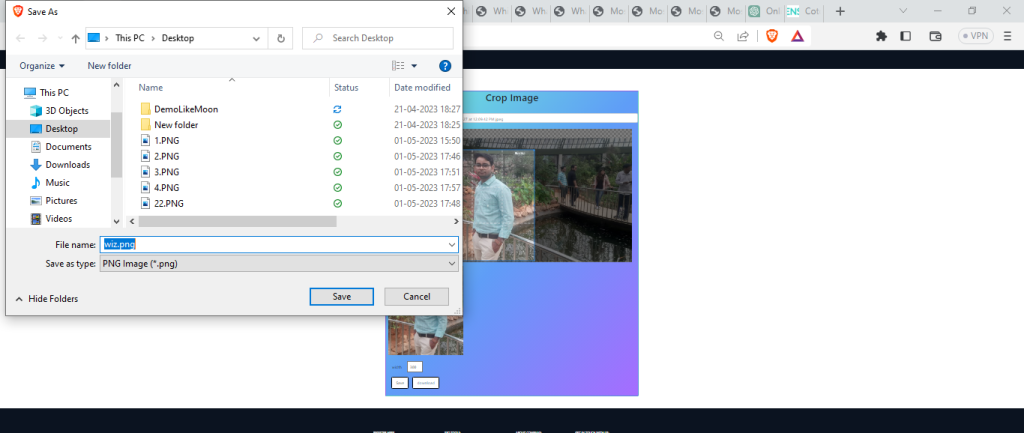
An online image cropper tool is a web-based application that allows users to crop or trim images to a specific size or aspect ratio.
What is Function of Online Image Cropper tool
An online image cropper tool is a web-based application that allows users to crop or trim images to a specific size or aspect ratio. It is a useful tool for anyone who needs to adjust the size or shape of an image for various purposes, such as social media posts, website design, or graphic design projects.
What are the feature of Online Image Cropper tool
Some common features of an online image cropper tool is:
- User-friendly interface: A simple and intuitive interface that is easy to navigate and use even for beginners.
- Zoom: Users can zoom in and out of the image to adjust the cropping selection more precisely.
- Image resizing: Users can resize the image to a specific size or scale.
- Crop selection: Users can select the portion of the image they want to keep by dragging a rectangle or by specifying the dimensions.
How Wizbrand’s Online Image Cropper tool would help?
Wizbrand’s Online Image Cropper tool offers a variety of benefits that can help users in many ways, including:
- User-friendly: The tool has a simple and intuitive interface that is easy to use, even for beginners. Users can quickly upload their images, make adjustments, and download the newly cropped image.
- Free to use: The tool is completely free to use, with no hidden fees or subscriptions required.
- Mobile-friendly: The tool is optimized for mobile devices, making it easy for users to crop images on-the-go using their smartphones or tablets.
- Saving time: The tool allows users to quickly and easily crop images to the desired size or aspect ratio.
How to use it Online Image Cropper tool online
To use Wizbrand’s Online Image Cropper tool online, follow these simple steps:
- Open your web browser and go to Wizbrand’s Online Image Cropper tool page.
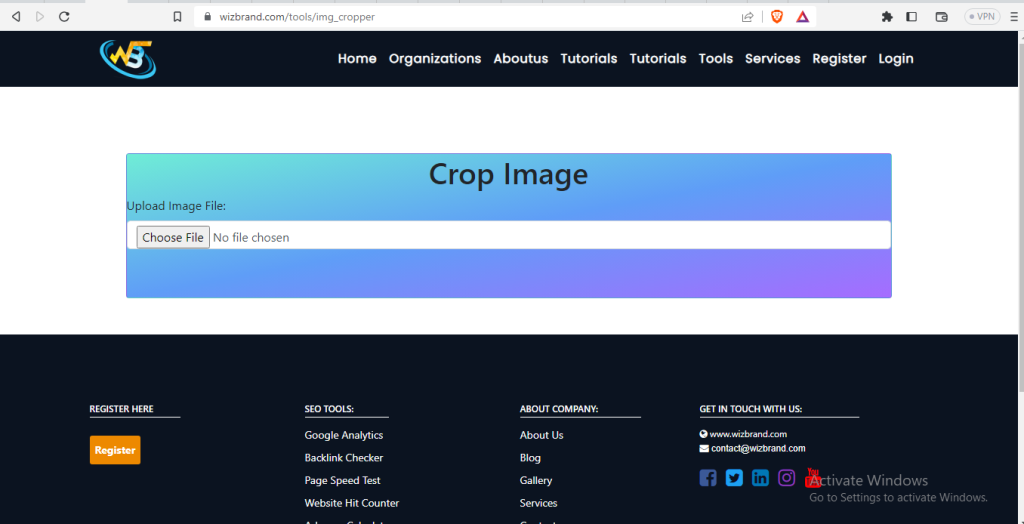
2. Click on the “Choose file” button and select the image you want to crop.
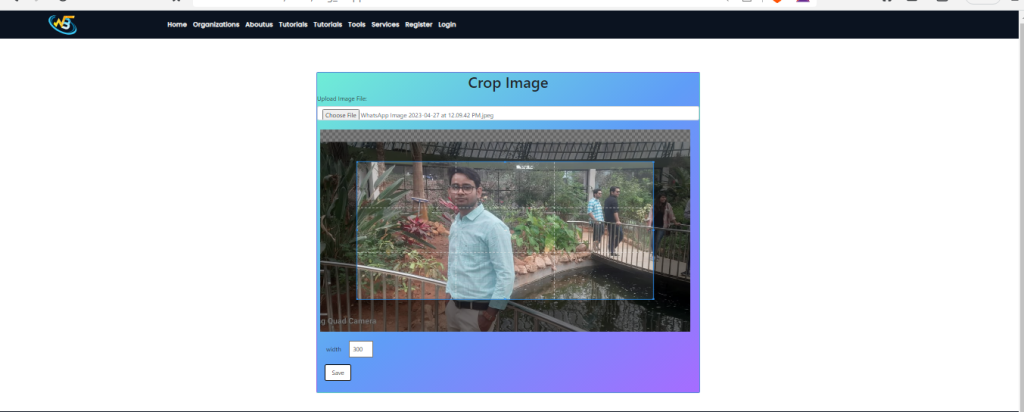
3. Once the image is uploaded, use the crop selection tool to select the portion of the image you want to keep. You can adjust the selection by dragging the rectangle or by specifying the dimensions and Use the customization options to adjust the image Width.
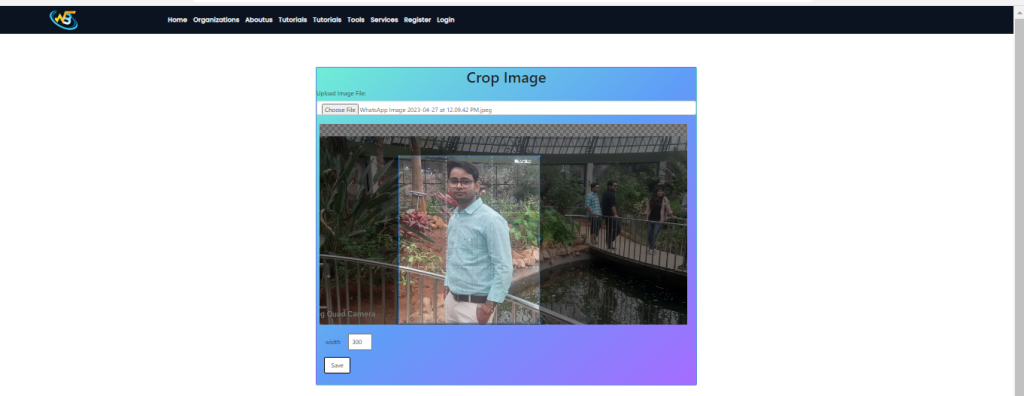
4. Preview the cropped image to make sure it looks how you want it to look.
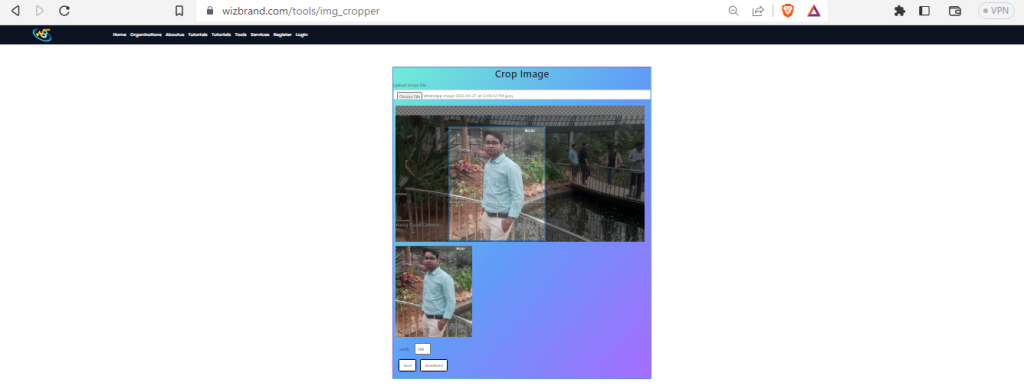
5. Finally, click on the or “Download” button to save the newly cropped image to your computer or mobile device.