In today’s competitive business landscape, delivering exceptional customer support is critical for building loyalty and enhancing customer satisfaction. Zendesk is a leading customer service and engagement platform that helps businesses manage customer interactions across various channels efficiently. Whether you’re handling support tickets, engaging with customers via chat, or managing a help center, Zendesk provides a unified solution. This blog explores what Zendesk is, its use cases, features, architecture, installation, and tutorials for getting started.
What is Zendesk?
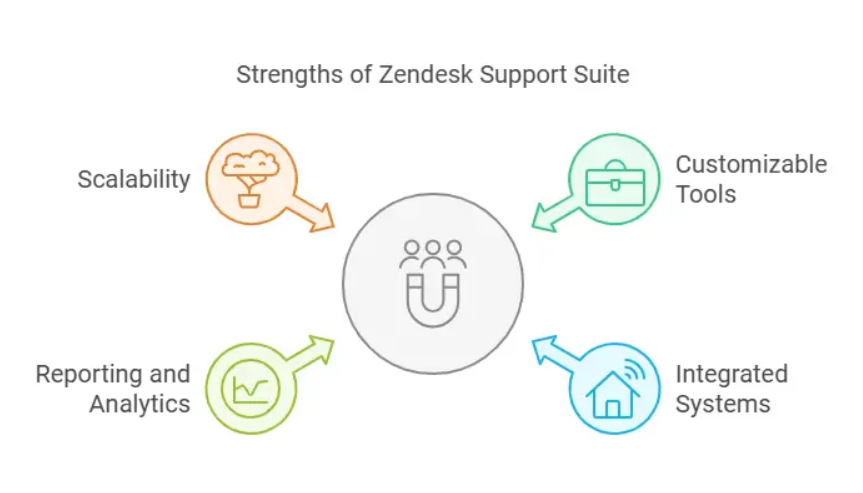
Zendesk is a cloud-based customer service and engagement platform that enables businesses to provide seamless support and build stronger relationships with their customers. It offers a suite of tools for managing support tickets, live chats, email communication, and self-service options through a centralized interface. Zendesk is designed for scalability, making it suitable for small businesses and large enterprises alike.
Key functionalities of Zendesk:
- Streamlined ticket management.
- Omnichannel support, including email, chat, phone, and social media.
- Customizable workflows for efficient team collaboration.
- Powerful analytics for tracking performance and customer satisfaction.
Zendesk empowers organizations to improve customer experience by simplifying the management of support operations.
Top 10 Use Cases of Zendesk
- Customer Support Ticketing System
Centralizes customer inquiries from multiple channels, ensuring faster and more efficient ticket resolution. - Live Chat and Messaging
Provides real-time assistance through live chat and messaging integrations, improving customer engagement. - Help Center and Knowledge Base
Allows businesses to create self-service portals with FAQs, articles, and guides to reduce the volume of repetitive queries. - Omnichannel Support
Integrates customer interactions across email, phone, social media, and chat into a single platform for a unified view. - Customer Feedback Collection
Captures feedback through surveys to measure satisfaction and identify areas for improvement. - Team Collaboration
Facilitates internal collaboration through tools like shared tickets, agent collision detection, and internal notes. - Automated Workflows
Automates repetitive tasks like ticket categorization, prioritization, and escalation using triggers and macros. - Customer Relationship Management (CRM)
Tracks customer interactions and history, enabling personalized support. - Analytics and Reporting
Provides detailed insights into support team performance, ticket resolution times, and customer satisfaction metrics. - Integration with Third-Party Tools
Connects with CRM, e-commerce, and other business tools like Salesforce, Shopify, and Slack for enhanced functionality.
What Are the Features of Zendesk?
- Ticket Management
Organizes and tracks customer inquiries across multiple channels with a unified ticketing system. - Live Chat and Messaging
Offers real-time chat capabilities to improve customer interactions and reduce response times. - Knowledge Base
Empowers customers with self-service options by creating a searchable help center. - Customizable Dashboards
Provides customizable views to prioritize and manage tickets efficiently. - Automation and AI-Powered Tools
Automates routine tasks like ticket routing and response suggestions using AI. - Omnichannel Integration
Combines customer interactions from email, chat, phone, and social media into a single view. - Reporting and Analytics
Tracks key metrics such as first response time, resolution time, and customer satisfaction (CSAT) scores. - Multilingual Support
Supports multiple languages, making it suitable for global businesses. - APIs and Developer Tools
Offers extensive APIs and SDKs for building custom integrations and apps. - Scalability
Adapts to the needs of growing businesses with scalable plans and features.
How Microsoft Azure Monitor Works and Its Architecture
Azure Monitor operates on a centralized data collection and processing architecture. Here’s how it works:
- Data Sources:
Azure Monitor collects data from multiple sources, including Azure resources, on-premises systems, and custom applications. - Data Types:
- Metrics: Numeric data that provides near real-time insights into resource performance.
- Logs: Textual data offering detailed information for troubleshooting and analysis.
- Data Ingestion:
Collected data is stored in Azure Monitor Logs or Metrics for processing and analysis. - Analysis and Insights:
Tools like Log Analytics and Application Insights analyze the ingested data to uncover trends, detect anomalies, and generate insights. - Visualization:
Data is visualized through dashboards, charts, and workbooks to provide an intuitive overview of system health. - Alerting and Automation:
Alerts are triggered based on defined thresholds, and automated actions are executed via Azure Logic Apps or Runbooks. - Integration:
Azure Monitor integrates with Azure services and third-party tools to provide a comprehensive monitoring solution.
How to Install Zendesk
- Sign Up for Zendesk
- Visit the Zendesk website and sign up for a free trial or choose a subscription plan that fits your business needs.
- Set Up Your Account
- Customize your account with branding, support email addresses, and communication settings.
- Configure Channels
- Add communication channels such as email, chat, phone, and social media.
- Create a Help Center
- Set up a self-service portal with a knowledge base and FAQs.
- Add Team Members
- Invite agents to your account and assign roles and permissions.
- Define Workflows
- Configure triggers, automations, and macros to streamline ticket handling.
- Integrate Third-Party Tools
- Connect Zendesk to your CRM, e-commerce platform, or other tools for extended functionality.
- Test Your Setup
- Test the ticketing system, workflows, and integrations to ensure everything is working as intended.
Basic Tutorials of Zendesk: Getting Started
- Create a Ticket
- Navigate to the ticketing dashboard and click Create Ticket. Fill in the customer’s details, inquiry, and priority level.
- Set Up Triggers and Automations
- Go to Admin Center > Business Rules to create triggers for automatic ticket routing or escalation.
- Enable Live Chat
- Activate Zendesk Chat in your account settings and embed the chat widget on your website.
- Customize the Help Center
- Access the Help Center in Zendesk and use the customization tools to align it with your brand.
- Generate Reports
- Use the analytics dashboard to create reports on ticket resolution times, customer satisfaction, and agent performance.
- Integrate with Slack
- Connect Zendesk with Slack to receive ticket notifications and collaborate with teams directly.
- Use Macros
- Create macros for frequently used responses to save time when handling similar queries.