Introduction
Compliance Automation Platforms help organizations manage security, privacy, risk, and audit requirements with less manual work. In simple terms, these tools collect evidence, map controls to frameworks, monitor cloud and SaaS systems, track policies, manage vendors, support audits, and help teams stay ready for standards such as SOC 2, ISO 27001, HIPAA, GDPR, PCI DSS, and other regulatory requirements.
These platforms matter because compliance is no longer a once-a-year documentation exercise. Companies now need continuous evidence collection, automated control monitoring, faster audit preparation, better vendor risk visibility, and clear proof of security posture. As businesses use more cloud tools, AI systems, remote teams, SaaS vendors, and customer security questionnaires, manual spreadsheets become slow, risky, and difficult to maintain.
Common use cases include SOC 2 readiness, ISO 27001 preparation, HIPAA compliance, vendor risk reviews, internal audits, policy management, access reviews, security questionnaires, cloud control monitoring, and board-level compliance reporting.
Buyers should evaluate:
- Supported frameworks and control mapping
- Automated evidence collection
- Cloud, SaaS, HRIS, identity, and ticketing integrations
- Vendor risk and questionnaire workflows
- Policy management and employee acceptance tracking
- Audit collaboration features
- Continuous control monitoring
- Security controls such as SSO, MFA, RBAC, encryption, and audit logs
- Reporting dashboards and executive visibility
- Pricing, onboarding, support, and auditor ecosystem
Best for: SaaS companies, startups, mid-market businesses, enterprises, security teams, GRC teams, compliance leaders, IT teams, privacy teams, and organizations preparing for audits or customer trust reviews.
Not ideal for: very small businesses with no formal audit requirement, teams that only need basic policy storage, or organizations with highly custom compliance programs that require a traditional enterprise GRC platform instead of a fast compliance automation tool.
Key Trends in Compliance Automation Platforms
- Continuous compliance is replacing point-in-time audits: Buyers increasingly expect platforms to monitor controls, collect evidence, and highlight gaps throughout the year.
- AI-assisted compliance workflows are growing: Modern platforms are adding AI support for policy drafting, questionnaire responses, evidence review, control mapping, and audit preparation.
- Trust centers are becoming buyer-facing assets: Companies use public or gated trust centers to share security posture, certifications, policies, and compliance documents with customers.
- Vendor risk is merging with compliance automation: Teams want third-party risk reviews, security questionnaires, and vendor evidence collection in the same workflow.
- Framework overlap mapping is now essential: Organizations want one control mapped across SOC 2, ISO 27001, HIPAA, GDPR, PCI DSS, and other standards to avoid duplicate work.
- Cloud and SaaS integrations are a core requirement: Compliance teams need automated evidence from AWS, Azure, Google Cloud, GitHub, Jira, Okta, Slack, HRIS, MDM, and endpoint tools.
- Audit collaboration is becoming more structured: Platforms now support auditor access, evidence rooms, control owners, task tracking, comments, and readiness dashboards.
- AI governance is becoming part of compliance: Businesses adopting AI need better documentation, policy controls, vendor review, model governance, and audit-ready records.
- Security questionnaires are being automated: Sales and security teams want faster customer questionnaire responses using reusable trust evidence and approved answer libraries.
- Enterprise buyers expect stronger governance: Larger organizations need RBAC, audit trails, approval workflows, data residency options, access reviews, and scalable reporting.
How We Selected These Tools Methodology
The following platforms were selected based on their relevance to compliance automation, GRC workflows, audit readiness, continuous control monitoring, vendor risk, policy management, and trust operations.
- Market adoption and recognition among SaaS, security, compliance, and GRC teams
- Feature completeness for evidence collection, framework mapping, audits, and reporting
- Breadth of supported compliance frameworks and control libraries
- Reliability signals around integrations, continuous monitoring, and workflow automation
- Security posture signals such as RBAC, audit logs, SSO, encryption, and access controls
- Integrations with cloud, identity, HRIS, ticketing, DevOps, endpoint, and SaaS systems
- Fit for startups, SMBs, mid-market, enterprise teams, and regulated industries
- Practical value for audit readiness, vendor risk, trust centers, and security questionnaires
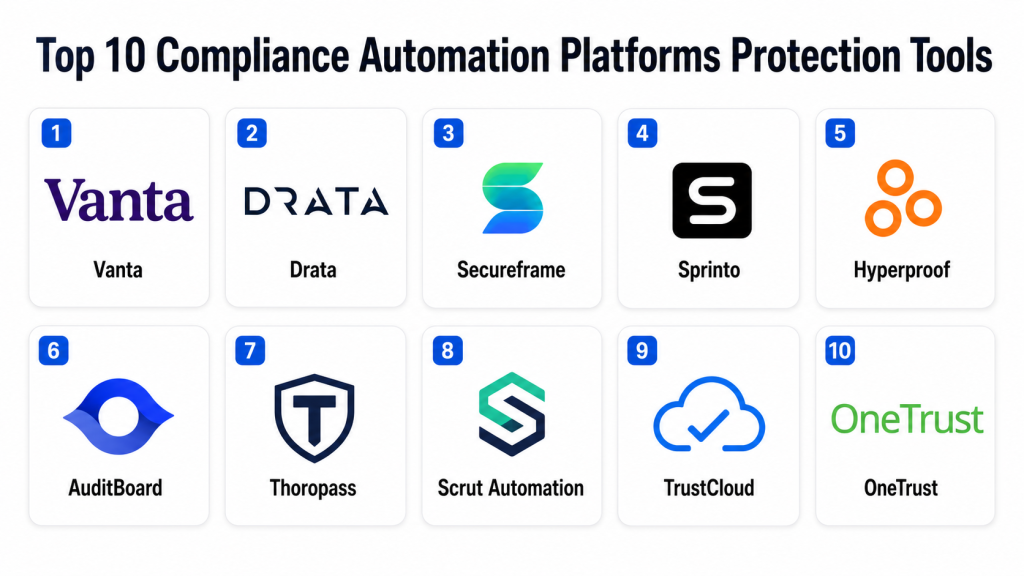
Top 10 Compliance Automation Platforms Protection Tools
1 — Vanta
Short description: Vanta is a widely used compliance automation and trust management platform for companies preparing for frameworks such as SOC 2, ISO 27001, HIPAA, GDPR, and related standards.
It helps automate evidence collection, monitor controls, manage policies, track risks, and collaborate with auditors.
The platform is especially popular with SaaS companies and technology businesses that need to prove security posture to customers.
Vanta also supports trust center workflows, vendor reviews, security questionnaires, and continuous monitoring.
It is best suited for startups, scaleups, and mid-market companies that want faster audit readiness.
Larger teams can also use it when they need a structured trust operations platform.
Key Features
- Automated evidence collection from cloud, SaaS, identity, HR, and development tools
- Framework mapping for common security and privacy standards
- Continuous control monitoring and gap tracking
- Policy templates and employee acceptance workflows
- Vendor risk management and trust center capabilities
- Auditor collaboration and evidence organization
- Security questionnaire automation in supported offerings
Pros
- Strong fit for SaaS and technology companies
- Large integration ecosystem for automated evidence
- Helps reduce manual audit preparation work
Cons
- Pricing may be high for very small teams
- Full value depends on integration coverage and correct setup
- Highly custom compliance programs may need additional GRC tooling
Platforms / Deployment
Web
Cloud
Security & Compliance
Supports enterprise security features such as SSO, role-based permissions, access controls, audit logs, and encryption. Specific certifications and compliance coverage should be verified by plan, region, and contract.
Integrations & Ecosystem
Vanta integrates with cloud platforms, identity providers, HR systems, ticketing tools, DevOps platforms, endpoint tools, and productivity software. Its ecosystem is strong for teams that want evidence collection to run automatically across business and technical systems.
- AWS, Azure, and Google Cloud
- Okta, Google Workspace, and Microsoft identity tools
- GitHub, GitLab, Jira, and ticketing systems
- HRIS and employee onboarding tools
- MDM and endpoint security tools
- Auditor, trust center, and questionnaire workflows
Support & Community
Vanta provides onboarding resources, documentation, customer support, partner auditor connections, and compliance guidance. Support experience may vary by package, company size, and implementation complexity.
2 — Drata
Short description: Drata is a compliance automation platform designed to help companies continuously monitor controls, collect evidence, manage frameworks, and prepare for audits.
It supports common standards such as SOC 2, ISO 27001, HIPAA, PCI DSS, GDPR, and other compliance needs depending on plan and scope.
The platform is useful for teams that want a strong automation-first approach to security compliance.
Drata helps connect technical systems, workforce tools, policies, controls, and auditor workflows into one platform.
It is best suited for startups, mid-market companies, and security teams that need ongoing audit readiness.
Enterprises may also use it for scalable compliance operations across business units.
Key Features
- Continuous control monitoring and automated evidence collection
- Framework and control mapping across multiple standards
- Auditor collaboration and audit readiness workflows
- Risk management and policy management capabilities
- Trust center and customer assurance workflows in supported offerings
- Integrations with cloud, identity, HR, endpoint, and DevOps tools
- Dashboards for compliance status and control gaps
Pros
- Strong automation-focused compliance workflow
- Good fit for fast-growing companies with multiple frameworks
- Helps centralize evidence, policies, risks, and audit tasks
Cons
- Requires careful setup for accurate control monitoring
- Costs can increase with frameworks, users, and modules
- Some complex enterprise workflows may require additional customization
Platforms / Deployment
Web
Cloud
Security & Compliance
Supports enterprise security capabilities such as SSO, role-based access, encryption, audit logs, and access controls. Specific certifications and compliance claims should be validated by plan and contract.
Integrations & Ecosystem
Drata integrates with many technical and business systems to automate evidence collection and control checks. It is effective when cloud infrastructure, identity, employee, endpoint, and development tools are connected properly.
- AWS, Azure, and Google Cloud
- Okta, Google Workspace, and Microsoft systems
- GitHub, GitLab, Jira, and DevOps tools
- HRIS and people systems
- Endpoint and MDM tools
- Auditor and trust workflows
Support & Community
Drata offers implementation guidance, documentation, customer support, compliance resources, and auditor ecosystem support. Teams should align internal owners before rollout to get the most value.
3 — Secureframe
Short description: Secureframe is a compliance automation platform that helps organizations prepare for audits, collect evidence, manage security controls, and maintain continuous compliance.
It supports common frameworks such as SOC 2, ISO 27001, HIPAA, PCI DSS, GDPR, and others depending on customer needs.
The platform is useful for companies that need structured compliance workflows and faster audit preparation.
Secureframe also helps with vendor risk, personnel compliance, policy management, and trust operations.
It is best suited for SaaS businesses, startups, mid-market teams, and regulated companies building formal security programs.
Its value is strongest when organizations connect core systems for automated checks.
Key Features
- Automated evidence collection and control monitoring
- Multi-framework compliance support
- Policy management and employee security workflows
- Vendor risk and third-party management
- Audit readiness dashboards and task tracking
- Trust center and security questionnaire support in selected offerings
- Integrations across cloud, identity, HR, DevOps, and security tools
Pros
- Practical for audit preparation and continuous monitoring
- Good fit for SaaS and growing companies
- Helps standardize compliance ownership across teams
Cons
- Some advanced workflows may require higher-tier packages
- Initial setup requires careful mapping of controls and tools
- May not replace deep enterprise GRC platforms for very complex programs
Platforms / Deployment
Web
Cloud
Security & Compliance
Supports enterprise security expectations such as access controls, encryption, audit logs, and role-based permissions. Specific certifications and compliance details should be confirmed with the vendor.
Integrations & Ecosystem
Secureframe connects with infrastructure, identity, HR, ticketing, endpoint, and development tools to automate evidence and compliance monitoring. Its ecosystem helps reduce manual screenshots and spreadsheet tracking.
- Cloud platforms
- Identity and SSO providers
- HRIS and employee systems
- GitHub, GitLab, Jira, and DevOps tools
- Endpoint security and MDM systems
- Auditor and trust workflows
Support & Community
Secureframe provides onboarding, documentation, support resources, compliance guidance, and auditor collaboration options. Customers should define control owners and evidence sources early for smoother adoption.
4 — Sprinto
Short description: Sprinto is a compliance automation platform focused on helping cloud-first companies manage audits, monitor controls, and maintain continuous compliance.
It supports frameworks such as SOC 2, ISO 27001, HIPAA, GDPR, and other security standards depending on requirements.
Sprinto is useful for fast-moving SaaS and technology companies that want automation, guided workflows, and audit readiness.
The platform helps teams collect evidence, assign tasks, monitor controls, manage policies, and track compliance gaps.
It is best suited for startups, SMBs, and mid-market companies that need a practical route to certification or recurring audits.
Its automation approach can reduce manual compliance work when integrations are configured well.
Key Features
- Continuous control monitoring
- Automated evidence collection from connected systems
- Framework mapping and audit readiness workflows
- Policy and employee compliance management
- Risk and vendor management capabilities in supported offerings
- Compliance dashboards and task ownership
- Auditor collaboration and guided implementation support
Pros
- Strong fit for cloud-native startups and SaaS teams
- Practical automation for common compliance frameworks
- Helps reduce manual evidence collection and audit prep
Cons
- Best suited for standard compliance workflows
- Enterprise customization depth should be validated
- Integration quality depends on the customer’s stack
Platforms / Deployment
Web
Cloud
Security & Compliance
Supports security controls such as access management, role-based permissions, audit-related features, and encryption. Specific certifications and compliance details should be verified directly.
Integrations & Ecosystem
Sprinto integrates with cloud infrastructure, identity systems, HR tools, ticketing platforms, code repositories, and business applications. It is useful when teams want compliance checks tied to their operational systems.
- AWS, Azure, and Google Cloud
- Identity and access systems
- HRIS and employee workflows
- Jira, GitHub, GitLab, and DevOps tools
- Endpoint and device management systems
- Audit and reporting workflows
Support & Community
Sprinto provides onboarding support, documentation, implementation guidance, and compliance-focused assistance. It is often valued by teams that need guided support through early audit cycles.
5 — Hyperproof
Short description: Hyperproof is a compliance operations platform built for teams managing multiple frameworks, audits, risks, controls, and evidence workflows.
It helps organizations centralize control ownership, evidence management, audit collaboration, and program reporting.
The platform is useful for mid-market and enterprise teams that need more structure than simple audit checklists.
Hyperproof can support continuous compliance, risk workflows, vendor evidence, and cross-framework control mapping.
It is best suited for organizations with growing compliance programs and multiple audit requirements.
Teams with dedicated GRC ownership may get the most value from its program-level approach.
Key Features
- Control and evidence management
- Multi-framework mapping and compliance operations
- Audit management and auditor collaboration
- Risk and vendor management support
- Workflow automation and task ownership
- Dashboards for compliance posture and control health
- Integrations with cloud, ticketing, identity, and productivity tools
Pros
- Strong for multi-framework compliance operations
- Useful for teams managing recurring audits and evidence
- Helps organize ownership across security, IT, and compliance teams
Cons
- May require more GRC maturity than early-stage startups have
- Setup can take time for complex frameworks
- Smaller teams may prefer simpler compliance automation tools
Platforms / Deployment
Web
Cloud
Security & Compliance
Supports enterprise access controls, permissions, audit-related features, and data protection capabilities. Specific certifications and compliance details should be verified by contract.
Integrations & Ecosystem
Hyperproof integrates with commonly used business, cloud, identity, and productivity tools to support evidence collection and compliance workflows. It fits teams that need compliance programs connected across departments.
- Cloud and infrastructure tools
- Identity and access systems
- Jira and task management tools
- Productivity and document platforms
- Vendor and risk workflows
- APIs and evidence collection integrations
Support & Community
Hyperproof provides documentation, implementation support, customer success resources, and compliance program guidance. It is well suited for teams that want structured GRC operations rather than only quick audit readiness.
6 — AuditBoard
Short description: AuditBoard is an enterprise risk, audit, compliance, and control management platform used by internal audit, risk, SOX, compliance, and security teams.
It helps organizations manage controls, audits, issues, risks, evidence, policies, and reporting in a structured environment.
While broader than startup-style compliance automation, it can support automated control workflows and enterprise compliance operations.
AuditBoard is useful for companies that need governance across multiple risk and assurance functions.
It is best suited for mid-market and enterprise organizations with mature audit, risk, and compliance programs.
Teams looking for a lightweight SOC 2 tool may find it broader than necessary.
Key Features
- Internal audit and control management
- Risk, compliance, and issue tracking workflows
- Evidence collection and control testing support
- SOX and enterprise assurance workflows
- Dashboards and executive reporting
- Policy and governance management in supported offerings
- Integrations with enterprise systems
Pros
- Strong for enterprise audit and risk programs
- Useful for connecting compliance with internal controls
- Good fit for mature governance teams
Cons
- May be too broad for small SaaS startups
- Implementation requires process alignment
- Pricing and modules can vary based on enterprise scope
Platforms / Deployment
Web
Cloud
Security & Compliance
Supports enterprise-grade security and access governance features. Specific certifications, compliance coverage, and controls should be validated directly with the vendor.
Integrations & Ecosystem
AuditBoard connects with enterprise systems and governance workflows. It is practical for organizations that need audit, risk, compliance, controls, and reporting to work together.
- ERP and finance-related systems
- GRC and control workflows
- Identity and access systems
- Productivity and document tools
- Ticketing and issue management
- Enterprise reporting workflows
Support & Community
AuditBoard provides enterprise onboarding, documentation, customer success resources, training, and support. Its community is strongest among audit, SOX, risk, and compliance professionals.
7 — Thoropass
Short description: Thoropass is a compliance automation and audit platform that combines software with audit and advisory support.
It helps companies prepare for frameworks such as SOC 2, ISO 27001, HIPAA, PCI DSS, and other compliance programs depending on scope.
The platform supports evidence collection, control monitoring, policies, tasks, and audit workflows.
Thoropass is useful for teams that want both technology and guided audit support in one experience.
It is best suited for startups and mid-market companies that want a more service-supported compliance journey.
Organizations with limited internal compliance expertise may find this approach helpful.
Key Features
- Compliance automation and audit workflow management
- Automated evidence collection and control monitoring
- Policy, task, and control ownership tracking
- Audit readiness and auditor collaboration
- Support for common security and privacy frameworks
- Guided compliance and advisory services
- Dashboards for progress and gaps
Pros
- Combines platform automation with audit support
- Helpful for teams with limited compliance experience
- Practical for first-time audits and recurring readiness
Cons
- Buyers should validate scope of advisory and audit services
- May not fit teams wanting only self-service software
- Enterprise customization depth should be reviewed
Platforms / Deployment
Web
Cloud
Security & Compliance
Supports security and access controls expected in compliance platforms. Specific certifications, audit claims, and compliance details should be verified by contract and service package.
Integrations & Ecosystem
Thoropass integrates with business and technical systems to support evidence collection, control monitoring, and audit readiness. Its ecosystem is useful when companies want guided compliance execution.
- Cloud platforms
- Identity and access tools
- HR and employee systems
- DevOps and ticketing tools
- Policy and evidence workflows
- Audit and advisory processes
Support & Community
Thoropass offers onboarding, compliance guidance, audit support, documentation, and customer success services. It can be especially useful for teams that want hands-on assistance.
8 — Scrut Automation
Short description
: Scrut Automation is a compliance automation platform built for cloud-native companies managing security, privacy, risk, and audit requirements.
It helps teams automate evidence collection, monitor controls, manage risks, prepare for audits, and track compliance posture.
The platform supports common frameworks such as SOC 2, ISO 27001, GDPR, HIPAA, and others depending on customer needs.
Scrut is useful for startups, SMBs, and mid-market teams that need guided compliance automation.
It can also support vendor risk, trust management, and cloud risk visibility in selected offerings.
Its value is strongest for teams that want automation plus practical compliance guidance.
Key Features
- Automated evidence collection and control monitoring
- Multi-framework compliance management
- Risk management and cloud risk visibility
- Policy and employee compliance workflows
- Vendor risk and trust workflows in supported packages
- Audit readiness dashboards
- Integrations with cloud, identity, HR, and DevOps tools
Pros
- Strong fit for cloud-native and SaaS companies
- Helps simplify evidence collection and audit preparation
- Useful for teams managing multiple compliance standards
Cons
- Buyers should validate regional support and auditor ecosystem
- Enterprise customization may require review
- Full value depends on integration coverage
Platforms / Deployment
Web
Cloud
Security & Compliance
Supports common security controls such as access permissions, data protection features, and audit-related capabilities. Specific certifications and compliance details should be confirmed directly.
Integrations & Ecosystem
Scrut integrates with cloud platforms, identity systems, HR tools, DevOps applications, and security tools. It is useful when teams want compliance workflows tied to daily technical operations.
- AWS, Azure, and Google Cloud
- Identity and access systems
- HR and employee tools
- GitHub, GitLab, Jira, and DevOps systems
- Security and endpoint tools
- Audit and compliance reporting workflows
Support & Community
Scrut provides onboarding, documentation, customer support, and compliance guidance. It is practical for teams that need help moving from manual compliance to automated evidence workflows.
9 — TrustCloud
Short description: TrustCloud is a trust management and compliance platform that helps organizations manage security assurance, compliance readiness, risk, and customer trust workflows.
It supports evidence collection, control mapping, risk tracking, trust centers, questionnaires, and customer-facing security documentation.
The platform is useful for companies that want compliance automation connected with sales trust and customer assurance.
TrustCloud is especially relevant for teams handling frequent security reviews and compliance proof requests.
It is best suited for SaaS, technology, and B2B companies where trust is part of the sales process.
Teams can use it to reduce repetitive questionnaire and evidence-sharing work.
Key Features
- Compliance and control management
- Trust center and customer assurance workflows
- Security questionnaire automation
- Evidence collection and documentation support
- Risk and vendor workflows in supported offerings
- Framework mapping and reporting dashboards
- Customer-facing trust proof management
Pros
- Strong for trust center and customer assurance use cases
- Helps reduce repetitive security questionnaire work
- Useful for B2B SaaS teams with frequent trust reviews
Cons
- May not be the deepest enterprise GRC platform
- Buyers should validate framework and integration coverage
- Smaller teams may not need advanced trust workflows
Platforms / Deployment
Web
Cloud
Security & Compliance
Security features may include access controls, permissions, encryption, and audit-related functionality. Specific certifications and compliance details should be verified with the vendor.
Integrations & Ecosystem
TrustCloud connects compliance workflows with customer trust, questionnaires, vendor reviews, and evidence-sharing processes. It is useful when compliance documentation directly supports sales and customer security reviews.
- Trust centers
- Security questionnaire workflows
- Compliance and evidence systems
- Cloud and SaaS tools
- Vendor and risk workflows
- APIs and business integrations
Support & Community
TrustCloud provides documentation, onboarding help, customer support, and trust operations guidance. It is especially useful for teams that need to operationalize customer-facing compliance proof.
10 — OneTrust
Short description: OneTrust is a broad trust, privacy, compliance, risk, ethics, and governance platform used by organizations managing complex regulatory and operational requirements.
It is not only a compliance automation tool, but it can support privacy compliance, third-party risk, policy workflows, audit readiness, and governance programs.
The platform is useful for enterprises that need multiple trust and compliance functions under one system.
OneTrust is best suited for larger organizations with privacy, legal, compliance, risk, and security teams.
It can support automation and workflow management across many governance areas.
Smaller teams may find it broader than needed for simple audit readiness.
Key Features
- Privacy, compliance, risk, and governance workflows
- Policy, assessment, and audit support
- Third-party and vendor risk management
- Data governance and privacy operations
- Workflow automation and reporting dashboards
- Enterprise controls and access management
- Broad trust management ecosystem
Pros
- Strong for enterprise privacy and compliance programs
- Useful for connecting compliance with risk and governance
- Broad platform coverage for complex organizations
Cons
- May be too broad for startups seeking quick SOC 2 readiness
- Implementation can require planning and governance alignment
- Module selection and pricing can be complex
Platforms / Deployment
Web
Cloud
Security & Compliance
Supports enterprise-grade access controls, governance workflows, data protection features, and audit-related capabilities. Specific certifications and compliance coverage should be validated by module and contract.
Integrations & Ecosystem
OneTrust integrates with privacy, legal, security, vendor, policy, and governance workflows. Its ecosystem is suited to enterprise programs that need compliance automation connected with broader trust operations.
- Privacy and data governance systems
- Vendor and third-party risk workflows
- Policy and compliance tools
- Legal and security operations
- Enterprise reporting systems
- APIs and workflow integrations
Support & Community
OneTrust provides documentation, training, enterprise support, implementation partners, and customer success resources. Large deployments benefit from structured rollout planning and internal governance ownership.
Comparison Table Top 10
| Tool Name | Best For | Platform(s) Supported | Deployment | Standout Feature | Public Rating |
|---|---|---|---|---|---|
| Vanta | SaaS and tech companies seeking audit readiness | Web | Cloud | Continuous compliance and trust workflows | N/A |
| Drata | Automation-first compliance teams | Web | Cloud | Continuous control monitoring | N/A |
| Secureframe | Startups and mid-market audit preparation | Web | Cloud | Automated evidence and policy workflows | N/A |
| Sprinto | Cloud-native startups and SMBs | Web | Cloud | Guided compliance automation | N/A |
| Hyperproof | Multi-framework compliance operations | Web | Cloud | Control and evidence management | N/A |
| AuditBoard | Enterprise audit, risk, and compliance teams | Web | Cloud | Enterprise control and audit management | N/A |
| Thoropass | Teams wanting software plus audit support | Web | Cloud | Compliance automation with guided services | N/A |
| Scrut Automation | Cloud-first compliance and risk teams | Web | Cloud | Evidence automation and cloud risk visibility | N/A |
| TrustCloud | Customer trust and questionnaire workflows | Web | Cloud | Trust center and security assurance automation | N/A |
| OneTrust | Enterprise privacy, risk, and compliance programs | Web | Cloud | Broad trust and governance platform | N/A |
Evaluation & Scoring of Compliance Automation Platforms
| Tool Name | Core 25% | Ease 15% | Integrations 15% | Security 10% | Performance 10% | Support 10% | Value 15% | Weighted Total 0–10 |
| Vanta | 9.2 | 8.6 | 9.0 | 8.8 | 8.6 | 8.5 | 8.0 | 8.70 |
| Drata | 9.0 | 8.4 | 8.8 | 8.7 | 8.5 | 8.4 | 8.0 | 8.55 |
| Secureframe | 8.7 | 8.5 | 8.5 | 8.5 | 8.3 | 8.3 | 8.0 | 8.42 |
| Sprinto | 8.5 | 8.6 | 8.3 | 8.3 | 8.2 | 8.4 | 8.3 | 8.41 |
| Hyperproof | 8.7 | 7.9 | 8.2 | 8.5 | 8.3 | 8.4 | 7.8 | 8.29 |
| AuditBoard | 8.8 | 7.7 | 8.2 | 8.8 | 8.5 | 8.7 | 7.4 | 8.24 |
| Thoropass | 8.3 | 8.4 | 8.0 | 8.2 | 8.0 | 8.5 | 8.1 | 8.25 |
| Scrut Automation | 8.4 | 8.4 | 8.1 | 8.2 | 8.1 | 8.2 | 8.2 | 8.24 |
| TrustCloud | 8.2 | 8.1 | 8.0 | 8.2 | 8.0 | 8.0 | 8.0 | 8.08 |
| OneTrust | 8.6 | 7.4 | 8.5 | 8.9 | 8.3 | 8.4 | 7.2 | 8.16 |
These scores are comparative and should be used as a practical buying guide, not as official product ratings. A higher score means the platform performs strongly across the listed criteria, but the best choice depends on company size, framework needs, audit timeline, integration stack, internal compliance maturity, and budget. For example, Vanta, Drata, Secureframe, Sprinto, Thoropass, and Scrut are strong for fast audit readiness, while Hyperproof, AuditBoard, and OneTrust may suit more mature compliance and GRC programs. TrustCloud is especially useful when customer assurance and trust workflows are a major business requirement.
Which Compliance Automation Platform Tool Is Right for You?
Solo / Freelancer
Solo consultants, freelancers, and very small teams usually do not need a large compliance automation platform unless they manage client audits or operate in a regulated market. If the goal is to organize policies, tasks, and evidence, a lightweight tool or structured document system may be enough at the earliest stage. If a solo consultant supports client compliance programs, platforms such as Vanta, Drata, Secureframe, Sprinto, or Thoropass may be useful for repeatable audit workflows. The key is to avoid paying for enterprise features before there is a real audit or customer requirement.
SMB
Small and midsize businesses should prioritize ease of use, fast onboarding, common framework support, evidence automation, and guided compliance workflows. Vanta, Drata, Secureframe, Sprinto, Thoropass, and Scrut Automation are strong choices for SMBs pursuing SOC 2, ISO 27001, HIPAA, or GDPR-related programs. Teams with limited compliance staff may prefer platforms with more hands-on guidance. SMBs should also check integrations with their cloud, identity, HR, ticketing, endpoint, and code management tools.
Mid-Market
Mid-market companies often manage multiple frameworks, customer security reviews, vendor assessments, and recurring audits. Vanta, Drata, Secureframe, Sprinto, Hyperproof, Scrut, TrustCloud, and Thoropass can all fit depending on program maturity. If customer questionnaires and trust centers are major needs, TrustCloud or Vanta may be useful. If multi-framework control management is the priority, Hyperproof, Drata, Secureframe, or Sprinto may be stronger. Mid-market buyers should evaluate scalability and reporting depth early.
Enterprise
Enterprises should prioritize governance, advanced workflows, access controls, audit trails, risk management, data residency, role-based permissions, and cross-department reporting. AuditBoard, OneTrust, Hyperproof, Vanta, Drata, and Secureframe can support different enterprise needs. AuditBoard is strong for audit and control management, OneTrust is broad for privacy and governance, and Hyperproof is strong for compliance operations. Enterprises should run a structured pilot and include security, legal, procurement, IT, audit, and compliance teams in evaluation.
Budget vs Premium
Budget-conscious buyers should review pricing carefully because costs may vary by users, frameworks, integrations, entities, modules, support, and audit services. A lower-cost tool may still become expensive if it lacks needed integrations or requires heavy manual work. Premium platforms may be worth it when they reduce audit preparation time, automate evidence, support multiple frameworks, and improve customer trust. Always compare total cost, including onboarding, auditor fees, support, and internal labor.
Feature Depth vs Ease of Use
Fast-moving startups may prefer easy-to-use platforms such as Vanta, Drata, Secureframe, Sprinto, Thoropass, or Scrut Automation. Larger organizations with complex control environments may need Hyperproof, AuditBoard, or OneTrust. Feature depth is valuable only when the team has the process maturity to use it. A simple platform that users adopt consistently is often better than a powerful system that becomes too complex to maintain.
Integrations & Scalability
Compliance automation depends heavily on integrations because evidence must come from real systems, not manual screenshots alone. Important integrations include cloud platforms, identity providers, HRIS, MDM, endpoint tools, ticketing systems, code repositories, vulnerability scanners, and productivity tools. Scalability also depends on support for multiple frameworks, entities, business units, auditors, and control owners. Buyers should test integrations during the pilot instead of assuming all tools connect equally well.
Security & Compliance Needs
Compliance platforms store sensitive evidence about cloud infrastructure, access controls, employee records, policies, vendors, risks, and audit findings. Buyers should evaluate SSO, MFA, RBAC, audit logs, encryption, data retention, access reviews, and data residency. Regulated companies should ask vendors for current security documentation and compliance attestations directly. Do not rely only on marketing claims when storing sensitive audit evidence.
Frequently Asked Questions FAQs
1- What is a compliance automation platform?
A compliance automation platform helps organizations manage audits, controls, policies, evidence, risks, and compliance tasks in one system.
It reduces manual spreadsheet work by connecting to cloud, identity, HR, DevOps, endpoint, and ticketing tools.
The platform collects evidence, monitors control status, and helps teams prepare for audits.
It is commonly used for frameworks such as SOC 2, ISO 27001, HIPAA, GDPR, and PCI DSS.
2- How is compliance automation different from traditional GRC software?
Compliance automation is usually focused on faster evidence collection, continuous monitoring, audit readiness, and framework mapping.
Traditional GRC software often covers broader enterprise risk, internal audit, policy, regulatory, and governance workflows.
Some platforms now combine both approaches.
The right choice depends on whether you need fast audit readiness or broad enterprise governance.
3- What pricing models do compliance automation tools use?
Pricing may depend on users, frameworks, integrations, company size, modules, entities, auditor support, and advanced features.
Some vendors use annual contracts, while others provide package-based pricing.
Buyers should ask about implementation, support, audit services, and future framework costs.
The cheapest plan is not always the best value if it requires more manual work.
4- How long does implementation take?
Implementation can take a few weeks for a focused audit program and longer for multi-framework or enterprise deployments.
The timeline depends on integrations, control mapping, policy setup, evidence ownership, employee workflows, and auditor readiness.
Teams should assign internal control owners before starting.
A structured kickoff and pilot can make implementation smoother.
5- What are common mistakes when buying compliance automation software?
Common mistakes include buying before defining frameworks, ignoring integration gaps, and assuming automation will replace compliance ownership.
Some teams also forget to involve auditors, legal, IT, HR, and security stakeholders early.
Another mistake is underestimating policy management and employee evidence requirements.
A good tool supports the process, but it does not replace accountability.
6- Are compliance automation platforms secure?
Most serious platforms offer security features such as encryption, role-based access, audit logs, SSO, MFA, and permission controls.
However, exact features vary by vendor, plan, and configuration.
Because these tools store sensitive audit evidence, buyers should review vendor security documentation carefully.
Security validation is especially important for regulated industries.
7- Can these platforms support multiple frameworks?
Yes, many platforms support multiple frameworks and map one control to several standards.
This helps reduce duplicate work when pursuing SOC 2, ISO 27001, HIPAA, GDPR, PCI DSS, and other requirements.
However, framework coverage varies by vendor and plan.
Buyers should confirm exact framework support before purchasing.
8- Which integrations matter most?
Important integrations include AWS, Azure, Google Cloud, Okta, Google Workspace, Microsoft, GitHub, GitLab, Jira, HRIS, MDM, endpoint security, and vulnerability tools.
These integrations help automate evidence and control monitoring.
Without good integrations, teams may still rely on manual uploads.
Integration testing should be part of every pilot.
9- Is it difficult to switch compliance platforms?
Switching can be challenging if policies, evidence, control mappings, audit history, vendor records, and workflows are deeply embedded.
Teams should export important records and plan migration carefully.
It is also important to map old controls to the new platform before going live.
Running both systems briefly during transition can reduce risk.
10- Do small startups need compliance automation?
Small startups may not need a platform until customers, investors, regulators, or partners require formal proof of security controls.
Once SOC 2, ISO 27001, HIPAA, or similar audits become important, automation can save time and reduce mistakes.
A startup should choose a platform that matches its current size and future roadmap.
Overbuying too early can create unnecessary cost.
Conclusion
Compliance Automation Platforms help organizations move away from manual spreadsheets, scattered screenshots, and last-minute audit preparation. The right platform can automate evidence collection, monitor controls continuously, organize policies, manage risks, support audits, improve customer trust, and reduce the operational burden on security and compliance teams. Vanta, Drata, Secureframe, Sprinto, Hyperproof, AuditBoard, Thoropass, Scrut Automation, TrustCloud, and OneTrust all serve different needs across startups, SMBs, mid-market companies, and enterprise GRC programs.The best is to shortlist two or three platforms based on your frameworks, audit deadline, company size, integration stack, and compliance maturity. Run a pilot with real evidence sources, validate cloud and SaaS integrations, test policy and control workflows, review security controls, compare pricing, and confirm auditor collaboration before making a final decision. The best compliance automation platform is the one that helps your team stay audit-ready, prove trust to customers, and manage compliance with less manual effort.
