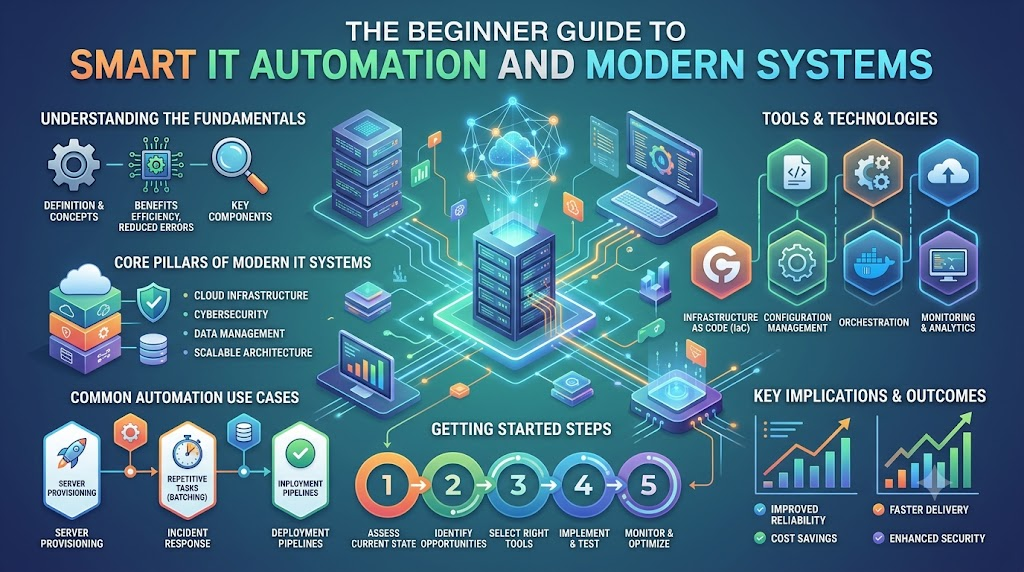
Every time you stream a movie, order food through an app, or play an online game with friends, invisible computers work quietly behind the scenes. These specialized machines are called servers. Large digital platforms rely on thousands of them running simultaneously inside massive data centers. When everything runs smoothly, your apps feel instantaneous. But when too many people log on at once, or when a hidden software bug appears, entire systems can slow to a crawl or crash completely.
Keeping complex systems healthy used to require endless guesswork and sleepless nights for technical teams. Today, forward-looking companies use smart software solutions known as Artificial Intelligence for IT Operations. We use the short name AIOps to describe this approach. Learning hubs like TheAIOps.com help beginners and experienced engineers understand how these self-healing systems keep the digital world running smoothly.
This expanded guide explains what smart IT automation does, how it works beneath the surface, and how you can build a meaningful career in this exciting corner of technology.
Why Modern Tech Systems Need Smart Helpers
To understand why traditional methods no longer work, picture a busy international airport. Hundreds of planes take off, land, and taxi along crisscrossing runways every single hour.
If air traffic controllers had to manage all those flights using only paper clipboards and binoculars, air travel would ground to a halt. Controllers depend on modern radar screens, collision warnings, and automated tracking to keep every flight safe and on time.
Modern enterprise IT systems are just like that sprawling airport:
- Massive Scale: A modern company might run tens of thousands of programs across cloud networks scattered across the globe.
- Continuous Updates: Software engineers release updates and small bug fixes hundreds of times each day.
- Information Overload: Whenever a single hiccup occurs, systems produce mountains of text logs and thousands of warning bells.
- Alert Fatigue: Human engineers become exhausted trying to figure out which alarms are true emergencies and which are harmless warnings.
Smart operations software acts just like the airport’s automated radar. It scans millions of incoming signals, silences the background chatter, points directly to the real issue, and keeps digital traffic flowing without interruptions.
The Core Building Blocks of System Observability
Before intelligent software can fix an issue, it must observe what is happening across the entire network. Engineers call this observability. Observability relies on three primary types of information, often called the three pillars of telemetry.
1. Performance Metrics
Metrics are numbers that tell you how hard a computer is working over time. Think of them like the dashboard gauges in a car:
- How much memory is in use.
- How hot the central processor runs.
- How much network bandwidth flows through the cables.
- How many seconds it takes for a web page to load.
When metrics rise or fall beyond safe levels, the system knows something unusual is taking place.
2. Digital Event Logs
Every time a computer program takes an action, it writes a short diary entry called a log. A log notes the exact second something happened, what the program did, and whether the task succeeded or failed.
If a user fails to log in because of a typo, the system writes a log. If an entire database runs out of disk storage, it writes an urgent error log. Reading through millions of individual diary entries is impossible for humans, but smart algorithms parse them in milliseconds.
3. Execution Traces
When you tap a button to buy a shirt in an online store, that single click sets off a chain reaction. The request talks to an authentication service, calls the product inventory, communicates with the credit card processor, and alerts the shipping warehouse.
A trace tracks that entire journey from start to finish. If your order takes six seconds instead of one, a trace shows precisely which step caused the delay.
The Four Stages of Automated IT Operations
Smart tools follow an orderly journey to protect networks. Here is how intelligent systems handle problems from start to finish:
- Observing System ActivitySoftware continuously gathers metrics, logs, and traces from every device, cloud provider, and server.
- Recognizing Normal BaselinesBefore software can spot trouble, it must understand what a healthy day looks like. It tracks normal traffic flows during mornings, evenings, and weekends to establish a reliable baseline.
- Catching Odd ChangesWhen an unusual spike in activity occurs, the software flags it immediately. It spots tiny hidden errors long before human users notice a delay.
- Triggering the Right FixOnce the root cause is clear, the system acts. It can alert the right engineer with exact instructions or run an automated script to resolve the bug on the spot.
Old IT Management Compared to Smart Automation
Traditional technical support was often slow, stressful, and reactive. Modern operational methods focus on speed, prediction, and team relief.
| Core Task | Old Manual Approach | Modern Automated Approach |
| System Checkups | Engineers check dashboards by hand | Smart tools watch data streams continuously |
| Warning Alarms | Hundreds of separate alerts sound off | Connected alerts group into one clear incident |
| Finding the Cause | Teams search through text files for hours | Algorithms pinpoint the broken piece instantly |
| Fixing Common Glitches | Workers type commands manually | Pre-built routines repair issues automatically |
| Team Focus | Putting out unexpected fires | Improving features and user experience |
| System Capacity Planning | Guessing future server needs | Machine models project growth accurately |
Real-World Examples of Automated Operations
Intelligent tools tackle several practical challenges in everyday digital environments:
Silencing False Alarms
A routine data backup might cause a server’s processor to work hard for five minutes every midnight. A basic monitoring tool might see that spike and immediately wake up an engineer with a loud phone alarm.
Intelligent operations tools understand that the spike happens every night at the same time. They recognize scheduled tasks and avoid waking engineers in the middle of the night for normal maintenance.
Tracking Down Hidden Glitches
Imagine a customer tries to buy concert tickets, but the checkout button freezes. The checkout screen might seem broken, but the real issue could be a third-party payment system located thousands of miles away.
Smart analytics map out the entire path to reveal the hidden glitch. Instead of wasting hours testing the front-end website code, the team can contact the payment processor right away.
Self-Repairing Apps
Some software bugs are predictable and happen frequently, such as a background process running out of temporary memory cache.
Instead of waiting for an engineer to log in and type commands, automated self-healing scripts run immediately. The system safely clears the cache, restarts the service, and verifies that customer traffic is moving normally again—all in under ten seconds.
How Organizations Plan a Successful Rollout
Adopting smart automation is not something a company can do overnight. It requires careful planning, step-by-step testing, and the right team mindset.
Assessing the Current Setup
First, an organization needs to take inventory of its existing infrastructure. Engineering leaders review which monitoring tools they currently use and identify the systems that cause the most headaches. Bringing in an external AIOps consulting team helps teams evaluate their environments objectively and avoid common setup mistakes.
Selecting the Right Software
Next, companies select an AIOps platform that integrates smoothly with their cloud providers and legacy software. Good tools should be easy to connect, simple to use, and transparent about why they flag specific alerts. Organizations often look to specialized AIOps services to assist during this integration phase to ensure data streams connect properly.
Starting with Low-Risk Automation
Smart teams never turn on fully automatic system fixes on day one. Instead, they start by letting the software observe patterns and suggest fixes to human operators.
Once the team trusts the software’s recommendations, they enable automated scripts for simple, low-risk chores like restarting frozen background tasks or cleaning up temporary log files. Over time, this controlled AIOps implementation builds team confidence while protecting stability.
Starting a Career in Modern IT Operations
As digital tools expand across healthcare, banking, retail, and entertainment, companies actively look for engineers who know how to manage automated systems.
Essential Foundations for Beginners
You can begin by building a few practical technical skills:
- Basic Operating Systems: Learning basic Linux commands and understanding how files and permissions work.
- Simple Scripting: Using beginner-friendly languages like Python to write scripts that read files and automate routine tasks.
- Cloud Basics: Getting familiar with how virtual servers and storage buckets function in cloud environments.
- Observability Basics: Learning how applications emit metrics, logs, and traces.
Expanding Your Professional Knowledge
Specialized training can help you advance faster and stand out to hiring managers. Enrolling in an AIOps course gives beginners hands-on experience with automated workflows and data analysis tools. Earning a recognized AIOps certification also helps validate your knowledge for potential employers.
Educational platforms, such as TheAIOps.com, provide guided learning paths, certification overviews, and career roadmaps tailored for an aspiring AIOps engineer. Through structured AIOps training, technology professionals learn how to move beyond manual firefighting and build resilient, automated systems that power the modern digital economy.
Frequently Asked Questions
1. What is the main goal of modern IT automation?
The main goal is to keep computer systems running smoothly by detecting and fixing digital issues before they disrupt everyday users.
2. How do machine learning tools spot computer problems?
They study routine operating data over time to learn what normal activity looks like. When something unusual happens, the software flags it right away.
3. Does smart automation take jobs away from IT workers?
No. It handles boring, repetitive tasks so IT workers can focus on building new software, improving security, and solving creative design challenges.
4. What is a digital log file?
A log file is an automatic record made by a computer. It notes actions, timestamps, and error messages to show what happened inside an app.
5. How does event grouping help engineers?
When an outage occurs, hundreds of alarms can sound at once. Event grouping bundles those related warnings together so engineers solve one core issue instead of reading hundreds of messages.
6. What is the difference between monitoring and observability?
Monitoring tells you when a computer system is broken. Observability helps you look inside the system to understand why it broke.
7. Can non-programmers learn these automated systems?
Yes. Many modern platforms offer clean visual dashboards and clear guides, making the concepts accessible to beginners who are just starting in tech.
8. Why is fast root-cause discovery important?
Finding the true source of an error quickly saves hours of investigation and gets websites back online before businesses lose customers.
9. What is an automated remediation script?
It is a short set of saved computer instructions that automatically runs to fix a known bug, such as restarting an app or clearing disk space.
10. How do businesses begin using smart operational tools?
Organizations usually start by identifying their most frequent system alerts. They then set up basic automation to manage those routine issues safely.
Final Thoughts
Modern digital life relies on continuous, reliable connections. From streaming entertainment to banking and online communication, we expect software to work instantly. Managing these sprawling networks by hand is no longer practical. Smart operational systems give teams the clarity they need to keep complex software healthy.
By grouping noisy alarms, spotting errors early, and repairing routine bugs automatically, intelligent automation keeps digital services fast and dependable. Learning these core concepts today offers a clear path toward understanding how the next generation of computing works.