Introduction
Cloud Cost Allocation Tools help organizations understand where cloud spending is coming from and assign those costs to the right teams, projects, products, environments, customers, or business units. In plain English, these tools turn complex cloud bills into clear ownership reports. Instead of seeing one large AWS, Azure, Google Cloud, Kubernetes, or SaaS bill, finance and engineering teams can see who used what and why it cost money.
These tools matter now because cloud spending is no longer limited to infrastructure teams. AI workloads, Kubernetes clusters, data platforms, SaaS tools, and multi-cloud environments are creating shared costs that are difficult to allocate manually.
Common use cases include showback reporting, chargeback reporting, Kubernetes cost allocation, cost center mapping, product unit economics, cloud budget tracking, and shared-service cost distribution.
Buyers should evaluate allocation accuracy, tagging support, multi-cloud coverage, Kubernetes visibility, reporting, automation, integrations, security controls, governance features, and pricing flexibility.
Best for: FinOps teams, cloud finance teams, DevOps leaders, platform engineering teams, SaaS companies, CIO teams, CFO teams, enterprises, and cloud-heavy mid-market organizations.
Not ideal for: Very small teams with one cloud account, simple monthly bills, or low cloud spend may not need a full allocation platform. Native cloud billing dashboards may be enough in those cases.
Key Trends in Cloud Cost Allocation Tools
- AI workload allocation is becoming a priority as organizations need to track GPU, model training, inference, data pipeline, and AI API costs by team or product.
- Kubernetes cost allocation is now a core requirement because shared clusters make it difficult to map node, pod, namespace, and workload costs to real owners.
- Unit economics is moving into mainstream FinOps as SaaS companies track cost per customer, feature, transaction, tenant, API call, or product line.
- Virtual tagging is growing because many organizations struggle with incomplete or inconsistent native cloud tags.
- Shared-cost allocation models are becoming more flexible, including proportional allocation, weighted allocation, even split, direct allocation, and rule-based allocation.
- Multi-cloud and hybrid cost views are now expected because many enterprises use AWS, Azure, Google Cloud, Kubernetes, SaaS, data platforms, and private infrastructure together.
- FinOps automation is shifting from dashboards to action, with tools recommending rightsizing, savings plans, reserved capacity, waste cleanup, and budget guardrails.
- Engineering-friendly cost visibility is improving so developers can understand financial impact before or shortly after deployment.
- Integration with ERP, ITSM, BI, and collaboration tools is becoming more important for connecting cost data with business operations.
- Security and access controls are becoming stricter because cost data can reveal sensitive product, customer, and infrastructure information.
How We Selected These Tools
- Selected tools recognized in FinOps, cloud cost management, cloud financial management, Kubernetes cost allocation, or cloud cost intelligence.
- Prioritized platforms with strong cost allocation, showback, chargeback, tagging, reporting, and business mapping capabilities.
- Included enterprise, mid-market, cloud-native, Kubernetes-focused, and open-source options.
- Considered support for AWS, Microsoft Azure, Google Cloud, Kubernetes, SaaS, and hybrid infrastructure.
- Evaluated practical usability for finance, engineering, platform, DevOps, and leadership teams.
- Considered integration depth with cloud providers, identity systems, BI, ITSM, ERP, collaboration, and observability tools.
- Avoided unsupported public ratings, certification claims, and exact pricing details.
- Focused on tools that support real-world cost ownership and accountability.
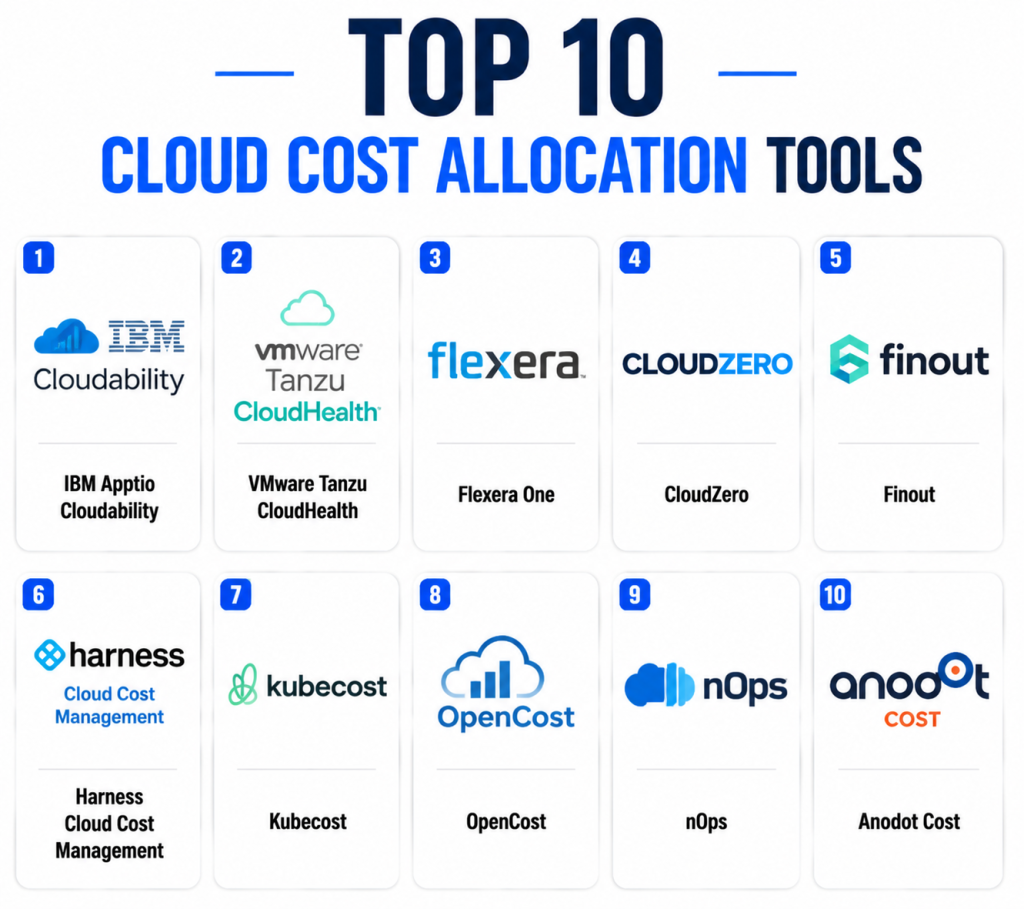
Top 10 Cloud Cost Allocation Tools
1 — IBM Apptio Cloudability
Short description: IBM Apptio Cloudability is an enterprise cloud financial management platform built for cost visibility, allocation, forecasting, optimization, budgeting, and FinOps governance. It helps organizations connect cloud spend to teams, applications, products, business units, and financial owners. Cloudability is especially useful for large companies that need structured showback and chargeback reporting across complex cloud environments. Finance teams can use it to create executive-level cost views, while engineering teams can use it to understand ownership and optimization opportunities. The platform is best suited for organizations with mature or growing FinOps programs. It is particularly strong where cloud financial accountability needs to be formalized across many teams.
Key Features
- Multi-cloud cost visibility
- Cost allocation by team, app, project, and business unit
- Showback and chargeback reporting
- Budgeting and forecasting
- Commitment and savings analysis
- Executive dashboards
- FinOps governance workflows
Pros
- Strong for enterprise FinOps and financial governance.
- Good fit for showback and chargeback reporting.
- Useful for organizations with complex cloud structures.
Cons
- May be too advanced for small teams.
- Requires tagging discipline and process maturity.
- Pricing details vary and are not always simple publicly.
Platforms / Deployment
- Web
- Cloud
Security & Compliance
- SSO/SAML
- RBAC
- Audit logs
- Encryption
- Compliance details: Varies / N/A
Integrations & Ecosystem
Cloudability integrates with major cloud and business reporting ecosystems, making it useful for finance-led and enterprise FinOps programs.
- AWS
- Microsoft Azure
- Google Cloud
- Kubernetes cost workflows
- BI reporting systems
- Finance and IT management workflows
Support & Community
IBM Apptio offers enterprise support, onboarding resources, professional services, and documentation. Community strength is strong among enterprise FinOps and cloud finance teams.
2 — VMware Tanzu CloudHealth
Short description: VMware Tanzu CloudHealth is a cloud cost management and governance platform designed for organizations that need structured visibility across cloud usage, budgets, policies, and financial ownership. It helps teams analyze cloud bills, allocate spending, optimize resources, and enforce cloud governance practices. CloudHealth is often used by enterprises and service providers managing multiple accounts, business units, or cloud environments. Its allocation features help finance and engineering teams understand who owns specific cloud costs. The platform is useful for organizations that want cloud cost management combined with governance controls. It works well where policy, reporting, and accountability are equally important.
Key Features
- Cloud cost visibility
- Cost allocation and reporting
- Budget tracking
- Governance policy controls
- Optimization recommendations
- Multi-cloud reporting
- Business group mapping
Pros
- Strong governance and reporting features.
- Useful for enterprise and MSP environments.
- Good for structured cost accountability.
Cons
- Setup can require careful planning.
- Smaller teams may find it complex.
- Allocation quality depends on tagging and account structure.
Platforms / Deployment
- Web
- Cloud
Security & Compliance
- SSO/SAML
- RBAC
- Audit logs
- Encryption
- Compliance details: Varies / N/A
Integrations & Ecosystem
CloudHealth supports cloud provider integrations and operational workflows for cost allocation and governance.
- AWS
- Microsoft Azure
- Google Cloud
- Kubernetes workflows
- BI reporting tools
- IT operations workflows
Support & Community
Support, documentation, and onboarding resources are available. Community strength is solid among cloud governance, MSP, and enterprise FinOps users.
3 — Flexera One
Short description: Flexera One is a broad IT asset, SaaS, cloud cost, and technology spend management platform. It helps organizations understand costs across cloud, software, SaaS, assets, and hybrid IT. For cloud cost allocation, Flexera One can support cost mapping to teams, business units, projects, and services. It is especially useful for enterprises that want cloud cost allocation connected with wider IT financial management and software asset management. The platform is not limited to cloud billing and can help organizations analyze technology spend more broadly. It is best for large IT and finance teams looking for a unified view of technology cost ownership.
Key Features
- Cloud cost management
- IT asset and software spend visibility
- Cost allocation and reporting
- SaaS and hybrid IT visibility
- Optimization recommendations
- Governance workflows
- Business service mapping
Pros
- Strong for broad technology spend management.
- Useful beyond cloud-only FinOps.
- Good fit for enterprise IT finance teams.
Cons
- May be too broad for simple cloud allocation needs.
- Implementation may require multiple stakeholder groups.
- Best value depends on clean data and governance maturity.
Platforms / Deployment
- Web
- Cloud
Security & Compliance
- SSO/SAML
- RBAC
- Audit logs
- Encryption
- Compliance details: Varies / N/A
Integrations & Ecosystem
Flexera One connects cloud, software, SaaS, asset, and IT data into a broader technology financial management model.
- AWS
- Microsoft Azure
- Google Cloud
- SaaS management systems
- IT asset systems
- BI and finance workflows
Support & Community
Flexera provides enterprise support, documentation, partner resources, and implementation assistance. Community strength is strong across ITAM, SAM, FinOps, and IT finance teams.
4 — CloudZero
Short description: CloudZero is a cloud cost intelligence platform focused on connecting cloud spend to business outcomes such as products, customers, features, teams, and services. It is especially relevant for SaaS companies and cloud-native organizations that want to understand unit economics. Instead of only showing cloud bills by account or tag, CloudZero helps teams map costs to business dimensions that matter to finance and product leaders. This makes it useful for cost allocation where tagging alone is incomplete. Engineering teams can use it to understand cost impact, while business teams can analyze margin and profitability. It is best for companies that want cloud allocation tied to product and customer economics.
Key Features
- Cost allocation by business dimension
- Unit cost and unit economics reporting
- Cloud cost intelligence dashboards
- Anomaly detection
- Cost mapping beyond basic tags
- Engineering-focused cost insights
- Budget and trend visibility
Pros
- Strong for SaaS and product cost allocation.
- Useful when native tags are incomplete.
- Helps connect engineering activity to business outcomes.
Cons
- May not replace full ITFM platforms.
- Requires business context mapping.
- Best value appears in cloud-native product environments.
Platforms / Deployment
- Web
- Cloud
Security & Compliance
- SSO/SAML
- RBAC
- Encryption
- Audit logs
- Compliance details: Varies / N/A
Integrations & Ecosystem
CloudZero integrates cloud billing and business context so teams can analyze spend by meaningful ownership models.
- AWS
- Microsoft Azure
- Google Cloud
- Kubernetes workflows
- BI and reporting tools
- Engineering and observability workflows
Support & Community
CloudZero provides onboarding, customer support, documentation, and FinOps guidance. Community strength is notable among SaaS, cloud-native, and engineering-led FinOps teams.
5 — Finout
Short description: Finout is a cloud cost management and allocation platform designed to help organizations understand, allocate, and optimize cloud, Kubernetes, SaaS, data, and infrastructure spending. It is useful for teams with complex shared costs that cannot be explained through basic cloud tags alone. Finout supports allocation models that map spend to teams, products, customers, features, and business units. The platform is especially valuable for modern cloud-native businesses with multiple cost sources. It can help finance and engineering teams create consistent showback and chargeback reports. Finout is best for organizations that need detailed allocation flexibility and granular business cost visibility.
Key Features
- Multi-source cost allocation
- Virtual tagging and business mapping
- Kubernetes cost visibility
- Shared-cost distribution
- Unit economics reporting
- Budgeting and forecasting
- Anomaly detection
Pros
- Strong for complex shared-cost allocation.
- Useful for cloud-native and SaaS businesses.
- Supports cost sources beyond basic cloud bills.
Cons
- Requires thoughtful cost model design.
- May be more advanced than small teams need.
- Pricing details vary / N/A.
Platforms / Deployment
- Web
- Cloud
Security & Compliance
- SSO/SAML
- RBAC
- Encryption
- Audit logs
- Compliance details: Varies / N/A
Integrations & Ecosystem
Finout integrates with cloud, Kubernetes, data, and operational tools to create granular allocation views.
- AWS
- Microsoft Azure
- Google Cloud
- Kubernetes
- Observability and monitoring tools
- BI and finance reporting workflows
Support & Community
Finout offers onboarding, documentation, support, and FinOps-focused guidance. Community visibility is growing among cloud-native finance and engineering teams.
6 — Harness Cloud Cost Management
Short description: Harness Cloud Cost Management is built for engineering-led FinOps teams that want cloud cost visibility, Kubernetes cost tracking, optimization, and governance inside a broader software delivery platform. It helps teams allocate costs, detect anomalies, identify waste, and connect financial impact to engineering decisions. The platform is useful for DevOps and platform teams that want cost insights closer to deployment workflows. It supports cloud and Kubernetes visibility, making it suitable for modern engineering organizations. Harness is especially useful where cloud cost allocation needs to be understood by developers, not only finance teams. It is a good fit for teams already using or considering Harness for software delivery.
Key Features
- Cloud cost dashboards
- Kubernetes cost visibility
- Cost allocation by team and workload
- Budget tracking
- Anomaly detection
- Optimization recommendations
- DevOps workflow integration
Pros
- Strong fit for engineering and DevOps teams.
- Useful for Kubernetes-heavy environments.
- Connects cloud cost insights with delivery workflows.
Cons
- Best value may depend on broader Harness adoption.
- Less focused on traditional ITFM than enterprise finance platforms.
- Requires engineering participation for maximum impact.
Platforms / Deployment
- Web
- Cloud
Security & Compliance
- SSO/SAML
- RBAC
- Audit logs
- Encryption
- Compliance details: Varies / N/A
Integrations & Ecosystem
Harness connects cost data with engineering workflows, making it practical for DevOps-led cloud cost allocation.
- AWS
- Microsoft Azure
- Google Cloud
- Kubernetes
- CI/CD workflows
- Collaboration and reporting tools
Support & Community
Harness offers documentation, onboarding, customer support, and a strong DevOps-oriented user community.
7 — Kubecost
Short description: Kubecost is a Kubernetes cost monitoring and allocation platform designed for teams running shared Kubernetes clusters. It helps organizations understand costs by cluster, namespace, deployment, pod, workload, label, and service. This makes it valuable for platform engineering, SRE, DevOps, and FinOps teams that need accurate container cost ownership. Kubecost is especially useful when cloud bills show infrastructure costs but not which Kubernetes applications consumed those resources. It can support showback and chargeback models for Kubernetes-heavy organizations. It is often used alongside broader FinOps tools rather than replacing them completely.
Key Features
- Kubernetes cost allocation
- Namespace and workload cost visibility
- Cluster cost monitoring
- Shared resource allocation
- Rightsizing insights
- Prometheus-based workflows
- Showback reporting for platform teams
Pros
- Strong Kubernetes-specific cost visibility.
- Useful for shared cluster chargeback.
- Practical for DevOps and platform teams.
Cons
- Focused mainly on Kubernetes use cases.
- May need another platform for full enterprise cloud allocation.
- Requires Kubernetes knowledge to operate effectively.
Platforms / Deployment
- Web
- Kubernetes
- Cloud
- Self-hosted
- Hybrid
Security & Compliance
- RBAC
- Encryption depends on deployment
- Audit logs vary by deployment
- Compliance details: Varies / N/A
Integrations & Ecosystem
Kubecost works naturally with Kubernetes-native monitoring and platform engineering workflows.
- Kubernetes
- Prometheus
- Grafana-style dashboards
- Cloud provider billing data
- CI/CD workflows
- Platform engineering tools
Support & Community
Kubecost has documentation, support options, and strong awareness in the Kubernetes and cloud-native ecosystem.
8 — OpenCost
Short description: OpenCost is an open-source cost monitoring project for Kubernetes environments. It helps teams allocate Kubernetes costs by workload, namespace, deployment, and other cluster-level dimensions. OpenCost is useful for technical teams that want transparent, vendor-neutral cost allocation without starting with a premium commercial platform. It provides a strong foundation for Kubernetes cost visibility and can fit well into open-source observability stacks. However, it may require more internal ownership than commercial tools. It is best for platform engineering teams comfortable managing Kubernetes-native tooling.
Key Features
- Open-source Kubernetes cost allocation
- Namespace and workload cost visibility
- Prometheus-compatible metrics
- Vendor-neutral cost monitoring
- Historical cost insights
- Self-managed deployment
- Cloud-native cost transparency
Pros
- Open-source and transparent.
- Strong fit for Kubernetes-native teams.
- Useful starting point for technical FinOps programs.
Cons
- Requires technical setup and maintenance.
- Limited enterprise workflow features by itself.
- Not a full multi-cloud finance platform.
Platforms / Deployment
- Kubernetes
- Linux
- Self-hosted
- Cloud
- Hybrid
Security & Compliance
- Security depends on deployment configuration
- RBAC depends on Kubernetes setup
- Compliance details: Not publicly stated
Integrations & Ecosystem
OpenCost works well with Kubernetes observability and open-source monitoring environments.
- Kubernetes
- Prometheus
- Grafana-style dashboards
- Cloud billing data
- Open-source observability tools
- Cloud-native workflows
Support & Community
Community support is available through cloud-native and Kubernetes ecosystems. Enterprise support depends on internal expertise or vendors building on OpenCost.
9 — nOps
Short description: nOps is a cloud cost optimization and FinOps platform focused heavily on AWS cost visibility, savings automation, commitment management, and cloud financial accountability. It helps teams identify waste, optimize resources, manage savings opportunities, and understand cloud spend ownership. For cost allocation, nOps can help teams organize AWS spend by accounts, workloads, teams, and business rules. It is especially useful for AWS-heavy organizations that want cost optimization and allocation together. The platform fits teams that want actionable savings recommendations rather than only reporting. It may be less ideal for companies needing deep equal support across every cloud provider.
Key Features
- AWS cloud cost visibility
- Cost allocation and reporting
- Savings recommendations
- Commitment management support
- Budget and anomaly visibility
- Automation workflows
- Optimization-focused dashboards
Pros
- Strong for AWS cost optimization.
- Useful for teams focused on savings actions.
- Good fit for engineering-led cloud cost programs.
Cons
- Best fit is AWS-heavy environments.
- Less ideal for broad multi-cloud parity.
- Traditional enterprise ITFM depth may be limited.
Platforms / Deployment
- Web
- Cloud
Security & Compliance
- SSO/SAML
- RBAC
- Encryption
- Audit logs
- Compliance details: Varies / N/A
Integrations & Ecosystem
nOps integrates with AWS and cloud operations workflows to support allocation and optimization.
- AWS
- Cloud billing data
- DevOps workflows
- Reporting systems
- Collaboration tools
- Automation workflows
Support & Community
nOps provides onboarding, documentation, and customer support. Community visibility is strongest among AWS cost optimization and FinOps practitioners.
10 — Anodot Cost
Short description: Anodot Cost is a cloud cost management platform focused on visibility, anomaly detection, forecasting, optimization, and financial analytics. It helps organizations identify unusual cloud spend patterns and understand costs across teams, services, and business dimensions. For cloud cost allocation, Anodot Cost can support reporting and ownership workflows that help teams identify who is driving spend. It is useful for organizations that want proactive alerts and budget control as part of FinOps operations. The platform is suitable for mid-market and enterprise cloud teams handling unpredictable or fast-growing cloud spend. It is especially valuable where anomaly detection and forecasting are important.
Key Features
- Cloud cost visibility
- Cost anomaly detection
- Forecasting and budget tracking
- Cost allocation support
- Optimization insights
- Multi-cloud reporting
- Alerting and analytics
Pros
- Strong anomaly detection focus.
- Useful for proactive cost governance.
- Good for teams managing unpredictable spend.
Cons
- Allocation workflows may require configuration.
- May not replace broader ITFM platforms.
- Pricing details vary / N/A.
Platforms / Deployment
- Web
- Cloud
Security & Compliance
- SSO/SAML
- RBAC
- Encryption
- Audit logs
- Compliance details: Varies / N/A
Integrations & Ecosystem
Anodot Cost connects cloud billing and operational data to cost monitoring and financial governance workflows.
- AWS
- Microsoft Azure
- Google Cloud
- Kubernetes workflows
- Reporting systems
- Collaboration tools
Support & Community
Support, documentation, and onboarding are available. Community visibility is growing among cloud cost monitoring and FinOps teams.
Comparison Table
| Tool Name | Best For | Platform(s) Supported | Deployment | Standout Feature | Public Rating |
|---|---|---|---|---|---|
| IBM Apptio Cloudability | Enterprise FinOps | Web | Cloud | Mature multi-cloud allocation and showback | N/A |
| VMware Tanzu CloudHealth | Cloud governance | Web | Cloud | Policy-driven cost management | N/A |
| Flexera One | ITFM and hybrid IT finance | Web | Cloud | Broad technology spend visibility | N/A |
| CloudZero | SaaS unit economics | Web | Cloud | Allocation by product, customer, and feature | N/A |
| Finout | Complex shared-cost allocation | Web | Cloud | Virtual tagging and multi-source allocation | N/A |
| Harness Cloud Cost Management | Engineering-led FinOps | Web | Cloud | DevOps-connected cloud cost visibility | N/A |
| Kubecost | Kubernetes chargeback | Web, Kubernetes | Cloud/Self-hosted/Hybrid | Namespace and workload cost allocation | N/A |
| OpenCost | Open-source Kubernetes cost monitoring | Kubernetes, Linux | Self-hosted/Hybrid | Vendor-neutral Kubernetes allocation | N/A |
| nOps | AWS-focused cost optimization | Web | Cloud | Savings automation and AWS cost accountability | N/A |
| Anodot Cost | Cost anomaly detection | Web | Cloud | Proactive cloud spend alerts | N/A |
Evaluation & Scoring of Cloud Cost Allocation Tools
| Tool Name | Core (25%) | Ease (15%) | Integrations (15%) | Security (10%) | Performance (10%) | Support (10%) | Value (15%) | Weighted Total (0–10) |
| IBM Apptio Cloudability | 9.5 | 8.0 | 9.0 | 9.0 | 9.0 | 9.0 | 8.0 | 8.8 |
| VMware Tanzu CloudHealth | 9.0 | 8.0 | 8.8 | 8.8 | 8.8 | 8.5 | 8.0 | 8.6 |
| Flexera One | 8.8 | 7.8 | 9.0 | 8.8 | 8.5 | 8.8 | 8.0 | 8.5 |
| CloudZero | 9.0 | 8.5 | 8.5 | 8.7 | 8.8 | 8.5 | 8.3 | 8.7 |
| Finout | 8.9 | 8.3 | 8.7 | 8.6 | 8.6 | 8.3 | 8.4 | 8.6 |
| Harness Cloud Cost Management | 8.5 | 8.5 | 8.6 | 8.6 | 8.7 | 8.3 | 8.5 | 8.5 |
| Kubecost | 8.6 | 8.0 | 8.3 | 8.0 | 8.5 | 8.0 | 8.7 | 8.4 |
| OpenCost | 7.8 | 7.5 | 8.0 | 7.5 | 8.2 | 7.2 | 9.2 | 7.9 |
| nOps | 8.3 | 8.6 | 8.0 | 8.4 | 8.5 | 8.2 | 8.7 | 8.4 |
| Anodot Cost | 8.4 | 8.2 | 8.2 | 8.4 | 8.7 | 8.2 | 8.3 | 8.4 |
These scores are comparative and should be adjusted based on your organization’s priorities. A Kubernetes-heavy company may score Kubecost or OpenCost higher than a finance-led enterprise would. A SaaS company focused on unit economics may prefer CloudZero or Finout. An enterprise with mature IT financial management may favor Cloudability, CloudHealth, or Flexera One. Always validate scoring through a pilot with your actual billing data, tagging quality, cost centers, Kubernetes clusters, and reporting needs.
Which Cloud Cost Allocation Tool Is Right for You?
Solo / Freelancer
Solo users and freelancers usually do not need a full cloud cost allocation platform. Native cloud billing dashboards, simple budgets, and basic tagging may be enough. If Kubernetes is involved, OpenCost can be a useful learning option, but it requires technical setup.
SMB
SMBs should prioritize ease of deployment, clean dashboards, simple cost allocation, and useful optimization recommendations. nOps, CloudZero, Harness Cloud Cost Management, and Finout can be good options depending on the cloud stack. For Kubernetes-specific needs, Kubecost may be a practical fit.
Mid-Market
Mid-market companies often need stronger allocation rules, team-level reporting, anomaly detection, cost forecasting, and shared-cost distribution. CloudZero, Finout, Harness, Anodot Cost, CloudHealth, and Kubecost are strong candidates. The right choice depends on whether the business is SaaS-heavy, Kubernetes-heavy, AWS-heavy, or multi-cloud.
Enterprise
Enterprises usually need multi-cloud coverage, business-unit mapping, executive dashboards, chargeback reporting, governance controls, and integration with finance systems. IBM Apptio Cloudability, VMware Tanzu CloudHealth, Flexera One, CloudZero, and Finout are strong candidates. Enterprise buyers should evaluate governance, access controls, data exports, and reporting flexibility carefully.
Budget vs Premium
Budget-focused teams may start with native cloud tools, OpenCost, or Kubecost depending on technical needs. Premium buyers should evaluate Cloudability, CloudHealth, Flexera One, CloudZero, and Finout for deeper allocation and enterprise workflows. The premium option is easier to justify when cloud spend is large, shared, and difficult to explain manually.
Feature Depth vs Ease of Use
Cloudability, CloudHealth, and Flexera One offer strong enterprise depth but require more planning and process maturity. CloudZero, Finout, Harness, and nOps often feel more practical for engineering-led teams. OpenCost is flexible but needs internal technical ownership. Ease of use should be evaluated based on who will operate the platform daily.
Integrations & Scalability
Teams should evaluate integrations with AWS, Azure, Google Cloud, Kubernetes, ERP, BI, ITSM, identity providers, observability tools, and collaboration platforms. Large organizations also need API access, data export, role-based access, and audit trails. Scalability depends not only on the tool but also on tagging standards and ownership models.
Security & Compliance Needs
Security-conscious teams should validate SSO, MFA, RBAC, audit logs, encryption, data retention, and vendor compliance documentation. Cost data can reveal sensitive information about products, customers, infrastructure, and growth strategy. Regulated industries should review vendor security documentation before procurement.
Frequently Asked Questions
1- What is a cloud cost allocation tool?
A cloud cost allocation tool helps organizations assign cloud costs to the right teams, products, projects, customers, or business units. It converts complex cloud bills into ownership-based reports.
2- Why is cloud cost allocation important?
Cloud cost allocation creates accountability. When teams understand what they consume and how much it costs, they can make better engineering, budgeting, and optimization decisions.
3- What is the difference between showback and chargeback?
Showback reports costs to teams without billing them directly. Chargeback assigns those costs to a department, business unit, or budget owner for financial accountability.
4- Do these tools require tagging?
Most tools work better with strong tagging, but some also support virtual tagging, business mapping, and rule-based allocation. Poor tagging can reduce report accuracy.
5- Can cloud cost allocation tools track Kubernetes costs?
Yes, many tools support Kubernetes cost allocation. Kubecost and OpenCost are especially focused on Kubernetes workload, namespace, pod, and cluster-level cost visibility.
6- Are native cloud billing tools enough?
Native billing tools may be enough for simple single-cloud environments. Multi-cloud, Kubernetes, shared services, SaaS unit economics, and chargeback usually require more advanced tools.
7- What pricing models are common?
Pricing may be based on cloud spend, number of users, cloud accounts, workloads, platform subscription, or enterprise contracts. Exact pricing varies by vendor and customer needs.
8- How long does implementation take?
Basic reporting can start quickly, but mature allocation may take weeks or months. Teams must define tags, cost centers, business rules, shared-cost logic, and reporting ownership.
9- What are common mistakes when choosing a tool?
Common mistakes include ignoring tagging quality, choosing a tool only by price, failing to involve engineering, skipping integration checks, and not testing real chargeback reports before purchase.
10- Can these tools reduce cloud costs?
They do not automatically reduce costs, but they improve visibility and accountability. Once teams know what they own, they can identify waste, rightsize resources, and plan budgets better.
Conclusion
Cloud Cost Allocation Tools help organizations move from unclear cloud bills to transparent cost ownership. As cloud, Kubernetes, AI, SaaS, and data platform spending grows, accurate allocation becomes essential for budgeting, profitability, accountability, and engineering decision-making. IBM Apptio Cloudability, VMware Tanzu CloudHealth, and Flexera One are strong for enterprise finance and IT governance. CloudZero, Finout, Harness, nOps, and Anodot Cost are practical for cloud-native and engineering-led FinOps teams. Kubecost and OpenCost are especially valuable for Kubernetes cost allocation. The best tool depends on your cloud environment, team structure, budget model, and reporting needs. Shortlist two or three tools, run a pilot with real billing data, validate tagging and allocation accuracy, review integrations and security controls, and choose the platform that supports your long-term FinOps operating model
