Introduction
DNS Filtering Platforms Protection Tools help organizations block unsafe, unwanted, or policy-violating websites at the DNS request level. In simple terms, when a user tries to visit a website, the DNS filtering platform checks whether the domain is safe, risky, malicious, adult, distracting, newly registered, or against company policy. If the domain is dangerous or restricted, the platform blocks access before the connection is completed.
DNS filtering matters now because phishing, malware, ransomware, command-and-control traffic, shadow IT, remote work, and unsafe web browsing remain major business risks. It gives organizations a lightweight way to protect users across offices, remote devices, guest Wi-Fi, schools, branch locations, and cloud-first teams.
Real-world use cases include:
- Blocking phishing and malware domains
- Enforcing acceptable internet use policies
- Protecting remote workers outside the office
- Securing guest Wi-Fi and school networks
- Reducing access to risky or non-productive websites
What buyers should evaluate:
- Threat intelligence quality
- Category filtering accuracy
- Roaming client support
- Microsoft 365 and identity integration
- Reporting and user-level visibility
- MSP and multi-tenant management
- Deployment simplicity
- Policy flexibility
- DNS performance and reliability
- Pricing and scalability
Best for: DNS filtering platforms are best for IT teams, security teams, MSPs, schools, SMBs, mid-market companies, enterprises, healthcare organizations, financial firms, public Wi-Fi providers, distributed teams, and organizations that want simple but effective web-layer protection.
Not ideal for: DNS filtering may not be ideal as a standalone security strategy for organizations that need deep web isolation, full secure web gateway inspection, endpoint detection, data loss prevention, or advanced CASB controls. In those cases, DNS filtering should be part of a broader secure access or zero trust stack.
Key Trends in DNS Filtering Platforms
- DNS filtering is becoming part of zero trust security: Many platforms now combine DNS filtering with secure web gateway, CASB, identity-aware access, and remote worker protection.
- AI-powered domain classification is becoming more important: Threat actors use fast-changing domains, newly registered domains, and lookalike URLs, so modern tools increasingly rely on automated classification and threat intelligence.
- Remote workforce protection is a core requirement: Businesses need DNS filtering that follows users outside the office through roaming clients, endpoint agents, browser controls, or cloud gateways.
- MSP-friendly platforms are gaining adoption: Managed service providers need multi-tenant dashboards, reporting, policy templates, customer-level controls, and easy deployment across many clients.
- DNS filtering is expanding into web security analytics: Buyers want visibility into blocked threats, risky categories, shadow IT, user activity, device groups, and location-based trends.
- Encrypted DNS creates new management challenges: DNS-over-HTTPS and DNS-over-TLS improve privacy but can complicate enforcement if organizations do not manage endpoint and browser settings properly.
- Education and child-safety use cases remain strong: Schools and public institutions need category filtering, safe search enforcement, YouTube controls, and reporting for student safety.
- Performance and global resolver speed matter more: DNS filtering must be fast because every web request depends on DNS resolution. Slow DNS filtering can create a poor browsing experience.
- Integration with endpoint and firewall tools is increasing: DNS protection is often bundled with firewalls, EDR, SASE, secure browsers, or endpoint management tools.
- Policy granularity is becoming a buying factor: Organizations want policies by user, group, device, location, department, network, and time window instead of one broad company-wide rule.
How We Selected These Tools
- Selected platforms with strong recognition in DNS filtering, web filtering, secure web access, and threat protection.
- Prioritized tools used by SMBs, MSPs, schools, mid-market businesses, enterprises, and distributed teams.
- Evaluated protection depth across phishing, malware, ransomware, botnets, newly registered domains, adult content, and unwanted categories.
- Considered deployment flexibility across network-level DNS, roaming clients, cloud gateways, firewalls, agents, and hybrid environments.
- Reviewed admin experience, reporting quality, policy controls, multi-tenant capabilities, and user-level visibility.
- Considered broader ecosystem fit with zero trust, SASE, endpoint security, firewall, identity, and SIEM tools.
- Avoided guessed ratings, certifications, exact pricing, or compliance claims where details are not clearly known.
- Balanced enterprise-grade security platforms with SMB-friendly, MSP-focused, and simpler DNS filtering tools.
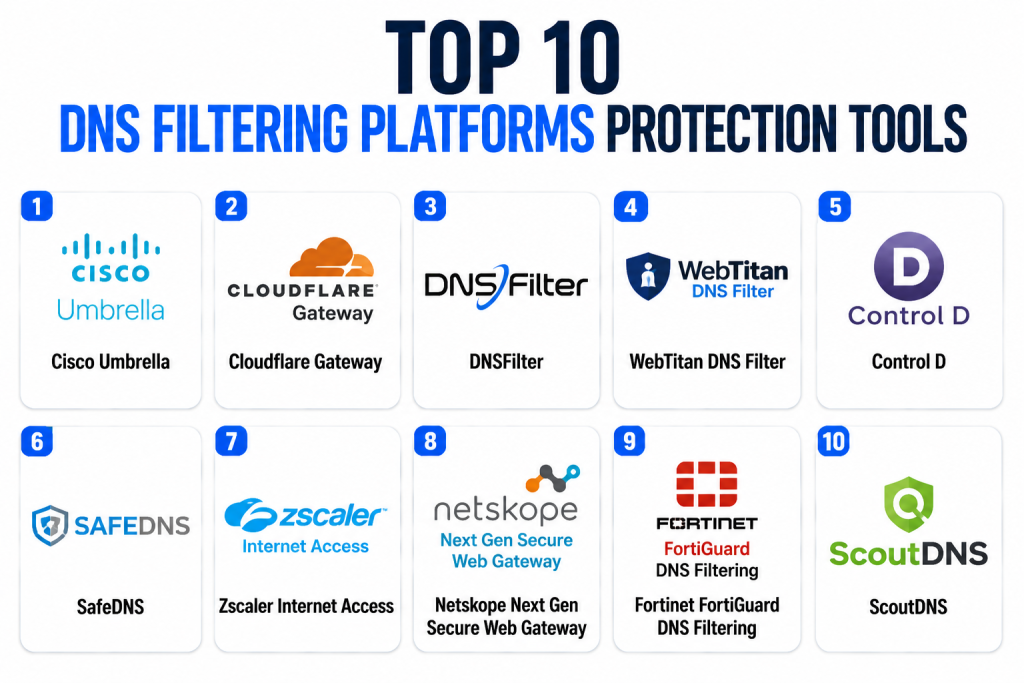
Top 10 DNS Filtering Platforms Protection Tools
1 — Cisco Umbrella
Short description: Cisco Umbrella is one of the most recognized DNS-layer security and cloud security platforms for businesses that need protection against phishing, malware, ransomware, command-and-control traffic, and risky internet destinations. It uses DNS-layer enforcement to block threats before users connect to dangerous domains. Cisco Umbrella is especially strong for enterprises, schools, healthcare organizations, distributed teams, and companies already using Cisco security products. It can protect users on and off the ntwork through DNS policies, roaming protection, and integrations with broader Cisco security workflows. The platform is often used as part of a layered security strategy that includes firewall, endpoint, identity, and secure web access controls. It is best for organizations that want mature DNS-layer protection with enterprise ecosystem depth.
Key Features
- DNS-layer threat protection
- Phishing, malware, ransomware, and botnet domain blocking
- Category-based web filtering
- Roaming user protection
- Reporting and security visibility
- Integration with Cisco security ecosystem
- Policy controls by network, user, or group depending on setup
Pros
- Strong enterprise reputation and broad adoption.
- Useful for protecting users before malicious connections happen.
- Good fit for organizations already using Cisco security tools.
Cons
- May be more complex than lightweight SMB-focused tools.
- Best value often comes when integrated with Cisco’s broader ecosystem.
- Smaller teams may prefer simpler DNS filtering platforms.
Platforms / Deployment
Web / Windows / macOS / iOS / Android / Cloud / Hybrid
Security & Compliance
Supports DNS-layer security, policy controls, reporting, roaming protection, and admin management. Specific certifications, SSO, MFA, RBAC, audit logs, encryption, and compliance details should be verified directly during procurement.
Integrations & Ecosystem
Cisco Umbrella integrates with Cisco security products, identity systems, endpoint tools, firewalls, SIEM platforms, and security operations workflows. It is especially useful for organizations building layered protection across users, devices, and networks.
- Cisco Secure products
- SIEM platforms
- Identity providers
- Endpoint security tools
- Firewall and network security systems
- Security operations workflows
Support & Community
Cisco provides extensive documentation, enterprise support, partner resources, training, and community forums. Support strength is high for organizations already familiar with Cisco products.
2 — Cloudflare Gateway
Short description: Cloudflare Gateway is a DNS filtering and secure web gateway component of Cloudflare’s Zero Trust platform. It helps organizations block phishing, malware, command-and-control domains, risky websites, and unwanted categories while routing traffic through Cloudflare’s global network. It is especially useful for cloud-first teams, remote workforces, developers, and organizations already using Cloudflare for DNS, CDN, WAF, or Zero Trust access. Cloudflare Gateway can support DNS filtering, HTTP filtering, identity-aware policies, and broader secure access workflows depending on configuration. It is a strong choice for businesses that want DNS filtering as part of a modern zero trust platform. Buyers should evaluate whether they need simple DNS filtering or the broader Cloudflare One ecosystem.
Key Features
- DNS filtering and secure web gateway capabilities
- Malware, phishing, and command-and-control domain blocking
- Category-based content filtering
- Identity-aware policy enforcement
- Remote user and device protection
- Integration with Cloudflare Zero Trust ecosystem
- Global network-based performance advantages
Pros
- Strong fit for cloud-first and remote-first organizations.
- Useful when DNS filtering is part of a broader zero trust plan.
- Global network can help support fast DNS and web enforcement.
Cons
- Some buyers may find configuration broad if they only need basic filtering.
- Best value comes with broader Cloudflare Zero Trust adoption.
- MSP-specific features may not match dedicated MSP-focused DNS platforms.
Platforms / Deployment
Web / Windows / macOS / Linux / iOS / Android / Cloud
Security & Compliance
Supports DNS filtering, secure web policies, identity-aware access controls, logging, and admin management. Specific certifications, SSO, MFA, RBAC, audit logs, and compliance details should be verified directly based on Cloudflare plan and configuration.
Integrations & Ecosystem
Cloudflare Gateway integrates with identity providers, endpoint agents, Cloudflare Zero Trust, SIEM tools, secure web gateway workflows, and network security controls. It is strongest for organizations already using Cloudflare services.
- Cloudflare Zero Trust
- Identity providers
- SIEM platforms
- Endpoint agents
- Secure web gateway policies
- Network and DNS infrastructure
Support & Community
Cloudflare provides documentation, developer resources, community forums, and support tiers. Support depth may vary by plan, organization size, and product package.
3 — DNSFilter
Short description: DNSFilter is a DNS security and content filtering platform focused on fast deployment, AI-based domain categorization, threat blocking, reporting, and MSP-friendly management. It is especially popular among SMBs, MSPs, schools, distributed teams, and organizations that want straightforward DNS filtering without heavy enterprise complexity. DNSFilter helps block phishing, malware, ransomware, botnets, adult content, risky sites, and unwanted web categories. It supports roaming clients, multi-tenant administration, policy controls, and reporting that can help IT teams understand web activity and blocked threats. DNSFilter is a strong option when ease of use, MSP workflows, and practical DNS protection are priorities. It is best for teams that want a focused DNS filtering platform rather than a full SASE suite.
Key Features
- DNS threat protection and content filtering
- AI-powered domain categorization
- Phishing, malware, ransomware, and botnet blocking
- Roaming client support
- MSP-friendly multi-tenant management
- Detailed reporting and policy controls
- Custom allowlists, blocklists, and category rules
Pros
- Strong fit for MSPs, SMBs, and schools.
- Easy to deploy compared with many enterprise security suites.
- Focused DNS filtering capabilities with practical reporting.
Cons
- Not a full replacement for complete SASE or endpoint security.
- Enterprise buyers may need broader integrations or advanced controls.
- Some advanced needs may require pairing with other security tools.
Platforms / Deployment
Web / Windows / macOS / iOS / Android / Cloud
Security & Compliance
Supports DNS filtering, threat blocking, policy management, reporting, admin controls, and roaming protection. Specific certifications, SSO, MFA, RBAC, audit logs, encryption, and compliance details should be verified directly.
Integrations & Ecosystem
DNSFilter integrates with MSP workflows, endpoint deployments, network DNS settings, SIEM-style reporting workflows, and business security stacks. It is strongest where fast policy rollout and multi-customer management matter.
- MSP platforms
- Endpoint roaming clients
- Network DNS settings
- Reporting workflows
- Identity and user mapping options
- Business security tools
Support & Community
DNSFilter provides documentation, onboarding resources, support, partner resources, and MSP-focused enablement. Community strength is strong among MSPs and SMB IT teams.
4 — WebTitan DNS Filter
Short description: WebTitan DNS Filter is a cloud-based DNS filtering and web content control platform built for businesses, MSPs, schools, public Wi-Fi providers, and distributed organizations. It helps block malware, phishing, ransomware, botnets, unwanted websites, adult content, and policy-violating categories. WebTitan is especially useful for organizations that need manageable web filtering, user policies, reporting, and remote worker protection. It can support DNS filtering at the network level and through roaming user protection depending on configuration. MSPs often consider WebTitan because of its multi-tenant management and customer-friendly deployment model. It is best for SMB and mid-market teams that need reliable DNS filtering without heavy complexity.
Key Features
- DNS-based web filtering and threat protection
- Phishing, malware, ransomware, and botnet blocking
- Category-based policy controls
- Roaming user protection options
- MSP multi-tenant management
- Reporting and activity visibility
- Suitable for schools, businesses, and Wi-Fi filtering
Pros
- Practical for SMBs, MSPs, and education environments.
- Strong category filtering and policy management.
- Easier to manage than broader enterprise security platforms.
Cons
- May not provide the same ecosystem depth as SASE platforms.
- Advanced enterprise use cases may require additional tools.
- Buyers should validate remote device coverage and reporting needs.
Platforms / Deployment
Web / Windows / macOS / Cloud
Security & Compliance
Supports DNS filtering, category policies, threat blocking, reporting, and admin controls. Specific certifications, SSO, MFA, RBAC, audit logs, encryption, and compliance details should be verified directly.
Integrations & Ecosystem
WebTitan integrates with DNS infrastructure, roaming clients, MSP workflows, reporting systems, and network security environments. It is well suited for organizations seeking web filtering and simple policy deployment.
- MSP management workflows
- Network DNS configurations
- Roaming clients
- School and public Wi-Fi environments
- Reporting dashboards
- Business security stacks
Support & Community
WebTitan provides documentation, onboarding support, partner resources, and business support options. Community strength is strongest among MSPs, SMBs, and education IT teams.
5 — Control D
Short description: Control D is a DNS filtering and traffic control platform that supports threat blocking, content filtering, custom rules, endpoint profiles, and privacy-focused DNS controls. It is used by individuals, families, businesses, schools, MSPs, and teams that want flexible filtering without complex deployment. Control D can block malware, phishing, adult content, ads, trackers, newly registered domains, and unwanted services depending on configuration. It offers granular profile-based controls and is often valued for flexibility and modern DNS management. For businesses, it can support location-level and device-level filtering workflows. It is best for teams that want configurable DNS filtering with strong control over categories and rules.
Key Features
- DNS filtering and content control
- Malware, phishing, ads, trackers, and category blocking
- Custom rules and profile-based policies
- Device and location-level filtering options
- Support for privacy-focused DNS controls
- Useful for businesses, schools, and managed filtering
- Flexible policy configuration
Pros
- Flexible DNS control and filtering configuration.
- Useful for teams that want granular profile-based rules.
- Practical for mixed use across business, education, and personal protection.
Cons
- May not match enterprise SASE platforms for deep integrations.
- Buyers should validate business reporting and admin requirements.
- Enterprise compliance needs may require additional security layers.
Platforms / Deployment
Web / Windows / macOS / Linux / iOS / Android / Cloud
Security & Compliance
Supports DNS filtering, custom policies, threat blocking, and admin-level filtering controls. Specific certifications, SSO, MFA, RBAC, audit logs, encryption, and compliance details should be verified directly.
Integrations & Ecosystem
Control D integrates through DNS settings, endpoint configurations, routers, network devices, and supported clients. It is most useful for teams that want flexible DNS-based content and threat control.
- Router and network DNS settings
- Endpoint DNS profiles
- Mobile and desktop devices
- Browser and device policies
- School and small business networks
- Custom filtering workflows
Support & Community
Control D provides documentation, setup guides, community resources, and support options. Community strength is growing among privacy-focused users, DNS power users, and small business administrators.
6 — SafeDNS
Short description: SafeDNS is a cloud-based DNS filtering platform designed for businesses, schools, ISPs, MSPs, public Wi-Fi providers, and families that need web content filtering and threat protection. It helps block malware, phishing, botnets, adult content, gambling, violence, social media, and other policy-based categories. SafeDNS is practical for organizations that want straightforward category filtering, user policies, and reporting without building a complex security architecture. It is commonly used in education, hospitality, public access networks, and SMB environments. The platform provides flexible filtering profiles and can be deployed through DNS configuration or supported client methods. It is best for organizations that prioritize content control, safety, and simple DNS protection.
Key Features
- DNS-based content filtering
- Malware, phishing, botnet, and risky domain blocking
- Category-based policy enforcement
- User and group filtering options
- Reporting and web activity visibility
- Useful for schools, Wi-Fi networks, and businesses
- Cloud-based DNS management
Pros
- Practical for schools, Wi-Fi providers, and SMBs.
- Easy to understand and deploy for content filtering.
- Good fit for organizations focused on web safety and access control.
Cons
- May lack advanced enterprise threat intelligence depth.
- Not a full secure web gateway or SASE platform.
- Buyers should validate roaming and endpoint support needs.
Platforms / Deployment
Web / Windows / macOS / iOS / Android / Cloud
Security & Compliance
Supports DNS filtering, category controls, threat blocking, and reporting. Specific certifications, SSO, MFA, RBAC, audit logs, encryption, and compliance details should be verified directly.
Integrations & Ecosystem
SafeDNS integrates through DNS settings, endpoint clients, routers, network appliances, and public Wi-Fi setups. It is especially useful for education, public access, and content safety use cases.
- Router DNS settings
- School networks
- Public Wi-Fi systems
- Endpoint clients
- Business networks
- Reporting workflows
Support & Community
SafeDNS provides documentation, setup guidance, and support resources. Community strength is strongest among education, SMB, and public Wi-Fi filtering users.
7 — Zscaler Internet Access
Short description: Zscaler Internet Access is a cloud security platform that includes DNS security, secure web gateway, cloud firewall, sandboxing, data protection, and zero trust internet access features. It is broader than a pure DNS filtering tool, but DNS-layer protection is part of its web security and threat prevention value. Zscaler is especially relevant for enterprises, distributed workforces, and organizations moving from hardware-based perimeter security to cloud-delivered security. It can help protect users from phishing, malware, risky sites, data leakage, and unsafe cloud access. The platform is best for organizations that need DNS filtering as part of a complete secure internet access and SASE strategy. Smaller teams may find it broader than they need.
Key Features
- DNS security and web filtering
- Secure web gateway and cloud firewall capabilities
- Phishing, malware, and ransomware protection
- Cloud sandboxing and threat prevention options
- Data protection and DLP-related controls
- Zero trust and SASE-aligned architecture
- Strong support for distributed enterprise users
Pros
- Strong fit for enterprises and remote workforces.
- DNS filtering is part of a broader cloud security platform.
- Useful for organizations replacing legacy perimeter security.
Cons
- May be too broad or costly for simple DNS filtering needs.
- Implementation requires security architecture planning.
- SMBs may prefer lighter DNS-focused tools.
Platforms / Deployment
Web / Windows / macOS / Linux / iOS / Android / Cloud
Security & Compliance
Supports secure web access, DNS protection, policy enforcement, logging, data protection features, and admin controls. Specific certifications, SSO, MFA, RBAC, audit logs, encryption, and compliance details should be verified directly.
Integrations & Ecosystem
Zscaler integrates with identity providers, endpoint agents, SIEM tools, SD-WAN, security operations platforms, DLP workflows, and cloud applications. It is best suited for enterprise zero trust and SASE environments.
- Identity providers
- SIEM platforms
- Endpoint agents
- SD-WAN tools
- Cloud applications
- Security operations systems
Support & Community
Zscaler provides enterprise documentation, training, support tiers, partner resources, and community programs. Support strength is strongest in enterprise security environments.
8 — Netskope Next Gen Secure Web Gateway
Short description: Netskope Next Gen Secure Web Gateway provides web security, cloud app control, DNS security, data protection, and zero trust access capabilities for modern cloud-first organizations. It is broader than basic DNS filtering and is best suited for enterprises that need visibility into web traffic, SaaS usage, cloud apps, risky domains, and data movement. Netskope can help block phishing, malware, risky content, and unauthorized cloud application access while supporting policy enforcement across users and devices. Its strength is combining DNS and web controls with CASB and data security capabilities. It is a strong fit for organizations with heavy SaaS and cloud application usage. Buyers should evaluate whether they need full SSE capabilities or only DNS filtering.
Key Features
- DNS security and web filtering
- Secure web gateway and cloud app controls
- Phishing, malware, and risky site blocking
- CASB and SaaS visibility capabilities
- Data protection and DLP-related workflows
- User and identity-aware policy enforcement
- Enterprise zero trust and SSE alignment
Pros
- Strong fit for cloud-first enterprises.
- Useful when DNS filtering must connect with SaaS visibility and DLP.
- Provides broader web and cloud security than simple DNS tools.
Cons
- May be too advanced for basic SMB filtering.
- Requires careful policy and deployment planning.
- Best value comes when using broader Netskope capabilities.
Platforms / Deployment
Web / Windows / macOS / iOS / Android / Cloud
Security & Compliance
Supports web security, DNS protection, policy enforcement, logging, data protection, and admin management. Specific certifications, SSO, MFA, RBAC, audit logs, encryption, and compliance details should be verified directly.
Integrations & Ecosystem
Netskope integrates with identity providers, endpoint agents, SIEM tools, cloud apps, DLP workflows, and security operations platforms. It is best for organizations that need DNS filtering inside a broader SSE and cloud security strategy.
- Identity providers
- SIEM platforms
- Endpoint agents
- Cloud and SaaS applications
- DLP workflows
- Security operations tools
Support & Community
Netskope provides enterprise documentation, implementation support, training, partner resources, and support tiers. Community strength is strongest among enterprise cloud security teams.
9 — Fortinet FortiGuard DNS Filtering
Short description: Fortinet FortiGuard DNS Filtering provides DNS-layer protection and category-based filtering within Fortinet’s broader security ecosystem. It helps organizations block malicious domains, phishing sites, botnets, command-and-control traffic, and unwanted web categories. It is especially useful for companies already using Fortinet firewalls, FortiGate appliances, FortiSASE, or Fortinet Security Fabric. FortiGuard DNS Filtering can be part of a layered approach across firewall, endpoint, SD-WAN, and cloud-delivered security. It is best for organizations that want DNS protection integrated with Fortinet network security controls. Buyers should confirm deployment model, licensing, and whether standalone DNS filtering or broader Fortinet architecture is the right fit.
Key Features
- DNS-layer threat protection
- Malicious domain and phishing blocking
- Category-based web filtering
- Fortinet Security Fabric integration
- Firewall and network security alignment
- Policy-based access controls
- Reporting and threat intelligence support
Pros
- Strong fit for Fortinet customers.
- Useful when DNS filtering needs to align with firewall and network controls.
- Good option for organizations with branch networks and SD-WAN environments.
Cons
- Best value depends on Fortinet ecosystem adoption.
- May be less attractive for teams seeking vendor-neutral DNS filtering.
- Buyers should validate standalone DNS capabilities and licensing.
Platforms / Deployment
Web / Cloud / Hybrid / Self-hosted / Varies / N/A
Security & Compliance
Supports DNS-layer filtering, category policies, threat intelligence, reporting, and admin controls. Specific certifications, SSO, MFA, RBAC, audit logs, encryption, and compliance details should be verified directly.
Integrations & Ecosystem
FortiGuard DNS Filtering integrates with Fortinet firewalls, FortiSASE, SD-WAN, endpoint tools, threat intelligence, and network security operations. It is strongest in Fortinet-centered environments.
- FortiGate firewalls
- FortiSASE
- Fortinet Security Fabric
- SD-WAN environments
- Endpoint security tools
- Security operations workflows
Support & Community
Fortinet provides documentation, training, support, partner resources, and a large security community. Support strength is high for organizations already invested in Fortinet products.
10 — ScoutDNS
Short description: ScoutDNS is a DNS filtering and internet security platform designed for MSPs, businesses, schools, and organizations that need web filtering, threat blocking, and policy management. It helps block malware, phishing, botnets, adult content, unwanted categories, and unsafe websites through DNS-level controls. ScoutDNS is often considered by smaller organizations and service providers looking for manageable filtering and reporting. It supports policy-based filtering, network protection, and remote user use cases depending on configuration. The platform is practical for teams that want DNS security without adopting a full SASE or enterprise web security suite. It is best for SMBs, MSPs, and education-focused environments that need straightforward DNS filtering.
Key Features
- DNS filtering and content control
- Malware, phishing, and botnet blocking
- Category-based policies
- Reporting and visibility
- MSP and business use cases
- Remote user protection options
- Simple deployment through DNS and supported clients
Pros
- Practical for SMBs, schools, and MSPs.
- Focused DNS filtering without heavy complexity.
- Good fit for organizations that need simple policy-based protection.
Cons
- Smaller ecosystem than large enterprise security platforms.
- May not provide full secure web gateway or CASB depth.
- Buyers should validate reporting, integrations, and support requirements.
Platforms / Deployment
Web / Windows / macOS / Cloud / Varies / N/A
Security & Compliance
Supports DNS filtering, threat blocking, category policies, and reporting. Specific certifications, SSO, MFA, RBAC, audit logs, encryption, and compliance details should be verified directly.
Integrations & Ecosystem
ScoutDNS integrates through DNS settings, endpoint deployment options, MSP workflows, and business network configurations. It is strongest for organizations that need manageable filtering and web policy enforcement.
- Network DNS configurations
- MSP workflows
- Business networks
- School networks
- Remote users
- Reporting dashboards
Support & Community
ScoutDNS provides documentation and support resources. Community strength is more focused among MSPs, SMBs, and education IT teams rather than broad enterprise security communities.
Comparison Table
| Tool Name | Best For | Platform(s) Supported | Deployment | Standout Feature | Public Rating |
|---|---|---|---|---|---|
| Cisco Umbrella | Enterprise DNS-layer security | Web / Windows / macOS / iOS / Android | Cloud / Hybrid | Mature DNS-layer protection with Cisco ecosystem depth | N/A |
| Cloudflare Gateway | Zero trust and cloud-first teams | Web / Windows / macOS / Linux / iOS / Android | Cloud | DNS filtering within Cloudflare Zero Trust | N/A |
| DNSFilter | MSPs, SMBs, and schools | Web / Windows / macOS / iOS / Android | Cloud | AI-driven DNS filtering with MSP-friendly management | N/A |
| WebTitan DNS Filter | SMBs, MSPs, education, and Wi-Fi filtering | Web / Windows / macOS | Cloud | Practical DNS filtering and multi-tenant management | N/A |
| Control D | Flexible DNS and content control | Web / Windows / macOS / Linux / iOS / Android | Cloud | Granular profile-based DNS filtering | N/A |
| SafeDNS | Schools, SMBs, public Wi-Fi, and content safety | Web / Windows / macOS / iOS / Android | Cloud | Simple category filtering for safe browsing | N/A |
| Zscaler Internet Access | Enterprise secure internet access | Web / Windows / macOS / Linux / iOS / Android | Cloud | DNS filtering inside a full SASE platform | N/A |
| Netskope Next Gen Secure Web Gateway | Cloud-first enterprise web security | Web / Windows / macOS / iOS / Android | Cloud | DNS filtering plus CASB and data protection | N/A |
| Fortinet FortiGuard DNS Filtering | Fortinet-centered security environments | Web | Cloud / Hybrid / Self-hosted / Varies | DNS filtering integrated with Fortinet Security Fabric | N/A |
| ScoutDNS | SMBs, MSPs, and schools | Web / Windows / macOS | Cloud / Varies | Straightforward DNS filtering and policy control | N/A |
Evaluation & Scoring of DNS Filtering Platforms Protection Tools
| Tool Name | Core (25%) | Ease (15%) | Integrations (15%) | Security (10%) | Performance (10%) | Support (10%) | Value (15%) | Weighted Total (0–10) |
| Cisco Umbrella | 9.2 | 7.8 | 9.0 | 9.0 | 8.8 | 8.5 | 7.8 | 8.60 |
| Cloudflare Gateway | 8.8 | 8.0 | 9.0 | 8.8 | 9.3 | 8.0 | 8.5 | 8.68 |
| DNSFilter | 8.8 | 9.0 | 8.2 | 8.5 | 8.8 | 8.5 | 8.8 | 8.67 |
| WebTitan DNS Filter | 8.2 | 8.6 | 8.0 | 8.2 | 8.4 | 8.2 | 8.5 | 8.31 |
| Control D | 8.0 | 8.8 | 7.8 | 8.2 | 8.7 | 8.0 | 8.8 | 8.31 |
| SafeDNS | 7.8 | 8.7 | 7.5 | 8.0 | 8.2 | 7.8 | 8.5 | 8.10 |
| Zscaler Internet Access | 9.2 | 7.3 | 9.2 | 9.1 | 9.0 | 8.6 | 7.5 | 8.60 |
| Netskope Next Gen Secure Web Gateway | 9.0 | 7.4 | 9.1 | 9.0 | 8.8 | 8.5 | 7.5 | 8.51 |
| Fortinet FortiGuard DNS Filtering | 8.4 | 7.8 | 8.8 | 8.7 | 8.6 | 8.4 | 8.0 | 8.38 |
| ScoutDNS | 7.6 | 8.5 | 7.4 | 7.9 | 8.0 | 7.8 | 8.5 | 8.00 |
These scores are comparative, not official product ratings. A higher score means the platform is broadly strong across the selected criteria, but the right choice depends on business size, threat profile, remote work needs, identity stack, and budget. Cisco Umbrella, Zscaler, and Netskope are stronger for enterprise security programs, while DNSFilter, WebTitan, SafeDNS, Control D, and ScoutDNS may be more practical for SMBs, schools, and MSPs. Cloudflare Gateway is strong when DNS filtering is part of a broader zero trust and global network strategy.
Which DNS Filtering Platform Tool Is Right for You?
Solo / Freelancer
Solo professionals usually do not need a complex enterprise DNS security platform. A simpler DNS filtering setup through Control D, SafeDNS, Cloudflare-based controls, or built-in router DNS rules may be enough. The goal should be to block phishing, malware, adult content, trackers, and distracting categories without creating complex administration.
Freelancers handling client systems, development work, or sensitive data should also use MFA, endpoint security, password managers, and browser protection. DNS filtering is helpful, but it should not be the only security control.
SMB
SMBs need DNS filtering that is easy to deploy, affordable, and simple to manage. DNSFilter, WebTitan DNS Filter, SafeDNS, ScoutDNS, Control D, and Cloudflare Gateway are practical options depending on the level of reporting, remote user protection, and admin control required. Microsoft-heavy or firewall-heavy environments may also consider Cisco Umbrella or Fortinet options if they already use those ecosystems.
SMBs should prioritize phishing protection, malware blocking, roaming device coverage, user-level reporting, and simple policy controls. A tool that is too complex may create unnecessary overhead for small IT teams.
Mid-Market
Mid-market organizations often need better reporting, user and group policies, remote workforce protection, SIEM integration, and stronger threat intelligence. Cisco Umbrella, DNSFilter, Cloudflare Gateway, WebTitan, Fortinet FortiGuard DNS Filtering, and Zscaler are strong candidates depending on architecture. If the company is cloud-first and moving toward zero trust, Cloudflare Gateway, Zscaler, or Netskope may be stronger long-term options.
Mid-market buyers should test DNS performance, roaming client reliability, category accuracy, false positives, reporting depth, and integration with identity and endpoint tools.
Enterprise
Enterprises usually need scalable DNS protection across offices, remote workers, branches, cloud environments, and global users. Cisco Umbrella, Zscaler Internet Access, Netskope Next Gen Secure Web Gateway, Cloudflare Gateway, and Fortinet FortiGuard DNS Filtering are strong enterprise candidates. These platforms can fit into larger zero trust, SASE, firewall, endpoint, and security operations programs.
Enterprise buyers should evaluate DNS filtering as part of broader secure access strategy. They should test identity-based policies, DNS-over-HTTPS handling, logging, SIEM integration, data protection workflows, and support for global deployments.
Budget vs Premium
Budget-focused buyers should evaluate DNSFilter, WebTitan, SafeDNS, Control D, or ScoutDNS for practical filtering and manageable costs. Premium buyers with enterprise risk, compliance, remote workforce complexity, and SASE goals may prefer Cisco Umbrella, Zscaler, Netskope, Cloudflare Gateway, or Fortinet.
Budget decisions should include hidden costs such as admin time, support needs, remote device management, false positives, productivity loss, and incident response. A cheaper tool is not better if it lacks the protection or visibility required.
Feature Depth vs Ease of Use
DNSFilter, SafeDNS, WebTitan, Control D, and ScoutDNS are easier for straightforward DNS filtering. Cisco Umbrella, Zscaler, Netskope, Cloudflare Gateway, and Fortinet offer deeper security ecosystems and broader enterprise controls. The right choice depends on whether DNS filtering is the main requirement or part of a larger secure access program.
Choose ease of use when the team is small and needs fast protection. Choose feature depth when the organization needs identity-aware controls, SASE, secure web gateway, CASB, DLP, or integrated security operations.
Integrations & Scalability
DNS filtering platforms should integrate with identity providers, endpoint agents, SIEM tools, firewalls, routers, MSP dashboards, security operations systems, and reporting workflows. Cisco Umbrella, Zscaler, Netskope, Cloudflare Gateway, and Fortinet are strong for enterprise ecosystems. DNSFilter and WebTitan are strong for MSP and SMB deployment models.
Scalability includes global resolver performance, policy management, delegated administration, multi-tenant controls, roaming clients, reporting retention, and support responsiveness.
Security & Compliance Needs
Security-conscious organizations should evaluate threat intelligence, logging, user mapping, audit trails, admin roles, data retention, encryption, and policy controls. DNS filtering also supports compliance by reducing access to risky or inappropriate websites, but it should not replace endpoint security, identity protection, DLP, or monitoring.
Regulated industries should confirm vendor documentation, data handling practices, regional processing, and integration with security operations before deployment.
Frequently Asked Questions
1- What is a DNS filtering platform?
A DNS filtering platform blocks unsafe or unwanted domains before users connect to them. It checks DNS requests against threat intelligence and category databases. If a domain is malicious, phishing-related, adult, risky, or against policy, the platform blocks the request.
2- Is DNS filtering the same as web filtering?
DNS filtering is one type of web filtering that works at the DNS layer. Traditional web filtering may inspect full URLs, content, files, and web traffic more deeply. DNS filtering is usually easier to deploy and faster, but it may not provide the same depth as a full secure web gateway.
3- Can DNS filtering stop phishing?
DNS filtering can block many phishing domains, especially known malicious domains and suspicious newly registered sites. However, it cannot stop every phishing attack, especially if the domain is new or hosted on a trusted platform. It should be combined with email security, MFA, browser protection, and user training.
4- What pricing models do DNS filtering tools use?
Pricing often depends on user count, device count, location count, DNS query volume, MSP tenants, feature tier, or enterprise contract. Some tools offer simple per-user pricing, while larger platforms may bundle DNS filtering inside SASE or secure web gateway packages. Buyers should request full pricing details before comparing.
5- How long does DNS filtering implementation take?
Basic network-level DNS filtering can often be deployed quickly by changing DNS settings. Larger deployments with roaming clients, identity mapping, multiple policies, SIEM integration, and remote workforce protection take more planning. A pilot rollout is recommended before organization-wide enforcement.
6- What are common mistakes when deploying DNS filtering?
Common mistakes include applying strict policies too quickly, not testing false positives, forgetting remote users, ignoring DNS-over-HTTPS behavior, and failing to document allowlists. Another mistake is treating DNS filtering as a complete security solution instead of one security layer.
7- Does DNS filtering work for remote workers?
Yes, many DNS filtering platforms support remote workers through roaming clients, endpoint agents, device profiles, or cloud gateway routing. Buyers should confirm support for Windows, macOS, iOS, Android, and unmanaged devices if remote protection is important.
8- What integrations matter most?
Important integrations include identity providers, endpoint management, SIEM platforms, firewalls, routers, MSP dashboards, ticketing systems, and security operations tools. Identity integration is especially useful because it allows policies and reports by user or group instead of only by network.
9- Can DNS filtering improve productivity?
Yes, organizations can block distracting or inappropriate categories such as adult content, gambling, streaming, gaming, or social media depending on company policy. However, overblocking can frustrate users, so policies should be practical and transparent.
10- When should a company switch DNS filtering platforms?
A company may switch if the current platform has weak threat detection, slow DNS performance, poor reporting, limited roaming support, difficult policy management, or weak MSP controls. Switching should include testing DNS speed, block accuracy, remote client behavior, and reporting quality.
Conclusion
DNS Filtering Platforms Protection Tools give organizations a practical way to block phishing, malware, ransomware, botnets, command-and-control traffic, and unwanted web content before users connect to risky domains. The best tool depends on company size, deployment model, remote workforce needs, reporting requirements, and security maturity. Cisco Umbrella is strong for enterprise DNS-layer security, Cloudflare Gateway is useful for zero trust and cloud-first teams, DNSFilter and WebTitan are strong for SMBs and MSPs, Control D and SafeDNS are practical for flexible content filtering, Zscaler and Netskope fit enterprise SASE strategies, Fortinet FortiGuard DNS Filtering works well in Fortinet environments, and ScoutDNS is a focused option for smaller teams and schools. The best next step is to shortlist two or three platforms, test them with real users and DNS traffic, validate remote device protection, review reporting and policy controls, and then roll out gradually with clear allowlist and support processes
