Introduction
Document Redaction Tools are software solutions designed to permanently remove or hide sensitive information from documents before sharing, storing, or publishing them. In simple terms, they help organizations black out confidential data such as personal identifiers, financial details, legal information, or classified content so it cannot be recovered or misused.
In and beyond, these tools are becoming critical because data privacy regulations are stricter, document sharing is more digital, and organizations handle larger volumes of sensitive PDFs, contracts, and records. Manual redaction is slow, error-prone, and risky, while automated tools ensure accuracy, compliance, and auditability.
Real-world use cases include:
- Redacting personal data from legal and court documents.
- Hiding sensitive client information in financial reports.
- Preparing medical records for HIPAA-compliant sharing.
- Removing confidential business data before external collaboration.
- Securing FOIA or public records before release.
What buyers should evaluate:
- Accuracy of automated redaction detection.
- Permanent removal vs visual masking capability.
- Support for PDFs, images, and scanned documents.
- OCR (optical character recognition) performance.
- Compliance support (GDPR, HIPAA, etc.).
- Batch processing and scalability.
- Audit trails and reporting features.
- Integration with document management systems.
- Ease of use for legal and compliance teams.
- On-premise vs cloud deployment options.
Best for: Legal teams, compliance officers, government agencies, healthcare organizations, financial institutions, HR departments, and enterprises handling sensitive documents.
Not ideal for: Small teams with minimal sensitive document handling, casual users, or organizations that rarely share external documents.
Key Trends in Document Redaction Tools
- AI-powered automatic detection of sensitive entities (names, IDs, addresses).
- Deep OCR improvements for scanned and handwritten documents.
- Real-time redaction inside document workflows.
- Integration with legal tech and eDiscovery platforms.
- Privacy-by-design compliance automation for GDPR and HIPAA.
- Cloud-native redaction with enterprise governance controls.
- Batch redaction for large-scale document processing.
- Redaction APIs for embedding into enterprise applications.
- Audit-ready logs for regulatory compliance.
- Hybrid deployment models for secure environments.
How We Selected These Tools (Methodology)
The tools in this list were selected based on:
- Market adoption in legal, compliance, and enterprise document workflows.
- Accuracy of redaction and OCR capabilities.
- Support for structured and unstructured documents.
- Security, compliance, and audit readiness.
- Integration with document management and legal systems.
- Ease of use for non-technical users.
- Scalability for enterprise and government workloads.
- Performance in batch processing environments.
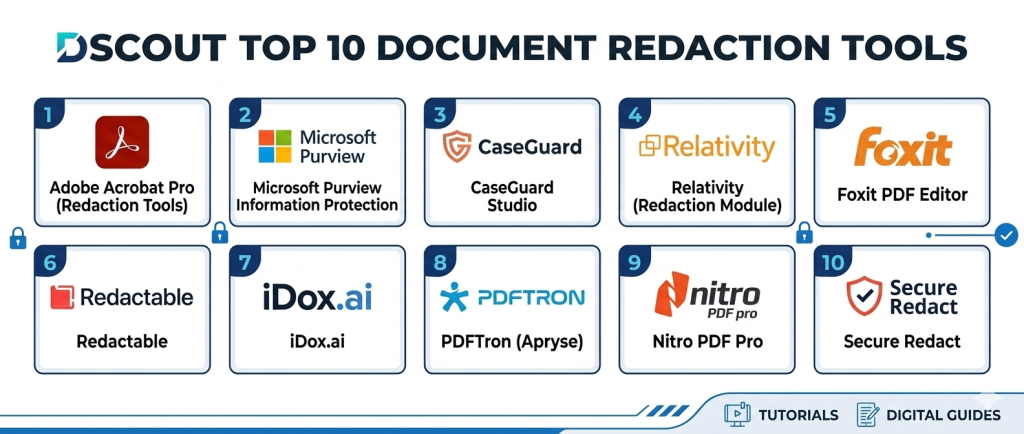
Top 10 Document Redaction Tools
1- Adobe Acrobat Pro (Redaction Tools)
Short description:
Adobe Acrobat Pro is one of the most widely used document management platforms that includes powerful redaction capabilities. It allows users to permanently remove sensitive text, images, and metadata from PDF documents. It is commonly used in legal, government, and corporate environments. The tool supports both manual and automated redaction workflows. It also includes OCR for scanned documents. It is ideal for organizations already working heavily with PDFs.
Key Features
- Permanent PDF redaction tools.
- Text and image removal.
- Metadata cleaning.
- OCR for scanned documents.
- Search-based redaction.
- Batch processing support.
- Document annotation tools.
Pros
- Industry-standard PDF tool.
- Strong reliability and accuracy.
- Easy for legal teams to use.
Cons
- Subscription-based pricing.
- Limited automation compared to AI-first tools.
- Can be heavy for basic users.
Platforms / Deployment
- Windows
- macOS
- Cloud (Adobe Document Cloud)
Security & Compliance
- SSO/SAML
- MFA
- Encryption
- RBAC
- Audit logs
- Not publicly stated certifications
Integrations & Ecosystem
Adobe integrates with enterprise document workflows and productivity tools.
- Microsoft 365
- Document management systems
- Cloud storage platforms
- APIs
- Adobe ecosystem tools
- Legal software
Support & Community
Strong enterprise support and extensive documentation ecosystem.
2- Microsoft Purview Information Protection
Short description:
Microsoft Purview Information Protection provides enterprise-grade data governance and redaction capabilities across Microsoft 365 environments. It helps organizations classify, label, and redact sensitive information across documents and emails. It is widely used in regulated industries. The platform enables automated sensitivity labeling and policy-based redaction. It is best suited for Microsoft-centric enterprises. It integrates deeply with Office applications.
Key Features
- Sensitivity labeling and classification.
- Policy-based redaction controls.
- Data loss prevention integration.
- Document classification automation.
- Email and file protection.
- Audit and compliance tracking.
- AI-based content detection.
Pros
- Strong enterprise compliance support.
- Deep Microsoft 365 integration.
- Automated policy enforcement.
Cons
- Complex setup and configuration.
- Requires Microsoft ecosystem dependency.
- Advanced features need licensing.
Platforms / Deployment
- Web
- Windows
- Cloud
Security & Compliance
- SSO/SAML
- MFA
- Encryption
- RBAC
- Audit logs
- Microsoft compliance frameworks
Integrations & Ecosystem
- Microsoft 365
- SharePoint
- OneDrive
- Outlook
- Teams
- APIs
Support & Community
Enterprise Microsoft support and global documentation.
3- CaseGuard Studio
Short description:
CaseGuard Studio is a dedicated multimedia redaction tool designed for documents, videos, images, and audio files. It is widely used in law enforcement, government, and legal organizations. The platform offers AI-powered detection of sensitive information. It supports batch processing and automated workflows. CaseGuard is highly specialized for high-security environments. It is ideal for organizations handling sensitive investigative data.
Key Features
- AI-powered redaction detection.
- Multi-format support (PDF, video, audio, images).
- Face and object detection.
- Text recognition and OCR.
- Batch processing tools.
- Automated workflows.
- Compliance reporting.
Pros
- Strong multi-format redaction.
- Advanced AI detection.
- High security focus.
Cons
- Steeper learning curve.
- Higher cost for enterprise use.
- Requires training for advanced features.
Platforms / Deployment
- Windows
- Cloud / On-premise
Security & Compliance
- SSO/SAML
- MFA
- Encryption
- RBAC
- Audit logs
- Government-grade compliance support varies
Integrations & Ecosystem
- Legal systems
- Evidence management tools
- Document systems
- APIs
- Cloud storage
- Law enforcement platforms
Support & Community
Strong enterprise onboarding and specialized support.
4- Relativity (Redaction Module)
Short description:
Relativity is a leading eDiscovery platform widely used in legal and compliance workflows that includes advanced redaction capabilities. It helps legal teams manage large-scale document review and redaction processes. The platform is widely used in litigation and investigations. It supports AI-assisted document review and tagging. Relativity is highly scalable for enterprise legal operations. It is best suited for law firms and legal departments.
Key Features
- Advanced document redaction.
- eDiscovery workflow management.
- AI-assisted document review.
- Large-scale batch processing.
- Legal tagging and classification.
- Audit trails.
- Collaboration tools.
Pros
- Excellent for legal workflows.
- Highly scalable platform.
- Strong AI-assisted review.
Cons
- Complex setup.
- High learning curve.
- Enterprise-focused pricing.
Platforms / Deployment
- Web
- Cloud / On-premise / Hybrid
Security & Compliance
- SSO/SAML
- MFA
- Encryption
- RBAC
- Audit logs
- Legal compliance standards support
Integrations & Ecosystem
- Legal case management systems
- Document repositories
- APIs
- Cloud storage
- Enterprise systems
- Review tools
Support & Community
Strong legal tech ecosystem and enterprise support.
5- Foxit PDF Editor
Short description:
Foxit PDF Editor is a lightweight yet powerful PDF editing tool that includes redaction features for removing sensitive information. It is widely used by businesses and individuals needing fast PDF editing and redaction. The platform supports secure document handling and collaboration. It is known for performance efficiency compared to heavier PDF tools. It is suitable for SMBs and mid-market organizations. It provides strong value for cost-conscious teams.
Key Features
- PDF redaction tools.
- Text and image removal.
- OCR support.
- Batch processing.
- Document editing tools.
- Secure sharing options.
- Annotation features.
Pros
- Lightweight and fast.
- Cost-effective solution.
- Easy to use interface.
Cons
- Less advanced AI features.
- Limited enterprise governance.
- UI less polished than Adobe.
Platforms / Deployment
- Windows
- macOS
- Linux
- Cloud
Security & Compliance
- SSO/SAML
- MFA
- Encryption
- RBAC
- Audit logs
- Not publicly stated certifications
Integrations & Ecosystem
- Cloud storage tools
- Microsoft Office
- APIs
- Document systems
- Collaboration tools
- Enterprise apps
Support & Community
Good documentation and customer support options.
6- Redactable
Short description:
Redactable is a cloud-based AI-powered document redaction platform designed for secure and automated removal of sensitive information. It is widely used by legal, HR, and compliance teams. The platform uses AI to detect and redact sensitive data quickly. It supports batch processing for large document sets. Redactable focuses on ease of use and automation. It is ideal for organizations needing fast and accurate redaction workflows.
Key Features
- AI-powered redaction detection.
- One-click document redaction.
- Batch processing tools.
- OCR support.
- Secure cloud storage.
- Audit logs.
- Collaboration features.
Pros
- Very easy to use.
- Strong automation features.
- Fast processing.
Cons
- Cloud dependency.
- Limited offline capabilities.
- Enterprise integrations vary.
Platforms / Deployment
- Web
- Cloud
Security & Compliance
- SSO/SAML
- MFA
- Encryption
- RBAC
- Audit logs
- Not publicly stated certifications
Integrations & Ecosystem
- Document management systems
- Cloud storage
- APIs
- Legal tools
- HR systems
- Workflow automation tools
Support & Community
Good customer support and onboarding assistance.
7- iDox.ai
Short description:
iDox.ai is an AI-powered document redaction and data anonymization platform designed for enterprises handling sensitive information. It supports automatic detection of personal and confidential data. The platform is widely used in legal, healthcare, and financial industries. It provides fast batch redaction and compliance-ready outputs. It is suitable for organizations requiring privacy-first document workflows. It focuses heavily on automation and accuracy.
Key Features
- AI-based sensitive data detection.
- Automated redaction workflows.
- Batch document processing.
- OCR and text extraction.
- Compliance reporting.
- Secure document handling.
- Data anonymization tools.
Pros
- Strong AI detection accuracy.
- Good for large-scale processing.
- Privacy-focused design.
Cons
- Enterprise pricing structure.
- Requires setup for optimal use.
- Limited offline options.
Platforms / Deployment
- Web
- Cloud
Security & Compliance
- SSO/SAML
- MFA
- Encryption
- RBAC
- Audit logs
- Compliance varies by deployment
Integrations & Ecosystem
- Legal platforms
- Cloud storage
- APIs
- Enterprise systems
- Document management tools
- Workflow automation tools
Support & Community
Enterprise support with onboarding services.
8- PDFTron (Apryse)
Short description:
PDFTron, now known as Apryse, is a developer-focused document processing platform that includes powerful redaction APIs. It is widely used to embed redaction capabilities into enterprise applications. The platform supports high-performance document rendering and processing. It is suitable for developers building custom document workflows. It is widely adopted in enterprise software ecosystems. It is ideal for organizations needing embedded redaction functionality.
Key Features
- Redaction APIs for developers.
- PDF rendering engine.
- OCR capabilities.
- Batch processing support.
- Cross-platform SDKs.
- Secure document handling.
- Custom workflow integration.
Pros
- Highly flexible for developers.
- Strong performance engine.
- Scalable enterprise integration.
Cons
- Requires developer expertise.
- Not end-user friendly.
- Setup complexity.
Platforms / Deployment
- Web
- Windows
- macOS
- Linux
- Mobile SDKs
- Cloud / On-premise
Security & Compliance
- SSO/SAML
- MFA
- Encryption
- RBAC
- Audit logs
- Not publicly stated certifications
Integrations & Ecosystem
- Enterprise applications
- APIs and SDKs
- Document systems
- Cloud storage
- Workflow engines
- Custom software platforms
Support & Community
Strong developer documentation and enterprise support.
9- Nitro PDF Pro
Short description:
Nitro PDF Pro is a PDF editing and productivity tool that includes redaction features for secure document handling. It is widely used by SMBs and enterprises for document editing and collaboration. The platform supports fast PDF processing and secure sharing. It is known for its user-friendly interface. Nitro provides a cost-effective alternative to heavier PDF platforms. It is suitable for teams needing basic to mid-level redaction capabilities.
Key Features
- PDF redaction tools.
- Document editing features.
- OCR support.
- Batch processing.
- Secure sharing options.
- Collaboration tools.
- Conversion tools.
Pros
- Easy to use.
- Affordable alternative to Adobe.
- Good performance.
Cons
- Limited AI-based automation.
- Fewer enterprise features.
- Basic analytics.
Platforms / Deployment
- Windows
- macOS
- Cloud
Security & Compliance
- SSO/SAML
- MFA
- Encryption
- RBAC
- Audit logs
- Not publicly stated certifications
Integrations & Ecosystem
- Microsoft 365
- Cloud storage tools
- APIs
- Document systems
- Enterprise apps
- Collaboration platforms
Support & Community
Good documentation and customer support.
10- Secure Redact (by AI or niche vendors)
Short description:
Secure Redact tools represent a category of specialized solutions focused on high-security document redaction for government and compliance-heavy industries. These platforms prioritize strict data removal, auditability, and compliance enforcement. They are often used in legal, defense, and public sector environments. They support both manual and automated redaction workflows. These tools are designed for environments where data leakage risks must be minimized. They are ideal for regulated industries.
Key Features
- Secure document redaction workflows.
- Sensitive data detection.
- Audit trails.
- Batch processing.
- OCR support.
- Compliance reporting.
- Data classification tools.
Pros
- High security focus.
- Suitable for regulated industries.
- Strong compliance orientation.
Cons
- Vendor capabilities vary widely.
- Often expensive or niche.
- Limited usability features.
Platforms / Deployment
- Web
- On-premise / Cloud (Varies)
Security & Compliance
- SSO/SAML
- MFA
- Encryption
- RBAC
- Audit logs
- Compliance varies by vendor
Integrations & Ecosystem
- Government systems
- Legal platforms
- Document management systems
- APIs
- Enterprise workflows
- Cloud storage tools
Support & Community
Varies by vendor; typically enterprise-focused support.
Comparison Table
| Tool Name | Best For | Platform(s) Supported | Deployment | Standout Feature | Public Rating |
|---|---|---|---|---|---|
| Adobe Acrobat Pro | General PDF redaction | Windows, macOS | Cloud | Industry-standard PDF tool | N/A |
| Microsoft Purview | Enterprise compliance | Web, Windows | Cloud | Policy-based redaction | N/A |
| CaseGuard Studio | Government/legal media | Windows | Cloud/On-prem | Multi-format AI redaction | N/A |
| Relativity | Legal eDiscovery | Web | Hybrid | Large-scale legal review | N/A |
| Foxit PDF Editor | SMB document editing | Windows, macOS, Linux | Cloud | Lightweight PDF tool | N/A |
| Redactable | AI redaction | Web | Cloud | One-click automation | N/A |
| iDox.ai | Enterprise privacy | Web | Cloud | AI anonymization | N/A |
| Apryse | Developer SDKs | Multi-platform | Cloud/On-prem | Redaction APIs | N/A |
| Nitro PDF Pro | SMB productivity | Windows, macOS | Cloud | Cost-effective PDF tool | N/A |
| Secure Redact | Regulated industries | Varies | Varies | High-security workflows | N/A |
Evaluation & Scoring of Document Redaction Tools
| Tool Name | Core (25%) | Ease (15%) | Integrations (15%) | Security (10%) | Performance (10%) | Support (10%) | Value (15%) | Weighted Total (0–10) |
|---|---|---|---|---|---|---|---|---|
| Adobe Acrobat Pro | 10 | 9 | 9 | 10 | 9 | 9 | 8 | 9.1 |
| Microsoft Purview | 10 | 8 | 10 | 10 | 9 | 9 | 8 | 9.2 |
| CaseGuard Studio | 9 | 8 | 9 | 10 | 9 | 9 | 7 | 8.7 |
| Relativity | 10 | 7 | 10 | 10 | 9 | 9 | 7 | 8.8 |
| Foxit PDF Editor | 8 | 10 | 8 | 8 | 9 | 8 | 9 | 8.5 |
| Redactable | 8 | 9 | 8 | 8 | 9 | 8 | 9 | 8.4 |
| iDox.ai | 9 | 8 | 8 | 9 | 9 | 8 | 8 | 8.5 |
| Apryse | 9 | 7 | 10 | 10 | 10 | 9 | 8 | 8.8 |
| Nitro PDF Pro | 8 | 9 | 8 | 8 | 9 | 8 | 9 | 8.4 |
| Secure Redact | 9 | 7 | 8 | 10 | 9 | 8 | 7 | 8.3 |
These scores are comparative and reflect how well each tool performs across accuracy, automation, security, and usability. Enterprise and compliance-first platforms score higher on governance, while PDF tools score higher on usability and affordability. The best choice depends on document volume, regulatory requirements, and automation needs.
Which Document Redaction Tool Is Right for You?
Solo / Freelancer
Foxit PDF Editor or Nitro PDF Pro are sufficient for basic redaction needs.
SMB
Adobe Acrobat Pro, Foxit, and Redactable are strong choices for simple but reliable workflows.
Mid-Market
Redactable, iDox.ai, and CaseGuard provide a balance of automation and compliance features.
Enterprise
Microsoft Purview, Relativity, CaseGuard, and Apryse are best for large-scale, regulated environments.
Budget vs Premium
Budget tools include Foxit and Nitro. Premium enterprise tools include Microsoft Purview, Relativity, and CaseGuard.
Feature Depth vs Ease of Use
Foxit and Redactable are easy to use. Relativity and Apryse offer deeper capabilities but require setup and expertise.
Integrations & Scalability
Microsoft Purview, Apryse, and Relativity offer the strongest integration ecosystems.
Security & Compliance Needs
Microsoft Purview, CaseGuard, and Relativity are best suited for strict regulatory environments.
Frequently Asked Questions
1. What is a document redaction tool?
It is software that permanently removes sensitive information from documents to make them safe for sharing or publication.
2. Is redaction reversible?
No, proper redaction permanently removes data so it cannot be recovered.
3. What file types are supported?
Most tools support PDFs, images, scanned documents, and sometimes video/audio formats.
4. Do these tools use AI?
Yes, modern tools use AI to detect sensitive data like names, IDs, and financial information.
5. Are they compliant with GDPR or HIPAA?
Many enterprise tools support compliance, but certifications vary by vendor.
6. Can they process bulk documents?
Yes, most advanced tools support batch processing for large-scale redaction.
7. Do they work with scanned documents?
Yes, OCR technology enables redaction in scanned PDFs and images.
8. Are cloud-based tools safe?
Enterprise-grade tools use encryption and access controls, but security depends on configuration.
9. What is the biggest risk in redaction?
Incomplete or incorrect redaction, which may expose sensitive data accidentally.
10. Who should use these tools?
Legal teams, compliance officers, government agencies, and any organization handling sensitive data.
Conclusion
Document Redaction Tools are essential for protecting sensitive information in an increasingly data-driven and regulated world. Tools like Microsoft Purview, Relativity, and CaseGuard lead enterprise compliance and security workflows, while Adobe Acrobat Pro and Foxit remain strong general-purpose solutions. AI-first platforms like Redactable and iDox.ai are improving automation and accuracy, reducing manual effort significantly. The right choice depends on your regulatory requirements, document volume, and integration needs. Organizations should shortlist a few tools, test redaction accuracy on real documents, and validate compliance workflows before full-scale adoption.
