Introduction
Email Spam Filtering Protection Tools help organizations block unwanted, harmful, or suspicious emails before they reach users’ inboxes. In simple terms, these tools scan incoming and outgoing messages for spam, phishing links, malware, spoofed senders, suspicious attachments, business email compromise attempts, and policy violations. They protect users from clicking dangerous emails while helping IT and security teams reduce risk.
These tools matter now because email remains one of the most common entry points for cyberattacks. Modern spam is no longer only annoying advertising; it often includes phishing, ransomware delivery, credential theft, invoice fraud, impersonation, and AI-generated social engineering.
Real-world use cases include:
- Blocking spam and phishing emails
- Detecting malicious attachments and URLs
- Protecting Microsoft 365 and Google Workspace users
- Preventing business email compromise
- Enforcing email security and compliance policies
What buyers should evaluate:
- Spam and phishing detection accuracy
- Microsoft 365 and Google Workspace support
- URL rewriting and attachment sandboxing
- AI and machine learning-based threat detection
- Admin dashboard and reporting
- Data loss prevention support
- Email continuity and archiving
- User awareness and reporting tools
- Deployment model and migration effort
- Pricing, support, and scalability
Best for: Email spam filtering protection tools are best for IT teams, security teams, MSPs, SMBs, mid-market companies, enterprises, schools, healthcare organizations, financial firms, legal teams, and any business that relies heavily on email communication.
Not ideal for: These tools may not be ideal for individuals who only need basic personal inbox filtering, very small teams already satisfied with built-in email protection, or companies that do not use business email platforms. In those cases, built-in Gmail or Microsoft filtering may be enough.
Key Trends in Email Spam Filtering Protection Tools
- AI-generated phishing is raising detection requirements: Attackers now use polished language, personalized context, and believable sender impersonation, so filters need behavior-based and intent-based analysis.
- BEC protection is becoming as important as spam blocking: Modern email attacks often contain no malware or obvious malicious link, making identity, tone, sender behavior, and payment request analysis more important.
- API-based cloud email security is growing: Many platforms now integrate directly with Microsoft 365 and Google Workspace through APIs instead of relying only on traditional mail gateway routing.
- Post-delivery remediation is becoming essential: Tools increasingly remove malicious emails even after delivery when new threat intelligence identifies a message as dangerous.
- User reporting is becoming part of detection: “Report phishing” buttons and user feedback loops help security teams investigate threats and improve filtering accuracy.
- Email security is merging with identity protection: Since phishing often targets credentials, email tools increasingly connect with MFA, identity threat detection, user risk scoring, and security awareness workflows.
- Integrated archiving and continuity matter for business resilience: Many buyers want email protection combined with backup, archiving, encryption, and continuity for outages or incidents.
- DMARC, SPF, and DKIM adoption is becoming more important: Strong domain authentication helps reduce spoofing, impersonation, and brand abuse.
- MSP-friendly management is a major requirement: Service providers need multi-tenant dashboards, policy templates, reporting, and simplified onboarding across many customers.
- Security teams want better visibility and explainability: Admins need reason codes, message traces, threat timelines, and searchable logs to understand why emails were blocked, quarantined, or released.
How We Selected These Tools
- Selected tools with strong recognition in email security, spam filtering, secure email gateways, and cloud email protection.
- Prioritized products used by SMBs, mid-market companies, enterprises, MSPs, and regulated organizations.
- Evaluated feature depth across spam filtering, phishing protection, malware scanning, URL protection, sandboxing, and BEC detection.
- Considered cloud email support for Microsoft 365, Google Workspace, and hybrid environments.
- Reviewed practical security posture signals such as quarantine workflows, reporting, admin controls, policy management, and post-delivery remediation.
- Considered integration strength with SIEM, SOAR, identity platforms, endpoint security, security awareness, and email clients.
- Avoided guessed ratings, certifications, pricing claims, or compliance statements where details are not clearly known.
- Balanced enterprise-grade platforms, SMB-friendly tools, MSP-focused options, and cloud-native security products.
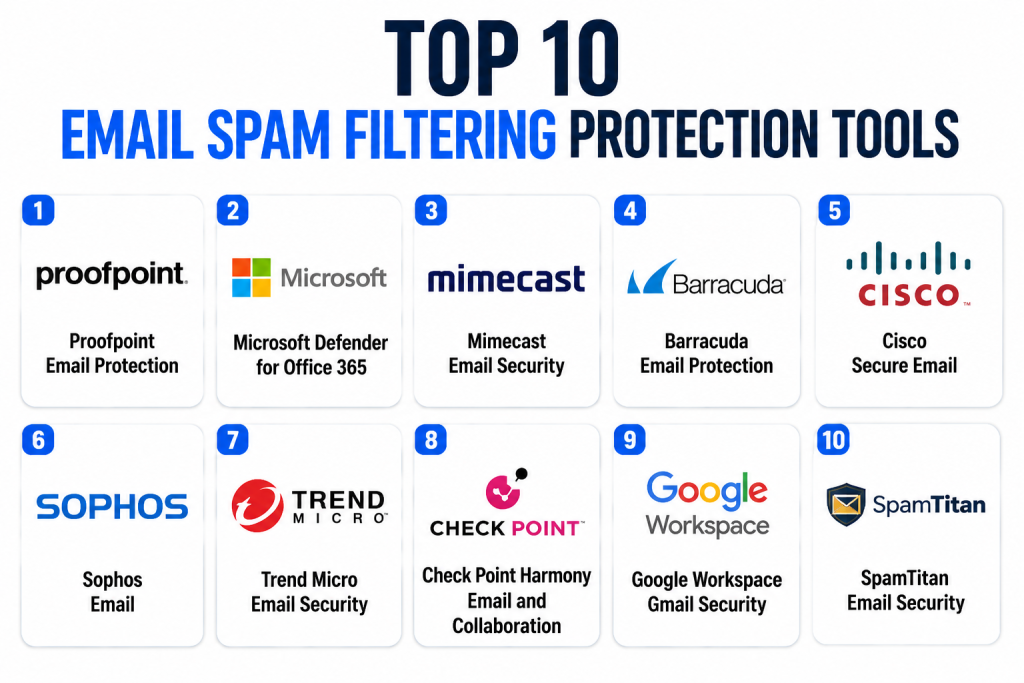
Top 10 Email Spam Filtering Protection Tools
1 — Proofpoint Email Protection
Short description: Proofpoint Email Protection is an enterprise-focused email security platform designed to protect organizations from spam, phishing, malware, ransomware, business email compromise, and advanced email threats. It is widely used by large enterprises, regulated organizations, and security teams that need strong threat intelligence and policy control. The platform helps detect malicious messages before delivery and can support investigation and response workflows. Proofpoint is especially strong for organizations that need targeted attack protection, impersonation defense, and advanced email threat visibility. It can also connect with broader security programs such as user risk, awareness training, and information protection. It is best for mature security teams that need deep email threat defense.
Key Features
- Spam, phishing, malware, and ransomware filtering
- Business email compromise and impersonation protection
- URL defense and attachment threat analysis
- Advanced threat intelligence and message analysis
- Quarantine, policy control, and admin investigation tools
- Support for Microsoft 365 and Google Workspace environments
- User reporting and security awareness ecosystem options
Pros
- Strong fit for enterprise email threat protection.
- Good visibility into advanced phishing and targeted attacks.
- Useful for organizations with mature security operations.
Cons
- May be more complex than needed for very small businesses.
- Implementation and policy tuning can require security expertise.
- Pricing and packaging may vary by organization size and modules.
Platforms / Deployment
Web / Cloud / Hybrid
Security & Compliance
Supports email threat filtering, policy controls, quarantine workflows, encryption-related options, reporting, and admin controls. Specific certifications, SSO, audit logs, DLP, and compliance details should be verified directly during procurement.
Integrations & Ecosystem
Proofpoint integrates with cloud email platforms, SIEM tools, SOAR workflows, endpoint security systems, identity tools, and security awareness programs. Its ecosystem is strongest for enterprise security teams.
- Microsoft 365
- Google Workspace
- SIEM and SOAR platforms
- Security awareness training
- Identity and user risk tools
- Threat intelligence workflows
Support & Community
Proofpoint provides documentation, implementation resources, enterprise support, and security expertise. Support depth may depend on product package, contract, and organization size.
2 — Microsoft Defender for Office 365
Short description: Microsoft Defender for Office 365 protects Microsoft 365 users from phishing, spam, malware, malicious links, unsafe attachments, impersonation, and collaboration-based threats. It is especially useful for organizations already using Exchange Online, Outlook, Teams, SharePoint, and Microsoft security products. Defender for Office 365 works well as part of a Microsoft-first security stack because it connects with Microsoft Entra ID, Microsoft Defender XDR, Sentinel, and security operations workflows. It provides threat policies, investigation tools, safe links, safe attachments, and automated response capabilities depending on licensing. It is best for Microsoft-centered businesses that want built-in cloud email protection. Buyers should review licensing carefully because advanced features may depend on plan level.
Key Features
- Anti-spam, anti-phishing, and anti-malware protection
- Safe Links and Safe Attachments capabilities
- Impersonation and spoofing protection
- Threat Explorer and investigation workflows
- Automated investigation and response options
- Integration with Microsoft Defender XDR
- Strong fit for Exchange Online and Microsoft 365 environments
Pros
- Excellent choice for Microsoft 365 organizations.
- Deep integration with Microsoft identity and security tools.
- Reduces the need for separate email gateway routing in many cases.
Cons
- Best value is within the Microsoft ecosystem.
- Advanced protection depends on licensing.
- Some organizations may still add third-party tools for layered defense.
Platforms / Deployment
Web / Windows / macOS / iOS / Android / Cloud
Security & Compliance
Supports Microsoft 365 email security controls, anti-phishing policies, threat investigation, admin roles, audit-related workflows, and integration with Microsoft compliance tools. Specific compliance coverage should be validated based on license and tenant configuration.
Integrations & Ecosystem
Microsoft Defender for Office 365 integrates deeply with Exchange Online, Outlook, Teams, SharePoint, OneDrive, Entra ID, Defender XDR, and Sentinel. It is strongest for Microsoft-first organizations.
- Microsoft 365
- Exchange Online
- Outlook
- Microsoft Defender XDR
- Microsoft Sentinel
- Microsoft Entra ID
Support & Community
Microsoft provides extensive documentation, admin guides, learning resources, partner support, and enterprise support plans. Community strength is strong because Microsoft 365 is widely adopted.
3 — Mimecast Email Security
Short description: Mimecast Email Security helps organizations protect email from spam, phishing, malware, impersonation, malicious URLs, and business email compromise. It is widely used by mid-market companies, enterprises, and regulated organizations that need email protection, continuity, archiving, and security controls. Mimecast is especially useful for companies that want a broader email resilience strategy rather than only spam filtering. The platform can help protect Microsoft 365 and Google Workspace environments while providing admin visibility and policy management. Mimecast is often selected by organizations that value security, continuity, and compliance-oriented email workflows. It is a strong option for businesses that need layered email protection and operational resilience.
Key Features
- Spam, phishing, malware, and ransomware protection
- Impersonation and BEC protection
- URL protection and attachment scanning
- Email continuity and archiving options
- Policy management and admin controls
- Support for Microsoft 365 and Google Workspace
- User awareness and reporting-related capabilities
Pros
- Strong fit for organizations that need email continuity and archiving.
- Useful for layered email protection across cloud email platforms.
- Good option for mid-market and enterprise environments.
Cons
- Full value may require multiple modules or packages.
- Policy configuration can require careful administration.
- Smaller teams may find it more than they need.
Platforms / Deployment
Web / Cloud / Hybrid
Security & Compliance
Supports email filtering, policy controls, continuity, archiving-related workflows, admin access, and security reporting. Specific certifications, SSO, audit logs, encryption, and compliance details should be verified directly.
Integrations & Ecosystem
Mimecast integrates with Microsoft 365, Google Workspace, SIEM tools, security awareness workflows, archiving systems, and email clients. Its ecosystem is strong for organizations focused on email security and resilience.
- Microsoft 365
- Google Workspace
- SIEM platforms
- Email archiving workflows
- Security awareness tools
- Admin and reporting systems
Support & Community
Mimecast provides documentation, onboarding resources, support tiers, and customer success services. Community strength is solid among IT administrators and email security professionals.
4 — Barracuda Email Protection
Short description: Barracuda Email Protection is a cloud-focused email security platform designed to protect businesses from spam, phishing, malware, ransomware, account takeover, impersonation, and data loss risks. It is popular among SMBs, mid-market companies, MSPs, and organizations using Microsoft 365. Barracuda combines email filtering with AI-based threat detection, backup, archiving, incident response, and account protection capabilities depending on package. It is especially useful for companies that want practical, manageable protection without excessive enterprise complexity. Barracuda’s strength is combining prevention, detection, and recovery in an email protection suite. It is a strong fit for IT teams that want security and operational resilience together.
Key Features
- Spam, phishing, malware, and ransomware protection
- Impersonation and business email compromise defense
- Account takeover protection options
- Email backup, archiving, and continuity capabilities
- Incident response and post-delivery remediation support
- Microsoft 365-focused protection options
- MSP-friendly management options
Pros
- Strong fit for SMBs, mid-market teams, and MSPs.
- Combines email security with backup and resilience features.
- Practical administration for Microsoft 365-heavy environments.
Cons
- Advanced enterprise threat hunting may require additional tools.
- Product packaging should be reviewed carefully.
- Some features may vary by bundle and region.
Platforms / Deployment
Web / Cloud / Hybrid
Security & Compliance
Supports email filtering, policy management, encryption-related options, archiving, backup, incident response, and admin controls. Specific certifications, SSO, MFA, audit logs, and compliance claims should be verified directly.
Integrations & Ecosystem
Barracuda integrates with Microsoft 365, email systems, MSP dashboards, backup workflows, incident response processes, and security operations tools. It is especially relevant for managed service and Microsoft cloud environments.
- Microsoft 365
- MSP management workflows
- Email backup systems
- Archiving systems
- Incident response tools
- Security dashboards
Support & Community
Barracuda provides documentation, onboarding resources, partner programs, and support options. Community strength is strong among SMB IT teams and MSPs.
5 — Cisco Secure Email
Short description: Cisco Secure Email is an email security platform designed to protect organizations from spam, phishing, malware, ransomware, malicious URLs, and advanced email threats. It is suitable for enterprises and security-conscious organizations that already use Cisco security products or need strong gateway-based protection. Cisco Secure Email can support cloud, on-prem, and hybrid email security models depending on deployment needs. The platform benefits from Cisco’s broader security ecosystem, including threat intelligence and integration with other Cisco security tools. It is best for organizations that want email security connected to a larger network and security architecture. Buyers should evaluate deployment complexity and whether Cisco’s ecosystem matches their environment.
Key Features
- Spam, phishing, malware, and advanced threat filtering
- URL and attachment protection
- Email encryption and policy controls
- Threat intelligence-backed detection
- Cloud, gateway, and hybrid deployment options
- Integration with Cisco security ecosystem
- Reporting and message tracking capabilities
Pros
- Strong fit for Cisco-centered security environments.
- Flexible deployment options for enterprise infrastructure.
- Useful for organizations needing gateway-style email control.
Cons
- May require more administration than simpler cloud-native tools.
- Best value comes when aligned with Cisco security architecture.
- SMBs may prefer lighter-weight alternatives.
Platforms / Deployment
Web / Cloud / Hybrid / Self-hosted
Security & Compliance
Supports email filtering, encryption-related workflows, policy controls, reporting, and admin management. Specific certifications, audit logs, RBAC, and compliance coverage should be verified directly.
Integrations & Ecosystem
Cisco Secure Email integrates with Cisco threat intelligence, security analytics, network security tools, cloud email systems, and enterprise security operations. It is useful in organizations already invested in Cisco security.
- Microsoft 365
- Google Workspace
- Cisco security tools
- SIEM platforms
- Threat intelligence workflows
- Enterprise mail systems
Support & Community
Cisco provides enterprise documentation, technical support, partner services, and community resources. Support strength is high for organizations already using Cisco products.
6 — Sophos Email
Short description: Sophos Email provides cloud-based email protection against spam, phishing, malware, impersonation, data loss risks, and malicious attachments. It is especially useful for SMBs and mid-market organizations that want email security connected with endpoint, network, and managed detection tools from the Sophos ecosystem. Sophos Email supports Microsoft 365 and Google Workspace protection and provides policy-based filtering, encryption options, and admin visibility. It is often selected by organizations that want manageable security across email and endpoints without building a large security operations team. The platform is practical for businesses that value simplicity and integrated cybersecurity. It may not offer the same depth as large enterprise-only email security platforms, but it is strong for many mainstream business needs.
Key Features
- Spam, phishing, malware, and impersonation protection
- Microsoft 365 and Google Workspace support
- Attachment and URL threat scanning
- Email encryption and DLP-related options
- Admin policy controls and reporting
- Integration with Sophos Central
- Good fit for SMB and mid-market security stacks
Pros
- Easy fit for organizations already using Sophos security tools.
- Practical for SMB and mid-market email protection.
- Centralized management through Sophos ecosystem.
Cons
- Large enterprises may need deeper email threat analytics.
- Some advanced features may depend on package selection.
- Best value is achieved when paired with Sophos ecosystem tools.
Platforms / Deployment
Web / Cloud
Security & Compliance
Supports email filtering, policy controls, encryption-related features, DLP-related options, and admin reporting. Specific certifications, SSO, audit logs, and compliance details should be verified directly.
Integrations & Ecosystem
Sophos Email integrates with Microsoft 365, Google Workspace, Sophos Central, endpoint protection, MDR workflows, and security management tools. It is most valuable for teams using Sophos as a broader cybersecurity platform.
- Microsoft 365
- Google Workspace
- Sophos Central
- Endpoint security tools
- Managed detection workflows
- Security reporting systems
Support & Community
Sophos provides documentation, support resources, partner support, and managed security options. Community strength is solid among SMB IT teams and Sophos partners.
7 — Trend Micro Email Security
Short description: Trend Micro Email Security protects organizations from spam, phishing, ransomware, malware, suspicious URLs, and business email compromise. It is useful for SMBs, mid-market companies, and enterprises that want email security connected with endpoint, cloud, and threat intelligence products. Trend Micro’s email protection can support Microsoft 365, Google Workspace, and hybrid environments depending on configuration. The platform is especially relevant for organizations already using Trend Micro security tools. It provides layered protection for inbound, outbound, and internal email risks. It is a practical choice for teams that want email filtering as part of a broader security platform.
Key Features
- Anti-spam, anti-phishing, and malware detection
- URL and attachment analysis
- Business email compromise protection
- Ransomware and advanced threat detection support
- Microsoft 365 and Google Workspace protection
- DLP and policy controls depending on package
- Integration with Trend Micro security ecosystem
Pros
- Strong fit for organizations using Trend Micro security products.
- Covers common email threats across spam, phishing, and malware.
- Useful for layered security with endpoint and cloud protection.
Cons
- Best value may depend on broader Trend Micro adoption.
- Advanced configuration may require security expertise.
- Product packaging and features should be reviewed carefully.
Platforms / Deployment
Web / Cloud / Hybrid
Security & Compliance
Supports email threat filtering, policy management, reporting, and security controls. Specific certifications, encryption, SSO, audit logs, and compliance details should be validated directly with the vendor.
Integrations & Ecosystem
Trend Micro Email Security integrates with cloud email systems, endpoint protection, cloud security platforms, threat intelligence, and security operations workflows. It is strongest where Trend Micro is already part of the stack.
- Microsoft 365
- Google Workspace
- Endpoint security tools
- Cloud security platforms
- SIEM workflows
- Threat intelligence systems
Support & Community
Trend Micro provides documentation, onboarding resources, enterprise support, partner programs, and security research resources. Community strength is strong among security teams using Trend Micro products.
8 — Check Point Harmony Email and Collaboration
Short description: Check Point Harmony Email and Collaboration protects cloud email and collaboration tools from phishing, malware, account takeover, data loss, and malicious files. It is especially relevant for Microsoft 365, Google Workspace, and collaboration-heavy environments where threats may arrive through email, file sharing, messaging, and cloud applications. The platform uses API-based protection to inspect messages and collaboration content without relying only on traditional gateway routing. It is useful for organizations that want cloud-native email security with strong threat prevention and visibility. Check Point is often selected by teams already using its broader security portfolio. It is best for businesses that need email and collaboration security together.
Key Features
- Email phishing, spam, and malware protection
- Cloud collaboration security coverage
- API-based Microsoft 365 and Google Workspace integration
- Account takeover and impersonation protection
- Threat prevention for links and attachments
- DLP and policy enforcement options
- Centralized visibility and security management
Pros
- Strong fit for cloud email and collaboration environments.
- Useful when threats extend beyond the inbox into shared files.
- API-based deployment can simplify some cloud email use cases.
Cons
- Best value may come with broader Check Point adoption.
- Teams should validate coverage for their exact collaboration apps.
- Some advanced features may require careful policy tuning.
Platforms / Deployment
Web / Cloud
Security & Compliance
Supports cloud email security, policy controls, threat prevention, account protection, and DLP-related workflows. Specific certifications, encryption, audit logs, SSO, and compliance claims should be verified directly.
Integrations & Ecosystem
Check Point Harmony integrates with cloud email platforms, collaboration suites, security dashboards, identity systems, and broader Check Point security tools. It is strong for organizations wanting email plus collaboration protection.
- Microsoft 365
- Google Workspace
- Collaboration platforms
- Check Point security tools
- Identity systems
- Security operations workflows
Support & Community
Check Point provides documentation, support options, security research, partner services, and enterprise resources. Community strength is strongest among Check Point customers and security professionals.
9 — Google Workspace Gmail Security
Short description: Google Workspace Gmail Security provides built-in spam filtering, phishing protection, malware scanning, suspicious link detection, authentication checks, and admin controls for organizations using Gmail for business. It is especially useful for companies already standardized on Google Workspace because protection is native to the email platform. Gmail’s filtering is widely used and benefits from Google’s large-scale threat detection infrastructure. Google Workspace admins can configure rules, quarantine, allowlists, blocklists, routing, compliance policies, and user protections. It is a strong choice for businesses that want built-in cloud email security with minimal extra infrastructure. Some organizations may still add third-party email security tools for advanced controls, layered filtering, or specialized compliance needs.
Key Features
- Built-in spam, phishing, and malware filtering
- Suspicious link and attachment protection
- Admin controls for routing and quarantine
- Support for SPF, DKIM, and DMARC configuration
- Security center and investigation options depending on plan
- Gmail and Google Workspace-native protection
- Policy controls for compliance and data handling
Pros
- Native fit for Google Workspace organizations.
- Minimal deployment effort compared with separate gateways.
- Strong baseline protection for cloud-first teams.
Cons
- Advanced features depend on Google Workspace plan.
- Organizations with high-risk threats may need layered third-party protection.
- Less suitable for Microsoft-first environments.
Platforms / Deployment
Web / iOS / Android / Cloud
Security & Compliance
Google Workspace supports email security controls, admin roles, MFA through Google accounts, audit logs depending on plan, and compliance-related admin features. Specific certifications and compliance requirements should be verified based on Google Workspace edition.
Integrations & Ecosystem
Gmail Security integrates with Google Workspace apps, admin console, security center, Google identity, third-party security tools, and email authentication standards. It is strongest inside the Google ecosystem.
- Gmail
- Google Workspace Admin Console
- Google Drive and collaboration tools
- Google identity controls
- SIEM integrations depending on setup
- Email authentication standards
Support & Community
Google provides documentation, admin help resources, partner support, and enterprise support options depending on plan. Community support is strong due to broad Google Workspace adoption.
10 — SpamTitan Email Security
Short description: SpamTitan Email Security is an email filtering solution designed to protect businesses, schools, MSPs, and organizations from spam, phishing, malware, viruses, and unwanted email. It is often considered by SMBs and managed service providers that need effective filtering without the complexity of large enterprise platforms. SpamTitan supports cloud-based and gateway-style email filtering use cases depending on product and deployment model. It provides policy controls, quarantine management, reporting, and protection for business inboxes. It is especially useful for organizations that want straightforward email filtering and MSP-friendly management. While it may not offer the same broad enterprise ecosystem as some larger platforms, it is practical for spam filtering-focused needs.
Key Features
- Spam, phishing, malware, and virus filtering
- Cloud and gateway-style email protection options
- Quarantine management and policy controls
- Reporting and admin visibility
- MSP-friendly management capabilities
- Support for business email environments
- Filtering-focused protection for SMBs and schools
Pros
- Practical option for SMBs and MSPs.
- Focused email filtering without excessive complexity.
- Useful for organizations needing straightforward spam protection.
Cons
- May lack some advanced enterprise threat intelligence features.
- Broader security ecosystem is smaller than major enterprise platforms.
- Buyers should validate fit for advanced BEC or collaboration threats.
Platforms / Deployment
Web / Cloud / Hybrid / Varies / N/A
Security & Compliance
Supports email filtering, quarantine workflows, policy controls, and admin management. Specific certifications, encryption, SSO, audit logs, and compliance details should be verified directly.
Integrations & Ecosystem
SpamTitan integrates with business email environments, MSP management workflows, and gateway-style email filtering setups. It is strongest for organizations that want focused filtering and manageable administration.
- Microsoft 365
- Google Workspace
- Business mail servers
- MSP environments
- Quarantine workflows
- Admin reporting tools
Support & Community
SpamTitan provides documentation, technical support, and partner-oriented resources. Community strength is strongest among SMB administrators and MSPs.
Comparison Table
| Tool Name | Best For | Platform(s) Supported | Deployment | Standout Feature | Public Rating |
|---|---|---|---|---|---|
| Proofpoint Email Protection | Enterprise email threat defense | Web | Cloud / Hybrid | Advanced phishing, BEC, and targeted attack protection | N/A |
| Microsoft Defender for Office 365 | Microsoft 365 organizations | Web / Windows / macOS / iOS / Android | Cloud | Native Microsoft 365 threat protection | N/A |
| Mimecast Email Security | Email security, continuity, and archiving | Web | Cloud / Hybrid | Email protection plus resilience features | N/A |
| Barracuda Email Protection | SMBs, mid-market, and MSPs | Web | Cloud / Hybrid | Email protection with backup and incident response options | N/A |
| Cisco Secure Email | Cisco-centered enterprise security | Web | Cloud / Hybrid / Self-hosted | Gateway-style protection with Cisco security ecosystem | N/A |
| Sophos Email | SMB and mid-market security stacks | Web | Cloud | Email protection integrated with Sophos Central | N/A |
| Trend Micro Email Security | Layered security with endpoint ecosystem | Web | Cloud / Hybrid | Email threat defense connected with Trend Micro ecosystem | N/A |
| Check Point Harmony Email and Collaboration | Cloud email and collaboration security | Web | Cloud | API-based email and collaboration protection | N/A |
| Google Workspace Gmail Security | Google Workspace organizations | Web / iOS / Android | Cloud | Native Gmail spam and phishing filtering | N/A |
| SpamTitan Email Security | SMBs, schools, and MSPs | Web | Cloud / Hybrid / Varies | Focused spam filtering and MSP-friendly management | N/A |
Evaluation & Scoring of Email Spam Filtering Protection Tools
| Tool Name | Core (25%) | Ease (15%) | Integrations (15%) | Security (10%) | Performance (10%) | Support (10%) | Value (15%) | Weighted Total (0–10) |
| Proofpoint Email Protection | 9.4 | 7.8 | 9.0 | 9.0 | 9.0 | 8.6 | 7.8 | 8.65 |
| Microsoft Defender for Office 365 | 9.0 | 8.5 | 9.3 | 8.8 | 8.8 | 8.4 | 8.6 | 8.79 |
| Mimecast Email Security | 8.8 | 8.0 | 8.7 | 8.8 | 8.6 | 8.4 | 8.0 | 8.47 |
| Barracuda Email Protection | 8.6 | 8.5 | 8.4 | 8.5 | 8.5 | 8.3 | 8.4 | 8.46 |
| Cisco Secure Email | 8.7 | 7.5 | 8.5 | 8.8 | 8.7 | 8.5 | 7.7 | 8.33 |
| Sophos Email | 8.1 | 8.4 | 8.0 | 8.3 | 8.2 | 8.2 | 8.3 | 8.22 |
| Trend Micro Email Security | 8.3 | 8.0 | 8.2 | 8.4 | 8.4 | 8.2 | 8.0 | 8.23 |
| Check Point Harmony Email and Collaboration | 8.5 | 8.0 | 8.4 | 8.7 | 8.5 | 8.1 | 7.9 | 8.32 |
| Google Workspace Gmail Security | 8.2 | 9.0 | 8.3 | 8.5 | 8.8 | 8.2 | 8.8 | 8.54 |
| SpamTitan Email Security | 7.8 | 8.5 | 7.6 | 8.0 | 8.0 | 8.0 | 8.6 | 8.02 |
These scores are comparative and not official product ratings. A higher score means the tool is broadly strong across the selected criteria, but the right choice depends on business size, email platform, threat profile, compliance needs, and security team maturity. Microsoft Defender for Office 365 is highly practical for Microsoft-first organizations, while Google Workspace Gmail Security is strong for Google-first teams. Proofpoint, Mimecast, Cisco, Barracuda, and Check Point are better suited when layered email security, advanced threat protection, or broader operational controls are required.
Which Email Spam Filtering Protection Tool Is Right for You?
Solo / Freelancer
Solo professionals usually do not need an enterprise-grade email security gateway. Built-in Gmail, Outlook, or Microsoft 365 protections may be enough for basic spam and phishing filtering. However, freelancers handling client systems, invoices, legal documents, or sensitive files should enable MFA, use strong domain authentication, and consider business-grade email security if they receive frequent suspicious emails.
For solo users, the best approach is to keep the email setup simple. Use built-in protection first, configure SPF, DKIM, and DMARC properly, and add third-party filtering only when spam, phishing, or impersonation risk becomes difficult to manage.
SMB
SMBs need tools that are effective, affordable, and easy to manage. Barracuda Email Protection, Sophos Email, SpamTitan, and Microsoft Defender for Office 365 are practical options depending on the email platform and security budget. Google Workspace users may rely on native Gmail protection and add a third-party tool if they need stronger reporting, quarantine controls, or phishing defense.
SMBs should prioritize spam filtering, phishing protection, malware scanning, impersonation defense, and simple admin workflows. A tool that requires too much tuning may create more work than the IT team can handle.
Mid-Market
Mid-market organizations often need stronger policy controls, reporting, user training workflows, post-delivery remediation, and integration with security tools. Mimecast, Barracuda, Proofpoint, Trend Micro, Check Point, and Microsoft Defender for Office 365 are strong candidates. The right choice depends on whether the organization uses Microsoft 365, Google Workspace, hybrid mail routing, or a multi-vendor security stack.
Mid-market buyers should test false positives, quarantine workflows, user reporting, admin visibility, and response processes. Email security should support both prevention and investigation.
Enterprise
Enterprises usually need advanced threat detection, BEC protection, DLP, encryption, archiving, continuity, SIEM integration, detailed reporting, and policy control across many users and regions. Proofpoint, Microsoft Defender for Office 365, Mimecast, Cisco Secure Email, Check Point Harmony, and Trend Micro are strong enterprise candidates. Google Workspace Gmail Security can also work well for Google-centered enterprises.
Enterprise buyers should run a structured evaluation involving security operations, messaging teams, compliance, legal, IT admins, and business stakeholders. The best platform must match threat detection needs, operational processes, user experience, and governance requirements.
Budget vs Premium
Budget-focused buyers should start with built-in protections from Microsoft 365 or Google Workspace and add tools like SpamTitan, Sophos, or Barracuda if they need more control. Premium buyers with advanced threats, compliance pressure, or high-risk users may prefer Proofpoint, Mimecast, Cisco, Check Point, or Trend Micro.
Budget should not be judged only by license cost. Include the cost of phishing incidents, helpdesk tickets, user downtime, false positives, manual investigation, and compliance failures.
Feature Depth vs Ease of Use
Google Workspace Gmail Security and Microsoft Defender for Office 365 are easy choices for organizations already using those ecosystems. Barracuda, Sophos, and SpamTitan are practical for easier SMB or MSP deployments. Proofpoint, Mimecast, Cisco, Trend Micro, and Check Point provide deeper controls but may require more configuration and security expertise.
Choose ease of use when your team is small. Choose feature depth when your organization faces high-value phishing, BEC, ransomware, compliance, or executive impersonation risks.
Integrations & Scalability
Email security tools should integrate with Microsoft 365, Google Workspace, SIEM, SOAR, identity systems, endpoint security, security awareness tools, ticketing systems, and incident response workflows. Microsoft Defender integrates strongly with Microsoft’s ecosystem, while Google Workspace security is strongest inside Google’s environment. Proofpoint, Mimecast, Cisco, Check Point, Trend Micro, and Barracuda offer broader security stack integration options.
Scalability also includes quarantine management, delegated administration, reporting, multi-tenant MSP support, and policy consistency across users, departments, and regions.
Security & Compliance Needs
Regulated organizations should evaluate encryption, archiving, DLP, audit logs, retention policies, eDiscovery support, admin roles, access controls, and incident response reporting. They should also verify SPF, DKIM, DMARC, anti-spoofing, outbound filtering, and data handling requirements. Email security is often part of a larger compliance and governance program.
For high-risk industries such as finance, healthcare, legal, education, and government, spam filtering alone is not enough. Buyers should consider layered email security with user training, identity protection, endpoint detection, and incident response.
Frequently Asked Questions
1- What are email spam filtering protection tools?
Email spam filtering protection tools scan emails to detect and block spam, phishing, malware, suspicious links, dangerous attachments, and impersonation attempts. They help prevent unwanted or harmful messages from reaching users’ inboxes. Many modern tools also support quarantine, reporting, and post-delivery remediation.
2- Are built-in Gmail and Microsoft 365 spam filters enough?
Built-in filters are often enough for individuals and some small teams. However, organizations with high phishing risk, compliance needs, executive impersonation threats, or advanced attacks may need additional email security layers. The right choice depends on risk level and security requirements.
3- What is the difference between spam filtering and email security?
Spam filtering focuses mainly on unwanted or junk email. Email security is broader and includes phishing defense, malware scanning, ransomware protection, BEC detection, impersonation defense, DLP, encryption, archiving, and incident response. Modern tools usually combine both.
4- What pricing models do email spam filtering tools use?
Pricing often depends on user count, mailbox count, product modules, deployment type, storage needs, and support level. Some tools are bundled with productivity suites, while others are sold as standalone security platforms. Buyers should ask about add-ons such as archiving, encryption, DLP, and continuity.
5- How long does implementation take?
Implementation depends on the email platform, DNS changes, mail routing, policy design, user training, and integrations. API-based tools may be quicker for Microsoft 365 or Google Workspace, while gateway deployments may require mail flow changes. A pilot rollout is recommended before full deployment.
6- What are common mistakes when choosing an email security tool?
Common mistakes include choosing only by price, ignoring false positives, skipping DMARC setup, failing to test impersonation protection, and not involving security operations teams. Another mistake is relying only on spam filtering while ignoring BEC, phishing, and post-delivery response.
7- Do email spam filtering tools stop phishing?
They can stop many phishing attempts, but no tool blocks every attack. Modern phishing may use trusted platforms, clean-looking text, and social engineering. Strong protection should combine email filtering, MFA, user training, domain authentication, endpoint security, and incident response.
8- What integrations are important?
Important integrations include Microsoft 365, Google Workspace, SIEM, SOAR, identity providers, endpoint security, ticketing tools, security awareness training, archiving platforms, and DLP systems. Integrations help security teams investigate and respond faster.
9- Can email filtering tools protect against business email compromise?
Many modern tools include BEC and impersonation protection, but effectiveness varies. BEC often contains no malware, so tools need sender analysis, domain spoofing detection, writing-style signals, payment request detection, and user risk context. High-risk teams should test BEC detection carefully.
10- When should a company switch email security tools?
A company may switch if the current tool misses too many phishing emails, creates too many false positives, lacks Microsoft 365 or Google Workspace support, has poor reporting, or does not support compliance needs. Switching should include pilot testing and careful mail flow planning.
Conclusion
Email Spam Filtering Protection Tools are essential for reducing spam, phishing, malware, ransomware, impersonation, and business email compromise risks. The best tool depends on company size, email platform, threat profile, compliance needs, and internal security maturity. Microsoft Defender for Office 365 is a strong fit for Microsoft-first organizations, while Google Workspace Gmail Security is practical for Google-first teams. Proofpoint, Mimecast, Cisco, Check Point, Trend Micro, and Barracuda are strong options for layered enterprise and mid-market protection. Sophos and SpamTitan can be practical for SMBs and MSPs that need manageable filtering. The best next step is to shortlist two or three tools, test them with real email traffic, validate false positives and phishing detection, review security and compliance needs, and then roll out gradually with user training and monitoring.
