Introduction
Evidence Chain-of-Custody Tools Protection Tools help organizations record, track, protect, and prove the handling history of physical, digital, forensic, legal, security, and investigative evidence. In simple terms, these tools show who collected the evidence, when it was collected, where it was stored, who accessed it, how it was transferred, and whether it remained unchanged. This matters because modern investigations involve large volumes of digital files, cloud records, mobile data, body camera footage, endpoint artifacts, logs, documents, emails, and multimedia evidence.
These tools are useful in law enforcement, corporate investigations, cyber incident response, legal discovery, compliance audits, insurance claims, internal HR investigations, and regulatory reviews. Buyers should evaluate audit trails, tamper protection, hashing, access controls, evidence storage, case management, reporting, integrations, deployment flexibility, scalability, user permissions, and long-term retention.
Best for: law enforcement agencies, forensic labs, legal teams, SOC teams, compliance teams, corporate investigation teams, MSSPs, government departments, healthcare, financial services, insurance firms, and enterprises that must preserve evidence integrity.
Not ideal for: very small teams with informal documentation needs, businesses that only need simple file storage, or organizations that do not handle sensitive evidence, legal matters, regulatory investigations, or incident response workflows.
Key Trends in Evidence Chain-of-Custody Tools Protection Tools
- Digital evidence volume is increasing: Investigations now include videos, endpoint artifacts, cloud logs, mobile extractions, emails, chat records, access logs, and SaaS data.
- Automated chain-of-custody documentation is becoming essential: Manual spreadsheets are risky when evidence moves across many people, systems, departments, and legal workflows.
- AI-assisted evidence review is becoming more practical: Some platforms are adding AI to help classify files, summarize evidence, detect duplicates, identify patterns, and reduce review time.
- Cloud-based evidence management is growing: Agencies and enterprises increasingly want secure cloud storage, controlled sharing, remote access, and centralized case collaboration.
- Hybrid deployment remains important: Regulated industries and government teams may still require self-hosted or hybrid options for data residency and internal control.
- Auditability is now a core buying factor: Buyers expect detailed access logs, immutable history, role-based permissions, timestamps, hashing, and activity reports.
- DFIR and legal workflows are converging: Cybersecurity incidents often become legal, compliance, or insurance matters, so evidence tracking must support both technical and legal needs.
- Integration with investigation tools is expected: Evidence systems increasingly need to connect with forensic tools, case management platforms, SIEM, EDR, XDR, ITSM, and document review systems.
- Secure evidence sharing is a major priority: Teams need controlled access for prosecutors, legal counsel, regulators, external experts, and internal stakeholders.
- Retention and disposal governance is becoming more important: Organizations need clear rules for how long evidence is stored, who can delete it, and how disposal is documented.
How We Selected These Tools
- We prioritized tools widely recognized in digital evidence management, forensic investigation, incident response, law enforcement evidence handling, and case-based evidence tracking.
- We considered platforms that support chain-of-custody documentation, audit logs, secure evidence storage, controlled access, reporting, and case workflows.
- We included a balanced mix of law enforcement evidence platforms, digital forensic suites, enterprise investigation systems, open-source forensic tools, and DFIR-focused solutions.
- We evaluated practical fit for law enforcement, legal teams, corporate security, forensic labs, SOC teams, MSSPs, and regulated enterprises.
- We considered deployment flexibility, including cloud, self-hosted, hybrid, desktop, and endpoint-based workflows.
- We looked at integration potential with forensic tools, SIEM, SOAR, EDR, XDR, legal review systems, case management, and collaboration platforms.
- We avoided unsupported public ratings, invented certifications, and unverified compliance claims.
- We focused on evidence integrity, defensibility, usability, scalability, access governance, and investigation workflow value.
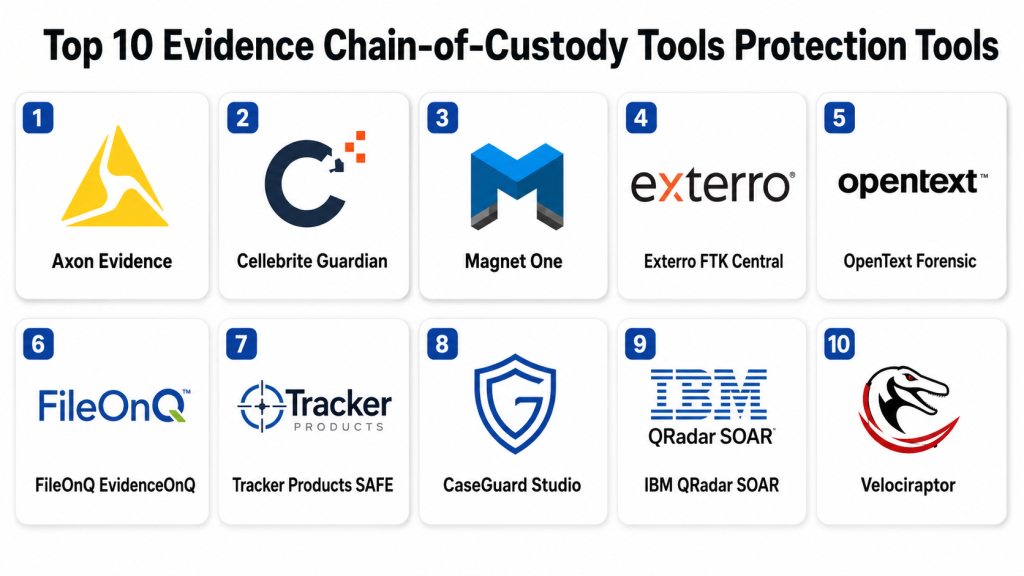
Top 10 Evidence Chain-of-Custody Tools Protection Tools
1- Axon Evidence
Short description:
Axon Evidence is a digital evidence management platform widely used by public safety and law enforcement organizations.
It helps agencies store, manage, review, share, and track digital evidence such as body camera video, images, documents, and case files.
The platform is useful for teams that need secure evidence workflows, controlled sharing, audit trails, and centralized case access.
It is best suited for law enforcement, public safety agencies, prosecutors, and teams handling large volumes of digital media evidence.
Key Features
- Digital evidence storage and management
- Chain-of-custody tracking for evidence access and handling
- Secure sharing with authorized users
- Case-based evidence organization
- Video, image, document, and multimedia evidence support
- Audit logs and activity tracking
- Integration with Axon ecosystem devices and workflows
Pros
- Strong fit for law enforcement and public safety workflows
- Useful for managing high-volume video evidence
- Supports centralized evidence access and collaboration
Cons
- Best value is often tied to the broader Axon ecosystem
- May not be ideal for non-law-enforcement use cases
- Pricing and deployment details should be reviewed directly
Platforms / Deployment
Web / Cloud
Security & Compliance
Security controls may include user permissions, audit logs, secure access, evidence tracking, and controlled sharing. Specific compliance certifications and regional data handling details should be verified directly with the vendor.
Integrations & Ecosystem
Axon Evidence is strongest within the Axon public safety ecosystem. It is commonly used with body cameras, digital media workflows, public safety systems, and prosecutor collaboration processes.
- Axon body cameras and devices
- Public safety evidence workflows
- Prosecutor and legal sharing processes
- Case management workflows
- Digital media evidence storage
- Agency-level access governance
Support & Community
Axon provides documentation, onboarding resources, agency support, training options, and public safety-focused customer success. Community strength is strongest among law enforcement and public safety organizations.
2- Cellebrite Guardian
Short description:
Cellebrite Guardian is a digital evidence management and review platform designed for investigative teams handling digital forensic evidence.
It helps investigators collaborate on evidence, manage case files, protect chain of custody, and control access to sensitive data.
The platform is useful for law enforcement, legal teams, forensic labs, and agencies working with mobile, computer, and digital evidence.
It is best for teams that need secure evidence collaboration and defensible digital investigation workflows.
Key Features
- Digital evidence management and secure review
- Chain-of-custody protection for evidence workflows
- Case collaboration for investigators and reviewers
- Controlled evidence access and sharing
- Support for digital forensic evidence workflows
- Review, annotation, and investigation support
- Evidence integrity and case organization
Pros
- Strong fit for digital investigation teams
- Useful for collaborative evidence review
- Works well in forensic and law enforcement environments
Cons
- Best suited for teams already handling digital evidence at scale
- May require process maturity for full value
- Pricing and deployment details vary by organization
Platforms / Deployment
Web / Cloud / Varies / N/A
Security & Compliance
Security features may include controlled access, permissions, evidence tracking, and auditability. Specific compliance certifications, identity controls, and encryption details should be verified directly with the vendor.
Integrations & Ecosystem
Cellebrite Guardian fits within digital investigation and forensic workflows, especially where teams use broader Cellebrite solutions for collection, extraction, review, and case collaboration.
- Cellebrite investigation ecosystem
- Digital forensic evidence workflows
- Case review and collaboration processes
- Mobile and computer evidence handling
- Legal and investigative review workflows
- Secure sharing and access governance
Support & Community
Cellebrite provides documentation, training, support, professional services, and investigator-focused resources. Its community is strong among law enforcement, intelligence, forensic, and investigation professionals.
3- Magnet One
Short description:
Magnet One is a case and evidence management platform that helps investigation teams synchronize cases, track work, and document chain of custody.
It is designed to connect investigative workflows across tools, teams, evidence sources, and case records.
The platform is useful for forensic labs, law enforcement, corporate investigators, and DFIR teams that need structured case tracking.
It is best for organizations that want automated documentation, evidence integrity support, and connected investigation workflows.
Key Features
- Case management for investigation teams
- Chain-of-custody documentation
- Evidence integrity and tracking support
- Workflow automation for investigative tasks
- Synchronization across connected apps
- Case visibility and collaboration
- Support for digital forensic investigation workflows
Pros
- Strong case management focus for forensic teams
- Helps reduce manual documentation work
- Useful for connected evidence and investigation workflows
Cons
- Best value depends on broader investigation workflow adoption
- May require integration planning
- Not ideal for teams needing only simple file storage
Platforms / Deployment
Web / Cloud / Hybrid options may vary
Security & Compliance
Security controls may include role-based access, auditability, controlled sharing, and evidence tracking. Specific compliance certifications and identity features should be verified directly with the vendor.
Integrations & Ecosystem
Magnet One fits into the Magnet Forensics ecosystem and supports connected investigation workflows where evidence, cases, and forensic tools must work together.
- Magnet Forensics investigation tools
- Case management workflows
- Evidence tracking systems
- Digital forensic review workflows
- Third-party integrations
- Reporting and documentation processes
Support & Community
Magnet Forensics provides training, documentation, support, professional education, and community resources for investigators. Its community is strong among digital forensic examiners and incident responders.
4- Exterro FTK Central
Short description:
Exterro FTK Central is an enterprise digital forensics platform for collecting, processing, analyzing, and reviewing evidence at scale.
It supports centralized forensic workflows where multiple investigators may work on shared evidence and large case volumes.
The platform is useful for law enforcement, corporate investigations, legal teams, and forensic labs that need defensible evidence handling.
It is best for enterprise-scale investigations requiring collaboration, processing power, and structured evidence workflows.
Key Features
- Centralized forensic evidence processing
- Case collaboration across multiple examiners
- Evidence review and analysis workflows
- Support for large and complex data sets
- Remote and enterprise collection workflows
- Reporting and documentation support
- Integration with broader Exterro ecosystem
Pros
- Strong for enterprise forensic operations
- Useful for high-volume investigation teams
- Supports collaborative evidence processing
Cons
- May require specialized training
- Can be more than smaller teams need
- Licensing and deployment complexity should be reviewed carefully
Platforms / Deployment
Windows / Web / Cloud / Self-hosted / Hybrid options vary
Security & Compliance
Security capabilities vary by Exterro product and deployment. Buyers should verify RBAC, audit logs, encryption, identity integration, evidence integrity controls, and compliance documentation directly.
Integrations & Ecosystem
Exterro FTK Central fits well into legal, forensic, corporate investigation, and e-discovery workflows. It can support teams that need structured handling from collection through review.
- Exterro ecosystem workflows
- Forensic evidence collection and processing
- Legal and e-discovery workflows
- Corporate investigation processes
- Reporting and case documentation
- Enterprise evidence review
Support & Community
Exterro provides support, documentation, training, onboarding, and professional services. Community strength is strongest among forensic investigators, legal teams, and enterprise investigation professionals.
5- OpenText Forensic
Short description:
OpenText Forensic, also known through EnCase forensic workflows, is a digital forensics platform for collecting, triaging, analyzing, and reporting on evidence.
It is commonly used by law enforcement, government, corporate security, and forensic investigation teams.
The platform supports formal evidence handling, artifact analysis, reporting, and investigation workflows.
It is best for teams that need mature forensic capabilities and defensible evidence processes.
Key Features
- Digital evidence collection and triage
- Forensic artifact analysis
- Case reporting and documentation
- Support for computers, devices, and cloud sources
- Evidence integrity workflows
- Investigation and review capabilities
- Enterprise and government forensic use cases
Pros
- Mature forensic investigation platform
- Strong fit for formal investigation workflows
- Useful for law enforcement and enterprise teams
Cons
- May require experienced forensic users
- Workflows can be complex for beginners
- Not ideal for lightweight evidence tracking only
Platforms / Deployment
Windows / Self-hosted / Varies / N/A
Security & Compliance
Security and compliance details vary by product edition and deployment model. Buyers should verify encryption, RBAC, audit logs, chain-of-custody support, and compliance documentation directly.
Integrations & Ecosystem
OpenText Forensic can support formal forensic workflows and broader enterprise investigation processes. It may be used alongside case management, legal review, EDR, SIEM, and evidence storage systems.
- Digital forensic investigation workflows
- Enterprise security investigations
- Legal and compliance review
- Evidence reporting processes
- Device and cloud evidence analysis
- Case documentation workflows
Support & Community
OpenText provides enterprise support, documentation, training, and professional services. The EnCase-related forensic ecosystem has long-standing recognition among digital forensic professionals.
6- FileOnQ EvidenceOnQ
Short description:
FileOnQ EvidenceOnQ is an evidence management platform designed for law enforcement, public safety, and agencies managing physical and digital evidence.
It helps teams track evidence intake, storage, transfers, audits, disposition, and chain-of-custody activity.
The platform is useful for property rooms, evidence units, law enforcement agencies, and public sector investigation teams.
It is best for organizations that need structured evidence inventory management and accountability.
Key Features
- Evidence inventory tracking
- Chain-of-custody documentation
- Barcode and labeling workflows
- Property room management
- Evidence transfer and audit support
- Reporting and disposition workflows
- Physical and digital evidence management support
Pros
- Strong fit for evidence rooms and agencies
- Useful for physical evidence accountability
- Supports structured inventory and audit processes
Cons
- May be less focused on deep digital forensic analysis
- Best suited for formal evidence operations
- Deployment and feature details should be reviewed directly
Platforms / Deployment
Web / Windows / Cloud / Self-hosted / Hybrid options may vary
Security & Compliance
Security details vary by deployment and configuration. Buyers should verify access controls, audit logs, user permissions, evidence tracking controls, and compliance documentation directly.
Integrations & Ecosystem
EvidenceOnQ fits evidence room, property management, and agency investigation workflows. It can support barcode-based tracking, storage location management, and accountability processes.
- Barcode and labeling systems
- Evidence room workflows
- Agency case processes
- Reporting and audit workflows
- Property management processes
- Digital and physical evidence records
Support & Community
FileOnQ provides product support, onboarding, documentation, and agency-focused assistance. Community strength is strongest among law enforcement evidence management and property room professionals.
7- Tracker Products SAFE
Short description:
Tracker Products SAFE is an evidence management platform used by law enforcement, forensic labs, and public safety agencies.
It helps teams manage evidence records, track chain of custody, conduct audits, and organize physical or digital evidence workflows.
The platform is useful for agencies that need accountability, evidence room management, and defensible tracking.
It is best for public sector teams seeking structured evidence management and operational transparency.
Key Features
- Evidence tracking and management
- Chain-of-custody documentation
- Audit and inventory workflows
- Barcode and label support
- Reporting and accountability tools
- Evidence disposition tracking
- Public safety evidence management workflows
Pros
- Strong fit for evidence room operations
- Helps improve accountability and audit readiness
- Useful for agencies managing many evidence items
Cons
- Less focused on advanced forensic artifact analysis
- May require workflow setup and training
- Deployment details should be verified directly
Platforms / Deployment
Web / Cloud / Varies / N/A
Security & Compliance
Security controls may include user permissions, audit trails, evidence access tracking, and administrative controls. Specific compliance certifications should be verified directly with the vendor.
Integrations & Ecosystem
Tracker Products SAFE supports agency evidence workflows, property room processes, audits, and reporting. It is especially useful where teams need evidence accountability and inventory visibility.
- Evidence room management
- Barcode and inventory workflows
- Public safety agency processes
- Audit and compliance workflows
- Reporting tools
- Evidence disposition processes
Support & Community
Tracker Products provides customer support, training, implementation assistance, and documentation. Its user base is strongest among law enforcement and evidence management teams.
8- CaseGuard Studio
Short description:
CaseGuard Studio is a digital evidence management and redaction platform used for video, audio, image, and document evidence workflows.
It helps organizations process, redact, review, and prepare evidence for sharing while protecting sensitive information.
The platform is useful for law enforcement, legal teams, public records teams, compliance teams, and investigators.
It is best for organizations that need evidence review, privacy protection, redaction, and controlled disclosure workflows.
Key Features
- Video, audio, image, and document redaction
- Digital evidence review workflows
- Privacy protection for sensitive information
- Case and file organization
- Export and disclosure preparation
- Audit and review support
- Evidence processing and collaboration features
Pros
- Strong for redaction-heavy evidence workflows
- Useful for public records and legal disclosure
- Supports multiple evidence media types
Cons
- Not a full forensic investigation suite
- Best value depends on redaction and disclosure needs
- Deployment and pricing should be verified directly
Platforms / Deployment
Windows / Web / Cloud / Self-hosted options may vary
Security & Compliance
Security details vary by deployment. Buyers should verify access permissions, audit logs, encryption, retention controls, and compliance documentation directly.
Integrations & Ecosystem
CaseGuard Studio fits workflows where evidence must be reviewed, redacted, exported, and shared safely. It can complement digital evidence management, legal review, and public records systems.
- Video and audio evidence workflows
- Document redaction processes
- Legal disclosure workflows
- Public records requests
- Case file organization
- Export and review processes
Support & Community
CaseGuard provides documentation, support resources, onboarding assistance, and training options. Community visibility is strongest among public safety, redaction, legal, and compliance users.
9- IBM QRadar SOAR
Short description:
IBM QRadar SOAR is a security orchestration, automation, and response platform that supports incident case management and response workflows.
While it is not a traditional evidence locker, it helps SOC teams document incident activity, preserve investigation history, and coordinate response actions.
The platform is useful for cyber incident response teams that need structured case records, task tracking, automation, and auditability.
It is best for organizations that want chain-of-custody-style documentation inside security operations workflows.
Key Features
- Incident case management
- Security orchestration and automation
- Task tracking and response playbooks
- Investigation documentation
- Audit trails for response actions
- Integration with SIEM and security tools
- Collaboration for SOC and IR teams
Pros
- Strong fit for security operations workflows
- Useful for documenting response actions
- Integrates with broader cyber defense ecosystems
Cons
- Not a dedicated forensic evidence repository
- Best value requires SIEM and SOAR maturity
- May need customization for formal legal evidence workflows
Platforms / Deployment
Web / Cloud / Self-hosted / Hybrid options vary
Security & Compliance
Enterprise security controls may include RBAC, authentication integrations, audit logs, and administrative governance. Specific certifications and compliance scope should be verified directly with the vendor.
Integrations & Ecosystem
IBM QRadar SOAR integrates with SIEM, EDR, threat intelligence, ticketing, email security, endpoint tools, and security operations systems. It is useful for cyber evidence documentation and response coordination.
- IBM QRadar ecosystem
- SIEM and security analytics tools
- EDR and endpoint tools
- Threat intelligence platforms
- Ticketing and collaboration systems
- Automated response playbooks
Support & Community
IBM provides enterprise support, documentation, training, professional services, and implementation resources. Community strength is strongest among enterprise SOC and security automation teams.
10- Velociraptor
Short description:
Velociraptor is an open-source endpoint monitoring and incident response platform used for live forensic collection and threat hunting.
It helps teams collect endpoint artifacts, run queries, preserve investigation data, and support digital evidence workflows during cyber incidents.
The platform is useful for DFIR teams that need flexible remote evidence collection and endpoint investigation at scale.
It is best for skilled security teams comfortable with open-source deployment, custom queries, and technical investigation workflows.
Key Features
- Live endpoint artifact collection
- Remote forensic investigation
- Endpoint hunting and triage
- Query-based evidence collection
- Support for Windows, macOS, and Linux endpoints
- Scalable open-source deployment
- Useful for DFIR and threat hunting workflows
Pros
- Flexible and cost-effective open-source option
- Strong for live endpoint response
- Useful for technical DFIR and threat hunting teams
Cons
- Requires technical expertise
- Not a complete legal evidence management system by itself
- Support depends on community or commercial services
Platforms / Deployment
Windows / macOS / Linux / Self-hosted / Hybrid
Security & Compliance
Security depends on deployment configuration, access controls, operational governance, and evidence handling processes. Specific compliance certifications are not publicly stated for all deployment models.
Integrations & Ecosystem
Velociraptor can support incident response and forensic workflows by collecting endpoint evidence and feeding results into case management, SIEM, or analysis processes.
- Endpoint collection workflows
- SIEM and log analysis processes
- Threat hunting workflows
- DFIR playbooks
- Custom artifact libraries
- APIs and open-source integrations
Support & Community
Velociraptor has an active open-source community and strong adoption among DFIR practitioners. Support may come from community documentation, practitioner resources, or commercial service providers.
Comparison Table
| Tool Name | Best For | Platform(s) Supported | Deployment | Standout Feature | Public Rating |
|---|---|---|---|---|---|
| Axon Evidence | Law enforcement digital evidence | Web | Cloud | Digital evidence storage and controlled sharing | N/A |
| Cellebrite Guardian | Digital forensic evidence collaboration | Web | Cloud / Varies / N/A | Chain-of-custody protection for case review | N/A |
| Magnet One | Forensic case and evidence management | Web | Cloud / Hybrid | Automated chain-of-custody documentation | N/A |
| Exterro FTK Central | Enterprise forensic evidence processing | Windows / Web | Cloud / Self-hosted / Hybrid | Centralized forensic collaboration | N/A |
| OpenText Forensic | Formal digital forensic investigations | Windows | Self-hosted / Varies / N/A | Defensible forensic evidence workflows | N/A |
| FileOnQ EvidenceOnQ | Evidence room and property management | Web / Windows | Cloud / Self-hosted / Hybrid | Evidence inventory and chain-of-custody tracking | N/A |
| Tracker Products SAFE | Public safety evidence management | Web | Cloud / Varies / N/A | Evidence audits and accountability workflows | N/A |
| CaseGuard Studio | Evidence redaction and disclosure | Windows / Web | Cloud / Self-hosted / Varies / N/A | Multimedia evidence redaction | N/A |
| IBM QRadar SOAR | Cyber incident case documentation | Web | Cloud / Self-hosted / Hybrid | Security response case tracking | N/A |
| Velociraptor | Live endpoint forensic collection | Windows / macOS / Linux | Self-hosted / Hybrid | Open-source endpoint evidence collection | N/A |
Evaluation & Scoring of Evidence Chain-of-Custody Tools
| Tool Name | Core (25%) | Ease (15%) | Integrations (15%) | Security (10%) | Performance (10%) | Support (10%) | Value (15%) | Weighted Total (0–10) |
| Axon Evidence | 9.0 | 8.5 | 8.5 | 8.5 | 8.5 | 8.5 | 7.5 | 8.45 |
| Cellebrite Guardian | 8.8 | 8.0 | 8.2 | 8.5 | 8.2 | 8.3 | 7.5 | 8.22 |
| Magnet One | 8.5 | 8.2 | 8.3 | 8.2 | 8.0 | 8.5 | 7.8 | 8.25 |
| Exterro FTK Central | 8.7 | 7.5 | 8.0 | 8.2 | 8.5 | 8.0 | 7.2 | 8.02 |
| OpenText Forensic | 8.5 | 7.2 | 7.8 | 8.0 | 8.2 | 8.0 | 7.0 | 7.83 |
| FileOnQ EvidenceOnQ | 8.2 | 8.0 | 7.5 | 8.0 | 8.0 | 8.0 | 8.0 | 7.98 |
| Tracker Products SAFE | 8.0 | 8.2 | 7.5 | 8.0 | 8.0 | 8.0 | 8.0 | 7.98 |
| CaseGuard Studio | 7.8 | 8.0 | 7.3 | 7.8 | 8.0 | 7.8 | 8.0 | 7.78 |
| IBM QRadar SOAR | 8.0 | 7.5 | 8.7 | 8.5 | 8.3 | 8.5 | 7.2 | 8.10 |
| Velociraptor | 7.8 | 6.8 | 8.0 | 7.5 | 8.3 | 7.2 | 9.0 | 7.82 |
These scores are comparative and should be used as a shortlist guide, not as fixed rankings. A tool with strong law enforcement evidence workflows may not be the best choice for cyber incident response. A forensic suite may be excellent for analysis but less ideal for property-room inventory. Buyers should validate chain-of-custody logs, access controls, reporting, retention, integrations, and workflow fit before final selection.
Which Evidence Chain-of-Custody Tool Is Right for You?
Solo / Freelancer
Solo consultants, independent investigators, and small legal support professionals should avoid overly complex enterprise platforms unless they handle high evidence volume. CaseGuard Studio can be useful when redaction and disclosure are frequent needs. Velociraptor may help technical DFIR consultants collect endpoint evidence, but it requires skill. For basic evidence tracking, a lightweight case management or secure document management workflow may be enough.
SMB
Small and medium businesses usually need practical evidence documentation rather than full law enforcement-style evidence systems. If the focus is cyber incident response, IBM QRadar SOAR or Velociraptor may support investigation documentation and endpoint evidence collection. If the focus is HR, compliance, or legal evidence, a structured case management and secure storage workflow may be more suitable. SMBs should prioritize ease of use, access control, auditability, and affordable deployment.
Mid-Market
Mid-market organizations often need stronger chain-of-custody controls as investigations become more formal. Magnet One, Cellebrite Guardian, Exterro FTK Central, and CaseGuard Studio can support different evidence workflows depending on the use case. If the organization has a SOC, IBM QRadar SOAR can help document incident response actions. If the organization handles digital forensic evidence, Magnet, Cellebrite, Exterro, or OpenText may be stronger options.
Enterprise
Enterprises need governance, role-based access, scalable storage, audit logs, retention controls, integrations, reporting, and legal defensibility. Axon Evidence is strong for public safety and law enforcement. Magnet One and Cellebrite Guardian are useful for digital forensic case workflows. Exterro FTK Central and OpenText Forensic fit enterprise forensic investigation teams. IBM QRadar SOAR is useful when cyber incident documentation must connect with security operations workflows.
Budget vs Premium
Budget-focused teams may use open-source tools, secure storage, basic case tracking, or endpoint collection tools such as Velociraptor. This can work well for technical teams but requires internal governance and documentation discipline. Premium tools offer stronger workflows, vendor support, auditability, secure sharing, and evidence-specific features. The right choice depends on whether the main need is formal legal defensibility, operational speed, cost control, or investigation depth.
Feature Depth vs Ease of Use
Feature-rich platforms such as Exterro FTK Central, OpenText Forensic, Magnet One, and Cellebrite Guardian offer strong investigation and evidence workflows but may require training. Evidence room platforms such as FileOnQ EvidenceOnQ and Tracker Products SAFE may be easier for property and inventory tracking. CaseGuard Studio is easier for redaction-focused workflows. Velociraptor is powerful but more technical.
Integrations & Scalability
Evidence chain-of-custody tools become more valuable when they connect with forensic tools, case management systems, SIEM, SOAR, EDR, legal review platforms, storage systems, and disclosure workflows. Large organizations should validate API support, export options, user permissions, and integration with existing security or legal systems. Scalability should include evidence volume, user growth, retention periods, multimedia file size, and multi-team collaboration.
Security & Compliance Needs
Security-sensitive organizations should evaluate SSO, MFA, RBAC, encryption, audit logs, evidence hashing, retention controls, legal hold, disposal workflows, and access reviews. Regulated teams should verify whether the vendor’s compliance documentation matches their industry and region. Chain-of-custody tools should not only store evidence; they should prove evidence integrity, access history, and handling accountability.
Frequently Asked Questions
1- What is an evidence chain-of-custody tool?
An evidence chain-of-custody tool tracks the full handling history of evidence.
It records who collected, accessed, transferred, modified, stored, reviewed, or disposed of evidence.
This helps prove that evidence remained protected and properly managed.
It is important for legal, forensic, compliance, and security investigations.
2- Why is chain of custody important?
Chain of custody helps show that evidence is authentic, reliable, and not improperly changed.
Without proper documentation, evidence may be challenged in legal, regulatory, or internal review processes.
It also improves accountability by showing every access and transfer event.
Strong chain-of-custody records reduce investigation risk.
3- What features should buyers look for?
Buyers should look for audit logs, access controls, evidence tracking, hashing, timestamps, reporting, and secure sharing.
They should also review retention controls, user permissions, search, storage, and case management features.
Integration with forensic, legal, and security tools is also important.
The best feature set depends on the evidence type and investigation workflow.
4- Are these tools only for law enforcement?
No, these tools are useful beyond law enforcement.
Enterprises, legal teams, HR teams, compliance groups, insurance firms, forensic labs, and SOC teams also use evidence tracking.
Cybersecurity incidents often require evidence handling and response documentation.
Any organization handling sensitive evidence can benefit from chain-of-custody controls.
5- How much do evidence chain-of-custody tools cost?
Pricing varies by vendor, users, storage volume, evidence types, deployment model, support level, and feature package.
Some platforms are designed for agencies and enterprises, while others are more focused on specific workflows.
Open-source or lower-cost options may reduce licensing costs but require more internal management.
Buyers should calculate total cost, including storage, training, integrations, and retention.
6- How long does implementation take?
Implementation depends on evidence volume, migration needs, workflows, integrations, and user training.
A small team may deploy a simple system quickly, while an enterprise or agency rollout may take longer.
Data migration, access policies, retention rules, and reporting templates can add time.
A phased rollout usually works best.
7- What common mistakes should buyers avoid?
A common mistake is treating chain-of-custody software as basic file storage.
Another mistake is failing to define access rules, evidence categories, retention policies, and audit requirements.
Teams also struggle when they do not train users on proper evidence handling.
The tool must support a clear process, not replace it.
8- Do these tools support digital and physical evidence?
Some tools support both digital and physical evidence, while others focus mainly on digital files or forensic artifacts.
Evidence room platforms often support physical evidence inventory, barcodes, storage locations, and transfers.
Digital evidence platforms focus more on files, videos, logs, extractions, and case records.
Buyers should confirm evidence type coverage before purchase.
9- Are cloud-based evidence tools safe?
Cloud-based tools can be safe when they include strong security controls, encryption, access management, audit logs, and retention governance.
However, buyers should verify data residency, compliance scope, identity controls, and vendor security documentation.
Regulated organizations may need private cloud, government cloud, or hybrid deployment.
Security review should happen before production rollout.
10- Can these tools integrate with SIEM or forensic platforms?
Many modern evidence tools support integrations, but coverage varies by vendor.
Security teams may need SIEM, SOAR, EDR, XDR, forensic suite, ticketing, or legal review integrations.
Law enforcement agencies may need body camera, case management, and prosecutor sharing workflows.
Always test integrations with real workflows during the pilot.
Conclusion
Evidence Chain-of-Custody Tools Protection Tools help organizations protect evidence integrity, document accountability, support legal defensibility, and reduce investigation risk. The best tool depends on evidence type, team size, industry, compliance needs, investigation maturity, and workflow complexity. Axon Evidence, Cellebrite Guardian, Magnet One, Exterro FTK Central, OpenText Forensic, FileOnQ EvidenceOnQ, Tracker Products SAFE, CaseGuard Studio, IBM QRadar SOAR, and Velociraptor each serve different evidence management and investigation needs.A practical next step is to shortlist two or three tools based on your primary evidence workflow, run a pilot with real case scenarios, validate audit trails and access controls, test integrations, review security documentation, and confirm retention and reporting requirements. The best chain-of-custody tool is not simply the most feature-rich option; it is the one that helps your team prove evidence integrity clearly, consistently, and defensibly.
