Introduction
File Compression Tools help users reduce file sizes, package multiple files into a single archive, improve storage efficiency, and simplify file sharing across systems and networks. These tools are widely used by businesses, developers, IT administrators, content creators, and everyday users for managing large files, backups, software distribution, and secure data transfers.
Modern file compression software has evolved far beyond simple ZIP utilities. Today’s platforms support advanced encryption, cloud integration, automation workflows, high compression ratios, multi-format compatibility, and enterprise-grade security controls. As organizations continue handling larger datasets, media assets, backups, and distributed workflows, efficient file compression remains essential for storage optimization and faster transfers.
Real World Use Cases
- Compressing large files for email and cloud sharing
- Packaging software distributions and deployment bundles
- Reducing backup storage requirements
- Encrypting sensitive archives for secure transfer
- Managing multimedia and enterprise document archives
Evaluation Criteria for Buyers
- Compression ratio efficiency
- Supported archive formats
- Encryption and security capabilities
- Speed and performance
- Ease of use and interface quality
- Automation and scripting support
- Cross-platform compatibility
- Cloud integration support
- Enterprise deployment options
- Pricing and licensing flexibility
Best for: IT administrators, developers, enterprises, content creators, software distributors, SMBs, and users handling large files or frequent data transfers.
Not ideal for: Users with extremely basic storage needs who only occasionally create ZIP files using built-in operating system tools.
Key Trends in File Compression Tools
- AI-assisted compression optimization is emerging for media-heavy workflows.
- Cloud-integrated archive management is becoming more common.
- Encryption and ransomware-resistant archiving features are increasing in importance.
- Multi-core compression acceleration improves large archive performance.
- Cross-platform compatibility remains a major buyer priority.
- Automated backup compression workflows are expanding in enterprise environments.
- Open-source compression standards continue gaining popularity.
- High-compression formats for media and big data workloads are improving.
- File-sharing integrations are becoming standard features.
- Lightweight mobile archive management tools are growing in adoption.
How We Selected These Tools
The tools in this list were selected using a practical evaluation framework focused on performance, usability, compatibility, and security.
- Strong market adoption and credibility
- Broad archive format compatibility
- Compression speed and efficiency
- Encryption and security capabilities
- Ease of use for both beginners and advanced users
- Enterprise and automation support
- Cross-platform accessibility
- Long-term reliability and ecosystem maturity
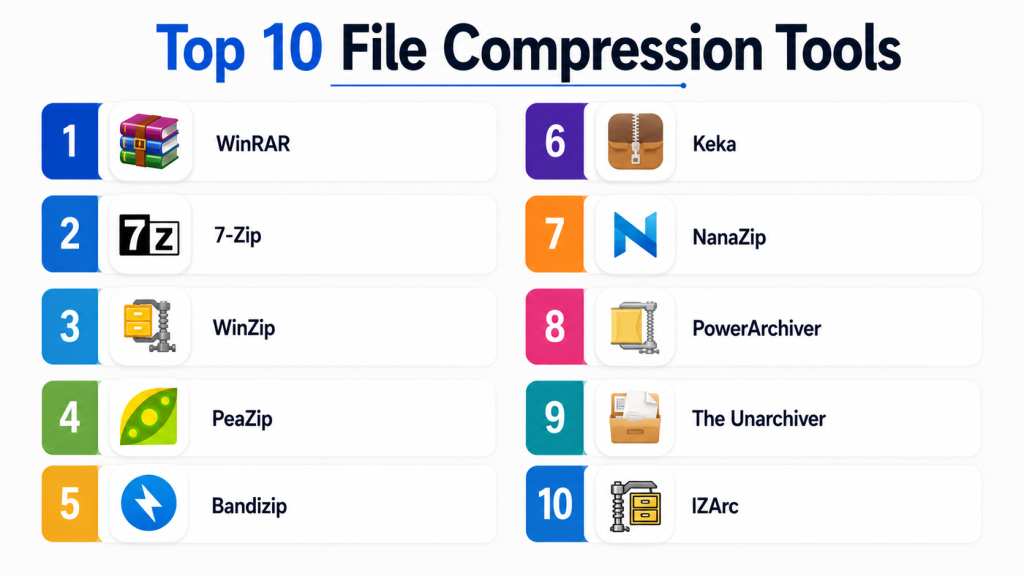
Top 10 File Compression Tools
1- WinRAR
Short description:
WinRAR is one of the most recognized file compression tools available for Windows environments. It supports a wide range of archive formats and is especially known for its RAR compression capabilities. The software combines high compression efficiency, strong encryption, archive repair features, and enterprise usability. WinRAR is widely adopted by IT professionals, developers, and enterprise users handling large archive workloads.
Key Features
- RAR and ZIP archive support
- Strong AES encryption
- Archive repair functionality
- Multi-volume archive creation
- Self-extracting archive support
- File recovery capabilities
- High compression efficiency
Pros
- Excellent compression performance
- Reliable archive recovery tools
- Broad format compatibility
Cons
- Interface feels outdated
- Windows-focused experience
- Free trial reminders may annoy some users
Platforms / Deployment
- Windows
- Desktop deployment
Security & Compliance
- AES-256 encryption
- Password-protected archives
- Access restriction capabilities
Integrations & Ecosystem
WinRAR integrates mainly with Windows file management workflows and automation scripts.
- Windows Explorer
- Command-line automation
- Batch scripting support
- File transfer workflows
Support & Community
Large global user community with long-term reliability and extensive documentation.
2- 7-Zip
Short description:
7-Zip is a highly popular open-source file compression utility known for its strong compression ratios and lightweight design. It supports numerous archive formats and is especially recognized for the 7z format. The software is widely used by developers, IT teams, and budget-conscious organizations seeking reliable compression without licensing costs.
Key Features
- 7z high-compression format
- ZIP, TAR, GZIP, and RAR extraction support
- AES-256 encryption
- Self-extracting archives
- File manager integration
- Command-line support
- Multi-threaded compression
Pros
- Completely free and open-source
- Excellent compression ratios
- Lightweight and fast
Cons
- Interface feels minimalistic
- Limited modern UI features
- Primarily Windows-focused
Platforms / Deployment
- Windows / Linux
- Desktop deployment
Security & Compliance
- AES-256 encryption
- Password-protected archives
- Secure archive support
Integrations & Ecosystem
7-Zip supports scripting, developer workflows, and operating system integration.
- Windows Explorer
- PowerShell
- Linux shell environments
- Developer automation scripts
Support & Community
Strong open-source community with widespread enterprise and developer adoption.
3- WinZip
Short description:
WinZip is a long-established file compression and file-sharing platform designed for both personal and enterprise use. In addition to compression, WinZip emphasizes cloud integrations, encryption, and collaboration features. The platform is commonly used by businesses needing secure file sharing and productivity-oriented archive management.
Key Features
- ZIP and ZIPX compression
- Cloud storage integrations
- AES encryption
- PDF conversion tools
- File-sharing capabilities
- Backup functionality
- Archive management tools
Pros
- User-friendly interface
- Strong cloud integration support
- Good enterprise productivity features
Cons
- Premium pricing compared to free alternatives
- Advanced features locked behind higher tiers
- Some features overlap with separate productivity tools
Platforms / Deployment
- Windows / macOS / iOS / Android
- Desktop and mobile deployment
Security & Compliance
- AES encryption
- Password protection
- Secure sharing support
Integrations & Ecosystem
WinZip integrates strongly with cloud storage and productivity platforms.
- Google Drive
- Dropbox
- OneDrive
- Box
- Email clients
Support & Community
Established commercial support structure with broad enterprise familiarity.
4- PeaZip
Short description:
PeaZip is a free and open-source compression utility offering strong format compatibility, encryption, and archive management features. It is popular among users seeking a modern alternative to traditional archive managers. PeaZip emphasizes security, usability, and cross-platform support.
Key Features
- Broad archive format support
- AES encryption
- Secure file deletion
- Password manager integration
- Multi-volume archive support
- Archive conversion tools
- File integrity verification
Pros
- Free and open-source
- Strong security features
- Good cross-platform support
Cons
- Smaller ecosystem than major competitors
- Enterprise adoption less common
- Advanced features may require learning
Platforms / Deployment
- Windows / Linux
- Desktop deployment
Security & Compliance
- AES encryption
- Secure deletion support
- Password protection
Integrations & Ecosystem
PeaZip integrates with operating system file management and automation environments.
- Windows Explorer
- Linux file managers
- Scripting support
- External encryption workflows
Support & Community
Active open-source community with practical user documentation.
5- Bandizip
Short description:
Bandizip is a modern file compression utility known for speed, clean interface design, and support for modern archive formats. It is widely appreciated by users seeking faster compression performance and simplified usability. Bandizip supports high-speed extraction and secure archive management.
Key Features
- Fast compression and extraction
- Multi-core processing support
- High-speed archive browsing
- Password manager support
- Modern interface
- Unicode support
- Lightweight architecture
Pros
- Fast archive handling
- Clean and modern UI
- Good format compatibility
Cons
- Some advanced features require paid version
- Smaller enterprise ecosystem
- Limited advanced automation tools
Platforms / Deployment
- Windows
- Desktop deployment
Security & Compliance
- AES encryption
- Password protection
- Secure archive handling
Integrations & Ecosystem
Bandizip focuses primarily on desktop workflow integration.
- Windows Explorer
- File management systems
- Archive automation scripts
Support & Community
Strong consumer reputation with responsive support resources.
6- Keka
Short description:
Keka is a macOS-focused compression utility designed for simplicity, strong compression performance, and clean native user experience. The platform is especially popular among macOS users seeking an alternative to built-in archive tools. Keka supports multiple archive formats and encryption options.
Key Features
- macOS-native interface
- ZIP and 7z support
- AES encryption
- Split archive creation
- Drag-and-drop compression
- Password-protected archives
- Lightweight performance
Pros
- Excellent macOS experience
- Easy-to-use interface
- Strong compression support
Cons
- macOS-only platform
- Limited enterprise features
- Smaller automation ecosystem
Platforms / Deployment
- macOS
- Desktop deployment
Security & Compliance
- AES encryption
- Password-protected archives
- Secure archive support
Integrations & Ecosystem
Keka integrates closely with macOS file management workflows.
- Finder integration
- macOS workflows
- File management tools
Support & Community
Strong Apple-focused community with straightforward usability documentation.
7- NanaZip
Short description:
NanaZip is a modern Windows archive manager derived from the 7-Zip ecosystem and optimized for newer Windows environments. It focuses on performance improvements, modern interface integration, and enhanced compatibility with Windows 11 workflows.
Key Features
- Windows 11 integration
- Modern archive interface
- 7z compression support
- AES encryption
- Lightweight deployment
- Context menu optimization
- Open-source foundation
Pros
- Modern Windows integration
- Lightweight and efficient
- Open-source flexibility
Cons
- Smaller ecosystem
- Limited enterprise tooling
- Newer platform maturity
Platforms / Deployment
- Windows
- Desktop deployment
Security & Compliance
- AES encryption
- Password-protected archives
- Secure extraction support
Integrations & Ecosystem
NanaZip integrates closely with Windows file management workflows.
- Windows Explorer
- Windows 11 context menus
- PowerShell scripting
Support & Community
Growing open-source community with active Windows enthusiast adoption.
8- PowerArchiver
Short description:
PowerArchiver is a feature-rich compression utility designed for professional and enterprise environments. The software supports advanced encryption, backup integration, archive conversion, and enterprise deployment workflows. Organizations needing centralized archive management often evaluate PowerArchiver.
Key Features
- Enterprise archive management
- Backup integration
- AES encryption
- Virtual drive mounting
- FTP and cloud support
- Multi-format compatibility
- Batch automation
Pros
- Strong enterprise functionality
- Broad format support
- Advanced automation features
Cons
- Less common than major competitors
- Interface complexity for beginners
- Licensing costs for enterprise use
Platforms / Deployment
- Windows
- Desktop deployment
Security & Compliance
- AES encryption
- Secure FTP support
- Password protection
- Access controls
Integrations & Ecosystem
PowerArchiver integrates with enterprise storage and automation systems.
- Cloud storage platforms
- FTP servers
- Backup systems
- Windows administration tools
Support & Community
Enterprise-focused support with commercial deployment resources.
9- The Unarchiver
Short description:
The Unarchiver is a lightweight archive extraction utility primarily designed for macOS users. It focuses on opening a wide variety of archive formats with minimal complexity. The tool is commonly used as a simple replacement for default archive extraction tools.
Key Features
- Multi-format extraction
- Lightweight deployment
- Simple interface
- Drag-and-drop support
- Legacy archive compatibility
- Fast extraction
- Unicode support
Pros
- Extremely easy to use
- Lightweight application
- Broad extraction compatibility
Cons
- Limited compression functionality
- Not designed for enterprise use
- Minimal advanced features
Platforms / Deployment
- macOS
- Desktop deployment
Security & Compliance
- Basic archive handling security
- Password-protected extraction support
Integrations & Ecosystem
The Unarchiver integrates mainly with macOS desktop workflows.
- Finder integration
- macOS archive handling
- File extraction workflows
Support & Community
Strong consumer adoption with simple usability documentation.
10- IZArc
Short description:
IZArc is a free file compression utility supporting a large number of archive formats and archive conversion workflows. It is commonly used by users seeking lightweight archive management without licensing costs. The platform includes encryption, repair tools, and disk image support.
Key Features
- Multi-format archive support
- Archive repair functionality
- Disk image support
- AES encryption
- Archive conversion tools
- Password protection
- File explorer integration
Pros
- Free to use
- Broad format compatibility
- Good archive conversion support
Cons
- Interface appears outdated
- Smaller community ecosystem
- Limited enterprise capabilities
Platforms / Deployment
- Windows
- Desktop deployment
Security & Compliance
- AES encryption
- Password protection
- Secure archive support
Integrations & Ecosystem
IZArc integrates with Windows file management environments.
- Windows Explorer
- Archive scripting workflows
- File conversion tasks
Support & Community
Smaller but established user community with long-term availability.
Comparison Table
| Tool Name | Best For | Platform(s) Supported | Deployment | Standout Feature | Public Rating |
|---|---|---|---|---|---|
| WinRAR | Power users and enterprises | Windows | Desktop | Archive repair functionality | N/A |
| 7-Zip | Developers and SMBs | Windows / Linux | Desktop | High compression ratio | N/A |
| WinZip | Business productivity | Windows / macOS / Mobile | Desktop / Mobile | Cloud integrations | N/A |
| PeaZip | Open-source users | Windows / Linux | Desktop | Security-focused design | N/A |
| Bandizip | Fast desktop compression | Windows | Desktop | High-speed extraction | N/A |
| Keka | macOS users | macOS | Desktop | Native Apple experience | N/A |
| NanaZip | Windows 11 users | Windows | Desktop | Modern Windows integration | N/A |
| PowerArchiver | Enterprise workflows | Windows | Desktop | Enterprise automation | N/A |
| The Unarchiver | Basic archive extraction | macOS | Desktop | Lightweight simplicity | N/A |
| IZArc | Budget-conscious users | Windows | Desktop | Multi-format compatibility | N/A |
Evaluation & Scoring of File Compression Tools
| Tool Name | Core 25% | Ease 15% | Integrations 15% | Security 10% | Performance 10% | Support 10% | Value 15% | Weighted Total |
| WinRAR | 9.0 | 8.0 | 7.5 | 8.5 | 9.0 | 8.5 | 8.0 | 8.4 |
| 7-Zip | 9.5 | 7.5 | 7.5 | 8.5 | 9.0 | 8.0 | 10.0 | 8.7 |
| WinZip | 8.5 | 8.5 | 9.0 | 8.5 | 8.5 | 8.5 | 7.0 | 8.3 |
| PeaZip | 8.0 | 7.5 | 7.0 | 8.5 | 8.0 | 7.5 | 9.5 | 8.0 |
| Bandizip | 8.0 | 8.5 | 7.0 | 8.0 | 9.0 | 7.5 | 8.5 | 8.1 |
| Keka | 7.5 | 9.0 | 6.5 | 8.0 | 8.0 | 7.5 | 8.5 | 7.9 |
| NanaZip | 7.5 | 8.0 | 6.5 | 8.0 | 8.5 | 7.0 | 9.0 | 7.9 |
| PowerArchiver | 8.5 | 7.0 | 8.0 | 8.5 | 8.5 | 8.0 | 7.0 | 8.0 |
| The Unarchiver | 6.5 | 9.0 | 5.5 | 6.5 | 8.0 | 7.0 | 9.0 | 7.3 |
| IZArc | 7.0 | 7.5 | 6.5 | 7.5 | 7.5 | 7.0 | 8.5 | 7.4 |
These scores are comparative and intended to help buyers prioritize tools based on workflow requirements, operating systems, and security needs. Enterprise users may prioritize automation and governance, while individual users may focus on simplicity and free availability. Buyers should also evaluate archive compatibility, performance, and encryption requirements before selecting a tool.
Which File Compression Tool Is Right for You?
Solo / Freelancer
Freelancers and individual users often benefit from lightweight and free tools such as 7-Zip, PeaZip, or Keka. These solutions provide strong compression performance without enterprise complexity.
SMB
Small and mid-sized businesses typically require easy deployment, compatibility, and secure archive handling. WinRAR, WinZip, and Bandizip offer balanced usability and performance for daily operational workflows.
Mid-Market
Mid-market organizations often require stronger automation, secure file sharing, and backup integrations. PowerArchiver and WinZip provide broader operational functionality and collaboration support.
Enterprise
Large enterprises managing large-scale data transfers, backups, and secure archives should prioritize tools offering scripting support, encryption, automation, and centralized deployment capabilities.
Budget vs Premium
Free tools such as 7-Zip and PeaZip provide excellent value for most users, while premium tools like WinZip and PowerArchiver justify pricing with additional enterprise productivity and integration capabilities.
Feature Depth vs Ease of Use
Users prioritizing simplicity may prefer Keka or The Unarchiver, while advanced users needing scripting and automation capabilities often choose WinRAR or 7-Zip.
Integrations & Scalability
Organizations heavily using cloud storage platforms may benefit from WinZip integrations, while developers and IT administrators often prioritize command-line and scripting support available in 7-Zip.
Security & Compliance Needs
Businesses handling sensitive data should prioritize AES encryption, password protection, secure sharing capabilities, and archive integrity verification features.
Frequently Asked Questions
1. What is file compression software?
File compression software reduces file sizes and packages multiple files into archives for easier storage, transfer, and management. These tools also support encryption, archive repair, and backup optimization.
2. Why is file compression important?
Compression reduces storage usage, speeds up file transfers, simplifies sharing, and improves backup efficiency. It is especially important for large media files, enterprise backups, and software distribution workflows.
3. What is the difference between ZIP and RAR files?
ZIP is a widely supported archive format commonly built into operating systems, while RAR often provides higher compression efficiency and advanced archive management features through WinRAR.
4. Are file compression tools secure?
Many modern compression tools support AES encryption, password protection, and secure archive handling. Security quality varies by platform, so organizations should validate encryption standards before deployment.
5. Which file compression tool is best for Windows?
WinRAR, 7-Zip, Bandizip, and NanaZip are among the most popular Windows-focused compression tools, each offering different balances of performance, usability, and enterprise functionality.
6. Which compression tool is best for macOS?
Keka and The Unarchiver are highly popular among macOS users because of their clean native integration and lightweight archive handling capabilities.
7. Are free compression tools reliable?
Yes. Open-source tools such as 7-Zip and PeaZip are widely trusted and commonly used across enterprise, developer, and consumer environments.
8. What are common implementation mistakes?
Users often overlook encryption settings, archive compatibility requirements, backup verification, and long-term archive integrity planning when managing important compressed data.
9. Can compression tools integrate with cloud storage?
Yes. Some tools such as WinZip support direct integrations with cloud platforms including Google Drive, Dropbox, OneDrive, and Box.
10. How should businesses evaluate compression software?
Organizations should evaluate compression efficiency, encryption capabilities, archive compatibility, automation support, cloud integrations, scalability, and long-term operational usability.
Conclusion
File compression tools continue playing a critical role in storage optimization, secure file sharing, software distribution, backup management, and operational efficiency. Modern compression platforms now combine high-performance archive handling with encryption, automation, cloud integrations, and enterprise deployment capabilities. WinRAR and 7-Zip remain dominant choices for advanced users and IT professionals, while WinZip and PowerArchiver provide broader productivity and enterprise-focused functionality. Lightweight tools such as Keka, PeaZip, and The Unarchiver offer excellent usability for macOS users and open-source enthusiasts. The best compression solution ultimately depends on operating system requirements, workflow complexity, automation needs, and security expectations. Before selecting a platform, organizations and users should validate archive compatibility, encryption standards, performance requirements, and deployment workflows to ensure long-term operational reliability and efficiency.
