Introduction
FinOps Chargeback Tools help organizations track cloud, SaaS, Kubernetes, and infrastructure costs and assign those costs back to the right teams, products, departments, customers, or business units. In simple terms, these tools turn complex cloud bills into accountable cost ownership. Instead of finance teams receiving one large cloud invoice, chargeback platforms show who consumed what, why it cost that much, and how costs should be allocated.
They matter now because cloud spending is distributed across engineering, product, data, AI, DevOps, and business teams. As companies scale AI workloads, Kubernetes usage, multi-cloud operations, and shared platform services, cost ownership becomes harder without automation.
Common use cases include internal cloud chargeback, showback reporting, Kubernetes cost allocation, budget tracking, unit economics, forecasting, and shared-services cost distribution.
Buyers should evaluate allocation accuracy, tagging support, Kubernetes visibility, multi-cloud coverage, reporting, automation, integrations, governance, security controls, and usability.
Best for: FinOps teams, cloud finance teams, DevOps leaders, platform engineering teams, CIO offices, CFO teams, SaaS companies, enterprises, and cloud-heavy mid-market organizations.
Not ideal for: Very small teams with simple cloud usage, single-project environments, or organizations that only need basic native cloud billing dashboards.
Key Trends in FinOps Chargeback Tools
- AI cost allocation is becoming essential as companies need to track GPU, model training, inference, storage, and data pipeline costs by team or product.
- Kubernetes chargeback is now a major requirement because shared clusters make it difficult to map pod, namespace, and workload costs to owners.
- Unit economics is replacing basic cost reporting, especially for SaaS companies that want cost per customer, product, transaction, API call, or feature.
- Automated anomaly detection is growing as finance and engineering teams need early warnings before budget overruns become serious.
- Tagging governance is becoming stricter because inaccurate tags create unreliable chargeback and showback reports.
- Multi-cloud cost allocation is becoming normal for enterprises using AWS, Azure, Google Cloud, Kubernetes, SaaS, and private cloud together.
- FinOps is shifting from reporting to action, with tools recommending rightsizing, commitment planning, waste cleanup, and budget guardrails.
- Engineering-friendly dashboards are gaining importance because developers need cost data inside workflows they already use.
- Integrations with ITFM and ERP systems are expanding so cloud costs can connect with broader business finance processes.
- Chargeback models are becoming more flexible, supporting direct allocation, proportional allocation, shared-cost rules, and business-unit mapping.
How We Selected These Tools
- Selected platforms widely recognized in cloud cost management, FinOps, IT financial management, Kubernetes cost visibility, or cloud chargeback.
- Prioritized tools with strong cost allocation, showback, chargeback, budgeting, forecasting, or unit-cost capabilities.
- Included a balanced mix of enterprise platforms, cloud-native FinOps tools, Kubernetes-focused tools, and engineering-friendly platforms.
- Considered support for AWS, Azure, Google Cloud, Kubernetes, SaaS, and hybrid cloud where relevant.
- Evaluated reporting depth, dashboards, tagging controls, shared-cost allocation, and financial governance capabilities.
- Considered integration ecosystem across cloud providers, identity platforms, collaboration tools, CI/CD, ERP, ITSM, and BI systems.
- Avoided unsupported public ratings, certification claims, or exact pricing details.
- Focused on tools suitable for real-world FinOps operating models across SMB, mid-market, and enterprise environments.
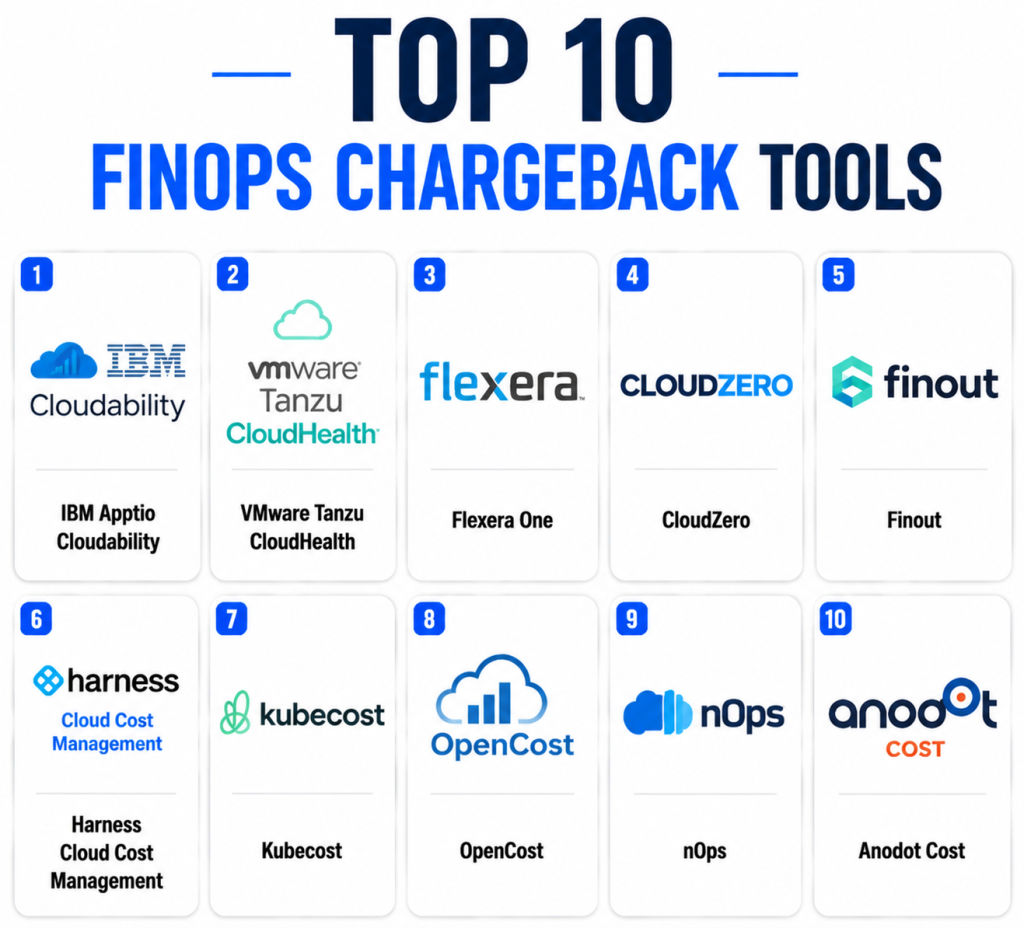
Top 10 FinOps Chargeback Tools
1 — IBM Apptio Cloudability
Short description: IBM Apptio Cloudability is an enterprise FinOps platform designed for cloud financial management, cost visibility, optimization, budgeting, forecasting, and showback or chargeback reporting. It helps finance, engineering, and cloud operations teams connect cloud spend to business units, applications, products, and teams. Cloudability is especially strong for large organizations that need structured cloud financial governance across multi-cloud environments. It supports cost allocation models, executive dashboards, and accountability workflows. The platform is best suited for mature FinOps teams that need repeatable financial processes. It is often used where cloud spending must be connected to business outcomes.
Key Features
- Multi-cloud cost visibility
- Showback and chargeback reporting
- Budgeting and forecasting
- Cost allocation and business mapping
- Commitment and savings analysis
- Executive reporting dashboards
- FinOps governance workflows
Pros
- Strong fit for enterprise FinOps programs.
- Good for finance-driven reporting and accountability.
- Useful for complex multi-cloud cost allocation.
Cons
- May be too advanced for small teams.
- Implementation requires process maturity.
- Pricing is not publicly simple and may vary by organization.
Platforms / Deployment
- Web
- Cloud
Security & Compliance
- SSO/SAML
- RBAC
- Audit logs
- Encryption
- Compliance details: Varies / N/A
Integrations & Ecosystem
Cloudability integrates with major cloud providers and business reporting workflows, making it suitable for structured FinOps operations.
- AWS
- Microsoft Azure
- Google Cloud
- Kubernetes cost data workflows
- BI and reporting systems
- Finance and IT management workflows
Support & Community
Enterprise support, onboarding, documentation, and professional services are available. Community strength is strong among mature FinOps and cloud finance teams.
2 — VMware Tanzu CloudHealth
Short description: VMware Tanzu CloudHealth is a cloud cost management and governance platform used by organizations that need visibility, optimization, and policy control across cloud environments. It helps teams analyze spending, allocate costs, manage budgets, and improve cloud governance. CloudHealth is useful for enterprises and MSPs that need structured cloud financial reporting. It supports cost allocation by business groups, projects, applications, and other organizational dimensions. The platform is especially relevant for organizations that need financial visibility across complex cloud estates. It is a strong option for companies that want chargeback combined with governance.
Key Features
- Cloud cost visibility
- Budget tracking
- Cost allocation
- Governance policies
- Optimization recommendations
- Multi-cloud reporting
- MSP and enterprise management capabilities
Pros
- Strong governance and reporting capabilities.
- Useful for enterprise and service provider environments.
- Supports structured cost accountability.
Cons
- Can require careful setup for accurate allocation.
- May feel complex for smaller cloud teams.
- Advanced value depends on good tagging and governance.
Platforms / Deployment
- Web
- Cloud
Security & Compliance
- SSO/SAML
- RBAC
- Audit logs
- Encryption
- Compliance details: Varies / N/A
Integrations & Ecosystem
CloudHealth supports cloud provider integrations and operational reporting workflows for cloud cost governance.
- AWS
- Microsoft Azure
- Google Cloud
- Kubernetes workflows
- BI reporting tools
- IT operations workflows
Support & Community
Support options, documentation, and enterprise onboarding are available. Community strength is solid among cloud governance and FinOps practitioners.
3 — Flexera One
Short description: Flexera One is an IT asset management, SaaS management, cloud cost management, and FinOps platform designed for organizations that need broad technology spend visibility. It helps teams understand cloud costs, software costs, license usage, assets, and business service spending. For chargeback use cases, Flexera One can help map technology costs to business units and support financial accountability. It is especially useful for enterprises managing hybrid IT, cloud, SaaS, and software assets together. The platform is best suited for organizations that want FinOps connected with broader IT financial management. It may be more than needed for simple cloud-only chargeback.
Key Features
- Cloud cost management
- IT asset visibility
- SaaS and software spend insights
- Cost allocation and reporting
- Optimization recommendations
- Governance and policy workflows
- Hybrid IT financial visibility
Pros
- Strong for broad technology spend management.
- Useful beyond cloud-only FinOps.
- Good fit for enterprise IT finance teams.
Cons
- May be too broad for teams needing only basic chargeback.
- Setup can require cross-functional coordination.
- Value depends on clean data and mature processes.
Platforms / Deployment
- Web
- Cloud
Security & Compliance
- SSO/SAML
- RBAC
- Audit logs
- Encryption
- Compliance details: Varies / N/A
Integrations & Ecosystem
Flexera One connects cloud, SaaS, software, and IT asset data into a broader financial management model.
- AWS
- Microsoft Azure
- Google Cloud
- SaaS management data
- IT asset systems
- BI and finance workflows
Support & Community
Enterprise support, documentation, implementation assistance, and partner resources are available. Community strength is good among ITAM, SAM, and FinOps teams.
4 — CloudZero
Short description: CloudZero is a cloud cost intelligence platform focused on connecting cloud spend to engineering, product, customer, and business outcomes. It is especially useful for SaaS companies and cloud-native teams that want unit economics rather than only monthly billing reports. CloudZero helps allocate costs by product, feature, team, customer segment, or custom business dimension. This makes it useful for showback and chargeback models where tagging alone is not enough. The platform is designed to make cost data meaningful for engineering and business leaders. It is a strong fit for companies that want to understand cost per customer, product, or service.
Key Features
- Cloud cost intelligence
- Unit cost analysis
- Business dimension mapping
- Anomaly detection
- Engineering-focused insights
- Cost allocation beyond tags
- SaaS and product cost visibility
Pros
- Strong for SaaS unit economics.
- Useful when tagging is incomplete or inconsistent.
- Helps connect engineering decisions to financial impact.
Cons
- May not replace full ITFM tools.
- Best value appears in cloud-native product environments.
- Requires business mapping effort for accurate insights.
Platforms / Deployment
- Web
- Cloud
Security & Compliance
- SSO/SAML
- RBAC
- Encryption
- Audit logs
- Compliance details: Varies / N/A
Integrations & Ecosystem
CloudZero supports cloud and business data integrations to build cost views that match product and engineering structures.
- AWS
- Microsoft Azure
- Google Cloud
- Kubernetes workflows
- Datadog-style observability workflows
- BI and business reporting tools
Support & Community
CloudZero provides customer onboarding, documentation, and FinOps-focused guidance. Community strength is notable among SaaS and engineering-led FinOps teams.
5 — Finout
Short description: Finout is a cloud cost management and FinOps platform built to help organizations allocate, understand, and optimize cloud and SaaS spend. It is known for supporting complex cost allocation models across cloud services, Kubernetes, databases, observability tools, and other shared costs. Finout is useful for teams that need chargeback across multiple infrastructure and SaaS cost sources. It helps organizations build internal cost models that reflect teams, products, customers, and services. The platform is especially relevant for modern cloud-native businesses with complex cost structures. It is a good fit where cost visibility must go beyond basic cloud bills.
Key Features
- Cost allocation across multiple sources
- Kubernetes cost visibility
- Shared-cost distribution
- Unit economics reporting
- Budgeting and forecasting
- Anomaly detection
- Custom business mapping
Pros
- Strong for complex shared-cost allocation.
- Useful for cloud-native and SaaS organizations.
- Supports multiple cost sources beyond basic cloud bills.
Cons
- Requires careful cost model design.
- May be more advanced than small teams need.
- Pricing details vary / N/A.
Platforms / Deployment
- Web
- Cloud
Security & Compliance
- SSO/SAML
- RBAC
- Encryption
- Audit logs
- Compliance details: Varies / N/A
Integrations & Ecosystem
Finout integrates with cloud, Kubernetes, database, observability, and business systems to create detailed cost visibility.
- AWS
- Microsoft Azure
- Google Cloud
- Kubernetes
- Datadog-style monitoring workflows
- BI and finance reporting workflows
Support & Community
Finout provides onboarding, documentation, and customer support. Community strength is growing among cloud-native FinOps teams.
6 — Harness Cloud Cost Management
Short description: Harness Cloud Cost Management is designed for engineering-led FinOps teams that want cloud cost visibility, Kubernetes cost tracking, anomaly detection, optimization, and governance inside a broader software delivery platform. It is useful for DevOps teams that want cost accountability connected to engineering workflows. The platform helps identify wasted spend, allocate cloud costs, and provide visibility into Kubernetes workloads. It is especially relevant for organizations already using Harness for CI/CD or software delivery. Chargeback and showback use cases benefit from its engineering context. It is best for teams that want cloud cost insights closer to development workflows.
Key Features
- Cloud cost dashboards
- Kubernetes cost management
- Cost anomaly detection
- Budget tracking
- Engineering-focused insights
- Optimization recommendations
- Governance workflows
Pros
- Strong fit for DevOps and engineering teams.
- Useful for Kubernetes-heavy environments.
- Works well with broader Harness platform workflows.
Cons
- Best value may depend on Harness ecosystem adoption.
- Less focused on classic enterprise ITFM than some competitors.
- Requires engineering involvement for full impact.
Platforms / Deployment
- Web
- Cloud
Security & Compliance
- SSO/SAML
- RBAC
- Audit logs
- Encryption
- Compliance details: Varies / N/A
Integrations & Ecosystem
Harness integrates cloud cost data with software delivery and engineering workflows.
- AWS
- Microsoft Azure
- Google Cloud
- Kubernetes
- CI/CD workflows
- Collaboration and reporting tools
Support & Community
Harness provides documentation, onboarding, support options, and an active DevOps-oriented user base.
7 — Kubecost
Short description: Kubecost is a Kubernetes cost monitoring and allocation platform focused on helping teams understand cluster, namespace, workload, pod, and service-level costs. It is especially valuable for organizations running shared Kubernetes clusters where traditional cloud bills do not clearly show who consumed resources. Kubecost supports showback and chargeback by mapping Kubernetes costs to teams, environments, applications, and workloads. It is useful for platform engineering, DevOps, SRE, and FinOps teams. The platform is best suited for Kubernetes-heavy companies that need granular container cost accountability. It can complement broader FinOps platforms rather than replacing them entirely.
Key Features
- Kubernetes cost allocation
- Namespace and workload cost visibility
- Cluster cost monitoring
- Shared resource allocation
- Prometheus-based workflows
- Optimization insights
- Showback reporting for platform teams
Pros
- Strong Kubernetes-specific cost visibility.
- Useful for platform engineering and SRE teams.
- Helps solve shared-cluster chargeback challenges.
Cons
- Focused mainly on Kubernetes cost use cases.
- May need another tool for full multi-cloud finance.
- Requires Kubernetes knowledge to operate effectively.
Platforms / Deployment
- Web
- Kubernetes
- Cloud
- Self-hosted
- Hybrid
Security & Compliance
- RBAC
- Encryption depends on deployment
- Audit logs vary by deployment
- Compliance details: Varies / N/A
Integrations & Ecosystem
Kubecost fits naturally into Kubernetes observability and platform engineering workflows.
- Kubernetes
- Prometheus
- Grafana-style dashboards
- Cloud provider billing data
- CI/CD workflows
- Platform engineering tools
Support & Community
Kubecost has documentation, support options, and strong community awareness among Kubernetes and cloud-native teams.
8 — OpenCost
Short description: OpenCost is an open-source cost monitoring project for Kubernetes and cloud-native environments. It helps teams measure and allocate Kubernetes infrastructure costs by workload, namespace, deployment, and other cluster dimensions. OpenCost is useful for organizations that want transparent, vendor-neutral cost allocation for Kubernetes. It is especially relevant for engineering teams that prefer open standards and self-managed tooling. While it provides strong cost visibility, it may not include the same enterprise workflow, support, automation, or reporting depth as commercial FinOps platforms. It is best for technical teams that want Kubernetes cost allocation without starting with a premium platform.
Key Features
- Open-source Kubernetes cost monitoring
- Workload and namespace cost allocation
- Real-time and historical cost visibility
- Prometheus-compatible metrics
- Vendor-neutral approach
- Cloud-native cost transparency
- Self-managed deployment model
Pros
- Open-source and transparent.
- Strong Kubernetes cost allocation foundation.
- Good fit for technical platform teams.
Cons
- Requires technical setup and maintenance.
- Limited enterprise workflow features compared with commercial tools.
- Not a full multi-cloud chargeback platform by itself.
Platforms / Deployment
- Kubernetes
- Linux
- Self-hosted
- Cloud
- Hybrid
Security & Compliance
- Security depends on deployment configuration
- RBAC depends on Kubernetes setup
- Compliance details: Not publicly stated
Integrations & Ecosystem
OpenCost integrates naturally with Kubernetes-native monitoring and cloud-native observability stacks.
- Kubernetes
- Prometheus
- Grafana-style dashboards
- Cloud billing data
- Open-source observability tools
- CNCF-style cloud-native workflows
Support & Community
Community support is strong in cloud-native circles, but enterprise support depends on vendor or internal team capability. Documentation is available, but self-management effort should be expected.
9 — nOps
Short description: nOps is a cloud cost optimization and FinOps platform focused mainly on AWS cost visibility, automation, commitment management, and savings opportunities. It helps engineering and finance teams understand cloud costs, identify waste, and improve financial accountability. For chargeback use cases, nOps can support cost allocation and reporting based on AWS usage patterns and organizational structures. It is especially useful for teams that want automation and cost optimization alongside FinOps reporting. The platform fits cloud teams that want practical savings actions rather than only dashboards. It is most relevant for AWS-heavy organizations.
Key Features
- AWS cost visibility
- Cost allocation and reporting
- Savings recommendations
- Commitment management support
- Automation workflows
- Budget and anomaly visibility
- Engineering-focused optimization
Pros
- Strong for AWS cost optimization.
- Useful automation-oriented FinOps workflows.
- Good fit for teams focused on savings actions.
Cons
- Less ideal for organizations needing equal multi-cloud depth.
- Best fit is AWS-heavy environments.
- Enterprise ITFM features may be narrower than broader platforms.
Platforms / Deployment
- Web
- Cloud
Security & Compliance
- SSO/SAML
- RBAC
- Encryption
- Audit logs
- Compliance details: Varies / N/A
Integrations & Ecosystem
nOps integrates primarily with cloud and engineering workflows to support optimization and accountability.
- AWS
- Cloud billing data
- DevOps workflows
- Reporting systems
- Collaboration tools
- Automation workflows
Support & Community
nOps provides documentation, onboarding, and customer support. Community visibility is strongest among AWS cost optimization and FinOps teams.
10 — Anodot Cost
Short description: Anodot Cost is a cloud cost management platform focused on cost visibility, anomaly detection, forecasting, optimization, and FinOps analytics. It helps organizations detect unusual spend patterns and understand cloud usage across teams, services, and business dimensions. For chargeback, Anodot Cost can support allocation workflows and reporting that help teams understand ownership of cloud spend. It is useful for organizations that want anomaly detection and cost intelligence as part of FinOps governance. The platform is suitable for mid-market and enterprise teams with growing cloud complexity. It is especially relevant where proactive alerting matters.
Key Features
- Cloud cost visibility
- Anomaly detection
- Forecasting
- Budget tracking
- Cost allocation support
- Optimization insights
- Multi-cloud reporting
Pros
- Strong anomaly detection focus.
- Useful for proactive cost governance.
- Good fit for cloud teams managing unpredictable spend.
Cons
- Chargeback workflows may require configuration.
- May not replace broader ITFM platforms.
- Pricing details vary / N/A.
Platforms / Deployment
- Web
- Cloud
Security & Compliance
- SSO/SAML
- RBAC
- Encryption
- Audit logs
- Compliance details: Varies / N/A
Integrations & Ecosystem
Anodot Cost integrates cloud billing and operational data to support cost monitoring and financial governance.
- AWS
- Microsoft Azure
- Google Cloud
- Kubernetes workflows
- Reporting systems
- Collaboration tools
Support & Community
Support, onboarding, and documentation are available. Community strength is growing in cloud cost monitoring and FinOps-focused teams.
Comparison Table
| Tool Name | Best For | Platform(s) Supported | Deployment | Standout Feature | Public Rating |
|---|---|---|---|---|---|
| IBM Apptio Cloudability | Enterprise FinOps | Web | Cloud | Mature showback and chargeback reporting | N/A |
| VMware Tanzu CloudHealth | Cloud governance | Web | Cloud | Policy-driven cloud cost management | N/A |
| Flexera One | ITFM and hybrid IT finance | Web | Cloud | Broad technology spend visibility | N/A |
| CloudZero | SaaS unit economics | Web | Cloud | Cost allocation by product and customer | N/A |
| Finout | Complex shared-cost allocation | Web | Cloud | Multi-source cost allocation | N/A |
| Harness Cloud Cost Management | Engineering-led FinOps | Web | Cloud | DevOps-connected cost visibility | N/A |
| Kubecost | Kubernetes chargeback | Web, Kubernetes | Cloud/Self-hosted/Hybrid | Namespace and workload cost allocation | N/A |
| OpenCost | Open-source Kubernetes cost monitoring | Kubernetes, Linux | Self-hosted/Hybrid | Vendor-neutral Kubernetes cost allocation | N/A |
| nOps | AWS cost optimization | Web | Cloud | Automation-focused cloud savings | N/A |
| Anodot Cost | Cost anomaly detection | Web | Cloud | Proactive cloud spend alerts | N/A |
Evaluation & Scoring of FinOps Chargeback Tools
| Tool Name | Core (25%) | Ease (15%) | Integrations (15%) | Security (10%) | Performance (10%) | Support (10%) | Value (15%) | Weighted Total (0–10) |
| IBM Apptio Cloudability | 9.5 | 8.0 | 9.0 | 9.0 | 9.0 | 9.0 | 8.0 | 8.8 |
| VMware Tanzu CloudHealth | 9.0 | 8.0 | 8.8 | 8.8 | 8.8 | 8.5 | 8.0 | 8.6 |
| Flexera One | 8.8 | 7.8 | 9.0 | 8.8 | 8.5 | 8.8 | 8.0 | 8.5 |
| CloudZero | 9.0 | 8.5 | 8.5 | 8.7 | 8.8 | 8.5 | 8.3 | 8.7 |
| Finout | 8.8 | 8.2 | 8.7 | 8.6 | 8.6 | 8.3 | 8.4 | 8.5 |
| Harness Cloud Cost Management | 8.5 | 8.5 | 8.6 | 8.6 | 8.7 | 8.3 | 8.5 | 8.5 |
| Kubecost | 8.6 | 8.0 | 8.3 | 8.0 | 8.5 | 8.0 | 8.7 | 8.4 |
| OpenCost | 7.8 | 7.5 | 8.0 | 7.5 | 8.2 | 7.2 | 9.2 | 7.9 |
| nOps | 8.3 | 8.6 | 8.0 | 8.4 | 8.5 | 8.2 | 8.7 | 8.4 |
| Anodot Cost | 8.4 | 8.2 | 8.2 | 8.4 | 8.7 | 8.2 | 8.3 | 8.4 |
These scores are comparative and should be adapted to your organization’s priorities. A Kubernetes-heavy engineering team may score Kubecost or OpenCost higher than an enterprise finance team would. A CFO-led FinOps program may prefer Cloudability, CloudHealth, or Flexera One. SaaS companies focused on unit economics may value CloudZero or Finout more highly. Always validate scoring with a pilot using your real billing data, tagging quality, cost allocation rules, and reporting requirements.
Which FinOps Chargeback Tool Is Right for You?
Solo / Freelancer
Solo users and freelancers usually do not need a full FinOps chargeback platform. Native cloud billing tools or lightweight open-source options may be enough. If Kubernetes is involved, OpenCost can be useful for learning cost allocation basics without committing to a premium enterprise platform.
SMB
SMBs should prioritize ease of use, fast setup, budget tracking, simple reporting, and cost optimization. nOps, CloudZero, Finout, or Harness Cloud Cost Management can be useful depending on cloud stack and team maturity. If Kubernetes cost visibility is the main issue, Kubecost may be a practical choice.
Mid-Market
Mid-market organizations often need stronger reporting, cost ownership, forecasting, anomaly detection, and shared-cost allocation. CloudZero, Finout, Harness, CloudHealth, and Anodot Cost are strong candidates. The right choice depends on whether the organization is finance-led, engineering-led, SaaS-led, or Kubernetes-led.
Enterprise
Enterprises usually need advanced governance, multi-cloud coverage, executive reporting, compliance controls, business mapping, and integration with IT finance processes. IBM Apptio Cloudability, VMware Tanzu CloudHealth, Flexera One, CloudZero, and Finout are strong candidates. Large organizations should prioritize data quality, governance workflows, and allocation model flexibility.
Budget vs Premium
Budget-conscious teams can start with native cloud billing tools, OpenCost, or focused tools such as Kubecost depending on needs. Premium buyers should evaluate Cloudability, CloudHealth, Flexera One, CloudZero, and Finout for deeper reporting and chargeback workflows. Premium platforms often create more value when cloud spend is large enough to justify process automation.
Feature Depth vs Ease of Use
Cloudability, CloudHealth, and Flexera One provide strong enterprise depth but may require more setup. CloudZero, Finout, Harness, and nOps may feel more practical for engineering-led teams. OpenCost is flexible but requires technical ownership. The best choice depends on whether finance, engineering, or platform teams will own the system.
Integrations & Scalability
For large-scale operations, integrations with cloud providers, Kubernetes, ERP, BI, ITSM, identity providers, and collaboration tools matter. Enterprises should also check API access, data export options, tagging rules, role-based access, and audit logs. Scaling chargeback is not only a tool problem; it also requires naming standards, ownership rules, and governance.
Security & Compliance Needs
Security-conscious organizations should evaluate SSO, RBAC, MFA, encryption, audit logs, data retention, and vendor compliance documentation. Finance teams should also check how sensitive billing data is stored and shared. Regulated industries should validate security claims directly with vendors before procurement.
Frequently Asked Questions
1- What is a FinOps chargeback tool?
A FinOps chargeback tool helps organizations allocate cloud and technology costs to the teams, products, departments, or customers responsible for consuming them. It creates financial accountability by turning shared bills into owner-specific cost reports.
2- What is the difference between chargeback and showback?
Showback reports costs to teams without directly billing them. Chargeback goes further by assigning or transferring those costs to the responsible business unit, product, or department.
3- Do small companies need FinOps chargeback tools?
Small companies may not need a full chargeback platform if cloud usage is simple. However, as teams, products, cloud accounts, and Kubernetes environments grow, chargeback tools become more useful.
4- Why is tagging important for chargeback?
Tags help connect cloud resources to teams, projects, environments, products, and cost centers. Without good tagging, cost allocation becomes inaccurate and finance teams may struggle to trust reports.
5- Can these tools track Kubernetes costs?
Yes, many FinOps tools support Kubernetes cost visibility, but depth varies. Kubecost and OpenCost are especially focused on Kubernetes workload, namespace, and cluster-level allocation.
6- What pricing models are common?
Common pricing models include percentage of cloud spend, per-cloud-account pricing, per-user pricing, platform subscription pricing, and enterprise contract pricing. Exact pricing varies, so buyers should request quotes.
7- How long does implementation take?
Simple reporting can start quickly, but mature chargeback implementation may take weeks or months. Teams need tagging standards, cost center mapping, shared-cost rules, owner definitions, and reporting workflows.
8- What are common mistakes in FinOps chargeback?
Common mistakes include poor tagging, unclear ownership, overcomplicated allocation rules, lack of engineering involvement, and treating chargeback as only a finance project. Successful chargeback needs finance, engineering, and leadership alignment.
9- Can chargeback tools reduce cloud costs?
Chargeback tools do not automatically reduce costs, but they create visibility and accountability. Once teams understand their spend, they are more likely to remove waste, rightsize resources, and plan budgets responsibly.
10- Are native cloud billing tools enough?
Native billing tools may be enough for simple single-cloud environments. Multi-cloud, Kubernetes, shared services, SaaS unit economics, and enterprise chargeback usually require more advanced FinOps platforms.
Conclusion
FinOps Chargeback Tools help organizations move from unclear cloud bills to accountable, business-aligned cost ownership. The best tool depends on cloud maturity, company size, engineering structure, financial governance needs, and whether the main problem is multi-cloud visibility, Kubernetes allocation, SaaS unit economics, or enterprise IT financial management. IBM Apptio Cloudability, CloudHealth, and Flexera One are strong for enterprise finance-led programs. CloudZero, Finout, Harness, nOps, and Anodot Cost are practical for engineering-led and cloud-native FinOps teams. Kubecost and OpenCost are especially useful for Kubernetes cost allocation. is to shortlist two or three tools, run a pilot with real billing data, validate allocation accuracy, test integrations, review security controls, and choose the platform that supports your long-term FinOps operating model.
