Introduction
Infrastructure as Code (IaC) Tools help organizations provision, configure, manage, and update infrastructure using code instead of manual processes. Rather than creating servers, networks, storage, Kubernetes clusters, and cloud resources through web consoles, teams define infrastructure in configuration files that can be version-controlled, tested, reviewed, and automated.
Infrastructure as Code has become a foundational practice for cloud-native development, DevOps, platform engineering, and multi-cloud operations. As organizations adopt Kubernetes, AI workloads, edge computing, and hybrid cloud environments, infrastructure automation becomes critical for consistency, speed, security, and scalability.
Common use cases include cloud provisioning, Kubernetes deployment automation, disaster recovery, environment replication, compliance enforcement, and multi-cloud infrastructure management.
Buyers should evaluate cloud support, scalability, policy controls, ecosystem maturity, state management, Kubernetes integration, automation capabilities, security features, collaboration support, and developer experience.
Best for: DevOps engineers, platform teams, cloud architects, SREs, security teams, enterprises, SaaS providers, managed service providers, and organizations managing complex cloud environments.
Not ideal for: Small businesses with minimal cloud infrastructure or teams that only manage a few static resources manually may not require a dedicated IaC platform.
Key Trends in Infrastructure as Code Tools
- AI-assisted infrastructure generation is reducing manual template creation.
- Platform engineering teams are standardizing reusable infrastructure blueprints.
- Policy as Code is increasingly integrated directly into IaC workflows.
- Multi-cloud deployments continue driving demand for vendor-neutral tools.
- GitOps practices are becoming standard for infrastructure management.
- Kubernetes-native automation remains a major growth area.
- Security scanning is moving earlier into infrastructure pipelines.
- State management and drift detection capabilities are becoming more sophisticated.
- Infrastructure observability is increasingly integrated with deployment workflows.
- Organizations are emphasizing compliance automation alongside provisioning.
How We Selected These Tools
- Evaluated market adoption and industry recognition.
- Considered cloud provider support and platform flexibility.
- Assessed feature completeness across provisioning, governance, and automation.
- Reviewed ecosystem maturity and community strength.
- Considered enterprise scalability and reliability.
- Evaluated Kubernetes and cloud-native support.
- Assessed integration capabilities with CI/CD and DevOps workflows.
- Considered suitability across SMB, mid-market, and enterprise environments.
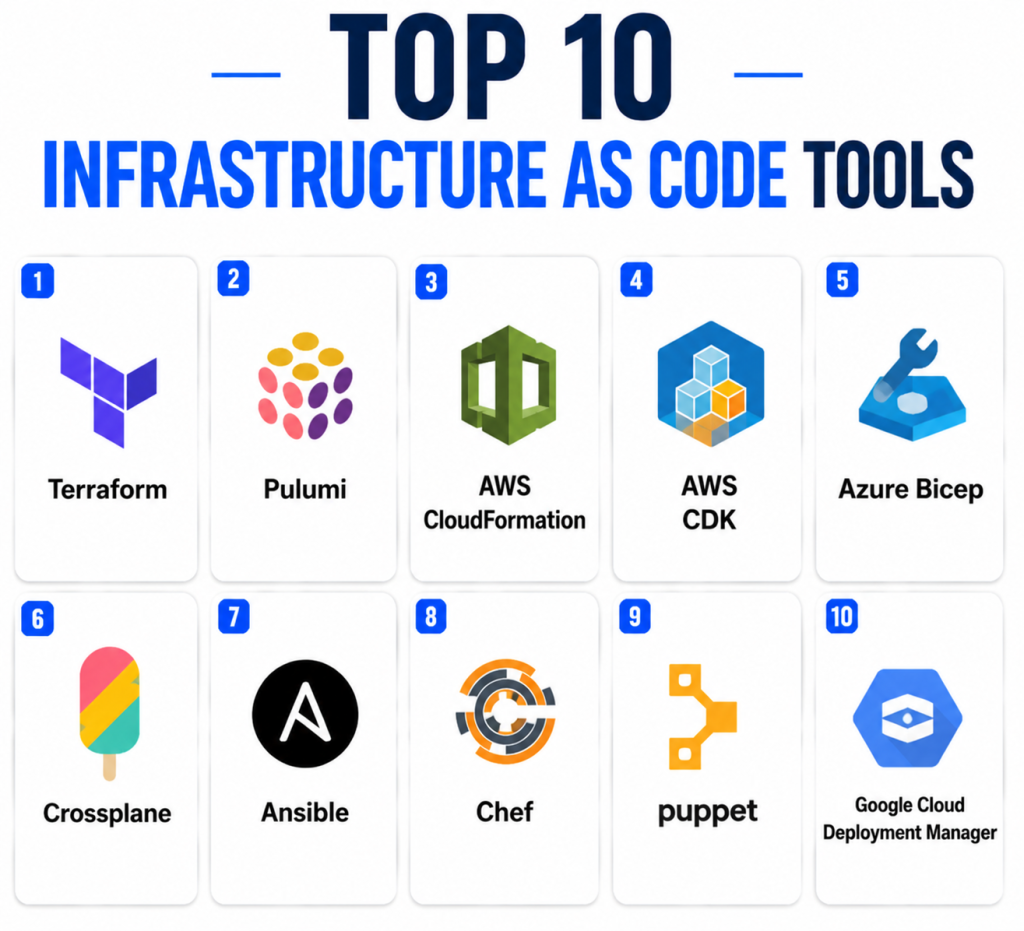
Top 10 Infrastructure as Code Tools
1- Terraform
Short Description: Terraform is one of the most widely adopted Infrastructure as Code platforms. It enables teams to provision infrastructure across multiple cloud providers using a declarative configuration language. Terraform supports cloud, SaaS, networking, security, Kubernetes, and platform resources through a large provider ecosystem. It is widely used by enterprises, startups, and managed service providers. Terraform’s ecosystem and flexibility make it a standard choice for multi-cloud infrastructure automation. Its community adoption remains one of its strongest advantages.
Key Features
- Multi-cloud provisioning
- Declarative infrastructure definitions
- State management
- Large provider ecosystem
- Infrastructure dependency mapping
- Policy integration support
- Reusable modules
Pros
- Extremely broad cloud support.
- Large ecosystem and community.
- Strong enterprise adoption.
Cons
- State management can become complex.
- Learning curve for large deployments.
- Enterprise features may require commercial offerings.
Platforms / Deployment
- Windows
- macOS
- Linux
- Cloud
- Self-hosted
- Hybrid
Security & Compliance
- RBAC
- Audit logs
- Encryption support
- SSO/SAML available through enterprise offerings
Integrations & Ecosystem
Terraform integrates with major cloud platforms and DevOps tools.
- AWS
- Microsoft Azure
- Google Cloud
- Kubernetes
- CI/CD systems
- Version control platforms
Support & Community
One of the largest communities in the Infrastructure as Code market with extensive documentation and third-party resources.
2- Pulumi
Short Description: Pulumi allows developers to define infrastructure using familiar programming languages rather than specialized configuration syntax. Teams can use TypeScript, Python, Go, C#, and Java to manage infrastructure. Pulumi is popular among developer-centric organizations seeking tighter integration between application code and infrastructure automation. It supports cloud-native architectures, Kubernetes, and multi-cloud deployments. The platform appeals strongly to engineering teams that prefer software development practices. Its flexibility makes it attractive for complex cloud automation projects.
Key Features
- Infrastructure using programming languages
- Multi-cloud support
- Kubernetes integration
- Policy support
- Reusable components
- Automation API
- GitOps compatibility
Pros
- Familiar programming language support.
- Strong developer experience.
- Flexible automation workflows.
Cons
- Smaller ecosystem than Terraform.
- Requires programming expertise.
- Enterprise adoption is growing but smaller.
Platforms / Deployment
- Windows
- macOS
- Linux
- Cloud
- Self-hosted
Security & Compliance
- RBAC
- Encryption
- Audit logging
- SSO/SAML support
Integrations & Ecosystem
- AWS
- Azure
- Google Cloud
- Kubernetes
- GitHub
- CI/CD pipelines
Support & Community
Strong documentation and active developer-focused community.
3- AWS CloudFormation
Short Description: AWS CloudFormation is Amazon’s native Infrastructure as Code platform. It enables organizations to provision AWS resources using templates. CloudFormation integrates deeply with AWS services and provides native support for AWS governance and security workflows. Organizations heavily invested in AWS often choose CloudFormation because of its native integration. It supports large-scale deployments and infrastructure lifecycle management. CloudFormation remains a key choice for AWS-centric enterprises.
Key Features
- Native AWS integration
- Stack management
- Change sets
- Drift detection
- Resource dependency management
- AWS governance support
- Infrastructure templates
Pros
- Deep AWS integration.
- No additional platform required.
- Strong AWS ecosystem support.
Cons
- Limited multi-cloud support.
- AWS-specific focus.
- Templates can become complex.
Platforms / Deployment
- Cloud
Security & Compliance
- AWS IAM integration
- Audit logging
- Encryption
- Role-based access
Integrations & Ecosystem
- AWS services
- AWS IAM
- AWS Config
- AWS Organizations
- CI/CD pipelines
Support & Community
Strong documentation and extensive AWS support resources.
4- AWS CDK
Short Description: AWS Cloud Development Kit enables infrastructure management using programming languages. Developers can define cloud resources with familiar software development practices while generating CloudFormation templates behind the scenes. AWS CDK is popular among engineering teams seeking code reuse and abstraction. It supports modern cloud-native application deployment. Organizations already invested in AWS often find CDK appealing. It bridges software engineering and infrastructure automation.
Key Features
- Programming language support
- Construct libraries
- AWS integration
- Reusable infrastructure components
- Infrastructure abstraction
- Testing support
- CloudFormation generation
Pros
- Familiar developer workflows.
- Strong AWS integration.
- Reusable infrastructure patterns.
Cons
- Primarily AWS-focused.
- Learning curve for constructs.
- Limited multi-cloud support.
Platforms / Deployment
- Windows
- macOS
- Linux
- Cloud
Security & Compliance
- IAM integration
- Audit logging
- Encryption support
Integrations & Ecosystem
- AWS services
- Git repositories
- CI/CD systems
- Testing frameworks
Support & Community
Strong AWS documentation and growing developer community.
5- Azure Bicep
Short Description: Azure Bicep is Microsoft’s Infrastructure as Code language designed to simplify Azure Resource Manager templates. It provides a cleaner syntax and improved readability. Organizations using Azure benefit from native integration and simplified deployment workflows. Bicep reduces complexity compared to traditional ARM templates. It is increasingly becoming Microsoft’s preferred infrastructure definition language. Azure-focused organizations often adopt Bicep for cloud automation.
Key Features
- Azure-native provisioning
- Simplified syntax
- Resource management
- Module support
- Template generation
- Dependency handling
- Azure integration
Pros
- Easier than ARM templates.
- Native Azure support.
- Good readability.
Cons
- Azure-specific.
- Limited multi-cloud capabilities.
- Smaller ecosystem than Terraform.
Platforms / Deployment
- Windows
- macOS
- Linux
- Cloud
Security & Compliance
- Azure AD integration
- RBAC
- Audit logging
- Encryption
Integrations & Ecosystem
- Azure services
- Azure DevOps
- GitHub Actions
- Azure governance tools
Support & Community
Strong Microsoft documentation and growing Azure-focused community.
6- Crossplane
Short Description: Crossplane extends Kubernetes into a control plane for infrastructure management. It allows organizations to provision cloud resources through Kubernetes APIs. Crossplane is attractive to platform engineering teams building internal developer platforms. It supports multi-cloud environments and GitOps workflows. Organizations seeking Kubernetes-centric infrastructure management often adopt Crossplane. It aligns infrastructure provisioning with cloud-native practices.
Key Features
- Kubernetes-native infrastructure
- Multi-cloud provisioning
- GitOps integration
- Extensible resource model
- Platform engineering support
- Self-service infrastructure
- Composite resources
Pros
- Kubernetes-native approach.
- Strong platform engineering support.
- Multi-cloud flexibility.
Cons
- Requires Kubernetes expertise.
- Smaller ecosystem than Terraform.
- Operational complexity.
Platforms / Deployment
- Kubernetes
- Cloud
- Hybrid
Security & Compliance
- Kubernetes RBAC
- Audit logging
- Encryption
Integrations & Ecosystem
- Kubernetes
- GitOps tools
- AWS
- Azure
- Google Cloud
Support & Community
Growing cloud-native community and CNCF ecosystem adoption.
7- Ansible
Short Description: Ansible is widely known for configuration management but is also used for Infrastructure as Code workflows. It provides agentless automation and supports cloud provisioning, application deployment, and infrastructure orchestration. Organizations appreciate its simplicity and human-readable playbooks. Ansible remains popular across enterprises and SMBs. Its flexibility makes it suitable for automation beyond infrastructure provisioning.
Key Features
- Agentless automation
- Configuration management
- Cloud provisioning
- Playbook-driven workflows
- Multi-platform support
- Automation orchestration
- Inventory management
Pros
- Easy to learn.
- Agentless architecture.
- Broad automation capabilities.
Cons
- Less focused on declarative infrastructure.
- Large deployments require planning.
- State management limitations.
Platforms / Deployment
- Linux
- Windows
- macOS
- Cloud
- Self-hosted
Security & Compliance
- RBAC
- Audit logging
- Encryption support
Integrations & Ecosystem
- AWS
- Azure
- Google Cloud
- VMware
- Networking platforms
- CI/CD systems
Support & Community
Very large community and extensive automation ecosystem.
8- Chef
Short Description: Chef provides infrastructure automation and configuration management using code-based workflows. It focuses on consistency, compliance, and large-scale infrastructure management. Chef is commonly used in regulated and enterprise environments. Organizations leverage Chef for repeatable infrastructure deployments and policy enforcement. Its mature automation ecosystem remains valuable for infrastructure teams.
Key Features
- Infrastructure automation
- Configuration management
- Compliance integration
- Policy management
- Large-scale deployments
- Infrastructure testing
- Automation workflows
Pros
- Strong enterprise focus.
- Mature automation capabilities.
- Good compliance support.
Cons
- Steeper learning curve.
- Smaller adoption compared to Terraform.
- Operational overhead.
Platforms / Deployment
- Windows
- Linux
- macOS
- Cloud
- Hybrid
Security & Compliance
- RBAC
- Audit logging
- Encryption
- Compliance automation
Integrations & Ecosystem
- Cloud platforms
- Containers
- CI/CD pipelines
- Compliance workflows
Support & Community
Enterprise support available with established automation community.
9- Puppet
Short Description: Puppet is a configuration management and automation platform used for infrastructure standardization and compliance. It helps organizations manage infrastructure consistently across environments. Puppet remains relevant in enterprise automation and governance use cases. Its declarative model simplifies repeatable infrastructure management. Organizations use Puppet for compliance and operational consistency.
Key Features
- Configuration management
- Compliance automation
- Infrastructure standardization
- Reporting
- Policy enforcement
- Automation workflows
- Infrastructure governance
Pros
- Mature enterprise platform.
- Strong compliance support.
- Good reporting capabilities.
Cons
- Learning curve.
- Older ecosystem compared to newer cloud-native tools.
- Less cloud-native focus.
Platforms / Deployment
- Windows
- Linux
- macOS
- Cloud
- Hybrid
Security & Compliance
- RBAC
- Audit logging
- Encryption
Integrations & Ecosystem
- Cloud providers
- Containers
- CI/CD tools
- Enterprise infrastructure systems
Support & Community
Established enterprise customer base and support ecosystem.
10- Google Cloud Deployment Manager
Short Description: Google Cloud Deployment Manager is Google’s native infrastructure deployment platform. It enables organizations to automate provisioning and management of Google Cloud resources. It integrates closely with Google Cloud services and governance capabilities. Organizations heavily invested in Google Cloud may find it useful for native infrastructure management. It supports template-driven deployments and automation workflows.
Key Features
- Google Cloud provisioning
- Template-based automation
- Resource management
- Dependency handling
- Cloud integration
- Deployment automation
- Infrastructure lifecycle management
Pros
- Native Google Cloud integration.
- Simple deployment workflows.
- No additional platform required.
Cons
- Limited multi-cloud support.
- Smaller ecosystem than Terraform.
- Google Cloud-focused.
Platforms / Deployment
- Cloud
Security & Compliance
- Google IAM integration
- Audit logging
- Encryption
Integrations & Ecosystem
- Google Cloud services
- CI/CD pipelines
- Cloud governance tools
- Monitoring platforms
Support & Community
Supported through Google Cloud documentation and ecosystem resources.
Comparison Table
| Tool Name | Best For | Platform Supported | Deployment | Standout Feature | Public Rating |
|---|---|---|---|---|---|
| Terraform | Multi-cloud IaC | Windows, macOS, Linux | Cloud/Hybrid | Massive provider ecosystem | N/A |
| Pulumi | Developer-first IaC | Windows, macOS, Linux | Cloud | Programming language support | N/A |
| AWS CloudFormation | AWS environments | Cloud | Cloud | Native AWS integration | N/A |
| AWS CDK | AWS developers | Windows, macOS, Linux | Cloud | Infrastructure using code languages | N/A |
| Azure Bicep | Azure environments | Windows, macOS, Linux | Cloud | Simplified Azure automation | N/A |
| Crossplane | Platform engineering | Kubernetes | Hybrid | Kubernetes control plane model | N/A |
| Ansible | Automation and provisioning | Windows, macOS, Linux | Hybrid | Agentless automation | N/A |
| Chef | Enterprise automation | Windows, macOS, Linux | Hybrid | Compliance integration | N/A |
| Puppet | Infrastructure governance | Windows, macOS, Linux | Hybrid | Enterprise standardization | N/A |
| Google Cloud Deployment Manager | Google Cloud users | Cloud | Cloud | Native GCP provisioning | N/A |
Evaluation & Scoring of Infrastructure as Code Tools
| Tool Name | Core | Ease | Integrations | Security | Performance | Support | Value | Weighted Total |
| Terraform | 10 | 8 | 10 | 9 | 9 | 10 | 9 | 9.3 |
| Pulumi | 9 | 8 | 9 | 8 | 9 | 8 | 9 | 8.7 |
| AWS CloudFormation | 8 | 7 | 8 | 9 | 9 | 9 | 8 | 8.3 |
| AWS CDK | 8 | 8 | 8 | 9 | 8 | 8 | 8 | 8.2 |
| Azure Bicep | 8 | 8 | 7 | 8 | 8 | 8 | 8 | 8.0 |
| Crossplane | 9 | 6 | 8 | 8 | 9 | 7 | 8 | 8.0 |
| Ansible | 8 | 9 | 9 | 8 | 8 | 10 | 9 | 8.7 |
| Chef | 8 | 6 | 7 | 9 | 8 | 8 | 7 | 7.7 |
| Puppet | 8 | 6 | 7 | 9 | 8 | 8 | 7 | 7.7 |
| Google Cloud Deployment Manager | 7 | 7 | 6 | 8 | 8 | 7 | 7 | 7.2 |
These scores are comparative rather than absolute. Organizations should prioritize criteria aligned with their cloud strategy. Multi-cloud organizations may favor Terraform or Pulumi, while AWS-focused teams may prefer CloudFormation or CDK. Kubernetes-first platform teams may find Crossplane more attractive despite a steeper learning curve.
Which Infrastructure as Code Tool Is Right for You?
Solo / Freelancer
Terraform and Ansible provide strong flexibility without requiring enterprise-scale investments. Pulumi may appeal to developers who prefer programming languages.
SMB
Terraform, Pulumi, and Ansible offer strong capabilities without excessive operational overhead. Azure-focused SMBs may benefit from Bicep.
Mid-Market
Terraform, Pulumi, Crossplane, and CloudFormation provide scalable automation while supporting growing governance requirements.
Enterprise
Terraform, Cloudability-integrated workflows, Crossplane, Chef, Puppet, and CloudFormation are strong choices for large-scale governance and automation.
Budget vs Premium
- Budget-friendly: Terraform, Ansible, Open-source ecosystems
- Premium: Enterprise Terraform offerings, Chef, Puppet
Feature Depth vs Ease of Use
- Easiest: Ansible, Azure Bicep
- Deepest capabilities: Terraform, Pulumi, Crossplane
Integrations & Scalability
Terraform remains the strongest general-purpose integration platform. Crossplane excels in Kubernetes-centric environments.
Security & Compliance Needs
Enterprises with strong governance requirements should evaluate Terraform Enterprise, Chef, Puppet, and CloudFormation.
Frequently Asked Questions
1- What is Infrastructure as Code?
Infrastructure as Code allows teams to provision and manage infrastructure through configuration files instead of manual processes, improving consistency and automation.
2- Why is IaC important?
IaC reduces manual errors, speeds deployments, improves consistency, and supports scalable cloud operations.
3- Is Terraform still the market leader?
Terraform remains one of the most widely adopted Infrastructure as Code platforms due to its multi-cloud flexibility and large ecosystem.
4- What is the difference between Terraform and Pulumi?
Terraform uses declarative configuration files, while Pulumi allows infrastructure to be written using programming languages.
5- Is CloudFormation better than Terraform?
CloudFormation is often preferred for AWS-only environments, while Terraform is generally stronger for multi-cloud deployments.
6- Can IaC improve security?
Yes. IaC enables version control, policy enforcement, automated reviews, and repeatable deployments that improve security and compliance.
7- What are common mistakes with IaC?
Common mistakes include poor state management, lack of version control discipline, weak testing practices, and insufficient policy enforcement.
8- Is Kubernetes replacing IaC tools?
No. Kubernetes manages applications and workloads, while IaC tools manage the underlying infrastructure and supporting resources.
9- How long does IaC implementation take?
Implementation can range from days for simple projects to months for large enterprise modernization initiatives.
10- Should organizations use multiple IaC tools?
Some organizations combine tools, such as Terraform for provisioning and Ansible for configuration management, depending on requirements.
Conclusion
Infrastructure as Code has become a foundational capability for modern cloud operations, platform engineering, DevOps, and cloud governance. Organizations increasingly rely on automation to manage infrastructure consistently across cloud providers, Kubernetes environments, and hybrid architectures. Terraform remains the most broadly adopted option for multi-cloud automation, while Pulumi appeals to developer-centric teams and Crossplane attracts Kubernetes-focused platform engineering groups. AWS, Azure, and Google Cloud users may also benefit from their respective native IaC offerings. The best choice depends on cloud strategy, operational maturity, compliance requirements, and engineering workflows. Shortlist two or three tools, run a pilot project, validate integrations and governance capabilities, and select the platform that best aligns with your long-term infrastructure automation strategy.
