Introduction
Mobile Performance Monitoring tools help development and product teams understand, measure, and optimize how mobile applications perform in real‑world conditions. These platforms gather metrics like app launch times, UI responsiveness, network latency, resource usage, error rates, battery drain, memory pressure, and crash occurrences so teams can diagnose bottlenecks, prioritize fixes, and improve user experience. Performance monitoring goes beyond crash reporting — it helps teams prevent issues, deliver smooth experiences, and align technical excellence with business outcomes.
As mobile apps become more complex and user expectations rise, performance matters more than ever. Users abandon slow apps, leave negative reviews, and churn when performance is poor. For SaaS companies, eCommerce apps, fintech platforms, gaming studios, marketplaces, and consumer services, performance issues directly impact engagement, retention, revenue, and brand perception.
Real‑world use cases include:
- App launch performance: Measure startup time and reduce friction for first‑run experiences.
- UI responsiveness tracking: Detect jank, frozen frames, and slow interactions.
- Network performance: Monitor API call latency, success rates, and session impact.
- Battery and memory usage: Understand resource usage trends across devices and releases.
- Session analysis: Track slow sessions, slow users, and performance regressions.
- Performance budgeting: Set thresholds that trigger alerts when violated.
Evaluation Criteria for Buyers:
- Real‑time monitoring and alerting
- Comprehensive metrics (UI, network, resource usage)
- Cross‑platform support (iOS, Android, web, hybrid)
- Contextual data (logs, traces, events, device context)
- Integrations with observability, CI/CD, and debugging tools
- Minimal SDK overhead
- Usability and dashboards
- Root cause analysis support
- Security and compliance
- Actionable insights and reporting
Best for: Mobile app developers, DevOps, product teams, performance engineers, QA teams, and growth teams seeking actionable performance insights.
Not ideal for: Small projects without performance needs, teams that rely solely on manual testing, or businesses that don’t track user experience metrics.
Key Trends in Mobile Performance Monitoring Tools
- Real‑time performance insights are expected across releases and devices.
- AI‑assisted anomaly detection helps teams spot unusual performance changes automatically.
- Observability convergence brings traces, logs, metrics, and performance into unified views.
- Resource usage telemetry (CPU, battery, memory) is increasingly central.
- Session replay and user journeys help correlate performance with behavior.
- Performance budgets and thresholds guard release pipelines.
- Cross‑platform consistency matters for hybrid apps and React/Flutter apps.
- DevOps and CI/CD integration ensures performance doesn’t regress in releases.
- Security and compliance expectations grow, especially for regulated industries.
- Correlated error and performance views help link slow behavior with failures.
How We Selected These Tools (Methodology)
- Market recognition: Widely used by app developers, QA teams, and engineering organizations.
- Feature depth: UI performance, network metrics, resource usage, session traces, and reporting.
- Cross‑platform support: iOS, Android, hybrid frameworks, web, and backend correlations.
- Developer experience: SDK quality, documentation, and setup.
- Performance overhead: Minimal footprint on app performance.
- Integrations: Observability stacks, CI/CD pipelines, alerting, and collaboration tools.
- Security & compliance: Data privacy controls, access governance, and encryption.
- Usability: Dashboards, filtering, root cause assistance, and insights.
- Value & pricing: Free tiers, cost versus capabilities, and scalability.
- Support: Documentation, community, training, and enterprise support options.
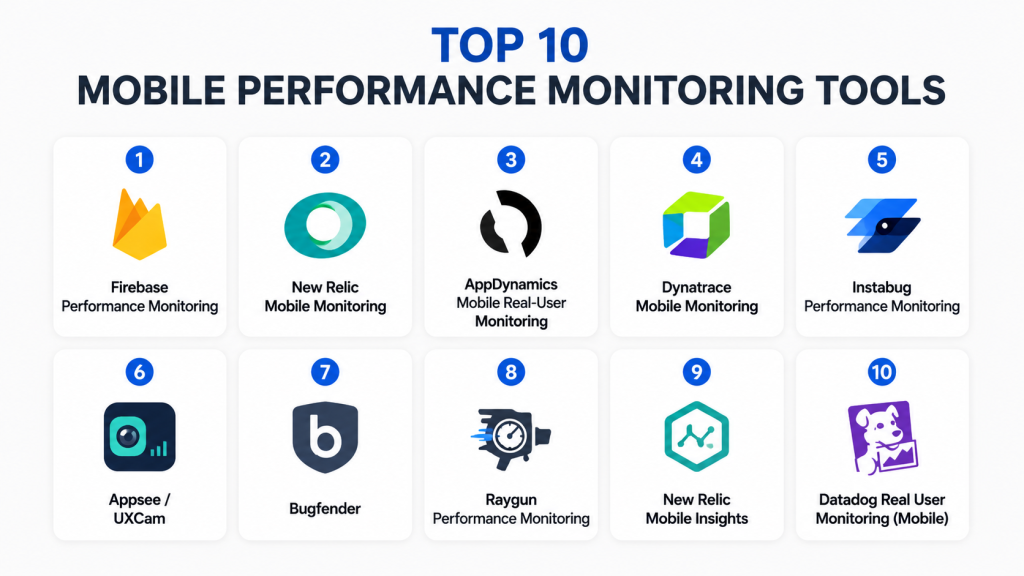
Top 10 Mobile Performance Monitoring Tools
1 — Firebase Performance Monitoring
Short description:
Firebase Performance Monitoring, part of the Firebase suite, provides mobile and web performance insights with real‑time dashboards, traces, network monitoring, and session metrics. It’s popular with developers using Firebase services who want integrated analytics and performance insights without complex setup.
Key Features
- Automatic and custom traces
- Network latency and payload metrics
- API call performance
- Session performance dashboards
- SDK optimized for low overhead
- Integration with Firebase Analytics
Pros
- Easy setup for Android/iOS
- Integrated with Firebase ecosystem
- Real‑time performance insights
Cons
- Less depth for advanced performance analysis
- Limited root cause tooling
- Best in Firebase environments
Platforms / Deployment
Android / iOS / Web / Cloud
Security & Compliance
Firebase access controls, privacy settings; GDPR/CCPA compliance requires consent implementation.
Integrations & Ecosystem
Crashlytics, Remote Config, Cloud Messaging, BigQuery exports.
Support & Community
Comprehensive docs, community forums, and Google support.
2 — New Relic Mobile Monitoring
Short description:
New Relic Mobile Monitoring provides detailed mobile performance analytics, including UI responsiveness, network metrics, and session traces. It’s part of the New Relic Observability suite, enabling performance correlation across frontend, backend, infrastructure, and mobile experiences.
Key Features
- UI performance metrics
- Network transactions
- Session traces
- Slow transactions identification
- Correlation with backend metrics
- Alerting and dashboards
Pros
- Unified observability with backend and infrastructure
- Deep performance context
- Root cause analysis embeddings
Cons
- Enterprise pricing
- Setup complexity
- May be overkill for small apps
Platforms / Deployment
Android / iOS / Hybrid / Cloud
Security & Compliance
Enterprise access controls, audit logs, privacy features.
Integrations & Ecosystem
Full New Relic suite, BI tools, DevOps stacks.
Support & Community
Enterprise support, docs, training, community.
3 — AppDynamics Mobile Real‑User Monitoring
Short description:
AppDynamics offers mobile real‑user monitoring (RUM) as part of its application performance suite. It captures session traces, crashes, UI responsiveness, and correlates mobile behavior with backend services. It’s strong for enterprises needing end‑to‑end mobile performance insights tied to business metrics.
Key Features
- Real‑user monitoring
- Session traces
- Network performance
- UI responsiveness
- Correlation with backend services
- Business impact metrics
Pros
- Enterprise focus with business insight
- Full stack correlation
- Strong performance context
Cons
- Higher cost
- Significant setup
- Enterprise complexity
Platforms / Deployment
Android / iOS / Cloud
Security & Compliance
Enterprise security, compliance tools vary by configuration.
Integrations & Ecosystem
Enterprise observability, APM suites, BI tools.
Support & Community
Enterprise support, documentation, onboarding.
4 — Dynatrace Mobile Monitoring
Short description:
Dynatrace provides mobile performance monitoring integrated with its AI‑driven observability platform. It captures mobile transactions, resource usage metrics, network behavior, user sessions, and user experience scores. The AI helps detect anomalies and root causes.
Key Features
- AI‑assisted anomaly detection
- UI and network metrics
- Resource usage tracking
- Session replay
- Root cause analysis
- Full observability stack
Pros
- AI insights for performance issues
- Detailed mobile and full stack view
- Performance and user impact correlation
Cons
- Enterprise pricing
- Higher complexity
- Setup learning curve
Platforms / Deployment
Android / iOS / Hybrid / Cloud
Security & Compliance
Enterprise cleanliness, access governance, compliance controls.
Integrations & Ecosystem
Dynatrace observability, APM, CI/CD pipelines.
Support & Community
Enterprise support tiers and documentation.
5 — Instabug Performance Monitoring
Short description:
Instabug provides embedded performance monitoring with option to capture CPU, memory, network, and session performance, alongside crash and user feedback. It’s effective for mobile product teams needing performance data tied to user sessions and context.
Key Features
- CPU and memory tracking
- Network logs and metrics
- Session performance
- Device context
- In‑app feedback integration
- Reports and dashboards
Pros
- Rich mobile context
- Combined performance and user feedback
- Useful in QA and beta cycles
Cons
- Mobile‑centric (less web/backend)
- Overhead if too much context logged
- Advanced features require higher plans
Platforms / Deployment
Android / iOS / Cloud
Security & Compliance
PII controls, access governance; compliance varies.
Integrations & Ecosystem
Crash and bug reporting tools, dashboards.
Support & Community
Documentation and support options.
6 — Appsee / UXCam
Short description:
UXCam (formerly Appsee) provides mobile analytics with session replay, touch heatmaps, and performance metrics. While its primary focus includes user behavior insights, it also reports performance issues like slow screens and poor responsiveness in correlation with user sessions.
Key Features
- Session replay
- Touch heatmaps
- Slow UI detection
- Interaction analytics
- Performance impact tags
- Contextual insights
Pros
- Combines behavior with performance
- Visual session replay
- Useful UX insights
Cons
- Less comprehensive backend performance metrics
- Pricing should be reviewed
- More UX‑oriented than pure performance
Platforms / Deployment
Android / iOS / Cloud
Security & Compliance
User privacy settings; consent workflows required.
Integrations & Ecosystem
Analytics, bug reporting, dashboards.
Support & Community
Documentation and support channels.
7 — Bugfender
Short description:
Bugfender offers remote logging and performance reporting for mobile apps. It captures logs, network calls, performance signals, and crash data. Teams use it for debugging, performance investigation, and remote log inspection.
Key Features
- Remote logging
- Network and performance logs
- Crash context
- Log search and filtering
- Session logs
- Dashboards
Pros
- Remote logging aids diagnosis
- Performance signals tied to logs
- Debugging workflow support
Cons
- Not as deep as full performance suites
- UI may feel minimal
- Advanced tracing limited
Platforms / Deployment
Android / iOS / Hybrid / Cloud
Security & Compliance
Privacy controls, access governance; compliance varies.
Integrations & Ecosystem
Debugging workflows, logs, analytics.
Support & Community
Documentation, support tiers.
8 — Raygun Performance Monitoring
Short description:
Raygun Performance Monitoring captures performance data across mobile, web, and backend. It reports slow operations, backend service latency, and user session impacts. It’s practical for teams wanting unified performance views across stacks.
Key Features
- Slow user monitors
- Network and backend latency
- Session traces
- Performance dashboards
- Alerts and root cause insights
Pros
- End‑to‑end performance views
- Unified mobile and backend monitoring
- Root cause assistance
Cons
- Enterprise pricing
- Setup requires config
- Depth varies by plan
Platforms / Deployment
Android / iOS / Web / Backend / Cloud
Security & Compliance
Access controls, privacy features; compliance varies.
Integrations & Ecosystem
Observability tools, CI/CD, dashboards.
Support & Community
Documentation and support options.
9 — New Relic Mobile Insights
Short description:
New Relic Mobile Insights is an extension of New Relic’s observability suite, providing mobile performance dashboards, latency metrics, crash and performance correlations, and user session trends. It’s often chosen by teams already invested in New Relic’s ecosystem.
Key Features
- Real‑time performance dashboards
- Correlation with backend metrics
- Session metrics and timing
- Latency and error signals
- Alerts and trend analysis
Pros
- Full observability stack integration
- Performance and crash correlation
- Real‑time visibility
Cons
- Enterprise pricing
- Setup complexity
- Mobile focus within broader suite
Platforms / Deployment
Android / iOS / Cloud
Security & Compliance
Enterprise controls and audit logs.
Integrations & Ecosystem
New Relic observability, integrations, dashboards.
Support & Community
Docs, support tiers, training.
10 — Datadog Real User Monitoring (Mobile)
Short description:
Datadog RUM (Real User Monitoring) extends to mobile performance, capturing session timings, API latency, crash signals, and user experience metrics. It provides correlated views across mobile, frontend, backend, and infrastructure layers.
Key Features
- RUM for mobile sessions
- API and network timings
- Session traces
- Crash correlation
- Alerts and dashboards
Pros
- Unified performance and experience view
- Integration with broader observability
- Correlation across layers
Cons
- Setup requires configuration
- Enterprise cost
- Data volume planning needed
Platforms / Deployment
Android / iOS / Web / Backend / Cloud
Security & Compliance
Enterprise governance, access controls; compliance plans configurable.
Integrations & Ecosystem
Datadog observability suite, CI/CD, dashboards.
Support & Community
Enterprise support, documentation, learning resources.
Comparison Table Top 10
| Tool Name | Best For | Platforms Supported | Deployment | Standout Feature | Public Rating |
|---|---|---|---|---|---|
| Firebase Performance Monitoring | Firebase app teams | Android/iOS/Web | Cloud | Simple performance insight | N/A |
| New Relic Mobile Monitoring | Full observability | Android/iOS/Hybrid | Cloud | Full stack performance context | N/A |
| AppDynamics Mobile RUM | Enterprise insights | Android/iOS | Cloud | Business impact correlation | N/A |
| Dynatrace Mobile | AI performance insights | Android/iOS/Hybrid | Cloud | AI anomaly detection | N/A |
| Instabug Performance Monitoring | Mobile QA context | Android/iOS | Cloud | Session + resource metrics | N/A |
| UXCam | UX + performance | Android/iOS | Cloud | Session replay with performance | N/A |
| Bugfender | Remote log + perf | Android/iOS | Cloud | Remote logs + performance | N/A |
| Raygun Performance | End‑to‑end perf views | Mobile/Web/Backend | Cloud | Unified performance context | N/A |
| New Relic Mobile Insights | Observability extension | Android/iOS | Cloud | Dashboards + traces | N/A |
| Datadog RUM (Mobile) | Full observability | Android/iOS/Web | Cloud | Correlated RUM metrics | N/A |
Evaluation & Scoring of Mobile Performance Monitoring Tools
| Tool Name | Core 25% | Ease 15% | Integrations 15% | Security 10% | Performance & Reliability 10% | Support 10% | Value 15% | Weighted Total |
| Firebase Performance Monitoring | 8.0 | 9.0 | 8.0 | 8.0 | 8.0 | 8.0 | 9.0 | 8.30 |
| New Relic Mobile Monitoring | 9.0 | 8.0 | 9.0 | 8.5 | 9.0 | 8.5 | 7.0 | 8.45 |
| AppDynamics Mobile RUM | 9.0 | 7.5 | 9.0 | 8.5 | 8.5 | 8.0 | 6.5 | 8.15 |
| Dynatrace Mobile | 9.0 | 7.5 | 8.5 | 8.5 | 9.0 | 8.0 | 6.5 | 8.10 |
| Instabug Performance Monitoring | 8.5 | 8.0 | 8.0 | 8.0 | 8.0 | 8.0 | 7.5 | 8.05 |
| UXCam | 7.5 | 8.5 | 7.5 | 7.5 | 7.5 | 7.5 | 8.5 | 7.75 |
| Bugfender | 7.5 | 8.0 | 7.5 | 7.5 | 7.5 | 7.0 | 8.0 | 7.55 |
| Raygun Performance | 8.5 | 7.5 | 8.5 | 8.0 | 8.5 | 8.0 | 7.0 | 8.05 |
| New Relic Mobile Insights | 8.5 | 7.5 | 9.0 | 8.5 | 8.5 | 8.5 | 7.0 | 8.15 |
| Datadog RUM (Mobile) | 9.0 | 7.5 | 9.0 | 8.5 | 9.0 | 8.5 | 7.0 | 8.40 |
Interpreting the scores:
- 8.5+ indicates strong performance insight with broad observability integration.
- 8.0–8.4 are solid platforms with balanced capabilities.
- 7.5–7.9 are practical in niche or mobile‑centric contexts.
- Always run a pilot with real user and performance metrics before final selection.
Which Mobile Performance Monitoring Tool Is Right for You?
Solo / Freelancer
Firebase Performance Monitoring and UXCam provide easy setup and valuable insights without heavy enterprise overhead.
SMB
Tools like Instabug Performance Monitoring, Raygun Performance, and New Relic Mobile Monitoring give deeper performance views while balancing cost and features.
Mid‑Market
New Relic Mobile Monitoring, Dynatrace Mobile, and AppDynamics Mobile RUM offer enterprise‑grade insights and integrations with full stacks.
Enterprise
Enterprises benefit from Datadog RUM, New Relic Mobile Monitoring, AppDynamics, and Dynatrace for full observability, cross‑stack correlation, and scalability.
Budget vs Premium
Budget‑conscious teams may favor Firebase Performance Monitoring or UXCam. Premium buyers needing deep root cause and enterprise alerting should consider New Relic, Dynatrace, Datadog, or AppDynamics.
Feature Depth vs Ease of Use
Developer‑focused teams will appreciate Firebase and Instabug for simplicity. Engineering orgs seeking root cause analysis and performance correlation should choose New Relic, Datadog, or Dynatrace.
Integrations & Scalability
Large systems with backend and mobile needs should prioritize Datadog RUM, New Relic Mobile Monitoring, and AppDynamics for unified observability.
Security & Compliance Needs
Enterprises in regulated sectors should validate privacy, data access, encryption, and compliance workflows — New Relic, Datadog, and Dynatrace offer robust governance features.
Frequently Asked Questions (FAQs)
1. What is mobile performance monitoring?
Mobile performance monitoring captures metrics like launch times, UI responsiveness, network latency, resource usage, session traces, and errors to help optimize user experience.
2. Why is performance monitoring critical?
Slow apps and poor responsiveness lead to user churn, negative reviews, lower retention, and diminished engagement, directly harming product goals.
3. How do I instrument performance monitoring?
Integrate the tool’s SDK, define traces and metrics, configure alerts, and monitor dashboards. Most tools offer templates and automatic captures.
4. What are common performance metrics?
Startup time, frame rate, network latency, API response times, memory usage, CPU load, session durations, error rates, and slow user counts.
5. How does performance monitoring correlate with observability?
Performance tools often tie mobile metrics to backend logs, traces, and metrics, helping teams see the full user experience impact across the stack.
6. Does performance monitoring impact app speed?
Modern SDKs batch data, use low overhead, and respect thresholds, but over‑instrumentation can influence performance if not configured carefully.
7. How do I monitor mobile network performance?
Performance metrics capture latency, payload size, failure rates, and session impact. Alerts can notify teams when thresholds are violated.
8. Can I use one tool for mobile and backend performance?
Yes, platforms like Datadog, New Relic, Raygun, and AppDynamics provide unified performance metrics across layers.
9. How often should I review performance data?
Daily during development sprints and before releases; weekly for trend analysis; and continuously for production alerts.
10. What is session trace?
A session trace tracks individual user session events, performance metrics, resource usage, and timelines, helping pinpoint where performance degrades.
Conclusion
Mobile performance monitoring tools are vital for delivering smooth user experiences, diagnosing bottlenecks, and aligning technical performance with product goals. Firebase Performance Monitoring is ideal for Firebase adoption and rapid insight. New Relic Mobile Monitoring, Datadog RUM, AppDynamics Mobile RUM, and Dynatrace Mobile Monitoring provide enterprise observability and deep performance context. Instabug Performance Monitoring and UXCam tie real session insights with performance. Bugfender and Raygun Performance support combined crash and performance workflows, while New Relic Mobile Insights extends observability suites. Choosing the right tool starts with piloting real app metrics, defining performance budgets, aligning integrations, and ensuring your team can act on insights to deliver fast, reliable mobile experiences at scale.
