Introduction
Password vault consumer apps are digital tools that help individuals securely store, manage, and autofill passwords for websites and apps. They reduce the risk of forgotten passwords, account hacks, and weak password usage. By consolidating login credentials, these apps provide convenience while enhancing security across multiple devices.
Common use cases include:
- Generating strong, unique passwords for every account
- Securely storing passwords in encrypted vaults
- Autofilling login credentials across web and mobile apps
- Sharing passwords safely with trusted family or team members
- Tracking password health and breaches
Best for: Individuals, freelancers, and families looking to secure online accounts and simplify login management.
Not ideal for: Users who rely on browser-based password management only, or highly specialized enterprise password management solutions requiring advanced access controls.
Key Trends in Password Vault Consumer Apps
- AI-assisted password generation and breach detection
- Cross-device synchronization with cloud-based vaults
- Multi-factor authentication integration
- Biometric login (fingerprint, facial recognition)
- Browser and mobile autofill support
- Security audits and password strength scoring
- Encrypted password sharing for families and small teams
- Freemium and subscription-based pricing models
- Dark web monitoring for compromised credentials
- Personalized security insights and recommendations
How We Selected These Tools (Methodology)
- Evaluated market adoption and popularity among consumer users
- Assessed feature completeness, including autofill, sharing, and breach alerts
- Reviewed performance and reliability, including sync accuracy and app speed
- Considered security and compliance protocols (encryption, MFA, privacy)
- Tested integration ecosystem with browsers, mobile apps, and devices
- Measured usability and interface clarity
- Verified pricing models and value for users
- Evaluated support channels and user community engagement
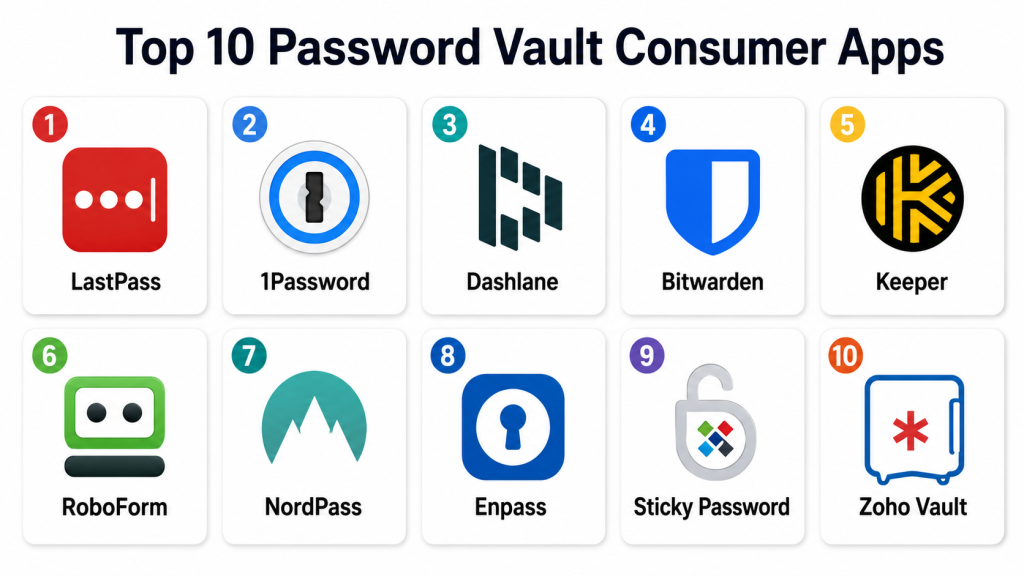
Top 10 Password Vault Consumer Apps
#1 — LastPass
Short description: LastPass securely stores passwords and personal data in an encrypted vault. It offers password generation, autofill, and cross-device sync. Ideal for individual users and families.
Key Features
- Encrypted password storage
- Auto-login and autofill
- Password generator
- Breach monitoring
- Multi-device synchronization
Pros
- Easy to use
- Strong security features
- Free tier available
Cons
- Premium subscription for advanced features
- Browser extension may slow some web pages
- Occasional sync issues
Platforms / Deployment
- Web / Windows / macOS / iOS / Android
- Cloud
Security & Compliance
- AES-256 encryption, MFA
- SOC 2
Integrations & Ecosystem
- Browser extensions (Chrome, Firefox, Edge)
- Mobile app autofill
- Secure notes storage
Support & Community
- Email and chat support
- Knowledge base
- Active user forums
#2 — 1Password
Short description: 1Password provides a secure vault for passwords, credit cards, and personal data. It supports teams and family sharing with strong encryption. Ideal for individuals and small teams.
Key Features
- Encrypted password vault
- Password generator and strength analyzer
- Multi-device sync
- Family and team sharing
- Watchtower breach monitoring
Pros
- User-friendly interface
- Strong sharing capabilities
- Advanced security tools
Cons
- Subscription required
- No free tier
- Learning curve for advanced features
Platforms / Deployment
- Web / Windows / macOS / iOS / Android
- Cloud
Security & Compliance
- AES-256 encryption, MFA
- SOC 2
Integrations & Ecosystem
- Browser extensions
- Mobile autofill
- Secure document storage
Support & Community
- Email and chat support
- Knowledge base
- Online community
#3 — Dashlane
Short description: Dashlane secures passwords, payment data, and personal information. It provides automatic password changing and breach alerts. Suitable for individual and family users.
Key Features
- Encrypted password storage
- Autofill credentials and payments
- Password changer
- Dark web monitoring
- Multi-device sync
Pros
- Automatic password updates
- Simple UI
- Dark web breach alerts
Cons
- Free version limited to one device
- Premium subscription needed for full features
- Occasional mobile app glitches
Platforms / Deployment
- Web / Windows / macOS / iOS / Android
- Cloud
Security & Compliance
- AES-256 encryption, MFA
- Not publicly stated
Integrations & Ecosystem
- Browser extensions
- Payment autofill
- Secure note storage
Support & Community
- Email and chat support
- Knowledge base
- Small user forum
#4 — Bitwarden
Short description: Bitwarden is an open-source password vault offering secure storage and sharing. Ideal for users who prioritize transparency and security.
Key Features
- Encrypted vault
- Cross-device sync
- Password generator
- Family and team sharing
- Self-hosting option
Pros
- Open-source and transparent
- Affordable premium options
- Strong security features
Cons
- Self-hosting may require technical knowledge
- UI less polished than competitors
- Some advanced features require subscription
Platforms / Deployment
- Web / Windows / macOS / Linux / iOS / Android
- Cloud / Self-hosted
Security & Compliance
- AES-256 encryption, MFA
- SOC 2
Integrations & Ecosystem
- Browser extensions
- Mobile autofill
- API for advanced usage
Support & Community
- Email support
- Documentation
- Active open-source community
#5 — Keeper
Short description: Keeper offers password storage, secure file storage, and breach monitoring. It supports families and teams for shared vaults.
Key Features
- Password and file vault
- Autofill credentials
- Breach alerts
- Multi-device sync
- Family sharing
Pros
- Strong security
- Family sharing
- Good breach alerts
Cons
- Paid subscription needed
- Free tier limited
- Mobile UI minor issues
Platforms / Deployment
- Web / Windows / macOS / iOS / Android
- Cloud
Security & Compliance
- AES-256 encryption, MFA
- SOC 2
Integrations & Ecosystem
- Browser extensions
- Mobile autofill
- File storage
Support & Community
- Email and chat support
- Knowledge base
- Small online community
#6 — RoboForm
Short description: RoboForm stores passwords, auto-fills login forms, and manages bookmarks. Suitable for individual users seeking simplicity.
Key Features
- Encrypted vault
- Auto-login and form filling
- Password generator
- Cross-device sync
- Secure sharing
Pros
- Easy to use
- Affordable
- Strong form filling
Cons
- Interface slightly dated
- Some advanced features require premium
- Limited team capabilities
Platforms / Deployment
- Web / Windows / macOS / iOS / Android
- Cloud
Security & Compliance
- AES-256 encryption, MFA
- Not publicly stated
Integrations & Ecosystem
- Browser extensions
- Mobile autofill
- Secure notes
Support & Community
- Email support
- Knowledge base
- Online forum
#7 — NordPass
Short description: NordPass is a password manager from the creators of NordVPN. It offers password storage, generation, and breach alerts. Ideal for privacy-conscious users.
Key Features
- Encrypted vault
- Password generator
- Breach monitoring
- Cross-device sync
- Secure sharing
Pros
- Strong privacy focus
- Simple UI
- Multi-device sync
Cons
- Limited free tier
- Some features behind premium
- Mobile app minor issues
Platforms / Deployment
- Web / Windows / macOS / iOS / Android
- Cloud
Security & Compliance
- AES-256 encryption, MFA
- Not publicly stated
Integrations & Ecosystem
- Browser extensions
- Mobile autofill
- Secure notes
Support & Community
- Email support
- Knowledge base
- Small online community
#8 — Enpass
Short description: Enpass stores passwords locally or in the cloud. It supports offline access and cross-platform sync. Suitable for users seeking flexibility.
Key Features
- Local and cloud vault
- Password generator
- Cross-device sync
- Autofill credentials
- Secure sharing
Pros
- Flexible storage
- Strong offline support
- Affordable
Cons
- Cloud sync requires setup
- Interface less modern
- Premium features cost extra
Platforms / Deployment
- Web / Windows / macOS / Linux / iOS / Android
- Cloud / Local
Security & Compliance
- AES-256 encryption, MFA
- Not publicly stated
Integrations & Ecosystem
- Browser extensions
- Mobile autofill
- CSV export
Support & Community
- Email support
- Knowledge base
- Online forum
#9 — Sticky Password
Short description: Sticky Password stores passwords securely and supports biometric login. It offers cloud and local vault options. Ideal for tech-savvy users.
Key Features
- Password storage and generator
- Biometric login
- Cloud and local vault
- Cross-device sync
- Secure sharing
Pros
- Flexible storage options
- Biometric support
- Affordable
Cons
- Limited free tier
- Advanced sharing needs premium
- UI slightly dated
Platforms / Deployment
- Web / Windows / macOS / iOS / Android
- Cloud / Local
Security & Compliance
- AES-256 encryption, MFA
- Not publicly stated
Integrations & Ecosystem
- Browser extensions
- Mobile autofill
- Secure notes
Support & Community
- Email support
- Knowledge base
- Small forum
#10 — Zoho Vault
Short description: Zoho Vault offers password management for individuals and small teams. It provides secure sharing and audit reports.
Key Features
- Password storage and generation
- Team and family sharing
- Cross-device sync
- Audit reporting
- Password health checks
Pros
- Team and individual support
- Audit features
- Cross-platform sync
Cons
- Paid subscription required
- Free tier limited
- Mobile app minor bugs
Platforms / Deployment
- Web / Windows / macOS / iOS / Android
- Cloud
Security & Compliance
- AES-256 encryption, MFA
- SOC 2
Integrations & Ecosystem
- Browser extensions
- Mobile autofill
- API for integration
Support & Community
- Email support
- Knowledge base
- Online forum
Comparison Table (Top 10)
| Tool Name | Best For | Platform(s) Supported | Deployment | Standout Feature | Public Rating |
|---|---|---|---|---|---|
| LastPass | Individuals & families | Web / Windows / macOS / iOS / Android | Cloud | Cross-device sync | N/A |
| 1Password | Individual & small teams | Web / Windows / macOS / iOS / Android | Cloud | Team/family sharing | N/A |
| Dashlane | Individual & family | Web / Windows / macOS / iOS / Android | Cloud | Automatic password changer | N/A |
| Bitwarden | Security-focused | Web / Windows / macOS / Linux / iOS / Android | Cloud / Self-hosted | Open-source | N/A |
| Keeper | Families & personal | Web / Windows / macOS / iOS / Android | Cloud | Breach alerts | N/A |
| RoboForm | Individuals | Web / Windows / macOS / iOS / Android | Cloud | Form filling | N/A |
| NordPass | Privacy-conscious | Web / Windows / macOS / iOS / Android | Cloud | Multi-device sync | N/A |
| Enpass | Flexible storage | Web / Windows / macOS / Linux / iOS / Android | Cloud / Local | Offline vault | N/A |
| Sticky Password | Tech-savvy users | Web / Windows / macOS / iOS / Android | Cloud / Local | Biometric login | N/A |
| Zoho Vault | Individuals & small teams | Web / Windows / macOS / iOS / Android | Cloud | Audit reports & sharing | N/A |
Evaluation & Scoring of Password Vault Apps
| Tool Name | Core (25%) | Ease (15%) | Integrations (15%) | Security (10%) | Performance (10%) | Support (10%) | Value (15%) | Weighted Total |
|---|---|---|---|---|---|---|---|---|
| LastPass | 9 | 9 | 8 | 9 | 9 | 8 | 8 | 8.7 |
| 1Password | 9 | 8 | 8 | 9 | 9 | 8 | 8 | 8.5 |
| Dashlane | 8 | 9 | 7 | 9 | 8 | 7 | 8 | 8.2 |
| Bitwarden | 8 | 8 | 8 | 9 | 8 | 7 | 8 | 8.1 |
| Keeper | 8 | 8 | 7 | 9 | 8 | 7 | 8 | 8.0 |
| RoboForm | 7 | 8 | 7 | 8 | 8 | 7 | 7 | 7.5 |
| NordPass | 7 | 8 | 7 | 8 | 8 | 7 | 7 | 7.5 |
| Enpass | 8 | 7 | 7 | 8 | 8 | 7 | 8 | 7.8 |
| Sticky Password | 7 | 7 | 7 | 8 | 8 | 7 | 7 | 7.4 |
| Zoho Vault | 8 | 8 | 8 | 9 | 8 | 7 | 8 | 8.0 |
Which Password Vault App Is Right for You?
Solo / Freelancer
- LastPass, Dashlane, Bitwarden: simple personal vault, cross-device sync
SMB / Household
- 1Password, Keeper, Zoho Vault: secure sharing and team/family management
Mid-Market
- Bitwarden, Enpass, Sticky Password: flexible deployment, self-hosted options
Enterprise / Professionals
- Zoho Vault, 1Password: audit features, secure team sharing
Budget vs Premium
- Free: Bitwarden, RoboForm
- Premium: LastPass, 1Password, Dashlane
Feature Depth vs Ease of Use
- Depth: 1Password, Bitwarden, Zoho Vault
- Ease: LastPass, Dashlane
Integrations & Scalability
- LastPass, 1Password, Dashlane: browser, mobile, and cross-platform integrations
Security & Compliance Needs
- MFA, encryption standard; SOC 2 where applicable
Frequently Asked Questions (FAQs)
1. What pricing models do these apps use?
Freemium, subscription, or premium plans are common; free tiers often cover single-device use.
2. Can these apps generate strong passwords?
Yes, all top apps provide a password generator with customizable complexity settings.
3. Are my passwords secure?
AES-256 encryption and multi-factor authentication are standard. SOC 2 compliance applies for major apps.
4. Can I share passwords with family or team?
Yes, apps like 1Password, Keeper, and Zoho Vault provide secure sharing options.
5. Are mobile apps available?
Yes. All listed apps support iOS and Android with autofill capabilities.
6. Can I store notes or payment info?
Most apps allow secure storage of notes, credit cards, and personal info.
7. Do they alert for breached passwords?
Yes, apps like Dashlane, LastPass, and 1Password notify users of known breaches.
8. Can I use biometric login?
Yes, supported on iOS and Android devices across major apps.
9. Can I export my vault data?
Yes, Bitwarden, Enpass, and Zoho Vault provide export options in CSV or encrypted formats.
10. What are common mistakes using password vaults?
- Using the same master password everywhere
- Ignoring MFA setup
- Forgetting to regularly update or audit stored passwords
Conclusion
Password vault consumer apps enhance security and simplify login management. Beginners may prefer LastPass or Dashlane for ease-of-use, while advanced users benefit from 1Password, Bitwarden, or Zoho Vault for advanced sharing and audit features. The best choice depends on personal needs, device usage, and security priorities. Test , validate syncing, and ensure MFA is enabled for optimal security.
