Introduction
Room Scheduling Displays are digital workplace tools—usually wall-mounted tablets or touchscreen panels—that show real-time meeting room availability and allow employees to book, extend, or release rooms instantly. In simple terms, they eliminate confusion around meeting spaces by clearly showing whether a room is free, booked, or about to be used.
In and beyond, these tools are becoming essential for hybrid workplaces where meeting spaces are shared, dynamic, and heavily utilized. Instead of double bookings, wasted rooms, or manual coordination, organizations now rely on smart scheduling displays connected to calendars and workplace systems.
Real-world use cases include:
- Booking and managing conference rooms in real time.
- Preventing meeting room conflicts and double bookings.
- Displaying upcoming meetings outside each room.
- Supporting hybrid workplace hot-desking environments.
- Improving office space utilization analytics.
What buyers should evaluate:
- Real-time sync with calendar systems.
- Hardware compatibility (tablets, displays, kiosks).
- Ease of booking directly from the screen.
- Integration with Microsoft 365, Google Workspace, and scheduling tools.
- Space utilization analytics and reporting.
- Installation and maintenance complexity.
- Security and access control.
- Scalability across multiple office locations.
- User experience and touch responsiveness.
- Pricing and device management capabilities.
Best for: Enterprises, co-working spaces, hybrid workplaces, IT administrators, facility managers, HR operations teams, and organizations managing shared office spaces.
Not ideal for: Very small offices with few meeting rooms, fully remote companies, or organizations without structured calendar systems.
Key Trends in Room Scheduling Displays
- AI-powered room optimization based on usage patterns.
- Smart energy-saving displays that activate only when needed.
- Integration with occupancy sensors and IoT workplace systems.
- Real-time hybrid workplace space analytics.
- Touchless and mobile-first room booking workflows.
- Unified workplace experience platforms combining desks, rooms, and parking.
- Deep integration with Microsoft Teams Rooms and Google Calendar systems.
- Automated meeting release for no-show detection.
- Enhanced security through identity-based booking.
- Cloud-managed device fleets for global office networks.
How We Selected These Tools (Methodology)
The tools in this list were selected based on:
- Market adoption in workplace and facility management space.
- Integration with major calendar ecosystems.
- Hardware + software ecosystem maturity.
- Ease of deployment across offices.
- Reliability in real-time scheduling environments.
- Security, access control, and enterprise readiness.
- Device management and remote configuration capabilities.
- Scalability for multi-location enterprises.
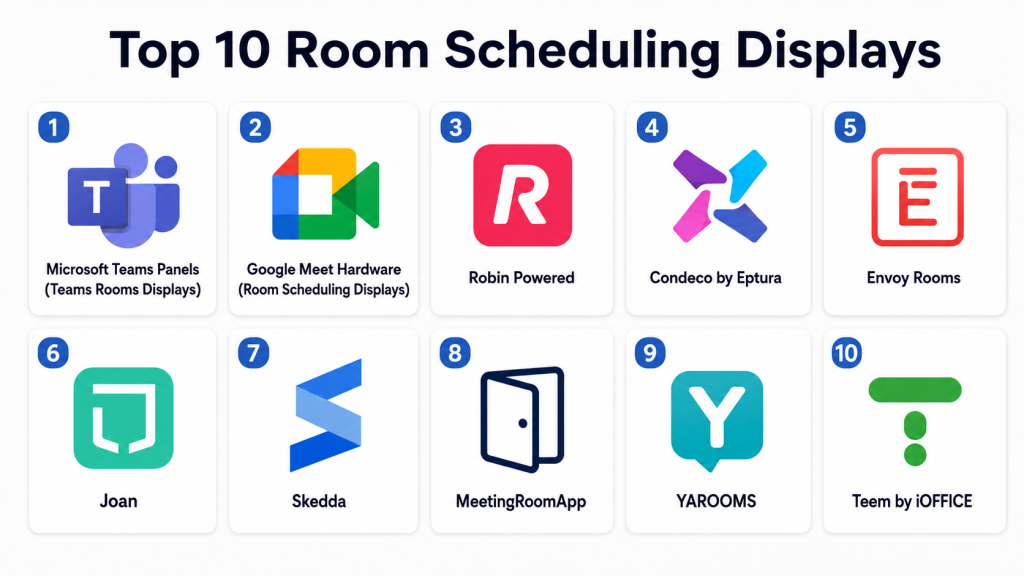
Top 10 Room Scheduling Displays
1- Microsoft Teams Panels (Teams Rooms Displays)
Short description:
Microsoft Teams Panels are dedicated room scheduling displays designed for Microsoft 365 environments. They are mounted outside meeting rooms and show real-time availability, upcoming meetings, and booking options. These panels integrate deeply with Microsoft Teams and Outlook calendars. They allow users to book rooms instantly or extend meetings directly from the screen. They are widely used in enterprise office environments. They are best suited for organizations already invested in the Microsoft ecosystem.
Key Features
- Real-time room availability display.
- Direct room booking and extensions.
- Microsoft Teams and Outlook integration.
- Touch-enabled interface.
- Meeting check-in functionality.
- Calendar synchronization.
- Enterprise device management.
Pros
- Deep Microsoft ecosystem integration.
- Easy adoption for Teams users.
- Strong enterprise reliability.
Cons
- Best only within Microsoft environments.
- Hardware dependency.
- Limited flexibility outside Teams ecosystem.
Platforms / Deployment
- Hardware panels
- Cloud-managed
- Windows-based ecosystem integration
Security & Compliance
- SSO/SAML
- MFA
- Encryption
- RBAC
- Microsoft enterprise compliance standards
Integrations & Ecosystem
- Microsoft Teams
- Outlook Calendar
- Microsoft 365
- Exchange
- Azure Active Directory
- Device management tools
Support & Community
Enterprise Microsoft support, documentation, and global partner ecosystem.
2- Google Meet Hardware (Room Scheduling Displays)
Short description:
Google Meet Hardware includes room scheduling displays designed for Google Workspace environments. These touch panels show room availability and allow instant booking using Google Calendar integration. They are widely used in organizations relying on Google Workspace for collaboration. The system provides a seamless booking experience tied to Google Calendar events. It supports hybrid workplaces and distributed teams. It is best suited for Google-first organizations.
Key Features
- Google Calendar room sync.
- Real-time availability display.
- One-touch room booking.
- Meeting check-in support.
- Device and room management console.
- Calendar-based scheduling.
- Hybrid meeting integration.
Pros
- Strong Google Workspace integration.
- Simple and intuitive UI.
- Easy deployment in Google environments.
Cons
- Limited outside Google ecosystem.
- Hardware dependency.
- Less customization flexibility.
Platforms / Deployment
- Hardware panels
- Cloud-managed
- Google Workspace ecosystem
Security & Compliance
- SSO/SAML
- MFA
- Encryption
- Google Workspace security controls
- RBAC
Integrations & Ecosystem
- Google Calendar
- Google Meet
- Google Workspace apps
- Admin console
- Third-party AV tools
- APIs
Support & Community
Google Workspace enterprise support and documentation.
3- Robin Powered
Short description:
Robin Powered is a workplace experience platform that includes room scheduling displays, desk booking, and space utilization tools. It helps organizations manage hybrid workplaces more efficiently. Robin provides interactive room displays that show availability and allow booking in real time. It is widely used by modern offices and enterprise workplaces. The platform focuses on optimizing office space usage. It is ideal for companies managing flexible work environments.
Key Features
- Room scheduling displays.
- Desk and space booking.
- Occupancy tracking.
- Calendar integration.
- Workplace analytics.
- Mobile booking app.
- Hybrid workplace management tools.
Pros
- Strong workplace analytics.
- Good hybrid office support.
- Easy room booking experience.
Cons
- Requires hardware setup.
- Enterprise pricing for full features.
- Learning curve for admins.
Platforms / Deployment
- Hardware + Web
- Cloud
Security & Compliance
- SSO/SAML
- MFA
- Encryption
- RBAC
- Audit logs
- Compliance varies by deployment
Integrations & Ecosystem
- Microsoft Outlook
- Google Calendar
- Slack
- HR systems
- APIs
- Workplace sensors
Support & Community
Strong enterprise onboarding and customer success support.
4- Condeco by Eptura
Short description:
Condeco is an enterprise-grade room booking and workplace scheduling platform that includes digital room displays. It is widely used in large corporate environments for managing meeting spaces and hybrid workplaces. Condeco integrates with enterprise calendars and workplace systems. It supports advanced scheduling rules and resource management. The platform is designed for complex enterprise environments. It is best suited for global organizations with multiple office locations.
Key Features
- Room booking displays.
- Enterprise scheduling system.
- Hybrid workplace management.
- Calendar synchronization.
- Space utilization analytics.
- Resource booking (rooms, desks).
- Meeting check-in/out system.
Pros
- Strong enterprise scalability.
- Advanced scheduling controls.
- Good analytics capabilities.
Cons
- Complex implementation.
- Higher cost structure.
- Requires administrative setup.
Platforms / Deployment
- Hardware + Web
- Cloud
Security & Compliance
- SSO/SAML
- MFA
- Encryption
- RBAC
- Audit logs
- Enterprise compliance support varies
Integrations & Ecosystem
- Microsoft 365
- Google Workspace
- HR systems
- Workplace sensors
- APIs
- Calendar systems
Support & Community
Enterprise-level support with implementation services.
5- Envoy Rooms
Short description:
Envoy Rooms is part of the Envoy workplace platform and provides smart room scheduling displays for modern offices. It allows employees to view room availability and book spaces instantly. Envoy is widely used in hybrid workplaces and co-working environments. It integrates with workplace management systems and calendars. The platform emphasizes ease of use and workplace efficiency. It is ideal for modern office environments.
Key Features
- Room availability displays.
- One-touch booking.
- Calendar integration.
- Meeting check-in system.
- Workplace analytics.
- Visitor and space management integration.
- Mobile app support.
Pros
- Simple user experience.
- Strong workplace ecosystem.
- Good for hybrid offices.
Cons
- Requires full Envoy ecosystem for maximum value.
- Enterprise pricing tiers.
- Limited offline functionality.
Platforms / Deployment
- Hardware + Web
- Cloud
Security & Compliance
- SSO/SAML
- MFA
- Encryption
- RBAC
- Audit logs
- Not publicly stated certifications
Integrations & Ecosystem
- Google Calendar
- Microsoft Outlook
- Slack
- Workplace tools
- APIs
- HR systems
Support & Community
Strong onboarding and enterprise support options.
6- Joan
Short description:
Joan is a lightweight room scheduling display solution designed for simplicity and energy efficiency. It offers wireless, e-ink-based meeting room displays that show room availability and booking details. Joan is widely used in offices that want a minimal and eco-friendly scheduling solution. It focuses on simplicity, long battery life, and easy installation. It is ideal for SMBs and modern offices seeking low-maintenance hardware.
Key Features
- E-ink room displays.
- Wireless installation.
- Calendar synchronization.
- Touch booking support.
- Energy-efficient design.
- Mobile booking support.
- Simple configuration tools.
Pros
- Very low power consumption.
- Easy installation.
- Clean and minimal design.
Cons
- Limited advanced analytics.
- Less enterprise-grade functionality.
- Smaller ecosystem.
Platforms / Deployment
- Hardware + Cloud
Security & Compliance
- SSO/SAML
- MFA
- Encryption
- RBAC
- Not publicly stated certifications
Integrations & Ecosystem
- Google Calendar
- Microsoft Outlook
- iCal systems
- APIs
- Workplace tools
Support & Community
Good SMB-focused support and documentation.
7- Skedda
Short description:
Skedda is a space scheduling platform that includes room booking displays and management tools. It is widely used in coworking spaces, education, and hybrid workplaces. Skedda focuses on automated booking rules and flexible scheduling. It helps organizations manage shared spaces efficiently. It is known for simplicity and automation features. It is suitable for small to mid-sized organizations.
Key Features
- Room scheduling system.
- Booking automation rules.
- Calendar integration.
- Space management tools.
- User access controls.
- Booking dashboards.
- Mobile-friendly interface.
Pros
- Easy automation rules.
- Good for shared spaces.
- Simple setup.
Cons
- Limited enterprise depth.
- Requires integration for hardware displays.
- Basic analytics.
Platforms / Deployment
- Web
- Cloud
Security & Compliance
- SSO/SAML
- MFA
- Encryption
- RBAC
- Audit logs
- Not publicly stated certifications
Integrations & Ecosystem
- Google Calendar
- Microsoft Outlook
- APIs
- Workspace tools
- Payment systems (for coworking)
- Third-party apps
Support & Community
Good documentation and responsive support.
8- MeetingRoomApp
Short description:
MeetingRoomApp is a dedicated room scheduling display solution designed for meeting room management. It provides interactive panels that show availability and allow instant booking. It is widely used in corporate offices and meeting-heavy environments. The platform supports multiple integrations with calendar systems. It is known for its flexibility and compatibility with different hardware setups. It is suitable for mid-market organizations.
Key Features
- Room booking displays.
- Calendar synchronization.
- Meeting check-in system.
- Custom branding options.
- Device management tools.
- Multi-room support.
- Analytics dashboards.
Pros
- Flexible deployment.
- Strong customization.
- Good hardware compatibility.
Cons
- Setup requires configuration.
- Limited advanced workplace analytics.
- Not as enterprise-heavy as competitors.
Platforms / Deployment
- Hardware + Web
- Cloud
Security & Compliance
- SSO/SAML
- MFA
- Encryption
- RBAC
- Audit logs
- Not publicly stated certifications
Integrations & Ecosystem
- Microsoft Outlook
- Google Calendar
- APIs
- Workplace tools
- Video conferencing systems
- Device management tools
Support & Community
Good onboarding and technical support.
9- YAROOMS
Short description:
YAROOMS is a workplace management platform that includes room scheduling displays, desk booking, and hybrid office tools. It is widely used by enterprises and mid-sized companies. The platform provides real-time booking and space optimization features. It supports hybrid workplace management with strong analytics. It is suitable for organizations managing flexible office environments. It is focused on workplace efficiency.
Key Features
- Room scheduling displays.
- Desk booking system.
- Workplace analytics.
- Calendar integration.
- Hybrid office management.
- Space utilization tracking.
- Mobile booking support.
Pros
- Strong hybrid workplace support.
- Good analytics features.
- Easy booking experience.
Cons
- Requires ecosystem setup.
- Enterprise features need configuration.
- Limited offline capabilities.
Platforms / Deployment
- Hardware + Web
- Cloud
Security & Compliance
- SSO/SAML
- MFA
- Encryption
- RBAC
- Audit logs
- Not publicly stated certifications
Integrations & Ecosystem
- Microsoft 365
- Google Workspace
- Slack
- HR systems
- APIs
- Sensor systems
Support & Community
Strong enterprise onboarding and customer success support.
10- Teem by iOFFICE
Short description:
Teem by iOFFICE is a workplace management and room scheduling platform that includes digital room displays for meeting spaces. It helps organizations manage room bookings, desks, and workplace resources. The platform is widely used in enterprise office environments. It focuses on improving workplace efficiency and space utilization. It integrates with major calendar systems and workplace tools. It is suitable for organizations managing hybrid office environments.
Key Features
- Room scheduling displays.
- Workplace resource booking.
- Calendar integration.
- Meeting check-in/out.
- Space utilization analytics.
- Desk booking support.
- Mobile app access.
Pros
- Strong enterprise workplace tools.
- Good analytics capabilities.
- Easy scheduling experience.
Cons
- Requires enterprise setup.
- Pricing varies by deployment.
- Limited standalone usage.
Platforms / Deployment
- Hardware + Web
- Cloud
Security & Compliance
- SSO/SAML
- MFA
- Encryption
- RBAC
- Audit logs
- Enterprise compliance varies
Integrations & Ecosystem
- Microsoft 365
- Google Workspace
- HR systems
- APIs
- Workplace sensors
- Calendar tools
Support & Community
Enterprise support and onboarding services.
Comparison Table
| Tool Name | Best For | Platform(s) Supported | Deployment | Standout Feature | Public Rating |
|---|---|---|---|---|---|
| Microsoft Teams Panels | Microsoft enterprises | Hardware + Cloud | Cloud | Native Teams integration | N/A |
| Google Meet Hardware | Google Workspace offices | Hardware + Cloud | Cloud | Google Calendar sync | N/A |
| Robin Powered | Hybrid workplaces | Web + Hardware | Cloud | Workplace analytics | N/A |
| Condeco | Large enterprises | Web + Hardware | Cloud | Enterprise scheduling engine | N/A |
| Envoy Rooms | Modern offices | Web + Hardware | Cloud | Workplace ecosystem | N/A |
| Joan | SMB offices | Hardware + Cloud | Cloud | E-ink energy-efficient display | N/A |
| Skedda | SMB shared spaces | Web | Cloud | Booking automation rules | N/A |
| MeetingRoomApp | Mid-market offices | Web + Hardware | Cloud | Custom room displays | N/A |
| YAROOMS | Hybrid enterprises | Web + Hardware | Cloud | Hybrid workplace management | N/A |
| Teem (iOFFICE) | Enterprise workplaces | Web + Hardware | Cloud | Resource + room booking suite | N/A |
Evaluation & Scoring of Room Scheduling Displays
| Tool Name | Core (25%) | Ease (15%) | Integrations (15%) | Security (10%) | Performance (10%) | Support (10%) | Value (15%) | Weighted Total (0–10) |
|---|---|---|---|---|---|---|---|---|
| Microsoft Teams Panels | 10 | 8 | 10 | 10 | 9 | 9 | 8 | 9.0 |
| Google Meet Hardware | 9 | 9 | 10 | 9 | 9 | 9 | 8 | 8.9 |
| Robin Powered | 9 | 8 | 9 | 9 | 9 | 9 | 8 | 8.7 |
| Condeco | 10 | 7 | 10 | 10 | 9 | 9 | 7 | 8.8 |
| Envoy Rooms | 9 | 9 | 9 | 9 | 9 | 9 | 8 | 8.8 |
| Joan | 8 | 10 | 8 | 8 | 8 | 8 | 9 | 8.3 |
| Skedda | 8 | 9 | 8 | 8 | 8 | 8 | 9 | 8.2 |
| MeetingRoomApp | 8 | 8 | 8 | 8 | 8 | 8 | 8 | 8.0 |
| YAROOMS | 9 | 8 | 9 | 9 | 9 | 9 | 8 | 8.6 |
| Teem (iOFFICE) | 9 | 8 | 9 | 9 | 9 | 9 | 7 | 8.5 |
These scores are comparative and depend heavily on workplace scale, ecosystem alignment, and hardware strategy. Enterprise platforms excel in governance and integration, while SMB solutions prioritize simplicity and ease of deployment. The right choice depends on whether the organization prioritizes Microsoft/Google ecosystem alignment, hybrid workplace optimization, or lightweight room scheduling.
Which Room Scheduling Display Tool Is Right for You?
Solo / Freelancer
Room scheduling displays are generally not required for freelancers or solo users.
SMB
Joan, Skedda, and MeetingRoomApp are suitable for small offices needing simple and affordable room booking solutions.
Mid-Market
Robin Powered, Envoy Rooms, YAROOMS, and MeetingRoomApp offer a balance of usability, analytics, and hybrid workplace features.
Enterprise
Microsoft Teams Panels, Google Meet Hardware, Condeco, Teem, and Robin Powered are best suited for large organizations with complex office environments.
Budget vs Premium
Budget-friendly options include Joan and Skedda. Premium enterprise platforms include Condeco, Microsoft Teams Panels, and Robin Powered.
Feature Depth vs Ease of Use
Joan and Skedda are easiest to deploy. Condeco and Robin offer deeper enterprise functionality but require more setup.
Integrations & Scalability
Microsoft, Google, Robin, and Condeco provide the strongest ecosystem integration and scalability for global organizations.
Security & Compliance Needs
Enterprise buyers should prioritize Microsoft Teams Panels, Google Meet Hardware, and Condeco due to stronger governance and compliance capabilities.
Frequently Asked Questions
1. What is a room scheduling display?
It is a digital screen placed outside meeting rooms that shows availability and allows users to book rooms instantly.
2. How do these systems work?
They sync with calendar systems like Microsoft Outlook or Google Calendar to display real-time room status.
3. Are they hardware or software?
They are a combination of both—hardware touch displays powered by cloud-based scheduling software.
4. Can employees book rooms directly from the screen?
Yes, most systems allow instant booking, extensions, and check-ins directly on the display.
5. Do they integrate with Microsoft and Google?
Yes, most leading tools integrate with Microsoft 365 and Google Workspace calendars.
6. Are these systems suitable for small offices?
Yes, SMB-focused tools like Joan and Skedda are designed for smaller environments.
7. Do they support hybrid workplaces?
Yes, they are widely used in hybrid environments to manage shared meeting spaces efficiently.
8. Are room scheduling displays secure?
Enterprise solutions offer encryption, SSO, MFA, and access controls, but security varies by vendor.
9. What is the biggest challenge?
The biggest challenge is ensuring accurate calendar synchronization across multiple systems.
10. Do they reduce meeting room conflicts?
Yes, they significantly reduce double bookings and improve room utilization efficiency.
Conclusion
Room Scheduling Displays are becoming a core part of modern workplace infrastructure, especially in hybrid and enterprise environments where meeting spaces must be efficiently managed. Tools like Microsoft Teams Panels, Google Meet Hardware, Robin Powered, and Condeco lead the enterprise space, while Joan and Skedda offer lightweight solutions for smaller offices. The right choice depends on ecosystem alignment, office size, and required analytics depth. Organizations should shortlist a few tools, test real-world booking scenarios, and evaluate integration with their calendar and workplace systems before scaling deployment across locations.
