Introduction
Threat Hunting Platforms help security teams proactively search for hidden threats before they become serious breaches. In simple terms, these tools allow analysts to investigate suspicious behavior across endpoints, identities, networks, cloud workloads, emails, logs, and user activity instead of waiting for alerts alone. A strong threat hunting platform helps teams ask questions, test attack hypotheses, search historical telemetry, map attacker behavior, and respond faster.
Threat hunting matters because attackers increasingly use stealthy techniques, stolen credentials, living-off-the-land tools, cloud misconfigurations, and lateral movement to avoid basic detection. Traditional alerts are useful, but they do not always show the full attack path. Threat hunting platforms give SOC teams deeper visibility, better context, and stronger investigation workflows.
Common use cases include endpoint compromise hunting, identity abuse detection, ransomware behavior investigation, cloud threat discovery, insider-risk analysis, lateral movement detection, suspicious PowerShell investigation, and MITRE ATT&CK-based hunting.
Buyers should evaluate:
- Endpoint, identity, cloud, email, and network visibility
- Query language and hunting workflow flexibility
- Threat intelligence enrichment
- MITRE ATT&CK mapping
- AI-assisted investigation and summaries
- Detection engineering support
- Automation and response actions
- Integrations with SIEM, SOAR, EDR, XDR, and ticketing tools
- Data retention, search performance, and scalability
- Security controls such as RBAC, audit logs, encryption, MFA, and SSO
Best for: SOC analysts, threat hunters, incident responders, detection engineers, security architects, managed security providers, and enterprises with mature security operations.
Not ideal for: very small teams without dedicated security staff, organizations that only need basic antivirus protection, or businesses that lack enough telemetry to support proactive hunting. In those cases, managed detection and response or a simpler EDR tool may be a better starting point.
Key Trends in Threat Hunting Platforms
- AI-assisted hunting is becoming practical: Many platforms now help analysts summarize investigations, generate queries, explain alerts, and suggest follow-up searches.
- XDR is expanding threat hunting scope: Teams want one hunting view across endpoints, identities, cloud, email, network, and SaaS activity instead of disconnected consoles.
- Identity-based hunting is now critical: Attackers often use stolen credentials, MFA fatigue, token abuse, and privilege escalation, so identity telemetry is now a core hunting data source.
- Cloud and container hunting are becoming standard: Security teams need visibility into cloud workloads, Kubernetes activity, serverless events, and cloud control-plane behavior.
- Threat intelligence is more deeply integrated: Modern platforms enrich hunts with indicators, adversary behavior, campaign context, malware families, and MITRE ATT&CK techniques.
- Natural language investigation is growing: Some tools now support natural language queries, assisted searches, and guided investigation workflows for faster analyst productivity.
- Detection engineering and hunting are merging: Teams increasingly use hunt findings to create durable detection rules, response playbooks, and automated monitoring logic.
- Data retention is a major buying factor: Threat hunters need enough historical telemetry to investigate slow-moving attacks, persistence, and long dwell-time intrusions.
- Automation is supporting repetitive hunting tasks: Platforms are adding automated enrichment, scheduled hunts, case creation, response actions, and workflow orchestration.
- Open and hybrid models are still important: Many teams prefer platforms that support open rules, APIs, custom queries, self-hosted options, or integration with existing security data lakes.
How We Selected These Tools Methodology
The following tools were selected based on their practical relevance for enterprise threat hunting, SOC operations, endpoint security, XDR, SIEM, cloud security, and detection engineering.
- Market adoption and recognition among SOC, security engineering, and incident response teams
- Feature completeness across endpoint, identity, cloud, network, email, and log-based hunting
- Search, query, investigation, timeline, and telemetry analysis capabilities
- Threat intelligence quality and MITRE ATT&CK alignment
- AI-assisted investigation, automation, and analyst productivity features
- Security posture signals such as RBAC, audit logs, identity controls, and encryption
- Integration strength with SIEM, SOAR, EDR, XDR, ITSM, cloud, and ticketing tools
- Customer fit across SMB, mid-market, enterprise, MSSP, and open-source-friendly teams
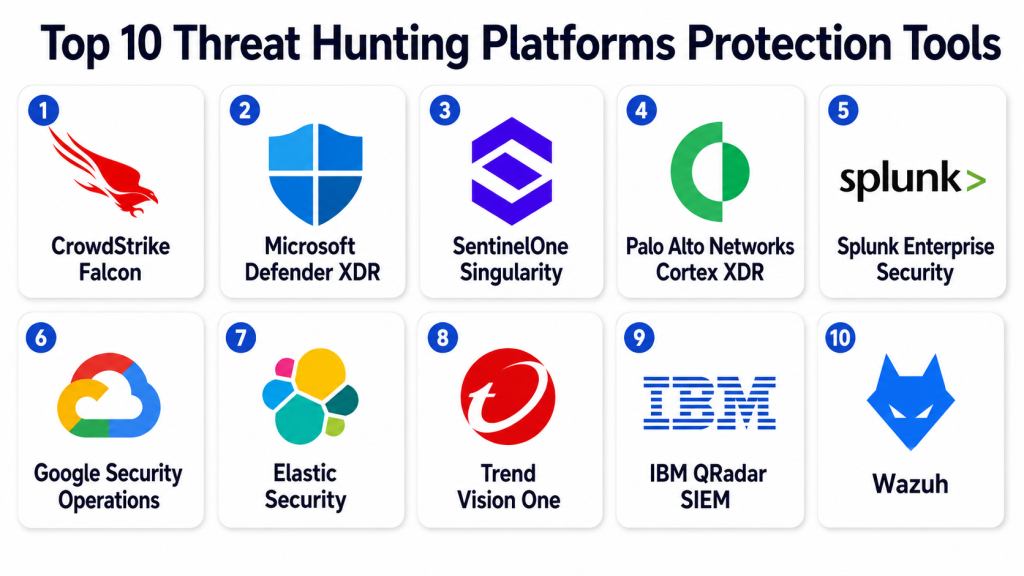
Top 10 Threat Hunting Platforms Protection Tools
1- CrowdStrike Falcon
Short description:
CrowdStrike Falcon is a cloud-native endpoint, identity, cloud, and threat intelligence platform used by SOC and security teams for detection, response, and proactive hunting.
Its threat hunting strength comes from rich endpoint telemetry, adversary intelligence, managed hunting services, and fast investigation workflows.
It is useful for organizations that need to detect stealthy activity, ransomware behavior, identity abuse, and advanced attacker techniques.
CrowdStrike is best suited for enterprises and mature security teams that want strong EDR, XDR, and managed threat hunting options.
Key Features
- Endpoint detection and response with detailed telemetry
- Managed threat hunting through Falcon OverWatch
- Identity and cloud security visibility in supported modules
- Threat intelligence enrichment and adversary context
- MITRE ATT&CK-aligned investigation workflows
- Real-time response and containment capabilities
- Search and investigation across endpoint and security data
Pros
- Strong endpoint and adversary intelligence foundation
- Managed hunting helps teams with limited internal hunting capacity
- Fast investigation and response workflows for SOC teams
Cons
- Full value may require multiple Falcon modules
- Pricing can be premium for smaller organizations
- Best results depend on proper deployment and coverage
Platforms / Deployment
Web / Windows / macOS / Linux
Cloud
Security & Compliance
Supports enterprise security controls such as role-based access, audit capabilities, encryption, and identity-based access options. Specific certifications and compliance details should be verified by plan, region, and contract.
Integrations & Ecosystem
CrowdStrike Falcon integrates with security operations, SIEM, SOAR, cloud, identity, ticketing, and response workflows. Its ecosystem is strong for teams that want endpoint-led hunting connected to broader security operations.
- SIEM and SOAR platforms
- Cloud security and workload tools
- Identity and access systems
- Ticketing and ITSM tools
- Threat intelligence workflows
- APIs and automation connectors
Support & Community
CrowdStrike provides documentation, customer support, threat intelligence resources, managed services, and partner support. Its community is strong among enterprise SOC, incident response, and endpoint security teams.
2- Microsoft Defender XDR
Short description:
Microsoft Defender XDR is a security operations platform that connects signals from endpoints, identities, email, cloud apps, and Microsoft security services.
Its advanced hunting capability allows analysts to query security data, inspect suspicious behavior, and investigate threats across Microsoft environments.
It is especially useful for organizations already using Microsoft 365, Microsoft Defender for Endpoint, Entra ID, and Sentinel.
Microsoft Defender XDR is best suited for enterprises and mid-market teams invested in the Microsoft security ecosystem.
Key Features
- Advanced hunting with query-based investigation
- Cross-domain visibility across endpoint, identity, email, and cloud signals
- Integration with Microsoft Sentinel and Microsoft security tools
- Incident correlation and attack story support
- Threat intelligence and security recommendations
- Automated investigation and response capabilities
- Strong fit for Microsoft 365 and Entra ID environments
Pros
- Excellent fit for Microsoft-centric organizations
- Strong identity, endpoint, and email hunting coverage
- Advanced hunting gives analysts flexible investigation power
Cons
- Best value depends on Microsoft licensing and ecosystem adoption
- Query language learning curve for new analysts
- Non-Microsoft integrations may require additional planning
Platforms / Deployment
Web / Windows / macOS / Linux / iOS / Android
Cloud
Security & Compliance
Supports enterprise security controls such as SSO, MFA, RBAC, encryption, audit logs, and integration with Microsoft identity governance. Specific compliance coverage varies by plan, region, and tenant configuration.
Integrations & Ecosystem
Microsoft Defender XDR works best when connected with Microsoft Sentinel, Microsoft 365, Entra ID, Defender for Endpoint, Defender for Cloud Apps, and other Microsoft security products.
- Microsoft Sentinel
- Microsoft 365 Defender services
- Microsoft Entra ID
- Defender for Endpoint
- Defender for Cloud Apps
- APIs and security automation workflows
Support & Community
Microsoft provides official documentation, training, support plans, partner services, and a large practitioner community. Organizations using Microsoft security products can find many learning resources and query examples.
3- SentinelOne Singularity
Short description:
SentinelOne Singularity is an AI-powered cybersecurity platform covering endpoint, cloud, identity, data, and security operations use cases.
It supports threat hunting and investigation with behavioral AI, telemetry search, automated response, and analyst assistance features.
The platform is useful for teams that want fast endpoint-driven investigations with automation and modern security operations workflows.
It is best suited for SOC teams, incident responders, and organizations looking for autonomous EDR and XDR capabilities.
Key Features
- Endpoint detection and response
- Behavioral AI for suspicious activity detection
- Threat hunting and investigation workflows
- Natural language investigation support in selected capabilities
- Automated response and remediation actions
- Identity and cloud security options in the broader platform
- Threat intelligence and analyst productivity features
Pros
- Strong automation and endpoint response capabilities
- Useful for reducing manual investigation effort
- Good fit for teams modernizing EDR and XDR workflows
Cons
- Full platform value may require additional modules
- Teams should validate integration needs before purchase
- Advanced features may require training and tuning
Platforms / Deployment
Web / Windows / macOS / Linux
Cloud / Hybrid
Security & Compliance
Supports enterprise security capabilities such as access controls, role-based permissions, encryption, and audit-related features. Specific certifications and compliance claims should be verified by plan and contract.
Integrations & Ecosystem
SentinelOne integrates with SIEM, SOAR, cloud, identity, ticketing, and security operations tools. Its ecosystem is useful for teams that want automated response and cross-platform visibility.
- SIEM and SOAR tools
- Cloud security platforms
- Identity security systems
- ITSM and ticketing tools
- Threat intelligence sources
- APIs and automation workflows
Support & Community
SentinelOne provides documentation, customer support, training resources, managed services, and partner support. Its community is strong among endpoint security and modern SOC teams.
4- Palo Alto Networks Cortex XDR
Short description:
Palo Alto Networks Cortex XDR is an extended detection and response platform for endpoint, network, cloud, identity, and third-party security data.
It helps security teams detect, investigate, hunt, and respond to threats across multiple attack surfaces.
The platform is useful for organizations that want correlation across network, endpoint, firewall, cloud, and external data sources.
Cortex XDR is best suited for enterprises with mature SOC workflows and Palo Alto Networks security investments.
Key Features
- Cross-domain XDR investigation
- Endpoint, network, cloud, and identity telemetry correlation
- Advanced analytics for attacker behavior detection
- Threat hunting and investigation workbench
- Managed threat hunting options through Unit 42 services
- MITRE ATT&CK-aligned detection context
- Response and containment actions
Pros
- Strong for organizations using Palo Alto Networks security products
- Useful correlation across endpoint, network, and cloud data
- Good fit for mature SOC and enterprise security teams
Cons
- Best results may depend on ecosystem integration depth
- Can require tuning and SOC process maturity
- May be more than small teams need
Platforms / Deployment
Web / Windows / macOS / Linux
Cloud / Hybrid
Security & Compliance
Supports enterprise access controls, role-based permissions, audit capabilities, and security operations governance. Specific compliance and certification details should be validated by product, deployment, and contract.
Integrations & Ecosystem
Cortex XDR integrates with Palo Alto Networks products and third-party security data sources. Its ecosystem is strong for enterprises that want threat hunting across endpoint, network, firewall, cloud, and security analytics data.
- Palo Alto Networks firewalls
- Cloud and network security tools
- SIEM and SOAR platforms
- Endpoint and identity telemetry
- Threat intelligence sources
- APIs and automation workflows
Support & Community
Palo Alto Networks provides documentation, enterprise support, professional services, training, and Unit 42 services. The community is strong among enterprise network security and SOC teams.
5- Splunk Enterprise Security
Short description:
Splunk Enterprise Security is a SIEM and security analytics platform used by SOC teams for detection, investigation, threat hunting, risk analysis, and response workflows.
It gives analysts powerful search capabilities across logs, network data, endpoint data, identity data, cloud telemetry, and security events.
The platform is useful for teams that want highly customizable hunting logic, correlation searches, dashboards, and investigation workflows.
Splunk Enterprise Security is best suited for mature SOCs that have strong data engineering and detection engineering practices.
Key Features
- SIEM-based threat detection and investigation
- Powerful search and analytics using Splunk data
- Risk-based alerting and security correlation
- Threat intelligence integration
- Dashboards, notable events, and investigation workflows
- UEBA and SOAR support through related Splunk capabilities
- Flexible data ingestion and custom detection engineering
Pros
- Very flexible for custom hunting and analytics
- Strong for data-heavy enterprise SOC environments
- Useful for teams building mature detection programs
Cons
- Requires skilled analysts and administrators
- Data ingest and retention costs can be significant
- Setup and tuning may be complex for smaller teams
Platforms / Deployment
Web
Cloud / Self-hosted / Hybrid
Security & Compliance
Supports enterprise security controls such as RBAC, audit logs, encryption, identity integration, and access governance depending on deployment. Specific certifications and compliance coverage should be verified by product and contract.
Integrations & Ecosystem
Splunk Enterprise Security has a large ecosystem for ingesting and analyzing security data. It is useful when threat hunting depends on broad log coverage, custom detections, and deep search flexibility.
- Cloud platforms and infrastructure logs
- Endpoint and network telemetry
- Threat intelligence sources
- SOAR and automation tools
- Identity and access logs
- APIs, apps, and add-ons
Support & Community
Splunk provides documentation, training, certification paths, enterprise support, partner services, and a large practitioner community. Strong internal expertise is important for long-term success.
6- Google Security Operations
Short description:
Google Security Operations is a cloud-native security operations platform for detection, investigation, response, and large-scale security data analysis.
It supports threat hunting through fast search, security telemetry analysis, curated detections, YARA-L rules, and Google threat intelligence context.
The platform is useful for SOC teams that need to analyze large volumes of security data across cloud, enterprise, and third-party sources.
It is best suited for organizations that need scalable security analytics and cloud-native hunting capabilities.
Key Features
- Cloud-native SIEM and security operations workflows
- Large-scale security data search and investigation
- YARA-L detection language support
- Threat intelligence enrichment
- Curated detections in supported offerings
- Case investigation and response workflows
- Integration with Google Cloud and third-party security data
Pros
- Strong scale for large security telemetry volumes
- Useful threat intelligence and detection engineering options
- Good fit for cloud-native and data-heavy SOC teams
Cons
- Requires analysts to learn platform-specific workflows
- Best results depend on data onboarding and normalization
- May be more advanced than smaller teams need
Platforms / Deployment
Web
Cloud
Security & Compliance
Supports enterprise cloud security controls and access management capabilities. Specific certifications, compliance coverage, and data residency options should be verified with the vendor.
Integrations & Ecosystem
Google Security Operations integrates with cloud platforms, security telemetry sources, threat intelligence, endpoint tools, identity systems, and detection engineering workflows.
- Google Cloud security data
- Third-party security telemetry
- Threat intelligence sources
- YARA-L detection rules
- SIEM and response workflows
- APIs and data pipelines
Support & Community
Google provides documentation, training resources, support plans, and partner support. Teams using Google Cloud or large-scale security analytics may find strong ecosystem alignment.
7- Elastic Security
Short description:
Elastic Security is a security analytics and SIEM platform built on the Elastic Stack for detection, investigation, and threat hunting.
It allows teams to search logs, endpoint data, network telemetry, cloud activity, alerts, and security events using flexible queries and dashboards.
The platform is useful for teams that want open, searchable, customizable security data pipelines and detection logic.
Elastic Security is best suited for security teams that value flexibility, transparency, and cloud or self-managed deployment options.
Key Features
- SIEM, endpoint security, and security analytics
- Search-driven threat hunting across logs and telemetry
- Detection rules and alert workflows
- Timeline-based investigation
- Elastic Query Language and dashboards
- Cloud, endpoint, and infrastructure visibility
- Open ecosystem and deployment flexibility
Pros
- Flexible and search-first approach to threat hunting
- Cloud and self-managed options
- Strong fit for teams that want customizable security analytics
Cons
- Requires planning for data storage and retention
- Advanced tuning may require skilled Elastic users
- Less managed than some premium XDR platforms
Platforms / Deployment
Web / Windows / macOS / Linux
Cloud / Self-hosted / Hybrid
Security & Compliance
Supports enterprise security capabilities such as RBAC, encryption, authentication options, and audit-related features depending on plan and deployment. Specific compliance details should be verified with the vendor.
Integrations & Ecosystem
Elastic Security integrates with cloud platforms, endpoints, network data sources, identity logs, application logs, and security tools. It is useful when teams want to control how security telemetry is collected and searched.
- Elastic Agent and Beats
- Cloud platforms
- Endpoint and network telemetry
- OpenTelemetry and log pipelines
- SIEM and detection workflows
- APIs and custom integrations
Support & Community
Elastic has strong documentation, an active technical community, training resources, and commercial support options. Teams running large self-managed deployments need strong operational skills.
8- Trend Vision One
Short description:
Trend Vision One is a cybersecurity platform that supports detection, response, threat intelligence, risk visibility, and cross-layer threat hunting.
It helps teams investigate suspicious behavior across endpoints, email, cloud, network, and other security layers.
The platform is useful for teams that want threat intelligence, risk prioritization, and guided investigation from one security operations view.
Trend Vision One is best suited for organizations already using Trend Micro products or looking for broad XDR-style visibility.
Key Features
- Cross-layer threat hunting across endpoint, email, cloud, and network
- Threat intelligence enrichment
- MITRE ATT&CK mapping in supported workflows
- Risk-based prioritization
- Search and pivot tools for investigations
- Detection and response capabilities
- Security operations dashboards and context
Pros
- Strong fit for Trend Micro customers
- Useful cross-layer telemetry and threat intelligence
- Helps prioritize threats with risk context
Cons
- Best value depends on product coverage and integrations
- Teams should validate third-party ecosystem needs
- May require tuning for complex environments
Platforms / Deployment
Web / Windows / macOS / Linux
Cloud
Security & Compliance
Supports enterprise security operations controls. Specific security features, certifications, and compliance details should be confirmed by product package and contract.
Integrations & Ecosystem
Trend Vision One integrates with Trend Micro security products and selected third-party tools. Its ecosystem is useful for organizations wanting threat hunting connected with endpoint, email, cloud, network, and intelligence signals.
- Trend Micro endpoint products
- Email and cloud security tools
- Network and workload telemetry
- Threat intelligence feeds
- SIEM and SOAR workflows
- APIs and security operations integrations
Support & Community
Trend Micro provides documentation, customer support, threat research, onboarding resources, and partner services. Its research ecosystem is useful for teams that need adversary and threat intelligence context.
9- IBM QRadar SIEM
Short description:
IBM QRadar SIEM is a security information and event management platform used for threat detection, log correlation, investigation, and threat hunting.
It helps analysts collect, normalize, correlate, and investigate security events from many systems across an enterprise environment.
For threat hunting, QRadar supports near-real-time analysis, search, intelligence-driven investigation, and detection workflows.
It is best suited for enterprise SOCs that need SIEM-driven hunting, compliance support, and broad data correlation.
Key Features
- SIEM-based threat detection and investigation
- Log collection, normalization, and correlation
- Threat hunting across enterprise datasets
- User and network behavior analytics in supported capabilities
- Threat intelligence enrichment
- Dashboards, offenses, and investigation workflows
- Integration with broader IBM security ecosystem
Pros
- Strong enterprise SIEM foundation
- Useful for broad log correlation and threat investigation
- Good fit for regulated and large-scale environments
Cons
- Requires SIEM administration and tuning expertise
- Can be complex for smaller teams
- Full value depends on data quality and source coverage
Platforms / Deployment
Web
Cloud / Self-hosted / Hybrid
Security & Compliance
Supports enterprise security controls, access management, audit-related capabilities, and governance features depending on deployment. Specific certifications and compliance details should be verified directly with IBM.
Integrations & Ecosystem
IBM QRadar integrates with enterprise security tools, log sources, threat intelligence, network devices, cloud systems, and response workflows. It is useful when threat hunting depends on centralized SIEM data.
- Network and firewall logs
- Endpoint and identity data
- Threat intelligence feeds
- Cloud and infrastructure sources
- SOAR and incident response workflows
- IBM security ecosystem integrations
Support & Community
IBM provides enterprise support, documentation, training, professional services, and partner resources. QRadar is best used by teams with SIEM expertise and mature security operations processes.
10- Wazuh
Short description:
Wazuh is an open-source security platform used for threat detection, log analysis, endpoint monitoring, vulnerability detection, compliance support, and threat hunting.
It helps teams collect endpoint and security data, create rules, analyze logs, and search for suspicious behavior.
The platform is useful for teams that want a cost-conscious or open-source-friendly approach to security monitoring and hunting.
Wazuh is best suited for technical teams, SMBs, labs, MSSPs, and organizations comfortable managing their own security stack.
Key Features
- Open-source security monitoring and threat detection
- Endpoint telemetry and log analysis
- Threat hunting use cases across logs and endpoint data
- File integrity monitoring and vulnerability detection
- Compliance-oriented rule sets and reporting
- Integration with Elastic/OpenSearch-style analytics stacks
- Custom rules and detection engineering flexibility
Pros
- Open-source and flexible for technical teams
- Good fit for cost-conscious security programs
- Useful for custom detection and log-based hunting
Cons
- Requires technical setup and ongoing administration
- Support model differs from premium enterprise platforms
- Advanced hunting depends on data quality and analyst skill
Platforms / Deployment
Web / Windows / macOS / Linux
Self-hosted / Cloud / Hybrid
Security & Compliance
Supports security monitoring, compliance use cases, rule-based detection, access controls, and log analysis depending on deployment. Specific enterprise certifications and compliance claims should be validated separately.
Integrations & Ecosystem
Wazuh integrates with endpoint agents, log sources, vulnerability data, security analytics stacks, and custom workflows. It is useful when teams want open-source flexibility for threat hunting and monitoring.
- Endpoint agents
- Linux, Windows, and macOS systems
- Cloud and infrastructure logs
- OpenSearch and dashboarding tools
- Custom rules and decoders
- APIs and integrations
Support & Community
Wazuh has public documentation, community resources, and commercial support options. Its open-source community is helpful, but teams should have internal technical skills for deployment and tuning.
Comparison Table Top 10
| Tool Name | Best For | Platforms Supported | Deployment | Standout Feature | Public Rating |
|---|---|---|---|---|---|
| CrowdStrike Falcon | Enterprise EDR, XDR, and managed threat hunting | Web / Windows / macOS / Linux | Cloud | Managed hunting and endpoint intelligence | N/A |
| Microsoft Defender XDR | Microsoft-centric SOC teams | Web / Windows / macOS / Linux / iOS / Android | Cloud | Advanced hunting across Microsoft security data | N/A |
| SentinelOne Singularity | AI-assisted endpoint and XDR hunting | Web / Windows / macOS / Linux | Cloud / Hybrid | Behavioral AI and automated response | N/A |
| Palo Alto Networks Cortex XDR | Cross-domain enterprise threat hunting | Web / Windows / macOS / Linux | Cloud / Hybrid | Endpoint, network, cloud, and identity correlation | N/A |
| Splunk Enterprise Security | SIEM-driven custom hunting | Web | Cloud / Self-hosted / Hybrid | Flexible search and detection engineering | N/A |
| Google Security Operations | Large-scale cloud-native security analytics | Web | Cloud | YARA-L and scalable threat analytics | N/A |
| Elastic Security | Open and search-driven threat hunting | Web / Windows / macOS / Linux | Cloud / Self-hosted / Hybrid | Flexible search and open security analytics | N/A |
| Trend Vision One | Cross-layer XDR and threat intelligence | Web / Windows / macOS / Linux | Cloud | Risk-prioritized threat hunting | N/A |
| IBM QRadar SIEM | Enterprise SIEM and log correlation | Web | Cloud / Self-hosted / Hybrid | Centralized SIEM-based hunting | N/A |
| Wazuh | Open-source-friendly security teams | Web / Windows / macOS / Linux | Self-hosted / Cloud / Hybrid | Open-source detection and log-based hunting | N/A |
Evaluation & Scoring of Threat Hunting Platforms
| Tool Name | Core 25% | Ease 15% | Integrations 15% | Security 10% | Performance 10% | Support 10% | Value 15% | Weighted Total 0–10 |
| CrowdStrike Falcon | 9.3 | 8.4 | 8.7 | 9.0 | 9.0 | 9.0 | 7.8 | 8.73 |
| Microsoft Defender XDR | 9.0 | 8.2 | 9.0 | 9.0 | 8.6 | 8.5 | 8.2 | 8.65 |
| SentinelOne Singularity | 8.9 | 8.5 | 8.4 | 8.6 | 8.7 | 8.5 | 8.0 | 8.52 |
| Palo Alto Networks Cortex XDR | 9.0 | 8.0 | 8.8 | 8.8 | 8.8 | 8.6 | 7.7 | 8.51 |
| Splunk Enterprise Security | 9.0 | 7.2 | 9.2 | 8.8 | 8.7 | 8.7 | 7.2 | 8.32 |
| Google Security Operations | 8.8 | 7.8 | 8.6 | 8.7 | 9.0 | 8.3 | 7.7 | 8.34 |
| Elastic Security | 8.3 | 7.8 | 8.7 | 8.2 | 8.4 | 8.0 | 8.7 | 8.29 |
| Trend Vision One | 8.5 | 8.1 | 8.2 | 8.3 | 8.3 | 8.2 | 8.0 | 8.25 |
| IBM QRadar SIEM | 8.6 | 7.3 | 8.8 | 8.8 | 8.5 | 8.4 | 7.4 | 8.24 |
| Wazuh | 7.8 | 7.2 | 8.0 | 7.8 | 7.8 | 7.6 | 9.2 | 7.99 |
These scores are comparative and should be used as a selection guide, not as final product ratings. A higher score means the platform is broadly strong across the listed criteria, but your best fit depends on current tools, security maturity, analyst skill, data volume, and budget. For example, Splunk and QRadar are strong for SIEM-led hunting, CrowdStrike and SentinelOne are strong for endpoint-led hunting, Microsoft Defender XDR fits Microsoft-heavy environments, and Wazuh fits open-source-friendly teams.
Which Threat Hunting Platform Is Right for You?
Solo / Freelancer
Solo security consultants, independent researchers, and small technical teams should prioritize affordability, flexibility, and learning value. Wazuh and Elastic Security are practical choices for hands-on hunting, custom rules, and log-driven analysis. Microsoft Defender XDR may be useful when working inside Microsoft-heavy client environments. Premium enterprise XDR platforms may be unnecessary unless the consultant manages client SOC operations or incident response programs.
SMB
Small and midsize businesses should focus on tools that are easy to deploy, provide strong detections, and do not require a large SOC team. Microsoft Defender XDR, SentinelOne Singularity, CrowdStrike Falcon, Trend Vision One, and Wazuh can all fit depending on budget and internal skill. SMBs with limited security staff may prefer managed hunting or MDR options. Technical SMBs may prefer Wazuh or Elastic for more control.
Mid-Market
Mid-market organizations often need stronger EDR, XDR, cloud visibility, identity hunting, and incident response workflows. CrowdStrike Falcon, SentinelOne Singularity, Microsoft Defender XDR, Palo Alto Cortex XDR, Elastic Security, and Trend Vision One are strong options. Teams should evaluate which platform best connects endpoint data with cloud, identity, email, and SIEM workflows. Mid-market buyers should also consider analyst productivity and integration depth.
Enterprise
Enterprises should prioritize scalability, governance, security controls, telemetry coverage, detection engineering, threat intelligence, and data retention. CrowdStrike Falcon, Microsoft Defender XDR, Cortex XDR, Splunk Enterprise Security, Google Security Operations, IBM QRadar SIEM, and Elastic Security are strong enterprise candidates. Large enterprises may use more than one platform, such as EDR or XDR for endpoint-led hunting and SIEM for broad data correlation.
Budget vs Premium
Budget-conscious teams may prefer Wazuh or Elastic Security because they offer flexibility and control, especially for technical teams. Microsoft Defender XDR can offer strong value for organizations already licensed into Microsoft security products. Premium options such as CrowdStrike, Cortex XDR, SentinelOne, Splunk, and QRadar can justify their cost when they reduce detection gaps, speed investigations, and support mature SOC workflows.
Feature Depth vs Ease of Use
If your team needs deep customization, Splunk Enterprise Security, Elastic Security, Google Security Operations, IBM QRadar SIEM, and Wazuh are strong options. If you need faster endpoint-led workflows, CrowdStrike, SentinelOne, Microsoft Defender XDR, and Cortex XDR may be easier for analysts to operationalize. Feature-rich tools are powerful, but they require skilled users, good telemetry, and mature processes.
Integrations & Scalability
Threat hunting platforms should connect with SIEM, SOAR, EDR, XDR, cloud platforms, identity systems, email security, ticketing systems, threat intelligence, and response workflows. Splunk, QRadar, Elastic, Google Security Operations, Microsoft Defender XDR, and Cortex XDR are strong for broad security data integration. CrowdStrike and SentinelOne are strong for endpoint-led hunting with expanding ecosystem coverage. Buyers should test integrations before full rollout.
Security & Compliance Needs
Security teams should evaluate RBAC, MFA, SSO, audit logs, encryption, data retention, data residency, tenant controls, and administrative governance. Regulated industries should also verify compliance documentation directly with vendors. SIEM-heavy platforms may support broader compliance reporting, while XDR platforms may provide stronger endpoint response and attack timeline visibility. The right choice depends on both security operations and governance requirements.
Frequently Asked Questions FAQs
1- What is a threat hunting platform?
A threat hunting platform helps security teams proactively search for hidden threats inside endpoints, identities, cloud systems, networks, emails, and logs.
Instead of waiting only for alerts, analysts use queries, timelines, threat intelligence, and behavioral data to find suspicious activity.
These platforms help uncover stealthy attacks, compromised accounts, malware activity, and lateral movement.
They are most useful for SOC teams that want stronger detection and investigation workflows.
2- How is threat hunting different from threat detection?
Threat detection usually depends on rules, alerts, signatures, analytics, or automated detections.
Threat hunting is more proactive because analysts form hypotheses and search for suspicious behavior that tools may have missed.
Detection is often alert-driven, while hunting is investigation-driven.
Both are important for a mature security operations program.
3- What pricing models do threat hunting platforms use?
Pricing varies by vendor and may depend on endpoints, users, data ingestion, retention, cloud workloads, modules, or managed services.
SIEM platforms often charge based on data volume, while EDR and XDR tools may charge by endpoint or workload.
Managed threat hunting usually adds extra cost.
Buyers should estimate real telemetry volume before selecting a plan.
4- How long does implementation take?
Implementation can take a few days for basic endpoint-based hunting and several weeks or months for broad SIEM or XDR deployment.
The timeline depends on data sources, integrations, identity setup, endpoint coverage, detection rules, and analyst training.
Teams should start with high-value telemetry first.
A phased rollout is usually safer than connecting everything at once.
5- What are common mistakes when buying threat hunting tools?
Common mistakes include buying a platform without enough telemetry, ignoring analyst skill gaps, and underestimating data retention needs.
Some teams also rely too much on AI without building clear hunting processes.
Another mistake is not connecting hunting findings to detection engineering and response workflows.
A good pilot should test real hunts, not only dashboards.
6- Are threat hunting platforms secure?
Most enterprise platforms include security controls such as RBAC, encryption, audit logs, SSO, MFA, and administrative permissions.
However, exact controls vary by vendor, plan, and deployment model.
Teams should validate data residency, retention, access reviews, and compliance requirements before purchase.
This is especially important for regulated industries and large enterprises.
7- Can small businesses use threat hunting platforms?
Yes, but small businesses should choose tools that match their skill level and budget.
Wazuh, Elastic Security, Microsoft Defender XDR, SentinelOne, and CrowdStrike can all fit different SMB scenarios.
If the team lacks security staff, managed detection and response may be better.
A small team should avoid complex tools that require heavy daily administration.
8- Which integrations matter most for threat hunting?
Important integrations include endpoint tools, identity providers, cloud platforms, SIEM, SOAR, email security, firewalls, ticketing tools, and threat intelligence feeds.
Good integrations help hunters connect behavior across multiple systems.
They also reduce manual investigation time and improve response accuracy.
APIs and export options are important for mature SOC workflows.
9- Is SIEM or XDR better for threat hunting?
SIEM is strong for broad log correlation, long-term data search, and custom detection engineering.
XDR is strong for cross-domain security telemetry, endpoint response, and guided investigations.
Many mature teams use both together because they solve different problems.
The best choice depends on existing tools, data volume, and analyst workflow.
10- How important is data retention for threat hunting?
Data retention is very important because attackers may remain hidden for weeks or months.
Short retention windows can make it difficult to investigate historical activity and attack paths.
Hunters need enough past telemetry to compare behavior and confirm compromise.
Buyers should carefully review retention limits and storage costs.
Conclusion
Threat Hunting Platforms help security teams move from reactive alert handling to proactive investigation. The best platform depends on your environment, team maturity, budget, telemetry coverage, and security goals. CrowdStrike Falcon, Microsoft Defender XDR, SentinelOne Singularity, Palo Alto Cortex XDR, Splunk Enterprise Security, Google Security Operations, Elastic Security, Trend Vision One, IBM QRadar SIEM, and Wazuh all serve different hunting needs across endpoint, SIEM, XDR, cloud, identity, and open-source security operations.The right is to shortlist two or three platforms based on your most important hunting use cases, such as ransomware detection, identity abuse, cloud compromise, endpoint investigation, or SIEM-driven log analysis. Run a pilot with real telemetry, test query performance, validate integrations, review security controls, compare pricing against expected data volume, and confirm that analysts can use the platform confidently in daily investigations.
