Introduction
Video management platforms are software tools that help organizations organize, publish, track, secure, and optimize video content across internal and external channels. Unlike basic video hosting, these platforms focus on workflow management, metadata organization, analytics, video SEO, rights control, and business use cases such as training, sales enablement, learning, support documentation, and marketing asset libraries.
In and beyond, video is not just content — it’s a strategic business asset. Teams use video for internal communication, customer support, onboarding, product launches, thought leadership, training modules, and social engagement. Modern video management platforms provide centralized libraries, searchable taxonomies, viewer insights, workflow automation, compliance controls, and enterprise‑grade security.
Real‑World Use Cases:
- Enterprise training: Centralized library of onboarding, compliance, and skills videos.
- Sales enablement: Repository of product demos, pitch videos, and customer testimonials.
- Marketing campaigns: Track engagement and attribution across campaigns and funnels.
- Customer support: Quick reference videos for troubleshooting and FAQs.
- Internal communication: CEO updates, team announcements, and quarterly reviews.
What Buyers Should Evaluate:
- Centralized video libraries with search and taxonomy
- Metadata, tagging, and AI-powered indexing
- Viewer analytics and engagement metrics
- Security: encryption, DRM, role‑based access
- Integrations with LMS, DAM, CMS, workflow tools
- Live streaming vs. on‑demand support
- Workflow automation and review/approval processes
- SEO and embed customization
- Monetization or gated content support
- Scalability and global delivery
Best for: Marketing and communications teams, HR and training functions, support organizations, product and sales teams, and enterprises where video is a core business asset.
Not ideal for: Teams that only publish casual social videos or do not require centralized governance or analytics.
Key Trends in Video Management Platforms
- AI‑driven indexing and transcription: Auto‑generate searchable text from spoken content.
- Personalized video experiences: Delivering video content based on user profile or behavior.
- Advanced analytics & ROI tracking: Metric dashboards tied to conversions, retention, and revenue.
- Integration with knowledge ecosystems: Plug into LMS, CRM, helpdesk, and DAM platforms.
- Interactive and shoppable video: Add CTAs, forms, and clickable elements inside videos.
- Enterprise security and compliance: DRM, SSO/SAML, MFA, audit logs.
- Global CDN delivery: Ensure optimized playback around the world.
- Live + on‑demand hybrid capabilities: Support both scheduled events and video libraries.
- Mobile and offline support: Viewing and downloads for field teams.
- Collaborative review workflows: Annotation, versioning, and approval processes.
How We Selected These Tools (Methodology)
- Compare core video library and metadata management capabilities.
- Test search, taxonomy, and AI indexing for discoverability.
- Assess viewer analytics and reporting dashboards.
- Evaluate security & compliance features including DRM and access controls.
- Analyze integration ecosystems with CMS, LMS, DAM, marketing, and collaboration tools.
- Examine workflow automation for approvals and publishing.
- Review live streaming support vs on‑demand workflows.
- Prioritize 2026 readiness: AI features, personalized experiences, interactivity, and integration depth.
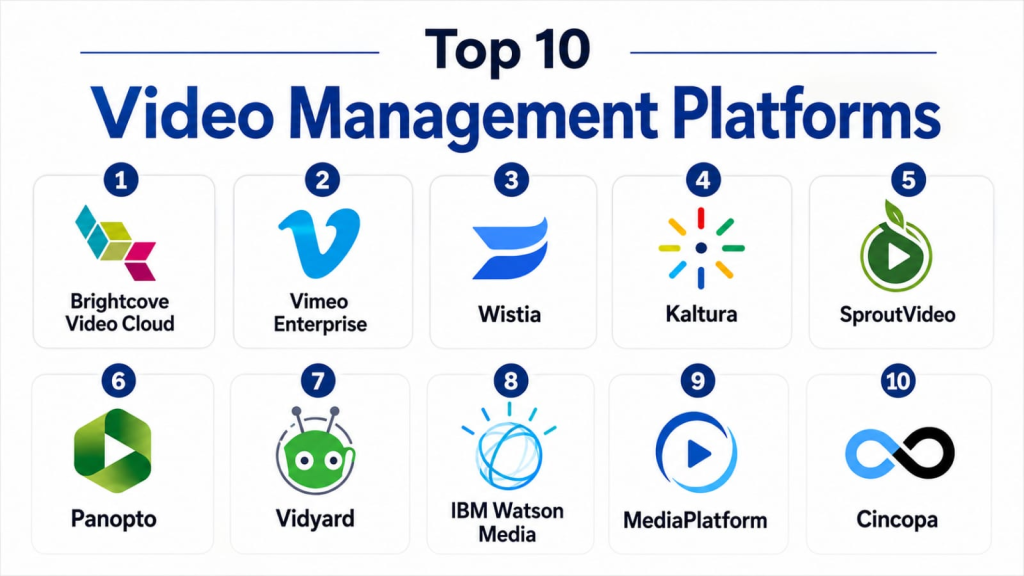
Top 10 Video Management Platforms
#1 — Brightcove Video Cloud
Short description: Brightcove Video Cloud is a robust enterprise video management platform that supports both live and on‑demand video, advanced analytics, security controls, and monetization options. It is designed for large organizations with video as a strategic asset.
Key Features
- Centralized video library with metadata tagging
- Live and on‑demand streaming
- Advanced analytics and viewer insights
- DRM, encryption, SSO, role‑based access
- Monetization support (subscriptions, pay‑per‑view)
- Integration with CMS, DAM, and marketing stacks
Pros
- Enterprise‑grade security and scalability
- Highly customizable and extensible
Cons
- Premium pricing
- Can be complex for smaller teams
Platforms / Deployment
- Web / Mobile / Smart TV
- Cloud
Security & Compliance
- DRM, encryption, SSO/SAML, audit logs
- Not publicly stated for specific certifications
Integrations & Ecosystem
Integrates with CMS, LMS, DAM, analytics, and marketing automation.
Support & Community
Enterprise support tiers, documentation, and training resources.
#2 — Vimeo Enterprise
Short description: Vimeo Enterprise builds on Vimeo’s core hosting platform with enhanced collaboration, privacy, analytics, and video management tools aimed at business teams and internal communications.
Key Features
- Centralized video library and folders
- Private and public video workflows
- Customizable player and brand controls
- Viewer analytics and heatmaps
- Team review and approval workflows
- API access
Pros
- Easy adoption and strong UX
- Collaboration features for internal teams
Cons
- Fewer enterprise workflow automations than legacy enterprise systems
- Limited live event feature set
Platforms / Deployment
- Web / iOS / Android
- Cloud
Security & Compliance
- SSO, password protections, domain controls
- Not publicly stated
Integrations & Ecosystem
Integrates with creative, CMS, and analytics tools.
Support & Community
Documentation, tutorials, and enterprise support.
#3 — Wistia
Short description: Wistia is a video management platform tailored for marketing, sales, and brand teams, with rich analytics, lead capture, SEO tools, and integrations with CRM and automation platforms.
Key Features
- SEO and video metadata tools
- Viewer analytics and heatmaps
- Lead forms and CTA overlays
- Integration with CRM and marketing stacks
- Centralized asset management
- Custom video player
Pros
- Excellent marketing analytics
- Lead capture and conversion tools built‑in
Cons
- Not as scalable for large global live events
- Smaller video library tools than enterprise offerings
Platforms / Deployment
- Web / Mobile
- Cloud
Security & Compliance
- Role‑based permissions, encryption
- Not publicly stated
Integrations & Ecosystem
CRM, automation, CMS, analytics.
Support & Community
Robust support resources and documentation.
#4 — Kaltura
Short description: Kaltura is an open‑source video platform that offers enterprise video hosting, management, learning integrations, and customizable workflows for training, marketing, and media companies.
Key Features
- On‑demand and live streaming
- Interactive video tools
- LMS and CMS integrations
- DRM and access control
- APIs and extensibility
- Analytics dashboards
Pros
- Highly customizable and open integration
- Strong e‑learning and corporate use cases
Cons
- Requires technical resources
- Steeper implementation curve
Platforms / Deployment
- Web / Mobile
- Cloud / Self‑hosted / Hybrid
Security & Compliance
- DRM, encryption, SSO
- Not publicly stated
Integrations & Ecosystem
DAM, CMS, LMS, analytics, marketing automation.
Support & Community
Enterprise support and developer community.
#5 — SproutVideo
Short description: SproutVideo is a business video hosting and management platform focused on secure delivery, engagement analytics, and simple embedding for marketing and internal use.
Key Features
- Secure video hosting and privacy controls
- Embed customization
- Viewer engagement analytics
- Lead capture tools
- Centralized library and playlists
Pros
- Strong privacy and access controls
- Great for marketing teams
Cons
- Limited live streaming
- Fewer enterprise workflows
Platforms / Deployment
- Web / Mobile
- Cloud
Security & Compliance
- Encryption, password protection
- Not publicly stated
Integrations & Ecosystem
CRM, marketing tools, CMS.
Support & Community
Documentation and support.
#6 — Panopto
Short description: Panopto is a video management system tailored for training, enterprise communications, and knowledge sharing, with searchable video libraries and integrations with enterprise systems.
Key Features
- Enterprise video library
- Searchable transcripts and indexing
- LMS and directory integrations
- Security and access control
- Analytics and viewer insights
Pros
- Excellent for internal video knowledge bases
- Rich search and indexing features
Cons
- Less focused on external marketing workflows
- Live streaming features require add‑ons
Platforms / Deployment
- Web / Mobile
- Cloud / On‑premise
Security & Compliance
- SSO, encryption, role‑based permissions
- Not publicly stated
Integrations & Ecosystem
LMS, CMS, active directory, analytics.
Support & Community
Enterprise support and documentation.
#7 — Vidyard
Short description: Vidyard is a video platform designed for sales and marketing teams, focusing on personalized video, analytics, and CRM integrations.
Key Features
- Personalized video creation and delivery
- CRM integrations
- Engagement analytics
- Centralized video library
- Custom call‑to‑actions
Pros
- Sales and marketing focus
- Engagement and conversion analytics
Cons
- Less enterprise workflow tooling compared to larger platforms
- Cost for full analytics suite
Platforms / Deployment
- Web / Mobile
- Cloud
Security & Compliance
- Role permissions, encryption
- Not publicly stated
Integrations & Ecosystem
CRM, marketing, LMS, analytics.
Support & Community
Documentation and customer support.
#8 — IBM Watson Media
Short description: IBM Watson Media provides enterprise video management and streaming with advanced analytics, AI capabilities, and global delivery infrastructure.
Key Features
- Live and on‑demand video
- AI insights and tagging
- Security and access policies
- Global CDN delivery
- Analytics and compliance tools
Pros
- AI-powered insights
- Enterprise-grade delivery infrastructure
Cons
- Higher price point
- Complexity for smaller teams
Platforms / Deployment
- Web / Mobile
- Cloud
Security & Compliance
- DRM, encryption, SSO
- Not publicly stated
Integrations & Ecosystem
CMS, analytics, collaboration platforms.
Support & Community
Enterprise support and training.
#9 — MediaPlatform
Short description: MediaPlatform provides enterprise video management and live event streaming with analytics, security, and engagement tools suitable for large organizations.
Key Features
- Live streaming and webcast tools
- Enterprise analytics
- Security and access controls
- Viewer engagement metrics
- Centralized video management
Pros
- Excellent for enterprise live and hybrid events
- Detailed analytics and engagement features
Cons
- Costly for smaller teams
- Requires training for advanced use
Platforms / Deployment
- Web / Mobile
- Cloud
Security & Compliance
- SSO, encryption, role‑based access
- Not publicly stated
Integrations & Ecosystem
DAM, CMS, analytics, LMS.
Support & Community
Documentation and enterprise support.
#10 — Cincopa
Short description: Cincopa provides video, image, and multimedia asset management with hosting, analytics, playlists, and interactive features.
Key Features
- Video hosting with playlists
- Image and multimedia support
- Engagement analytics
- Interactive features and CTAs
- Centralized media library
Pros
- Multimedia support
- Simple and flexible for small teams
Cons
- Less enterprise‑grade security
- Limited advanced workflows
Platforms / Deployment
- Web / Mobile
- Cloud
Security & Compliance
- Encryption and role controls
- Not publicly stated
Integrations & Ecosystem
CMS, DAM, analytics tools.
Support & Community
Documentation and support.
Comparison Table (Top 10)
| Tool Name | Best For | Platforms Supported | Deployment | Standout Feature | Public Rating |
|---|---|---|---|---|---|
| Brightcove Video Cloud | Enterprise video ops | Web, Mobile, Smart TV | Cloud | DRM & monetization | N/A |
| Vimeo Enterprise | Business & internal teams | Web, iOS, Android | Cloud | Collaboration & privacy | N/A |
| Wistia | Marketing & sales | Web, Mobile | Cloud | Analytics & CTAs | N/A |
| Kaltura | Custom enterprise workflows | Web, Mobile | Cloud/Self/Hybrid | LMS & CRM integration | N/A |
| SproutVideo | Secure hosting | Web, Mobile | Cloud | Privacy & analytics | N/A |
| Panopto | Training & knowledge | Web, Mobile | Cloud/On‑prem | Searchable video library | N/A |
| Vidyard | Sales & personalization | Web, Mobile | Cloud | Personalized video tools | N/A |
| IBM Watson Media | AI & enterprise | Web, Mobile | Cloud | AI insights & delivery | N/A |
| MediaPlatform | Enterprise events | Web, Mobile | Cloud | Live & hybrid streaming | N/A |
| Cincopa | Multimedia asset mgmt | Web, Mobile | Cloud | Media library + CTAs | N/A |
Evaluation & Scoring of Video Management Platforms
| Tool Name | Core Features | Ease | Integrations | Security | Performance | Support | Value | Weighted Total |
|---|---|---|---|---|---|---|---|---|
| Brightcove | 9 | 7 | 9 | 9 | 9 | 8 | 7 | 8.4 |
| Vimeo Enterprise | 8 | 8 | 8 | 8 | 8 | 8 | 7 | 8.0 |
| Wistia | 8 | 8 | 9 | 7 | 8 | 8 | 7 | 7.9 |
| Kaltura | 9 | 7 | 8 | 8 | 9 | 7 | 7 | 8.0 |
| SproutVideo | 7 | 8 | 7 | 8 | 7 | 7 | 7 | 7.3 |
| Panopto | 8 | 7 | 8 | 8 | 8 | 7 | 7 | 7.7 |
| Vidyard | 8 | 8 | 8 | 7 | 8 | 8 | 7 | 7.9 |
| IBM Watson Media | 9 | 7 | 8 | 9 | 9 | 8 | 7 | 8.1 |
| MediaPlatform | 8 | 7 | 8 | 8 | 8 | 7 | 7 | 7.7 |
| Cincopa | 7 | 8 | 7 | 7 | 7 | 7 | 8 | 7.5 |
Which Video Management Platform Is Right for You?
Solo / Freelancer
- Wistia, Cincopa, or SproutVideo are easy to adopt and provide essential video library and analytics features.
SMB
- Vimeo Enterprise, Wistia, and Vidyard balance usability with business workflows for marketing and internal video.
Mid‑Market
- Kaltura, Panopto, and IBM Watson Media support more sophisticated integrations, indexing, and enterprise use cases.
Enterprise
- Brightcove Video Cloud, IBM Watson Media, and MediaPlatform offer the deepest analytics, security, and global delivery.
Budget vs Premium
- Budget: Cincopa, SproutVideo
- Premium: Brightcove, Kaltura, IBM Watson Media
Feature Depth vs Ease of Use
- Feature Depth: Brightcove, Kaltura, IBM Watson Media
- Ease of Use: Wistia, Vimeo Enterprise
Integrations & Scalability
- Enterprise platforms integrate with DAM, CMS, LMS, and CRM systems for seamless workflows.
Security & Compliance Needs
- Organizations in regulated industries should prioritize enterprise options with DRM, encryption, SSO, and audit logs.
Frequently Asked Questions (FAQs)
- What is a video management platform?
A video management platform helps organizations store, organize, publish, track, and secure video content across channels. - Can these platforms handle live streaming?
Many platforms support both live and on‑demand video streaming, with advanced engagement features. - Do video management platforms include analytics?
Yes — usage patterns, viewer engagement, retention rates, and conversion metrics are commonly available. - Can I integrate them with my LMS or marketing stack?
Most enterprise platforms provide integrations with LMS, CMS, CRM, and marketing automation tools. - Are these platforms secure for internal communications?
Enterprise options include encryption, DRM, SSO, and role‑based access controls for secure internal and external use. - Can they support global audiences?
Platforms use global CDN delivery to ensure fast playback around the world. - Do they offer APIs for custom workflows?
Many platforms include APIs to automate workflows, integrate with internal systems, and customize delivery. - Can I monetize video content?
Yes — some platforms offer subscription, pay‑per‑view, or ad monetization features. - Are these tools mobile‑friendly?
Most platforms support mobile playback and often offer native apps. - How do I choose the right video management platform?
Consider your use cases (marketing, internal comms, training), security needs, integrations, and audience size.
Conclusion
Video management platforms are essential for organizations that rely on video as a strategic business asset. Freelancers and small teams can benefit from Wistia, SproutVideo, or Cincopa for accessible video libraries and analytics. SMBs should consider Vimeo Enterprise, Wistia, and Vidyard for marketing optimization and internal sharing. Mid‑market teams will find value from Kaltura, Panopto, and IBM Watson Media for deeper integrations and indexing. Enterprises need Brightcove Video Cloud, IBM Watson Media, or MediaPlatform for global scale, analytics, and security.
