Introduction
Wayfinding software helps people navigate complex physical spaces using digital maps, indoor positioning, kiosks, mobile apps, QR codes, digital signage, and location-aware guidance. In simple terms, it helps visitors, employees, patients, students, shoppers, or travelers find the right place without confusion. It is commonly used in hospitals, airports, universities, malls, office campuses, stadiums, museums, and large public venues.
Wayfinding software matters now because buildings are becoming more connected, visitor expectations are higher, and organizations want smoother experiences with fewer support interruptions. A patient should be able to find a clinic room, a traveler should locate a gate, and an employee should find a meeting room without repeatedly asking staff for help.
Common use cases include hospital patient navigation, campus mapping, airport and transit navigation, shopping mall directories, and office space guidance. Buyers should evaluate map accuracy, indoor positioning support, mobile experience, kiosk support, integrations, accessibility, security, analytics, ease of map updates, and deployment flexibility.
Best for: Hospitals, universities, airports, malls, corporate campuses, smart buildings, event venues, hospitality groups, and facility teams that manage large or complex spaces.
Not ideal for: Very small offices, simple single-floor buildings, or organizations that only need printed signs and do not require digital maps, analytics, or real-time navigation.
Key Trends in Wayfinding Software
- AI-assisted routing: Modern wayfinding platforms are moving toward smarter route suggestions based on entrances, accessibility needs, crowd flow, destination popularity, and real-time context.
- Indoor positioning accuracy: Buyers are comparing BLE, Wi-Fi, UWB, QR-based, sensor-based, and visual positioning methods depending on budget and accuracy needs.
- Accessibility-first navigation: More platforms now support wheelchair-friendly routes, step-free navigation, voice guidance, large text, high-contrast interfaces, and multilingual interfaces.
- Digital signage integration: Wayfinding is no longer limited to mobile apps. Kiosks, lobby screens, directories, and interactive signage are becoming part of one connected navigation system.
- Smart building interoperability: Facility teams increasingly want integrations with space management systems, workplace apps, visitor management tools, room booking systems, and building management platforms.
- No-code map management: Operations teams want to update maps, points of interest, routes, floor changes, and directory content without depending on developers.
- Analytics-driven facility planning: Wayfinding data can help teams understand popular paths, common search terms, visitor bottlenecks, and underused areas.
- Hybrid indoor and outdoor navigation: Large campuses need navigation from parking lots to building entrances and then from entrances to indoor destinations.
- Privacy-conscious location data: Buyers are more careful about how user movement data is collected, anonymized, retained, and protected.
- AR and visual navigation: Augmented reality overlays are becoming more relevant for airports, campuses, events, museums, and healthcare settings where visual guidance improves user confidence.
How We Selected These Tools
The tools in this list were selected using a practical SaaS and facility-technology evaluation approach. The focus is on platforms that are credible, recognizable, and relevant for organizations managing complex spaces.
- Market adoption and mindshare: Tools with visible usage across hospitals, campuses, malls, airports, workplaces, and public venues were prioritized.
- Feature completeness: Platforms were reviewed for mapping, routing, indoor positioning, kiosk support, analytics, mobile access, and map management.
- Deployment flexibility: Preference was given to solutions that support different venue types, from cloud-based map platforms to hybrid indoor positioning systems.
- Ease of use: Tools that allow facility teams to maintain maps and directories without heavy technical dependency scored better.
- Integration potential: APIs, SDKs, digital signage support, workplace integrations, and visitor experience connections were considered.
- Security posture signals: SSO, role-based access, encryption, audit logs, and enterprise readiness were evaluated where confidently known.
- Customer fit: The list balances enterprise-grade platforms, healthcare-friendly solutions, campus-focused tools, and flexible indoor navigation providers.
- Innovation direction: Platforms with AI, AR, analytics, or modern indoor positioning capabilities were considered stronger for future-facing use cases.
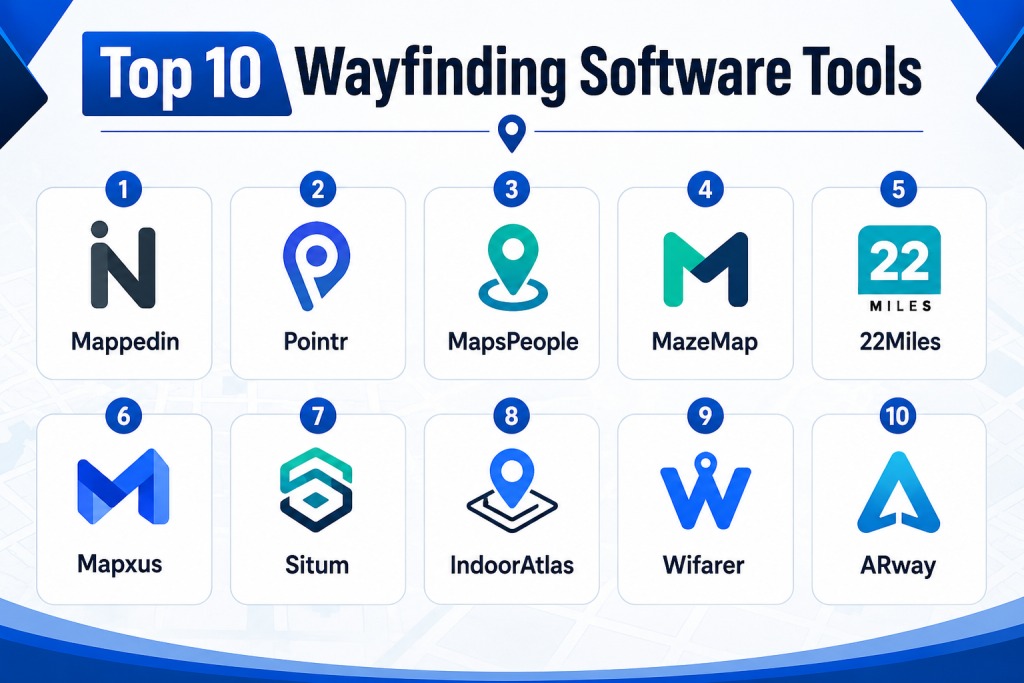
Top 10 Wayfinding Software Tools
1- Mappedin
Short description:
Mappedin is a widely recognized indoor mapping and wayfinding platform built for complex venues such as malls, airports, hospitals, campuses, offices, and public spaces. It helps organizations create, manage, and publish interactive digital maps across web, mobile, kiosks, and digital signage experiences. The platform is useful for teams that need accurate indoor maps, searchable points of interest, directory experiences, and guided navigation. Mappedin is especially suitable for organizations that need map management at scale and want to keep floor plans updated without rebuilding the user experience every time. It supports a strong venue experience use case where visitors need clear navigation and operators need map control. For large public venues, it can reduce confusion and improve visitor self-service.
Key Features
- Interactive indoor maps for complex buildings and venues
- Searchable directories and points of interest
- Web, mobile, kiosk, and signage-ready map experiences
- Map editing and venue content management capabilities
- Routing and navigation across floors and zones
- APIs and SDKs for custom digital experiences
- Analytics for understanding map usage and visitor behavior
Pros
- Strong fit for large venues with frequently changing layouts
- Good ecosystem for digital maps, directories, and visitor navigation
- Flexible enough for multiple industries and deployment scenarios
Cons
- Advanced implementations may require planning and map preparation
- Pricing may vary based on venue size and use case
- Indoor positioning accuracy depends on selected configuration and infrastructure
Platforms / Deployment
Web / iOS / Android / Kiosk / Digital Signage
Cloud / Hybrid
Security & Compliance
SSO, access controls, and enterprise security features may be available depending on plan and implementation. Specific certifications should be verified during procurement.
SOC 2 / ISO 27001 / HIPAA: Not publicly stated.
Integrations & Ecosystem
Mappedin is commonly used as a mapping layer across visitor experience platforms, venue apps, digital signage systems, and workplace technology stacks. Its ecosystem is strongest when organizations want to embed indoor maps into existing digital products.
- Mobile apps
- Web portals
- Digital signage systems
- Kiosk interfaces
- Facility and venue content systems
- APIs and SDK-based custom applications
Support & Community
Mappedin provides documentation and onboarding support for venue mapping and implementation. Enterprise customers typically need guided setup, map conversion, and integration planning. Support strength is generally stronger for organizations with structured deployment needs.
2- Pointr
Short description:
Pointr is an indoor positioning and wayfinding platform designed for high-accuracy indoor navigation across complex spaces. It is often considered by airports, hospitals, retail environments, offices, and smart buildings that need real-time indoor location services. Pointr focuses on indoor positioning, blue-dot navigation, mapping, analytics, and location-aware experiences. It is useful for organizations that need more than a static map and want live guidance inside a venue. The platform is especially valuable when user location accuracy is important, such as finding gates, clinics, stores, desks, or service points. For enterprise environments, Pointr can support digital transformation projects around smart venues and connected visitor experiences.
Key Features
- Indoor positioning and blue-dot navigation
- Multi-floor routing and turn-by-turn guidance
- Map management and location intelligence
- SDKs for mobile app integration
- Analytics for user movement and space usage
- Support for complex venues and large indoor spaces
- Location-based engagement and contextual experiences
Pros
- Strong focus on accurate indoor positioning
- Suitable for airports, hospitals, retail, and enterprise spaces
- Good fit for custom mobile app navigation experiences
Cons
- May require technical implementation and infrastructure planning
- Best value is achieved when indoor location accuracy is a priority
- May be more advanced than needed for simple directory use cases
Platforms / Deployment
Web / iOS / Android
Cloud / Hybrid
Security & Compliance
Enterprise access controls and security features may be available depending on deployment. Specific compliance certifications should be verified directly with the vendor.
SOC 2 / ISO 27001 / HIPAA: Not publicly stated.
Integrations & Ecosystem
Pointr is typically integrated into mobile apps, smart building platforms, airport apps, workplace tools, and analytics workflows. It works well where wayfinding needs to be embedded into a broader digital experience.
- iOS and Android apps
- Venue mobile applications
- Smart building systems
- Digital experience platforms
- Analytics platforms
- SDK and API-based integrations
Support & Community
Pointr is suited for enterprise projects where onboarding, implementation planning, and technical support are important. Documentation and technical resources are typically required for SDK-based deployments.
3- MapsPeople
Short description:
MapsPeople provides indoor mapping and wayfinding solutions for offices, campuses, healthcare, retail, airports, and other large facilities. It helps organizations create digital maps that visitors and employees can use to search, locate, and navigate spaces. The platform is commonly used where workplace experience, facility navigation, and space visibility are important. MapsPeople is especially useful for organizations that want indoor maps connected with workplace tools, meeting room systems, facility data, and visitor-facing applications. It can support both employee navigation and customer-facing wayfinding. For companies modernizing workplace experience, MapsPeople offers a practical bridge between indoor maps and operational systems.
Key Features
- Indoor mapping and digital wayfinding
- Multi-floor maps and route guidance
- Searchable locations and points of interest
- Workplace and facility mapping use cases
- APIs and SDKs for custom map experiences
- Support for kiosks, web apps, and mobile apps
- Map data management for operational teams
Pros
- Strong fit for offices, campuses, and workplace environments
- Useful for organizations connecting maps with workplace experience
- Flexible mapping ecosystem for different venue types
Cons
- May require careful data preparation for large facilities
- Some advanced features may depend on integrations
- Pricing and feature availability may vary by use case
Platforms / Deployment
Web / iOS / Android / Kiosk
Cloud / Hybrid
Security & Compliance
Security features may include access management and enterprise controls depending on plan. Compliance details should be verified during vendor evaluation.
SOC 2 / ISO 27001 / HIPAA: Not publicly stated.
Integrations & Ecosystem
MapsPeople is commonly connected to workplace platforms, facility systems, mobile apps, and web portals. It is useful when indoor maps need to become part of the employee or visitor journey.
- Workplace experience platforms
- Meeting room and desk systems
- Facility management tools
- Web and mobile applications
- APIs and SDKs
- Digital signage and kiosk systems
Support & Community
MapsPeople offers documentation and implementation support for mapping projects. Enterprise users should plan for onboarding, map setup, and ongoing map maintenance processes.
4- MazeMap
Short description:
MazeMap is a wayfinding and indoor map platform often used by universities, hospitals, offices, and large campuses. It helps people find rooms, departments, services, entrances, and other destinations across multi-building environments. The platform is particularly useful for organizations with complex campus layouts where visitors and staff often need directions across both indoor and outdoor spaces. MazeMap focuses on digital maps, routing, campus navigation, and space discovery. It can help reduce front-desk interruptions and improve self-service navigation for students, patients, employees, and visitors. For education and healthcare environments, MazeMap is a strong option because it aligns well with structured campus navigation needs.
Key Features
- Campus and indoor mapping
- Multi-building route planning
- Room, department, and service search
- Web-based map access
- Mobile-friendly navigation experiences
- Support for universities, hospitals, and offices
- Map data management and updates
Pros
- Strong fit for universities and healthcare campuses
- Useful for multi-building navigation
- Simple experience for visitors and staff
Cons
- May be less suited for highly customized AR experiences
- Advanced integrations may require planning
- Indoor positioning capability depends on configuration
Platforms / Deployment
Web / Mobile-friendly web
Cloud / Hybrid
Security & Compliance
Enterprise access controls may be available depending on implementation. Specific compliance details are not always publicly stated.
SOC 2 / ISO 27001 / HIPAA: Not publicly stated.
Integrations & Ecosystem
MazeMap fits well into campus portals, hospital websites, student apps, employee directories, and visitor information systems. It is especially useful where map access needs to be simple and widely available.
- University websites
- Hospital portals
- Visitor information systems
- Mobile apps
- Facility directories
- Campus data systems
Support & Community
MazeMap typically supports structured onboarding for campus mapping projects. Support needs depend on the complexity of the environment, number of buildings, and frequency of map updates.
5- 22Miles
Short description:
22Miles is a digital signage, interactive kiosk, and wayfinding platform used by enterprises, campuses, healthcare organizations, hospitality venues, and public spaces. It is especially strong where wayfinding is part of a larger digital signage and workplace communication strategy. The platform supports interactive directories, touchscreen kiosks, room booking displays, visual communications, and map-based navigation. 22Miles is useful for organizations that want one platform for signage, wayfinding, content management, and visitor engagement. It is often considered when the buyer wants both software and display-driven experiences. For large facilities, it can help create polished lobby, directory, and campus navigation systems.
Key Features
- Interactive wayfinding and directory displays
- Digital signage content management
- Touchscreen kiosk experiences
- Workplace and room display use cases
- Multi-floor mapping and route visualization
- Support for enterprise communication workflows
- Hardware-friendly deployment options
Pros
- Strong combination of signage and wayfinding
- Good fit for lobbies, campuses, offices, and healthcare spaces
- Useful for organizations that need visual communication plus navigation
Cons
- May be more complex than simple map-only tools
- Hardware and display planning can increase implementation effort
- Best suited for organizations with signage-led use cases
Platforms / Deployment
Web / Windows / Android / Kiosk / Digital Signage
Cloud / Hybrid / On-premise options may vary
Security & Compliance
Enterprise controls such as user permissions and authentication options may be available. Specific certifications should be confirmed directly.
SOC 2 / ISO 27001 / HIPAA: Not publicly stated.
Integrations & Ecosystem
22Miles integrates well with digital signage, workplace systems, calendar tools, room booking platforms, and enterprise content workflows. It is especially useful when navigation is part of a larger display network.
- Digital signage displays
- Room booking systems
- Workplace platforms
- Calendar systems
- Kiosks and touchscreens
- Enterprise content systems
Support & Community
22Miles provides implementation support for signage and wayfinding deployments. Buyers should evaluate onboarding, hardware compatibility, content management training, and support tiers.
6- Mapxus
Short description:
Mapxus provides indoor mapping and navigation solutions for venues such as malls, airports, hospitals, universities, offices, and transport hubs. It focuses on indoor spatial intelligence, map data, navigation, and location-based services. Mapxus is suitable for organizations that want indoor maps at scale and may need support for multiple venues or geographies. It can help businesses create a shared indoor map layer for people, operational teams, applications, and connected systems. The platform is relevant for smart buildings and location intelligence projects where indoor spatial data is becoming more important. For organizations planning AI-ready or digitally connected spaces, Mapxus is a practical option to evaluate.
Key Features
- Indoor mapping and navigation
- Multi-venue map management
- Spatial data for smart buildings
- Indoor search and point-of-interest discovery
- Location intelligence capabilities
- Support for malls, transit hubs, offices, and campuses
- APIs for connected applications
Pros
- Strong fit for multi-venue indoor mapping projects
- Useful for smart building and spatial intelligence use cases
- Suitable for public and commercial venues
Cons
- Implementation needs may vary by venue complexity
- Advanced use cases may require API and data planning
- Public pricing details are typically not simple to compare
Platforms / Deployment
Web / iOS / Android
Cloud / Hybrid
Security & Compliance
Mapxus publicly communicates enterprise-oriented indoor mapping capabilities. Specific security features and certifications should be verified during procurement.
SOC 2 / ISO 27001 / HIPAA: Not publicly stated.
Integrations & Ecosystem
Mapxus can connect indoor map data with mobile apps, smart city systems, venue platforms, and location-based services. It is useful when indoor spatial data needs to support more than basic navigation.
- Mobile applications
- Venue systems
- Smart building platforms
- Location-based services
- APIs
- Spatial data workflows
Support & Community
Support is likely strongest for structured venue and enterprise deployments. Buyers should validate onboarding support, map update processes, regional coverage, and technical documentation.
7- Situm
Short description:
Situm is an indoor positioning, tracking, and wayfinding platform designed for buildings where GPS does not work reliably. It supports indoor navigation, geolocation, asset tracking, workforce tracking, and analytics use cases. Situm is especially useful for hospitals, airports, logistics centers, shopping malls, museums, offices, and industrial buildings that need indoor location intelligence. The platform offers tools for developers and organizations that want to build custom indoor navigation or tracking solutions. It is a good fit when location accuracy, operational visibility, and indoor movement tracking are important. Situm works well for organizations that need both visitor navigation and internal operational location use cases.
Key Features
- Indoor positioning and navigation
- Real-time location tracking
- Asset and workforce tracking use cases
- SDKs and APIs for custom applications
- Indoor map setup and route management
- Analytics for indoor movement
- Support for multiple venue types
Pros
- Strong developer and SDK orientation
- Useful for both navigation and operational tracking
- Suitable for complex indoor environments
Cons
- May require technical setup and calibration
- Best suited for teams with clear indoor positioning needs
- Some use cases may need infrastructure planning
Platforms / Deployment
Web / iOS / Android
Cloud / Hybrid
Security & Compliance
Security features may depend on deployment configuration. Buyers should verify SSO, encryption, access controls, and compliance requirements directly.
SOC 2 / ISO 27001 / HIPAA: Not publicly stated.
Integrations & Ecosystem
Situm is useful for teams building indoor location features into existing apps or operational systems. It can be integrated into mobile apps, tracking dashboards, facility systems, and analytics workflows.
- Mobile applications
- Asset tracking systems
- Workforce management systems
- Facility management platforms
- APIs and SDKs
- Analytics dashboards
Support & Community
Situm provides technical resources for developers and implementation teams. Support requirements depend on calibration, indoor positioning complexity, and custom application needs.
8- IndoorAtlas
Short description:
IndoorAtlas is an indoor positioning platform that helps developers and organizations build indoor navigation and location-aware experiences. It is known for using sensor-based positioning approaches and supports use cases in retail, airports, offices, campuses, and public venues. IndoorAtlas is a strong fit for teams that want to build custom indoor wayfinding into their own mobile applications. It provides SDKs and tools that help deliver indoor location services where GPS is unreliable. The platform is especially relevant for companies that already have a mobile app and want to add indoor positioning, routing, or location-based experiences. It is less of a simple plug-and-play directory and more of a location technology layer.
Key Features
- Indoor positioning technology
- SDKs for mobile app development
- Location-aware user experiences
- Indoor navigation support
- Analytics and movement insights
- Support for venue-based applications
- Developer-focused integration options
Pros
- Strong fit for custom mobile app development
- Useful where indoor positioning is a core requirement
- Can support advanced location-aware experiences
Cons
- May require developer resources
- Not ideal for buyers seeking only simple kiosk directories
- Setup complexity depends on venue and accuracy expectations
Platforms / Deployment
iOS / Android / Web tools may vary
Cloud / Hybrid
Security & Compliance
Security and compliance details should be verified based on deployment and data usage.
SOC 2 / ISO 27001 / HIPAA: Not publicly stated.
Integrations & Ecosystem
IndoorAtlas is best viewed as a technology layer for indoor positioning. It can be embedded into mobile apps, venue applications, and location-aware digital experiences.
- iOS apps
- Android apps
- Venue mobile applications
- Analytics tools
- APIs and SDKs
- Custom navigation workflows
Support & Community
IndoorAtlas provides developer documentation and technical resources. Support strength depends on project scope, mobile development needs, and indoor positioning requirements.
9- Wifarer
Short description:
Wifarer is an indoor positioning and wayfinding solution used for venues such as hospitals, museums, campuses, airports, and large facilities. It helps users navigate indoor spaces using mobile-friendly directions and location-aware experiences. Wifarer is especially useful where organizations want to improve visitor journeys and reduce confusion inside complex buildings. The platform can support accessible navigation, turn-by-turn guidance, and venue-specific digital experiences. It is a practical choice for teams that want indoor navigation but also care about user experience and visitor confidence. For healthcare and public spaces, Wifarer can help reduce friction by guiding people to departments, services, exhibits, or rooms.
Key Features
- Indoor wayfinding and navigation
- Turn-by-turn guidance
- Mobile-based visitor navigation
- Support for healthcare, museums, campuses, and public venues
- Indoor positioning capabilities
- Destination search and routing
- Accessibility-oriented navigation options may vary by implementation
Pros
- Good fit for visitor-facing indoor navigation
- Useful for healthcare, cultural, and campus environments
- Focused on improving the end-user navigation journey
Cons
- Public technical details may be limited compared with larger platforms
- Implementation needs vary by venue type
- Advanced integrations should be verified during evaluation
Platforms / Deployment
Web / iOS / Android
Cloud / Hybrid
Security & Compliance
Security features and compliance certifications are not broadly public in detail.
SOC 2 / ISO 27001 / HIPAA: Not publicly stated.
Integrations & Ecosystem
Wifarer can support venue apps, visitor experience platforms, mobile navigation experiences, and location-aware content. Buyers should validate integration depth before selection.
- Mobile apps
- Visitor experience systems
- Venue websites
- Indoor positioning infrastructure
- Content systems
- APIs where available
Support & Community
Support is likely implementation-led, especially for venues requiring mapping, route setup, and indoor positioning configuration. Buyers should confirm onboarding, training, and long-term support options.
10- ARway
Short description:
ARway is an augmented reality indoor navigation and spatial experience platform designed for venues that want immersive wayfinding. It is useful for malls, campuses, museums, events, offices, airports, and other spaces where visual navigation can improve engagement. Instead of relying only on traditional maps, ARway can guide users with visual overlays and interactive navigation experiences. This makes it attractive for organizations that want modern, app-based, experiential navigation. ARway is especially relevant where wayfinding overlaps with brand experience, visitor engagement, or interactive venue journeys. For buyers exploring AR-based wayfinding, it is a strong tool to include in the shortlist.
Key Features
- Augmented reality indoor navigation
- Visual routing and spatial guidance
- Venue mapping and destination discovery
- Interactive visitor experiences
- Mobile-first navigation workflows
- Support for experiential spaces and events
- Potential for branded navigation journeys
Pros
- Strong fit for immersive and visual navigation
- Useful for visitor engagement and modern venue experiences
- Differentiated from traditional map-only platforms
Cons
- AR experiences may require user education and device compatibility checks
- Not always necessary for simple facility navigation
- Implementation quality depends on venue mapping and experience design
Platforms / Deployment
Web / iOS / Android
Cloud
Security & Compliance
Security and compliance details should be verified directly.
SOC 2 / ISO 27001 / HIPAA: Not publicly stated.
Integrations & Ecosystem
ARway can be used as part of mobile venue experiences, event apps, retail engagement, and immersive navigation workflows. It is strongest where navigation and experience design come together.
- Mobile applications
- Event platforms
- Venue apps
- AR content workflows
- Digital experience systems
- APIs where available
Support & Community
Support is typically important for AR experience setup, mapping, testing, and deployment. Buyers should validate onboarding, documentation, and technical support before rollout.
Comparison Table
| Tool Name | Best For | Platform(s) Supported | Deployment | Standout Feature | Public Rating |
|---|---|---|---|---|---|
| Mappedin | Large venues, malls, airports, hospitals | Web, iOS, Android, Kiosk, Digital Signage | Cloud / Hybrid | Indoor maps and venue directories | N/A |
| Pointr | High-accuracy indoor positioning | Web, iOS, Android | Cloud / Hybrid | Blue-dot indoor navigation | N/A |
| MapsPeople | Offices, campuses, workplace navigation | Web, iOS, Android, Kiosk | Cloud / Hybrid | Workplace and facility map integrations | N/A |
| MazeMap | Universities, hospitals, campuses | Web, Mobile-friendly web | Cloud / Hybrid | Multi-building campus navigation | N/A |
| 22Miles | Digital signage and kiosk wayfinding | Web, Windows, Android, Kiosk | Cloud / Hybrid | Signage plus interactive wayfinding | N/A |
| Mapxus | Smart venues and multi-location mapping | Web, iOS, Android | Cloud / Hybrid | Indoor spatial intelligence | N/A |
| Situm | Indoor positioning and tracking | Web, iOS, Android | Cloud / Hybrid | Navigation plus asset/workforce tracking | N/A |
| IndoorAtlas | Developer-led indoor positioning | iOS, Android | Cloud / Hybrid | SDK-based indoor location layer | N/A |
| Wifarer | Visitor-focused indoor navigation | Web, iOS, Android | Cloud / Hybrid | Turn-by-turn indoor wayfinding | N/A |
| ARway | AR-based venue navigation | Web, iOS, Android | Cloud | Immersive AR navigation | N/A |
Evaluation & Scoring of Wayfinding Software
The scoring below is comparative and based on practical buyer evaluation criteria. It does not represent a universal ranking for every organization. A hospital, airport, university, mall, and office campus may value different features. Use the scores to shortlist tools, then validate with demos, pilot testing, map accuracy checks, integration reviews, and security assessments.
| Tool Name | Core (25%) | Ease (15%) | Integrations (15%) | Security (10%) | Performance (10%) | Support (10%) | Value (15%) | Weighted Total |
| Mappedin | 9 | 8 | 9 | 7 | 8 | 8 | 8 | 8.25 |
| Pointr | 9 | 7 | 9 | 7 | 9 | 8 | 7 | 8.20 |
| MapsPeople | 8 | 8 | 8 | 7 | 8 | 8 | 8 | 7.90 |
| MazeMap | 8 | 8 | 7 | 7 | 8 | 8 | 8 | 7.75 |
| 22Miles | 8 | 7 | 8 | 7 | 8 | 8 | 7 | 7.65 |
| Mapxus | 8 | 7 | 8 | 7 | 8 | 7 | 8 | 7.70 |
| Situm | 8 | 7 | 8 | 7 | 8 | 7 | 8 | 7.70 |
| IndoorAtlas | 8 | 6 | 8 | 6 | 8 | 7 | 7 | 7.25 |
| Wifarer | 7 | 7 | 7 | 6 | 7 | 7 | 7 | 6.95 |
| ARway | 7 | 7 | 7 | 6 | 7 | 7 | 7 | 6.95 |
These scores are intended to help buyers compare general strengths, not declare one universal winner. A higher score usually means broader capability across mapping, routing, integrations, usability, and enterprise readiness. However, a lower-scoring tool may still be the best fit if it specializes in your exact use case, such as AR navigation, campus maps, or developer-led indoor positioning. Always test the platform with your real floor plans, user journeys, and integration requirements before making a final decision.
Which Wayfinding Software Tool Is Right for You?
Solo / Freelancer
Solo consultants, small design studios, or independent facility consultants usually do not need a heavy enterprise platform unless they are implementing wayfinding for clients. If the goal is to prototype an indoor navigation experience, ARway or IndoorAtlas may be useful depending on whether the project is AR-focused or developer-led. For simple map presentation, a lightweight web-based approach may be enough.
SMB
Small and mid-sized organizations should focus on ease of setup, map maintenance, and total cost. MazeMap, MapsPeople, or Mappedin can be good options when the organization needs visitor-friendly maps without building everything from scratch. If signage is also important, 22Miles may be worth considering because it combines directory displays and digital content management.
Mid-Market
Mid-market organizations often need a balance between usability, integrations, and scalability. Hospitals, universities, malls, and office groups should evaluate Mappedin, MapsPeople, MazeMap, Situm, and Mapxus depending on their environment. If the business already has a workplace app, visitor app, or facility management platform, API and SDK availability should become a key decision factor.
Enterprise
Enterprise buyers should prioritize reliability, map governance, security, analytics, access control, vendor support, and integration depth. Mappedin, Pointr, MapsPeople, 22Miles, Mapxus, and Situm are strong candidates for enterprise evaluation. Large airports, hospitals, campuses, and multi-site operators should run a pilot in one building or zone before full rollout.
Budget vs Premium
Budget-conscious buyers should avoid overbuying complex indoor positioning if a searchable map and kiosk directory are enough. Premium buyers should invest in accurate indoor positioning, analytics, accessibility, digital signage, and integrations. The right choice depends on whether the organization needs simple directions or a full location intelligence platform.
Feature Depth vs Ease of Use
Tools with deep positioning, SDKs, AR, and analytics can be powerful but may require more setup. Easier tools may be better for teams that need quick visitor navigation with minimal technical dependency. If your facility changes often, prioritize map editing and content management over advanced features that your team may not use.
Integrations & Scalability
For large organizations, integrations matter as much as the map itself. Look for APIs, SDKs, digital signage support, workplace app compatibility, visitor management integrations, and analytics exports. Scalability should include multi-floor, multi-building, multi-language, and multi-site support.
Security & Compliance Needs
Security-sensitive organizations should evaluate SSO, MFA, RBAC, audit logs, encryption, data retention, location privacy, and administrative permissions. Healthcare, airport, government, and enterprise campus buyers should avoid relying only on marketing claims. Security and compliance should be verified during procurement with documentation, questionnaires, and legal review.
Frequently Asked Questions
1- What is wayfinding software?
Wayfinding software is a digital system that helps people find destinations inside or across complex physical spaces. It may include indoor maps, route guidance, kiosks, mobile navigation, digital signage, and location-aware search. It is commonly used in hospitals, campuses, airports, malls, offices, and public venues.
2- How is wayfinding software different from Google Maps?
Google Maps works well outdoors, but indoor spaces often need detailed floor plans, room-level search, multi-floor routing, and indoor positioning. Wayfinding software is designed for building interiors, campus layouts, kiosks, directories, and private venue data. It gives organizations more control over maps and visitor journeys.
3- What pricing models are common for wayfinding software?
Pricing usually depends on venue size, number of buildings, number of maps, indoor positioning needs, signage requirements, integrations, and support level. Some vendors use subscription pricing, while others price by project, venue, or enterprise agreement. Buyers should request a detailed quote based on real requirements.
4- How long does implementation usually take?
Implementation depends on floor plan readiness, number of buildings, map complexity, integrations, and whether indoor positioning is required. A simple digital directory can be faster, while a multi-building hospital or airport deployment may require phased rollout. A pilot area is often the safest first step.
5- What are common mistakes when choosing wayfinding software?
Common mistakes include choosing based only on visuals, ignoring map maintenance, underestimating indoor positioning complexity, and skipping accessibility requirements. Some buyers also forget to test real user journeys before launch. The best approach is to validate maps, routes, signage, and integrations with real users.
6- Is indoor positioning always required?
No, indoor positioning is not always required. Some venues only need searchable maps, directories, kiosk navigation, or QR-based routing. Indoor positioning becomes more important when users need live blue-dot guidance, turn-by-turn navigation, or location-aware services inside complex buildings.
7- What security features should buyers check?
Buyers should check SSO, MFA, role-based access, encryption, audit logs, admin permissions, data retention policies, and privacy controls. If the platform collects location data, privacy review becomes even more important. Regulated industries should verify compliance documentation directly with the vendor.
8- Can wayfinding software integrate with existing systems?
Yes, many platforms support integrations through APIs, SDKs, embeds, or direct connectors. Common integrations include mobile apps, visitor management tools, workplace platforms, room booking systems, facility systems, digital signage, and analytics tools. Integration depth varies by vendor and plan.
9- Is wayfinding software scalable for multiple buildings?
Most enterprise-grade platforms can support multi-floor and multi-building environments. However, scalability depends on map management, content governance, performance, user permissions, and integration architecture. Multi-site organizations should test how easily maps can be updated across locations.
10- What are alternatives to wayfinding software?
Alternatives include printed signs, static floor maps, PDF maps, basic digital directories, QR code signs, concierge desks, and general digital signage tools. These options may work for simple buildings, but they are limited for complex venues where visitors need searchable, interactive, and updated navigation.
Conclusion
Wayfinding software has become an important part of modern visitor experience, workplace experience, healthcare navigation, campus management, and smart venue operations. The best platform depends on your environment, users, budget, technical resources, and long-term map maintenance needs. Mappedin, Pointr, MapsPeople, MazeMap, 22Miles, Mapxus, Situm, IndoorAtlas, Wifarer, and ARway each bring different strengths across indoor mapping, positioning, signage, AR, and location intelligence. There is no single universal winner because a hospital, airport, mall, office campus, and university will all evaluate success differently. The best next step is to shortlist two or three tools, test them with real floor plans, validate user journeys, review integrations, and confirm security requirements before rollout.
