Introduction
Web browsers are software applications that allow users to access, navigate, and interact with content on the internet. They are essential for browsing websites, streaming media, running web apps, and managing online activities. Modern browsers provide speed, security, and customization, making them a critical tool for individuals, businesses, and developers alike.
Common use cases include:
- Accessing websites, web apps, and online services
- Streaming video and music
- Running productivity or cloud applications
- Managing passwords, tabs, and bookmarks
- Ensuring secure and private browsing
Best for: Individuals, families, developers, and businesses seeking secure and efficient internet access.
Not ideal for: Legacy devices with minimal system resources or environments where only a specific browser is compatible with legacy enterprise applications.
Key Trends in Web Browsers
- AI-assisted browsing suggestions and automation
- Built-in ad blocking and tracker prevention
- Enhanced privacy features including anti-fingerprinting
- Cross-device sync of bookmarks, passwords, and settings
- Native support for extensions and web apps
- Faster rendering engines and reduced memory usage
- Multi-profile and workspace management
- Security updates and automatic patching
- Voice and gesture-based navigation
- Integration with cloud storage and productivity tools
How We Selected These Tools (Methodology)
- Evaluated market adoption and global user base
- Assessed feature completeness, including security, speed, and customization
- Reviewed performance and reliability, including load times and stability
- Considered security and privacy measures like sandboxing and anti-tracking
- Tested integration capabilities with extensions, OS, and cloud apps
- Measured ease of use and interface intuitiveness
- Compared pricing and free vs premium features
- Checked support channels and community engagement
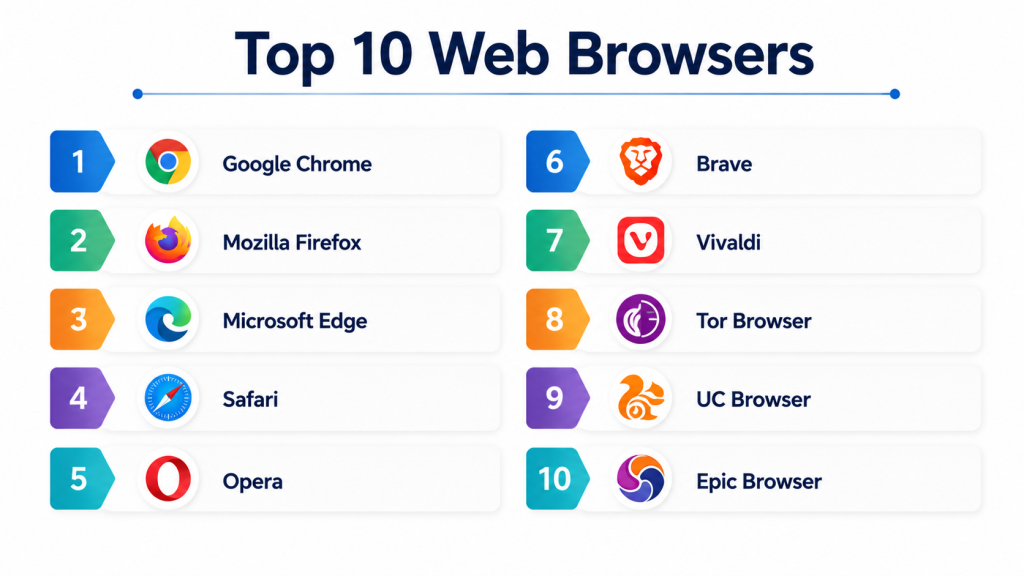
Top 10 Web Browsers
#1 — Google Chrome
Short description: Chrome is a widely used browser with fast performance and extensive extension support. Ideal for general users, developers, and enterprises.
Key Features
- Extensive extension ecosystem
- Cross-device sync
- Built-in translation and autofill
- Fast rendering engine
- Sandboxed tabs
Pros
- Fast and stable
- Broad compatibility
- Frequent updates
Cons
- High memory usage
- Privacy concerns
- Limited customization
Platforms / Deployment
- Windows / macOS / Linux / iOS / Android
- Cloud sync
Security & Compliance
- Sandboxed tabs
- Automatic updates
- Encryption for sync
Integrations & Ecosystem
- Supports thousands of extensions
- Cloud storage and Google apps integration
- Developer tools
Support & Community
- Extensive online documentation
- Google support resources
- Large user community
#2 — Mozilla Firefox
Short description: Firefox is an open-source browser emphasizing privacy, security, and customization. Suitable for privacy-conscious users and developers.
Key Features
- Enhanced tracking protection
- Customizable UI and themes
- Extension support
- Sync bookmarks and passwords
- Developer tools
Pros
- Strong privacy controls
- Open-source and transparent
- Customizable interface
Cons
- Slightly slower than Chrome
- Less extension variety than Chrome
- Occasional rendering issues
Platforms / Deployment
- Windows / macOS / Linux / iOS / Android
- Cloud sync
Security & Compliance
- Enhanced tracking protection
- Private browsing mode
- Encryption for sync
Integrations & Ecosystem
- Add-ons marketplace
- Developer extensions
- Cloud integration
Support & Community
- Mozilla support forums
- Email and help articles
- Open-source community
#3 — Microsoft Edge
Short description: Edge is a Chromium-based browser with enterprise integration and performance optimizations. Ideal for Windows users and organizations.
Key Features
- Chromium engine for compatibility
- Collections for bookmarks
- PDF reader and annotation
- Built-in security features
- Browser sync
Pros
- Fast and efficient
- Integrated with Windows ecosystem
- Enterprise-friendly features
Cons
- Limited extensions compared to Chrome
- Windows-centric
- Less open-source transparency
Platforms / Deployment
- Windows / macOS / iOS / Android
- Cloud sync
Security & Compliance
- SmartScreen phishing protection
- Sandboxed tabs
- Encryption for sync
Integrations & Ecosystem
- Microsoft 365 integration
- Edge extensions
- Cloud-based sync
Support & Community
- Microsoft support
- Knowledge base
- User forums
#4 — Safari
Short description: Safari is Apple’s browser optimized for macOS and iOS. It emphasizes performance, battery efficiency, and privacy. Ideal for Apple device users.
Key Features
- Intelligent Tracking Prevention
- Energy-efficient performance
- Reader mode
- Built-in password manager
- iCloud sync
Pros
- Optimized for Apple devices
- Strong privacy and security
- Efficient battery usage
Cons
- Limited to Apple ecosystem
- Fewer extensions than Chrome
- Customization limitations
Platforms / Deployment
- macOS / iOS / iPadOS
- iCloud sync
Security & Compliance
- Sandboxed tabs
- Anti-tracking
- Encryption for synced data
Integrations & Ecosystem
- iCloud integration
- Apple ecosystem apps
- Limited third-party extensions
Support & Community
- Apple support resources
- Help articles
- Community forums
#5 — Opera
Short description: Opera offers built-in VPN, ad blocking, and social integrations. Suitable for users seeking privacy and speed enhancements.
Key Features
- Built-in ad blocker
- Free VPN
- Crypto wallet
- Battery saver mode
- Social media sidebar
Pros
- Integrated privacy tools
- Low memory footprint
- Built-in convenience features
Cons
- Smaller user base
- Limited extension ecosystem
- Some features niche-specific
Platforms / Deployment
- Windows / macOS / Linux / iOS / Android
- Cloud sync
Security & Compliance
- Encryption
- VPN for privacy
Integrations & Ecosystem
- Extensions support
- Social media integrations
- Built-in apps
Support & Community
- Help articles
- Email support
- Online community
#6 — Brave
Short description: Brave is a privacy-focused browser with built-in ad and tracker blocking. Suitable for privacy-conscious users and content control.
Key Features
- Ad and tracker blocking
- HTTPS Everywhere integration
- Rewards system for opt-in ads
- Private browsing mode
- Speed optimizations
Pros
- Strong privacy protections
- Fast browsing
- Built-in ad-blocking
Cons
- Rewards system may confuse some users
- Fewer extensions than Chrome
- Learning curve for settings
Platforms / Deployment
- Windows / macOS / Linux / iOS / Android
- Cloud sync
Security & Compliance
- Anti-tracking
- Encryption
Integrations & Ecosystem
- Chrome extensions compatibility
- Rewards program
- Built-in privacy features
Support & Community
- Email support
- Help docs
- Community forums
#7 — Vivaldi
Short description: Vivaldi emphasizes customization and advanced tab management. Ideal for power users and multitaskers.
Key Features
- Advanced tab management
- Custom UI themes
- Built-in ad/tracker blocker
- Notes and snapshots
- Mouse gestures
Pros
- Highly customizable
- Built-in privacy and blocking
- Productivity-focused features
Cons
- Complex for beginners
- Niche user base
- Limited mobile features
Platforms / Deployment
- Windows / macOS / Linux / Android
- Cloud sync
Security & Compliance
- Encryption
- Tracker blocking
Integrations & Ecosystem
- Browser extensions
- Cloud sync
- Productivity features
Support & Community
- Email support
- Knowledge base
- Community forums
#8 — Tor Browser
Short description: Tor Browser provides anonymous browsing with onion routing. Ideal for privacy-focused users and bypassing censorship.
Key Features
- Onion routing for anonymity
- Anti-fingerprinting
- Script blocking
- Encrypted traffic
- No tracking
Pros
- Strong privacy and anonymity
- Blocks surveillance and tracking
- Free and open-source
Cons
- Slower browsing
- Some websites may break
- Learning curve
Platforms / Deployment
- Windows / macOS / Linux / Android
- Cloud
Security & Compliance
- Encryption
- Open-source
Integrations & Ecosystem
- Privacy add-ons
- No ads or trackers
- Cross-platform
Support & Community
- Community forums
- Documentation
- Open-source community
#9 — UC Browser
Short description: UC Browser offers fast mobile browsing with built-in data compression. Suitable for mobile users on limited bandwidth.
Key Features
- Data compression
- Fast loading
- Video download support
- Built-in ad-block
- Cloud sync
Pros
- Lightweight and fast
- Mobile optimization
- Data saving
Cons
- Privacy concerns
- Limited extensions
- Focused on mobile
Platforms / Deployment
- iOS / Android / Windows
- Cloud
Security & Compliance
- Encryption
- Not publicly stated
Integrations & Ecosystem
- Cloud sync
- Mobile optimized features
Support & Community
- Help docs
- Online forums
#10 — Epic Browser
Short description: Epic is privacy-focused, blocks trackers, ads, and fingerprinting. Ideal for users seeking fully private browsing.
Key Features
- Tracker and ad blocking
- Encrypted search
- No history saved
- Built-in VPN
- Anti-fingerprinting
Pros
- Strong privacy
- Minimal data collection
- Built-in security
Cons
- Limited extensions
- Some websites may break
- Niche user base
Platforms / Deployment
- Windows / macOS / iOS / Android
- Cloud
Security & Compliance
- Encryption
- Anti-tracking
Integrations & Ecosystem
- Privacy add-ons
- Built-in VPN
- Limited extensions
Support & Community
- Email support
- Help center
- Online community
Comparison Table (Top 10)
| Tool Name | Best For | Platform(s) Supported | Deployment | Standout Feature | Public Rating |
|---|---|---|---|---|---|
| Chrome | General users | Windows / macOS / Linux / iOS / Android | Cloud | Extensive extensions | N/A |
| Firefox | Privacy-conscious | Windows / macOS / Linux / iOS / Android | Cloud | Privacy and customization | N/A |
| Edge | Windows users | Windows / macOS / iOS / Android | Cloud | Microsoft integration | N/A |
| Safari | Apple users | macOS / iOS / iPadOS | Cloud | Optimized for Apple devices | N/A |
| Opera | Speed & privacy | Windows / macOS / Linux / iOS / Android | Cloud | Built-in VPN | N/A |
| Brave | Privacy-focused | Windows / macOS / Linux / iOS / Android | Cloud | Ad/tracker blocking | N/A |
| Vivaldi | Power users | Windows / macOS / Linux / Android | Cloud | Customization & tabs | N/A |
| Tor | Anonymous browsing | Windows / macOS / Linux / Android | Cloud | Onion routing | N/A |
| UC Browser | Mobile optimization | iOS / Android / Windows | Cloud | Data compression | N/A |
| Epic | Privacy-focused | Windows / macOS / iOS / Android | Cloud | Full ad & tracker blocking | N/A |
Evaluation & Scoring of Web Browsers
| Tool Name | Core (25%) | Ease (15%) | Integrations (15%) | Security (10%) | Performance (10%) | Support (10%) | Value (15%) | Weighted Total |
|---|---|---|---|---|---|---|---|---|
| Chrome | 9 | 9 | 9 | 8 | 9 | 8 | 8 | 8.7 |
| Firefox | 8 | 8 | 8 | 9 | 8 | 8 | 8 | 8.2 |
| Edge | 8 | 8 | 8 | 8 | 8 | 8 | 8 | 8.0 |
| Safari | 8 | 8 | 7 | 9 | 8 | 8 | 8 | 8.0 |
| Opera | 8 | 8 | 7 | 8 | 8 | 7 | 8 | 7.9 |
| Brave | 8 | 8 | 8 | 9 | 8 | 8 | 8 | 8.2 |
| Vivaldi | 8 | 7 | 7 | 8 | 8 | 7 | 8 | 7.8 |
| Tor | 7 | 6 | 6 | 9 | 6 | 6 | 7 | 7.0 |
| UC Browser | 7 | 8 | 6 | 7 | 7 | 6 | 7 | 6.9 |
| Epic | 7 | 7 | 6 | 9 | 7 | 6 | 7 | 7.1 |
Which Web Browser Is Right for You?
Solo / Freelancer
- Chrome, Firefox, Brave: versatile, fast, customizable
SMB / Small Office
- Edge, Chrome: cross-device sync, Microsoft integration
Mid-Market
- Opera, Vivaldi, Brave: privacy, customization, performance
Enterprise / Professionals
- Chrome, Edge, Brave: security and enterprise support
Budget vs Premium
- Free: Chrome, Firefox, Brave, Edge
- Premium: Opera (with VPN), Epic (privacy features)
Feature Depth vs Ease of Use
- Depth: Vivaldi, Brave, Tor
- Ease: Chrome, Edge, Safari
Integrations & Scalability
- Chrome, Edge, Brave: broad extension and cloud ecosystem
Security & Compliance Needs
- Tor, Epic, Brave: anti-tracking and privacy-focused
Frequently Asked Questions (FAQs)
1. Which browser is fastest?
Chrome, Edge, and Brave are generally fast; Vivaldi and Opera may vary depending on customization.
2. Which browser protects privacy best?
Tor, Epic, and Brave prioritize privacy, blocking trackers and ads.
3. Can I sync across devices?
Yes. Chrome, Firefox, Edge, Safari, Brave, and Opera support cross-device sync.
4. Are browsers safe for banking?
Yes. Ensure TLS/HTTPS connections and updated browsers for financial transactions.
5. Can I use extensions?
Yes. Chrome, Firefox, Edge, Opera, and Brave support extensions; Tor and Epic are limited.
6. Which browser is best for Apple devices?
Safari is optimized for macOS, iOS, and iPadOS with low battery impact.
7. Do browsers block ads natively?
Brave, Opera, and Epic include built-in ad blocking. Other browsers require extensions.
8. Which browsers support developers?
Chrome, Firefox, and Edge offer robust developer tools and debugging options.
9. Can I run multiple profiles?
Yes. Chrome, Edge, Vivaldi, and Opera support multiple user profiles.
10. Which browser consumes least memory?
Firefox and Brave tend to be more memory-efficient than Chrome on multi-tab use.
Conclusion
Web browsers provide essential access to the internet, each with unique strengths. Chrome and Edge excel in speed and ecosystem integration, while Firefox, Brave, and Tor offer privacy-focused features. Vivaldi and Opera cater to power users seeking customization. The best choice depends on user priorities: speed, privacy, extensions, or cross-device integration. Test browsers to find the best fit and configure privacy and performance settings accordingly.
