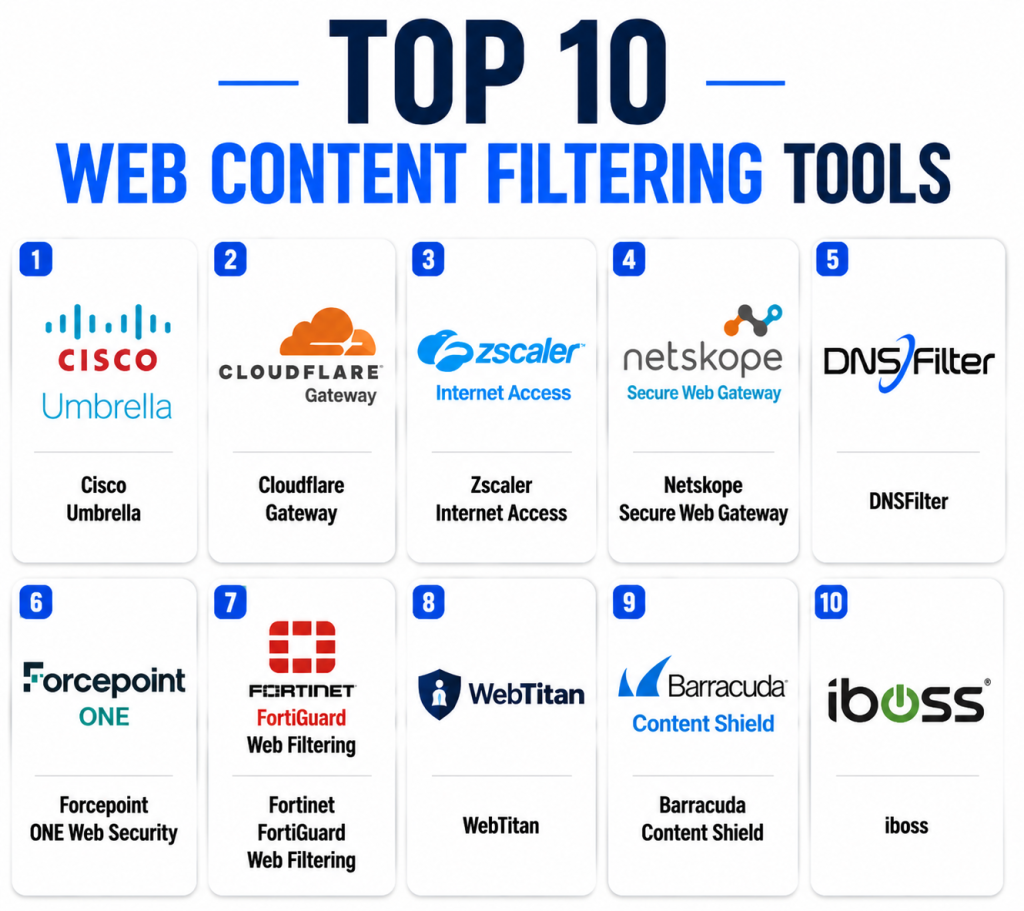
Introduction
Web Content Filtering Tools help organizations control, monitor, and restrict access to websites, web applications, and online content based on security policies, compliance requirements, and acceptable-use standards. These platforms protect users from malicious websites, phishing attacks, malware downloads, inappropriate content, and productivity-draining websites.
As organizations adopt hybrid work, cloud applications, and remote access strategies, web filtering has evolved from simple URL blocking into AI-driven web security platforms integrated with Secure Service Edge (SSE), Secure Access Service Edge (SASE), Zero Trust, and threat intelligence ecosystems.
Real-World Use Cases
- Blocking phishing and malware websites.
- Preventing access to inappropriate or unsafe content.
- Enforcing employee internet usage policies.
- Protecting students in educational environments.
- Meeting regulatory and compliance requirements.
Evaluation Criteria for Buyers
- Threat detection effectiveness
- URL categorization accuracy
- Ease of policy management
- Reporting and analytics
- Cloud deployment capabilities
- Remote workforce protection
- Integration ecosystem
- Scalability
- Security and compliance controls
- Total cost of ownership
Best for: Enterprises, SMBs, schools, government agencies, healthcare organizations, financial institutions, and remote-first businesses seeking stronger internet security and policy enforcement.
Not ideal for: Very small organizations with minimal internet exposure or environments where unrestricted internet access is required for research and development activities.
Key Trends in Web Content Filtering Tools
- AI-powered URL classification improving real-time threat detection.
- Integration with SASE and SSE architectures becoming standard.
- Browser-based security replacing traditional network-only filtering.
- Zero Trust policies driving granular user-level controls.
- Real-time phishing detection using machine learning.
- Increased focus on remote and hybrid workforce protection.
- Cloud-native filtering platforms replacing on-premises appliances.
- Advanced user behavior analytics improving policy decisions.
- API-driven integrations with SIEM and XDR platforms.
- Consolidation of filtering, CASB, DLP, and SWG capabilities.
How We Selected These Tools (Methodology)
The tools in this list were evaluated using the following criteria:
- Strong market presence and customer adoption.
- Comprehensive web filtering capabilities.
- Security innovation and threat intelligence quality.
- Scalability across SMB and enterprise environments.
- Integration ecosystem maturity.
- Deployment flexibility.
- Reporting and analytics capabilities.
- Vendor reputation and long-term viability.
Top 10 Web Content Filtering Tools
1- Cisco Umbrella
Short Description:
Cisco Umbrella is one of the most widely adopted DNS-layer security and web filtering platforms. It protects users from malicious websites, phishing campaigns, malware distribution networks, and inappropriate content before connections are established. Organizations use Umbrella to secure branch offices, remote workers, and cloud-connected environments. Its extensive threat intelligence network helps identify and block emerging threats quickly. The platform is particularly attractive to enterprises seeking cloud-native protection with minimal deployment complexity. Cisco’s global infrastructure provides scalability for organizations of all sizes.
Key Features
- DNS-layer security
- Secure Web Gateway
- Content filtering
- Application visibility
- Threat intelligence integration
- Cloud-delivered security
- Remote workforce protection
Pros
- Easy deployment
- Strong threat intelligence
- Highly scalable
Cons
- Premium pricing
- Advanced features may require additional Cisco products
- Complex licensing structure
Platforms / Deployment
- Web
- Cloud
Security & Compliance
- SSO
- MFA
- RBAC
- Audit logs
- Encryption
- GDPR support
Integrations & Ecosystem
Cisco Umbrella integrates deeply with broader Cisco security products and enterprise ecosystems.
- Cisco SecureX
- Cisco Secure Firewall
- SIEM platforms
- Active Directory
- Microsoft environments
Support & Community
Strong enterprise support, extensive documentation, training resources, and large user community.
2- Cloudflare Gateway
Short Description:
Cloudflare Gateway delivers cloud-native web filtering through Cloudflare’s global network. It provides URL filtering, DNS security, malware protection, and Zero Trust access controls. Organizations benefit from centralized policy management and strong performance due to Cloudflare’s extensive global presence. The platform is well suited for modern remote and hybrid work environments. Gateway integrates seamlessly with Cloudflare’s broader Zero Trust ecosystem. It offers excellent scalability for growing businesses.
Key Features
- DNS filtering
- URL filtering
- Zero Trust integration
- Malware protection
- Browser isolation
- Application controls
- Centralized policies
Pros
- Cloud-native architecture
- Strong global performance
- Simple deployment
Cons
- Advanced features require broader Cloudflare adoption
- Learning curve for large deployments
- Some enterprise capabilities may require premium plans
Platforms / Deployment
- Web
- Cloud
Security & Compliance
- SSO
- MFA
- RBAC
- Encryption
- Audit logging
Integrations & Ecosystem
Cloudflare Gateway integrates closely with the Cloudflare Zero Trust platform.
- Cloudflare Access
- SIEM platforms
- Identity providers
- Endpoint security tools
Support & Community
Strong documentation, active community, enterprise support tiers.
3- Zscaler Internet Access
Short Description:
Zscaler Internet Access is a leading cloud Secure Web Gateway platform providing web filtering, threat protection, SSL inspection, and Zero Trust security. It enables secure internet access without traditional VPN dependencies. Large enterprises frequently use ZIA to protect distributed workforces. Its cloud-native architecture supports global deployments efficiently. Advanced analytics and policy controls enhance visibility. The platform is widely recognized in enterprise security environments.
Key Features
- URL filtering
- SSL inspection
- Cloud firewall
- Threat protection
- Data protection
- Zero Trust architecture
- Advanced reporting
Pros
- Enterprise-grade capabilities
- Strong security effectiveness
- Global scalability
Cons
- Complex implementation
- Premium pricing
- Requires planning for large deployments
Platforms / Deployment
- Cloud
Security & Compliance
- SSO
- MFA
- Audit logs
- Encryption
- RBAC
Integrations & Ecosystem
- SIEM solutions
- Identity providers
- Endpoint protection tools
- CASB integrations
Support & Community
Comprehensive enterprise support and professional services.
4- Netskope Secure Web Gateway
Short Description:
Netskope Secure Web Gateway combines web filtering, cloud security, CASB, and Zero Trust controls within a unified platform. It provides granular visibility into web and cloud application usage. Organizations benefit from advanced threat protection and detailed policy enforcement. Netskope is particularly attractive to cloud-first enterprises. Its strong analytics capabilities improve operational visibility. The platform continues to expand its SSE capabilities.
Key Features
- Web filtering
- CASB integration
- Threat protection
- User analytics
- DLP capabilities
- Cloud application controls
- Zero Trust support
Pros
- Strong cloud visibility
- Detailed policy controls
- Modern architecture
Cons
- Enterprise-focused pricing
- Complex feature set
- Requires skilled administration
Platforms / Deployment
- Cloud
Security & Compliance
- SSO
- MFA
- Encryption
- Audit logging
Integrations & Ecosystem
- SIEM tools
- Identity providers
- Endpoint security
- Cloud security platforms
Support & Community
Enterprise-grade support with extensive documentation.
5- DNSFilter
Short Description:
DNSFilter is a cloud-based DNS security and web filtering platform designed for MSPs, SMBs, and enterprises. It uses AI-driven threat detection to identify malicious domains in real time. The platform is known for ease of deployment and efficient policy management. Organizations can rapidly secure users without complex infrastructure changes. DNSFilter is especially popular among managed service providers. Its affordability makes it attractive for growing businesses.
Key Features
- AI threat detection
- DNS filtering
- Content filtering
- Roaming clients
- Reporting dashboards
- Multi-tenant management
- Fast deployment
Pros
- Easy to use
- Strong MSP support
- Cost-effective
Cons
- Less feature-rich than SSE platforms
- Limited advanced CASB capabilities
- Enterprise analytics may be less comprehensive
Platforms / Deployment
- Cloud
Security & Compliance
- Encryption
- Audit logs
- SSO support
Integrations & Ecosystem
- MSP platforms
- SIEM tools
- Identity services
- Security solutions
Support & Community
Responsive support and strong MSP-focused community.
6- Forcepoint ONE Web Security
Short Description:
Forcepoint ONE Web Security provides enterprise web filtering, data protection, and threat prevention capabilities. It helps organizations enforce internet usage policies while protecting sensitive information. The platform combines security and productivity management into a unified solution. Forcepoint has a strong reputation in regulated industries. Advanced policy controls provide granular enforcement options. Organizations can apply consistent security across distributed environments.
Key Features
- URL filtering
- DLP integration
- Threat protection
- User behavior analytics
- Compliance controls
- Cloud security
- Centralized management
Pros
- Strong compliance support
- Comprehensive security features
- Granular policies
Cons
- Complex administration
- Higher learning curve
- Premium pricing
Platforms / Deployment
- Cloud
- Hybrid
Security & Compliance
- SSO
- MFA
- Audit logs
- Encryption
Integrations & Ecosystem
- SIEM systems
- DLP solutions
- Identity providers
- Endpoint security tools
Support & Community
Strong enterprise support structure.
7- Fortinet FortiGuard Web Filtering
Short Description:
Fortinet FortiGuard Web Filtering provides category-based web filtering integrated with the broader Fortinet Security Fabric. Organizations can block malicious content and enforce acceptable-use policies through centralized management. The platform benefits from Fortinet’s extensive threat intelligence network. Businesses already using Fortinet products gain strong integration advantages. The solution is popular among enterprises and mid-sized organizations. Performance and scalability remain key strengths.
Key Features
- URL categorization
- Threat intelligence
- Policy enforcement
- Application controls
- Reporting
- Integration with FortiGate
- Centralized management
Pros
- Excellent Fortinet integration
- Strong threat intelligence
- Flexible deployment
Cons
- Best value within Fortinet ecosystem
- Complex enterprise configurations
- Some features require additional products
Platforms / Deployment
- Cloud
- Hybrid
Security & Compliance
- RBAC
- MFA
- Encryption
- Audit logging
Integrations & Ecosystem
- FortiGate
- FortiAnalyzer
- FortiManager
- SIEM integrations
Support & Community
Large global customer community and enterprise support.
8- WebTitan
Short Description:
WebTitan is a DNS-based web filtering solution designed for educational institutions, MSPs, and businesses. It provides malware protection, content filtering, and internet usage controls through a cloud-based architecture. The platform is known for simple deployment and effective policy management. Educational organizations frequently use WebTitan to enforce safe browsing practices. Multi-tenant capabilities benefit service providers. The solution offers strong value for budget-conscious organizations.
Key Features
- DNS filtering
- Malware protection
- Category controls
- Reporting
- Multi-tenant management
- Cloud deployment
- Policy enforcement
Pros
- Easy deployment
- Strong education market fit
- Affordable
Cons
- Limited advanced SSE functionality
- Fewer enterprise integrations
- Basic analytics compared to premium competitors
Platforms / Deployment
- Cloud
Security & Compliance
- Encryption
- Access controls
- Audit logging
Integrations & Ecosystem
- MSP platforms
- Active Directory
- Security monitoring tools
Support & Community
Good customer support and MSP-oriented resources.
9- Barracuda Content Shield
Short Description:
Barracuda Content Shield provides cloud-delivered web filtering and browser security capabilities. The platform protects users against phishing, malware, and risky web content. Organizations gain centralized visibility and policy enforcement capabilities. Barracuda emphasizes simplicity and ease of deployment. Businesses seeking streamlined cloud security often consider Content Shield. The solution complements broader Barracuda security offerings.
Key Features
- URL filtering
- Browser security
- Threat protection
- Reporting
- Cloud management
- Policy controls
- Remote user protection
Pros
- Easy administration
- Good cloud integration
- Strong phishing protection
Cons
- Smaller ecosystem than market leaders
- Fewer advanced analytics
- Enterprise feature depth varies
Platforms / Deployment
- Cloud
Security & Compliance
- SSO
- MFA
- Encryption
Integrations & Ecosystem
- Barracuda security suite
- Identity platforms
- Security monitoring tools
Support & Community
Reliable vendor support and documentation.
10- iboss
Short Description:
iboss provides cloud-native web filtering and Zero Trust security designed for distributed workforces. The platform secures internet access while enforcing content policies and preventing threats. Organizations benefit from centralized management and cloud scalability. iboss is particularly focused on remote work environments. The platform integrates web filtering with broader security capabilities. Its architecture supports modern enterprise security strategies.
Key Features
- Secure Web Gateway
- URL filtering
- Zero Trust controls
- Threat prevention
- User visibility
- Policy management
- Cloud-native deployment
Pros
- Strong remote workforce protection
- Cloud-native architecture
- Comprehensive security controls
Cons
- Enterprise-focused pricing
- Learning curve
- Advanced configurations may require expertise
Platforms / Deployment
- Cloud
Security & Compliance
- SSO
- MFA
- Encryption
- Audit logs
Integrations & Ecosystem
- Identity providers
- SIEM platforms
- Endpoint security tools
- Cloud security solutions
Support & Community
Enterprise support services and implementation assistance.
Comparison Table
| Tool Name | Best For | Platforms Supported | Deployment | Standout Feature | Public Rating |
|---|---|---|---|---|---|
| Cisco Umbrella | Enterprise Security | Web | Cloud | DNS-layer security | N/A |
| Cloudflare Gateway | Zero Trust Environments | Web | Cloud | Global network filtering | N/A |
| Zscaler Internet Access | Large Enterprises | Web | Cloud | Cloud SWG | N/A |
| Netskope SWG | Cloud-first Organizations | Web | Cloud | CASB integration | N/A |
| DNSFilter | SMBs and MSPs | Web | Cloud | AI threat detection | N/A |
| Forcepoint ONE | Compliance-focused Firms | Web | Cloud/Hybrid | DLP integration | N/A |
| FortiGuard Web Filtering | Fortinet Customers | Web | Cloud/Hybrid | Security Fabric integration | N/A |
| WebTitan | Education and SMBs | Web | Cloud | DNS filtering simplicity | N/A |
| Barracuda Content Shield | Mid-sized Businesses | Web | Cloud | Browser protection | N/A |
| iboss | Remote Workforce Security | Web | Cloud | Zero Trust architecture | N/A |
Evaluation & Scoring of Web Content Filtering Tools
| Tool | Core | Ease | Integrations | Security | Performance | Support | Value | Weighted Total |
|---|---|---|---|---|---|---|---|---|
| Cisco Umbrella | 9.5 | 8.5 | 9.5 | 9.5 | 9.5 | 9.0 | 8.0 | 9.1 |
| Cloudflare Gateway | 9.0 | 9.0 | 8.5 | 9.0 | 9.5 | 8.5 | 8.5 | 8.9 |
| Zscaler Internet Access | 9.5 | 8.0 | 9.0 | 9.5 | 9.5 | 9.0 | 7.5 | 8.9 |
| Netskope SWG | 9.2 | 8.2 | 9.3 | 9.3 | 9.1 | 8.8 | 7.8 | 8.8 |
| DNSFilter | 8.5 | 9.2 | 8.0 | 8.7 | 8.8 | 8.5 | 9.2 | 8.7 |
| Forcepoint ONE | 9.0 | 7.8 | 8.8 | 9.3 | 9.0 | 8.7 | 7.8 | 8.6 |
| FortiGuard | 8.8 | 8.2 | 9.0 | 9.0 | 9.1 | 8.8 | 8.5 | 8.7 |
| WebTitan | 8.0 | 9.0 | 7.5 | 8.0 | 8.2 | 8.0 | 9.0 | 8.3 |
| Barracuda Content Shield | 8.2 | 8.8 | 8.0 | 8.5 | 8.5 | 8.2 | 8.7 | 8.4 |
| iboss | 8.8 | 8.0 | 8.5 | 9.0 | 8.8 | 8.5 | 8.0 | 8.5 |
These scores are comparative rather than absolute. Organizations should prioritize criteria that matter most to their environment. Security-focused enterprises may value advanced protection over ease of use, while SMBs may prioritize simplicity and affordability. Running a pilot deployment is recommended before making a final decision.
Which Web Content Filtering Tool Is Right for You?
Solo / Freelancer
DNSFilter and Cloudflare Gateway offer simple deployment and affordable security for individual professionals.
SMB
DNSFilter, WebTitan, and Barracuda Content Shield provide strong protection without enterprise-level complexity.
Mid-Market
FortiGuard Web Filtering, Cloudflare Gateway, and Forcepoint ONE offer balanced security, scalability, and management capabilities.
Enterprise
Cisco Umbrella, Zscaler Internet Access, Netskope, and iboss provide comprehensive security and global scalability.
Budget vs Premium
- Budget: WebTitan, DNSFilter
- Mid-range: Barracuda Content Shield, FortiGuard
- Premium: Cisco Umbrella, Zscaler, Netskope
Feature Depth vs Ease of Use
- Easiest: DNSFilter, Cloudflare Gateway
- Deepest Feature Sets: Netskope, Zscaler, Forcepoint
Integrations & Scalability
- Strongest ecosystems: Cisco, Fortinet, Cloudflare
- Best cloud-native scalability: Zscaler, Netskope, iboss
Security & Compliance Needs
- Highly regulated industries: Forcepoint, Cisco Umbrella, Zscaler
- Education: WebTitan
- Distributed workforce: Cloudflare Gateway, iboss
Frequently Asked Questions
1- What is a web content filtering tool?
A web content filtering tool controls internet access by allowing or blocking websites based on categories, policies, reputation scores, or security risks. Organizations use these platforms to improve security, productivity, and compliance.
2- How does web filtering improve cybersecurity?
Web filtering blocks access to phishing sites, malware-hosting domains, command-and-control servers, and other malicious destinations before users can interact with them.
3- Are web filtering tools suitable for remote workers?
Yes. Modern cloud-based solutions protect users regardless of location, making them highly effective for hybrid and remote workforce environments.
4- What deployment model is most common today?
Cloud-based deployment is increasingly dominant because it simplifies management, supports remote users, and reduces infrastructure requirements.
5- Can web filtering tools inspect encrypted traffic?
Many enterprise solutions support SSL/TLS inspection, allowing security teams to inspect encrypted traffic for threats while maintaining policy enforcement.
6- How long does implementation usually take?
Deployment can range from a few hours for cloud DNS filtering solutions to several weeks for large enterprise Secure Service Edge implementations.
7- Do these platforms integrate with identity providers?
Most enterprise-grade solutions integrate with identity providers to support user-based policies, Single Sign-On, and Zero Trust security frameworks.
8- What is the biggest mistake organizations make?
Many organizations focus only on website blocking and overlook reporting, threat intelligence quality, integration capabilities, and scalability requirements.
9- Are web filtering and Secure Web Gateways the same?
Not exactly. Web filtering is typically one capability within a Secure Web Gateway platform, which may also include threat protection, SSL inspection, and data security controls.
10- How should organizations evaluate vendors?
Organizations should assess security effectiveness, deployment flexibility, policy management, reporting quality, integrations, compliance capabilities, and long-term scalability before selecting a solution.
Conclusion
Web Content Filtering Tools have become a critical component of modern cybersecurity strategies. As organizations continue embracing cloud applications, hybrid work environments, and Zero Trust architectures, web filtering solutions now provide far more than simple website blocking. The strongest platforms combine threat intelligence, policy enforcement, cloud-native scalability, advanced analytics, and seamless integrations. Cisco Umbrella, Cloudflare Gateway, Zscaler Internet Access, and Netskope lead enterprise deployments, while DNSFilter, WebTitan, and Barracuda Content Shield offer compelling options for SMBs and educational organizations. The best choice ultimately depends on your organization’s security requirements, budget, compliance obligations, and deployment preferences. Create a shortlist of two or three solutions, conduct a pilot evaluation, validate integrations and security controls, and then move forward with a platform that aligns with your long-term security strategy
