Introduction
School Timetabling Software is a specialized platform designed to streamline the creation, management, and optimization of academic schedules. It helps schools, colleges, and universities organize classes, allocate resources, manage teacher workloads, and avoid timetable conflicts efficiently. These platforms provide real-time visibility for staff and students, simplify administrative processes, and enhance overall learning experiences.
In and beyond, school timetabling has become more complex due to hybrid learning, multiple campuses, larger class sizes, and stricter compliance requirements. Modern solutions leverage automation, AI, and integrations with student information systems (SIS) and learning management systems (LMS) to deliver smarter scheduling.
Real-world use cases include:
- Automatically generating conflict-free timetables for students and teachers.
- Optimizing classroom, lab, and resource allocation.
- Managing substitutions and teacher absences in real-time.
- Coordinating extracurricular activities alongside academic schedules.
- Providing mobile access to schedules for students, teachers, and parents.
Key evaluation criteria buyers should consider:
- Ease of creating, adjusting, and maintaining schedules.
- Automation and AI-assisted scheduling capabilities.
- Integration with SIS, LMS, and communication tools.
- Mobile and web accessibility.
- Reporting, analytics, and visualization features.
- Scalability for multi-campus or large institutions.
- Security and compliance standards (GDPR, FERPA).
- Customization, workflow flexibility, and usability.
Best for: K-12 schools, colleges, and universities needing conflict-free, automated timetabling and resource optimization.
Not ideal for: Small schools or tutoring centers with minimal scheduling complexity, where spreadsheets or manual schedules may suffice.
Key Trends in School Timetabling Software
- AI-assisted scheduling to detect conflicts and optimize allocation.
- Cloud-first deployment for multi-campus accessibility.
- Mobile and web apps for real-time updates to staff, students, and parents.
- Integration with LMS, SIS, and other education platforms.
- Automation of substitutions, absences, and resource management.
- Analytics dashboards for tracking classroom and teacher utilization.
- Compliance with GDPR, FERPA, and regional privacy regulations.
- Customizable notifications for teachers, students, and administrators.
- Subscription-based and usage-based pricing models.
- Workflow customization and visual timetable editors.
How We Selected These Tools (Methodology)
- Market adoption and reputation among K-12 and higher education institutions.
- Feature completeness including AI-assisted scheduling, resource optimization, and conflict resolution.
- Reliability and performance benchmarks from user feedback and case studies.
- Security posture including encryption, role-based access, and compliance certifications.
- Integration capabilities with SIS, LMS, and communication tools.
- Scalability for single-campus and multi-campus institutions.
- Support infrastructure including documentation, onboarding, and training.
- Flexibility for customization, reporting, and visualization needs.
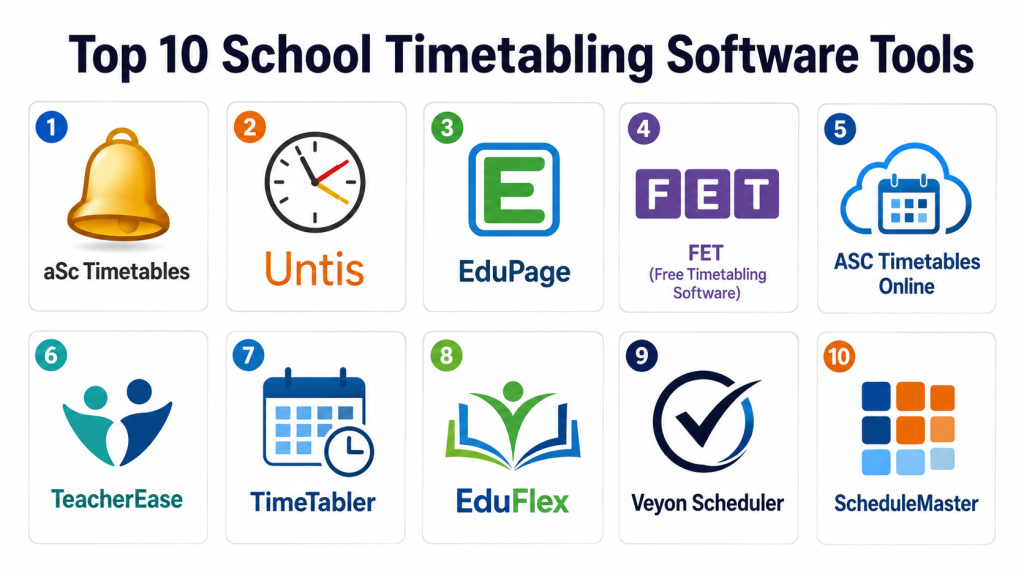
Top 10 School Timetabling Software Tools
#1 — aSc Timetables
Short description :
aSc Timetables helps schools automate and optimize class schedules efficiently. It resolves conflicts between teachers, classrooms, and subjects automatically. Administrators can manage substitutions, absences, and special scheduling requirements. The software supports multiple campuses and resources allocation. Real-time updates keep students and staff informed. Mobile access allows teachers to view timetables on-the-go. Integration with SIS and LMS is supported. The platform is suitable for K-12 schools of all sizes.
Key Features
- Automatic timetable generation
- Conflict detection and resolution
- Multi-campus support
- Substitutions and absence management
- Classroom and resource optimization
- Reporting and analytics dashboards
- SIS/LMS integration
Pros
- Fast schedule generation
- Reduces administrative workload
Cons
- Interface may feel dated
- Advanced customization may require training
Platforms / Deployment
- Windows, Web
- Cloud / Self-hosted
Security & Compliance
- Encryption, role-based access
- GDPR
Integrations & Ecosystem
- SIS and LMS integrations
- API access for custom workflows
- Communication tool integration
Support & Community
- Documentation and tutorials
- Email support and training
- Active user community
#2 — Untis
Short description:
Untis automates school scheduling and resource allocation for K-12 institutions. It balances teacher workloads and resolves scheduling conflicts efficiently. Administrators can manage absences and room availability in real-time. Reporting dashboards provide insights on classroom utilization. Mobile apps allow teachers and students to access timetables remotely. Untis integrates with SIS and LMS for seamless operations. It is suitable for schools of various sizes, including multi-campus setups. The platform emphasizes reliability, scalability, and automation.
Key Features
- Automatic timetable generation
- Substitution and absence management
- Resource and room allocation
- Teacher workload balancing
- Analytics and reporting dashboards
- Multi-campus support
- Mobile app access
Pros
- Reduces manual scheduling effort
- Supports complex multi-campus requirements
Cons
- Implementation may take time
- Mobile app functionality varies
Platforms / Deployment
- Web, Windows, iOS, Android
- Cloud
Security & Compliance
- Encryption, role-based access
- GDPR
Integrations & Ecosystem
- SIS/LMS integrations
- API access for custom workflows
- Notification and communication systems
Support & Community
- Documentation and tutorials
- Training support
- Active user forums
#3 — EduPage
Short description:
EduPage is a comprehensive school management platform including timetabling, homework, and communication modules. Its scheduling tool generates optimized timetables automatically. Absences, substitutions, and classroom resources are handled seamlessly. Students and teachers can view schedules via web or mobile apps. Analytics dashboards offer insights on classroom and teacher utilization. Integration with LMS and SIS is supported. EduPage suits schools of varying sizes and priorities. Real-time notifications enhance engagement for all stakeholders.
Key Features
- Automatic timetable creation
- Substitution and absence management
- Classroom and teacher optimization
- Web and mobile access
- Analytics dashboards
- LMS/SIS integration
- Notifications and communication tools
Pros
- User-friendly interface
- Real-time schedule updates
Cons
- Advanced features require training
- Limited customization for very large schools
Platforms / Deployment
- Web, iOS, Android
- Cloud
Security & Compliance
- MFA, encryption
- GDPR
Integrations & Ecosystem
- LMS and SIS integration
- API access
- Notification systems
Support & Community
- Tutorials and documentation
- Email support
- Varies / Not publicly stated
#4 — FET (Free Timetabling Software)
Short description :
FET is an open-source solution for automated school scheduling. It creates conflict-free timetables, balancing teacher workloads and classroom allocations. Administrators can configure multiple campuses and set custom constraints. The software supports bulk updates and real-time changes. Students and teachers can access timetables online. Integration with SIS platforms is possible. FET is suitable for schools and universities of varying sizes. Its flexibility and open-source nature allow full customization and scalability.
Key Features
- Automatic timetable generation
- Constraint management
- Multi-campus and multi-grade support
- Bulk edits and real-time updates
- Analytics and reporting
- Open-source customization
- Web access
Pros
- Free and open-source
- Flexible and customizable
Cons
- Requires technical setup
- Less intuitive interface
Platforms / Deployment
- Windows, Linux, Web
- Self-hosted
Security & Compliance
- Varies / N/A
Integrations & Ecosystem
- SIS integrations possible
- API for custom workflows
- Open-source plugins
Support & Community
- Documentation
- Community forums
- Limited professional support
#5 — ASC Timetables Online
Short description :
ASC Timetables Online offers cloud-based timetabling with automated conflict resolution. Administrators can manage substitutions, absences, and resource allocation efficiently. Mobile access provides real-time visibility for staff and students. Analytics dashboards deliver insights on teacher and classroom utilization. Integration with SIS and LMS platforms is available. The software suits K-12 schools of different sizes. Customizable scheduling and notifications improve engagement. It prioritizes efficiency and usability in school scheduling.
Key Features
- Automatic timetable generation
- Substitution and absence handling
- Classroom and resource optimization
- Mobile and web access
- Analytics dashboards
- SIS/LMS integration
- Real-time notifications
Pros
- Intuitive interface
- Efficient schedule generation
Cons
- Limited offline access
- Advanced features require subscription
Platforms / Deployment
- Web, iOS, Android
- Cloud
Security & Compliance
- Encryption, MFA
- GDPR
Integrations & Ecosystem
- SIS/LMS integrations
- API access
- Notification systems
Support & Community
- Tutorials and documentation
- Email support
- Varies / Not publicly stated
#6 — TeacherEase
Short description :
TeacherEase is a timetabling solution for K-12 schools focused on simplicity and automation. It generates conflict-free schedules and handles substitutions efficiently. Resource allocation for classrooms, labs, and staff is optimized. Mobile and web apps allow teachers and students to view schedules. Analytics dashboards provide insights on utilization and engagement. Integration with SIS platforms enables centralized data management. TeacherEase suits small to mid-sized schools. Notifications and updates are automated for real-time communication.
Key Features
- Automatic schedule generation
- Substitution and absence management
- Resource and classroom optimization
- Mobile/web access
- Analytics dashboards
- SIS integration
- Notifications
Pros
- Simple, user-friendly interface
- Automated conflict resolution
Cons
- Limited advanced reporting
- Not ideal for very large districts
Platforms / Deployment
- Web, iOS, Android
- Cloud
Security & Compliance
- Encryption, MFA
- GDPR
Integrations & Ecosystem
- SIS integration
- API for custom workflows
- Notifications
Support & Community
- Documentation and tutorials
- Email support
- Varies / Not publicly stated
#7 — TimeTabler
Short description :
TimeTabler provides automated scheduling for schools, balancing teacher availability and classroom constraints. The system supports substitutions, absences, and multi-campus management. Teachers and students access schedules via mobile and web apps. Analytics and reporting dashboards provide administrators with actionable insights. Integration with SIS and LMS platforms is supported. TimeTabler suits K-12 schools and educational organizations. Notifications keep stakeholders informed. The platform emphasizes reliability, scalability, and usability.
Key Features
- Automatic timetable generation
- Absence and substitution management
- Multi-campus support
- Analytics and reporting
- Mobile/web access
- LMS/SIS integration
- Notifications
Pros
- Efficient multi-campus scheduling
- Real-time updates
Cons
- Requires training for complex features
- Limited offline functionality
Platforms / Deployment
- Web, iOS, Android
- Cloud
Security & Compliance
- Encryption, role-based access
- GDPR
Integrations & Ecosystem
- LMS/SIS integration
- API access
- Notifications
Support & Community
- Documentation and tutorials
- Email support
- Varies / Not publicly stated
#8 — EduFlex
Short description :
EduFlex is a school timetabling platform designed for flexibility and automation. It generates schedules considering teacher, classroom, and student constraints. Administrators can manage substitutions and absences. Mobile access provides teachers and students with real-time updates. Analytics dashboards allow monitoring of resource usage and performance. Integration with SIS and LMS platforms is supported. EduFlex is suitable for K-12 schools and small colleges. Automated notifications enhance communication across the institution.
Key Features
- Automatic timetable generation
- Substitutions and absence handling
- Resource allocation optimization
- Mobile/web access
- Analytics dashboards
- SIS/LMS integration
- Notifications
Pros
- Flexible and user-friendly
- Supports real-time updates
Cons
- Advanced custom features require training
- Limited reporting for large districts
Platforms / Deployment
- Web, iOS, Android
- Cloud
Security & Compliance
- Encryption, MFA
- GDPR
Integrations & Ecosystem
- SIS and LMS integration
- API access
- Notifications
Support & Community
- Tutorials and documentation
- Email support
- Community forums
#9 — Veyon Scheduler
Short description:
Veyon Scheduler offers automated school scheduling with focus on flexibility and conflict resolution. Teachers and students can access schedules on web or mobile apps. Substitution and absence management are handled efficiently. Analytics dashboards provide administrators with insights into classroom and resource usage. Multi-campus support is included. Integration with SIS and LMS platforms enhances workflow. Veyon Scheduler is suitable for K-12 schools of varying sizes. Notifications keep staff and students updated in real-time.
Key Features
- Automatic timetable generation
- Conflict resolution and substitutions
- Multi-campus support
- Analytics dashboards
- Mobile/web access
- LMS/SIS integration
- Notifications
Pros
- Efficient scheduling for multiple campuses
- Real-time updates for staff and students
Cons
- Limited advanced reporting features
- May require training for new users
Platforms / Deployment
- Web, iOS, Android
- Cloud
Security & Compliance
- MFA, encryption
- GDPR
Integrations & Ecosystem
- SIS and LMS integrations
- API access
- Notifications
Support & Community
- Documentation and tutorials
- Email support
- Varies / Not publicly stated
#10 — ScheduleMaster
Short description :
ScheduleMaster is a comprehensive timetabling solution for K-12 schools. It automates conflict-free scheduling, balancing teacher and classroom availability. Substitutions and absences are managed automatically. Mobile and web access provide students and teachers with real-time updates. Analytics dashboards offer insights on resource utilization and efficiency. Integration with SIS and LMS platforms ensures seamless workflows. ScheduleMaster is suitable for schools of all sizes. It emphasizes automation, scalability, and usability.
Key Features
- Automatic timetable creation
- Absence and substitution handling
- Resource allocation optimization
- Mobile/web access
- Analytics dashboards
- SIS/LMS integration
- Notifications
Pros
- Reliable automation for complex schedules
- Real-time updates and notifications
Cons
- Training required for advanced features
- Limited offline capabilities
Platforms / Deployment
- Web, iOS, Android
- Cloud
Security & Compliance
- MFA, encryption
- GDPR
Integrations & Ecosystem
- SIS/LMS integration
- API access
- Notification systems
Support & Community
- Documentation and tutorials
- Email support
- Community forums
Comparison Table (Top 10)
| Tool Name | Best For | Platform(s) Supported | Deployment | Standout Feature | Public Rating |
|---|---|---|---|---|---|
| aSc Timetables | K-12 schools | Windows, Web | Cloud/Self-hosted | Automated conflict resolution | N/A |
| Untis | Multi-campus schools | Web, Windows, iOS, Android | Cloud | AI-assisted scheduling | N/A |
| EduPage | K-12 schools | Web, iOS, Android | Cloud | Integrated communication | N/A |
| FET | Open-source schools | Windows, Linux, Web | Self-hosted | Open-source and customizable | N/A |
| ASC Timetables Online | K-12 schools | Web, iOS, Android | Cloud | Cloud-based scheduling | N/A |
| TeacherEase | Small to mid-size schools | Web, iOS, Android | Cloud | User-friendly automation | N/A |
| TimeTabler | K-12 schools | Web, iOS, Android | Cloud | Multi-campus support | N/A |
| EduFlex | Flexible scheduling needs | Web, iOS, Android | Cloud | Customizable workflows | N/A |
| Veyon Scheduler | K-12 schools | Web, iOS, Android | Cloud | Real-time updates | N/A |
| ScheduleMaster | Schools of all sizes | Web, iOS, Android | Cloud | Reliable automation | N/A |
Evaluation & Scoring of School Timetabling Software
| Tool Name | Core (25%) | Ease (15%) | Integrations (15%) | Security (10%) | Performance (10%) | Support (10%) | Value (15%) | Weighted Total |
|---|---|---|---|---|---|---|---|---|
| aSc Timetables | 9 | 8 | 8 | 8 | 9 | 8 | 8 | 8.5 |
| Untis | 9 | 8 | 9 | 8 | 9 | 8 | 8 | 8.6 |
| EduPage | 8 | 8 | 8 | 8 | 8 | 7 | 7 | 7.9 |
| FET | 7 | 7 | 7 | 7 | 7 | 7 | 7 | 7.0 |
| ASC Timetables Online | 8 | 8 | 8 | 8 | 8 | 7 | 7 | 7.9 |
| TeacherEase | 8 | 9 | 7 | 8 | 8 | 7 | 7 | 7.9 |
| TimeTabler | 8 | 8 | 8 | 8 | 8 | 7 | 7 | 7.9 |
| EduFlex | 8 | 8 | 7 | 8 | 8 | 7 | 7 | 7.8 |
| Veyon Scheduler | 8 | 8 | 7 | 8 | 8 | 7 | 7 | 7.8 |
| ScheduleMaster | 9 | 8 | 8 | 8 | 9 | 8 | 8 | 8.5 |
Interpretation: Higher weighted totals indicate stronger performance across core features, integrations, usability, security, and value. Scores are comparative; schools should evaluate based on size, complexity, and workflow needs.
Which School Timetabling Tool Is Right for You?
Solo / Freelancer
- TeacherEase and FET are suitable for small schools or tutoring centers with limited scheduling complexity.
SMB
- ASC Timetables Online, EduPage, and EduFlex are ideal for mid-sized schools requiring automation and reporting.
Mid-Market
- aSc Timetables, Untis, and TimeTabler suit multi-campus schools or districts with complex schedules.
Enterprise
- ScheduleMaster and Untis provide full-scale automation, multi-campus support, and analytics for large institutions.
Budget vs Premium
- FET and TeacherEase are budget-friendly. aSc Timetables, Untis, and ScheduleMaster cater to premium enterprise needs.
Feature Depth vs Ease of Use
- EduFlex and TeacherEase prioritize usability. aSc Timetables and Untis deliver advanced features at a moderate learning curve.
Integrations & Scalability
- Untis, ScheduleMaster, and aSc Timetables excel in multi-campus integrations and SIS/LMS connectivity.
Security & Compliance Needs
- All top platforms provide encryption and role-based access; GDPR compliance is standard among cloud solutions.
Frequently Asked Questions (FAQs)
1. What pricing models are used by school timetabling software?
Most offer subscription-based or per-student plans with optional add-ons for extra features.
2. How long does implementation take?
Implementation ranges from a few days for small schools to several weeks for multi-campus institutions.
3. Can these platforms be accessed on mobile devices?
Yes, nearly all platforms offer mobile apps for students, teachers, and administrators.
4. How secure are school timetabling platforms?
Top platforms include MFA, encryption, role-based access, and GDPR compliance.
5. Can schedules be automatically adjusted for absences or substitutions?
Yes, AI and automation features handle substitutions, absences, and room conflicts in real-time.
6. Are these platforms scalable for large schools or districts?
Enterprise-grade solutions like Untis and ScheduleMaster are built for multi-campus and large-scale operations.
7. Do these platforms integrate with SIS or LMS systems?
Yes, most support integrations with LMS and SIS platforms for a unified workflow.
8. Can the software generate analytics and reports?
Yes, dashboards provide insights on classroom utilization, teacher workload, and resource allocation.
9. Is training provided for administrators and teachers?
Yes, platforms typically offer tutorials, documentation, and onboarding sessions.
10. Can schools customize workflows and notifications?
Yes, most solutions allow administrators to tailor workflows, notifications, and schedules to institutional requirements.
Conclusion
School Timetabling Software streamlines scheduling, resource management, and communication in educational institutions. Tools like aSc Timetables, Untis, and ScheduleMaster provide robust solutions for large multi-campus schools, while TeacherEase, EduFlex, and FET suit smaller institutions. The “best” solution depends on school size, scheduling complexity, compliance needs, and integration requirements. A practical next step is to shortlist 2–3 platforms, run a pilot, and validate usability, integration, and real-time scheduling efficiency.
