Introduction
Calendar Software helps individuals and organizations schedule meetings, manage appointments, coordinate teams, and organize workflows across devices and platforms. Modern calendar platforms have evolved beyond simple scheduling tools and now include AI-powered meeting assistance, workflow automation, collaboration capabilities, resource booking, and productivity integrations.
As remote and hybrid work environments continue growing, businesses increasingly depend on centralized scheduling systems to reduce conflicts, improve coordination, and streamline communication. Calendar Software now plays a critical role in productivity, sales operations, project management, customer meetings, and enterprise collaboration.
Real World Use Cases
- Team scheduling and meeting coordination
- Client appointment booking
- Resource and conference room management
- AI-assisted scheduling for executives
- Cross-functional collaboration in remote teams
Evaluation Criteria for Buyers
- Ease of scheduling and usability
- Integration ecosystem
- Mobile and desktop support
- AI and automation capabilities
- Security and compliance controls
- Scalability for growing teams
- Collaboration features
- Calendar sharing and permissions
- Time zone management
- Pricing flexibility
Best for: enterprises, SMBs, startups, agencies, healthcare providers, educational institutions, consultants, and distributed teams.
Not ideal for: users who only require basic offline date tracking without collaboration or scheduling needs.
Key Trends in Calendar Software
- AI-powered scheduling assistants are becoming standard functionality.
- Cross-platform synchronization is improving significantly.
- Embedded video meeting integrations continue expanding.
- Workflow automation is reducing manual scheduling effort.
- Privacy and compliance expectations are increasing globally.
- Smart availability detection is becoming more accurate.
- Shared workspace and resource scheduling features are evolving rapidly.
- Mobile-first scheduling experiences are gaining stronger adoption.
- Collaborative calendar workflows are replacing siloed scheduling.
- Calendar platforms are integrating more deeply with CRMs and productivity tools.
How We Selected These Tools
The tools in this list were selected using practical evaluation criteria focused on real-world business productivity.
- Market adoption and industry reputation
- Feature completeness and usability
- Scheduling and collaboration capabilities
- Integration ecosystem maturity
- Security and compliance posture
- Mobile and desktop performance
- Scalability across business sizes
- Customer satisfaction and workflow flexibility
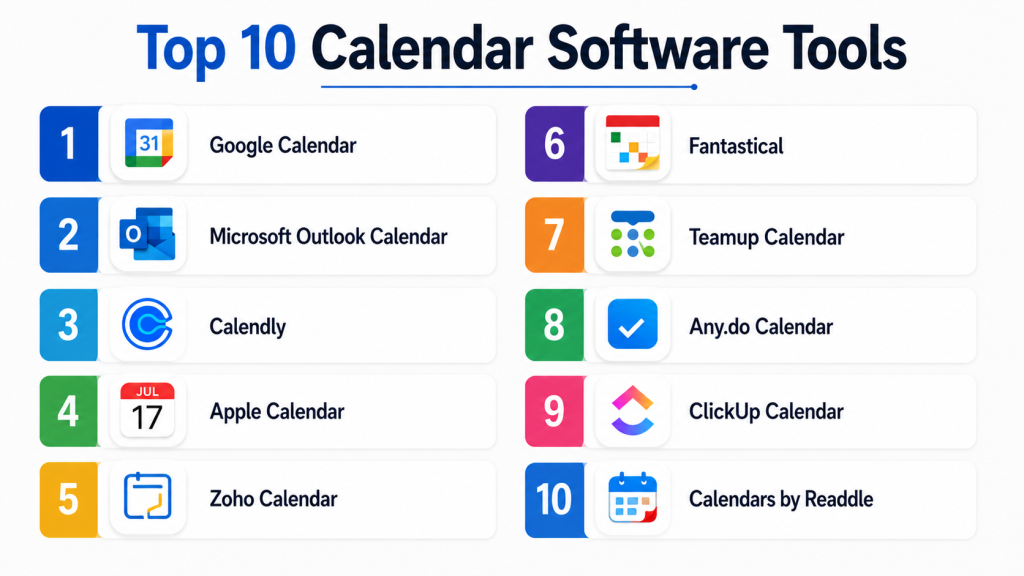
Top 10 Calendar Software Tools
1- Google Calendar
Short description:
Google Calendar is one of the most widely used cloud-based scheduling platforms globally. It combines simplicity, collaboration, AI-powered scheduling support, and deep integration with Google Workspace services. The platform is highly popular among startups, educational institutions, remote teams, and modern enterprises. Google Calendar makes it easy to schedule meetings, share calendars, manage availability, and coordinate workflows across teams and devices.
Key Features
- Shared team calendars
- Smart scheduling suggestions
- Time zone management
- Google Meet integration
- Multi-device synchronization
- Event reminders and notifications
- AI-assisted scheduling support
Pros
- Easy to use and highly accessible
- Excellent collaboration capabilities
- Strong integration ecosystem
Cons
- Advanced enterprise governance may require Workspace plans
- Limited offline capabilities compared to desktop-heavy tools
- Privacy concerns for some organizations
Platforms / Deployment
- Web / Android / iOS
- Cloud
Security & Compliance
- MFA
- Encryption
- SSO/SAML
- Administrative controls
- GDPR support
Integrations & Ecosystem
Google Calendar integrates deeply with productivity and communication platforms.
- Gmail
- Google Meet
- Slack
- Zoom
- Trello
- Salesforce
Support & Community
Extensive documentation, large user community, and enterprise support through Google Workspace.
2- Microsoft Outlook Calendar
Short description:
Microsoft Outlook Calendar is a core component of the Microsoft productivity ecosystem. It combines scheduling, meetings, resource booking, and enterprise collaboration into one platform. Outlook Calendar is widely used in enterprises because of its governance controls, meeting management capabilities, and integration with Microsoft Teams and Exchange environments.
Key Features
- Enterprise scheduling management
- Shared calendars
- Microsoft Teams integration
- Resource and room booking
- AI scheduling suggestions
- Advanced permissions management
- Offline calendar access
Pros
- Strong enterprise capabilities
- Excellent Microsoft ecosystem integration
- Advanced administration controls
Cons
- Interface can feel complex
- Premium capabilities tied to enterprise licensing
- Learning curve for smaller teams
Platforms / Deployment
- Web / Windows / macOS / iOS / Android
- Cloud / Hybrid
Security & Compliance
- MFA
- SSO/SAML
- RBAC
- Audit logging
- Encryption
- GDPR support
Integrations & Ecosystem
Outlook Calendar integrates with Microsoft collaboration and business applications.
- Microsoft Teams
- Exchange
- OneDrive
- SharePoint
- Zoom
- Salesforce
Support & Community
Large enterprise ecosystem with extensive documentation and global support coverage.
3- Calendly
Short description:
Calendly focuses on appointment scheduling automation for individuals and teams. It simplifies meeting coordination by allowing users to share availability links and automate booking workflows. Calendly is especially popular among sales teams, consultants, recruiters, agencies, and customer-facing professionals managing high meeting volumes.
Key Features
- Automated appointment booking
- Availability management
- Scheduling links
- Workflow automation
- Time zone detection
- Video meeting integrations
- Team scheduling support
Pros
- Extremely easy to use
- Excellent scheduling automation
- Strong integration ecosystem
Cons
- Limited traditional calendar management
- Advanced automation requires premium plans
- Best suited mainly for appointment workflows
Platforms / Deployment
- Web / iOS / Android
- Cloud
Security & Compliance
- MFA
- Encryption
- Administrative controls
- GDPR considerations
Integrations & Ecosystem
Calendly supports integrations with communication and CRM platforms.
- Zoom
- Google Calendar
- Outlook
- Salesforce
- HubSpot
- Slack
Support & Community
Strong onboarding experience and broad adoption among SMBs and professionals.
4- Apple Calendar
Short description:
Apple Calendar is designed for users within the Apple ecosystem and focuses on simplicity, synchronization, and usability. The platform supports scheduling, reminders, shared calendars, and integration with Apple services. It works particularly well for professionals and personal users using macOS, iPhone, and iPad devices.
Key Features
- Native Apple integration
- Shared calendars
- Cross-device synchronization
- Event alerts
- Siri integration
- Time zone support
- Clean minimalist interface
Pros
- Smooth Apple ecosystem experience
- Easy to use
- Reliable synchronization
Cons
- Limited enterprise governance
- Fewer advanced collaboration features
- Best suited for Apple users
Platforms / Deployment
- macOS / iOS
- Cloud
Security & Compliance
- Encryption support
- MFA depends on provider
- Privacy-focused architecture
Integrations & Ecosystem
Apple Calendar integrates closely with Apple productivity services.
- iCloud
- Apple Mail
- Apple Contacts
- Zoom
- Google Calendar
Support & Community
Strong consumer support ecosystem and extensive Apple documentation.
5- Zoho Calendar
Short description:
Zoho Calendar is part of the broader Zoho productivity ecosystem designed for SMBs and growing organizations. It supports scheduling, shared calendars, meeting coordination, and workflow integration across business applications. Zoho Calendar is particularly useful for businesses already using Zoho CRM and collaboration tools.
Key Features
- Shared business calendars
- Team scheduling
- Event management
- Time zone support
- Resource booking
- Calendar synchronization
- Zoho ecosystem integration
Pros
- Affordable for SMBs
- Strong integration with Zoho applications
- Good usability for business scheduling
Cons
- Smaller ecosystem than Google or Microsoft
- Limited advanced AI features
- Enterprise governance less mature
Platforms / Deployment
- Web / Android / iOS
- Cloud
Security & Compliance
- MFA
- Encryption
- Administrative controls
- GDPR support
Integrations & Ecosystem
Zoho Calendar integrates deeply with Zoho business applications.
- Zoho CRM
- Zoho Projects
- Zoho Mail
- Microsoft 365
- Google Workspace
Support & Community
Growing global business community with SMB-focused support resources.
6- Fantastical
Short description:
Fantastical is a premium calendar platform focused on design, usability, and productivity for Apple users. It combines natural language scheduling, task management, meeting integrations, and multi-calendar support within a polished interface. Fantastical is especially popular among executives, professionals, and productivity-focused users.
Key Features
- Natural language scheduling
- Multi-calendar management
- Meeting integrations
- Task management
- Calendar sets
- Time zone support
- Cross-device synchronization
Pros
- Excellent user experience
- Powerful scheduling features
- Strong Apple ecosystem optimization
Cons
- Premium pricing
- Primarily Apple-focused
- Smaller enterprise ecosystem
Platforms / Deployment
- macOS / iOS
- Cloud
Security & Compliance
- Encryption support
- MFA support depends on providers
- Not publicly stated for broader certifications
Integrations & Ecosystem
Fantastical supports integrations with major productivity platforms.
- Google Calendar
- Outlook
- Zoom
- Microsoft Teams
- Todoist
Support & Community
Strong productivity-focused community and polished onboarding experience.
7- Teamup Calendar
Short description:
Teamup Calendar is designed for collaborative scheduling and resource management. The platform is widely used for operational planning, shared scheduling, educational coordination, and team-based workflows. Teamup focuses heavily on visibility, permissions, and flexible shared calendar management.
Key Features
- Shared team calendars
- Resource scheduling
- Permission controls
- Color-coded scheduling
- Calendar embedding
- Mobile access
- Operational planning support
Pros
- Excellent collaborative scheduling
- Flexible sharing controls
- Strong visibility management
Cons
- Interface less modern than some competitors
- Limited AI automation features
- Smaller integration ecosystem
Platforms / Deployment
- Web / iOS / Android
- Cloud
Security & Compliance
- Administrative controls
- Encryption support
- GDPR considerations
Integrations & Ecosystem
Teamup integrates with operational and scheduling workflows.
- Slack
- Zapier
- Outlook
- Google Calendar
Support & Community
Helpful documentation and responsive customer support.
8- Any.do Calendar
Short description:
Any.do Calendar combines scheduling and task management into one productivity platform. The software is designed for individuals and small teams wanting lightweight organization tools that unify personal tasks and calendar workflows. Its clean interface and productivity automation make it popular among freelancers and small businesses.
Key Features
- Calendar and task management
- Cross-device synchronization
- Productivity reminders
- Shared planning
- Daily agenda support
- Workflow automation
- Voice assistant support
Pros
- Easy-to-use interface
- Good task and calendar integration
- Strong mobile experience
Cons
- Limited enterprise functionality
- Smaller business ecosystem
- Advanced collaboration features limited
Platforms / Deployment
- Web / Windows / macOS / Android / iOS
- Cloud
Security & Compliance
- Encryption support
- MFA support varies
- Not publicly stated for enterprise certifications
Integrations & Ecosystem
Any.do supports integrations with productivity and communication platforms.
- Google Calendar
- Outlook
- Slack
- Alexa
Support & Community
Strong mobile-focused onboarding and productivity community.
9- ClickUp Calendar
Short description:
ClickUp Calendar is part of the broader ClickUp work management platform. It combines project scheduling, task management, collaboration, and calendar planning into one operational workspace. The platform is especially useful for project-driven organizations and remote teams managing complex workflows.
Key Features
- Integrated project scheduling
- Team calendar management
- Task synchronization
- Workflow automation
- Time tracking
- Shared planning
- Collaboration dashboards
Pros
- Strong project management integration
- Flexible workflow customization
- Good collaboration capabilities
Cons
- Can feel overwhelming initially
- Advanced features require onboarding
- Performance may vary with large workspaces
Platforms / Deployment
- Web / Windows / macOS / Android / iOS
- Cloud
Security & Compliance
- MFA
- Administrative controls
- Encryption
- GDPR support
Integrations & Ecosystem
ClickUp integrates with major business productivity applications.
- Slack
- Zoom
- Google Workspace
- Microsoft Teams
- Salesforce
- Zapier
Support & Community
Large productivity-focused community with extensive documentation.
10- Calendars by Readdle
Short description:
Calendars by Readdle is a productivity-focused calendar application designed primarily for Apple users. It combines scheduling, task management, natural language input, and offline functionality within a clean interface. The platform is commonly used by professionals wanting enhanced mobile productivity and advanced calendar usability.
Key Features
- Natural language event creation
- Offline calendar access
- Multi-calendar support
- Task management
- Smart scheduling
- Mobile productivity optimization
- Cross-device synchronization
Pros
- Excellent mobile usability
- Strong offline functionality
- Clean and responsive interface
Cons
- Primarily Apple-focused
- Smaller enterprise ecosystem
- Limited large-scale administration tools
Platforms / Deployment
- macOS / iOS
- Cloud
Security & Compliance
- Encryption support
- MFA depends on providers
- Not publicly stated for broader certifications
Integrations & Ecosystem
Calendars by Readdle integrates with common scheduling platforms.
- Google Calendar
- Outlook
- Apple Calendar
- Zoom
Support & Community
Strong Apple productivity community and polished user onboarding.
Comparison Table
| Tool Name | Best For | Platform Supported | Deployment | Standout Feature | Public Rating |
|---|---|---|---|---|---|
| Google Calendar | Team collaboration | Web, Android, iOS | Cloud | Google Workspace integration | N/A |
| Microsoft Outlook Calendar | Enterprise scheduling | Web, Windows, macOS, iOS, Android | Cloud / Hybrid | Enterprise governance | N/A |
| Calendly | Appointment automation | Web, iOS, Android | Cloud | Automated booking workflows | N/A |
| Apple Calendar | Apple users | macOS, iOS | Cloud | Native Apple synchronization | N/A |
| Zoho Calendar | SMB scheduling | Web, Android, iOS | Cloud | Zoho ecosystem integration | N/A |
| Fantastical | Productivity-focused professionals | macOS, iOS | Cloud | Natural language scheduling | N/A |
| Teamup Calendar | Collaborative planning | Web, iOS, Android | Cloud | Shared scheduling visibility | N/A |
| Any.do Calendar | Personal productivity | Web, Windows, macOS, Android, iOS | Cloud | Calendar and tasks integration | N/A |
| ClickUp Calendar | Project-driven teams | Web, Windows, macOS, Android, iOS | Cloud | Project management integration | N/A |
| Calendars by Readdle | Mobile productivity | macOS, iOS | Cloud | Offline scheduling support | N/A |
Evaluation & Scoring of Calendar Software
| Tool Name | Core 25% | Ease 15% | Integrations 15% | Security 10% | Performance 10% | Support 10% | Value 15% | Weighted Total |
| Google Calendar | 9 | 9 | 10 | 8 | 9 | 9 | 9 | 9.0 |
| Microsoft Outlook Calendar | 9 | 8 | 10 | 9 | 9 | 9 | 7 | 8.7 |
| Calendly | 8 | 9 | 8 | 8 | 8 | 8 | 8 | 8.2 |
| Apple Calendar | 7 | 9 | 7 | 8 | 9 | 8 | 8 | 8.0 |
| Zoho Calendar | 8 | 8 | 8 | 8 | 8 | 8 | 9 | 8.2 |
| Fantastical | 8 | 9 | 7 | 7 | 9 | 8 | 7 | 8.0 |
| Teamup Calendar | 8 | 8 | 7 | 7 | 8 | 7 | 8 | 7.7 |
| Any.do Calendar | 7 | 8 | 7 | 7 | 8 | 7 | 8 | 7.5 |
| ClickUp Calendar | 9 | 7 | 9 | 8 | 8 | 8 | 8 | 8.3 |
| Calendars by Readdle | 7 | 9 | 7 | 7 | 8 | 7 | 8 | 7.7 |
These scores are comparative and intended to help buyers evaluate strengths across different use cases. Enterprises may prioritize governance and integrations, while SMBs often focus on affordability and usability. Teams should also evaluate scalability, collaboration depth, and workflow compatibility before selecting a platform.
Which Calendar Software Tool Is Right for You?
Solo / Freelancer
Freelancers and independent professionals often prioritize simplicity and productivity. Calendly, Fantastical, and Any.do Calendar are strong options for lightweight scheduling and appointment management.
SMB
SMBs usually require collaboration, integrations, and affordability. Google Calendar, Zoho Calendar, and Calendly provide strong value for growing businesses.
Mid-Market
Mid-market organizations benefit from tools offering stronger governance, integrations, and operational flexibility. Outlook Calendar and ClickUp Calendar are strong choices.
Enterprise
Large enterprises typically require advanced permissions, governance, compliance, and ecosystem integrations. Microsoft Outlook Calendar and Google Calendar remain leading enterprise platforms.
Budget vs Premium
Budget-focused organizations often prefer Google Calendar or Zoho Calendar, while premium productivity-focused users may prefer Fantastical or Outlook.
Feature Depth vs Ease of Use
Google Calendar balances simplicity and scalability extremely well. Outlook provides deeper enterprise capabilities but may require more onboarding.
Integrations & Scalability
Google Workspace and Microsoft ecosystems dominate enterprise integration maturity and operational scalability.
Security & Compliance Needs
Organizations with strict governance requirements should evaluate Outlook Calendar and Google Calendar carefully for administrative controls and compliance capabilities.
Frequently Asked Questions
1. What is Calendar Software?
Calendar Software helps users schedule meetings, organize appointments, manage availability, and coordinate team collaboration across devices and business platforms.
2. Which calendar platform is best for enterprises?
Microsoft Outlook Calendar and Google Calendar are commonly preferred by enterprises because of scalability, governance, integrations, and collaboration capabilities.
3. Is Calendar Software important for remote teams?
Yes. Modern calendar platforms help remote teams coordinate schedules, reduce conflicts, automate meeting booking, and improve communication efficiency.
4. What are the most important features buyers should evaluate?
Buyers should evaluate integrations, security controls, scheduling automation, collaboration features, mobile support, scalability, and usability.
5. Are AI scheduling features becoming common?
Yes. AI-powered scheduling assistants, smart availability suggestions, and automated meeting coordination are increasingly becoming standard features.
6. Can Calendar Software integrate with video conferencing tools?
Most modern platforms integrate with Zoom, Google Meet, Microsoft Teams, and other meeting solutions to streamline scheduling workflows.
7. What is the difference between scheduling software and calendar software?
Scheduling software focuses primarily on booking appointments, while Calendar Software provides broader collaboration, planning, and workflow management capabilities.
8. Are free calendar tools suitable for businesses?
Free tools can work well for small teams and startups, but growing businesses often require advanced administration, integrations, and compliance features available in premium plans.
9. Which calendar software is best for Apple users?
Apple Calendar, Fantastical, and Calendars by Readdle are strong options for users heavily invested in the Apple ecosystem.
10. What common mistakes should businesses avoid when selecting calendar tools?
Organizations often overlook integration compatibility, governance requirements, scalability needs, and workflow automation capabilities during evaluation.
Conclusion
Calendar Software has evolved into a critical productivity layer for modern organizations. Today’s platforms support not only scheduling but also collaboration, automation, resource management, workflow coordination, and AI-assisted productivity. Google Calendar and Microsoft Outlook Calendar continue dominating enterprise adoption, while tools like Calendly, Fantastical, Teamup, and ClickUp Calendar address more specialized scheduling and productivity needs. The best solution depends heavily on organizational size, collaboration requirements, ecosystem alignment, and operational complexity. Businesses should shortlist a few platforms, test integrations and scheduling workflows, validate security requirements, and run pilot deployments before selecting a long-term solution.
