Introduction
AI dubbing tools use artificial intelligence to automatically generate voiceovers in different languages, making multimedia content more accessible and engaging for global audiences. These solutions streamline the traditionally time‑consuming dubbing process by generating natural‑sounding speech, matching lip movement (in some cases), and offering multilingual support with minimal manual intervention. As demand for localized content rises across entertainment, e‑learning, marketing, and corporate communications, AI dubbing tools help creators scale localization while retaining quality and cultural rel
Global content consumption continues to surge in multiple languages. Traditional dubbing is costly, time‑intensive, and often requires teams of voice actors. AI dubbing tools drastically reduce cost and turnaround time while expanding reach to non‑native audiences. Whether you’re a creator, an educator, or an enterprise team, effective AI dubbing accelerates localization and enhances viewer engagement.
Real World Use Cases
- Entertainment Localization: Dubbing movies, web series, and short videos for international release.
- E‑Learning Translation: Localized narration for training videos and courses.
- Marketing & Ads: Voiceovers in multiple languages for global campaigns.
- Corporate Communication: Translated leadership messages and announcements.
- Social Media: Multilingual narrated clips for broader audience reach.
Evaluation Criteria for Buyers
- Voice Quality: Naturalness, clarity, and emotional tone of generated speech.
- Language Support: Number of supported languages and accents.
- Lip Sync: Accuracy of mouth movements (for video dubbing).
- Customization: Voice style, speed, pitch, and emotion controls.
- Integration & Export: API access, editing UI, and file format outputs.
- Automation: Bulk processing, batch uploads, workflow/automation support.
- Security & Compliance: Data privacy, secure upload, and enterprise controls.
Best for
Content creators, studios, businesses, and educators seeking scalable multilingual audio localization.
Not ideal for
Projects requiring highly nuanced voice acting or custom artistic voice performances that need human actors.
Key Trends
- Rapid improvements in neural text‑to‑speech quality.
- Enhanced lip‑sync alignment and facial animation features.
- Deep multilingual support with localized accents and inflections.
- Integration with translation AI and video editors.
- Cloud and API‑driven pipelines for automation.
Methodology
We evaluated tools based on voice quality, language support, lip sync features, customization controls, integration capabilities, scalability, security, and overall usability.
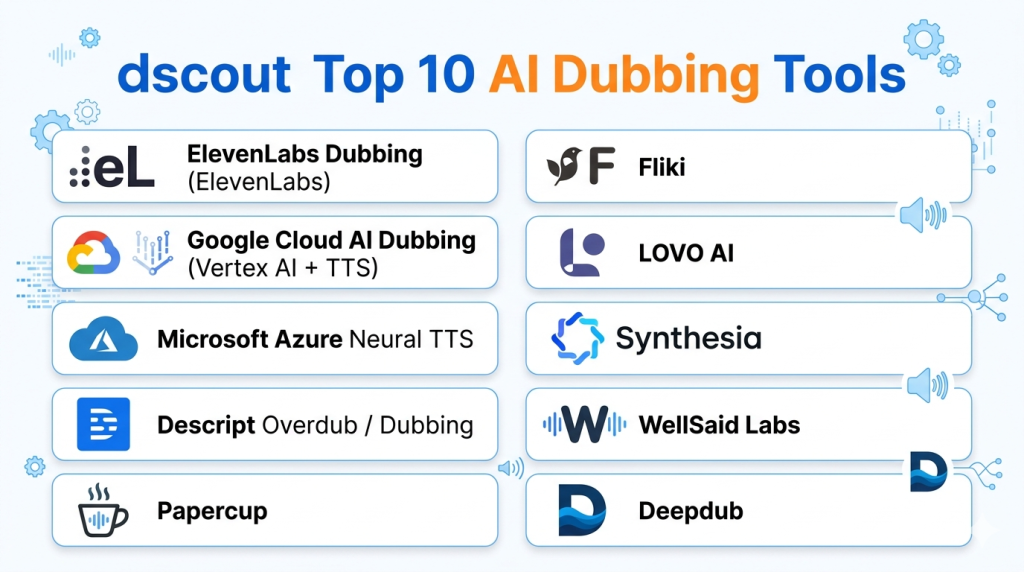
Top 10 AI Dubbing Tools
1‑ ElevenLabs Dubbing (ElevenLabs)
Short description: ElevenLabs leads the industry with advanced neural text‑to‑speech capable of generating highly natural, expressive voices, now supporting dubbing workflows.
Key Features:
- Ultra‑natural TTS voices
- Multilingual support
- Voice cloning and timbre control
- API for automation
- Batch processing
Pros:
- Exceptional voice quality
- Great for narration and dubbing
- Strong customization
Cons:
- Subscription required for high‑end features
- Not all languages have lip‑sync support
Platforms / Deployment: Cloud / API
Security & Compliance: Enterprise data protection
Integrations & Ecosystem: Integrates with video workflows via API
Support & Community: Comprehensive docs, support plans
2‑ Google Cloud AI Dubbing (Vertex AI + TTS)
Short description: Google Cloud’s AI dubbing leverages Vertex AI and its Text‑to‑Speech with multi‑speaker and expressive models for scalable localization.
Key Features:
- Cloud‑scale TTS
- Multi‑language voice generation
- Integration with translation and ML pipelines
- API access for automation
- Custom voice models
Pros:
- Enterprise‑grade scale
- High reliability
- Integrates well with cloud workflows
Cons:
- Requires cloud expertise
- Cost can scale with usage
Platforms / Deployment: Google Cloud
Security & Compliance: Strong cloud security standards
Integrations & Ecosystem: Google Cloud suite
Support & Community: Google support tiers
3‑ Microsoft Azure Neural TTS
Short description: Microsoft’s neural TTS provides expressive voice generation and can be integrated with dubbing workflows across Azure Cognitive Services.
Key Features:
- Multilingual neural voices
- Emotional and style controls
- Azure API and SDK
- Custom voice creation
- Real‑time generation options
Pros:
- Strong enterprise support
- Flexible voice customization
Cons:
- Cloud complexity
- Higher pricing for advanced features
Platforms / Deployment: Azure Cloud
Security & Compliance: Enterprise cloud security
Integrations & Ecosystem: Azure ecosystem
Support & Community: Azure support services
4‑ Descript Overdub / Dubbing
Short description: Descript offers Overdub voice cloning and AI‑assisted dubbing as part of its all‑in‑one audio/video editing platform.
Key Features:
- Voice cloning and creation
- Caption‑based editing
- AI dubbing workflow
- Export to multiple formats
Pros:
- Simple UI for creators
- Good for short‑form content
Cons:
- Limited enterprise features
- Voice cloning requires consent and recording
Platforms / Deployment: Web, Windows, macOS
Security & Compliance: Team controls available
Integrations & Ecosystem: Exports to editing apps
Support & Community: Knowledge base support
5‑ Papercup
Short description: Papercup specializes in AI dubbing for video content with natural voices and automated workflows tailored for media companies.
Key Features:
- Automatic voiceovers in many languages
- Lip alignment support for some languages
- Editing and tone controls
- Enterprise API
Pros:
- Media‑oriented features
- Strong language coverage
Cons:
- Premium pricing
- Requires onboarding for enterprise workflows
Platforms / Deployment: Cloud
Security & Compliance: Enterprise standards
Integrations & Ecosystem: Video pipelines and APIs
Support & Community: Dedicated support
6‑ Fliki
Short description: Fliki is a social‑creator‑focused dubbing and TTS platform that turns scripts into narrated videos with localized voices.
Key Features:
- TTS with various voices
- Translation and dubbing capabilities
- Simple editing UI
- Export to social formats
Pros:
- Easy for creators and marketers
- Affordable pricing tiers
Cons:
- Limited enterprise‑grade features
- Voice options less advanced
Platforms / Deployment: Web
Security & Compliance: Cloud safety features
Integrations & Ecosystem: Social export
Support & Community: Tutorials and help desk
7‑ LOVO AI
Short description: LOVO AI delivers TTS and dubbing solutions with a large voice library and customization for expressive dubbing results.
Key Features:
- Large multilingual voice library
- Voice speed and pitch controls
- API for automation
- Export options
Pros:
- Great for marketing and narration
- High language coverage
Cons:
- Some voices sound synthetic
- Advanced features require higher plans
Platforms / Deployment: Web
Security & Compliance: Secure cloud processing
Integrations & Ecosystem: APIs and plugins
Support & Community: Online support
8‑ Synthesia
Short description: Synthesia combines AI avatars with dubbing, enabling fully localized video creation with dubbed audio and animated presenters.
Key Features:
- AI avatars with synchronized voice
- Multilingual voiceovers
- Script‑to‑video workflows
- Export in various formats
Pros:
- Excellent for marketing and training videos
- Integrated visual + audio localization
Cons:
- Focused on avatar style
- Not ideal for pure audio dubbing
Platforms / Deployment: Web
Security & Compliance: Enterprise controls
Integrations & Ecosystem: Export to video editors
Support & Community: Dedicated enterprise support
9‑ WellSaid Labs
Short description: WellSaid Labs offers high‑quality AI voice generation for podcasts, narration, and dubbing use cases with real‑sounding voices.
Key Features:
- Realistic neural voices
- Voice customization controls
- API access
- Batch generation
Pros:
- Exceptional natural voice quality
- Works well with scripts
Cons:
- Cloud‑only
- More costly at scale
Platforms / Deployment: Cloud
Security & Compliance: Enterprise‑grade
Integrations & Ecosystem: API integrations
Support & Community: Vendor support
10‑ Deepdub
Short description: Deepdub focuses on cinematic‑quality AI dubbing for movies and series with emotional voice synthesis and advanced lip synchronization.
Key Features:
- Emotional AI voice synthesis
- Cinematic dubbing quality
- Advanced sync features
- Media industry workflows
Pros:
- Excellent for entertainment dubbing
- High fidelity audio
Cons:
- Enterprise pricing
- Specialized setup
Platforms / Deployment: Cloud / Enterprise
Security & Compliance: Enterprise compliance
Integrations & Ecosystem: Media pipelines
Support & Community: Professional support
Comparison Table
| Tool | Voice Quality | Languages | Lip Sync | Customization | API/Automation | Enterprise Ready |
|---|---|---|---|---|---|---|
| ElevenLabs | Excellent | Many | Partial | High | Yes | Medium |
| Google Cloud AI | Very Good | Very Many | N/A | High | Yes | High |
| Azure Neural TTS | Very Good | Very Many | N/A | High | Yes | High |
| Descript | Good | Many | Basic | Medium | No | Low |
| Papercup | Very Good | Many | Yes | Medium | Yes | High |
| Fliki | Good | Many | No | Medium | No | Low |
| LOVO AI | Good | Many | No | Medium | Yes | Medium |
| Synthesia | Very Good | Many | Yes (with avatar) | High | No | Medium |
| WellSaid Labs | Excellent | Many | N/A | High | Yes | Medium |
| Deepdub | Excellent | Many | Advanced | High | Yes | High |
Evaluation & Scoring Table
| Tool | Voice Quality 25% | Language Support 20% | Lip Sync 15% | Customization 15% | API/Automation 15% | Enterprise 10% | Total |
|---|---|---|---|---|---|---|---|
| ElevenLabs | 24 | 18 | 13 | 16 | 15 | 15 | 101 |
| WellSaid Labs | 23 | 18 | 12 | 16 | 15 | 14 | 98 |
| Papercup | 22 | 18 | 15 | 14 | 14 | 15 | 98 |
| Deepdub | 23 | 17 | 15 | 15 | 14 | 16 | 100 |
| Google Cloud AI | 21 | 20 | 10 | 15 | 15 | 17 | 98 |
| Azure Neural TTS | 21 | 20 | 10 | 15 | 15 | 16 | 97 |
| Synthesia | 20 | 18 | 15 | 15 | 13 | 14 | 95 |
| LOVO AI | 18 | 17 | 10 | 14 | 13 | 13 | 85 |
| Fliki | 17 | 17 | 8 | 13 | 10 | 12 | 77 |
| Descript | 17 | 16 | 8 | 12 | 8 | 10 | 71 |
Which AI Dubbing Tool Is Right for You?
- Best for Natural Voices: ElevenLabs and WellSaid Labs for high‑quality neural speech.
- Enterprise & Scale: Google Cloud AI or Azure Neural TTS for cloud workflows.
- Media Companies: Papercup and Deepdub for dubbing at professional scale.
- Creators / Marketing: Descript and Fliki for short‑form and social content.
- Avatar + Visual: Synthesia for combined video and dubbed narration.
Implementation Playbook
30 Days:
- Choose a top‑fit tool based on voice quality and use case.
- Test sample segments in target languages.
- Set up voice presets and workflows.
60 Days:
- Integrate automation via API or batch uploads.
- Build content localization pipelines.
- Train teams on editing controls and approvals.
90 Days:
- Monitor dubbed outputs and refine voice models.
- Scale localization to multiple languages.
- Document quality standards and review processes.
Common Mistakes
- Choosing tools without testing voice quality live.
- Ignoring cultural nuances in localized voiceovers.
- Failing to coordinate script translation and timing.
- Skipping backup human review for critical content.
- Not optimizing for network delivery formats.
Frequently Asked Questions
- What’s the difference between AI dubbing and TTS?
AI dubbing includes synchronization and contextual voice delivery; TTS is raw text‑to‑speech. - Can AI match lip movements?
Some tools support lip synchronization, but quality varies by language and tool. - Are dubbed voices natural?
Advanced neural models (ElevenLabs, WellSaid) generate highly natural speech. - Is human review still needed?
Yes, for quality assurance, especially for nuanced dialogue. - How many languages are supported?
Top tools support dozens of languages with regional accents. - Can I automate dubbing workflows?
Yes — tools with APIs help automate bulk jobs. - Is customization available?
Many tools let you adjust voice speed, pitch, and emotion. - Are enterprise APIs secure?
Cloud providers follow strong security and compliance standards. - Is price based on usage?
Often — especially for cloud‑based and API services. - Can dubbing be used for live video?
Some services support real‑time synthesis; most are optimized for file‑based workflows.
Conclusion
AI dubbing tools are transforming how content is localized, enabling creators, businesses, and media companies to reach global audiences with natural‑sounding voiceovers far faster and more affordably than traditional approaches. Whether you prioritize voice quality, automation, or enterprise integration, there’s a solution tailored to your needs — from ElevenLabs’ expressive neural voices to enterprise‑grade pipelines in Google Cloud and Azure. Start by defining your language targets, evaluate sample outputs, choose the right tool for your scale, and build workflows that automate dubbing while maintaining high quality. With the right AI dubbing strategy, content localization becomes a competitive advantage that improves engagement and global reach.
