Introduction
Citation & reference managers are specialized tools that help researchers, students, academics, and professionals organize bibliographic references, format citations, generate bibliographies in different styles (APA, MLA, Chicago, etc.), and manage sources across projects. These tools reduce manual citation errors, streamline research workflows, and ensure consistency in scholarly communication. In , with research collaboration growing and open‑access publishing booming, citation management remains critical for productivity and academic integrity.
Real‑world use cases include:
- Academics and researchers organizing hundreds of journal articles and generating citations for papers.
- Students managing bibliographies for essays, theses, or dissertations.
- Scientific teams collaborating on large grant proposals with shared references.
- Professional writers and editors ensuring correct source attribution and consistent styles.
- Librarians and data curators helping patrons structure and archive reference collections.
What buyers should evaluate:
- Accuracy and breadth of citation style support
- Ease of capturing references from web and library databases
- Integration with word processors and writing tools
- Collaboration and shared library features
- Storage, syncing, and device support
- Import/export and interoperability with other tools
- Search, tagging, and organization features
- Annotation and note‑taking within references
- Security, privacy, and compliance controls
- Support and community resources
Best for: Researchers, graduate students, academics, scientific collaborators, and professional authors who produce content requiring rigorous citation practices.
Not ideal for: Casual readers or writers not engaged in research workflows, or users who rarely produce academically structured work.
Key Trends in Citation & Reference Managers
- AI‑assisted capture and metadata enrichment to auto‑fill incomplete reference data.
- Real‑time synchronization and cloud collaboration across teams and institutions.
- Integration with writing platforms and editors (e.g., browser add‑ons, Markdown editors, LaTeX).
- Support for open‑access and linked open data sources to enhance discoverability.
- Advanced tagging, smart folders, and semantic search for large libraries.
- Multi‑format import/export (RIS, BibTeX, EndNote XML, Zotero RDF) interoperability.
- Annotation, highlighting, and in‑context note‑taking within PDFs and references.
- Integration with research data repositories and ORCID profiles.
- Enhanced privacy, encryption, and enterprise governance controls.
- Flexible pricing and academic licensing for institutions.
How We Selected These Tools (Methodology)
- Market adoption / mindshare: Widely used and recognized by academic and research communities.
- Feature completeness: Support for citation capture, style formatting, organization, and collaboration.
- Reliability / performance signals: Stability under large datasets, syncing performance, and uptime.
- Security posture signals: Encryption, access control, compliance expectations.
- Integrations / ecosystem: Compatibility with writing tools, editors, discovery platforms, and browsers.
- Customer fit across segments: Suitability for students, individual researchers, and institutional use.
- Scalability: Ability to scale with large reference libraries and team needs.
- Support & documentation: Availability of help resources, guides, and active communities.
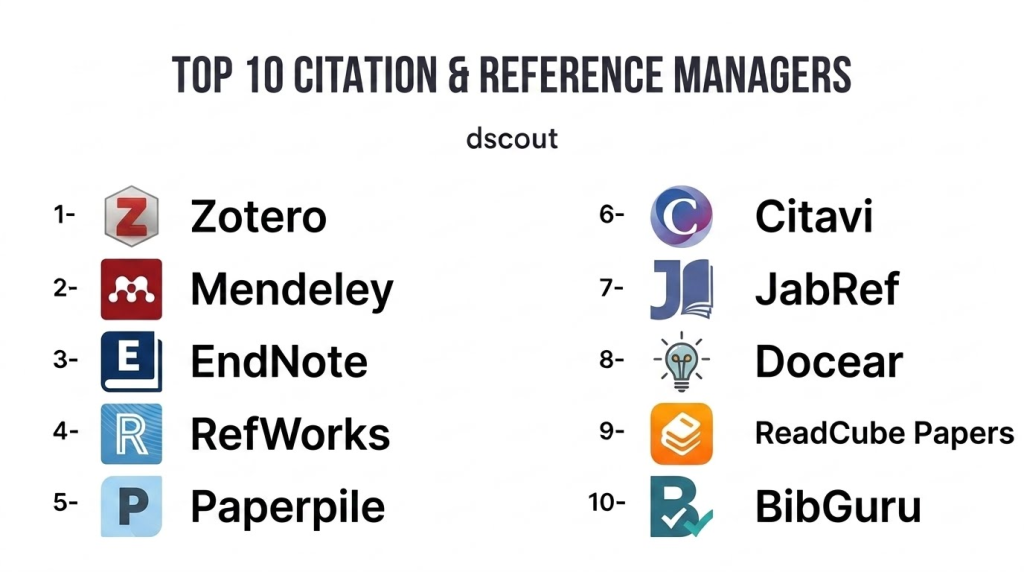
Top 10 Citation & Reference Managers
1 — Zotero
Short description: Zotero is an open‑source reference manager popular in academia for collecting, organizing, citing, and sharing research sources. It excels with browser integration and a flexible library.
Key Features
- Browser capture from academic databases and websites
- Automatic metadata extraction
- Tagging, collections, and smart folders
- Word processor plugins for citations (Word, LibreOffice)
- PDF annotation and notes
- Group libraries for shared references
- Multi‑format export (BibTeX, RIS, EndNote XML)
Pros
- Free and open‑source
- Strong web capture capabilities
- Robust community plugins
Cons
- Cloud storage for PDFs can require subscription
- Interface can feel dated
- Sync options sometimes manual
Platforms / Deployment
- Windows, macOS, Linux, Web
- Cloud / Desktop
Security & Compliance
- Not publicly stated
Integrations & Ecosystem
Zotero integrates with browsers, word processors, and discovery sources.
- Browser add‑ons
- Word/LibreOffice plugins
- API for third‑party tools
Support & Community
- Active open‑source community
- Documentation and guides
- User forums
2 — Mendeley
Short description: Mendeley is a reference management and academic social platform used by researchers to organize references, collaborate, and discover research. It includes citation generation and PDF management.
Key Features
- Reference library and PDF organizer
- Citation style formatting
- Group collaboration spaces
- Annotation and highlighting in PDFs
- Research network for discovery
- Word processor citation plugins
Pros
- Strong PDF handling and annotation
- Collaboration spaces for teams
- Integrates discovery with reference management
Cons
- Repository and sync storage limited without subscription
- Social features less used in some disciplines
- Desktop app can lag behind cloud features
Platforms / Deployment
- Windows, macOS, Linux, Web
- Cloud / Desktop
Security & Compliance
- Not publicly stated
Integrations & Ecosystem
- Word/LibreOffice plugins
- Browser importer
- Discovery feed
Support & Community
- Support knowledge base
- User community
- Tutorials
3 — EndNote
Short description: EndNote is a long‑standing, professional reference management platform widely used in research institutions. It handles large libraries and complex citation tasks with advanced formatting options.
Key Features
- Extensive citation style library
- Reference organization with groups/filters
- PDF annotation and file management
- Output styles and formatting control
- Integration with research databases
- Sync across devices and cloud access
Pros
- Enterprise‑grade features
- Comprehensive style support
- Stable and mature
Cons
- Higher cost than alternatives
- Steeper learning curve
- Desktop‑centric design
Platforms / Deployment
- Windows, macOS, Web
- Hybrid
Security & Compliance
- Not publicly stated
Integrations & Ecosystem
- Database connectors
- Word plugin
- Export/import formats
Support & Community
- Professional support
- Documentation
- User forums
4 — RefWorks
Short description: RefWorks is a cloud‑native reference manager designed for institutional users, supporting large libraries, shared folders, and collaborative research workflows.
Key Features
- Cloud‑native library and sync
- Folder and tag organization
- Shared workspaces for teams
- Citation style formatting
- Word processor integration
- Import from online sources
Pros
- Cloud first with institutional plans
- Collaboration and sharing
- Scales for teams
Cons
- Academic licensing required
- Interface can feel basic
- Less extensible than open platforms
Platforms / Deployment
- Web
- Cloud
Security & Compliance
- Not publicly stated
Integrations & Ecosystem
- Writing tools plugins
- Import tools
- Institutional connectors
Support & Community
- Institutional support
- Documentation
- User guides
5 — Paperpile
Short description: Paperpile is a modern, web‑first reference manager designed for researchers who work primarily in browsers and Google Workspace, with excellent PDF management and collaboration.
Key Features
- Browser‑based library
- One‑click import from web sources
- PDF annotation
- Google Docs citation plugin
- Real‑time sync across devices
- Tagging and organization
Pros
- Seamless Google Docs integration
- Intuitive web interface
- Strong PDF handling
Cons
- Google Workspace‑centric
- Subscription pricing
- Fewer export format options
Platforms / Deployment
- Web, Chrome app
- Cloud
Security & Compliance
- Not publicly stated
Integrations & Ecosystem
- Google Docs/Drive
- Browser import
- Export formats
Support & Community
- Email support
- Help docs
- Tutorials
6 — Citavi
Short description: Citavi combines reference management with knowledge organization, helping researchers not only cite sources but also structure ideas, notes, and tasks tied to references.
Key Features
- Reference library and citation formatting
- Integrated task planning and project notes
- PDF annotations
- Knowledge categories and outlines
- Word processor plugins
- Import/export formats
Pros
- Combines references with project planning
- Strong note organization
- Academic focus
Cons
- Windows‑centric historically
- Interface rich but complex
- Cloud sync less emphasized
Platforms / Deployment
- Windows, Web
- Hybrid
Security & Compliance
- Not publicly stated
Integrations & Ecosystem
- Word/LibreOffice plugins
- PDF import
- Export formats
Support & Community
- Documentation
- Support channels
- Academic user groups
7 — JabRef
Short description: JabRef is an open‑source reference manager focused on BibTeX/BibLaTeX users, popular among LaTeX researchers and those needing tight control over bibliography files.
Key Features
- Native BibTeX/BibLaTeX support
- Tagging and grouping
- Search and filtering
- External file linking
- Citation key generation rules
- Import/export formats
Pros
- Free and open‑source
- Ideal for LaTeX workflows
- Lightweight and customizable
Cons
- Less user‑friendly for non‑technical users
- Limited cloud collaboration
- Focused on BibTeX users
Platforms / Deployment
- Windows, macOS, Linux
- Desktop
Security & Compliance
- Varies / N/A
Integrations & Ecosystem
- LaTeX toolchain
- Export formats
- External DB import
Support & Community
- Community support
- Documentation
- User forums
8 — Docear
Short description: Docear is an academic literature suite combining reference management with mind‑mapping, enabling research structure visualizations alongside bibliography handling.
Key Features
- Literature management
- Mind‑mapping and project visualization
- PDF annotation
- Reference organization
- Citation formatting support
Pros
- Unique mind‑map approach
- Good for research planning
- Free and open‑source
Cons
- Interface can feel dated
- Limited collaboration features
- Development pace slower
Platforms / Deployment
- Windows, macOS, Linux
- Desktop
Security & Compliance
- Varies / N/A
Integrations & Ecosystem
- Mind‑mapping tools
- PDF workflows
- BibTeX export
Support & Community
- Community support
- Documentation
- Forums
9 — ReadCube Papers
Short description: ReadCube Papers is a modern reference manager emphasizing PDF management, discovery, cloud sync, and collaborative features for research teams.
Key Features
- Cloud‑based library
- Smart PDF organization
- Citation formatting
- Annotation and sharing
- Sync across devices
- Discovery recommendations
Pros
- Strong PDF and sync experience
- Modern interface
- Collaboration support
Cons
- Subscription required
- Export formats vary
- Less extensible than open systems
Platforms / Deployment
- Windows, macOS, iOS, Android, Web
- Cloud
Security & Compliance
- Not publicly stated
Integrations & Ecosystem
- Browser imports
- Writing plugins
- Cloud sync
Support & Community
- Support tiers
- Help docs
- User community
10 — BibGuru
Short description: BibGuru is a student‑friendly citation manager offering quick citation creation, style formatting, and browser capture, with simplicity and ease of use at its core.
Key Features
- One‑click citation generation
- Multiple citation styles
- Browser capture
- Export to document formats
- Simple interface
Pros
- Very easy for students
- Fast citation generation
- Modern UI
Cons
- Limited advanced management features
- Collaboration limited
- Export options basic
Platforms / Deployment
- Web
- Cloud
Security & Compliance
- Not publicly stated
Integrations & Ecosystem
- Browser imports
- Export formats
Support & Community
- Help docs
- Tutorials
- User guides
Comparison Table (Top 10)
| Tool Name | Best For | Platforms Supported | Deployment | Standout Feature | Public Rating |
|---|---|---|---|---|---|
| Zotero | Open‑source reference library | Windows, macOS, Linux, Web | Cloud/Hybrid | Web capture + plugins | N/A |
| Mendeley | PDF‑centric research teams | Win, macOS, Linux, Web | Cloud/Hybrid | PDF annotation + social features | N/A |
| EndNote | Professional researchers | Windows, macOS, Web | Hybrid | Enterprise style breadth | N/A |
| RefWorks | Institutional teams | Web | Cloud | Cloud collaboration | N/A |
| Paperpile | Google Workspace research | Web, Chrome app | Cloud | Google Docs integration | N/A |
| Citavi | Knowledge‑oriented research | Windows, Web | Hybrid | Project notes + tasks | N/A |
| JabRef | LaTeX‑centric users | Win, macOS, Linux | Desktop | BibTeX/BibLaTeX focus | N/A |
| Docear | Research planning + visuals | Win, macOS, Linux | Desktop | Mind‑map research organization | N/A |
| ReadCube Papers | Modern PDF‑centric teams | Win, macOS, iOS, Android, Web | Cloud | Smart PDF + sync | N/A |
| BibGuru | Students & quick citations | Web | Cloud | Simplest citation creation | N/A |
Evaluation & Scoring of Citation & Reference Managers
| Tool Name | Core (25%) | Ease (15%) | Integrations (15%) | Security (10%) | Performance (10%) | Support (10%) | Value (15%) | Weighted Total |
|---|---|---|---|---|---|---|---|---|
| Zotero | 9 | 8 | 8 | 7 | 8 | 8 | 9 | 8.3 |
| Mendeley | 8 | 8 | 7 | 7 | 8 | 7 | 8 | 7.8 |
| EndNote | 9 | 6 | 8 | 7 | 8 | 7 | 6 | 7.5 |
| RefWorks | 8 | 7 | 7 | 7 | 7 | 7 | 7 | 7.2 |
| Paperpile | 8 | 9 | 7 | 7 | 8 | 7 | 8 | 8.0 |
| Citavi | 8 | 7 | 7 | 7 | 8 | 7 | 7 | 7.4 |
| JabRef | 7 | 7 | 6 | 7 | 7 | 6 | 9 | 7.3 |
| Docear | 6 | 6 | 6 | 7 | 6 | 6 | 8 | 6.6 |
| ReadCube Papers | 8 | 8 | 7 | 7 | 8 | 7 | 8 | 7.9 |
| BibGuru | 7 | 9 | 6 | 7 | 7 | 7 | 8 | 7.5 |
Interpretation: These scores compare tools across core reference management capabilities, ease of use, ecosystem integrations, security posture, performance, support, and value. Higher totals indicate tools that suit a broad range of research workflows.
Which Citation & Reference Manager Is Right for You?
Solo / Students
- BibGuru and Zotero offer straightforward citation capture and bibliography features with minimal setup.
SMB / Small Research Groups
- Paperpile (especially with Google Workspace) and Mendeley provide cloud workflows and PDF handling for collaborative teams.
Mid‑Market / Academic Labs
- Zotero, ReadCube Papers, and RefWorks support shared libraries, sync, and larger group workflows.
Enterprise / Institutions
- EndNote and RefWorks offer institution‑wide licensing, advanced style support, and reliability for scale.
Budget vs Premium
- Budget‑friendly: Zotero (free), JabRef (open‑source).
- Premium: EndNote, Paperpile for advanced integrations and support.
Feature Depth vs Ease of Use
- Feature‑rich: EndNote, Zotero, Mendeley.
- Ease of use: BibGuru, Paperpile.
Integrations & Scalability
- Tools like Zotero and Paperpile integrate well with browsers, writing editors, and cloud platforms for seamless workflows.
Security & Compliance Needs
- Institutions should evaluate enterprise governance controls and encryption practices as part of IT and data policies.
Frequently Asked Questions (FAQs)
1 — What citation styles do these tools support?
Most support thousands of styles (APA, MLA, Chicago, Vancouver, IEEE, etc.) and allow custom style definitions.
2 — Can I capture citations from library databases?
Yes. Browser add‑ons in tools like Zotero, Mendeley, and Paperpile can import citation metadata directly.
3 — Do these tools sync across devices?
Cloud‑first tools (Zotero, Paperpile, ReadCube) sync references across devices. Desktop‑centric tools often require cloud features or manual sync.
4 — Can I annotate PDFs?
Yes. Tools like Mendeley, Paperpile, and Zotero support PDF annotation, highlighting, and notes.
5 — Are these suitable for student use?
Yes. Tools range from simple (BibGuru) to powerful (Zotero), helping students manage citations for assignments and theses.
6 — Can I collaborate with others?
Cloud and shared library features in Zotero, RefWorks, and ReadCube support collaborative reference libraries.
7 — Is there LaTeX support?
Yes. JabRef and Zotero export BibTeX/BibLaTeX, essential for LaTeX users.
8 — Do they handle large libraries?
Enterprise solutions like EndNote and Zotero can manage large collections with robust search and tagging.
9 — How do export formats work?
Most tools export to formats like RIS, BibTeX, EndNote XML, and structured text for interoperability.
10 — Are there mobile apps?
Several—including ReadCube Papers and Mendeley—offer mobile apps for on‑the‑go access.
Conclusion
Citation & reference managers are indispensable for rigorous research and academic writing in . From free, open‑source tools like Zotero and JabRef to institutional powerhouses like EndNote, researchers at all levels can find tools that fit their workflows. Cloud‑centric options like Paperpile and ReadCube Papers simplify collaboration and PDF management, while student‑oriented tools like BibGuru lower the barrier to effective citation. To choose the right solution, shortlist , pilot them with real projects, and validate their integration with your research workflow and compliance needs
