Introduction
Recipe management apps are digital platforms that help individuals, chefs, and culinary teams organize, store, and share recipes efficiently. These apps often include features like ingredient management, meal planning, nutritional analysis, and collaborative editing. In as cooking at home, healthy meal prep, and professional kitchen management become increasingly data-driven, recipe management apps have become essential for both personal and business use.
Real-world use cases include:
- Home cooks tracking favorite recipes and meal plans.
- Professional chefs organizing complex menus and ingredient inventories.
- Culinary schools providing students with structured recipe management.
- Restaurants coordinating recipes across multiple locations.
- Food bloggers and influencers managing content creation and publishing schedules.
Best for: Home cooks, professional chefs, culinary educators, food bloggers, and restaurant managers looking to organize, scale, and optimize recipes.
Not ideal for: Individuals who prefer handwritten or informal recipe tracking, or businesses with minimal menu complexity and low collaboration needs.
Key Trends in Recipe Management Apps
- AI-driven recipe suggestions based on dietary preferences, trends, and inventory.
- Cloud-based storage with real-time collaboration for teams and culinary schools.
- Integration with IoT kitchen devices and smart appliances.
- Nutritional analysis and meal-planning automation.
- Mobile-first design with offline access and cross-device syncing.
- Enhanced multimedia support for photos, videos, and step-by-step instructions.
- Multi-language support and cultural recipe tagging for global users.
- Advanced search and filtering using ingredients, cuisines, or dietary needs.
- Subscription-based models combining personal, SMB, and enterprise features.
- Analytics dashboards to track recipe popularity, usage, and cost optimization.
How We Selected These Tools (Methodology)
- Evaluated market adoption and user base among home and professional cooks.
- Assessed feature completeness, including AI recommendations and inventory integration.
- Considered reliability and performance, including app stability and load handling.
- Reviewed security posture and compliance for data storage and sharing.
- Analyzed integrations with meal planning, grocery, and enterprise systems.
- Assessed customer fit across solo users, SMBs, and large restaurant groups.
- Considered user interface and experience for ease of recipe creation and retrieval.
- Balanced innovation and roadmap potential for upcoming culinary trends.
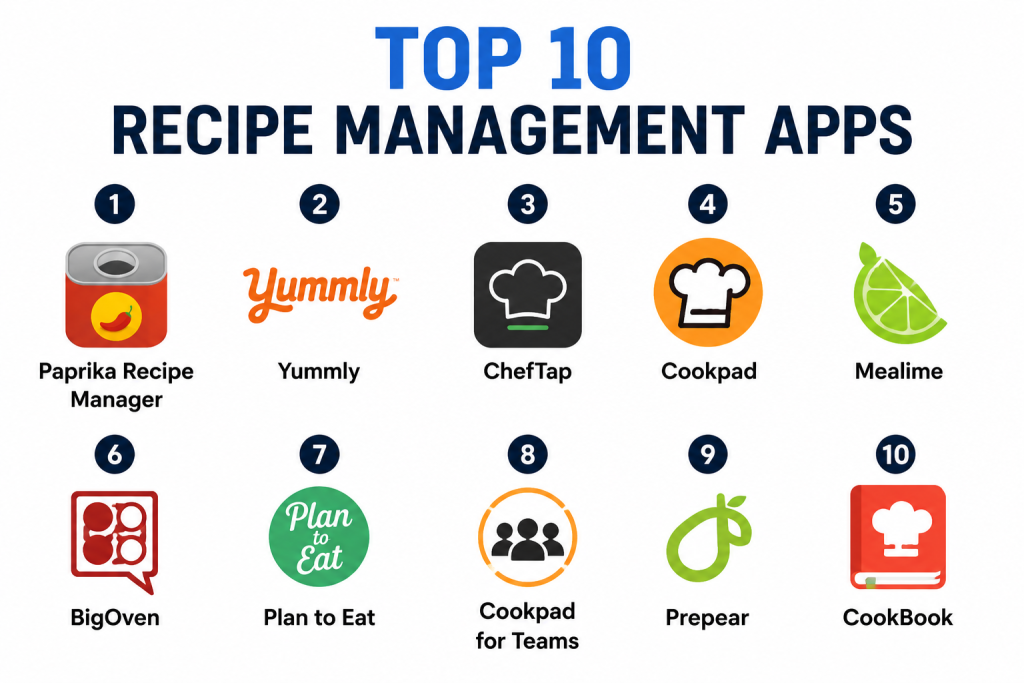
Top 10 Recipe Management Apps
1- Paprika Recipe Manager
Short description: Paprika Recipe Manager allows home cooks and food enthusiasts to save, organize, and plan recipes efficiently. It’s known for intuitive meal planning and grocery list integration.
Key Features
- Recipe saving from websites and manual entry
- Meal planning calendar
- Grocery list automation
- Cross-device syncing
- Ingredient scaling and portion adjustments
- Search and filter by category or ingredients
Pros
- User-friendly interface for home cooks
- Reliable cross-device syncing
Cons
- Limited collaboration for professional teams
- No built-in nutritional analysis
Platforms / Deployment
- iOS / Android / Windows / macOS
- Cloud-based sync
Security & Compliance
- Not publicly stated
Integrations & Ecosystem
Paprika integrates with basic grocery apps and export options.
- Meal planning tools
- Grocery apps
- Recipe import from web
- CSV export for inventory
Support & Community
- Email support
- Active user forums and community recipes
- Documentation and tutorials available
2- Yummly
Short description: Yummly provides personalized recipe recommendations with advanced search filters and nutritional information, ideal for health-conscious home cooks.
Key Features
- AI-powered recipe recommendations
- Nutritional and dietary tagging
- Grocery list integration
- Meal planning and schedule syncing
- Smart search by ingredients and cuisine
Pros
- Personalized recommendations for dietary preferences
- Large database of recipes
Cons
- Premium subscription needed for full features
- Limited enterprise collaboration
Platforms / Deployment
- iOS / Android / Web
- Cloud-based
Security & Compliance
- Not publicly stated
Integrations & Ecosystem
- Integration with grocery delivery apps
- Smart kitchen appliance connectivity
- Recipe sharing options
- Export to meal planning apps
Support & Community
- Help center and in-app support
- Online community for recipe sharing
- FAQs and tutorials available
3- ChefTap
Short description: ChefTap simplifies recipe collection from websites, allowing chefs and food bloggers to manage ingredients and notes efficiently.
Key Features
- Web recipe import
- Ingredient parsing and shopping list creation
- Offline access to recipes
- Meal planning and categorization
- Notes and ratings for each recipe
Pros
- Quick capture of recipes from web
- Offline accessibility
Cons
- Limited AI features
- Mobile interface can be clunky on large recipe collections
Platforms / Deployment
- iOS / Android / Web
- Cloud sync optional
Security & Compliance
- Not publicly stated
Integrations & Ecosystem
- Grocery list apps
- Meal planner apps
- Export options for blogs
- API access limited
Support & Community
- Email support
- Online guides and tutorials
- Community forums available
4- Cookpad
Short description: Cookpad is a social recipe platform that allows home cooks to share recipes, collaborate, and follow trending dishes globally.
Key Features
- User-generated recipe sharing
- Collaboration and commenting
- Trending recipe feeds
- Meal planning and favorites
- Multilingual support
Pros
- Strong social engagement and community
- Easy to discover new recipes
Cons
- Less robust for enterprise kitchens
- Limited offline support
Platforms / Deployment
- iOS / Android / Web
- Cloud-based
Security & Compliance
- Not publicly stated
Integrations & Ecosystem
- Social sharing tools
- Meal planning apps
- Photo and video media uploads
- Recipe export
Support & Community
- In-app help and support
- Active user forums
- Tutorials and recipe guides
5- Mealime
Short description: Mealime helps users plan meals, create grocery lists, and discover recipes aligned with dietary preferences, popular among busy individuals and families.
Key Features
- Personalized meal plans
- Grocery list generation
- Recipe scaling and adjustments
- Dietary restrictions filters
- AI-based suggestions
Pros
- Simplifies meal prep for busy users
- Integrates diet preferences
Cons
- Limited social collaboration
- Some features behind premium subscription
Platforms / Deployment
- iOS / Android / Web
- Cloud-based
Security & Compliance
- Not publicly stated
Integrations & Ecosystem
- Grocery delivery apps
- Health and fitness apps
- Recipe import/export
- Meal planning calendars
Support & Community
- Online support and help center
- Active community forums
- Tutorials available
6- BigOven
Short description: BigOven provides a comprehensive platform for recipe management, grocery lists, and meal planning for home cooks and small-scale catering businesses.
Key Features
- Recipe saving and cataloging
- Grocery list automation
- Meal planning calendar
- Recipe import from web
- Leftovers tracking
Pros
- Comprehensive recipe management
- Useful for small teams or families
Cons
- User interface can feel cluttered
- Advanced analytics limited
Platforms / Deployment
- iOS / Android / Web
- Cloud-based
Security & Compliance
- Not publicly stated
Integrations & Ecosystem
- Grocery apps
- Meal planner tools
- Import/export recipes
- CSV export for inventory
Support & Community
- Help center and email support
- Community recipe sharing
- Tutorials available
7- Plan to Eat
Short description: Plan to Eat focuses on meal planning and grocery automation, allowing users to organize recipes, generate shopping lists, and schedule meals.
Key Features
- Drag-and-drop meal planner
- Grocery list generation
- Recipe storage and categorization
- Meal prep scheduling
- Import recipes from web or text
Pros
- Strong meal planning automation
- Intuitive drag-and-drop interface
Cons
- Limited collaboration features
- Premium subscription required
Platforms / Deployment
- iOS / Android / Web
- Cloud-based
Security & Compliance
- Not publicly stated
Integrations & Ecosystem
- Grocery delivery apps
- Recipe import/export
- Meal calendar integrations
Support & Community
- Email support
- Help center guides
- User community
8- Cookpad for Teams
Short description: Designed for professional kitchens, Cookpad for Teams allows staff to manage and share recipes across multiple locations.
Key Features
- Centralized recipe database
- Staff collaboration and permissions
- Multi-location syncing
- Version control for recipes
- Recipe search and filtering
Pros
- Designed for enterprise kitchens
- Real-time collaboration
Cons
- Pricing may be high for small teams
- Learning curve for non-technical staff
Platforms / Deployment
- iOS / Android / Web
- Cloud-based
Security & Compliance
- Not publicly stated
Integrations & Ecosystem
- Inventory management systems
- Meal planning apps
- Export options for suppliers
Support & Community
- Email and phone support
- Training guides
- Customer onboarding support
9- Prepear
Short description: Prepear offers recipe management with integrated meal planning, grocery lists, and community recipe sharing for home cooks and nutrition-focused users.
Key Features
- Recipe storage and categorization
- Meal planner and calendar
- Grocery list automation
- Community sharing and discovery
- AI-based recipe suggestions
Pros
- Combines personal and social features
- Simplifies weekly meal planning
Cons
- Limited enterprise features
- Some features behind subscription
Platforms / Deployment
- iOS / Android / Web
- Cloud-based
Security & Compliance
- Not publicly stated
Integrations & Ecosystem
- Grocery apps
- Health and fitness apps
- Meal planning integrations
- Recipe sharing features
Support & Community
- In-app support
- Online community
- Tutorials and guides
10- CookBook
Short description: CookBook allows users to create, organize, and share digital recipe books with photos and notes, popular among bloggers and food enthusiasts.
Key Features
- Recipe creation with multimedia
- Digital cookbook organization
- Tagging and search functionality
- Sharing with friends and followers
- Import recipes from web or files
Pros
- Easy to create personal digital cookbooks
- Supports rich media content
Cons
- Limited team collaboration
- Advanced analytics not available
Platforms / Deployment
- iOS / Android / Web
- Cloud-based
Security & Compliance
- Not publicly stated
Integrations & Ecosystem
- Social media sharing
- Meal planning apps
- Export to PDF or other formats
Support & Community
- Email support
- Documentation and tutorials
- Active user community
Comparison Table (Top 10)
| Tool Name | Best For | Platform(s) Supported | Deployment | Standout Feature | Public Rating |
|---|---|---|---|---|---|
| Paprika Recipe Manager | Home cooks | iOS / Android / Windows / macOS | Cloud | Meal planning & grocery list | N/A |
| Yummly | Health-conscious users | iOS / Android / Web | Cloud | AI-powered recipe recommendations | N/A |
| ChefTap | Food bloggers & chefs | iOS / Android / Web | Cloud | Web recipe import & parsing | N/A |
| Cookpad | Social recipe sharing | iOS / Android / Web | Cloud | Community engagement & collaboration | N/A |
| Mealime | Busy families | iOS / Android / Web | Cloud | Personalized meal planning | N/A |
| BigOven | Home cooks & small teams | iOS / Android / Web | Cloud | Leftover tracking & grocery automation | N/A |
| Plan to Eat | Home cooks with meal plans | iOS / Android / Web | Cloud | Drag-and-drop meal planner | N/A |
| Cookpad for Teams | Enterprise kitchens | iOS / Android / Web | Cloud | Multi-location collaboration | N/A |
| Prepear | Nutrition-focused users | iOS / Android / Web | Cloud | Meal planning & social recipe sharing | N/A |
| CookBook | Bloggers & enthusiasts | iOS / Android / Web | Cloud | Digital cookbook creation | N/A |
Evaluation & Scoring of Recipe Management Apps
| Tool Name | Core (25%) | Ease (15%) | Integrations (15%) | Security (10%) | Performance (10%) | Support (10%) | Value (15%) | Weighted Total |
|---|---|---|---|---|---|---|---|---|
| Paprika Recipe Manager | 9 | 9 | 8 | 7 | 9 | 8 | 8 | 8.55 |
| Yummly | 9 | 8 | 8 | 7 | 8 | 7 | 7 | 8.10 |
| ChefTap | 8 | 8 | 7 | 7 | 8 | 7 | 7 | 7.65 |
| Cookpad | 7 | 8 | 7 | 7 | 7 | 7 | 6 | 7.20 |
| Mealime | 8 | 9 | 7 | 7 | 8 | 7 | 7 | 7.85 |
| BigOven | 8 | 8 | 7 | 7 | 8 | 7 | 7 | 7.70 |
| Plan to Eat | 7 | 9 | 6 | 7 | 7 | 7 | 7 | 7.30 |
| Cookpad for Teams | 8 | 8 | 7 | 7 | 8 | 7 | 7 | 7.65 |
| Prepear | 7 | 8 | 6 | 7 | 7 | 7 | 6 | 6.95 |
| CookBook | 6 | 8 | 6 | 7 | 7 | 6 | 6 | 6.60 |
Interpretation: Scores reflect comparative assessment of features, usability, integration options, security, performance, support, and value. Higher weighted totals indicate more complete and versatile recipe management solutions.
Which Recipe Management Tool Is Right for You?
Solo / Freelancer
- Paprika or Yummly for personal recipe tracking, meal planning, and AI recommendations.
SMB
- Mealime, BigOven, or Prepear for small restaurants, home-based caterers, or nutrition-focused programs. Offers meal planning and grocery management.
Mid-Market
- Cookpad for Teams or Plan to Eat for collaborative kitchens and multi-location operations. Provides centralization and recipe version control.
Enterprise
- Cookpad for Teams for larger professional kitchens with multiple users and locations. Scales with enterprise collaboration needs.
Budget vs Premium
- Budget: CookBook, Plan to Eat, ChefTap – basic tracking, recipe import/export.
- Premium: Yummly, Mealime, Cookpad for Teams – AI suggestions, collaboration, advanced analytics.
Feature Depth vs Ease of Use
- Feature Depth: Cookpad for Teams, Yummly, Mealime – advanced meal planning, AI recommendations, collaboration.
- Ease of Use: Paprika, CookBook, ChefTap – straightforward interface, simple recipe management.
Integrations & Scalability
- High: Cookpad for Teams, Yummly, Mealime – integrate with grocery, meal planning, and enterprise systems.
- Moderate: ChefTap, CookBook, Plan to Eat – limited integrations.
Security & Compliance Needs
- Ensure cloud-based apps encrypt recipe and user data. Enterprise users should look for SSO/MFA support and audit logging.
Frequently Asked Questions (FAQs)
1- Can these apps handle large recipe databases?
Yes, most top apps allow storing hundreds to thousands of recipes with categorization, tagging, and search capabilities.
2- Are nutritional analyses accurate?
Apps like Yummly provide estimates. Accuracy may vary depending on ingredients and serving sizes.
3- Can I share recipes with others?
Yes, most apps support sharing via email, social media, or collaborative accounts for team use.
4- Do these apps integrate with grocery apps?
Many apps provide integration with grocery and shopping list tools for streamlined meal planning.
5- Are offline capabilities available?
Some apps, like ChefTap and Paprika, support offline access to recipes, though cloud syncing enhances collaboration.
6- How do subscription models work?
Free versions offer basic recipe storage, while premium subscriptions unlock advanced features like AI meal planning, analytics, and collaboration.
7- Can these apps support multiple users?
Enterprise and team-focused apps, such as Cookpad for Teams, allow multi-user collaboration and permissions management.
8- Are these apps suitable for professional kitchens?
Yes, apps like Cookpad for Teams, Mealime, and BigOven provide features for recipe standardization, inventory, and menu planning.
9- Is data secure in cloud-based apps?
Security varies; encryption is common, but HIPAA or SOC compliance is often Not publicly stated.
10- Can I import recipes from websites?
Yes, tools like ChefTap and Paprika offer direct web import and parsing for easy recipe addition.
Conclusion
Recipe management apps in are versatile tools for home cooks, professional chefs, and culinary teams. Selection depends on individual or organizational needs, desired features, and collaboration requirements. Solo users benefit from Paprika or Yummly, while enterprise kitchens may prefer Cookpad for Teams or Mealime for scalable collaboration and AI-driven recommendations. Start by shortlisting aligned with your goals, pilot them to validate usability and integrations, then implement broadly for improved efficiency, meal planning, and recipe management success. Proper selection ensures better workflow, menu consistency, and healthier meal planning outcomes.
