Introduction
Time blocking apps are digital tools that help individuals and teams divide their day into focused blocks of time dedicated to specific tasks or activities. Unlike traditional calendars, time blocking systems encourage users to assign clear start and end times for work, breaks, learning, creative work, and personal routines. In , as remote work, flexible schedules, and productivity methodologies like deep work gain prominence, time blocking apps have become essential for managing digital overload and boosting sustained focus.
Real‑world use cases include:
- Planning workdays with dedicated blocks for focused tasks.
- Scheduling recurring habits like workouts, reading, or learning.
- Coordinating team time blocks for collaborative work windows.
- Breaking down large projects into manageable time chunks.
- Tracking actual time spent versus planned commitments for reflection.
Best for: Individuals, knowledge workers, team leads, project managers, and productivity enthusiasts who want structured time planning.
Not ideal for: Minimalist planners who work best with unstructured to‑do lists or users who prefer simple calendars without structured time blocks.
Key Trends in Time Blocking Apps
- AI‑assisted block suggestions based on historical usage and priorities.
- Deep integrations with task and project tools, enabling automated block creation.
- Focus‑enhancing timers and Pomodoro integration within blocks.
- Cross‑platform sync with offline editing support.
- Collaborative block scheduling for hybrid or remote teams.
- Advanced analytics on productivity, distraction patterns, and goal progress.
- Calendar choreography that intelligently avoids conflicts.
- Voice‑activated planning and natural language scheduling.
- Privacy and data protection compliance, addressing modern work policies.
- Habit stacking and time batching templates for routine optimization.
How We Selected These Tools (Methodology)
- Assessed real‑world adoption among productivity users and teams.
- Evaluated feature completeness: block creation, automation, analytics.
- Reviewed reliability, cross‑platform sync, and offline access.
- Considered integrations with calendars, task managers, and productivity suites.
- Analyzed security posture and privacy standards.
- Examined usability, onboarding flow, and documentation.
- Balanced tools suitable for individual and team workflows.
- Prioritized future‑ready capabilities aligned with 2026 productivity needs.
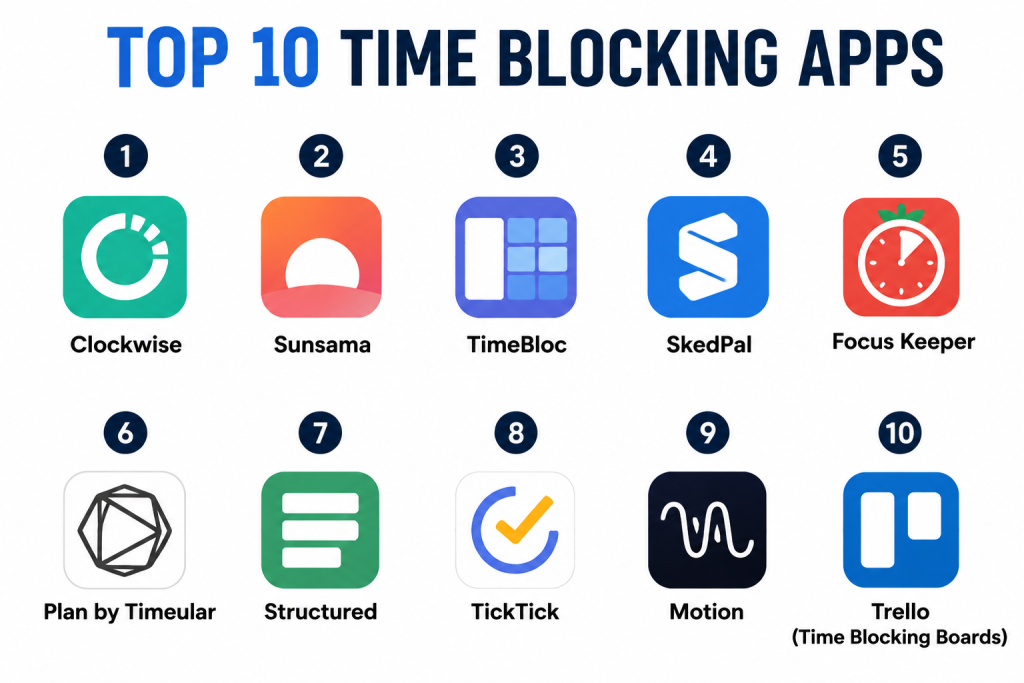
Top 10 Time Blocking Apps
1- Clockwise
Short description: Clockwise is a smart scheduling platform that automatically optimizes calendars and suggests time blocking for focused work. It’s ideal for teams and individuals who want AI‑driven planning that reduces context switching and inbox scheduling friction.
Key Features
- AI‑driven smart time blocks
- Automated conflict resolution
- Team availability optimization
- Focus time suggestions
- Calendar integrations
- Time analytics dashboard
Pros
- Reduces scheduling conflicts automatically.
- Great for hybrid and remote team planning.
Cons
- Requires calendar access for full effectiveness.
- AI suggestions may need calibration.
Platforms / Deployment
- Web / iOS / Android
- Cloud‑based
Security & Compliance
- Not publicly stated
Integrations & Ecosystem
Clockwise integrates with major calendars and productivity apps:
- Google Calendar, Microsoft Outlook
- Task management tools
- Team collaboration solutions
- Analytics exports
Support & Community
- Help documentation
- Email support
- User community tips
2- Sunsama
Short description: Sunsama is a daily planning and time blocking app that encourages users to intentionally plan workdays, integrating tasks from calendars and task lists into a structured timeline.
Key Features
- Daily time blocking interface
- Task integration from multiple tools
- Focus session support
- Cross‑device sync
- Analytics and progress tracking
Pros
- Encourages mindful daily planning.
- Integrates multiple task sources into blocks.
Cons
- Can feel heavy for simple use cases.
- Premium subscription required for full features.
Platforms / Deployment
- Web
- Cloud‑based
Security & Compliance
- Not publicly stated
Integrations & Ecosystem
- Calendar platforms
- Task apps
- Time tracking tools
- Reporting exports
Support & Community
- Documentation and tutorials
- In‑app help
- Community workflows
3- TimeBloc
Short description: TimeBloc helps users build structured routines with time blocks, tracking habits and repetitive workflows alongside daily planning.
Key Features
- Routine and block creator
- Habit tracking
- Visual timeline view
- Custom reminders
- Integration with native calendars
Pros
- Simple yet effective for personal routines.
- Great visual timeline interface.
Cons
- Limited team features.
- Analytics are basic.
Platforms / Deployment
- iOS / Android
- Cloud sync optional
Security & Compliance
- Not publicly stated
Integrations & Ecosystem
- Native calendar sync
- Reminder integration
- Export logs
Support & Community
- FAQs
- In‑app support
- User guides
4- SkedPal
Short description: SkedPal combines task management with intelligent time blocking, automatically scheduling work based on priorities, deadlines, and habits.
Key Features
- Priority‑based automated schedule generation
- Smart time block suggestions
- Deadline tracking
- Time goal features
- Multiple calendar sync
Pros
- Excellent automation components.
- Balances tasks and time blocks intuitively.
Cons
- Setup requires time investment.
- Premium pricing for full automation.
Platforms / Deployment
- Web
- Cloud
Security & Compliance
- Not publicly stated
Integrations & Ecosystem
- Calendar sync
- Task managers
- Goal trackers
Support & Community
- Tutorials
- Help center
- Live support for subscribers
5- Focus Keeper
Short description: Focus Keeper utilizes a Pomodoro‑style timing system alongside time blocks, helping users stay focused with short bursts of sprints and breaks.
Key Features
- Pomodoro timers integrated into blocks
- Custom session lengths
- Progress stats
- Simple, distraction‑free UI
Pros
- Great for focus and productivity bursts.
- Simple and approachable.
Cons
- Limited task and calendar integrations.
- Not ideal for complex schedules.
Platforms / Deployment
- iOS / Android
- Cloud sync optional
Security & Compliance
- Not publicly stated
Integrations & Ecosystem
- Time tracking feeds
- Reminder integration
Support & Community
- FAQ
- User guides
6- Plan by Timeular
Short description: Plan by Timeular combines physical tracking devices with digital time blocks, making it easy to log time and add structured blocks collaboratively.
Key Features
- Physical time logger integration
- Time block tagging
- Analytics and reporting
- Team time allocation view
- Reminders
Pros
- Unique physical tracker enhances accountability.
- Excellent analytics for teams.
Cons
- Physical devices may be extra cost.
- Setup has hardware learning curve.
Platforms / Deployment
- iOS / Android / Web
- Cloud‑based
Security & Compliance
- Not publicly stated
Integrations & Ecosystem
- Time tracking systems
- Calendar sync
- Team dashboards
Support & Community
- Device support
- Help documentation
- Community tips
7- Structured
Short description: Structured simplifies daily planning by allowing users to drag and drop tasks into visual time blocks, creating intuitive schedules with minimal learning curve.
Key Features
- Drag‑and‑drop block interface
- Multi‑calendar view
- Custom reminders
- Dark mode and personalization
Pros
- Beautiful, intuitive interface.
- Quick block creation.
Cons
- Limited analytics beyond scheduling.
- Team features basic.
Platforms / Deployment
- iOS
- Cloud sync optional
Security & Compliance
- Not publicly stated
Integrations & Ecosystem
- Native calendar integration
- Reminder notifications
- Export options
Support & Community
- FAQ
- Help center
- Tutorials
8- TickTick
Short description: TickTick is a task manager that includes built‑in time blocking and calendar views, making it a hybrid tool for planning tasks and structuring blocks.
Key Features
- Task and time block views
- Native calendar and timeline
- Custom reminders
- Priority tagging and filters
- Habit tracker
Pros
- Combines task list and block planning.
- Strong cross‑platform support.
Cons
- Time block features aren’t central.
- Some advanced views require subscription.
Platforms / Deployment
- iOS / Android / Windows / macOS / Web
- Cloud‑based
Security & Compliance
- Not publicly stated
Integrations & Ecosystem
- Calendar sync
- Task filters
- Analytics dashboards
Support & Community
- Help center documentation
- Forums
- Tutorials
9- Motion
Short description: Motion automates calendar scheduling and time blocks based on task priority and deadlines, adjusting in real time as schedules change.
Key Features
- AI schedule automation
- Real‑time block adjustments
- Integrated task manager
- Focus modes
- Analytics
Pros
- AI‑driven scheduling simplifies planning.
- Adapts blocks automatically.
Cons
- Complexity may suit power users more.
- Requires full calendar access.
Platforms / Deployment
- Web
- Cloud‑based
Security & Compliance
- Not publicly stated
Integrations & Ecosystem
- Calendar platforms
- Task managers
- Focus modes
- Reporting
Support & Community
- Tutorials
- Help docs
- Online community
10- Trello (Time Blocking Boards)
Short description: While not a dedicated time blocking app, Trello can be adapted into time block boards, enabling visual scheduling and block planning for projects and routines.
Key Features
- Board and card structures
- Calendar and timeline views
- Custom labels for blocks
- Power‑ups for analytics
- Team collaboration
Pros
- Highly flexible and customizable.
- Excellent team features.
Cons
- Not designed exclusively for time blocking.
- Requires manual setup.
Platforms / Deployment
- Web / iOS / Android / Desktop
- Cloud or enterprise options
Security & Compliance
- Not publicly stated
Integrations & Ecosystem
- Calendar power‑ups
- Task automation
- Reporting tools
Support & Community
- Extensive documentation
- Community forums
- Tutorials
Comparison Table (Top 10)
| Tool Name | Best For | Platform(s) Supported | Deployment | Standout Feature | Public Rating |
|---|---|---|---|---|---|
| Clockwise | AI‑driven block optimization | Web / iOS / Android | Cloud | AI block planning and conflict resolution | N/A |
| Sunsama | Intentional daily planning | Web | Cloud | Integrates tasks into blocks | N/A |
| TimeBloc | Personal routines | iOS / Android | Cloud optional | Habit and routine focus | N/A |
| SkedPal | Priority‑based automation | Web | Cloud | Intelligent block suggestions | N/A |
| Focus Keeper | Focus bursts and blockers | iOS / Android | Cloud optional | Pomodoro block sessions | N/A |
| Plan by Timeular | Physical + digital block tracking | iOS / Android / Web | Cloud | Timeular integration | N/A |
| Structured | Simple visual block creation | iOS | Cloud optional | Drag‑and‑drop scheduling | N/A |
| TickTick | Hybrid task & block planner | All major platforms | Cloud | Task + block combination | N/A |
| Motion | Real‑time adaptive scheduling | Web | Cloud | AI real‑time schedule adjustments | N/A |
| Trello (Boards) | Flexible visual blocks | All major platforms | Cloud/Enterprise | Custom board time blocks | N/A |
Evaluation & Scoring of Time Blocking Apps
| Tool Name | Core (25%) | Ease (15%) | Integrations (15%) | Security (10%) | Performance (10%) | Support (10%) | Value (15%) | Weighted Total |
|---|---|---|---|---|---|---|---|---|
| Clockwise | 9 | 8 | 8 | 7 | 9 | 8 | 7 | 8.20 |
| Sunsama | 8 | 8 | 7 | 7 | 8 | 8 | 7 | 7.75 |
| TimeBloc | 7 | 9 | 6 | 7 | 8 | 7 | 7 | 7.50 |
| SkedPal | 8 | 7 | 8 | 7 | 8 | 7 | 7 | 7.65 |
| Focus Keeper | 7 | 9 | 6 | 7 | 8 | 7 | 6 | 7.40 |
| Plan by Timeular | 8 | 8 | 7 | 7 | 8 | 7 | 7 | 7.70 |
| Structured | 7 | 9 | 6 | 7 | 8 | 7 | 6 | 7.35 |
| TickTick | 8 | 8 | 8 | 7 | 8 | 8 | 7 | 8.00 |
| Motion | 9 | 7 | 8 | 7 | 9 | 8 | 7 | 8.05 |
| Trello (Boards) | 7 | 8 | 8 | 7 | 8 | 7 | 6 | 7.40 |
Interpretation: Higher scores reflect stronger alignment with core blocking features, integrations, performance, and collaborative readiness in 2026 workflows.
Which Time Blocking App Is Right for You?
Solo / Freelancer
- TimeBloc, Focus Keeper, or Structured — easy daily block planning without overwhelming features.
SMB
- Clockwise, TickTick, or Sunsama — balance automation, task integration, and team scheduling.
Mid‑Market
- SkedPal, Motion, or Plan by Timeular — intelligent block automation and adaptive planning for teams.
Enterprise
- Clockwise, Motion, or Trello (with structured boards) — scalable block planning and cross‑team collaboration.
Budget vs Premium
- Budget: TimeBloc, Focus Keeper, Structured — essential profile with minimal overhead.
- Premium: Clockwise, Motion, Sunsama — advanced automation and analytics.
Feature Depth vs Ease of Use
- Feature Depth: Clockwise, Motion, SkedPal — AI scheduling, adaptive blocks.
- Ease of Use: Structured, Focus Keeper, TimeBloc — simple, intuitive block planning.
Integrations & Scalability
- High: Clockwise, TickTick, Motion — strong calendar and ecosystem flexibility.
- Moderate: SkedPal, Plan by Timeular — hybrid task + block strategies.
Security & Compliance Needs
- Enterprise users should prioritize tools with cloud security practices and access controls where available.
Frequently Asked Questions (FAQs)
1- What is time blocking?
Time blocking is a time management method where the day is divided into distinct time segments dedicated to specific tasks, reducing context switching and improving focus.
2- Are time blocking apps better than calendars?
Time blocking apps enhance calendars by encouraging intentional planning, allocating focused blocks rather than just event reminders.
3- Can I integrate these tools with my existing calendar?
Yes, most top tools support syncing with major calendar systems like Google Calendar and Outlook.
4- Do these apps support team collaboration?
Many platforms, such as Clockwise and Trello, provide collaborative scheduling for teams and shared time blocks.
5- Are AI suggestions reliable?
AI‑driven suggestions are based on historical patterns and priorities; they help optimize planning but benefit from user adjustment.
6- Can these tools help with habits?
Yes, apps like TimeBloc, TickTick, and Plan by Timeular include habit or routine tracking alongside time blocks.
7- Do time blocking apps track productivity?
Some provide analytics and reports that help identify productivity patterns and block adherence.
8- Is offline access available?
Several apps allow offline access with later sync, useful for travel or limited connectivity.
9- Are reminders part of time blocking?
Most apps include custom reminders and alerts for upcoming blocks and transitions.
10- Do these apps support multimedia or notes?
Tools such as TickTick and Trello allow notes and attachments within blocks or tasks.
Conclusion
Time blocking apps in are essential tools for individuals and teams seeking focus, structure, and productivity insight. Solo and freelance users will benefit from simpler, intuitive options like TimeBloc, Structured, or Focus Keeper. Small and mid‑market teams can streamline planning with Clockwise, Sunsama, and TickTick. Larger organizations may leverage Motion, SkedPal, or Trello boards adapted for structured blocking. Begin by shortlisting 2–3 apps that fit your workflow, test them through weekly planning cycles, validate integration with your calendar and task tools, and adopt the one that consistently improves your focus and productivity outcomes. Structured time leads to clearer work days, better habits, and measurable improvements in output.
