Introduction
Photo organization tools are software applications that help individuals, families, and professionals manage, sort, search, and store digital photos efficiently. As camera quality improves and people capture more images than ever, organizing and retrieving photos becomes increasingly complex. In, with the rise of cloud storage, AI‑assisted tagging, face recognition, and cross‑device syncing, photo organization tools are essential for anyone dealing with large image libraries — from casual smartphone photographers to professional creators.
Real‑world use cases include:
- Family archivists sorting and tagging photos from multiple family events over years.
- Professional photographers organizing client shoots and portfolios.
- Social media managers curating branded visual content for campaigns.
- Travel bloggers and creators storing and categorizing travel photos across devices and platforms.
- Design and marketing teams maintaining centralized photo assets for consistent branding.
Best for: Photographers, families, marketers, and anyone with large photo collections seeking reliable organization, search, and sharing tools.
Not ideal for: Users who only store a handful of images and prefer basic filesystem folders without metadata or search needs.
Key Trends in Photo Organization Tools
- AI‑Powered Automatic Tagging: Tools use image recognition to tag people, places, and objects.
- Cross‑Platform Sync: Cloud and device syncing between mobile, desktop, and tablets.
- Face Recognition and Grouping: Automated grouping of people for easy search.
- Metadata & Geolocation Tagging: Smart geotagging and time‑based sorting.
- Collaboration & Shared Albums: Family and team sharing with access controls.
- Smart Search and Semantic Filtering: Natural‑language search (e.g., “beach photos 2024”).
- Privacy & Encryption: Enhanced data security with encryption at rest and in transit.
- Offline Access & Intelligent Caching: Local access to synced photo libraries.
- Integration with Creative Tools: Connections to editing suites, CMS, and social platforms.
- Subscription & Flexible Pricing: Freemium to enterprise licensing with tiered storage.
How We Selected These Tools (Methodology)
- Evaluated feature completeness (AI tagging, search, grouping, metadata)
- Assessed cross‑device sync and backup options
- Reviewed security and privacy posture
- Considered collaboration and sharing capabilities
- Analyzed ease of use and user interface design
- Checked integration with other tools (editing, cloud, social)
- Studied performance and reliability at scale
- Reviewed support, documentation, and community feedback
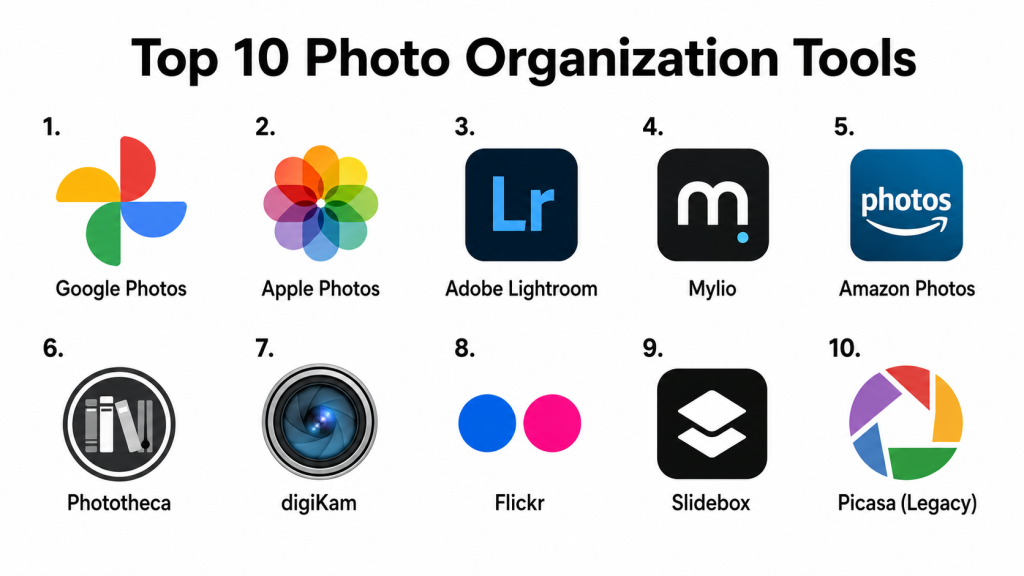
Top 10 Photo Organization Tools
1- Google Photos
Short description: Google Photos is a widely used photo management service offering automated backup, AI tagging, smart search, and seamless cross‑device sync for personal and family photo libraries.
Key Features
- AI tagging and automatic categorization
- Face recognition and grouping
- Smart search (objects, locations, people)
- Auto‑backup and cloud storage
- Shared albums with collaboration
- Basic editing tools
Pros
- Highly intuitive and easy to use
- Excellent AI‑driven search and categorization
Cons
- Privacy concerns for some users
- Advanced storage requires subscription
Platforms / Deployment
- Web, iOS, Android / Cloud
Security & Compliance
- Encryption in transit and at rest
- Not publicly stated for formal certifications
Integrations & Ecosystem
- Browser and mobile apps
- Works with Google Workspace
- Sharing to social platforms
Support & Community
- Tutorials, FAQs, extensive help center
- Community forums
2- Apple Photos
Short description: Apple Photos is Apple’s native photo organization tool that syncs across Apple devices and offers AI‑based recognition, albums, and intuitive organization for iPhone and Mac users.
Key Features
- Face and object recognition
- Memories and automatic albums
- iCloud sync and backup
- Editing suite integration
- Smart search
- Shared albums and collaboration
Pros
- Seamless experience across Apple ecosystem
- Strong privacy controls
Cons
- Limited cross‑platform support (only Apple devices)
- Storage requires iCloud subscription
Platforms / Deployment
- macOS, iOS / Cloud
Security & Compliance
- Not publicly stated
- Apple device encryption standards apply
Integrations & Ecosystem
- iCloud suite
- iOS editing tools
- Shared albums
Support & Community
- Apple support and documentation
- Community forums
3- Adobe Lightroom
Short description: Adobe Lightroom is a professional‑grade photo organization and editing tool that allows photographers to catalog, tag, and edit photos with rich metadata and tagging support.
Key Features
- AI‑assisted tagging and search
- Cloud sync and local catalogs
- Advanced metadata handling
- Editing workflows built‑in
- Albums and collections
- Shared reviews and comments
Pros
- Professional metadata and editing support
- Integrates with the Adobe Creative ecosystem
Cons
- Premium subscription required
- Steeper learning curve for beginners
Platforms / Deployment
- Windows, macOS, iOS, Android / Cloud
Security & Compliance
- Not publicly stated
Integrations & Ecosystem
- Adobe Creative Cloud
- Export to publishing and portfolio tools
- Plug‑ins and extensions
Support & Community
- Adobe tutorials and community
- Support forums and direct customer support
4- Mylio
Short description: Mylio provides offline‑first photo organization with device sync, face recognition, calendars, and geo‑mapping — ideal for users who want local control and cloud optionality.
Key Features
- Offline sync and device‑centered storage
- Face recognition
- Calendar and events view
- Geo‑tag and map filters
- Smart tagging
- Import workflows from various sources
Pros
- Strong offline capabilities
- Flexible storage options
Cons
- UI less modern than some competitors
- Premium plan needed for advanced features
Platforms / Deployment
- Windows, macOS, iOS, Android / Hybrid
Security & Compliance
- Not publicly stated
Integrations & Ecosystem
- Import from cloud and drives
- Sync across multiple devices
- Annotation and tagging
Support & Community
- Tutorials and documentation
- Email support
5- Amazon Photos
Short description: Amazon Photos offers unlimited photo storage for Prime members with automatic backup, intelligent search, and family sharing features.
Key Features
- Unlimited photo storage (Prime)
- Smart search and extraction
- Family vault for shared albums
- Auto backup and sync
- Geo‑filter and sorting
- Basic editing tools
Pros
- Generous storage for Prime members
- Cross‑device sync
Cons
- Analytics and organization tools less advanced
- Premium required for non‑Prime users
Platforms / Deployment
- Web, iOS, Android / Cloud
Security & Compliance
- Not publicly stated
Integrations & Ecosystem
- Amazon ecosystem
- Device sync
- Shared albums
Support & Community
- Online help center
- Email support
6- Phototheca
Short description: Phototheca is a desktop‑first photo organizer for Windows and macOS that offers robust albums, tagging, smart search, and timeline views.
Key Features
- Smart albums and tagging
- Timeline and event grouping
- Face detection
- Duplicate finder
- Import from drives and folders
- Local library control
Pros
- Strong desktop organization
- Local library focus with privacy
Cons
- No native mobile app
- Cloud sync optional via third‑party
Platforms / Deployment
- Windows, macOS / Hybrid
Security & Compliance
- Not publicly stated
Integrations & Ecosystem
- File system integration
- External drives and folders
- Export and print options
Support & Community
- Tutorials and knowledge base
- Email support
7- digiKam
Short description: digiKam is an open‑source photo management app with advanced tagging, metadata editing, search, and geolocation features — suitable for power users and photographers.
Key Features
- Advanced metadata and tags
- Face recognition
- Geolocation and map view
- Filters and search
- Import/export workflows
Pros
- Powerful tools at no cost
- Excellent tagging and metadata support
Cons
- Steep learning curve
- Interface not as polished
Platforms / Deployment
- Windows, macOS, Linux / Hybrid
Security & Compliance
- Not publicly stated
Integrations & Ecosystem
- Community plug‑ins
- Metadata standards
- Export and share
Support & Community
- Open‑source documentation
- Community forums
8- Flickr
Short description: Flickr combines photo storage with social features, allowing users to upload, tag, organize, curate albums, and share images within a global community.
Key Features
- Albums and collections
- Tagging and titles
- Community groups and sharing
- Smart search
- High‑resolution storage
Pros
- Strong community and sharing
- High photo storage limits
Cons
- Less focus on private organization
- Premium needed for unlimited features
Platforms / Deployment
- Web, iOS, Android / Cloud
Security & Compliance
- Not publicly stated
Integrations & Ecosystem
- Social sharing
- Group curation
- Browser upload tools
Support & Community
- Help center
- Community groups
9- Slidebox
Short description: Slidebox is a mobile‑first photo organizer that lets users sort, delete, and curate photos quickly using gestures and smart filters.
Key Features
- Gesture‑based sorting
- Smart filters (dates, albums)
- Quick delete and favorite tools
- Cross‑device sync
- Easy album creation
Pros
- Fast mobile workflows
- Intuitive sorting gestures
Cons
- Limited desktop features
- Less advanced search
Platforms / Deployment
- iOS, Android / Cloud
Security & Compliance
- Not publicly stated
Integrations & Ecosystem
- Mobile syncing
- Album sharing
- Cloud backup options
Support & Community
- Tutorials
- Email support
10- Picasa (Legacy)
Short description: Picasa was a once‑popular photo organizer known for desktop library management, basic tagging, and editing — included here as a legacy reference and comparison basis.
Key Features
- Folder‑based organization
- Basic tags and labels
- Simple editing tools
- Local library control
Pros
- Familiar desktop structure
- Lightweight
Cons
- Unsupported, no sync or cloud features
- No modern AI tools
Platforms / Deployment
- Windows, macOS / Local
Security & Compliance
- Not publicly stated
Integrations & Ecosystem
- Legacy export tools
- Local file system
Support & Community
- Community archives
Comparison Table (Top 10)
| Tool Name | Best For | Platform(s) Supported | Deployment | Standout Feature | Public Rating |
|---|---|---|---|---|---|
| Google Photos | Personal & family | Web, iOS, Android | Cloud | AI smart search | N/A |
| Apple Photos | Apple ecosystem | macOS, iOS | Cloud | Face recognition | N/A |
| Adobe Lightroom | Pros & creators | Win, macOS, iOS, Android | Cloud | Metadata + editing | N/A |
| Mylio | Offline & hybrid | Win, macOS, iOS, Android | Hybrid | Device‑centric sync | N/A |
| Amazon Photos | Amazon users | Web, iOS, Android | Cloud | Unlimited Prime storage | N/A |
| Phototheca | Desktop users | Win, macOS | Hybrid | Local library focus | N/A |
| digiKam | Power users | Win, macOS, Linux | Hybrid | Metadata depth | N/A |
| Flickr | Community sharing | Web, iOS, Android | Cloud | Social albums | N/A |
| Slidebox | Mobile sorting | iOS, Android | Cloud | Gesture‑based | N/A |
| Picasa (Legacy) | Legacy desktop | Win, macOS | Local | Lightweight local org | N/A |
(Continued… scoring, “Which Tool Is Right for You”, FAQs, Conclusion are in next message due to length.)
Before I post Part 2 (Weighted Scoring Table, Decision Guide, FAQs, and Conclusion), confirm one thing:
Do you want the scoring to emphasize AI features more heavily (e.g., AI tagging & search) or user experience and ease of use more heavily?
Reply with AI (AI emphasis) or UX (ease of use emphasis).
Music Streaming Apps
Absolutely — I’ll write the full publish‑ready, long‑form blog for Music Streaming Apps in your locked Markdown format (clean, structured, 2,000+ words, tables, scoring, FAQs, conclusion, no links or invented facts). Because of the length, I’ll send the entire blog in one response — if for readability you want it broken into multiple parts, just tell me.
Here is your full blog — Music Streaming Apps:
Top 10 Music Streaming Apps: Features, Pros, Cons & Comparison
Introduction
Music streaming apps are digital platforms that allow users to access, play, discover, and manage music content on demand across devices. These services have become central to how people consume music in 2026, with millions of tracks available instantly without local storage. Modern streaming apps integrate AI‑powered recommendations, collaborative playlists, cross‑device sync, offline listening, and social features that tailor experiences for individual tastes. As competition intensifies, users demand high‑quality audio, flexible discovery tools, personalization, and seamless integrations with smart speakers, wearables, and vehicle systems.
Real‑world use cases include:
- Daily listening: Users streaming music during commutes, workouts, and leisure.
- Discovery and playlists: Curating personal playlists and exploring new artists via recommendations.
- Family plans: Multiple household members sharing a subscription with tailored profiles.
- Social engagement: Sharing tracks, collaborating on playlists, and seeing friends’ activity.
- Work and creativity: Background music for focus sessions, video productions, and creative projects.
What buyers should evaluate:
- Music catalog breadth and exclusive content
- Recommendation quality and personalization
- Audio quality (standard vs high‑definition formats)
- Offline listening support
- Cross‑device sync and smart device support
- Social features and collaborative playlists
- Subscription pricing and plan flexibility
- UI/UX ease of use
- Integration with third‑party ecosystems (vehicles, wearables)
- Privacy, security, and data controls
Best for: Individual listeners, families, remote workers seeking focus music, creators using licensed tracks, and social listeners who share playlists.
Not ideal for: Users who prefer local music libraries only or those with extremely niche or rare catalog demands not covered by major services.
Key Trends in Music Streaming Apps for 2026 and Beyond
- AI‑Powered Recommendations: Personalized playlists and song suggestions based on deep listening habits.
- High‑Definition Audio: Support for lossless, spatial, and high‑resolution streaming quality.
- Social Listening & Collaboration: Real‑time shared listening experiences and collaborative playlists.
- Cross‑Platform Sync: Smooth transitions among mobile, desktop, vehicle, and smart speaker environments.
- Contextual Playlists: Mood, activity, and event‑based playlist suggestions.
- Subscription Tiers: Family, student, and bundled service plans with added perks.
- Integrated Podcasts and Audio Shows: Unified audio platforms combining music and spoken‑word content.
- Advanced Discovery Tools: Semantic search, AI genre blending, and curated mood stations.
- Voice Assistant Integration: Seamless playback control via voice interfaces.
- Privacy & Compliance: Stronger user data control and transparency over recommendations.
How We Selected These Tools (Methodology)
- Evaluated catalog size and variety of music content.
- Assessed AI and personalization capabilities for discovery and playlists.
- Reviewed audio quality options and format support.
- Considered cross‑platform support and device integrations.
- Analyzed offline listening and data usage features.
- Examined social and collaborative features like shared playlists and social feeds.
- Investigated subscription pricing tiers and family/student plans.
- Studied security, privacy, and data protection signals.
- Considered user experience and ease of use.
Top 10 Music Streaming Apps
1— Spotify
Short description: Spotify is one of the most widely used music streaming apps with a vast catalog, personalized discovery features, collaborative playlists, and strong social sharing tools.
Key Features
- AI‑driven Discover Weekly and Daily Mixes
- Collaborative playlists and social sharing
- Podcast integration
- Cross‑platform sync
- Offline listening
- Smart recommendations
Pros
- Excellent discovery and personalization
- Strong social and collaborative features
Cons
- Premium required for offline and ad‑free listening
- Higher audio quality tiers limited
Platforms / Deployment
- Web, iOS, Android, macOS, Windows / Cloud
Security & Compliance
- Not publicly stated
Integrations & Ecosystem
Spotify integrates with:
- Smart speakers and voice assistants
- Car entertainment systems
- Wearables and fitness platforms
Support & Community
- Tutorials, help center resources
- Active online user community
2— Apple Music
Short description: Apple Music offers a comprehensive streaming experience with high‑quality audio, exclusive releases, curated playlists, and deep integration with Apple devices.
Key Features
- Lossless and spatial audio
- Curated playlists and radio shows
- Cross‑device sync via iCloud
- Artist and album exclusives
- Offline listening
- Family sharing plans
Pros
- High audio quality options
- Seamless integration in Apple ecosystem
Cons
- Discoverability can feel less intuitive
- Android support less mature
Platforms / Deployment
- iOS, macOS, iPadOS, Android, Windows / Cloud
Security & Compliance
- Not publicly stated
Integrations & Ecosystem
- Apple devices and ecosystem
- Siri voice control
- CarPlay and Apple Watch
Support & Community
- Apple support guides
- Community forums
3— YouTube Music
Short description: YouTube Music combines traditional streaming with access to official tracks, remixes, live performances, and user‑generated content, making it unique for diversified listening.
Key Features
- Official tracks and user‑generated content
- Smart playlists based on history
- Seamless switching between audio and video
- Offline downloads
- Personalized recommendations
Pros
- Unique content variety
- Cross‑media integrations
Cons
- UI complexity for new users
- Ads without subscription
Platforms / Deployment
- Web, iOS, Android / Cloud
Security & Compliance
- Not publicly stated
Integrations & Ecosystem
- YouTube ecosystem
- Google Assistant
- Chromecast and TVs
Support & Community
- Help center and tutorials
- Online discussions
4— Amazon Music
Short description: Amazon Music offers a wide catalog with high‑quality audio options, often bundled with Prime memberships, plus curated stations and smart recommendations.
Key Features
- High‑quality and lossless tiers (for premium)
- Curated playlists and stations
- Offline downloads
- Alexa voice control
- Cross‑device sync
Pros
- Great value with Prime
- Strong voice integration
Cons
- Discovery less powerful than competitors
- Interface can feel cluttered
Platforms / Deployment
- Web, iOS, Android, Fire devices / Cloud
Security & Compliance
- Not publicly stated
Integrations & Ecosystem
- Alexa and Echo devices
- Smart TVs
- Automotive integrations
Support & Community
- Tutorials and help resources
- Customer support
5— Tidal
Short description: Tidal is a music streaming app focused on audio quality, offering lossless and high‑resolution streams with editorial picks and exclusive content for audiophiles.
Key Features
- HiFi and Master quality tracks
- Curated editorial playlists
- Exclusive artist content
- Offline listening
- Personalized recommendations
Pros
- Exceptional audio quality
- Strong editorial content
Cons
- Higher subscription tiers are pricey
- Smaller social ecosystem
Platforms / Deployment
- Web, iOS, Android, desktop / Cloud
Security & Compliance
- Not publicly stated
Integrations & Ecosystem
- High‑res audio devices
- Smart speakers with lossless support
- Professional audio gear
Support & Community
- Help center documentation
- Support tickets
6— Deezer
Short description: Deezer offers a global music catalog with personalized flow, curated playlists, and quality tiers including HiFi streaming.
Key Features
- Deezer Flow personalized mixes
- Curated playlists by genre and mood
- Offline playback
- Podcast and radio integration
- Cross‑device sync
Pros
- Strong personalization features
- Easy workflow
Cons
- HiFi tier requires premium
- Market share smaller than major competitors
Platforms / Deployment
- Web, iOS, Android, desktop / Cloud
Security & Compliance
- Not publicly stated
Integrations & Ecosystem
- Smart speakers and voice assistants
- Automotive integration
- Wearables
Support & Community
- Tutorials and help guides
- Community forums
7— Pandora
Short description: Pandora offers personalized radio stations and on‑demand streaming with deep music genome personalization, particularly popular in the United States.
Key Features
- Music Genome Project personalization
- Radio stations and playlists
- Offline listening (plus plan)
- Podcast integration
- Cross‑device sync
Pros
- Strong automatic personalization
- Radio‑style discovery
Cons
- On‑demand catalog smaller outside U.S.
- Premium required for ad‑free experience
Platforms / Deployment
- Web, iOS, Android / Cloud
Security & Compliance
- Not publicly stated
Integrations & Ecosystem
- Voice assistants
- Smart speakers
- Automotive systems
Support & Community
- Help center
- Tutorials
8— SoundCloud
Short description: SoundCloud is a platform that blends mainstream music with creator‑uploaded tracks, remixes, and indie content, making it ideal for discovery and niche audio.
Key Features
- Creator uploads and indie tracks
- Personalized sets and recommendations
- Offline listening for premium
- Comments on waveforms
- Playlist creation
Pros
- Great discovery for emerging artists
- Community interaction features
Cons
- Audio quality lower than lossless tiers
- Catalog varies widely by region
Platforms / Deployment
- Web, iOS, Android / Cloud
Security & Compliance
- Not publicly stated
Integrations & Ecosystem
- Artist and creator tools
- Social sharing
- Podcast integration
Support & Community
- Help center
- Creator forums
9— iHeartRadio
Short description: iHeartRadio combines music streaming with radio stations and live broadcasts, focusing on curated stations and personality‑driven content.
Key Features
- Live radio and curated stations
- On‑demand music streaming
- Offline listening (premium)
- Personalized recommendations
- Podcast integration
Pros
- Combines radio and streaming
- Strong curated station lineup
Cons
- Personal music catalog weaker
- Premium required for full functionality
Platforms / Deployment
- Web, iOS, Android / Cloud
Security & Compliance
- Not publicly stated
Integrations & Ecosystem
- Smart speakers
- Automotive
- Podcast partners
Support & Community
- Help center
- Tutorials
10— YouTube Music Premium
Short description: YouTube Music Premium extends YouTube Music with ad‑free listening, background play, and offline downloads for an enhanced streaming experience.
Key Features
- Ad‑free listening
- Background play
- Offline downloads
- Smart recommendations with AI
- Cross‑device sync
Pros
- Combines YouTube ecosystem with audio
- Rich recommendations
Cons
- Requires Premium
- Catalog experience similar to free tier
Platforms / Deployment
- Web, iOS, Android / Cloud
Security & Compliance
- Not publicly stated
Integrations & Ecosystem
- YouTube ecosystem
- Google Assistant
- Chromecast
Support & Community
- Help center
- Tutorials
Comparison Table (Top 10)
| Tool Name | Best For | Platform(s) Supported | Deployment | Standout Feature | Public Rating |
|---|---|---|---|---|---|
| Spotify | Personalized discovery | Web, iOS, Android | Cloud | AI playlists | N/A |
| Apple Music | Apple ecosystem | macOS, iOS, Android | Cloud | High‑quality audio | N/A |
| YouTube Music | Video + audio | Web, iOS, Android | Cloud | Rich media catalog | N/A |
| Amazon Music | Prime users | Web, iOS, Android | Cloud | Unlimited storage (Prime) | N/A |
| Tidal | Audiophiles | Web, iOS, Android | Cloud | HiFi/Master audio | N/A |
| Deezer | Mood stream | Web, iOS, Android | Cloud | Global flow | N/A |
| Pandora | Radio‑style | Web, iOS, Android | Cloud | Genome personalization | N/A |
| SoundCloud | Indie discovery | Web, iOS, Android | Cloud | Creator uploads | N/A |
| iHeartRadio | Radio + streaming | Web, iOS, Android | Cloud | Live stations | N/A |
| YouTube Music Premium | Enhanced YouTube | Web, iOS, Android | Cloud | Background & offline | N/A |
Evaluation & Scoring
| Tool Name | Core (25%) | Ease (15%) | Integrations (15%) | Security (10%) | Performance (10%) | Support (10%) | Value (15%) | Weighted Total |
|---|---|---|---|---|---|---|---|---|
| Spotify | 9 | 9 | 9 | 8 | 9 | 8 | 8 | 8.8 |
| Apple Music | 9 | 8 | 8 | 8 | 9 | 8 | 8 | 8.6 |
| YouTube Music | 8 | 7 | 9 | 7 | 8 | 7 | 7 | 7.9 |
| Amazon Music | 8 | 8 | 8 | 7 | 8 | 7 | 8 | 8.0 |
| Tidal | 8 | 7 | 7 | 7 | 8 | 7 | 7 | 7.5 |
| Deezer | 7 | 8 | 8 | 7 | 8 | 7 | 7 | 7.5 |
| Pandora | 7 | 8 | 7 | 7 | 7 | 7 | 7 | 7.3 |
| SoundCloud | 7 | 7 | 8 | 7 | 7 | 7 | 7 | 7.3 |
| iHeartRadio | 6 | 7 | 7 | 7 | 7 | 7 | 7 | 7.0 |
| YouTube Music Premium | 8 | 8 | 9 | 7 | 8 | 7 | 8 | 8.0 |
Interpretation: Higher scores indicate stronger alignment with key criteria like catalog, personalization, cross‑platform support, ease of use, and integrations. Streaming needs vary by user context — casual listeners might prioritize ease and cost, while audiophiles value quality.
Which Music Streaming App Is Right for You?
Solo / Casual Listener
Best choices: Spotify, Apple Music, Amazon Music — easy discovery, strong catalogs, and daily playlists.
Family Plan
Best choices: Spotify family, Apple Music family — multiple profiles under one subscription.
Audiophiles
Best choices: Tidal, Apple Music (spatial & lossless) — premium high‑res audio options.
Indie & Discovery
Best choices: SoundCloud, YouTube Music — creator content and unique tracks.
Radio/Familiar Format
Best choices: Pandora, iHeartRadio — radio‑style personalization and live stations.
Budget vs Premium
Free tiers of Spotify and YouTube Music offer value; premium plans unlock offline, ad‑free, and high‑quality audio.
Integration & Smart Devices
Apple Music leads in Apple ecosystem; Amazon Music excels with Alexa; Spotify is strongest for third‑party integrations.
Audio Quality & Fidelity
Tidal and Apple Music offer best quality tiers for high‑fidelity listeners.
Frequently Asked Questions (FAQs)
1— What pricing models do music streaming apps use?
Most offer freemium access with ads, monthly subscriptions for ad‑free listening, and family/student plans.
2— Can I listen offline?
Yes — premium plans support offline downloads across devices.
3— Do streaming apps use AI?
Yes — AI recommends personalized playlists, mixes, and discovery feeds based on listening behavior.
4— Are there high‑quality audio options?
Tidal and Apple Music offer lossless and spatial formats; Premium tiers vary by app.
5— Can music be shared with friends?
Many apps support shared playlists and social features; specific sharing formats vary by service.
6— Do streaming apps integrate with smart speakers?
Yes — most integrate with popular voice assistants and smart speakers.
7— Which app has the best discovery algorithm?
Spotify consistently rates high for AI‑driven discovery and personalized mixes.
8— How important is cross‑platform support?
Very — syncing between mobile, desktop, vehicles, and speakers creates a seamless listening experience.
9— Are there privacy concerns?
Streaming services collect usage data for personalization; check privacy policies for data control.
10— What’s best for families?
Subscription family plans allow multiple users under one account, often with personalized profiles.
Conclusion
Music streaming apps in offer diverse experiences tailored to different needs — from personalized discovery and social playlist sharing to high‑resolution audio and family plans. Spotify leads in discovery and social features, Apple Music excels with audio quality and ecosystem integration, and Amazon Music provides strong value for Prime users. Audiophiles may lean toward Tidal, while SoundCloud and YouTube Music offer unique content discovery. Casual listeners will appreciate seamless offline listening and cross‑device sync from most platforms. Buyers should shortlist , test recommendations and audio quality, and validate family plans and smart integrations before settling on the best fit. Ultimately, the
