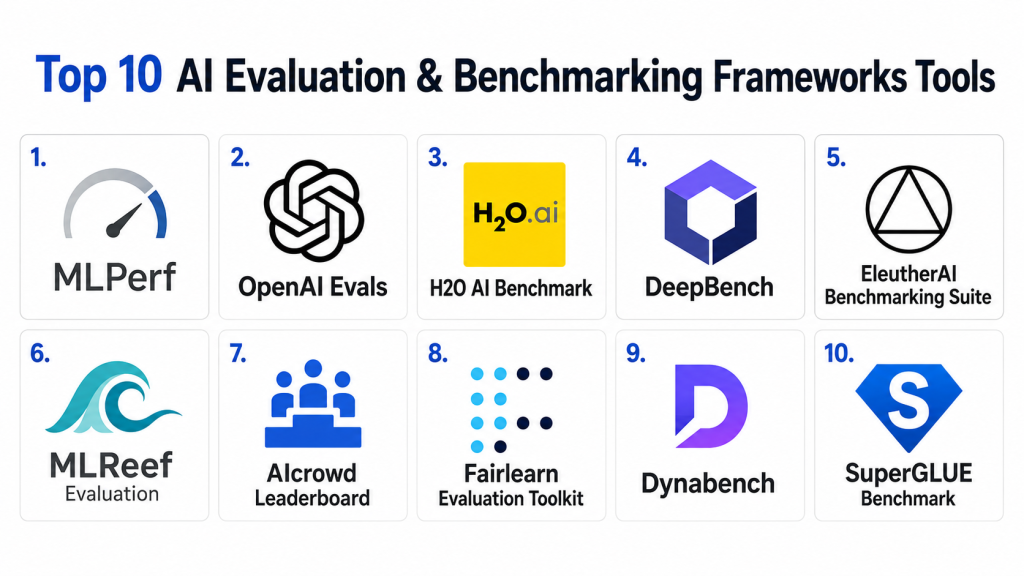
Introduction
AI Evaluation & Benchmarking Frameworks are specialized software platforms that allow organizations, researchers, and developers to systematically measure the performance, accuracy, fairness, robustness, and efficiency of artificial intelligence models. These frameworks provide standardized datasets, metrics, and reporting tools to ensure AI systems meet desired objectives, remain compliant with regulations, and can be trusted in production environments.
In , with AI becoming central to enterprise operations, healthcare, finance, and marketing, organizations are under increasing pressure to benchmark and evaluate their models rigorously. Proper evaluation ensures models perform consistently, avoids unintended biases, and aligns with regulatory standards such as GDPR or AI governance policies.
Real-world use cases include:
- Enterprise AI governance: Ensuring all deployed models meet company-wide accuracy, fairness, and performance benchmarks.
- Research validation: Academic and industrial AI researchers comparing new models against standardized datasets.
- MLOps integration: Continuous evaluation of models in production pipelines to detect drift or degradation.
- Vendor comparisons: Selecting third-party AI solutions based on rigorous benchmarking data.
- Regulatory compliance: Demonstrating fairness, robustness, and explainability to regulatory bodies.
What buyers should evaluate:
- Coverage of evaluation metrics (accuracy, fairness, robustness, efficiency)
- Supported AI model types (ML, NLP, vision, multimodal)
- Integration with ML pipelines and CI/CD
- Dataset availability and standardization
- Reporting and visualization capabilities
- Security and compliance features
- Ease of use and learning curve
- Support for cloud, on-prem, and hybrid environments
- Extensibility and API availability
- Community and documentation strength
Best for: AI researchers, MLOps engineers, data scientists, enterprise AI teams, regulatory compliance officers. Particularly valuable for mid-market and enterprise organizations with multiple AI deployments.
Not ideal for: Small startups or individual developers experimenting with one-off models without production-scale evaluation needs. Simpler benchmarking scripts may suffice for lightweight use cases.
Key Trends in AI Evaluation & Benchmarking Frameworks
- Automated benchmarking pipelines that integrate directly into MLOps workflows.
- AI fairness and bias metrics built-in by default for all major model types.
- Explainability dashboards providing model interpretability alongside performance scores.
- Cloud-native frameworks supporting scalable, distributed benchmarking.
- Open-source collaboration driving community-curated datasets and metrics.
- Multimodal model evaluation across text, vision, and speech.
- Regulatory alignment with emerging AI governance standards.
- Performance monitoring in production with drift detection and retraining triggers.
- Integration with CI/CD tools for automated evaluation on each model release.
- Cost-optimized evaluation using synthetic datasets and benchmarking-as-a-service models.
How We Selected These Tools (Methodology)
- Market adoption and mindshare in AI research and enterprise contexts.
- Completeness of evaluation features across model types and metrics.
- Reliability and performance of benchmarking computations.
- Security posture including access control, audit logging, and compliance readiness.
- Integration capabilities with ML frameworks, MLOps pipelines, and CI/CD.
- Ecosystem support including open-source community contributions.
- Vendor responsiveness, support tiers, and documentation quality.
- Customer fit across segments: enterprise, SMB, and developer-focused deployments.
Top 10 AI Evaluation & Benchmarking Frameworks Tools
1- MLPerf
Short description: MLPerf is a leading open-source benchmarking framework that measures AI performance across multiple domains including vision, language, and reinforcement learning. It is widely adopted by researchers, hardware vendors, and enterprises seeking standardized performance comparisons.
Key Features
- Standardized benchmark suites for multiple AI workloads
- Hardware and software performance profiling
- Open-source and community-supported
- Leaderboards showcasing global results
- Metrics for accuracy, throughput, and latency
- Cross-platform support (CPU, GPU, TPU)
Pros
- Widely recognized industry benchmark
- Transparent and reproducible evaluation
- Strong community and ongoing updates
Cons
- Limited customization for niche models
- Heavy initial setup for large-scale benchmarking
Platforms / Deployment
- Linux / Cloud / On-prem
Security & Compliance
- Not publicly stated
Integrations & Ecosystem
MLPerf integrates with popular ML frameworks such as TensorFlow, PyTorch, and JAX.
- TensorFlow
- PyTorch
- JAX
- Kubernetes for distributed testing
- NVIDIA and AMD GPUs
Support & Community
- Strong open-source community, documentation, and forums
2- OpenAI Evals
Short description: OpenAI Evals provides a framework for automated evaluation of language models. It enables developers to assess model outputs against custom benchmarks, focusing on correctness, alignment, and safety.
Key Features
- Customizable evaluation tasks and datasets
- Automated scoring and feedback loops
- Focus on alignment, fairness, and bias
- Supports human-in-the-loop evaluations
- JSON-based output for integration
Pros
- Flexible and customizable for LLMs
- Strong support for alignment and safety testing
Cons
- Primarily focused on NLP models
- Limited prebuilt datasets outside language tasks
Platforms / Deployment
- Web / Cloud
Security & Compliance
- Not publicly stated
Integrations & Ecosystem
Supports integration with Python pipelines and MLOps tools.
- Python SDK
- Hugging Face Transformers
- CI/CD workflows
- Slack/Teams notifications
Support & Community
- Strong documentation, examples, and active GitHub community
3- H2O AI Benchmark
Short description: H2O AI Benchmark evaluates machine learning models across speed, accuracy, and resource efficiency. It targets tabular, NLP, and image models in enterprise and research environments.
Key Features
- AutoML compatibility
- Multi-language support (Python, R, Java)
- Performance and memory profiling
- Predefined and custom datasets
- Detailed reporting and visualizations
Pros
- Supports broad ML model types
- Strong AutoML integration
Cons
- On-prem deployment can require significant hardware
- Learning curve for complex custom metrics
Platforms / Deployment
- Linux / Windows / Cloud / Hybrid
Security & Compliance
- Not publicly stated
Integrations & Ecosystem
- Python/R API
- H2O AutoML
- Apache Spark
- Kubernetes for scaling
Support & Community
- Professional support tiers and active community forums
4- DeepBench
Short description: DeepBench benchmarks deep learning operations like matrix multiplication, convolution, and communication patterns across hardware and frameworks. It is aimed at AI researchers and infrastructure engineers.
Key Features
- Low-level operation benchmarks
- Multi-GPU and multi-node evaluation
- Hardware abstraction support
- Open-source framework
- Supports profiling of ML frameworks (TensorFlow, PyTorch)
Pros
- Provides detailed hardware-level insights
- Supports research on optimization strategies
Cons
- Not focused on end-to-end model evaluation
- Requires technical expertise
Platforms / Deployment
- Linux / Cloud / On-prem
Security & Compliance
- Not publicly stated
Integrations & Ecosystem
- TensorFlow
- PyTorch
- NVIDIA CUDA libraries
- ROCm support
Support & Community
- Open-source community, documentation varies
5- EleutherAI Benchmarking Suite
Short description: Designed for LLM benchmarking, EleutherAI provides evaluation scripts and datasets for large language models. Focuses on performance, reasoning, and multi-turn dialogue assessment.
Key Features
- Open-source benchmark scripts
- NLP-focused metrics
- Supports multi-turn dialogue evaluation
- Human-evaluation modules
- Model output scoring
Pros
- Free and community-driven
- Extensive language benchmarks
Cons
- NLP-only; no vision or tabular support
- Requires manual dataset handling
Platforms / Deployment
- Linux / Cloud / Self-hosted
Security & Compliance
- Not publicly stated
Integrations & Ecosystem
- Python-based
- Hugging Face datasets
- Jupyter notebooks
Support & Community
- Active GitHub discussions, community support
6- MLReef Evaluation
Short description: MLReef offers benchmarking tools for diverse AI models, emphasizing reproducibility and MLOps integration. Ideal for teams deploying multiple AI pipelines.
Key Features
- Pipeline integration
- Version-controlled datasets
- Metric dashboards
- Automated reporting
- Reproducibility tracking
Pros
- Supports team-based MLOps evaluation
- Facilitates reproducibility
Cons
- Limited adoption compared to MLPerf
- Learning curve for complex pipelines
Platforms / Deployment
- Cloud / Hybrid
Security & Compliance
- Not publicly stated
Integrations & Ecosystem
- Git-based versioning
- Python SDK
- REST API
- CI/CD integrations
Support & Community
- Documentation available, moderate community
7- AIcrowd Leaderboard
Short description: AIcrowd provides AI benchmarking via competitions, leaderboards, and evaluation scripts. Useful for comparing models in standardized challenge settings.
Key Features
- Public leaderboards
- Standardized evaluation metrics
- Competition datasets
- Support for multiple model types
- Automatic scoring and submission
Pros
- Transparent benchmarking
- Encourages community participation
Cons
- Competition-focused; less suited for internal evaluations
- Limited control over datasets
Platforms / Deployment
- Web / Cloud
Security & Compliance
- Not publicly stated
Integrations & Ecosystem
- GitHub submissions
- API for automated evaluation
- Python SDK
Support & Community
- Active competition community, extensive documentation
8- Fairlearn Evaluation Toolkit
Short description: Fairlearn focuses on fairness evaluation of AI models. Provides metrics, dashboards, and mitigation suggestions to detect and reduce bias.
Key Features
- Fairness metrics
- Bias mitigation suggestions
- Dashboard visualizations
- Python integration
- Supports multiple model types
Pros
- Essential for regulatory compliance
- Flexible metrics
Cons
- Not focused on performance benchmarking
- Requires ML knowledge
Platforms / Deployment
- Linux / Cloud / Self-hosted
Security & Compliance
- Not publicly stated
Integrations & Ecosystem
- Python API
- Scikit-learn integration
- Pandas and NumPy support
Support & Community
- Open-source community, active GitHub
9- Dynabench
Short description: Dynabench provides dynamic benchmarking for NLP models with human-in-the-loop data generation and evaluation. Focuses on model robustness and generalization.
Key Features
- Human-in-the-loop benchmarks
- Adaptive evaluation
- Real-time leaderboard updates
- NLP task variety
- Data collection and analysis tools
Pros
- High-quality human-evaluated benchmarks
- Adaptive and evolving datasets
Cons
- NLP-only
- Requires human evaluators for full benefit
Platforms / Deployment
- Web / Cloud
Security & Compliance
- Not publicly stated
Integrations & Ecosystem
- Python SDK
- API for submissions
- Hugging Face datasets
Support & Community
- Active research community
10- SuperGLUE Benchmark
Short description: SuperGLUE is a widely recognized benchmark for evaluating natural language understanding tasks across multiple dimensions including reasoning, reading comprehension, and inference.
Key Features
- Multi-task evaluation
- Standardized datasets
- Automatic scoring
- Leaderboards for comparison
- Focus on high-level language reasoning
Pros
- Recognized standard for NLP
- Facilitates cross-model comparison
Cons
- Restricted to NLP
- Requires model adaptation for full evaluation
Platforms / Deployment
- Linux / Cloud
Security & Compliance
- Not publicly stated
Integrations & Ecosystem
- Python frameworks
- Hugging Face
- Benchmarking scripts
Support & Community
- Active research and open-source support
Comparison Table (Top 10)
| Tool Name | Best For | Platform(s) Supported | Deployment | Standout Feature | Public Rating |
|---|---|---|---|---|---|
| MLPerf | Enterprise AI / Researchers | Linux | Cloud / On-prem | Multi-domain benchmarking | N/A |
| OpenAI Evals | NLP-focused AI teams | Web | Cloud | Alignment & safety evaluation | N/A |
| H2O AI Benchmark | Enterprise / AutoML | Linux, Windows | Cloud / Hybrid | AutoML support | N/A |
| DeepBench | AI infrastructure teams | Linux | Cloud / On-prem | Hardware-level benchmarks | N/A |
| EleutherAI Benchmarking Suite | LLM researchers | Linux | Cloud / Self-hosted | Open-source NLP evaluation | N/A |
| MLReef Evaluation | MLOps teams | Cloud | Hybrid | Reproducibility tracking | N/A |
| AIcrowd Leaderboard | Research competitions | Web | Cloud | Leaderboard & competition benchmarks | N/A |
| Fairlearn Evaluation Toolkit | AI fairness teams | Linux | Cloud / Self-hosted | Bias detection & mitigation | N/A |
| Dynabench | NLP robustness testing | Web | Cloud | Human-in-the-loop evaluation | N/A |
| SuperGLUE Benchmark | NLP model researchers | Linux | Cloud | Multi-task NLU evaluation | N/A |
Evaluation & Scoring of AI Evaluation & Benchmarking Frameworks
| Tool Name | Core (25%) | Ease (15%) | Integrations (15%) | Security (10%) | Performance (10%) | Support (10%) | Value (15%) | Weighted Total (0–10) |
|---|---|---|---|---|---|---|---|---|
| MLPerf | 9 | 7 | 8 | 7 | 9 | 8 | 8 | 8.2 |
| OpenAI Evals | 8 | 8 | 7 | 7 | 8 | 8 | 8 | 7.8 |
| H2O AI Benchmark | 8 | 7 | 7 | 7 | 8 | 7 | 7 | 7.5 |
| DeepBench | 7 | 6 | 6 | 6 | 8 | 6 | 7 | 6.7 |
| EleutherAI Benchmark | 7 | 6 | 6 | 6 | 7 | 6 | 7 | 6.6 |
| MLReef Evaluation | 7 | 7 | 7 | 6 | 7 | 6 | 7 | 6.9 |
| AIcrowd Leaderboard | 6 | 7 | 6 | 6 | 7 | 6 | 6 | 6.5 |
| Fairlearn Evaluation | 6 | 7 | 6 | 8 | 6 | 6 | 7 | 6.7 |
| Dynabench | 7 | 7 | 6 | 6 | 7 | 6 | 7 | 6.8 |
| SuperGLUE Benchmark | 7 | 7 | 6 | 6 | 7 | 6 | 7 | 6.8 |
Interpretation: Weighted totals provide a comparative view. Scores closer to 10 indicate stronger overall suitability based on core features, ease of use, integrations, security, performance, support, and value. Use this to shortlist candidates for specific organizational needs.
Which AI Evaluation & Benchmarking Framework Tool Is Right for You?
Solo / Freelancer
- Focus on open-source options like MLPerf or EleutherAI Benchmark.
- Lightweight setup with minimal hardware needs.
SMB
- Use MLReef or OpenAI Evals for scalable but manageable evaluation.
- Cloud deployment preferred.
Mid-Market
- MLPerf or H2O AI Benchmark for multi-model evaluation and reporting.
- Hybrid deployment for integration with existing pipelines.
Enterprise
- Comprehensive solutions including MLPerf, H2O, and DeepBench.
- Full CI/CD integration, reproducibility tracking, and compliance alignment.
Budget vs Premium
- Open-source frameworks (MLPerf, EleutherAI) are cost-effective.
- Premium solutions (H2O, DeepBench) offer dedicated support and advanced analytics.
Feature Depth vs Ease of Use
- MLPerf and H2O for feature-rich benchmarking.
- OpenAI Evals and Fairlearn for ease-of-use and specialized evaluation.
Integrations & Scalability
- Select frameworks with strong Python APIs and CI/CD support.
- Cloud-native frameworks scale more easily than on-prem solutions.
Security & Compliance Needs
- For regulated environments, prioritize frameworks with audit logging, SSO, and enterprise support.
- Open-source options may require additional configuration for compliance.
Frequently Asked Questions (FAQs)
1. How much does an AI evaluation framework cost?
Costs vary; open-source options like MLPerf are free. Enterprise solutions may have subscription or licensing fees. Always check deployment and support pricing.
2. How long does it take to set up benchmarking?
Simple setups take a few hours. Complex enterprise deployments with multiple datasets can take several days.
3. Are these frameworks suitable for all AI models?
Most frameworks support popular model types, but some specialize in NLP, vision, or tabular models. Select based on your model domain.
4. Can these frameworks detect model bias?
Yes, tools like Fairlearn or OpenAI Evals include fairness metrics. Others may require custom scripts.
5. How do these tools integrate with MLOps pipelines?
They typically offer Python SDKs, REST APIs, or CI/CD integration, allowing automated evaluation on model updates.
6. Are cloud and on-prem deployments both supported?
Many frameworks offer flexible deployment, but confirm hardware requirements for on-prem setups.
7. Can benchmarking be automated?
Yes, most modern frameworks support automated evaluation pipelines for continuous monitoring and regression detection.
8. How do I compare results across models?
Frameworks provide standardized metrics, leaderboards, or dashboards to enable cross-model comparisons.
9. Is support available for open-source frameworks?
Support varies; open-source relies on community forums. Enterprise versions offer dedicated support tiers.
10. Can I customize evaluation metrics?
Yes, frameworks like OpenAI Evals and MLReef allow custom metrics and datasets for specialized evaluation needs.
Conclusion
AI Evaluation & Benchmarking Frameworks are essential for ensuring AI models are accurate, fair, robust, and aligned with business objectives. Selection should consider model type, organizational scale, deployment preference, and regulatory requirements. For small teams, open-source options suffice; mid-market and enterprise organizations benefit from more comprehensive frameworks with automation, integration, and compliance features. Next steps include shortlisting 2–3 frameworks, running pilot evaluations, and validating integration with production pipelines and security protocols to ensure sustained model reliability.
#hashtags
#AIEvaluation, #BenchmarkingFrameworks, #MLOps, #AICompliance, #ModelPerformance
You are a senior SaaS/product analyst + SEO blog writer. Write a publish-ready, long-form blog post in Markdown about the Influencer Marketing Platforms below. Influen (Model Distillation & Compression Tooling)))) TOOL SEED LIST (optional): [If provided, prioritize these tools; otherwise choose the most widely used and credible tools in this Influencer Marketing Platforms.] NON-NEGOTIABLE RULES – Output MUST be clean Markdown (no HTML), ready to paste into a blog CMS. – Do NOT include any URLs, external links, or “source:” lines. – Do NOT invent facts. If a detail (e.g., SOC 2, ISO 27001, HIPAA, pricing, ratings) is not clearly known, write: “Not publicly stated” or “Varies / N/A”. – Avoid exaggerated hype. Use confident but fair language. – Minimum length: 2,000+ words. – Use clear heading hierarchy (H1/H2/H3/H4), bold highlights, bullet lists, and horizontal rules (—). – Prioritize 2026+ relevance: include modern trends, AI features (if applicable), security expectations, and integration patterns. H1 (TITLE) Top 10Model Distillation & Compression Tooling)))): Features, Pros, Cons & Comparison ## H2: Introduction (100–200 words) Explain: – WhatModel Distillation & Compression Tooling)))is (plain English). – Why it matters now (2026+ context). – 3–5 real-world use cases. – What buyers should evaluate (list 6–10 criteria). ### Mandatory paragraph – **Best for:** who benefits most (roles, company sizes, industries). – **Not ideal for:** who may not need it; when alternatives are better. — ## H2: Key Trends in Container OrchestrationModel Distillation & Compression Tooling))))) )s) for 2026 and Beyond Write 6–10 bullets covering current/near-future trends (AI, automation, compliance, platform shifts, deployment models, interoperability, pricing models, etc.). Keep it Influencer Marketing Platforms-relevant and practical. — ## H2: How We Selected These Tools (Methodology) Write a short methodology section (7-8 bullets) describing how the “Top 10” were chosen: – market adoption / mindshare – feature completeness – reliability/performance signals – security posture signals – integrations/ecosystem – customer fit across segments (Do not cite or link. Just describe the evaluation logic.) — ## H2: Top 10 [Model Distillation & Compression Tooling))) (Board Management Portals) Tools Choose 10 tools that are widely recognized for this Influencer Marketing Platforms. If the Influencer Marketing Platforms is broad, include a balanced mix (enterprise, SMB, developer-first, open-source where relevant). If fewer than 10 credible tools exist, list fewer and explain why. For EACH tool, use EXACTLY this structure: ### H3: #N — Tool Name **Short description (6-8lines):** what it does + who it’s for. #### H4: Key Features – 5–7 bullets focused on differentiators and core capabilities. #### H4: Pros – 2–3 bullets (practical, real-world benefits). #### H4: Cons – 2–3 bullets (honest trade-offs). #### H4: Platforms / Deployment State clearly using one of these formats: – Web / Windows / macOS / Linux / iOS / Android (as applicable) – Cloud / Self-hosted / Hybrid (as applicable) If unknown: “Varies / N/A”. #### H4: Security & Compliance Mention only what you are confident about; otherwise write “Not publicly stated”: – SSO/SAML, MFA, encryption, audit logs, RBAC – SOC 2, ISO 27001, GDPR, HIPAA, etc. (only if known) #### H4: Integrations & Ecosystem 1 short paragraph + 3–6 bullets: common integrations, APIs, extensibility. #### H4: Support & Community Comment on documentation, onboarding, support tiers, and community strength. If unknown: “Varies / Not publicly stated”. — ## H2: Comparison Table (Top 10) Create ONE table with these columns: – Tool Name – Best For – Platform(s) Supported – Deployment (Cloud/Self-hosted/Hybrid) – Standout Feature – Public Rating (if confidently known; otherwise “N/A”) Important: Do NOT guess ratings. Use “N/A” if uncertain. — ## H2: Evaluation & Scoring of [Survey Tools) Create a scoring model: – Use a 1–10 score for each criterion. – Then calculate a weighted total (0–10) using the weights below. Weights: – Core features – 25% – Ease of use – 15% – Integrations & ecosystem – 15% – Security & compliance – 10% – Performance & reliability – 10% – Support & community – 10% – Price / value – 15% Output a table with: – Tool Name – Core (25%) – Ease (15%) – Integrations (15%) – Security (10%) – Performance (10%) – Support (10%) – Value (15%) – Weighted Total (0–10) Add 3–6 lines explaining how to interpret the scores (and that scoring is comparative). — ## H2: Which long [Survey Tools) Tool Is Right for You? Write a practical decision guide with H3 sub-sections: ### H3: Solo / Freelancer ### H3: SMB ### H3: Mid-Market ### H3: Enterprise Then add: ### H3: Budget vs Premium ### H3: Feature Depth vs Ease of Use ### H3: Integrations & Scalability ### H3: Security & Compliance Needs Give clear recommendations by scenario (not a single universal winner). — ## H2: Frequently Asked Questions (FAQs) Number wise and long answere Include at least 10 FAQs (H3 for each question). Answers must be 2–4 lines each. Cover: pricing models, onboarding/implementation, common mistakes, security, scalability, integrations, switching tools, and alternatives. — ## H2: Conclusion Summarize key insights and remind readers that “best” depends on context. End with a simple next-step suggestion (e.g., shortlist 2–3 tools, run a pilot, validate integrations/security). FINAL OUTPUT CHECK – No links – No invented certifications/ratings – 2,000+ words – Clean Markdown with headings, lists, tables, and — separators
Top 10 Model Distillation & Compression Tooling: Features, Pros, Cons & Comparison
Introduction
Model Distillation & Compression Tooling refers to software frameworks and platforms that reduce the size, complexity, and computational cost of machine learning models while retaining performance. Through techniques like knowledge distillation, pruning, quantization, and low-rank approximation, these tools enable AI models to run efficiently on resource-constrained devices, improve inference speed, and lower deployment costs.
In 2026, with AI models growing larger and more sophisticated, enterprises and developers face mounting pressure to optimize models for edge deployment, mobile applications, and high-throughput production systems. Efficient model compression has become essential for reducing infrastructure costs, improving latency, and meeting sustainability goals in AI operations.
Real-world use cases include:
- Mobile AI apps: Running NLP, computer vision, or recommendation models on smartphones without cloud dependency.
- Edge computing: Deploying models on IoT devices or autonomous systems with limited memory or compute.
- Cloud cost optimization: Reducing inference costs in large-scale AI services by compressing models without sacrificing accuracy.
- AI-powered SaaS applications: Ensuring responsive performance for real-time analytics platforms.
- Research and experimentation: Accelerating iterative model testing and deployment cycles.
What buyers should evaluate:
- Supported compression techniques (distillation, pruning, quantization)
- Model type compatibility (transformers, CNNs, RNNs)
- Integration with ML frameworks (TensorFlow, PyTorch, ONNX)
- Inference performance improvements and benchmarks
- Scalability across devices (mobile, edge, server)
- Security and compliance features
- Ease of use and automation support
- Reporting and monitoring capabilities
- Extensibility and API support
- Cost-effectiveness and licensing
Best for: AI engineers, MLOps teams, enterprise AI developers, startups deploying edge AI solutions, research teams optimizing large models.
Not ideal for: Small-scale AI experiments where resource constraints are negligible or when performance is secondary to model accuracy.
Key Trends in Model Distillation & Compression Tooling for 2026 and Beyond
- Automated compression pipelines integrated with MLOps workflows.
- Transformer-specific distillation techniques for large language models.
- Quantization-aware training embedded in popular ML frameworks.
- Edge-focused optimization for low-power devices.
- Hardware-aware compression for GPUs, TPUs, and AI accelerators.
- Open-source ecosystem growth facilitating community-driven optimization.
- Real-time monitoring of compressed model performance.
- Compliance-ready deployment ensuring secure edge AI operations.
- Hybrid cloud and edge pipelines for scalable AI deployment.
- Energy-efficient AI metrics measuring environmental impact of large models.
How We Selected These Tools (Methodology)
- Market adoption and industry mindshare for distillation/compression tooling.
- Completeness of supported compression techniques.
- Reliability and benchmarked performance signals.
- Security posture and compliance readiness.
- Integrations with popular ML frameworks and MLOps pipelines.
- Extensibility and community ecosystem.
- Usability and onboarding experience.
- Customer fit across enterprises, SMBs, and developers.
Top 10 Model Distillation & Compression Tooling Tools
1- NVIDIA TensorRT
Short description: NVIDIA TensorRT is a high-performance deep learning inference optimizer and runtime, designed for deployment of AI models on NVIDIA GPUs. It is widely used by enterprise AI teams seeking accelerated inference for image, video, and language models.
Key Features
- Layer and precision optimization
- FP16 and INT8 quantization support
- Tensor fusion and kernel auto-tuning
- GPU-specific acceleration
- Supports ONNX, TensorFlow, PyTorch models
- Dynamic batch and workspace optimization
Pros
- High-performance GPU inference
- Industry-standard for deep learning deployment
Cons
- Limited to NVIDIA GPUs
- Steeper learning curve for beginners
Platforms / Deployment
- Linux / Windows / Cloud / On-prem
Security & Compliance
- Not publicly stated
Integrations & Ecosystem
Optimized for NVIDIA GPUs and major ML frameworks.
- TensorFlow
- PyTorch
- ONNX
- CUDA libraries
- Kubernetes for distributed inference
Support & Community
Strong enterprise support and active NVIDIA developer community
2- Hugging Face Optimum
Short description: Hugging Face Optimum is a model optimization toolkit tailored for transformer models, providing distillation, quantization, and compilation for fast inference.
Key Features
- Distillation support for transformer models
- Quantization-aware training
- Integration with ONNX Runtime and TensorRT
- Automatic optimization for edge devices
- Pipeline-aware optimization
Pros
- Tight integration with Hugging Face ecosystem
- Streamlines transformer deployment
Cons
- Primarily transformer-focused
- Less suitable for CNN-based models
Platforms / Deployment
- Web / Linux / Cloud / Edge devices
Security & Compliance
- Not publicly stated
Integrations & Ecosystem
Seamlessly integrates with Hugging Face Transformers and ONNX.
- Hugging Face Transformers
- ONNX Runtime
- PyTorch
- TensorRT
Support & Community
Extensive documentation and active community forums
3- Intel Neural Compressor
Short description: Intel Neural Compressor automates model quantization and distillation to optimize AI models for Intel CPUs and accelerators, improving latency and energy efficiency.
Key Features
- Post-training quantization
- Quantization-aware training
- Support for PyTorch and TensorFlow models
- Benchmarking utilities
- Hardware-aware optimization
- Graph-level transformations
Pros
- CPU and accelerator-specific optimizations
- Simplifies deployment on Intel hardware
Cons
- Limited GPU support
- Primarily suited for Intel hardware
Platforms / Deployment
- Linux / Cloud / On-prem
Security & Compliance
- Not publicly stated
Integrations & Ecosystem
- PyTorch
- TensorFlow
- ONNX
- Intel hardware acceleration tools
Support & Community
Documentation available, active Intel developer community
4- OpenVINO Toolkit
Short description: OpenVINO is Intel’s framework for high-performance inference across CPU, GPU, and VPU devices, supporting model optimization, quantization, and deployment.
Key Features
- Model conversion and optimization
- INT8 quantization
- Multi-device support (CPU, GPU, VPU)
- Pre-trained model zoo
- Integration with deep learning frameworks
Pros
- Broad hardware support
- Supports various ML model types
Cons
- Requires Intel hardware for best performance
- Learning curve for advanced features
Platforms / Deployment
- Linux / Windows / Cloud / Edge
Security & Compliance
- Not publicly stated
Integrations & Ecosystem
- TensorFlow
- PyTorch
- ONNX
- Intel hardware accelerators
Support & Community
Extensive documentation and community forums
5- Distiller (Open-source)
Short description: Distiller is an open-source PyTorch library for model compression and pruning, enabling researchers and developers to experiment with state-of-the-art compression techniques.
Key Features
- Structured and unstructured pruning
- Quantization support
- Distillation pipelines
- Visualization tools for layer sparsity
- Integration with PyTorch models
Pros
- Flexible and research-friendly
- Active open-source community
Cons
- Limited enterprise support
- Manual setup for large pipelines
Platforms / Deployment
- Linux / Cloud / On-prem
Security & Compliance
- Not publicly stated
Integrations & Ecosystem
- PyTorch
- ONNX
- TensorBoard visualizations
Support & Community
Community-driven support and GitHub discussions
6- TensorFlow Model Optimization Toolkit
Short description: TensorFlow Model Optimization Toolkit provides APIs for quantization, pruning, and clustering to reduce model size and improve inference latency on TensorFlow models.
Key Features
- Post-training quantization
- Pruning APIs for model sparsity
- Clustering for weight sharing
- TensorFlow Lite support
- Edge device optimization
Pros
- Seamless TensorFlow integration
- Supports edge and mobile deployment
Cons
- Limited cross-framework support
- Focused primarily on TensorFlow models
Platforms / Deployment
- Linux / Cloud / Edge devices
Security & Compliance
- Not publicly stated
Integrations & Ecosystem
- TensorFlow / TensorFlow Lite
- Keras
- Edge TPU
Support & Community
Extensive documentation and active TensorFlow community
7- ONNX Runtime with Quantization
Short description: ONNX Runtime provides model optimization and quantization for models exported in ONNX format, enabling cross-platform accelerated inference.
Key Features
- Post-training quantization
- Operator fusion for performance
- Cross-platform inference
- Multi-language support (Python, C++, C#)
- Integration with hardware accelerators
Pros
- Hardware agnostic
- Supports multiple model frameworks
Cons
- Requires ONNX conversion
- Advanced features need technical expertise
Platforms / Deployment
- Linux / Windows / Cloud / On-prem
Security & Compliance
- Not publicly stated
Integrations & Ecosystem
- PyTorch / TensorFlow models converted to ONNX
- CUDA / ROCm support
- Python/C++ API
Support & Community
Active open-source community and documentation
8- Apache TVM
Short description: TVM is an open-source deep learning compiler stack for optimizing models across hardware backends, supporting quantization, auto-tuning, and efficient deployment.
Key Features
- Hardware-specific compilation
- Quantization and pruning support
- Auto-tuning for performance
- Python API for model deployment
- Supports multiple deep learning frameworks
Pros
- Flexible hardware optimization
- Active research-focused ecosystem
Cons
- Learning curve is high
- Setup complexity for large-scale deployment
Platforms / Deployment
- Linux / Cloud / Edge
Security & Compliance
- Not publicly stated
Integrations & Ecosystem
- TensorFlow
- PyTorch
- ONNX
- CUDA / OpenCL support
Support & Community
Active open-source forums and tutorials
9- Amazon SageMaker Neo
Short description: SageMaker Neo optimizes machine learning models for cloud and edge deployments, automatically compiling models for multiple hardware targets.
Key Features
- Cross-device compilation
- Quantization and performance tuning
- Cloud and edge device support
- Multi-framework compatibility
- Deployment automation
Pros
- Simplifies production deployment
- Supports heterogeneous hardware
Cons
- AWS-centric
- Pricing may be higher for large-scale use
Platforms / Deployment
- Cloud / Edge
Security & Compliance
- Not publicly stated
Integrations & Ecosystem
- TensorFlow / PyTorch / MXNet
- AWS cloud services
- IoT edge devices
Support & Community
AWS support tiers and documentation
10- Qualcomm AI Model Efficiency Toolkit (AIMET)
Short description: AIMET focuses on model compression and optimization for deployment on Qualcomm Snapdragon devices, offering quantization, pruning, and distillation features.
Key Features
- Post-training quantization
- Pruning and knowledge distillation
- Hardware-aware optimization
- Integration with TensorFlow and PyTorch
- Edge device targeting
Pros
- Optimized for mobile and edge
- Supports multiple compression strategies
Cons
- Limited to Qualcomm hardware for optimal gains
- Advanced setup for large models
Platforms / Deployment
- Linux / Cloud / Edge / Mobile
Security & Compliance
- Not publicly stated
Integrations & Ecosystem
- TensorFlow
- PyTorch
- ONNX
- Snapdragon AI processors
Support & Community
Documentation and community support via Qualcomm developer forums
Comparison Table (Top 10)
| Tool Name | Best For | Platform(s) Supported | Deployment | Standout Feature | Public Rating |
|---|---|---|---|---|---|
| NVIDIA TensorRT | Enterprise GPU AI | Linux, Windows | Cloud / On-prem | GPU-optimized inference | N/A |
| Hugging Face Optimum | Transformer models | Web, Linux | Cloud / Edge | Transformer distillation | N/A |
| Intel Neural Compressor | CPU AI optimization | Linux | Cloud / On-prem | Intel hardware-specific | N/A |
| OpenVINO Toolkit | CPU/GPU/VPU models | Linux, Windows | Cloud / Edge | Multi-device inference | N/A |
| Distiller | Research/Custom models | Linux | Cloud / On-prem | Flexible PyTorch compression | N/A |
| TensorFlow Model Optimization Toolkit | TensorFlow models | Linux | Cloud / Edge | Pruning & quantization | N/A |
| ONNX Runtime with Quantization | Cross-framework | Linux, Windows | Cloud / On-prem | Hardware-agnostic optimization | N/A |
| Apache TVM | Hardware compilation | Linux | Cloud / Edge | Auto-tuning compiler | N/A |
| SageMaker Neo | Cloud & edge deployment | Cloud | Cloud / Edge | Cross-device compilation | N/A |
| Qualcomm AIMET | Mobile AI optimization | Linux, Mobile | Cloud / Edge | Snapdragon-specific optimization | N/A |
Evaluation & Scoring of Model Distillation & Compression Tools
| Tool Name | Core (25%) | Ease (15%) | Integrations (15%) | Security (10%) | Performance (10%) | Support (10%) | Value (15%) | Weighted Total (0–10) |
|---|---|---|---|---|---|---|---|---|
| NVIDIA TensorRT | 9 | 7 | 8 | 7 | 9 | 8 | 8 | 8.2 |
| Hugging Face Optimum | 8 | 8 | 7 | 7 | 8 | 8 | 8 | 7.8 |
| Intel Neural Compressor | 8 | 7 | 7 | 7 | 8 | 7 | 7 | 7.5 |
| OpenVINO Toolkit | 8 | 7 | 7 | 7 | 8 | 7 | 7 | 7.5 |
| Distiller | 7 | 7 | 6 | 6 | 7 | 6 | 7 | 6.8 |
| TensorFlow Model Optimization Toolkit | 7 | 8 | 7 | 7 | 7 | 7 | 7 | 7.3 |
| ONNX Runtime | 7 | 7 | 7 | 6 | 7 | 6 | 7 | 7.0 |
| Apache TVM | 8 | 6 | 7 | 6 | 8 | 6 | 7 | 7.1 |
| SageMaker Neo | 8 | 7 | 7 | 7 | 8 | 7 | 7 | 7.5 |
| Qualcomm AIMET | 7 | 7 | 6 | 6 | 7 | 6 | 7 | 6.8 |
Interpretation: Higher weighted totals indicate better overall balance of features, usability, integration, performance, and value. Scores are comparative to highlight tools suited to enterprise, edge, or research scenarios.
Which Model Distillation & Compression Tool Is Right for You?
Solo / Freelancer
- Open-source frameworks like Distiller or TensorFlow Model Optimization Toolkit.
- Lightweight, flexible, and cost-effective.
SMB
- Hugging Face Optimum or ONNX Runtime for deployable transformer and multi-framework models.
- Cloud deployment simplifies integration.
Mid-Market
- NVIDIA TensorRT or Intel Neural Compressor for faster production inference with GPU/CPU optimization.
- Hybrid deployment recommended.
Enterprise
- TensorRT, OpenVINO, SageMaker Neo for large-scale deployments.
- Integrated CI/CD pipelines and performance monitoring essential.
Budget vs Premium
- Open-source tools offer cost efficiency; premium enterprise-grade solutions provide support, automation, and hardware-specific optimizations.
Feature Depth vs Ease of Use
- TensorRT and TVM for feature-rich, performance-intensive optimization.
- Hugging Face Optimum and TensorFlow Toolkit for user-friendly pipelines and integration.
Integrations & Scalability
- Choose frameworks compatible with existing ML pipelines and scalable for edge or cloud workloads.
Security & Compliance Needs
- Verify SSO, RBAC, and enterprise support for regulated environments. Most open-source tools require additional configuration for compliance.
Frequently Asked Questions (FAQs)
1. How much do these tools cost?
Pricing varies. Open-source options like Distiller and TensorFlow Toolkit are free, while enterprise tools like TensorRT or SageMaker Neo may have licensing fees.
2. Can these tools compress any model?
Most frameworks support popular deep learning models. Some focus on transformers, CNNs, or RNNs. Verify compatibility before adoption.
3. How does model compression affect accuracy?
Careful application of distillation or quantization maintains performance. Aggressive compression may reduce model accuracy.
4. Do these tools support edge deployment?
Yes, many frameworks target mobile and IoT devices with optimized runtime support.
5. How long does optimization take?
Depends on model size and technique. Simple pruning may take minutes; full quantization and distillation can take hours.
6. Are hardware accelerators required?
Some frameworks benefit from GPUs or accelerators, though CPU-only inference is supported in tools like OpenVINO and Intel Neural Compressor.
7. Can these tools integrate with CI/CD pipelines?
Yes. Most provide APIs or SDKs for automated model compression in deployment workflows.
8. Is specialized knowledge needed?
Yes, understanding model architectures and ML frameworks helps leverage advanced features effectively.
9. Do these tools monitor performance post-deployment?
Some frameworks like SageMaker Neo provide runtime performance monitoring; open-source tools may require custom solutions.
10. What are common mistakes when using compression tools?
- Over-compressing leading to accuracy loss
- Ignoring hardware constraints
- Skipping evaluation and benchmarking after optimization
Conclusion
Model Distillation & Compression Tooling is critical for optimizing AI models in 2026, improving performance, reducing cost, and enabling deployment across edge and mobile devices. Choice depends on scale, model type, deployment needs, and budget. Start with shortlisting 2–3 tools, running pilot compressions, and validating inference speed, accuracy, and security to ensure successful adoption.
#hashtags
#ModelCompression, #AIDistillation, #EdgeAI, #MLOps, #AIOptimization
Top 10 Classroom Interactive Whiteboards: Features, Pros, Cons & Comparison
Introduction
Classroom Interactive Whiteboards are digital display systems that allow teachers and learners to write, draw, manipulate content, and interact with multimedia in real time. Combined with touch or stylus input, connectivity, and collaborative software, these solutions replace traditional whiteboards and projectors by offering dynamic, engaging, and interactive learning environments. Rather than static chalk or marker boards, interactive whiteboards transform classrooms into collaborative digital spaces where visual learning, student participation, and content flexibility are amplified.
In 2026, interactive whiteboards have evolved dramatically with cloud integration, AI-assisted lesson enhancement, real-time student response systems, and cross-device collaboration. As education shifts toward blended and hybrid models, these tools help bridge the gap between in‑person and remote learners. Institutions seek solutions that support curriculum standards, analytics, seamless integration with educational software, and future‑proof hardware for longevity in classrooms.
Real-world use cases include:
- Collaborative lessons: Teachers display content, annotate in real time, and invite students to solve problems on the board.
- Remote & hybrid instruction: Shared digital boards synchronize between classroom screens and remote student devices.
- Interactive assessments: Real‑time quizzes, polls, and student responses displayed and tracked on the whiteboard.
- Visual subjects: Science diagrams, math problem solving, language maps, and history timelines dynamically manipulated.
- Media‑rich instruction: Integration of videos, animations, educational apps, and interactive simulations.
What buyers should evaluate:
- Screen size, resolution, and touch responsiveness
- Software features such as annotation, cloud lessons, and student collaboration
- Cross‑platform support (Windows, Chrome OS, iOS, Android)
- Hybrid and remote learning capabilities
- Integration with LMS and classroom tools
- AI‑assisted tools (e.g., automatic clean‑up, speech‑to‑text)
- Security, access control, and privacy protections
- Ease of setup and ongoing maintenance
- Warranty, support, and training options
- Price and total cost of ownership
Best for: K‑12 schools, higher education institutions, corporate training rooms, blended classrooms, and education administrators looking to modernize learning environments.
Not ideal for: Environments with limited technology infrastructure, very small classrooms where mobility tools suffice, or scenarios where a basic projector or TV may be more cost‑effective.
Key Trends in Classroom Interactive Whiteboards for 2026 and Beyond
- Cloud‑native collaboration: Teachers and students co‑edit lessons, share boards across devices, and save sessions to cloud storage.
- AI‑powered tools: Speech‑to‑text, automatic note organization, real‑time translation, and formative assessment suggestions.
- Hybrid learning integration: Seamless real‑time sharing with remote participants and breakout engagement tools.
- Cross‑platform support: Full compatibility with Chromebooks, Windows devices, tablets, and smartphones.
- Interactive ecosystems: Lesson libraries, educational app marketplaces, and third‑party content integration.
- Security & privacy focus: Secure classroom networks, role‑based access, and compliance with educational data standards.
- Analytics & insights: Engagement tracking showing participation metrics, attendance, and student response data.
- Touch & pen refinement: Multi‑touch responsiveness with low latency and palm rejection.
- Augmented reality overlays: Emerging support for AR elements projected onto boards for immersive lessons.
- Sustainability & durability: Panels built for classroom longevity with lower power usage and robust warranties.
How We Selected These Tools (Methodology)
- Adoption and recognition among educational institutions.
- Depth of feature sets including collaboration, assessment, and hybrid learning.
- Hardware performance, durability, and display quality.
- Integration with classroom technology ecosystems and LMS platforms.
- Security posture and compliance with privacy standards.
- Scalability for varying classroom sizes and student populations.
- Ease of deployment, training, and ongoing support resources.
- Innovation in AI, cloud capabilities, and future‑ready roadmap.
Top 10 Classroom Interactive Whiteboards
H3: #1 — SMART Board
Short description: SMART Board is one of the most widely recognized interactive whiteboard solutions, known for its intuitive touch systems, robust collaboration software, and strong presence in K‑12 and higher education environments. It’s designed to support whole‑class instruction, group work, and hybrid learning scenarios.
Key Features
- Multi‑touch interaction with pen and gesture support
- Integrated lesson delivery and annotation software
- Cloud lesson storage and sharing across classrooms
- Screen recording and playback for lesson review
- Real‑time collaboration with student devices
- Built‑in assessment and polling tools
Pros
- Broad ecosystem with curriculum resources
- Strong hybrid learning support
Cons
- Premium price compared to basic alternatives
- Software advanced features may require training
Platforms / Deployment
- Windows / macOS / Chrome OS / iOS / Android
- Cloud / On‑prem
Security & Compliance
Not publicly stated
Integrations & Ecosystem
SMART Board often integrates with learning systems and classroom tools:
- LMS sync
- Video conferencing tools
- Device casting and mirroring
- Classroom management platforms
Support & Community
Extensive documentation, professional development, and educator communities
H3: #2 — Promethean ActivPanel
Short description: Promethean’s ActivPanel is a classroom interactive display combining high‑resolution touch screens with teaching software designed to engage learners through interactive lessons, formative assessment, and collaborative features.
Key Features
- High‑resolution interactive display
- Touch and pen input with palm rejection
- Preloaded educational apps
- Lesson creation and distribution tools
- Cloud lesson sharing
- Real‑time student engagement tracking
Pros
- Strong built‑in education software
- Robust hardware for daily classroom use
Cons
- Licensing may add ongoing cost
- Some features require internet connectivity
Platforms / Deployment
- Windows / Chrome OS / Android
- Cloud / On‑prem
Security & Compliance
Not publicly stated
Integrations & Ecosystem
Includes LMS connectivity and third‑party content adapters:
- Cloud lesson repositories
- Assessment tools
- Classroom device casting
- Multimedia content libraries
Support & Community
Training resources and large educator user community
H3: #3 — Google Jamboard
Short description: Google Jamboard is a collaborative whiteboard optimized for integration into Google Workspace, supporting real‑time multi‑user input, cloud syncing, and remote participation for hybrid learning.
Key Features
- Real‑time collaboration with multiple users
- Cloud saving via workspace integration
- Touch and stylus support
- Cross‑device access (mobile, desktop)
- Multi‑media insertion
- Remote user participation
Pros
- Tight Google Workspace integration
- Easy setup and use
Cons
- Less education‑specific curriculum tools
- Reliant on internet/cloud connectivity
Platforms / Deployment
- Web / iOS / Android / Chrome OS
- Cloud
Security & Compliance
Not publicly stated
Integrations & Ecosystem
Integrates into broad productivity ecosystem:
- Google Drive
- Classroom sync
- Video conferencing
- Collaborative document editing
Support & Community
Documentation through Workspace resources and user forums
H3: #4 — Microsoft Surface Hub
Short description: Microsoft Surface Hub is an interactive digital whiteboard that blends touch, pen, and collaborative tools within a Windows environment. Ideal for hybrid classrooms and corporate training.
Key Features
- Large touch display with pen and gesture input
- Built‑in video conferencing tools
- Windows 10/11 ecosystem
- Whiteboarding and annotation apps
- Cloud collaboration via Teams
- Multi‑participant simultaneous input
Pros
- Native integration with Microsoft Teams and Office tools
- Enterprise‑grade support
Cons
- Higher price bracket
- Windows ecosystem requirement
Platforms / Deployment
- Windows / Surface OS
- Cloud / On‑prem
Security & Compliance
Not publicly stated
Integrations & Ecosystem
Deep integration with Microsoft services:
- Teams
- OneDrive
- Office suite
- Classroom education tools
Support & Community
Enterprise support tiers and training resources
H3: #5 — ViewSonic ViewBoard
Short description: ViewSonic ViewBoard offers touch‑enabled interactive panels with a suite of educational tools, cloud connectivity, and broad platform compatibility. It targets K‑12 and corporate education environments.
Key Features
- Multi‑touch display
- Whiteboard and annotation software
- Cloud lesson syncing
- Screen mirroring
- Interactive templates
- Assessment tools
Pros
- Flexible platform support
- Good price‑performance balance
Cons
- Additional software features may require subscription
- Support resources vary by region
Platforms / Deployment
- Windows / Android / Chrome OS
- Cloud / On‑prem
Security & Compliance
Not publicly stated
Integrations & Ecosystem
Integrates with classroom tools and services:
- LMS systems
- Device casting
- Cloud storage
- Assessment platforms
Support & Community
Documentation, setup guides, and support channels
H3: #6 — Clevertouch
Short description: Clevertouch interactive whiteboards combine hardware with CleverLive software, emphasizing interactive lessons, cloud storage, and teacher support features. Designed for K‑12 through enterprise training.
Key Features
- Responsive multi‑touch display
- Cloud content access
- Real‑time collaboration tools
- Built‑in apps for teaching
- Lesson sharing
- Remote device integration
Pros
- Strong software ecosystem
- Collaborative tools included
Cons
- Feature set may be overwhelming for basic classrooms
- Subscription licensing
Platforms / Deployment
- Windows / Android
- Cloud / On‑prem
Security & Compliance
Not publicly stated
Integrations & Ecosystem
- Cloud storage
- Classroom management tools
- Assessment integrations
- Device casting
Support & Community
Support portal, training, and documentation
H3: #7 — Epson BrightLink Interactive Projector
Short description: Epson’s BrightLink transforms any surface into an interactive whiteboard using short‑throw projection. It blends traditional projection with digital annotation and collaboration features.
Key Features
- Interactive projection with touch/pen input
- Annotation software
- Multi‑screen display
- Cross‑device screen sharing
- Built‑in lesson tools
- Collaborative whiteboard space
Pros
- Converts existing surfaces without dedicated panels
- Cost‑effective for budget deployments
Cons
- Projector setup requires calibration
- Ambient light affects visibility
Platforms / Deployment
- Windows / macOS / Android
- On‑prem / Cloud
Security & Compliance
Not publicly stated
Integrations & Ecosystem
- Screen mirroring
- LMS tools
- Student device interaction
- Collaboration extensions
Support & Community
Support materials and community forums
H3: #8 — SMART kapp iQ
Short description: SMART kapp iQ is a digital capture board that allows annotations to be shared in real time to student devices and cloud spaces, ideal for collaborative and hybrid classrooms.
Key Features
- Real‑time device syncing
- Digital capture of annotations
- Touch and pen support
- Cloud session archives
- Classroom sharable links
- Lightweight and flexible form factor
Pros
- Real‑time sharing enhances hybrid lessons
- Simple interface
Cons
- Not a full stand‑alone display
- Limited immersive features
Platforms / Deployment
- iOS / Android / Web
- Cloud
Security & Compliance
Not publicly stated
Integrations & Ecosystem
- LMS connectivity
- Cloud storage
- Video conferencing
- Device casting
Support & Community
Documentation and online support
H3: #9 — BenQ Board
Short description: BenQ Boards are interactive panels with education‑oriented software, collaborative features, and robust hardware for busy classroom environments.
Key Features
- Multi‑touch screen
- Annotation and whiteboard tools
- Cloud lesson saving
- Real‑time collaboration
- Built‑in teaching apps
- Screen mirroring
Pros
- Solid hardware quality
- Flexible deployment
Cons
- Advanced features may need subscriptions
- Training recommended
Platforms / Deployment
- Windows / Android / Chrome OS
- Cloud / On‑prem
Security & Compliance
Not publicly stated
Integrations & Ecosystem
- LMS systems
- Classroom software
- Cloud content sharing
- Assessment tools
Support & Community
Customer support and learning resources
H3: #10 — Ricoh Interactive Whiteboard
Short description: Ricoh’s interactive whiteboards offer touch interaction combined with Ricoh’s classroom tools and cloud lesson sharing. They are positioned for K‑12 and corporate training setups.
Key Features
- Multi‑touch display
- Annotation software
- Cloud lesson management
- Screen sharing
- Interactive templates
- Device connectivity
Pros
- Broad collaboration features
- Reliable hardware
Cons
- Software suite less intuitive than competitors
- Licensing can add cost
Platforms / Deployment
- Windows / Android
- Cloud / On‑prem
Security & Compliance
Not publicly stated
Integrations & Ecosystem
- LMS integration
- Cloud storage
- Presentation tools
- Collaboration apps
Support & Community
Support documentation and service options
Comparison Table (Top 10)
| Tool Name | Best For | Platform(s) Supported | Deployment | Standout Feature | Public Rating |
|---|---|---|---|---|---|
| SMART Board | K-12 & Higher Ed | Windows, Mac, Chrome, iOS, Android | Cloud/On‑prem | Robust education ecosystem | N/A |
| Promethean ActivPanel | K‑12 classrooms | Windows, Chrome, Android | Cloud/On‑prem | Comprehensive teaching tools | N/A |
| Google Jamboard | Hybrid classrooms | Web, iOS, Android | Cloud | Workspace integration | N/A |
| Microsoft Surface Hub | Hybrid & Enterprise | Windows | Cloud/On‑prem | Teams & Office integration | N/A |
| ViewSonic ViewBoard | General education | Windows, Android, Chrome | Cloud/On‑prem | Flexible platform support | N/A |
| Clevertouch | K‑12 & Training | Windows, Android | Cloud/On‑prem | Cloud content ecosystem | N/A |
| Epson BrightLink | Budget interactive | Windows, Mac, Android | On‑prem/Cloud | Projector‑based interaction | N/A |
| SMART kapp iQ | Hybrid sharing | Web, iOS, Android | Cloud | Real‑time device sync | N/A |
| BenQ Board | Robust classroom use | Windows, Android, Chrome | Cloud/On‑prem | Quality hardware + software | N/A |
| Ricoh Interactive Whiteboard | Classroom & training | Windows, Android | Cloud/On‑prem | Collaboration features | N/A |
Evaluation & Scoring of Classroom Interactive Whiteboards
| Tool Name | Core (25%) | Ease (15%) | Integrations (15%) | Security (10%) | Performance (10%) | Support (10%) | Value (15%) | Weighted Total (0–10) |
|---|---|---|---|---|---|---|---|---|
| SMART Board | 9 | 8 | 8 | 7 | 9 | 8 | 8 | 8.4 |
| Promethean ActivPanel | 8 | 8 | 8 | 7 | 8 | 8 | 7 | 8.0 |
| Google Jamboard | 7 | 9 | 9 | 7 | 7 | 8 | 8 | 8.1 |
| Microsoft Surface Hub | 8 | 7 | 9 | 8 | 8 | 8 | 7 | 8.0 |
| ViewSonic ViewBoard | 8 | 8 | 8 | 7 | 8 | 7 | 8 | 7.9 |
| Clevertouch | 8 | 7 | 8 | 7 | 8 | 7 | 7 | 7.8 |
| Epson BrightLink | 7 | 7 | 7 | 7 | 7 | 7 | 8 | 7.4 |
| SMART kapp iQ | 7 | 8 | 8 | 7 | 7 | 7 | 8 | 7.7 |
| BenQ Board | 8 | 8 | 7 | 7 | 8 | 7 | 7 | 7.9 |
| Ricoh Interactive | 7 | 7 | 7 | 7 | 7 | 7 | 7 | 7.3 |
Interpretation: Scores offer a comparative assessment of features, usability, integrations, security, performance, support, and value. Scores closer to 10 indicate stronger overall suitability for robust interactive classroom deployments.
Which Classroom Interactive Whiteboard Is Right for You?
Solo / Freelancer
- Google Jamboard or SMART kapp iQ are lightweight and cloud‑centric for informal instruction or small group collaboration.
SMB
- ViewSonic ViewBoard or Clevertouch balance cost and features for small schools or training centers.
Mid‑Market
- Promethean ActivPanel or BenQ Board provide comprehensive teaching tools suitable for larger classrooms and hybrid scenarios.
Enterprise
- SMART Board and Microsoft Surface Hub are ideal for district‑wide deployment, multi‑room training, or blended learning ecosystems requiring deep integrations.
Budget vs Premium
- Epson BrightLink provides an interactive solution without dedicated panels.
- Premium suites like SMART Board and Surface Hub offer richer ecosystems and long‑term support.
Feature Depth vs Ease of Use
- Google Jamboard excels in simplicity and cloud collaboration.
- SMART Board and Promethean ActivPanel deliver robust lesson tools and analytics at the cost of a steeper learning curve.
Integrations & Scalability
- Choose boards with LMS integration and cloud sync for growing schools.
- Cross‑platform support simplifies adoption across diverse device fleets.
Security & Compliance Needs
- For districts with strict data privacy policies, verify network access controls, user roles, and remote authentication configurations before deployment.
Frequently Asked Questions (FAQs)
1. How much do classroom interactive whiteboards cost?
Costs range from mid‑tier panel solutions to premium devices with enterprise software. Total cost includes hardware, software licenses, installation, and support.
2. Do interactive whiteboards work with student devices?
Yes. Most solutions enable real‑time shared boards, casting, and cross‑device interaction for collaborative learning.
3. Are interactive whiteboards good for hybrid classrooms?
Absolutely. Cloud collaboration, real‑time sharing, and remote participation tools make them effective for blended learning.
4. Can content be reused and archived?
Most platforms allow lesson saving, archiving, and cloud storage, enabling reuse across sessions and classrooms.
5. Do these boards require internet access?
Cloud features benefit from internet connectivity, though many can operate locally for basic annotation and touch interaction.
6. How hard is the setup?
Basic setup is straightforward, but district or institution‑wide deployment may involve network integration and professional installation.
7. Can I integrate with my LMS?
Yes, many boards offer LMS plugins or integrations to synchronize assignments, assessment data, and lesson resources.
8. What training is needed for teachers?
Training varies by platform complexity. Many vendors provide onboarding resources, certifications, and professional development.
9. Do interactive boards support remote teaching tools?
Yes. Integration with video conferencing, cloud classrooms, and shared boards enhances remote participation.
10. What should I consider before buying?
Consider classroom size, device fleets, LMS integrations, hybrid learning needs, and long‑term support options.
Conclusion
Classroom Interactive Whiteboards are cornerstone tools for modern learning environments. They enhance engagement, support collaborative instruction, and bridge physical and virtual classrooms. When selecting a solution, balance hardware quality, software ecosystem, integrations, and support resources with your institution’s specific needs. Shortlist 2–3 boards, conduct pilots with educators, and assess cloud and LMS compatibility to ensure a seamless and effective implementation.
#hashtags
#InteractiveWhiteboards, #EdTech, #DigitalClassroom, #HybridLearning, #CollaborativeLearning
Virtual Lab Simulators
Top 10 Virtual Lab Simulators: Features, Pros, Cons & Comparison
Introduction
Virtual Lab Simulators are interactive software platforms that replicate real‑world laboratory environments in a digital space. These tools allow learners to perform experiments, manipulate instruments, and observe outcomes without access to physical laboratory infrastructure. Virtual labs use simulation, animation, and often physics‑based modeling to deliver hands‑on practice in subjects like chemistry, biology, physics, engineering, and medical sciences.
In 2026, Virtual Lab Simulators have moved from supplemental educational tools to core components of academic curricula and corporate training programs. Advances in cloud computing, web‑based graphics engines, augmented reality (AR), and adaptive learning systems make simulations more realistic, accessible, and pedagogically powerful. As institutions embrace blended and remote learning, virtual labs overcome cost, safety, and logistical barriers inherent in physical lab environments.
Real‑world use cases include:
- Science education: K‑12 and university students perform chemistry titrations, physics mechanics tests, and biology dissections virtually.
- Medical training: Simulated anatomy labs, surgical procedures, and clinical scenarios improve learner confidence without risk.
- Engineering design: Students experiment with circuits, robotics systems, and materials testing in virtual environments.
- Corporate upskilling: Technical training in manufacturing processes, maintenance simulations, and safety protocols.
- Research prototyping: Early‑stage model testing, hypothesis exploration, and iterative refinement without laboratory overhead.
What buyers should evaluate:
- Realism and accuracy of simulations
- Subject breadth and depth (science, engineering, medical domains)
- Device compatibility (PC, web, tablet, VR/AR)
- Integration with Learning Management Systems (LMS)
- Assessment, analytics, and reporting tools
- Collaboration features for group labs
- Adaptive learning and personalization
- Safety and compliance support (audit trails, data privacy)
- Cost, licensing models, and scalability
- Support and training resources
Best for: Educational institutions (K‑12, higher ed), corporate training programs, online learning platforms, educators looking for scalable lab access, and learners in remote or underserved regions.
Not ideal for: Courses where tactile, hands‑on equipment handling is critical and cannot be sufficiently approximated virtually, or institutions with reliable access to physical lab infrastructure and low delivery costs.
Key Trends in Virtual Lab Simulators for 2026 and Beyond
- Cloud‑native delivery and web‑based simulations eliminating complex installations
- AI‑driven adaptive learning tailoring experiments to student performance
- AR/VR immersive labs enhancing engagement and spatial understanding
- Collaborative multi‑user environments for group experimentation
- Integration with LMS and classroom dashboards for seamless assessment
- Real‑time analytics and learning insights informing instruction and feedback
- API‑first platforms enabling extensibility and external data use
- Gamification and achievement systems boosting learner motivation
- Mobile‑friendly access expanding reach to hybrid and remote learners
- Cost‑effective virtual replacements for expensive or hazardous physical labs
How We Selected These Tools (Methodology)
- Market adoption and educational credibility
- Simulator accuracy, realism, and pedagogical value
- Range of supported subjects and depth of content
- Platform performance, stability, and cross‑device support
- Security, data privacy, and compliance readiness
- Integration capabilities with LMS and classroom tools
- Support resources, training, and documentation quality
- Innovation, AI features, and collaborative capabilities
Top 10 Virtual Lab Simulator Tools
1- Labster
Short description: Labster offers a comprehensive suite of interactive, science‑focused virtual lab simulations designed for high school and higher education learners. It covers biology, chemistry, physics, and biotechnology with realistic scenarios and guided learning.
Key Features
- Fully interactive 3D lab environments
- Guided learning pathways and experiment walkthroughs
- Quizzes and embedded assessment tools
- LMS integration for grade syncing and reporting
- Real‑time analytics for instructors
- Cloud‑based access via web browsers
Pros
- Deep content library across STEM subjects
- Intuitive interface for students and instructors
Cons
- Some advanced simulations require strong device performance
- Content breadth may overwhelm new users
Platforms / Deployment
- Web / Cloud / PC / Tablet
Security & Compliance
Not publicly stated
Integrations & Ecosystem
Labster integrates with educational platforms to streamline instruction:
- LMS and gradebook sync
- Classroom rosters import
- Instructor dashboards
- API access for analytics
Support & Community
Comprehensive documentation, educator onboarding, and professional support
2- PhET Interactive Simulations
Short description: PhET provides free, research‑based interactive simulations in physics, chemistry, math, and other sciences. Developed by educational researchers, these tools emphasize conceptual understanding through manipulable simulations.
Key Features
- Highly interactive science simulations
- Focus on conceptual inquiry and exploration
- Accessible via web and offline options
- Teacher guides and classroom activities
- Cross‑platform HTML5 support
- No licensing cost
Pros
- Open access with broad subject scope
- Research‑backed pedagogical design
Cons
- Lacks formal assessment tracking
- Less realism than full 3D virtual labs
Platforms / Deployment
- Web / Cloud / Hybrid
Security & Compliance
Not publicly stated
Integrations & Ecosystem
- Classroom activity packs
- Teacher resources and lesson plans
- Exportable student worksheets
Support & Community
Large educator community and extensive classroom resources
3- Beyond Labz
Short description: Beyond Labz offers virtual labs for chemistry, biology, physics, and other disciplines with an emphasis on replicate lab procedures virtually. Content supports experiment sequences similar to traditional labs.
Key Features
- Detailed procedural simulations
- Pre‑lab and post‑lab activities
- Safety protocols and equipment orientation
- Report generation tools
- Instructor controls for assignments
Pros
- Structured labs mimic real‑world sequences
- Good for formal coursework integration
Cons
- Interface may feel dated compared to modern AR/VR tools
- Content licensing may be costly for smaller programs
Platforms / Deployment
- Windows / Mac / Cloud
Security & Compliance
Not publicly stated
Integrations & Ecosystem
- LMS assignment sync
- Instructor dashboards
- Lab report templates
Support & Community
Support portal and training materials available
4- Virtual Microscope Simulator
Short description: Focused on biology education, Virtual Microscope Simulator allows students to explore cell structures, tissues, and organisms using simulated microscopy tools with adjustable magnification and stain options.
Key Features
- Realistic microscope control interfaces
- Slide library with diverse biological samples
- Adjustable optics and imaging effects
- Guided exploration activities
- Annotation and labeling features
Pros
- Strong focus on practical microscopy skills
- Engaging visual interface
Cons
- Narrow subject focus (biology)
- Limited assessment features
Platforms / Deployment
- Web / Cloud
Security & Compliance
Not publicly stated
Integrations & Ecosystem
- Classroom activity guides
- Teacher dashboards
- Exportable annotations
Support & Community
Documentation and user guides available
5- LabXchange
Short description: LabXchange combines virtual labs with micro‑learning content, adaptive assessments, and social learning features. It emphasizes hybrid pathways linking simulations to real‑world lab preparation.
Key Features
- Virtual lab experiences
- Adaptive learning pathways
- Micro‑credentialing and badges
- Peer discussion spaces
- Instructor analytics
- Cloud‑based delivery
Pros
- Blends simulations with guided learning
- Social and collaborative learning tools
Cons
- Virtual labs less immersive than 3D environments
- Feature set broad but may require training to leverage fully
Platforms / Deployment
- Web / Cloud
Security & Compliance
Not publicly stated
Integrations & Ecosystem
- LMS sync
- Discussion forums
- Credly or internal badge systems
Support & Community
Active learner community and educator resources
6- SimBio Virtual Labs
Short description: SimBio provides virtual labs in biology focusing on ecology, genetics, and organismal studies with interactive models and experiment sequencing.
Key Features
- High‑fidelity biological system simulations
- Scenario‑based learning modules
- Data collection and graphing tools
- Pre‑lab knowledge checks
- Instructor management tools
Pros
- Realistic ecological and genetics simulations
- Strong scaffolding for learning progression
Cons
- Limited to biology subjects
- Resource demands vary by simulation
Platforms / Deployment
- Web / Cloud
Security & Compliance
Not publicly stated
Integrations & Ecosystem
- LMS assignment sync
- Data export tools
- Instructor oversight dashboards
Support & Community
Educator support and user guides
7- Smart Sparrow (Adaptive Lab Simulations)
Short description: Smart Sparrow delivers adaptive lab simulations with branching scenarios, personalized learning pathways, and formative feedback. Designed for higher education science and engineering courses.
Key Features
- Adaptive simulation branching logic
- Personalized feedback loops
- Data‑driven performance analytics
- Scenario‑based experiments
- Instructor customization tools
Pros
- Supports differentiated instruction
- Deep analytics for performance insights
Cons
- Customization can be complex for new users
- Content library may be smaller than general platforms
Platforms / Deployment
- Web / Cloud
Security & Compliance
Not publicly stated
Integrations & Ecosystem
- LMS connectivity
- Instructor dashboards
- API support
Support & Community
Training and documentation available
8- MERLOT Virtual Labs
Short description: MERLOT curates a broad collection of virtual lab resources across disciplines, allowing educators to select simulations that align with their curriculum. Resources are peer‑reviewed and community curated.
Key Features
- Curated simulation repository
- Peer‑reviewed resources
- Cross‑discipline content
- Teacher guides and lesson links
- Flexible integration into courses
Pros
- Extensive resource selection
- Educator‑focused curation
Cons
- Variable quality across entries
- Limited unified interface
Platforms / Deployment
- Web / Cloud
Security & Compliance
Not publicly stated
Integrations & Ecosystem
- LMS embedding
- Instructor resources
- Exportable guides
Support & Community
Large community of academics and contributors
9- PraxiLabs
Short description: PraxiLabs offers 3D interactive lab simulations across biology, chemistry, and physics with a focus on experiment realism and safety.
Key Features
- 3D interactive lab environments
- Realistic experiment sequencing
- Safety reminders and hazard identification
- Performance tracking and reporting
- Instructor assignment tools
Pros
- Focus on real‑world experiment workflows
- Engaging 3D interface
Cons
- Internet required for full functionality
- Premium subscription for full suite
Platforms / Deployment
- Web / Cloud
Security & Compliance
Not publicly stated
Integrations & Ecosystem
- LMS sync
- Gradebook integration
- Activity tracking
Support & Community
Dedicated support and help center
10- ChemCollective Virtual Labs
Short description: ChemCollective provides chemistry‑focused virtual labs, scenario activities, and solution builders aimed at conceptual understanding and lab technique practice.
Key Features
- Virtual chemistry apparatus and reagents
- Scenario‑based problem solving
- Performance measurement and feedback
- Multiple difficulty levels
- Teacher‑defined lab tasks
Pros
- Excellent for conceptual chemistry learning
- Free access for many features
Cons
- Less graphical realism than 3D platforms
- Limited to chemistry
Platforms / Deployment
- Web / Cloud
Security & Compliance
Not publicly stated
Integrations & Ecosystem
- Teacher guides
- Assessment support
- Lesson activity packs
Support & Community
Documentation and academic community resources
Comparison Table (Top 10)
| Tool Name | Best For | Platform(s) Supported | Deployment | Standout Feature | Public Rating |
|---|---|---|---|---|---|
| Labster | STEM virtual labs | Web, Cloud | Cloud | 3D interactive simulations | N/A |
| PhET | Science fundamentals | Web, Hybrid | Web/Cloud | Free research‑based sims | N/A |
| Beyond Labz | Structured procedural labs | Windows, Mac, Cloud | Hybrid | Stepwise lab sequences | N/A |
| Virtual Microscope Simulator | Microscopy | Web, Cloud | Cloud | Realistic microscope control | N/A |
| LabXchange | Learning pathways + labs | Web, Cloud | Cloud | Adaptive learning integration | N/A |
| SimBio Virtual Labs | Biology simulations | Web, Cloud | Cloud | High‑fidelity biology | N/A |
| Smart Sparrow | Adaptive science labs | Web, Cloud | Cloud | Personalized lab paths | N/A |
| MERLOT Virtual Labs | Educator resource hub | Web, Cloud | Cloud | Curated simulation repository | N/A |
| PraxiLabs | Realistic 3D labs | Web, Cloud | Cloud | Real‑world experiment workflows | N/A |
| ChemCollective | Chemistry learning | Web, Cloud | Web | Scenario‑based chemistry sims | N/A |
Evaluation & Scoring of Virtual Lab Simulators
| Tool Name | Core (25%) | Ease (15%) | Integrations (15%) | Security (10%) | Performance (10%) | Support (10%) | Value (15%) | Weighted Total (0–10) |
|---|---|---|---|---|---|---|---|---|
| Labster | 9 | 8 | 8 | 7 | 9 | 8 | 7 | 8.4 |
| PhET | 7 | 9 | 7 | 7 | 8 | 8 | 9 | 8.1 |
| Beyond Labz | 8 | 7 | 8 | 7 | 8 | 7 | 7 | 7.7 |
| Virtual Microscope Simulator | 7 | 8 | 7 | 7 | 7 | 7 | 8 | 7.6 |
| LabXchange | 8 | 8 | 8 | 7 | 7 | 8 | 8 | 8.0 |
| SimBio Virtual Labs | 8 | 7 | 7 | 7 | 8 | 7 | 7 | 7.7 |
| Smart Sparrow | 8 | 7 | 8 | 7 | 8 | 7 | 7 | 7.8 |
| MERLOT Virtual Labs | 7 | 8 | 7 | 7 | 7 | 8 | 9 | 7.9 |
| PraxiLabs | 8 | 8 | 8 | 7 | 8 | 8 | 7 | 8.0 |
| ChemCollective | 7 | 8 | 7 | 7 | 7 | 8 | 9 | 7.8 |
Interpretation: Scores help readers compare tools based on core capabilities, integration strength, performance, ease of use, and value. Higher weights on core features and value help identify platforms that balance content depth with usability and scalability.
Which Virtual Lab Simulator Is Right for You?
Solo / Freelancer
- PhET and ChemCollective provide free or low‑cost entry points for learners or educators developing independent content.
SMB
- LabXchange or PraxiLabs balance content depth with cost, suitable for small schools or training groups.
Mid‑Market
- Labster and Smart Sparrow offer deeper, immersive simulations with analytics and adaptive features ideal for structured courses.
Enterprise
- Labster, Beyond Labz, and SimBio Virtual Labs support broad curriculum mapping, institution‑wide adoption, and analytics for administrators.
Budget vs Premium
- PhET and ChemCollective offer budget‑friendly access with solid conceptual learning tools.
- Premium platforms like Labster deliver immersive 3D labs and analytics at higher cost.
Feature Depth vs Ease of Use
- Labster and PraxiLabs offer rich content with high realism.
- PhET and Virtual Microscope Simulator emphasize accessibility and ease.
Integrations & Scalability
- Platforms with LMS sync and cloud dashboards (Labster, LabXchange) scale better across classrooms and institutions.
Security & Compliance Needs
- Verify data privacy features and LMS access controls before institutional deployment. Many platforms support role‑based access and secure credential management.
Frequently Asked Questions (FAQs)
1. Are virtual labs effective for real science learning?
Yes—studies show that well‑designed virtual labs support conceptual understanding, reduce cognitive load, and prepare students for hands‑on labs when available.
2. Do virtual labs replace physical labs?
Virtual labs are complementary. They provide safe, scalable, and cost‑effective practice but do not fully replace tactile experience with real equipment.
3. Do these tools work on any device?
Many simulators are browser‑based for broad compatibility; some offer tablet or VR support for enhanced immersion.
4. Can educators track student performance?
Yes—platforms like Labster, Smart Sparrow, and LabXchange include analytics and reporting for instructor insight.
5. Is internet required for virtual labs?
Cloud‑based platforms require internet connectivity; some offer offline modes or hybrid content access.
6. Can virtual labs integrate with LMS?
Most enterprise tools support LMS integration, grade syncing, and roster import for seamless classroom management.
7. Are virtual lab simulators safe for learners?
Yes—simulations eliminate hazards found in real labs and often include safety prompts and risk‑free experimentation.
8. How much do virtual labs cost?
Pricing varies widely—from free academic resources like PhET to premium subscription models for immersive 3D labs.
9. Can virtual labs support assessments?
Yes—many offer embedded quizzes, performance tracking, and competency reports.
10. How do I choose the right simulator?
Consider subject needs, device access, curriculum alignment, budget, and scale of implementation when selecting.
Conclusion
Virtual Lab Simulators have become indispensable tools in modern education and training, offering scalable, safe, and engaging alternatives to traditional laboratory experiences. Whether for K‑12 science classes, university‑level research preparation, or corporate technical training, virtual labs support diverse learning needs. Pilot 2–3 platforms with your learners, assess compatibility with your LMS and classroom goals, and validate performance tracking and reporting tools for successful adoption. With careful selection and implementation, virtual labs enhance learning outcomes while expanding access to hands‑on experimentation for all learners.
