Introduction
Online Fundraising Tools are platforms designed to help nonprofits, charities, educational institutions, and community organizations raise funds efficiently through digital channels. These tools streamline donation processing, donor management, campaign creation, and reporting, making it easier to attract supporters and manage fundraising activities in one place. In , the demand for online fundraising solutions continues to grow as more organizations embrace digital-first engagement and leverage AI, automation, and analytics to optimize campaigns.
Real-world use cases include:
- Creating and managing crowdfunding campaigns for specific causes.
- Automating recurring donations and membership contributions.
- Tracking donor engagement and segmenting supporters for personalized outreach.
- Integrating fundraising campaigns with social media, email marketing, and websites.
- Generating real-time reports and analytics to measure campaign effectiveness.
Buyers evaluating Online Fundraising Tools should consider:
- Core fundraising features such as payment processing, donation forms, and recurring donations.
- Ease of use for staff, volunteers, and donors.
- Integration options with CRM, email marketing, and accounting software.
- Security and compliance, including encryption, audit logs, and data protection regulations.
- Analytics and reporting capabilities to track campaign performance.
- Multi-channel campaign support including social media and email.
- Mobile-friendliness for donors and campaign management.
- Pricing structure and subscription flexibility.
- Support and training resources.
- Scalability for growing campaigns and multiple programs.
Best for: Nonprofits, community organizations, educational institutions, and charities seeking to increase fundraising efficiency, improve donor engagement, and track performance across digital campaigns.
Not ideal for: Organizations with minimal digital fundraising activity or one-off events, where simple payment processors or spreadsheets may suffice.
Key Trends in Online Fundraising Tools
- AI-powered donor segmentation and predictive analytics for targeting campaigns.
- Automated recurring donation workflows and personalized donor journeys.
- Integration with social media platforms for peer-to-peer and viral fundraising.
- Mobile-first design for donor engagement and on-the-go campaign management.
- Cloud-based platforms enabling remote collaboration and global access.
- Real-time dashboards for monitoring campaign progress and impact.
- Enhanced security features including MFA, encryption, and compliance tracking.
- Low-code/no-code campaign creation for staff without technical expertise.
- Multi-channel campaign orchestration across email, social, and web.
- Flexible pricing models based on donor volume, campaign complexity, or platform features.
How We Selected These Tools (Methodology)
- Evaluated market adoption and overall mindshare across nonprofit sectors.
- Assessed core fundraising and donor management features.
- Reviewed reliability and performance signals from user feedback.
- Checked security posture, data protection measures, and compliance certifications.
- Verified integration capabilities with CRM, marketing, and accounting systems.
- Considered fit across organization sizes, campaign types, and donor profiles.
- Analyzed scalability for recurring campaigns and multi-program fundraising.
- Reviewed AI, automation, and analytics innovations relevant to 2026 workflows.
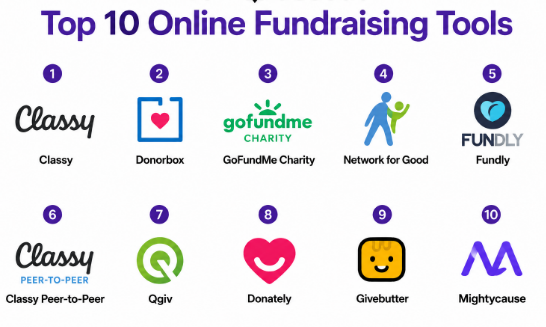
Top 10 Online Fundraising Tools
1- Classy
Short description: Classy is a cloud-based online fundraising platform that supports nonprofits in creating campaigns, managing donors, and tracking impact. Designed for mid-sized to large organizations, it emphasizes peer-to-peer fundraising and recurring donations.
Key Features
- Peer-to-peer fundraising campaign support.
- Customizable donation forms and landing pages.
- Recurring donation management.
- Integration with CRM and email marketing platforms.
- Real-time analytics dashboards.
Pros
- Intuitive interface for staff and donors.
- Strong peer-to-peer fundraising capabilities.
Cons
- Pricing may be high for small nonprofits.
- Limited offline donation support.
Platforms / Deployment
- Web / Cloud / iOS / Android
Security & Compliance
- Not publicly stated
Integrations & Ecosystem
Supports integration with Salesforce, Mailchimp, QuickBooks, and Zapier.
- Salesforce CRM
- Mailchimp email marketing
- QuickBooks accounting
- Zapier automation
- Custom API available
Support & Community
- Email and phone support, onboarding webinars, online knowledge base.
- Active community for peer learning.
2- Donorbox
Short description: Donorbox offers easy-to-use donation forms and recurring donation management for small to mid-sized nonprofits. Its focus is on simplicity and affordability while supporting multiple payment methods.
Key Features
- Recurring donation processing.
- Stripe and PayPal payment integration.
- Customizable donation forms.
- Donor management dashboard.
- Multilingual support.
Pros
- Affordable for small organizations.
- Simple setup and intuitive interface.
Cons
- Limited advanced reporting features.
- Fewer integrations than enterprise platforms.
Platforms / Deployment
- Web / Cloud
Security & Compliance
- Not publicly stated
Integrations & Ecosystem
Integrates with CRM, email marketing, and accounting tools via native connectors or Zapier.
- Salesforce
- HubSpot
- QuickBooks
- Mailchimp
- Zapier
Support & Community
- Email support, tutorials, and knowledge base.
- Community engagement via forums and online resources.
3- GoFundMe Charity
Short description: GoFundMe Charity focuses on event-based and crowdfunding campaigns for nonprofits, leveraging social media sharing and donor engagement features.
Key Features
- Crowdfunding and event-based campaigns.
- Social media integration for peer-to-peer fundraising.
- Real-time donation tracking.
- Automated receipts and tax documentation.
- Donor management tools.
Pros
- Popular platform with high donor visibility.
- Easy for supporters to share campaigns online.
Cons
- Limited customization for enterprise-level reporting.
- Transaction fees may impact fundraising revenue.
Platforms / Deployment
- Web / Cloud / iOS / Android
Security & Compliance
- Not publicly stated
Integrations & Ecosystem
Supports integrations with Mailchimp, Salesforce, and basic accounting systems.
- Salesforce
- Mailchimp
- QuickBooks
- Zapier
Support & Community
- Knowledge base, email support, webinars.
- Varies for active community engagement.
4- Network for Good
Short description: Network for Good is an online fundraising tool aimed at small to mid-sized nonprofits, offering donor management, email campaigns, and donation processing in a single platform.
Key Features
- Donor CRM and management.
- Customizable donation pages.
- Email fundraising campaigns.
- Recurring donation automation.
- Real-time reporting and analytics.
Pros
- Integrated donor management and fundraising.
- Affordable and user-friendly for smaller nonprofits.
Cons
- Limited advanced automation and integrations.
- Less suited for enterprise-level campaigns.
Platforms / Deployment
- Web / Cloud
Security & Compliance
- Not publicly stated
Integrations & Ecosystem
Supports CRM and email integration along with accounting tools.
- Salesforce
- Mailchimp
- QuickBooks
- Zapier
Support & Community
- Email and phone support, training resources.
- Community forums for peer support.
5- Fundly
Short description: Fundly provides a platform for crowdfunding and online donations with strong social media integration, suitable for small nonprofits and individual fundraisers.
Key Features
- Crowdfunding campaigns.
- Social media promotion tools.
- Mobile-friendly donation pages.
- Recurring and one-time donation support.
- Donor tracking and reporting.
Pros
- Quick setup for campaigns.
- Strong social media amplification.
Cons
- Limited enterprise-level functionality.
- Transaction fees reduce net donations.
Platforms / Deployment
- Web / Cloud / iOS / Android
Security & Compliance
- Not publicly stated
Integrations & Ecosystem
Integrates with CRM, email, and payment gateways.
- Salesforce
- Mailchimp
- PayPal
- Stripe
Support & Community
- Online tutorials, email support.
- Community engagement via online resources.
6- Classy Peer-to-Peer
Short description: Classy Peer-to-Peer focuses on engaging supporters to fundraise on behalf of nonprofits, emphasizing gamified campaigns and team fundraising.
Key Features
- Peer-to-peer fundraising.
- Custom team campaigns and challenges.
- Automated donor communications.
- Mobile-friendly dashboards.
- Real-time analytics.
Pros
- Engages volunteers and supporters effectively.
- Gamification increases fundraising impact.
Cons
- Less suitable for individual donor campaigns.
- Pricing may be high for small organizations.
Platforms / Deployment
- Web / Cloud / iOS / Android
Security & Compliance
- Not publicly stated
Integrations & Ecosystem
- Salesforce, QuickBooks, Mailchimp, Zapier
- API available for custom solutions
Support & Community
- Webinars, tutorials, email support.
7- Qgiv
Short description: Qgiv is a flexible fundraising platform supporting events, auctions, peer-to-peer campaigns, and donor management for nonprofits of various sizes.
Key Features
- Event ticketing and registration.
- Peer-to-peer fundraising tools.
- Mobile-friendly donation forms.
- Donor management and analytics.
- Auction and text-to-give functionality.
Pros
- Multi-channel fundraising capabilities.
- Scalable for mid-sized to large organizations.
Cons
- Setup can be complex for first-time users.
- Some advanced features require higher-tier subscriptions.
Platforms / Deployment
- Web / Cloud / iOS / Android
Security & Compliance
- Not publicly stated
Integrations & Ecosystem
- Salesforce, Mailchimp, QuickBooks, Zapier
- API for custom integrations
Support & Community
- Email, phone support, knowledge base, online resources.
8- Donately
Short description: Donately provides streamlined online donation management with simple forms, recurring gifts, and basic donor management for small to mid-sized nonprofits.
Key Features
- Customizable donation forms.
- Recurring donation management.
- Donor database tracking.
- Analytics and reporting.
- Integration with CRM and email marketing.
Pros
- Simple setup and intuitive interface.
- Affordable for smaller organizations.
Cons
- Limited advanced analytics.
- Fewer integrations compared to enterprise platforms.
Platforms / Deployment
- Web / Cloud
Security & Compliance
- Not publicly stated
Integrations & Ecosystem
- Salesforce, Mailchimp, QuickBooks, Zapier
Support & Community
- Online documentation, email support, webinars.
9- Givebutter
Short description: Givebutter combines fundraising, events, and donation processing into a single platform, offering modern donor experiences with livestream and peer-to-peer campaigns.
Key Features
- Livestream fundraising integration.
- Peer-to-peer campaign support.
- Event ticketing and registrations.
- Recurring and one-time donation forms.
- Real-time reporting dashboards.
Pros
- Modern platform with multiple fundraising channels.
- Easy to use for small and mid-sized nonprofits.
Cons
- Limited enterprise-level reporting and automation.
- Transaction fees apply.
Platforms / Deployment
- Web / Cloud / iOS / Android
Security & Compliance
- Not publicly stated
Integrations & Ecosystem
- Mailchimp, Stripe, PayPal, Zapier
- API available
Support & Community
- Knowledge base, webinars, email support.
10- Mightycause
Short description: Mightycause offers a full-featured online fundraising platform with peer-to-peer campaigns, donation forms, and donor management for small to mid-sized nonprofits.
Key Features
- Crowdfunding and peer-to-peer support.
- Recurring donation options.
- Custom donation forms.
- Event and team fundraising.
- Analytics dashboards for campaign tracking.
Pros
- Affordable and easy to implement.
- Peer-to-peer and crowdfunding focus drives engagement.
Cons
- Limited advanced analytics.
- Not ideal for enterprise-scale campaigns.
Platforms / Deployment
- Web / Cloud / iOS / Android
Security & Compliance
- Not publicly stated
Integrations & Ecosystem
- Salesforce, Mailchimp, QuickBooks, Stripe, Zapier
Support & Community
- Email support, online tutorials, webinars.
Comparison Table (Top 10)
| Tool Name | Best For | Platform(s) Supported | Deployment | Standout Feature | Public Rating |
|---|---|---|---|---|---|
| Classy | Mid-sized to large nonprofits | Web / iOS / Android | Cloud | Peer-to-peer fundraising | N/A |
| Donorbox | Small to mid-sized nonprofits | Web | Cloud | Simple recurring donations | N/A |
| GoFundMe Charity | Event-based fundraising | Web / iOS / Android | Cloud | Social media crowdfunding | N/A |
| Network for Good | Small to mid-sized nonprofits | Web | Cloud | Integrated donor management | N/A |
| Fundly | Small nonprofits and individual campaigns | Web / iOS / Android | Cloud | Social media campaign promotion | N/A |
| Classy Peer-to-Peer | Nonprofits engaging volunteers | Web / iOS / Android | Cloud | Team fundraising and gamification | N/A |
| Qgiv | Mid-sized nonprofits | Web / iOS / Android | Cloud | Multi-channel fundraising | N/A |
| Donately | Small to mid-sized nonprofits | Web | Cloud | Simple donation forms | N/A |
| Givebutter | Modern donor experiences | Web / iOS / Android | Cloud | Livestream fundraising | N/A |
| Mightycause | Small to mid-sized nonprofits | Web / iOS / Android | Cloud | Peer-to-peer and crowdfunding | N/A |
Evaluation & Scoring of Online Fundraising Tools
| Tool Name | Core | Ease | Integrations | Security | Performance | Support | Value | Weighted Total |
|---|---|---|---|---|---|---|---|---|
| Classy | 9 | 8 | 8 | 7 | 8 | 8 | 7 | 8.0 |
| Donorbox | 7 | 9 | 7 | 7 | 7 | 8 | 9 | 7.8 |
| GoFundMe Charity | 8 | 8 | 7 | 7 | 8 | 7 | 8 | 7.7 |
| Network for Good | 7 | 8 | 7 | 7 | 7 | 8 | 8 | 7.5 |
| Fundly | 7 | 9 | 6 | 7 | 7 | 7 | 8 | 7.3 |
| Classy Peer-to-Peer | 8 | 8 | 7 | 7 | 8 | 7 | 7 | 7.5 |
| Qgiv | 8 | 7 | 8 | 7 | 8 | 7 | 7 | 7.5 |
| Donately | 7 | 9 | 7 | 7 | 7 | 7 | 8 | 7.4 |
| Givebutter | 8 | 8 | 7 | 7 | 8 | 7 | 7 | 7.5 |
| Mightycause | 7 | 8 | 7 | 7 | 7 | 7 | 8 | 7.4 |
Interpretation: Weighted scores are comparative across platforms. Higher totals indicate better balance across features, usability, integrations, and value. Organizations should prioritize tools that align with their size, campaign complexity, and donor engagement strategy.
Which Online Fundraising Tool Is Right for You?
Solo / Freelancer
- Donorbox, Fundly, and Mightycause offer easy setup, simple donation forms, and affordable pricing for independent campaigns.
SMB
- Classy, Network for Good, or Donately provide a balance of automation, analytics, and donor management for growing nonprofits.
Mid-Market
- Qgiv, Classy Peer-to-Peer, and Givebutter offer multi-channel fundraising, team engagement, and analytics suitable for mid-sized organizations.
Enterprise
- Classy, Givebutter, and GoFundMe Charity can scale for larger campaigns with multiple programs, integrating with CRM and accounting systems.
Budget vs Premium
- Budget-conscious organizations benefit from Donorbox, Fundly, or Donately.
- Premium solutions like Classy or Givebutter offer advanced features, analytics, and campaign automation.
Feature Depth vs Ease of Use
- Simpler platforms like Donorbox and Fundly prioritize ease of use.
- Classy and Qgiv provide deeper functionality with more advanced reporting and automation.
Integrations & Scalability
- Enterprise platforms excel at integrating with CRMs, email marketing tools, and accounting software, allowing for scalable campaigns.
Security & Compliance Needs
- Platforms with encryption, audit logs, and compliance tracking are recommended for organizations handling sensitive donor data.
Frequently Asked Questions (FAQs)
1. What pricing models are common for online fundraising tools?
Most platforms use subscription-based pricing, sometimes tiered by donor volume or campaign features. Some premium features may incur additional fees.
2. How long does it take to onboard these tools?
Simple platforms can be set up in a few hours, while enterprise-level solutions may take weeks for configuration, staff training, and integrations.
3. Can these platforms handle recurring donations?
Yes, all major tools support recurring donations, automated reminders, and donor management for sustained giving.
4. Are online fundraising tools secure?
Top platforms implement encryption, audit logs, MFA, and compliance measures, though specific certifications vary by vendor.
5. What integrations are typically available?
Integrations include CRM systems (Salesforce, HubSpot), email marketing (Mailchimp, Constant Contact), accounting software (QuickBooks), and payment gateways (Stripe, PayPal).
6. Can small nonprofits use enterprise-level platforms?
While possible, enterprise tools may be costly and complex. Lightweight tools like Donorbox, Fundly, or Donately are often more practical.
7. Do these platforms support social media campaigns?
Yes, most provide social sharing features, peer-to-peer fundraising, and integration with social networks for campaign amplification.
8. What reporting features are included?
Dashboards track donation volume, donor retention, campaign performance, and provide insights for future fundraising strategies.
9. Can these tools manage multiple campaigns at once?
Yes, enterprise and mid-market platforms support multiple simultaneous campaigns with dedicated dashboards for each.
10. Are there alternatives to online fundraising tools?
For minimal digital fundraising, organizations may use payment processors, spreadsheets, or basic workflow tools, though these lack automation, donor management, and analytics.
Conclusion
Choosing the right Online Fundraising Tool depends on organizational size, campaign complexity, and donor engagement goals. Small teams benefit from easy-to-use, affordable platforms, while mid-market and enterprise organizations require robust automation, analytics, and integrations. To move forward, shortlist 2–3 platforms aligned with your campaigns, run a pilot to validate features and integrations,
