Introduction
AI Document Digitization & Classification Tools use artificial intelligence, machine learning, optical character recognition (OCR), natural language processing (NLP), and intelligent document processing technologies to convert physical and unstructured documents into searchable, organized, and actionable digital information.
Organizations generate enormous amounts of documents including invoices, contracts, forms, customer records, reports, legal files, medical documents, and business communications. Managing these documents manually can be slow, expensive, and prone to errors.
Traditional document processing methods often require employees to manually scan, enter information, categorize files, and maintain records. These processes create challenges such as inconsistent classification, delayed workflows, inaccurate data entry, and difficulty locating important information.
AI-powered document digitization and classification platforms automate these activities by extracting data from documents, understanding document context, assigning categories, and connecting information with business workflows.
These tools help organizations:
- Convert paper documents into digital formats
- Extract important information automatically
- Classify documents using AI models
- Reduce manual data entry
- Improve document searchability
- Automate document workflows
- Support compliance and records management
AI document digitization solutions are used by:
- Financial institutions
- Healthcare organizations
- Government agencies
- Legal departments
- Insurance companies
- Educational institutions
- Enterprise businesses
Modern platforms combine OCR, AI classification, document understanding, workflow automation, data extraction, and analytics.
The goal of these solutions is to help organizations transform document-heavy processes into efficient, automated, and data-driven operations.
How AI Document Digitization & Classification Works
Document Capture
AI systems collect documents from:
- Scanned files
- PDFs
- Emails
- Images
- Digital documents
- Enterprise repositories
OCR Processing
Optical Character Recognition converts:
- Printed text
- Handwritten content
- Forms
- Tables
- Images
into machine-readable information.
AI Document Understanding
Machine learning analyzes:
- Document structure
- Text patterns
- Context
- Metadata
- Business information
Document Classification
AI automatically categorizes documents into groups such as:
- Contracts
- Invoices
- Receipts
- Reports
- Applications
- Compliance records
Data Extraction
Platforms extract:
- Names
- Dates
- Amounts
- Addresses
- Reference numbers
- Key business information
Workflow Automation
Extracted information can trigger:
- Approvals
- Notifications
- Record updates
- Business processes
Common Use Cases
- Invoice processing
- Contract digitization
- Customer onboarding
- Medical record management
- Legal document review
- Insurance claims processing
- Government record digitization
- Employee document management
- Financial document processing
- Compliance documentation
Why AI Document Digitization & Classification Tools Matter
Faster Document Processing
AI reduces the time required to process large document volumes.
Improved Data Accuracy
Automation reduces manual data entry mistakes.
Better Information Access
Digital classification makes documents easier to search and retrieve.
Reduced Operational Costs
Organizations can automate repetitive document tasks.
Improved Compliance
Structured document management supports regulatory requirements.
Evaluation Criteria for Buyers
OCR Accuracy
Tools should accurately recognize text from different document formats.
AI Classification Capability
Platforms should correctly categorize documents.
Data Extraction Quality
Solutions should extract important information reliably.
Workflow Automation
Tools should connect document processing with business operations.
Integration Support
Important integrations include:
- ERP systems
- CRM platforms
- Cloud storage
- Enterprise content management systems
- Business applications
Security and Privacy
Document platforms must protect sensitive information.
Scalability
Solutions should handle large document volumes.
Key Trends
Intelligent Document Processing
Organizations are adopting AI-powered document automation instead of traditional OCR systems.
Generative AI Document Understanding
AI models are improving document summarization and information extraction.
Automated Records Management
Businesses are using AI to organize and manage enterprise documents.
Cloud-Based Document Automation
Organizations are moving document processing workloads to scalable cloud platforms.
AI-Powered Search
Natural language search is making document discovery easier.
Industry-Specific Document AI
Platforms are becoming specialized for healthcare, finance, legal, and government use cases.
Methodology
The following platforms were evaluated using:
- AI document processing capabilities
- OCR performance
- Classification accuracy
- Data extraction features
- Ease of use
- Integrations and ecosystem
- Security and privacy
- Performance and reliability
- Support and community
- Price and value
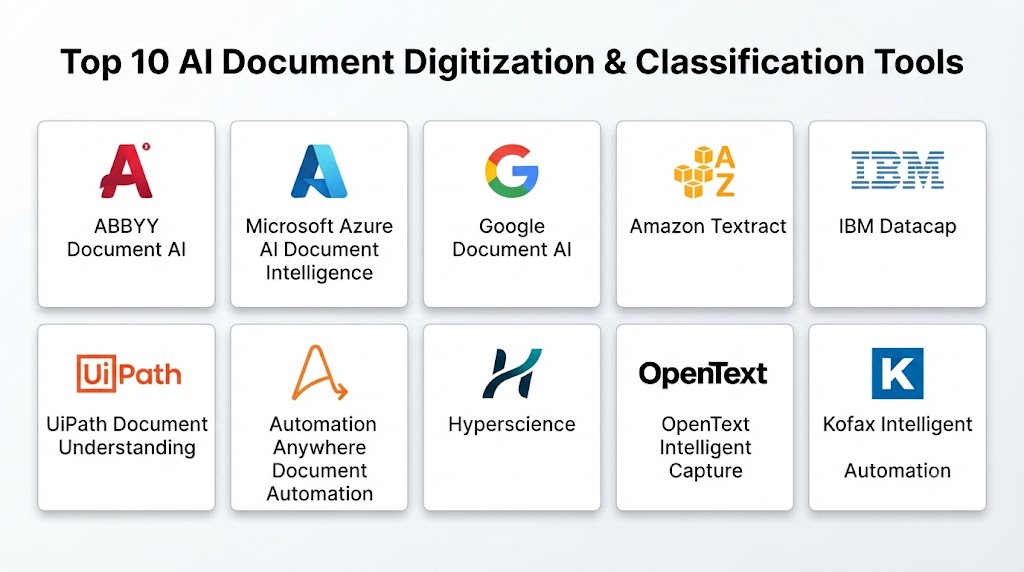
Top 10 AI Document Digitization & Classification Tools
1. ABBYY Document AI
ABBYY Document AI provides intelligent document processing capabilities for extracting, classifying, and managing information from documents.
Key Features
- Intelligent OCR
- Document classification
- Data extraction
- AI document understanding
- Process automation
- Template recognition
- Digital transformation workflows
- Document analytics
- Data validation
- Enterprise integrations
Pros
- Strong OCR accuracy
- Advanced document understanding
- Supports complex documents
- Enterprise-ready platform
- Good automation capabilities
Cons
- Requires implementation effort
- Enterprise-focused
- Pricing varies
Platforms
Cloud and enterprise platforms.
Deployment or Support
Cloud and on-premises deployment options.
Security & Compliance
Enterprise security controls.
Integrations & Ecosystem
Business applications, content systems, automation platforms, and enterprise workflows.
Support & Community
Enterprise support.
2. Microsoft Azure AI Document Intelligence
Microsoft Azure AI Document Intelligence provides AI-based document extraction and analysis capabilities.
Key Features
- OCR processing
- Document classification
- Data extraction
- Form recognition
- Custom AI models
- Document analysis
- Workflow automation
- Cloud integration
- Analytics
- API support
Pros
- Strong cloud ecosystem
- Developer-friendly APIs
- Scalable infrastructure
- Good AI capabilities
- Enterprise adoption
Cons
- Requires cloud expertise
- Configuration required
- Usage-based pricing
Platforms
Cloud-based platform.
Deployment or Support
Azure cloud deployment.
Security & Compliance
Enterprise cloud security controls.
Integrations & Ecosystem
Microsoft services, business applications, cloud platforms, and APIs.
Support & Community
Microsoft support ecosystem.
3. Google Document AI
Google Document AI provides machine learning-based document processing and information extraction.
Key Features
- OCR
- Document parsing
- Classification
- Data extraction
- AI document processors
- Search capabilities
- Workflow integration
- Analytics
- Custom models
- Cloud automation
Pros
- Strong AI capabilities
- Cloud scalability
- Advanced language understanding
- Good extraction features
- Flexible APIs
Cons
- Requires technical expertise
- Cloud dependency
- Configuration effort
Platforms
Google Cloud platform.
Deployment or Support
Cloud deployment.
Security & Compliance
Google Cloud security controls.
Integrations & Ecosystem
Cloud applications, databases, and enterprise systems.
Support & Community
Google Cloud support.
4. Amazon Textract
Amazon Textract provides machine learning-powered document text extraction.
Key Features
- OCR
- Form extraction
- Table extraction
- Document analysis
- Data processing
- Automated workflows
- Machine learning models
- API integration
- Cloud automation
- Document insights
Pros
- Strong AWS integration
- Good scalability
- Automated extraction
- Developer-friendly
- Supports complex documents
Cons
- AWS-focused
- Requires technical knowledge
- Customization may require development
Platforms
AWS cloud platform.
Deployment or Support
Cloud-based deployment.
Security & Compliance
AWS security controls.
Integrations & Ecosystem
AWS services, databases, applications, and automation platforms.
Support & Community
AWS support ecosystem.
5. IBM Datacap
IBM Datacap provides enterprise document capture and classification capabilities.
Key Features
- Document capture
- OCR
- Classification
- Data extraction
- Workflow automation
- Document validation
- Records processing
- Integration support
- Business rules
- Analytics
Pros
- Enterprise document management
- Strong workflow capabilities
- Supports complex processes
- Good integration options
- Mature platform
Cons
- Requires expertise
- Enterprise implementation
- Configuration complexity
Platforms
Enterprise software platform.
Deployment or Support
Cloud and enterprise deployment.
Security & Compliance
Enterprise security controls.
Integrations & Ecosystem
Enterprise content systems, databases, and business applications.
Support & Community
Professional support.
6. UiPath Document Understanding
UiPath Document Understanding provides AI-powered document automation capabilities.
Key Features
- Document classification
- OCR
- Data extraction
- AI models
- Workflow automation
- Human validation
- Process automation
- Analytics
- Integration tools
- Robotic process automation
Pros
- Strong automation ecosystem
- Good RPA integration
- Flexible workflows
- Human-in-the-loop support
- Enterprise adoption
Cons
- Requires RPA knowledge
- Implementation effort
- Enterprise-focused
Platforms
Cloud and enterprise platforms.
Deployment or Support
Cloud and enterprise deployment.
Security & Compliance
Enterprise security controls.
Integrations & Ecosystem
Automation platforms, business applications, and enterprise systems.
Support & Community
Enterprise support.
7. Automation Anywhere Document Automation
Automation Anywhere provides intelligent automation and document processing capabilities.
Key Features
- Document extraction
- AI classification
- OCR
- Automation workflows
- Data validation
- Bot integration
- Analytics
- Process automation
- Document processing
- Enterprise workflows
Pros
- Strong automation platform
- Good RPA integration
- Supports business processes
- Scalable
- User-friendly tools
Cons
- Requires automation expertise
- Configuration required
- Enterprise-focused
Platforms
Cloud and enterprise platforms.
Deployment or Support
Cloud deployment.
Security & Compliance
Enterprise controls vary.
Integrations & Ecosystem
Business applications, automation tools, and enterprise systems.
Support & Community
Enterprise support.
8. Hyperscience
Hyperscience provides AI-powered automation for document processing.
Key Features
- Document classification
- Data extraction
- Machine learning models
- Workflow automation
- Human review
- Document processing
- Analytics
- Enterprise integrations
- AI automation
- Data validation
Pros
- Strong AI document processing
- Good automation capabilities
- Handles complex documents
- Enterprise-ready
- Reduces manual processing
Cons
- Enterprise-focused
- Requires setup
- Pricing varies
Platforms
Cloud-based platform.
Deployment or Support
Cloud deployment.
Security & Compliance
Security controls vary.
Integrations & Ecosystem
Enterprise applications, workflows, and data systems.
Support & Community
Customer support.
9. OpenText Intelligent Capture
OpenText Intelligent Capture provides enterprise document capture and information processing solutions.
Key Features
- Document capture
- OCR
- Classification
- Data extraction
- Workflow automation
- Records management
- Content processing
- Compliance support
- Analytics
- Enterprise integration
Pros
- Strong enterprise content management
- Good compliance capabilities
- Mature platform
- Supports large organizations
- Flexible deployment
Cons
- Complex implementation
- Requires expertise
- Enterprise-oriented
Platforms
Enterprise platform.
Deployment or Support
Cloud and enterprise deployment.
Security & Compliance
Enterprise security controls.
Integrations & Ecosystem
Content management systems, business applications, and enterprise platforms.
Support & Community
Enterprise support.
10. Kofax Intelligent Automation
Kofax provides intelligent automation and document processing solutions.
Key Features
- OCR
- Document classification
- Data extraction
- Workflow automation
- Capture automation
- AI processing
- Analytics
- Process management
- Integration tools
- Document workflows
Pros
- Strong document automation
- Good capture capabilities
- Enterprise adoption
- Supports complex processes
- Flexible workflows
Cons
- Requires implementation
- Enterprise-focused
- Learning curve
Platforms
Cloud and enterprise platforms.
Deployment or Support
Cloud and on-premises options.
Security & Compliance
Enterprise controls vary.
Integrations & Ecosystem
Business systems, content platforms, and automation tools.
Support & Community
Professional support.
Comparison Table
| Tool Name | Best For | Platform(s) Supported | Deployment | Standout Feature | Public Rating |
|---|---|---|---|---|---|
| ABBYY Document AI | Enterprise document processing | Cloud/Enterprise | Cloud & On-premises | OCR accuracy | N/A |
| Azure AI Document Intelligence | Cloud document AI | Cloud | Azure | AI extraction | N/A |
| Google Document AI | Intelligent extraction | Cloud | Google Cloud | AI processors | N/A |
| Amazon Textract | AWS document processing | Cloud | AWS | Automated extraction | N/A |
| IBM Datacap | Enterprise capture | Enterprise | Hybrid | Workflow processing | N/A |
| UiPath Document Understanding | RPA document automation | Cloud/Enterprise | Hybrid | Automation integration | N/A |
| Automation Anywhere | Intelligent automation | Cloud | Cloud | Bot automation | N/A |
| Hyperscience | AI document automation | Cloud | Cloud | Machine learning extraction | N/A |
| OpenText Intelligent Capture | Content management | Enterprise | Hybrid | Information capture | N/A |
| Kofax Intelligent Automation | Document workflows | Cloud/Enterprise | Hybrid | Capture automation | N/A |
Weighted Evaluation
| Tool Name | Core Features 25% | Ease of Use 15% | Integrations & Ecosystem 15% | Security & Compliance 10% | Performance & Reliability 10% | Support & Community 10% | Price/Value 15% | Total |
|---|---|---|---|---|---|---|---|---|
| ABBYY Document AI | 25 | 13 | 14 | 10 | 10 | 10 | 11 | 93 |
| Azure AI Document Intelligence | 24 | 14 | 15 | 10 | 10 | 10 | 12 | 95 |
| Google Document AI | 24 | 13 | 15 | 10 | 10 | 10 | 12 | 94 |
| Amazon Textract | 23 | 14 | 15 | 10 | 10 | 10 | 12 | 94 |
| IBM Datacap | 23 | 11 | 14 | 10 | 10 | 10 | 10 | 88 |
| UiPath Document Understanding | 24 | 13 | 15 | 10 | 10 | 10 | 11 | 93 |
| Automation Anywhere | 23 | 13 | 14 | 10 | 10 | 10 | 11 | 91 |
| Hyperscience | 23 | 13 | 13 | 10 | 10 | 10 | 11 | 90 |
| OpenText Intelligent Capture | 22 | 11 | 14 | 10 | 10 | 10 | 10 | 87 |
| Kofax Intelligent Automation | 23 | 12 | 14 | 10 | 10 | 10 | 10 | 89 |
Which AI Document Digitization & Classification Tool Is Right for You?
Choose ABBYY Document AI when high-quality OCR and enterprise document processing are required.
Choose Microsoft Azure AI Document Intelligence when cloud-based document automation is the priority.
Choose Google Document AI when advanced AI extraction capabilities are needed.
Choose Amazon Textract when AWS-based document processing is preferred.
Choose IBM Datacap when enterprise document capture workflows are required.
Choose UiPath Document Understanding when document automation is combined with RPA.
Choose Automation Anywhere Document Automation when intelligent automation is the focus.
Choose Hyperscience when organizations need advanced AI document processing.
Choose OpenText Intelligent Capture when enterprise content management is important.
Choose Kofax Intelligent Automation when capture and workflow automation are priorities.
Implementation Playbook
Phase 1: Define Document Processing Goals
- Identify document types
- Define extraction requirements
- Select business workflows
- Establish accuracy goals
- Identify stakeholders
Phase 2: Prepare Document Data
- Collect document samples
- Organize repositories
- Configure AI models
- Define classification rules
- Review security requirements
Phase 3: Deploy AI Digitization
- Train classification models
- Extract document information
- Connect workflows
- Validate results
- Automate processes
Phase 4: Measure Performance
- Monitor accuracy
- Reduce manual processing
- Improve workflows
- Track productivity gains
- Review user feedback
Phase 5: Maintain Document Intelligence
- Update AI models
- Add new document types
- Improve classification rules
- Monitor security
- Maintain governance
Common Mistakes
- Ignoring document quality issues
- Selecting tools without integration planning
- Failing to validate AI extraction
- Poor classification design
- Ignoring security requirements
- Not involving business users
- Automating unclear processes
- Treating AI as completely error-free
FAQs
1. What are AI Document Digitization & Classification Tools?
AI Document Digitization & Classification Tools use artificial intelligence to convert documents into digital formats and automatically organize them into categories.
2. How does AI classify documents?
AI analyzes document content, structure, metadata, and patterns to assign categories.
3. Can AI extract information from scanned documents?
Yes. OCR and AI models can extract information from scanned files and images.
4. What industries use document AI solutions?
Healthcare, finance, legal, government, insurance, and enterprise organizations use these tools.
5. Can AI replace manual document processing?
AI reduces manual work but human review may still be needed for complex documents.
6. Are AI document tools secure?
Organizations should evaluate encryption, access controls, and compliance practices.
7. Can these tools process handwritten documents?
Some platforms support handwriting recognition depending on document quality and AI capabilities.
8. Can AI document tools integrate with business systems?
Many solutions integrate with ERP, CRM, cloud storage, and workflow platforms.
9. How accurate is AI document classification?
Accuracy depends on document quality, training data, and model configuration.
10. What should organizations consider before choosing a document AI tool?
Organizations should evaluate accuracy, integrations, security, scalability, automation features, and cost.
Conclusion
AI Document Digitization & Classification Tools are transforming how organizations manage information by automating document capture, classification, extraction, and workflow processing.Microsoft Azure AI Document Intelligence, Google Document AI, Amazon Textract, and ABBYY Document AI provide strong intelligent document processing capabilities, while UiPath, Automation Anywhere, OpenText, and Kofax support broader automation needs.The most successful document automation strategies combine AI capabilities with proper data governance, human validation, and business process optimization. AI helps organizations turn unstructured documents into valuable digital information while improving efficiency, accuracy, and decision-making.
