Introduction
Case Notes & Investigation Tools help organizations record, manage, investigate, track, and close sensitive cases in a structured and defensible way. In plain English, these tools replace scattered spreadsheets, inbox threads, paper notes, and disconnected files with one secure system for case intake, documentation, evidence, interviews, timelines, actions, approvals, and reporting.
These tools matter because investigations are becoming more complex across HR, compliance, fraud, ethics, legal, security, law enforcement, and risk teams. Organizations need accurate notes, strong audit trails, privacy controls, secure evidence handling, and consistent workflows. A missed note, weak timeline, poor access control, or incomplete report can create legal, reputational, and operational risk.
Common use cases include employee relations cases, ethics hotline investigations, fraud reviews, workplace misconduct cases, compliance incidents, digital evidence review, public safety investigations, internal audits, and third-party risk inquiries.
Buyers should evaluate:
- Case intake and triage workflow
- Case notes, timelines, and documentation quality
- Evidence upload, storage, and chain-of-custody controls
- Role-based access, audit logs, and privacy controls
- Reporting, dashboards, and trend analytics
- AI-assisted summaries and case intelligence
- Integrations with HR, ITSM, legal, hotline, and compliance systems
- Deployment model, scalability, and data residency
- Ease of use for investigators and non-technical users
- Support, onboarding, templates, and best-practice guidance
Best for: HR teams, compliance officers, legal teams, ethics teams, fraud investigators, security teams, internal audit teams, law enforcement agencies, public sector teams, and enterprises managing sensitive investigation workflows.
Not ideal for: very small teams with rare or low-risk cases, organizations that only need simple task tracking, or teams that do not require formal case documentation, evidence handling, access control, audit trails, or investigation reporting. In those situations, a lightweight ticketing tool or secure document workflow may be enough.
Key Trends in Case Notes & Investigation Tools
- AI-assisted case summaries are becoming more common: Modern platforms increasingly help investigators summarize notes, organize timelines, classify cases, and reduce manual documentation work.
- Privacy-first case management is now essential: Sensitive investigations often include personal, legal, financial, or employee data, so buyers expect encryption, access controls, audit trails, and privacy workflows.
- Centralized evidence management is replacing scattered files: Teams want one secure location for screenshots, documents, interview notes, digital files, emails, attachments, and supporting records.
- Investigation workflows are becoming more standardized: Organizations are moving away from informal processes toward guided workflows, checklists, templates, escalation rules, and approval paths.
- Hotline, HR, legal, and compliance systems are converging: Case management tools increasingly connect ethics reports, HR issues, legal review, policy violations, and compliance investigations.
- Analytics are helping teams detect risk patterns: Dashboards and trend reports help leaders identify repeat issues, high-risk locations, policy gaps, and recurring behavior patterns.
- Mobile access is important for field teams: Investigators, public safety teams, and distributed HR teams need secure access to case notes and evidence outside the office.
- Interoperability is a key buying factor: APIs, HRIS integrations, ITSM connections, identity management, and data export options are now important for enterprise adoption.
- Defensible documentation matters more: Teams need case histories that clearly show who did what, when it happened, what evidence was reviewed, and how decisions were made.
- Configurable workflows are replacing one-size-fits-all systems: Buyers prefer platforms that can support HR, compliance, fraud, legal, security, and operational investigation workflows without heavy custom development.
How We Selected These Tools Methodology
The following tools were selected based on their practical relevance for case notes, investigation management, compliance workflows, HR investigations, ethics reporting, digital evidence, and enterprise investigation operations.
- Market recognition and adoption across investigation-heavy teams
- Feature completeness for case intake, notes, evidence, workflows, and reporting
- Suitability for HR, compliance, legal, security, fraud, and public sector use cases
- Strength of audit trails, access controls, privacy features, and governance workflows
- Integration potential with HRIS, ITSM, hotline, legal, compliance, and identity systems
- Support for structured investigation processes and defensible documentation
- Fit across SMB, mid-market, enterprise, and specialized investigation teams
- Availability of onboarding, templates, documentation, and customer support resources
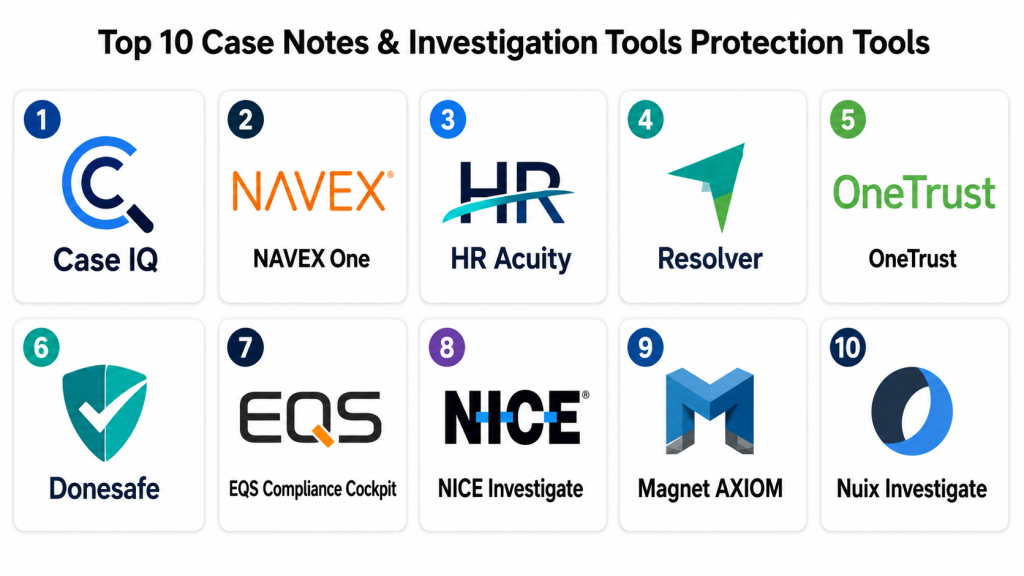
Top 10 Case Notes & Investigation Tools Protection Tools
1- Case IQ
Short description:
Case IQ is an investigation and case management platform built for compliance, HR, ethics, fraud, and corporate investigation teams.
It helps organizations manage intake, case notes, workflows, evidence, reporting, and risk visibility in one system.
The platform is useful for teams that need structured investigations instead of spreadsheets and email trails.
It is best suited for organizations handling sensitive workplace, compliance, fraud, or security-related cases.
Key Features
- Centralized case intake and investigation tracking
- Configurable workflows for different case types
- Case notes, tasks, timelines, and documentation tools
- Evidence management and attachment support
- Dashboards, analytics, and trend reporting
- Role-based access and case-level permissions
- Support for compliance, HR, fraud, and ethics investigations
Pros
- Strong fit for teams needing structured investigation workflows
- Flexible enough for multiple case categories
- Helps improve consistency, documentation, and reporting
Cons
- May require configuration for complex workflows
- Advanced reporting and automation may need onboarding
- Smaller teams may find it more than they need
Platforms / Deployment
Web
Cloud
Security & Compliance
Security features may include role-based access, permissions, audit trails, and data protection controls. Specific certifications and compliance details should be validated with the vendor.
Integrations & Ecosystem
Case IQ can support investigation workflows across compliance, HR, risk, and ethics programs. Its ecosystem is useful when case data needs to connect with internal reporting channels and people systems.
- HRIS and employee data systems
- Ethics hotline and reporting workflows
- Compliance and risk management processes
- Email and document attachments
- Reporting and analytics exports
- APIs and configurable workflow connections
Support & Community
Case IQ provides product documentation, onboarding support, and customer success resources. Community footprint is more enterprise and practitioner-focused than open-source driven.
2- NAVEX One
Short description:
NAVEX One is a governance, risk, and compliance platform with ethics reporting, hotline, incident management, and case handling capabilities.
It helps organizations receive reports, manage investigations, document actions, and analyze compliance trends.
The platform is useful for companies that want case notes connected with whistleblowing, policy, training, risk, and compliance workflows.
It is best suited for compliance, ethics, legal, and enterprise risk teams.
Key Features
- Ethics hotline and confidential reporting workflows
- Case intake, assignment, documentation, and investigation tracking
- AI-assisted case management features in supported offerings
- Compliance dashboards and trend analysis
- Policy, training, and risk ecosystem support
- Workflow controls and escalation paths
- Multi-program governance and reporting visibility
Pros
- Strong for ethics, compliance, and whistleblower case workflows
- Useful for enterprises managing broader GRC programs
- Helps connect reporting, investigation, and program oversight
Cons
- May be more GRC-focused than general investigation-focused
- Can be complex for small teams
- Pricing and modules may vary by program scope
Platforms / Deployment
Web
Cloud
Security & Compliance
Supports enterprise governance and security-oriented workflows. Specific controls such as SSO, RBAC, audit logs, encryption, and compliance certifications should be confirmed by plan and contract.
Integrations & Ecosystem
NAVEX One is designed to support broader compliance lifecycle workflows, making it useful when investigations must connect with policies, reporting channels, training, disclosures, and risk oversight.
- Ethics hotline and whistleblower channels
- Compliance and policy management
- Training and awareness workflows
- Risk and third-party governance processes
- Reporting dashboards
- Enterprise workflow integrations
Support & Community
NAVEX provides enterprise support, implementation assistance, product documentation, and compliance-focused resources. Support experience may vary based on package and service level.
3- HR Acuity
Short description:
HR Acuity is an HR case management and employee relations platform designed for workplace investigations and HR documentation.
It helps HR teams manage employee issues, investigation notes, interviews, outcomes, aftercare, and trend reporting.
The platform is useful for organizations that need consistent employee relations processes and defensible documentation.
It is best suited for HR, employee relations, legal, and compliance teams.
Key Features
- HR case management and employee relations workflows
- Workplace investigation documentation
- Interview notes, timelines, and outcome tracking
- Analytics and benchmarking capabilities
- Templates and structured investigation guidance
- Manager documentation workflows
- Case visibility and reporting dashboards
Pros
- Strong focus on HR and employee relations investigations
- Helps standardize sensitive workplace documentation
- Useful for identifying employee relations trends and risks
Cons
- Best suited for HR-focused cases, not every investigation type
- Advanced workflows may require process alignment
- May not replace broader GRC or legal matter management tools
Platforms / Deployment
Web
Cloud
Security & Compliance
Security details should be validated with the vendor. Common enterprise expectations include access controls, audit trails, permissions, and data protection measures.
Integrations & Ecosystem
HR Acuity fits well into HR operations environments where investigation data must connect with employee records, HR workflows, legal review, and leadership reporting.
- HRIS and employee systems
- Employee relations workflows
- Legal and compliance processes
- Reporting and analytics tools
- Manager documentation workflows
- Data export and internal reporting processes
Support & Community
HR Acuity provides documentation, onboarding, implementation guidance, training resources, and HR-focused best-practice support. Its user base is strongest among HR and employee relations teams.
4- Resolver
Short description:
Resolver is a risk, compliance, incident, and investigation management platform for organizations that need structured case handling and risk visibility.
It helps teams document incidents, manage investigations, track actions, and connect cases to broader risk programs.
The platform is useful for security, compliance, audit, risk, and investigations teams.
It is best suited for organizations that want investigations tied to enterprise risk and incident management.
Key Features
- Incident and investigation case management
- Risk and compliance workflow support
- Corrective action tracking
- Dashboards and operational reporting
- Configurable forms and case workflows
- Evidence and documentation support
- Enterprise risk visibility and analysis
Pros
- Strong fit for risk and compliance-driven organizations
- Useful for connecting cases with incident and risk programs
- Configurable for multiple investigation categories
Cons
- May require configuration for specialized workflows
- Can feel broad for teams needing only case notes
- Advanced use cases may require implementation support
Platforms / Deployment
Web
Cloud
Security & Compliance
Security features may include access controls, permissions, and audit-related capabilities. Specific certifications and compliance coverage should be verified directly with the vendor.
Integrations & Ecosystem
Resolver can connect investigation management with risk, compliance, audit, and incident workflows. It is useful when organizations need case outcomes to feed into broader risk reporting.
- Risk management workflows
- Compliance programs
- Incident and security reporting
- Audit and corrective action tracking
- Dashboards and analytics
- Enterprise data exports and integrations
Support & Community
Resolver provides implementation support, documentation, onboarding resources, and customer success guidance. Community strength is more enterprise and professional-services oriented.
5- OneTrust
Short description:
OneTrust is a trust, privacy, compliance, risk, and ethics platform that can support incident, investigation, and governance workflows.
It helps organizations manage privacy issues, compliance tasks, third-party risk, policy workflows, and ethics-related processes.
For case notes and investigations, it is useful when cases must connect with privacy, data governance, risk, or compliance programs.
It is best suited for enterprise privacy, compliance, legal, and risk teams.
Key Features
- Privacy, risk, compliance, and ethics workflow support
- Case and incident tracking capabilities in supported modules
- Policy and governance management
- Third-party and vendor risk workflows
- Reporting, dashboards, and program insights
- Workflow automation and task assignment
- Enterprise governance and access controls
Pros
- Strong for privacy, risk, and compliance-heavy organizations
- Useful when investigations overlap with data governance
- Broad platform ecosystem for enterprise trust programs
Cons
- May be too broad for teams needing only investigation notes
- Module selection and configuration require careful planning
- Pricing and functionality vary by product package
Platforms / Deployment
Web
Cloud
Security & Compliance
OneTrust is commonly positioned for enterprise privacy and compliance programs. Specific security controls, certifications, and compliance claims should be validated by module, plan, and contract.
Integrations & Ecosystem
OneTrust fits organizations that want investigation workflows connected to privacy, risk, third-party management, ethics, policy, and governance operations.
- Privacy and data governance systems
- Third-party risk workflows
- Compliance and policy management
- Legal and security operations
- Reporting and executive dashboards
- APIs and enterprise integrations
Support & Community
OneTrust offers documentation, customer support, implementation resources, training, and partner services. Large deployments usually benefit from structured rollout planning.
6- Donesafe
Short description:
Donesafe is a cloud-based safety, compliance, and incident management platform used by organizations managing workplace safety and operational risk.
It helps teams capture incidents, document investigations, assign actions, track corrective measures, and report trends.
For case notes and investigations, it is especially useful in safety, environment, health, and operational compliance contexts.
It is best suited for EHS, compliance, operations, and safety teams.
Key Features
- Incident and safety case management
- Investigation notes and corrective action tracking
- Configurable forms and workflows
- Compliance and audit support
- Dashboards and trend reporting
- Mobile-friendly field reporting
- Task assignment and follow-up management
Pros
- Strong fit for safety and operational incident investigations
- Useful for field teams and distributed workforces
- Helps connect investigation outcomes with corrective actions
Cons
- Best suited for EHS and safety workflows
- May not fit legal or HR investigation needs as deeply
- Advanced configuration may require implementation support
Platforms / Deployment
Web / Mobile
Cloud
Security & Compliance
Security details should be validated with the vendor. Expected enterprise controls may include role-based permissions, access management, and audit-related capabilities.
Integrations & Ecosystem
Donesafe works well in operational environments where investigation workflows must connect with compliance, safety reporting, inspections, audits, and corrective actions.
- EHS and safety workflows
- Incident reporting systems
- Audit and inspection processes
- Corrective action tracking
- Mobile field reporting
- Reporting and analytics exports
Support & Community
Donesafe provides onboarding, documentation, support resources, and implementation guidance. Support experience may vary by customer size, region, and package.
7- EQS Compliance Cockpit
Short description:
EQS Compliance Cockpit supports compliance management, whistleblowing, case handling, policy workflows, and investigation documentation.
It helps lean compliance teams manage reports, categorize cases, track actions, and maintain oversight across compliance processes.
Its AI-assisted capabilities can support summaries, policy workflows, and case intelligence in supported offerings.
It is best suited for compliance, ethics, legal, and governance teams.
Key Features
- Compliance case management and whistleblowing support
- Case intake, categorization, and documentation
- AI-assisted case intelligence in supported modules
- Policy and approval workflow support
- Dashboards and reporting for compliance oversight
- Task management and follow-up workflows
- Centralized compliance program visibility
Pros
- Strong fit for compliance and ethics teams
- Useful for lean teams managing multiple compliance workflows
- Supports structured intake, documentation, and oversight
Cons
- May not suit non-compliance investigation teams
- AI and advanced features may vary by module
- Buyers should validate integrations and regional requirements
Platforms / Deployment
Web
Cloud
Security & Compliance
Security and compliance capabilities should be validated directly by region, product, and contract. Expected enterprise needs include access control, encryption, audit logs, and privacy controls.
Integrations & Ecosystem
EQS Compliance Cockpit is useful when investigation workflows are part of a broader compliance operating model involving whistleblowing, policy management, approvals, and reporting.
- Whistleblowing and reporting channels
- Compliance workflow management
- Policy management processes
- Approval and task workflows
- Dashboards and analytics
- Enterprise data exports and APIs
Support & Community
EQS provides product documentation, implementation support, and compliance-focused guidance. Support experience may vary by package and geography.
8- NICE Investigate
Short description:
NICE Investigate is a digital evidence and investigation management solution designed for law enforcement and public safety agencies.
It helps investigators bring digital evidence together, build cases, review materials, and manage case information more efficiently.
The platform is useful for agencies handling video, audio, documents, digital evidence, and case collaboration.
It is best suited for police, public safety, criminal justice, and government investigation teams.
Key Features
- Digital evidence management
- Automated case building capabilities
- Centralized view of case evidence
- Support for video, audio, documents, and digital records
- Collaboration tools for investigators
- Evidence organization and review workflows
- Public safety and law enforcement focus
Pros
- Strong fit for law enforcement and public safety investigations
- Helps consolidate digital evidence into case views
- Useful for improving evidence review and collaboration
Cons
- Highly specialized for public safety use cases
- May not fit HR, compliance, or corporate investigations
- Implementation may depend on agency systems and policies
Platforms / Deployment
Web
Cloud / Hybrid
Security & Compliance
Security expectations are high for public safety evidence systems. Specific controls, certifications, retention policies, and compliance requirements should be validated during procurement.
Integrations & Ecosystem
NICE Investigate is designed for digital evidence and public safety ecosystems where investigators need to connect evidence sources, agency workflows, and case-building processes.
- Digital evidence sources
- Public safety systems
- Video and audio evidence workflows
- Case collaboration processes
- Agency reporting systems
- Evidence management workflows
Support & Community
NICE provides public safety-focused support, implementation resources, and product documentation. Deployment usually requires coordination with agency IT, legal, and operational teams.
9- Magnet AXIOM
Short description:
Magnet AXIOM is a digital forensic investigation platform used to recover, analyze, and report on evidence from computers, mobile devices, cloud sources, and other digital sources.
It helps forensic teams surface relevant evidence, analyze artifacts, and build reports for investigations.
The platform is useful when case notes and investigation workflows depend heavily on digital evidence analysis.
It is best suited for forensic investigators, law enforcement, corporate security, and incident response teams.
Key Features
- Digital evidence acquisition and analysis
- Support for mobile, computer, cloud, and other data sources
- Artifact recovery and evidence review
- Analytics and filtering for case-relevant evidence
- Reporting tools for investigation outputs
- Visualizations to support investigation review
- Forensic workflow support
Pros
- Strong for digital forensic investigations
- Helps investigators analyze large evidence sets
- Useful for law enforcement, security, and legal investigation teams
Cons
- More forensic-focused than general case management
- Requires trained investigators for best results
- May need complementary tools for broader case workflows
Platforms / Deployment
Windows
Varies / N/A for broader deployment model
Security & Compliance
Forensic workflows require careful evidence handling and access control. Specific platform security, compliance, and chain-of-custody controls should be validated by use case and deployment.
Integrations & Ecosystem
Magnet AXIOM fits digital investigation ecosystems where forensic analysis is central to the case. It can support evidence review and reporting that feeds into broader legal, security, or law enforcement workflows.
- Mobile device evidence
- Computer and endpoint evidence
- Cloud source data
- Digital forensic workflows
- Investigation reporting
- Related forensic tools and processes
Support & Community
Magnet Forensics provides product documentation, training resources, support, and forensic community engagement. The ecosystem is strong among digital forensic and law enforcement professionals.
10- Nuix Investigate
Short description:
Nuix Investigate is a visual analytics and case review tool designed to help investigators analyze large volumes of data and identify relationships.
It supports early case assessment, collaboration, review, and investigation workflows for complex matters.
The platform is useful for legal, regulatory, corporate investigation, fraud, and intelligence-style analysis.
It is best suited for teams that need advanced data review and relationship analysis during investigations.
Key Features
- Visual analytics for investigation data
- Relationship mapping and evidence review
- Early case assessment support
- Secure collaboration workflows
- Large-volume data analysis
- Case review and investigation support
- Tools for identifying key people, events, and relationships
Pros
- Strong for data-heavy investigations
- Useful for visualizing relationships and patterns
- Suitable for legal, regulatory, and corporate investigation teams
Cons
- May be too advanced for simple case note workflows
- Requires skilled users for complex analysis
- Deployment and pricing may vary by customer need
Platforms / Deployment
Web / Windows
Cloud / Self-hosted / Hybrid may vary by offering
Security & Compliance
Security capabilities should be validated directly with the vendor based on deployment model, data sensitivity, and regulatory requirements.
Integrations & Ecosystem
Nuix Investigate fits environments where investigation data comes from many sources and needs to be processed, reviewed, visualized, and analyzed securely.
- Legal review workflows
- Regulatory investigation processes
- Corporate investigation data
- Fraud and intelligence analysis
- Secure collaboration workflows
- Data processing and analytics ecosystems
Support & Community
Nuix provides enterprise support, documentation, training, and implementation services. The tool is best adopted with trained investigation, legal, or analytics professionals.
Comparison Table Top 10
| Tool Name | Best For | Platforms Supported | Deployment | Standout Feature | Public Rating |
|---|---|---|---|---|---|
| Case IQ | Compliance, HR, fraud, and ethics investigations | Web | Cloud | Configurable investigation case workflows | N/A |
| NAVEX One | Ethics, hotline, compliance, and GRC cases | Web | Cloud | Compliance lifecycle case management | N/A |
| HR Acuity | HR case management and employee relations | Web | Cloud | Workplace investigation documentation | N/A |
| Resolver | Risk, compliance, incident, and investigation teams | Web | Cloud | Risk-connected case workflows | N/A |
| OneTrust | Privacy, risk, compliance, and governance teams | Web | Cloud | Trust and compliance ecosystem | N/A |
| Donesafe | Safety, EHS, and operational investigations | Web / Mobile | Cloud | Incident and corrective action workflows | N/A |
| EQS Compliance Cockpit | Compliance and whistleblowing investigations | Web | Cloud | Compliance case intelligence | N/A |
| NICE Investigate | Law enforcement and public safety agencies | Web | Cloud / Hybrid | Digital evidence case building | N/A |
| Magnet AXIOM | Digital forensic investigations | Windows | Varies / N/A | Multi-source digital evidence analysis | N/A |
| Nuix Investigate | Legal, fraud, and data-heavy investigations | Web / Windows | Cloud / Self-hosted / Hybrid | Visual relationship analytics | N/A |
Evaluation & Scoring of Case Notes & Investigation Tools
| Tool Name | Core 25% | Ease 15% | Integrations 15% | Security 10% | Performance 10% | Support 10% | Value 15% | Weighted Total 0–10 |
| Case IQ | 9.0 | 8.5 | 8.0 | 8.5 | 8.5 | 8.0 | 8.0 | 8.45 |
| NAVEX One | 8.8 | 8.0 | 8.5 | 8.8 | 8.3 | 8.5 | 7.8 | 8.35 |
| HR Acuity | 8.6 | 8.6 | 7.8 | 8.3 | 8.2 | 8.4 | 8.0 | 8.34 |
| Resolver | 8.4 | 8.0 | 8.2 | 8.3 | 8.2 | 8.0 | 7.8 | 8.15 |
| OneTrust | 8.2 | 7.8 | 8.7 | 8.8 | 8.0 | 8.2 | 7.5 | 8.10 |
| Donesafe | 8.0 | 8.4 | 7.8 | 8.0 | 8.0 | 8.0 | 8.2 | 8.08 |
| EQS Compliance Cockpit | 8.1 | 8.0 | 7.8 | 8.2 | 8.0 | 8.0 | 7.8 | 7.99 |
| NICE Investigate | 8.7 | 7.6 | 7.8 | 8.6 | 8.5 | 8.2 | 7.4 | 8.14 |
| Magnet AXIOM | 8.8 | 7.4 | 7.5 | 8.2 | 8.6 | 8.4 | 7.5 | 8.08 |
| Nuix Investigate | 8.5 | 7.4 | 8.0 | 8.4 | 8.4 | 8.0 | 7.3 | 8.01 |
These scores are comparative and should not be treated as absolute product ratings. A higher score means the tool performs strongly across the listed criteria, but the right choice depends on investigation type, user skill level, compliance needs, data sensitivity, and budget. HR teams may value HR Acuity more, compliance teams may prefer NAVEX or EQS, forensic teams may prioritize Magnet AXIOM, and public safety agencies may prefer NICE Investigate. Always validate scores through a real pilot using your own case workflows, evidence types, integrations, and security requirements.
Which Case Notes & Investigation Tool Is Right for You?
Solo / Freelancer
Solo investigators, consultants, and small advisory teams should avoid overly complex enterprise platforms unless they handle high-risk or regulated cases. A lightweight case management workflow, secure document storage, and structured notes may be enough for basic needs. If digital evidence is central to the work, Magnet AXIOM may be relevant, but it requires forensic expertise. For compliance consulting, Case IQ or a focused compliance platform may be more practical if the workload justifies the investment.
SMB
Small and midsize businesses should prioritize ease of use, fast onboarding, structured notes, secure access, and clear reporting. Case IQ, HR Acuity, Donesafe, and EQS Compliance Cockpit can be strong depending on the case type. HR-heavy teams should consider HR Acuity, while safety-focused teams may prefer Donesafe. Compliance and ethics teams may shortlist Case IQ, NAVEX One, or EQS depending on workflow depth and budget.
Mid-Market
Mid-market organizations usually need more formal workflows, stronger reporting, role-based access, and integrations with HR, legal, compliance, and operations systems. Case IQ, NAVEX One, HR Acuity, Resolver, OneTrust, and Donesafe are good options to evaluate. The right choice depends on whether the main use case is employee relations, compliance reporting, risk investigations, safety incidents, privacy matters, or fraud reviews.
Enterprise
Enterprises need scalable case management, privacy controls, reporting, audit trails, workflow governance, data retention, and integration with existing systems. NAVEX One, OneTrust, Resolver, Case IQ, HR Acuity, NICE Investigate, Nuix Investigate, and Magnet AXIOM can all fit enterprise needs in different ways. Enterprises should evaluate role-based access, data residency, legal hold needs, evidence handling, reporting governance, and support quality before selecting a tool.
Budget vs Premium
Budget-conscious teams should look at the total cost of users, modules, storage, implementation, integrations, training, and support. Some platforms may look affordable at first but become expensive when advanced workflows, reporting, or additional modules are added. Premium platforms may be worth the cost when investigations are frequent, sensitive, regulated, or legally risky. A pilot helps confirm whether the tool saves enough time and risk to justify the investment.
Feature Depth vs Ease of Use
Feature-rich platforms are helpful for complex investigation teams, but they can slow adoption if users only need simple note-taking and tracking. Case IQ, NAVEX One, Resolver, OneTrust, and Nuix Investigate offer deeper capabilities for structured or complex programs. HR Acuity and Donesafe may feel more focused for HR and safety teams. Teams should choose a tool that matches real workflow maturity instead of buying the most complex platform.
Integrations & Scalability
Investigation tools become more valuable when they connect with HRIS, hotline systems, ITSM, legal tools, compliance platforms, identity management, email, reporting, and document storage. Enterprises should confirm APIs, export options, access controls, data retention rules, and integration support before rollout. Scalability also depends on user roles, case volume, evidence size, workflow complexity, and reporting needs across departments or regions.
Security & Compliance Needs
Security is critical because case files often include sensitive employee, legal, financial, safety, criminal, or compliance data. Buyers should evaluate SSO, SAML, MFA, RBAC, audit logs, encryption, data residency, retention policies, legal hold, and access review capabilities. Regulated teams should validate vendor documentation directly rather than assuming compliance. Strong security and privacy controls are especially important for HR, legal, public safety, and compliance investigations.
Frequently Asked Questions FAQs
1- What are Case Notes & Investigation Tools?
Case Notes & Investigation Tools help teams record, organize, manage, and close investigation-related work in one secure system.
They usually support case intake, notes, evidence, tasks, timelines, workflows, approvals, and reporting.
These tools reduce reliance on spreadsheets, email threads, shared drives, and paper files.
They are useful when accuracy, privacy, audit trails, and defensible documentation matter.
2- Who uses investigation case management software?
These tools are used by HR teams, compliance teams, legal departments, fraud investigators, security teams, safety teams, auditors, and public sector agencies.
They are also useful for employee relations, ethics hotline teams, law enforcement, and corporate investigation groups.
Different tools serve different investigation types, so buyer fit matters.
A forensic team and an HR team may need very different workflows.
3- What pricing models do these tools use?
Pricing varies by vendor and may depend on users, modules, case volume, storage, integrations, support level, or deployment model.
Some platforms are priced for enterprise contracts, while others may support smaller teams.
Buyers should ask about implementation fees, training, data migration, and advanced reporting costs.
Do not compare pricing without understanding total ownership cost.
4- How long does implementation take?
Implementation can take a few weeks for a focused use case and longer for enterprise-wide deployment.
The timeline depends on workflows, forms, permissions, integrations, data migration, and reporting needs.
Teams should map existing case processes before configuration begins.
A pilot with one department is often the best way to reduce rollout risk.
5- What are common mistakes when choosing investigation tools?
Common mistakes include choosing a generic tool, ignoring access controls, and failing to define investigation workflows before purchase.
Some teams also underestimate reporting needs, evidence storage, data privacy, and integration requirements.
Another mistake is buying a complex system that users will not adopt.
The best tool should match your real case volume, risk level, and team maturity.
6- Are these tools secure enough for sensitive cases?
Many enterprise investigation tools offer security features such as role-based access, encryption, audit logs, and permission controls.
However, exact security and compliance coverage varies by vendor, plan, and deployment model.
Buyers should validate SSO, MFA, data residency, retention, and audit requirements before purchase.
This is especially important for HR, legal, compliance, and public safety cases.
7- Can these tools support multiple investigation types?
Some tools support multiple case categories such as HR, ethics, fraud, compliance, safety, and security.
Others are more specialized for employee relations, digital forensics, public safety, or EHS investigations.
Configurable workflows are important if one platform will serve multiple departments.
Buyers should test each case type during the pilot stage.
8- What integrations matter most?
Important integrations include HRIS, hotline systems, identity providers, email, document storage, ITSM, legal tools, compliance platforms, and reporting systems.
For digital investigations, evidence sources and forensic tools may also matter.
For enterprises, APIs and data export options are especially important.
Good integrations reduce duplicate data entry and improve investigation consistency.
9- Is it difficult to switch investigation tools?
Switching can be difficult if case histories, evidence, notes, reports, permissions, and workflows are deeply embedded in the old system.
Teams should plan data migration carefully and decide what historical records must be moved.
It is also important to train investigators before retiring the old process.
A phased migration can reduce operational and compliance risk.
10- Do small businesses need case investigation software?
Small businesses may not need a full investigation platform if they rarely handle formal cases.
However, if they manage employee complaints, safety incidents, fraud concerns, or compliance reports, a structured tool can reduce risk.
Even smaller teams benefit from secure notes, clear timelines, and consistent documentation.
The best starting point is a simple, focused system that can scale later.
Conclusion
Case Notes & Investigation Tools help organizations manage sensitive cases with better structure, stronger documentation, improved evidence handling, and clearer reporting. The best platform depends on the type of investigation, team size, risk level, compliance needs, and existing systems. Case IQ, NAVEX One, HR Acuity, Resolver, OneTrust, Donesafe, EQS Compliance Cockpit, NICE Investigate, Magnet AXIOM, and Nuix Investigate all serve different investigation needs across HR, compliance, legal, safety, public safety, fraud, and digital evidence workflows.The right is to shortlist two or three tools based on your most common case types and highest-risk workflows. Run a pilot using real investigation scenarios, test case notes, evidence uploads, permissions, reports, integrations, and audit trails. Then validate security, pricing, support, and scalability before making a final decision. A good investigation tool should not only store case notes; it should help your team investigate more consistently, protect sensitive information, and make better decisions with confidence.
