Introduction
Customer Support Ticketing Systems are platforms that help businesses manage, track, and resolve customer inquiries and issues through a structured ticketing workflow. Instead of scattered emails and chats, a ticketing system centralizes customer requests, prioritizes them, assigns them to agents, and tracks progress until resolution. In today’s digital world — especially in and beyond — customer expectations are higher than ever; they want quick responses, consistent service, and seamless support across channels.
Ticketing systems matter now because companies are serving customers across multiple touchpoints — email, chat, social media, voice, and in‑product help — and they need a unified way to prioritize tickets, automate repetitive tasks, measure performance, and deliver fast, consistent responses.
Real‑world use cases include:
- E‑commerce support: Tracking returns, exchanges, and order issues through automated queues.
- SaaS customer success: Managing bug reports, feature requests, and onboarding issues with SLA enforcement.
- Tech support centers: Routing complex technical tickets to specialized agents.
- Subscription and billing queries: Prioritizing payment inquiries and subscription changes.
- Influencer program support: Addressing partnership questions, campaign issues, and contract clarifications.
What buyers should evaluate:
- Multi‑channel support (email, chat, phone, social)
- Automation rules and workflows
- SLA management and escalation paths
- Reporting and analytics
- Custom fields and ticket forms
- Integration with CRM, billing, and knowledge base tools
- Self‑service portals and customer access
- Security and compliance features
- Mobile access
- Ease of onboarding and administration
Best for: Support managers, customer success teams, operations leaders, technical support teams, and SMBs to enterprise organizations needing scalable support workflows.
Not ideal for: Very small operations with extremely low ticket volume or teams that already use a simple shared inbox without structured SLAs or multi‑channel support.
Key Trends in Customer Support Ticketing Systems
- AI‑powered ticket triage and routing: Automatically classify and assign tickets based on content and agent skills.
- Omnichannel support unification: Consolidate email, chat, social, voice, and in‑app support into one queue.
- Self‑service knowledge base integration: Provide contextual help articles and automated suggested responses.
- Automated SLA enforcement and escalation: Trigger alerts and auto‑escalate overdue tickets.
- Predictive analytics for support performance: Forecast ticket load, agent performance, and resolution trends.
- Advanced automation workflows: Auto‑responders, macros, and workflow triggers for recurring tasks.
- Integration with CRM and billing systems: Sync support context with customer profiles and invoices.
- Customer sentiment analysis: Use AI to detect tone and prioritize urgent tickets.
- Self‑service portals with community Q&A: Reduce ticket volume with shared customer insights.
- Mobile‑first agent and customer tools: Support on the go with optimized agent mobile apps.
How We Selected These Tools (Methodology)
We chose the top Customer Support Ticketing Systems based on the following criteria:
- Market adoption and mindshare across SMB, mid‑market, and enterprise.
- Feature completeness including automation, workflows, reporting, and integrations.
- Reliability and performance signals such as uptime, scalability, and ticket volume handling.
- Security posture including encryption, access control, SSO, and compliance.
- Integration ecosystem with CRM, billing, messaging, and knowledge base systems.
- Customer fit across segments — versatility for various team sizes and industries.
- Ease of onboarding and user experience for agents and admins.
- Scalability and customization for complex enterprise needs.
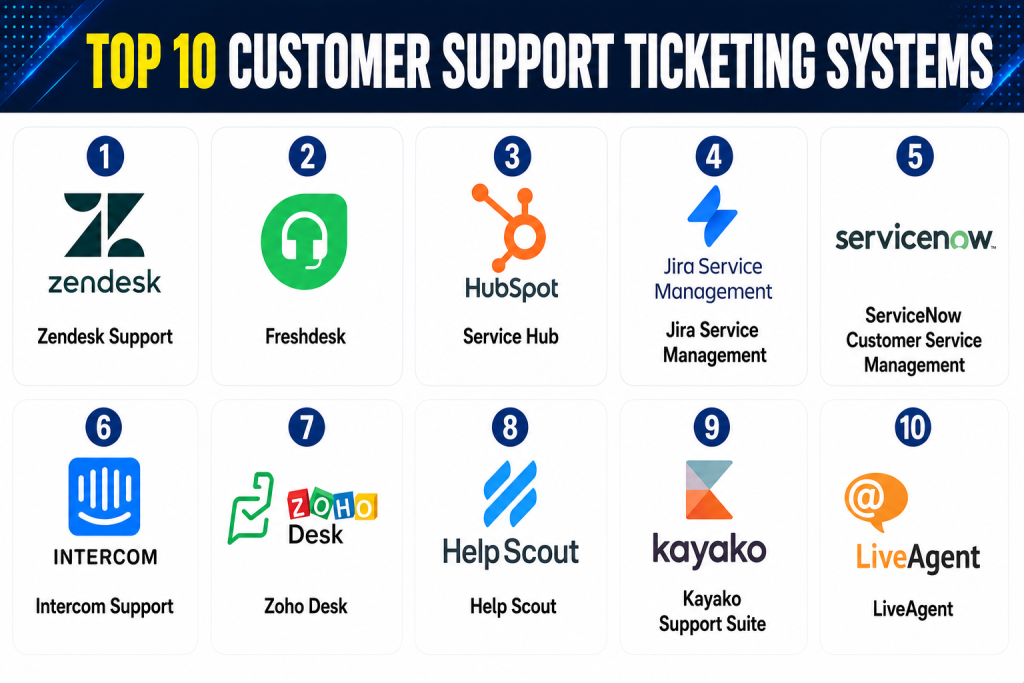
Top 10 Customer Support Ticketing Systems
1 — Zendesk Support
Short description: Zendesk Support is a leading customer support platform designed to centralize and automate ticketing across email, chat, phone, and social channels. It scales from SMBs to large enterprises with flexible workflows, automation, reporting, and omnichannel support.
Key Features
- Unified ticket queue across channels
- Automated workflows and triggers
- SLA policies and escalation rules
- AI‑assisted ticket suggestions
- Self‑service help center and community portal
- Multilingual support
- Reporting and dashboards
Pros
- Scalable for enterprise and SMBs
- Extensive integrations and ecosystem
- Strong automation and omnichannel support
Cons
- Can be expensive for smaller teams
- Customization complexity for advanced workflows
- Learning curve for admins
Platforms / Deployment
- Web / iOS / Android / Tablet
- Cloud
Security & Compliance
Not publicly stated specific certifications but includes:
- SSO/SAML
- Encryption at rest/in transit
- Audit logs
- Role‑based access control
Integrations & Ecosystem
Zendesk integrates with:
- CRM platforms
- Billing systems
- Chat and messaging tools
- Knowledge bases
- Analytics tools
Support & Community
- Tiered support plans
- Documentation and community forums
2 — Freshdesk
Short description: Freshdesk offers robust ticketing automation with multi‑channel support, workflow automation, and SLA management, designed for teams looking for a user‑friendly yet powerful platform.
Key Features
- Shared inbox with ticket categorization
- Automation rules and scenario builder
- Multi‑channel ticket creation (email, chat, social)
- AI‑based response suggestions
- Self‑service knowledge base
- SLA tracking and escalations
Pros
- Intuitive interface and setup
- Affordable for SMBs and scaling teams
- Good automation engine
Cons
- Reporting depth can be basic compared to enterprise tools
- Advanced features may require premium plans
- Integrations may need configuration
Platforms / Deployment
- Web / iOS / Android
- Cloud
Security & Compliance
Not publicly stated certifications; includes:
- Encryption in transit/at rest
- Role‑based access
Integrations & Ecosystem
- CRM and billing software
- Chat and voice tools
- Knowledge base tools
- APIs for custom integrations
Support & Community
- Online help center
- Tiered support
3 — HubSpot Service Hub
Short description: HubSpot Service Hub unifies ticketing, customer feedback, knowledge base, and automation within the HubSpot CRM ecosystem. Ideal for teams aligned with inbound and customer success operations.
Key Features
- CRM‑linked ticketing
- Automated workflows
- Customer feedback surveys
- Knowledge base
- Playbooks and task automation
- Conversational inbox
Pros
- Native CRM integration
- Unified view of support and sales data
- Simple automation tools
Cons
- Best suited for existing HubSpot customers
- Advanced reporting can be limited
- Pricing scales with add‑ons
Platforms / Deployment
- Web / iOS / Android
- Cloud
Security & Compliance
Not publicly stated specific certifications; includes core:
- Encryption
- Access controls
Integrations & Ecosystem
- HubSpot CRM and sales suite
- Chat and email tools
- Billing systems via connectors
Support & Community
- HubSpot Academy
- Documentation and support portals
4 — Jira Service Management
Short description: Jira Service Management provides a ticketing and IT service desk platform with deep workflow customization, robust automation, and strong developer collaboration features — ideal for technical support teams.
Key Features
- Custom request types and workflows
- SLA and queue management
- Automation rules and escalations
- Developer issue syncing
- Self‑service portal
- Reporting and metrics
Pros
- Highly customizable for tech support orgs
- Strong integration with development tools
- Enterprise workflow capabilities
Cons
- Setup complexity
- Not as intuitive for non‑technical users
- Reporting needs configuration
Platforms / Deployment
- Web / iOS / Android
- Cloud / Self‑hosted
Security & Compliance
Not publicly stated certifications; includes:
- Permissions and access control
- Audit logs
Integrations & Ecosystem
- Developer tools
- CI/CD systems
- CRM connectors
- Knowledge base tools
Support & Community
- Documentation and community forums
- Support tiers
5 — ServiceNow Customer Service Management
Short description: ServiceNow CSM delivers enterprise‑grade support ticketing and case management with workflow automation, knowledge management, and cross‑team collaboration designed for global enterprises.
Key Features
- Case and incident management
- Knowledge base and portals
- Workflow automation
- SLA and performance analytics
- AI suggestions
- Integration with ITSM and enterprise systems
Pros
- Enterprise scalability and governance
- Deep workflow and process integration
- Strong analytics
Cons
- High cost and implementation effort
- Requires skilled admins
- Not suited for small teams
Platforms / Deployment
- Web / Mobile
- Cloud
Security & Compliance
- SSO/SAML, MFA
- Encryption
- Role‑based access
- Audit logs
- Not publicly stated specific certifications
Integrations & Ecosystem
- ERP and CRM
- ITSM systems
- Knowledge base
- Automation tools
Support & Community
- Enterprise support tiers
- Documentation
6 — Intercom Support
Short description: Intercom Support combines conversational ticketing with proactive chat, targeted messaging, and help center functionality to deliver a modern, conversational support experience.
Key Features
- Live chat and inbox
- Automated message routing
- Ticket creation and tagging
- Help center Articles
- Canned responses
- Bot and automation flows
Pros
- Ideal for in‑app support and chat‑centric workflows
- Conversational automation
- Great for SaaS and product teams
Cons
- Less traditional SLA ticketing structure
- Can get expensive with advanced automation
- Reporting can be limited
Platforms / Deployment
- Web / iOS / Android
- Cloud
Security & Compliance
Not publicly stated specific certifications; includes:
- Encryption
- Access control
Integrations & Ecosystem
- CRM and analytics tools
- Billing systems
- APIs
Support & Community
- Help center
- Guides and tutorials
7 — Zoho Desk
Short description: Zoho Desk is a ticketing platform with strong automation, multi‑channel support, AI assistance, and a customizable workflow builder, suitable for teams of all sizes.
Key Features
- Multi‑channel ticketing
- Automation and SLAs
- AI suggestions
- Knowledge base and forums
- Custom ticket templates
- Reporting dashboards
Pros
- Affordable pricing
- Good feature breadth
- Works well for SMB and mid‑market
Cons
- Advanced reporting less configurable
- Integration ecosystem smaller than some competitors
- AI depth limited
Platforms / Deployment
- Web / iOS / Android
- Cloud
Security & Compliance
Not publicly stated certifications; includes:
- Encryption
- Access control
Integrations & Ecosystem
- CRM and billing
- Chat and social
- Knowledge base
Support & Community
- Documentation
- Support tiers
8 — Help Scout
Short description: Help Scout provides a simple, email‑centric ticketing and shared inbox experience with automation and reporting, ideal for small to mid‑market teams focusing on customer communication.
Key Features
- Shared inbox with tagging
- Workflows and automation
- Customer profiles
- Canned replies
- Reporting and metrics
- Help center
Pros
- Simple and intuitive
- Great for email‑centric workflows
- Affordable for SMBs
Cons
- Limited for complex workflows
- Lacks advanced SLA engines
- Multi‑channel scope limited
Platforms / Deployment
- Web / iOS / Android
- Cloud
Security & Compliance
Not publicly stated specific certifications; includes:
- Encryption
- Access controls
Integrations & Ecosystem
- CRM and billing
- Chat tools
- Analytics
Support & Community
- Support tiers
- Knowledge base
9 — Kayako Support Suite
Short description: Kayako delivers unified ticketing with multi‑channel support, automation, and simple reporting designed for small and mid‑market teams.
Key Features
- Email, chat, social ticketing
- Ticket automation and workflows
- Help center
- Reporting
- Customer profiles
Pros
- Unified multi‑channel help desk
- Affordable for mid‑market
- Easy to use
Cons
- Limited advanced analytics
- Workflow flexibility less robust
- Integration options limited
Platforms / Deployment
- Web / iOS / Android
- Cloud
Security & Compliance
Not publicly stated certifications; includes:
- Encryption
- Access controls
Integrations & Ecosystem
- CRM and messaging
- APIs
Support & Community
- Support plans
- Documentation
10 — LiveAgent
Short description: LiveAgent combines help desk ticketing with live chat, voice, and social media support, offering a broad range of channels in a single ticketing interface.
Key Features
- Multi‑channel ticketing (email, chat, phone, social)
- Automation rules
- SLA management
- Knowledge base
- Reporting
Pros
- Great channel coverage
- Affordable for SMBs
- Live chat + ticketing combo
Cons
- UI can feel cluttered
- Reporting less advanced
- Customization can be tough
Platforms / Deployment
- Web / iOS / Android
- Cloud
Security & Compliance
Not publicly stated certifications; includes:
- Encryption
- Access controls
Integrations & Ecosystem
- CRM
- Billing
- Chat and telephony
- APIs
Support & Community
- Support tiers
- Documentation
Comparison Table (Top 10)
| Tool Name | Best For | Platform(s) Supported | Deployment | Standout Feature | Public Rating |
|---|---|---|---|---|---|
| Zendesk Support | Enterprise & SMB | Web/iOS/Android | Cloud | Omnichannel ticketing | N/A |
| Freshdesk | SMB & Mid‑Market | Web/iOS/Android | Cloud | Scenario automation | N/A |
| HubSpot Service Hub | Inbound & CRM | Web/iOS/Android | Cloud | CRM‑linked support | N/A |
| Jira Service Management | Technical & IT | Web/iOS/Android | Cloud/Self‑hosted | Dev integration | N/A |
| ServiceNow CSM | Global Enterprise | Web/Mobile | Cloud | Workflow orchestration | N/A |
| Intercom Support | Conversational support | Web/Apps | Cloud | In‑app support | N/A |
| Zoho Desk | SMB & Mid‑Market | Web/Mobile | Cloud | AI and automation | N/A |
| Help Scout | Email–centric | Web/Mobile | Cloud | Intuitive shared inbox | N/A |
| Kayako Support Suite | Multi‑channel SMB | Web/Mobile | Cloud | Unified channels | N/A |
| LiveAgent | SMB with chat | Web/Mobile | Cloud | Live chat + ticketing | N/A |
Evaluation & Scoring
| Tool Name | Core (25%) | Ease (15%) | Integrations (15%) | Security (10%) | Performance (10%) | Support (10%) | Value (15%) | Weighted Total |
|---|---|---|---|---|---|---|---|---|
| Zendesk Support | 9 | 8 | 9 | 8 | 9 | 8 | 8 | 8.7 |
| Freshdesk | 8 | 9 | 8 | 8 | 8 | 8 | 9 | 8.4 |
| HubSpot Service Hub | 8 | 8 | 9 | 8 | 8 | 8 | 7 | 8.1 |
| Jira Service Management | 8 | 7 | 8 | 8 | 8 | 7 | 7 | 7.7 |
| ServiceNow CSM | 9 | 6 | 9 | 8 | 9 | 8 | 7 | 8.0 |
| Intercom Support | 7 | 8 | 7 | 7 | 8 | 7 | 7 | 7.4 |
| Zoho Desk | 7 | 8 | 7 | 7 | 7 | 7 | 8 | 7.5 |
| Help Scout | 6 | 9 | 6 | 7 | 7 | 8 | 9 | 7.5 |
| Kayako Support Suite | 6 | 8 | 6 | 7 | 7 | 7 | 7 | 7.0 |
| LiveAgent | 7 | 7 | 7 | 7 | 8 | 7 | 8 | 7.5 |
Interpretation: Weighted totals compare platforms across core ticketing features, integrations, ease of use, security, performance, support, and value. Higher scores reflect stronger overall offerings relative to category benchmarks.
Which Customer Support Ticketing Tool Is Right for You?
Solo / Small Team
- Help Scout and Freshdesk — easy setup, simple workflows, and affordable pricing.
SMB
- Freshdesk, Zoho Desk, LiveAgent — multi‑channel support with strong automation.
Mid‑Market
- Zendesk Support, HubSpot Service Hub, Intercom Support — scalable workflows and CRM integration.
Enterprise
- ServiceNow CSM, Zendesk Support, Jira Service Management — robust automation, governance, and analytics.
Budget vs Premium
- Budget: Help Scout, Zoho Desk, LiveAgent
- Premium: Zendesk, ServiceNow, HubSpot Service Hub
Feature Depth vs Ease of Use
- Feature‑rich: Zendesk, ServiceNow, Jira
- Easy to use: Freshdesk, Help Scout
Integrations & Scalability
- Best integrations: Zendesk, HubSpot, ServiceNow
- Simpler setups: Freshdesk, Zoho Desk
Security & Compliance Needs
- Enterprise compliance: ServiceNow, Zendesk
- SMB compliance: Freshdesk, Help Scout
Frequently Asked Questions (FAQs)
1 — What pricing models do ticketing systems use?
Most platforms use subscription pricing, often tiered by features, channels, and agent seats. Add‑ons (AI, analytics) may cost extra.
2 — How long does onboarding take?
Small teams can onboard within days; enterprise implementations with automation and workflows may take weeks.
3 — Do these systems support multiple channels?
Yes — leading platforms support email, chat, social messaging, voice, and in‑app channels.
4 — Can ticketing systems automate responses?
Yes — automated replies, workflow triggers, and macros reduce manual effort and speed resolution.
5 — How secure are these platforms?
Enterprise systems include encryption, access controls, audit trails, and SSO/MFA. Certifications vary by vendor.
6 — Do they offer mobile apps?
Most offer web and mobile‑optimized access; dedicated apps vary by vendor.
7 — Can ticketing integrate with CRM?
Yes — integrations with CRM systems are common and essential for unified customer context.
8 — What analytics are included?
Dashboards commonly show ticket volume, response times, agent performance, SLA compliance, and customer satisfaction metrics.
9 — Do they support SLAs?
Yes — SLA management and escalation rules are foundational features in most platforms.
10 — What alternatives exist?
For very low ticket volumes, shared inbox tools or collaborative email threads may suffice, but structured ticketing is recommended as volume grows.
Conclusion
Choosing the right Customer Support Ticketing System depends on team size, support complexity, channels needed, integration needs, and budget. SMBs should consider flexible yet affordable options like Freshdesk, Help Scout, or Zoho Desk. Mid‑market teams will benefit from scalable workflows and CRM integration with Zendesk Support or HubSpot Service Hub. Enterprises with large, complex support organizations and governance needs may find ServiceNow CSM or Jira Service Management best suited to their needs.
