Introduction
Team messaging apps are digital collaboration platforms that help employees, freelancers, departments, and external partners communicate in real time. Instead of relying only on email, teams can use channels, direct messages, file sharing, voice notes, video meetings, integrations, and searchable conversation history to work faster and stay aligned.
Team messaging matters more now because hybrid work, distributed teams, AI assistants, customer support workflows, and cross-functional projects require faster communication. Businesses need tools that reduce email overload while improving transparency, security, and productivity.
Real-world use cases include:
- Internal team communication across departments.
- Project collaboration for remote and hybrid teams.
- Customer support and incident response coordination.
- File sharing, approvals, and quick decision-making.
- Developer, marketing, sales, HR, and operations collaboration.
What buyers should evaluate:
- Ease of use.
- Channel and group messaging structure.
- Search and knowledge retention.
- File sharing and storage limits.
- Video and audio collaboration.
- Security and admin controls.
- Integrations with business tools.
- Mobile and desktop experience.
- AI productivity features.
- Pricing and scalability.
Best for: Startups, SMBs, enterprises, remote teams, agencies, IT teams, customer support teams, marketing teams, product teams, and organizations that need faster internal communication.
Not ideal for: Very small teams that only need basic email, organizations with strict offline-only workflows, or businesses that already use a complete collaboration suite and do not need a separate messaging app.
Key Trends in Team Messaging Apps
- AI assistants for summaries: Messaging tools are adding AI summaries for long conversations, missed updates, and action items.
- Deeper workflow automation: Teams increasingly want approvals, alerts, reminders, and task updates inside messaging channels.
- Unified collaboration hubs: Messaging apps are becoming central workspaces combining chat, meetings, files, docs, and apps.
- Stronger security controls: Enterprises expect SSO, MFA, audit logs, encryption, retention policies, and admin governance.
- Async-first communication: Remote teams are using scheduled messages, threads, clips, and summaries to reduce meeting overload.
- Better app integrations: Messaging platforms now connect deeply with CRM, project management, DevOps, support, HR, and analytics tools.
- Compliance-ready retention: Regulated industries need eDiscovery, legal hold, data export, and message retention controls.
- External collaboration: Secure guest access and shared channels are becoming important for vendors, clients, and agencies.
- Mobile-first work: Field teams and frontline workers need simple mobile messaging with notifications and quick file access.
- Bundled pricing pressure: Buyers are comparing standalone messaging apps with broader suites like Microsoft 365 and Google Workspace.
How We Selected These Tools
The tools in this list were selected based on:
- Market adoption and brand recognition.
- Messaging and collaboration feature depth.
- Reliability and performance for distributed teams.
- Security and administration capabilities.
- Integration ecosystem and workflow automation.
- Suitability for SMB, mid-market, and enterprise users.
- Mobile, desktop, and browser experience.
- Fit for different team types such as developers, support, operations, and business users.
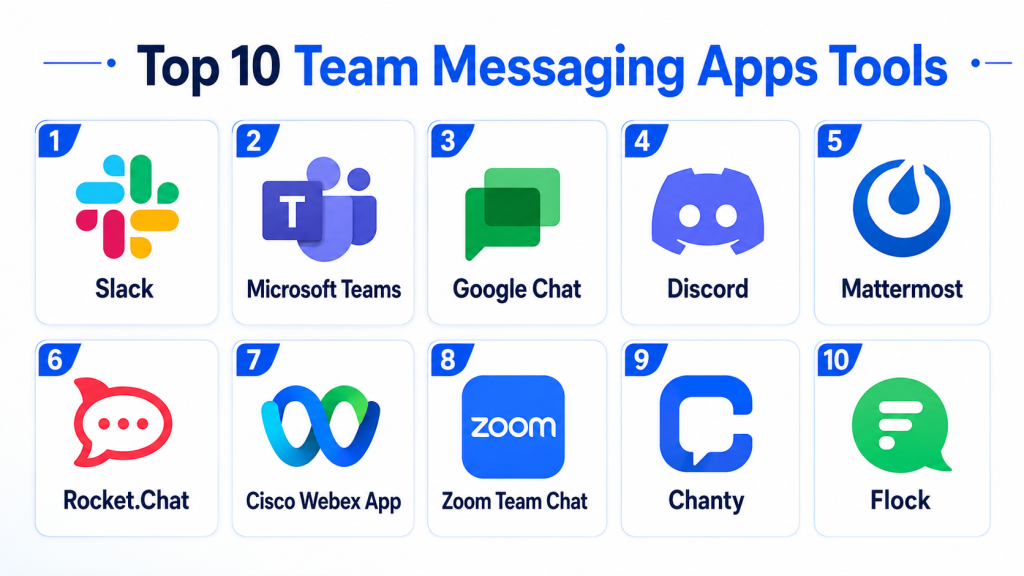
Top 10 Team Messaging Apps Tools
#1 — Slack
Short description:
Slack is one of the most recognized team messaging platforms for workplace collaboration. It helps teams organize conversations into channels, direct messages, threads, and shared workspaces. Slack is popular with startups, software teams, agencies, and enterprises that need fast communication and strong integrations. It supports file sharing, workflow automation, huddles, app connections, and searchable history. Slack is especially strong for teams that rely on multiple SaaS tools. It is a good fit for organizations that want messaging to become the central hub of daily work.
Key Features
- Channel-based messaging.
- Direct messages and group chats.
- Workflow automation.
- Slack Connect for external collaboration.
- Huddles for quick audio/video discussions.
- Large app marketplace.
- Searchable message history.
Pros
- Strong integration ecosystem.
- Easy and modern user experience.
- Excellent for fast-moving teams.
Cons
- Costs can increase with team size.
- Too many channels can create noise.
- Advanced admin features may require higher plans.
Platforms / Deployment
- Web
- Windows
- macOS
- Linux
- iOS
- Android
- Cloud
Security & Compliance
- SSO/SAML
- MFA
- Encryption
- Audit logs
- RBAC
- Compliance features vary by plan
Integrations & Ecosystem
Slack integrates with a wide range of business, engineering, support, and productivity tools.
- Google Workspace
- Microsoft 365
- Salesforce
- Jira
- GitHub
- Zoom
Support & Community
Slack offers documentation, help center resources, onboarding guidance, partner support, and a large global user community.
#2 — Microsoft Teams
Short description:
Microsoft Teams is a collaboration and messaging platform built deeply into the Microsoft 365 ecosystem. It combines chat, channels, meetings, file sharing, calendar access, and app integrations in one workspace. Teams is widely used by enterprises, schools, government organizations, and businesses already using Microsoft tools. It is especially useful for organizations that need messaging, video meetings, document collaboration, and enterprise governance together. Teams works well for structured departments and formal collaboration environments. It is a strong choice for Microsoft-first organizations.
Key Features
- Team and channel messaging.
- Direct chat and group chat.
- Video meetings and webinars.
- Microsoft 365 file collaboration.
- Calendar and Outlook integration.
- App marketplace.
- Enterprise admin controls.
Pros
- Strong Microsoft 365 integration.
- Good for meetings and document collaboration.
- Enterprise-ready administration.
Cons
- Interface can feel heavy for simple chat.
- Best experience depends on Microsoft ecosystem.
- Configuration may require IT support.
Platforms / Deployment
- Web
- Windows
- macOS
- Linux
- iOS
- Android
- Cloud
Security & Compliance
- SSO/SAML through Microsoft Entra ID
- MFA
- Encryption
- Audit logs
- RBAC
- Compliance features vary by Microsoft 365 plan
Integrations & Ecosystem
Microsoft Teams connects tightly with Microsoft productivity, security, and business systems.
- Outlook
- SharePoint
- OneDrive
- Microsoft Planner
- Power Automate
- Dynamics 365
Support & Community
Microsoft provides extensive documentation, admin training, enterprise support, partner ecosystem, and a large user community.
#3 — Google Chat
Short description:
Google Chat is a team messaging app included with Google Workspace. It helps teams communicate through direct messages, group conversations, and spaces. Google Chat works naturally with Gmail, Google Drive, Docs, Calendar, and Meet. It is ideal for organizations already using Google Workspace and needing a simple, integrated communication layer. The platform is less complex than some standalone collaboration tools but strong for everyday business messaging. It is a practical option for SMBs, education teams, and Google-first companies.
Key Features
- Direct messages and spaces.
- Google Workspace integration.
- File sharing through Drive.
- Google Meet integration.
- Search across conversations.
- Bots and app integrations.
- Admin controls through Google Workspace.
Pros
- Easy for Google Workspace users.
- Simple interface.
- Good value when already included in Workspace.
Cons
- Smaller third-party ecosystem than Slack.
- Less advanced workflow automation.
- May not fit teams needing deep customization.
Platforms / Deployment
- Web
- Windows
- macOS
- iOS
- Android
- Cloud
Security & Compliance
- MFA through Google accounts
- Encryption
- Admin controls
- Audit logs
- Compliance support varies by Google Workspace plan
Integrations & Ecosystem
Google Chat connects best with Google Workspace and selected third-party apps.
- Gmail
- Google Drive
- Google Meet
- Google Calendar
- Google Docs
- Third-party bots
Support & Community
Google provides documentation, Workspace support, admin resources, and a large business user base.
#4 — Discord
Short description:
Discord started as a community communication platform but is also used by startups, creators, developer communities, gaming teams, and informal workgroups. It supports text channels, voice channels, video, screen sharing, roles, bots, and community moderation. Discord is especially useful for real-time conversations and community-driven collaboration. It may not be the best fit for highly regulated corporate environments, but it works well for open communities and fast-moving informal teams. Its voice-first experience is a major differentiator. Businesses using Discord should carefully review governance and compliance needs.
Key Features
- Text channels and direct messages.
- Voice channels.
- Video and screen sharing.
- Role-based permissions.
- Bots and automation.
- Community moderation tools.
- Server organization.
Pros
- Strong real-time voice experience.
- Good for communities and creators.
- Flexible role management.
Cons
- Less enterprise-focused.
- Compliance features may be limited.
- Can feel informal for corporate use.
Platforms / Deployment
- Web
- Windows
- macOS
- Linux
- iOS
- Android
- Cloud
Security & Compliance
- MFA
- Role-based permissions
- Encryption in transit
- Enterprise compliance details not publicly stated
Integrations & Ecosystem
Discord has a strong bot and developer ecosystem for communities and lightweight automation.
- Bots
- Webhooks
- Developer APIs
- Community tools
- Streaming workflows
Support & Community
Discord has extensive community documentation and a very large user base. Business-grade support may vary by plan and use case.
#5 — Mattermost
Short description:
Mattermost is an open-source team messaging platform designed for technical teams, DevOps teams, and organizations that need control over deployment and data. It supports channels, direct messages, file sharing, workflows, and integrations with developer tools. Mattermost is especially useful for security-conscious organizations that prefer self-hosted or private cloud deployments. It is popular in engineering, defense, government, and regulated environments. The platform gives administrators greater control than many purely SaaS messaging apps. It is a strong choice for teams that need collaboration without sacrificing infrastructure control.
Key Features
- Open-source team messaging.
- Channels and direct messages.
- Self-hosted deployment options.
- DevOps integrations.
- Workflow automation.
- File sharing.
- Admin and compliance controls.
Pros
- Strong deployment control.
- Good for technical and DevOps teams.
- Open-source flexibility.
Cons
- Requires technical administration.
- User experience may need configuration.
- Smaller mainstream ecosystem than Slack or Teams.
Platforms / Deployment
- Web
- Windows
- macOS
- Linux
- iOS
- Android
- Cloud
- Self-hosted
- Hybrid
Security & Compliance
- SSO/SAML
- MFA
- Encryption
- Audit logs
- RBAC
- Compliance support varies by edition and deployment
Integrations & Ecosystem
Mattermost works well with engineering, security, and IT operations tools.
- GitHub
- GitLab
- Jira
- Jenkins
- Kubernetes workflows
- Webhooks and APIs
Support & Community
Mattermost has open-source community support, documentation, enterprise support options, and strong adoption among technical users.
#6 — Rocket.Chat
Short description:
Rocket.Chat is an open-source communication platform for teams that need secure messaging, omnichannel communication, and deployment flexibility. It supports team chat, direct messaging, audio/video communication, file sharing, federation options, and integrations. Rocket.Chat is suitable for organizations that want cloud or self-managed messaging with more control over data. It is used by businesses, government teams, support organizations, and communities. The platform is especially useful where privacy, customization, and ownership are important. It can serve as both internal messaging and customer communication infrastructure.
Key Features
- Open-source messaging.
- Team channels and direct messages.
- Self-hosted and cloud deployment.
- Omnichannel support.
- File sharing.
- Audio and video communication.
- APIs and customization.
Pros
- Flexible deployment choices.
- Strong customization potential.
- Useful for privacy-conscious teams.
Cons
- Self-hosting requires technical skills.
- Advanced features may need paid editions.
- Setup can be more complex than SaaS-only tools.
Platforms / Deployment
- Web
- Windows
- macOS
- Linux
- iOS
- Android
- Cloud
- Self-hosted
- Hybrid
Security & Compliance
- SSO/SAML
- MFA
- Encryption
- RBAC
- Audit logs
- Compliance support varies by plan and deployment
Integrations & Ecosystem
Rocket.Chat supports business communication, automation, and customer engagement workflows.
- APIs
- Webhooks
- CRM tools
- Helpdesk systems
- Chatbots
- Identity providers
Support & Community
Rocket.Chat has an open-source community, documentation, partner ecosystem, and commercial support options.
#7 — Cisco Webex App
Short description:
Cisco Webex App combines team messaging, meetings, calling, whiteboarding, and enterprise collaboration in one platform. It is widely used by enterprises that already rely on Cisco collaboration and communication infrastructure. The app supports spaces, direct messages, file sharing, meetings, and secure collaboration features. Webex is especially relevant for organizations that need messaging tightly connected with video meetings and calling. It offers strong administrative controls for larger businesses. The platform is a good fit for regulated enterprises and global teams.
Key Features
- Team messaging spaces.
- Direct messages.
- Video meetings.
- Calling features.
- File sharing.
- Whiteboarding.
- Enterprise admin controls.
Pros
- Strong meeting and calling capabilities.
- Enterprise-grade collaboration.
- Good fit for Cisco customers.
Cons
- May be more complex than lightweight chat tools.
- Best value within Cisco ecosystem.
- Some teams may prefer simpler messaging apps.
Platforms / Deployment
- Web
- Windows
- macOS
- iOS
- Android
- Cloud
- Hybrid options vary
Security & Compliance
- SSO/SAML
- MFA
- Encryption
- Audit logs
- RBAC
- Compliance support varies by plan
Integrations & Ecosystem
Webex integrates with communication, productivity, and enterprise systems.
- Microsoft 365
- Google Workspace
- Salesforce
- Cisco calling systems
- Calendar tools
- Developer APIs
Support & Community
Cisco provides enterprise support, technical documentation, partner services, and a large professional ecosystem.
#8 — Zoom Team Chat
Short description:
Zoom Team Chat is the messaging layer inside the Zoom collaboration platform. It supports channels, direct messages, file sharing, meetings, clips, and collaboration workflows. It is useful for organizations already using Zoom for video meetings and wanting to centralize communication. Zoom Team Chat helps teams continue discussions before and after meetings. It is suitable for SMBs, mid-market teams, education, sales, support, and distributed organizations. Its main strength is combining chat and video collaboration in a familiar interface.
Key Features
- Team channels and direct messages.
- Meeting integration.
- File sharing.
- Searchable history.
- External collaboration.
- Clips and async communication.
- App integrations.
Pros
- Strong fit for Zoom users.
- Easy meeting-to-chat workflow.
- Familiar interface.
Cons
- Less mature as a messaging-first platform than Slack.
- Best value depends on Zoom adoption.
- Advanced admin needs may require higher plans.
Platforms / Deployment
- Web
- Windows
- macOS
- Linux
- iOS
- Android
- Cloud
Security & Compliance
- SSO/SAML
- MFA
- Encryption
- Admin controls
- Compliance support varies by plan
Integrations & Ecosystem
Zoom Team Chat works well with Zoom meetings and common business productivity tools.
- Zoom Meetings
- Zoom Phone
- Calendar tools
- Microsoft 365
- Google Workspace
- App marketplace
Support & Community
Zoom provides documentation, business support, onboarding resources, and broad user familiarity.
#9 — Chanty
Short description:
Chanty is a simple team messaging and collaboration app designed for small and growing teams. It offers team chat, task management, voice messages, audio calls, video calls, and file sharing. Chanty is useful for teams that want a lighter alternative to complex enterprise messaging platforms. Its interface is straightforward, making adoption easier for non-technical users. The platform is a good fit for SMBs, agencies, and distributed teams that need basic collaboration without heavy administration. It is especially useful for teams that want messaging and simple task tracking together.
Key Features
- Team chat.
- Direct messages.
- Task management.
- Voice messages.
- Audio and video calls.
- File sharing.
- Searchable conversations.
Pros
- Simple and easy to use.
- Good for small teams.
- Includes basic task management.
Cons
- Less enterprise depth.
- Smaller integration ecosystem.
- Limited advanced compliance capabilities.
Platforms / Deployment
- Web
- Windows
- macOS
- Linux
- iOS
- Android
- Cloud
Security & Compliance
- Encryption
- Access controls
- Compliance details not publicly stated
Integrations & Ecosystem
Chanty supports common productivity integrations for smaller teams.
- Google Drive
- Trello
- GitHub
- Dropbox
- Zapier
- Business productivity tools
Support & Community
Chanty offers documentation and customer support. Community size is smaller than larger collaboration platforms.
#10 — Flock
Short description:
Flock is a team messaging and productivity app built for businesses that need chat, channels, video calls, file sharing, reminders, and lightweight workflow tools. It is positioned as an accessible collaboration option for SMBs and teams that want communication plus basic productivity features. Flock supports public and private channels, direct messages, polls, notes, and shared to-dos. It can help teams reduce email dependency and organize project discussions. The platform is practical for teams that need simple collaboration without enterprise complexity. It is best suited for small to mid-sized organizations.
Key Features
- Team channels.
- Direct messaging.
- Video and audio calls.
- File sharing.
- Polls and reminders.
- Notes and to-dos.
- App integrations.
Pros
- Good for SMB collaboration.
- Simple productivity features.
- Easy to adopt.
Cons
- Smaller ecosystem than Slack or Teams.
- Limited enterprise governance.
- May not suit complex regulated environments.
Platforms / Deployment
- Web
- Windows
- macOS
- Linux
- iOS
- Android
- Cloud
Security & Compliance
- Encryption
- Admin controls
- Compliance details not publicly stated
Integrations & Ecosystem
Flock connects with common productivity, storage, and workflow tools.
- Google Drive
- Trello
- GitHub
- Jira
- Zapier
- Calendar tools
Support & Community
Flock provides support resources, documentation, and onboarding help. Community visibility is moderate compared with larger platforms.
Comparison Table
| Tool Name | Best For | Platform(s) Supported | Deployment | Standout Feature | Public Rating |
|---|---|---|---|---|---|
| Slack | SaaS, startups, and cross-functional teams | Web, Windows, macOS, Linux, iOS, Android | Cloud | Large integration ecosystem | N/A |
| Microsoft Teams | Microsoft 365 organizations | Web, Windows, macOS, Linux, iOS, Android | Cloud | Deep Microsoft 365 collaboration | N/A |
| Google Chat | Google Workspace users | Web, Windows, macOS, iOS, Android | Cloud | Native Google Workspace messaging | N/A |
| Discord | Communities and informal teams | Web, Windows, macOS, Linux, iOS, Android | Cloud | Voice-first community collaboration | N/A |
| Mattermost | DevOps and security-conscious teams | Web, Windows, macOS, Linux, iOS, Android | Cloud, Self-hosted, Hybrid | Open-source self-hosted messaging | N/A |
| Rocket.Chat | Privacy-focused and customizable messaging | Web, Windows, macOS, Linux, iOS, Android | Cloud, Self-hosted, Hybrid | Open-source omnichannel communication | N/A |
| Cisco Webex App | Enterprise meetings and messaging | Web, Windows, macOS, iOS, Android | Cloud, Hybrid | Messaging plus enterprise calling | N/A |
| Zoom Team Chat | Zoom-first teams | Web, Windows, macOS, Linux, iOS, Android | Cloud | Chat connected with Zoom meetings | N/A |
| Chanty | Small teams and SMBs | Web, Windows, macOS, Linux, iOS, Android | Cloud | Simple chat plus task management | N/A |
| Flock | SMB productivity collaboration | Web, Windows, macOS, Linux, iOS, Android | Cloud | Messaging with lightweight productivity tools | N/A |
Evaluation & Scoring of Team Messaging Apps
| Tool Name | Core (25%) | Ease (15%) | Integrations (15%) | Security (10%) | Performance (10%) | Support (10%) | Value (15%) | Weighted Total (0–10) |
| Slack | 10 | 9 | 10 | 9 | 9 | 9 | 8 | 9.2 |
| Microsoft Teams | 10 | 8 | 10 | 10 | 9 | 9 | 9 | 9.3 |
| Google Chat | 8 | 8 | 8 | 9 | 8 | 8 | 9 | 8.3 |
| Discord | 8 | 9 | 8 | 7 | 9 | 7 | 9 | 8.2 |
| Mattermost | 9 | 7 | 8 | 10 | 8 | 8 | 8 | 8.4 |
| Rocket.Chat | 8 | 7 | 8 | 9 | 8 | 8 | 8 | 8.0 |
| Cisco Webex App | 8 | 7 | 8 | 9 | 8 | 9 | 7 | 8.0 |
| Zoom Team Chat | 8 | 8 | 8 | 8 | 9 | 8 | 8 | 8.1 |
| Chanty | 7 | 9 | 7 | 7 | 8 | 7 | 9 | 7.8 |
| Flock | 7 | 8 | 7 | 7 | 8 | 7 | 8 | 7.5 |
These scores are comparative and should be used as a starting point, not a final buying decision. Microsoft Teams scores highly for Microsoft-first organizations, while Slack is stronger for app-heavy teams that need flexible integrations. Mattermost and Rocket.Chat may score higher for organizations prioritizing self-hosting and control. Smaller teams may prefer Chanty or Flock because simplicity and value may matter more than enterprise governance.
Which Team Messaging App Tool Is Right for You?
Solo / Freelancer
Solo professionals usually do not need a heavy team messaging platform unless they work with clients, contractors, or project partners. Google Chat, Slack free tiers, Discord, or Zoom Team Chat may be enough for basic communication. Freelancers working with corporate clients should choose the app already used by the client.
SMB
SMBs should look for ease of use, affordable pricing, and low administration effort. Slack, Google Chat, Zoom Team Chat, Chanty, and Flock are practical options. Microsoft Teams is also strong if the business already uses Microsoft 365.
Mid-Market
Mid-market companies need better admin controls, integrations, onboarding, and governance. Slack, Microsoft Teams, Zoom Team Chat, Google Chat, and Rocket.Chat are strong candidates. Teams with engineering-heavy workflows may also evaluate Mattermost.
Enterprise
Enterprises should prioritize security, compliance, identity integration, retention policies, audit logs, and scalability. Microsoft Teams, Slack, Cisco Webex App, Mattermost, and Rocket.Chat are strong options depending on the organization’s technology stack and deployment needs.
Budget vs Premium
Budget-conscious teams may start with Google Chat, Discord, Chanty, Flock, or bundled Microsoft Teams plans. Premium buyers may choose Slack, Microsoft Teams, Cisco Webex App, Mattermost enterprise editions, or Rocket.Chat enterprise plans for stronger governance and support.
Feature Depth vs Ease of Use
Slack and Microsoft Teams provide deep functionality but require thoughtful governance. Google Chat, Chanty, and Flock are simpler for everyday communication. Mattermost and Rocket.Chat offer greater control but require more technical administration.
Integrations & Scalability
Slack and Microsoft Teams offer the strongest ecosystems for broad business integrations. Google Chat is best for Google Workspace users. Mattermost and Rocket.Chat are suitable for teams that need APIs, DevOps integrations, and customizable workflows.
Security & Compliance Needs
Security-focused organizations should evaluate Microsoft Teams, Slack enterprise plans, Mattermost, Rocket.Chat, and Cisco Webex App. Buyers should validate SSO, MFA, encryption, audit logs, retention, eDiscovery, external guest controls, and data residency requirements before rollout.
Frequently Asked Questions
1. What is a team messaging app?
A team messaging app is a workplace communication tool that allows users to chat, share files, create channels, hold meetings, and collaborate in real time. It helps reduce email overload and keeps work conversations organized.
2. Why do businesses need team messaging apps?
Businesses use team messaging apps to improve speed, transparency, and collaboration. They are especially useful for remote teams, hybrid work, project coordination, customer support, and cross-functional communication.
3. Are team messaging apps better than email?
They are better for quick conversations, project updates, and team coordination, but email is still useful for formal communication. Most organizations use both together depending on the message type.
4. Which team messaging app is best for Microsoft 365 users?
Microsoft Teams is usually the strongest fit for Microsoft 365 users because it connects with Outlook, SharePoint, OneDrive, Planner, and Microsoft security tools. Slack may still be preferred by teams needing broader app flexibility.
5. Which app is best for Google Workspace users?
Google Chat is the most natural fit for Google Workspace users because it integrates with Gmail, Drive, Calendar, Docs, and Meet. Slack is also a strong option when deeper integrations and workflow automation are required.
6. What is the biggest mistake when choosing a messaging app?
The biggest mistake is choosing based only on popularity. Teams should evaluate governance, integrations, search, security, user adoption, external collaboration, and long-term cost before selecting a platform.
7. Are open-source team messaging apps reliable?
Open-source apps like Mattermost and Rocket.Chat can be reliable when properly deployed and maintained. They are especially valuable for organizations that need data control, customization, or self-hosted infrastructure.
8. How much do team messaging apps cost?
Pricing varies widely by user count, storage, advanced features, admin controls, compliance needs, and support level. Some tools are bundled with productivity suites, while others charge separately per user.
9. Can team messaging apps support compliance needs?
Yes, many enterprise-grade tools support SSO, MFA, encryption, audit logs, retention policies, legal hold, and eDiscovery. Buyers should verify specific compliance requirements before implementation.
10. How difficult is migration from one messaging app to another?
Migration can be challenging because teams may need to move users, channels, files, integrations, and historical messages. A phased rollout with training and governance planning usually works best.
Conclusion
Team messaging apps have become core workplace infrastructure for modern organizations. They help teams communicate faster, reduce email overload, improve project visibility, and connect daily work with business systems. Slack is a strong choice for integration-heavy teams, Microsoft Teams is ideal for Microsoft 365 environments, and Google Chat is practical for Google Workspace users. Mattermost and Rocket.Chat are better for organizations needing open-source flexibility or self-hosted control, while Zoom Team Chat and Cisco Webex App are useful for teams that rely heavily on meetings and calling. Chanty and Flock offer simpler collaboration for small businesses, while Discord fits communities and informal team environments. The best tool depends on company size, security requirements, preferred ecosystem, budget, and collaboration style. Start by shortlisting two or three tools, run a pilot with real teams, validate integrations and security controls, and then scale the platform that best supports your communication culture.
