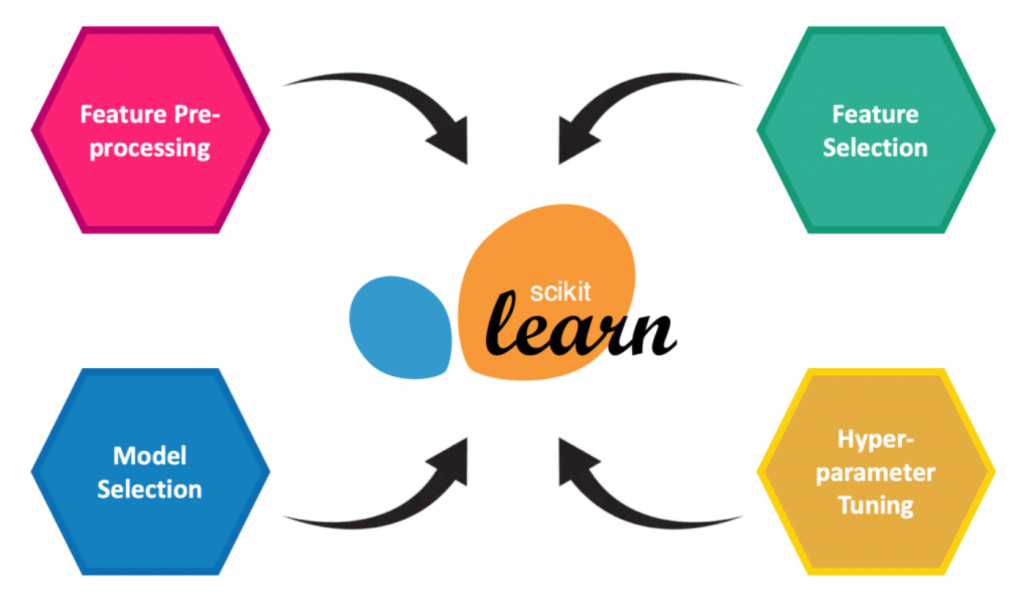
Scikit-learn is an open-source Python library that provides simple and efficient tools for data analysis and machine learning. Built on top of scientific libraries like NumPy, SciPy, and matplotlib, it offers a wide range of algorithms for both supervised and unsupervised learning tasks, including classification, regression, clustering, dimensionality reduction, and model selection. Its user-friendly API, comprehensive documentation, and ability to integrate with other data science tools make it a go-to library for developers and data scientists. Common use cases for Scikit-learn include building models for classification (e.g., email spam detection), regression (e.g., predicting house prices), clustering (e.g., customer segmentation), and dimensionality reduction (e.g., visualizing high-dimensional data). Additionally, it provides tools for model evaluation, hyperparameter tuning, and preprocessing, making it an essential toolkit for tackling a wide array of machine-learning problems.
What is Scikit-learn?
Scikit-learn offers a unified interface for implementing machine learning algorithms. It is particularly known for its simplicity, modularity, and performance, which make it ideal for prototyping and deploying machine learning solutions.
Key Characteristics:
- Versatility: Supports a wide array of algorithms for classification, regression, clustering, and dimensionality reduction.
- Ease of Use: User-friendly API that follows the fit-transform-predict paradigm.
- Integration: Works well with other Python libraries such as Pandas and NumPy.
Top 10 Use Cases of Scikit-learn
- Predictive Modeling: Build regression models for sales forecasting, price prediction, and financial analytics.
- Customer Segmentation: Use clustering techniques to group customers based on behavior or demographics.
- Spam Detection: Train classification models for email filtering and spam detection.
- Fraud Detection: Analyze transaction data to identify fraudulent activities.
- Sentiment Analysis: Implement text classification models to determine the sentiment of customer reviews or social media posts.
- Recommender Systems: Create collaborative filtering or content-based recommendation models for personalized product suggestions.
- Image Processing: Perform dimensionality reduction for image compression or feature extraction.
- Genomics: Apply Scikit-learn for gene expression analysis and biomarker identification.
- Healthcare Analytics: Predict patient outcomes and optimize resource allocation.
- Operational Efficiency: Use machine learning models for process optimization and anomaly detection in manufacturing.
Features of Scikit-learn
- Rich Algorithm Suite: Supports popular algorithms like SVM, Decision Trees, Random Forest, and k-means.
- Model Evaluation Tools: Includes metrics like accuracy, precision, recall, and ROC-AUC.
- Preprocessing Utilities: Offers features like scaling, normalization, and encoding for data preprocessing.
- Pipeline Support: Simplifies workflow management by chaining preprocessing and modeling steps.
- Cross-Validation: Provides robust validation techniques to prevent overfitting.
- Extensive Documentation: Well-maintained and beginner-friendly guides.
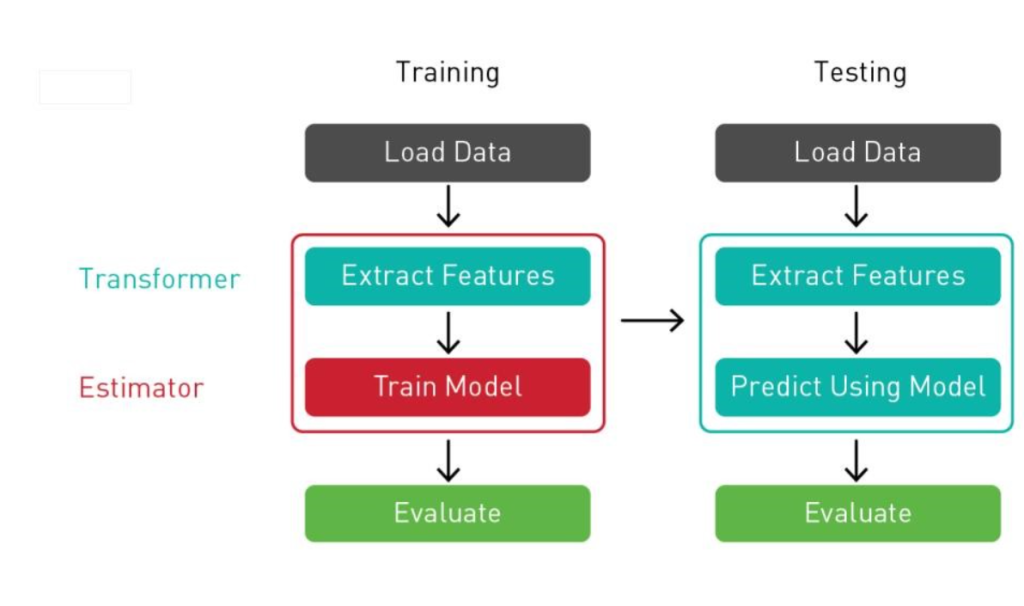
How Scikit-learn Works and Architecture
Scikit-learn’s design philosophy revolves around simplicity and modularity. Its key components include:
- Datasets Module: Provides built-in datasets (e.g., Iris, Boston housing) and tools for loading external datasets.
- Preprocessing Module: Handles data preparation, such as scaling, encoding, and imputing missing values.
- Model Selection: Includes tools for splitting datasets, hyperparameter tuning, and model validation.
- Machine Learning Algorithms: Implements algorithms for classification, regression, clustering, and dimensionality reduction.
- Metrics: Offers various metrics for evaluating model performance.
Scikit-learn operates on the principle of transforming data inputs into meaningful outputs through an easy-to-follow pipeline that combines preprocessing, model training, and evaluation.
How to Install Scikit-learn
To install Scikit-learn, you can use either the pip or conda package manager, depending on your environment and preferences. Here’s how to install it:
1. Using pip (for Python environments)
If you’re using Python with pip (the default package manager), you can install Scikit-learn by running the following command in your terminal or command prompt:
pip install scikit-learnThis will automatically install Scikit-learn along with its dependencies.
2. Using conda (for Anaconda environments)
If you are using Anaconda or Miniconda, you can install Scikit-learn via the conda package manager:
conda install scikit-learnThis will install Scikit-learn and handle any dependencies.
3. Verify Installation
After installing, you can verify that Scikit-learn has been successfully installed by running the following in a Python shell or Jupyter Notebook:
import sklearn
print(sklearn.__version__)
This will print the installed version of Scikit-learn, confirming that the installation was successful.
Both methods will work, so you can choose the one that best fits your setup.
Basic Tutorials of Scikit-learn: Getting Started
Step 1: Importing Scikit-learn
from sklearn.model_selection import train_test_split
from sklearn.ensemble import RandomForestClassifier
Step 2: Loading Data
from sklearn.datasets import load_iris

# Load dataset
data = load_iris()
X, y = data.data, data.target
Step 3: Splitting Data
X_train, X_test, y_train, y_test = train_test_split(X, y, test_size=0.2, random_state=42)Step 4: Training a Model
# Initialize the model
clf = RandomForestClassifier()

# Fit the model
clf.fit(X_train, y_train)
Step 5: Making Predictions
# Predict on test data
predictions = clf.predict(X_test)
print(predictions)