Introduction
Proteomics analysis tools are software platforms that process, analyze, and visualize large-scale protein datasets.
They support mass spectrometry, protein quantification, identification, post-translational modification analysis, and functional annotation.
These tools streamline workflows in biomarker discovery, systems biology, and clinical proteomics studies.
Selecting the right proteomics analysis tool improves reproducibility, scalability, and integration with multi-omics datasets for biological insight.
Real-world use cases:
- Mass spectrometry data processing and peptide identification
- Label-free or TMT-based protein quantification
- Post-translational modification (PTM) mapping
- Systems biology and pathway analysis
- Clinical biomarker discovery and validation
Key buyer evaluation criteria:
- Support for raw data formats from mass spectrometers
- Protein identification and quantification algorithms
- Post-translational modification analysis
- Workflow automation and reproducibility
- Integration with databases (UniProt, STRING, KEGG)
- Visualization and reporting
- Cloud or local deployment options
- Multi-user collaboration
- Scalability for large proteomic datasets
Best for: Proteomics researchers, mass spectrometry labs, clinical research teams, and systems biology groups.
Not ideal for: Teams without proteomics data or labs with only small-scale protein studies.
Key Trends in Proteomics Analysis Tools
- Cloud-based platforms for scalable proteomics computation
- AI/ML-assisted peptide identification and quantification
- Automated workflows for PTM detection and protein inference
- Integration with multi-omics datasets
- Support for high-throughput mass spectrometry data
- Containerized workflows for reproducibility (Docker/Singularity)
- Real-time dashboards and quality control
- Open-source and commercial hybrid models
- Workflow managers like Nextflow and Snakemake for reproducibility
- Visualization tools for network and pathway analysis
How We Selected These Tools (Methodology)
- Adoption in academic and industrial proteomics labs
- Accuracy and robustness in peptide/protein identification and quantification
- Workflow automation and reproducibility
- Integration with protein databases and annotation tools
- Scalability across local, HPC, and cloud environments
- Community support and documentation
- Security and data protection
- Modularity and extensibility of pipelines
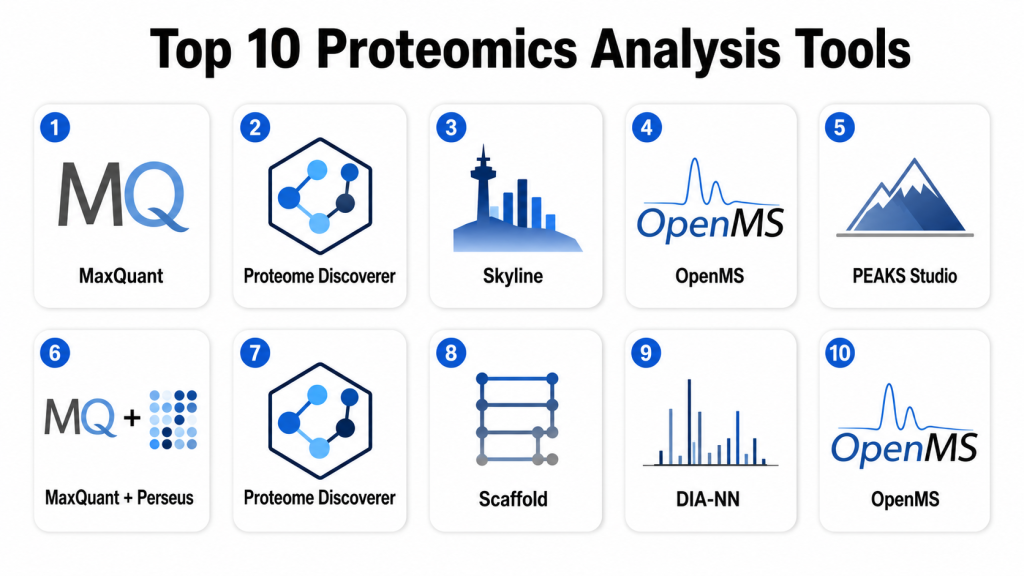
Top 10 Proteomics Analysis Tools
#1 — MaxQuant
Short description:
MaxQuant is a widely used tool for mass spectrometry-based proteomics.
Supports label-free and TMT quantification workflows.
Provides peptide and protein identification and PTM analysis.
Ideal for high-resolution LC-MS/MS data analysis.
Key Features
- Protein and peptide identification
- Label-free quantification and TMT workflows
- PTM analysis (phosphorylation, acetylation)
- Statistical analysis and data visualization
- Integration with Perseus for downstream analysis
Pros
- High accuracy and reproducibility
- Widely validated in research
- Free and open-source
Cons
- Desktop-based; may require powerful machines
- Steep learning curve for beginners
Platforms / Deployment
- Windows / Linux
- Local/Desktop
Security & Compliance
- Data security depends on local setup
- Compliance: Not publicly stated
Integrations & Ecosystem
- Integrates with Perseus and external databases
- Supports output for pathway and network analysis
Support & Community
- Extensive documentation
- Active user community
- Tutorials and forums
#2 — Proteome Discoverer
Short description:
Thermo Fisher’s Proteome Discoverer is a commercial platform for MS data analysis.
Supports peptide identification, quantification, and PTM workflows.
Integrates with Thermo MS instruments seamlessly.
Ideal for clinical and industrial proteomics labs.
Key Features
- Peptide/protein identification and quantification
- PTM mapping
- Workflow automation and batch processing
- Integration with Thermo instruments
Pros
- Vendor-supported, commercial-grade tool
- Seamless integration with MS instruments
- Robust analytics and reporting
Cons
- Licensing costs
- Limited flexibility outside Thermo ecosystem
Platforms / Deployment
- Windows
- Local/Desktop
Security & Compliance
- Encrypted project files
- Compliance: Not publicly stated
Integrations & Ecosystem
- Integrates with Thermo MS data formats
- API and database connectivity
Support & Community
- Vendor support and training
- Documentation and tutorials
#3 — Skyline
Short description:
Skyline is an open-source tool for targeted proteomics workflows.
Supports SRM, PRM, and DIA data processing.
Offers quantification, visualization, and reproducible workflows.
Ideal for quantitative proteomics and method development.
Key Features
- Targeted peptide quantification
- Support for multiple acquisition types
- Data visualization and QC metrics
- Integration with external databases
Pros
- Free and widely used
- Strong visualization tools
- Supports diverse MS instruments
Cons
- Command-line and GUI hybrid; learning curve
- Limited PTM analysis
Platforms / Deployment
- Windows
- Local/Desktop
Security & Compliance
- Data security depends on local setup
- Compliance: Not publicly stated
Integrations & Ecosystem
- Integrates with proteomics databases
- Supports R and Python-based downstream analysis
Support & Community
- Active open-source community
- Tutorials and forums
#4 — OpenMS
Short description:
OpenMS is an open-source software framework for mass spectrometry and proteomics.
Supports workflows from raw data processing to quantification and statistical analysis.
Ideal for academic labs and custom pipeline development.
Key Features
- Data preprocessing and feature detection
- Quantification and PTM analysis
- Workflow automation with KNIME
- Statistical analysis and visualization
Pros
- Open-source and flexible
- Highly modular and extensible
- Integrates with KNIME and workflow managers
Cons
- Requires scripting knowledge for advanced workflows
- Less GUI-friendly than commercial tools
Platforms / Deployment
- Windows / Linux / macOS
- Local / Cloud
Security & Compliance
- Depends on user environment
- Compliance: Not publicly stated
Integrations & Ecosystem
- KNIME integration
- API support for custom workflows
Support & Community
- Active open-source community
- Tutorials and documentation
#5 — PEAKS Studio
Short description:
PEAKS Studio is a commercial platform for peptide identification and quantification.
Supports de novo sequencing, PTM detection, and label-free quantification.
Ideal for complex proteomics workflows and biomarker discovery.
Key Features
- De novo peptide sequencing
- PTM analysis
- Label-free and TMT quantification
- Protein inference and reporting
Pros
- User-friendly interface
- Robust PTM detection
- Suitable for biomarker studies
Cons
- Licensing cost
- Limited customization
Platforms / Deployment
- Windows / macOS
- Local/Desktop
Security & Compliance
- Encrypted project files
- Compliance: Not publicly stated
Integrations & Ecosystem
- Export to pathway and network analysis tools
- Integration with MS instruments
Support & Community
- Vendor support
- Documentation and tutorials
#6 — MaxQuant + Perseus
Short description:
MaxQuant with Perseus offers end-to-end proteomics analysis from raw data to statistical interpretation.
Supports label-free and isobaric quantification, PTM mapping, and downstream analysis.
Ideal for high-resolution LC-MS/MS datasets.
Key Features
- Peptide/protein identification
- Quantification and PTM analysis
- Statistical analysis in Perseus
- Visualization and clustering
Pros
- Free and highly validated
- Powerful statistical modules
- Widely used in research
Cons
- Desktop-based; high computational demand
- Learning curve for beginners
Platforms / Deployment
- Windows / Linux
- Local/Desktop
Security & Compliance
- Data security depends on host
- Compliance: Not publicly stated
Integrations & Ecosystem
- Perseus workflow integration
- Supports output for pathway analysis
Support & Community
- Tutorials and documentation
- Active user forums
#7 — Proteome Discoverer
Short description:
Proteome Discoverer is Thermo Fisher’s commercial platform for protein analysis.
Supports peptide identification, quantification, PTMs, and spectral libraries.
Ideal for clinical proteomics and large-scale studies.
Key Features
- Protein/peptide ID and quantification
- PTM mapping and scoring
- Spectral library support
- Workflow automation
Pros
- Integrated with Thermo MS instruments
- Comprehensive commercial support
- Batch processing and reporting
Cons
- Expensive licensing
- Limited flexibility for custom workflows
Platforms / Deployment
- Windows
- Local/Desktop
Security & Compliance
- Encrypted projects
- Compliance: Not publicly stated
Integrations & Ecosystem
- Thermo instrument formats
- API for reporting
Support & Community
- Vendor support
- Documentation
#8 — Scaffold
Short description:
Scaffold provides statistical validation, quantification, and visualization for proteomics datasets.
Integrates with multiple search engines and mass spectrometry data.
Ideal for validation and interpretation of proteomics experiments.
Key Features
- Statistical validation of peptide/protein IDs
- Label-free quantification
- Integration with multiple search engines
- Visualization and reporting
Pros
- Supports diverse MS data
- Easy-to-use interface
- Strong statistical tools
Cons
- Commercial license
- Limited advanced analysis options
Platforms / Deployment
- Windows / macOS
- Local/Desktop
Security & Compliance
- Data encryption
- Compliance: Not publicly stated
Integrations & Ecosystem
- Works with Mascot, Sequest, and others
- Export for pathway analysis
Support & Community
- Vendor support
- Tutorials
#9 — DIA-NN
Short description:
DIA-NN is a software tool for data-independent acquisition (DIA) proteomics.
Supports protein identification and quantification with neural network algorithms.
Ideal for high-throughput quantitative proteomics.
Key Features
- DIA analysis with neural networks
- Peptide/protein quantification
- High-throughput data processing
- Visualization and QC
Pros
- Fast and accurate
- Open-source option available
- Efficient for large datasets
Cons
- Requires command-line knowledge
- Limited GUI
Platforms / Deployment
- Windows / Linux
- Local / HPC
Security & Compliance
- Depends on host environment
- Compliance: Not publicly stated
Integrations & Ecosystem
- Supports output for downstream analysis
- Compatible with MaxQuant and Perseus
Support & Community
- Documentation
- Active GitHub community
#10 — OpenMS
Short description:
OpenMS is an open-source framework for mass spectrometry and proteomics.
Supports workflow automation, quantification, and PTM analysis.
Ideal for academic research and pipeline development.
Key Features
- Feature detection and quantification
- PTM analysis
- Workflow automation with KNIME
- Statistical analysis
Pros
- Free and flexible
- Integrates with KNIME
- Modular and extensible
Cons
- Command-line focus
- Less user-friendly than commercial tools
Platforms / Deployment
- Windows / Linux / macOS
- Local / Cloud
Security & Compliance
- Host-dependent
- Compliance: Not publicly stated
Integrations & Ecosystem
- KNIME workflows
- API for custom pipelines
Support & Community
- Open-source community
- Tutorials and documentation
Comparison Table (Top 10)
| Tool Name | Best For | Platform(s) | Deployment | Standout Feature | Public Rating |
|---|---|---|---|---|---|
| MaxQuant | High-res LC-MS/MS | Windows/Linux | Local/Desktop | Label-free & TMT quantification | N/A |
| Proteome Discoverer | Clinical & industrial | Windows | Local/Desktop | Thermo instrument integration | N/A |
| Skyline | Targeted proteomics | Windows | Local/Desktop | SRM, PRM, DIA support | N/A |
| OpenMS | Academic & pipelines | Windows/Linux/macOS | Local/Cloud | Workflow automation | N/A |
| PEAKS Studio | PTM & quantification | Windows/macOS | Local/Desktop | De novo peptide sequencing | N/A |
| MaxQuant + Perseus | Statistical analysis | Windows/Linux | Local/Desktop | Quantification & PTM analysis | N/A |
| Proteome Discoverer | Protein ID & quant | Windows | Local/Desktop | Batch processing | N/A |
| Scaffold | Validation & stats | Windows/macOS | Local/Desktop | Integration with search engines | N/A |
| DIA-NN | DIA proteomics | Windows/Linux | Local/HPC | Neural network quantification | N/A |
| OpenMS | Academic workflows | Windows/Linux/macOS | Local/Cloud | Pipeline modularity | N/A |
Evaluation & Scoring
| Tool | Core (25%) | Ease (15%) | Integrations (15%) | Security (10%) | Performance (10%) | Support (10%) | Value (15%) | Weighted Total |
|---|---|---|---|---|---|---|---|---|
| MaxQuant | 10 | 7 | 8 | 7 | 9 | 8 | 6 | 8.3 |
| Proteome Discoverer | 9 | 7 | 8 | 7 | 8 | 7 | 6 | 7.8 |
| Skyline | 8 | 8 | 7 | 7 | 8 | 7 | 7 | 7.6 |
| OpenMS | 8 | 8 | 7 | 7 | 8 | 7 | 7 | 7.6 |
| PEAKS Studio | 8 | 7 | 7 | 7 | 8 | 7 | 7 | 7.5 |
| MaxQuant + Perseus | 9 | 7 | 7 | 7 | 8 | 7 | 6 | 7.7 |
| Proteome Discoverer | 9 | 7 | 7 | 7 | 8 | 7 | 6 | 7.7 |
| Scaffold | 8 | 8 | 7 | 7 | 7 | 7 | 7 | 7.5 |
| DIA-NN | 9 | 7 | 7 | 7 | 8 | 7 | 6 | 7.7 |
| OpenMS | 8 | 8 | 7 | 7 | 8 | 7 | 7 | 7.6 |
Decision Guide
Academic Research
OpenMS, MaxQuant, and Perseus for workflow automation, statistical analysis, and PTM studies.
Clinical/Industrial Proteomics
Proteome Discoverer, PEAKS Studio, and Scaffold for large-scale, validated analyses.
Targeted Proteomics
Skyline provides GUI and quantitative analysis for SRM, PRM, and DIA workflows.
DIA Proteomics
DIA-NN is ideal for high-throughput label-free quantification.
Visualization & Multi-omics Integration
MaxQuant + Perseus and OpenMS support downstream visualization and multi-omics integration.
Frequently Asked Questions (FAQs)
1. Are proteomics tools open-source or commercial?
Some, like MaxQuant and OpenMS, are free; others like Proteome Discoverer and PEAKS Studio are commercial.
2. How complex is installation?
Open-source tools may require dependency management; commercial software provides installers and support.
3. Do they integrate with mass spectrometry instruments?
Yes, commercial tools are often optimized for vendor instruments; open-source supports standard file formats.
4. Can PTMs be analyzed?
Yes, most tools support phosphorylation, acetylation, glycosylation, and other modifications.
5. Are cloud-based workflows available?
Yes, OpenMS and DIA-NN can be deployed on cloud or HPC systems.
6. Is quantification supported?
Label-free, TMT, iTRAQ, and DIA quantification are supported by most platforms.
7. Do tools provide statistical analysis?
Yes, Perseus and Scaffold offer robust statistical and visualization modules.
8. Are GUI options available?
Skyline, Scaffold, PEAKS Studio, and Proteome Discoverer provide GUI interfaces.
9. Can these tools handle large datasets?
Yes, especially DIA-NN, MaxQuant, and cloud-deployable OpenMS.
10. Are tutorials and community support available?
Yes, most platforms have documentation, forums, and community tutorials.
Conclusion
Selecting the right proteomics analysis tool depends on lab size, workflow complexity, and research goals. Academic labs benefit from open-source tools like MaxQuant, Perseus, and OpenMS for reproducibility and flexibility, while clinical and industrial labs require commercial platforms like Proteome Discoverer, PEAKS Studio, and Scaffold for validated workflows. Targeted workflows are best served by Skyline, while DIA-NN excels in high-throughput label-free quantification. Pilot testing, instrument compatibility, and integration with multi-omics data ensure efficient and accurate proteomic analyses, accelerating biomarker discovery and systems biology studies.
