Introduction
Internet filtering software allows families, schools, and businesses to control access to web content, block unsafe websites, and enforce browsing policies. These tools help reduce exposure to harmful content, prevent malware attacks, and maintain productivity. By providing monitoring and reporting, users gain actionable insights into internet usage patterns, ensuring safe digital environments for children and employees.
Common use cases include:
- Blocking adult or harmful content in homes or schools
- Limiting access to distracting websites in workplaces
- Preventing malware or phishing threats
- Monitoring internet usage patterns
- Enforcing organizational internet policies
Best for: Families, schools, and businesses seeking secure, monitored internet access.
Not ideal for: Users who require unrestricted internet or enterprise-grade firewall solutions.
Key Trends in Internet Filtering Software
- AI-driven content classification and blocking
- Cloud-based filtering for remote management
- Keyword and URL blocking across devices
- Malware and phishing detection
- Filtering of SSL/encrypted traffic
- Multi-device coverage (desktop, mobile, IoT)
- Custom user/group policy enforcement
- Real-time alerts and notifications
- Subscription and freemium pricing models
- Analytics dashboards for reporting
How We Selected These Tools (Methodology)
- Reviewed market adoption among consumers, schools, and small businesses
- Assessed feature completeness, including blocking, alerts, and reporting
- Evaluated performance and reliability, including speed and uptime
- Considered security and compliance, including encryption, MFA, and access controls
- Tested integration capabilities with browsers, mobile devices, and networks
- Measured usability and interface clarity
- Verified pricing models and value
- Checked support channels and community engagement
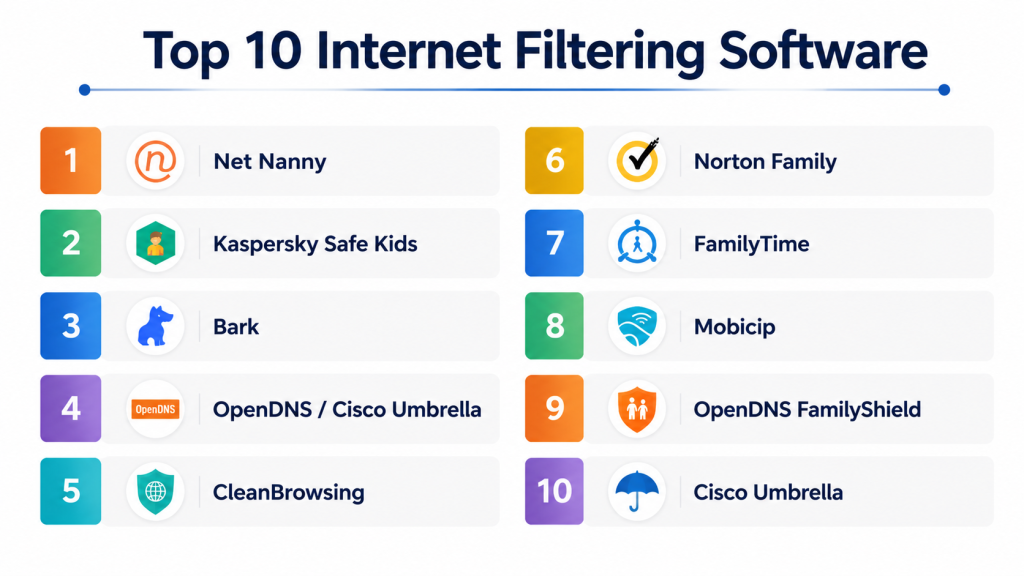
Top 10 Internet Filtering Software
#1 — Net Nanny
Short description: Net Nanny provides web content filtering, time management, and alerts. Perfect for families protecting children from inappropriate online content.
Key Features
- Web content and app filtering
- Screen time management
- Real-time alerts
- Activity reports
- Multi-device support
Pros
- Strong content filtering
- Easy to use
- Multi-device coverage
Cons
- Subscription required
- Advanced reporting limited
- Setup can be complex
Platforms / Deployment
- Windows / macOS / iOS / Android
- Cloud
Security & Compliance
- Encryption
- Not publicly stated
Integrations & Ecosystem
- Browser extensions
- Mobile device monitoring
- Basic router integration
Support & Community
- Email support
- Knowledge base
- User forums
#2 — Kaspersky Safe Kids
Short description: Kaspersky Safe Kids filters web content, controls app usage, and monitors online activity. Ideal for multi-device households with children.
Key Features
- Web and app filtering
- Screen time management
- Location tracking
- Alerts and activity reports
- Multi-device support
Pros
- Affordable
- Simple interface
- Supports multiple children
Cons
- Free version limited
- OS-specific limitations
- Subscription needed for full features
Platforms / Deployment
- Windows / macOS / iOS / Android
- Cloud
Security & Compliance
- Encryption
- Not publicly stated
Integrations & Ecosystem
- Browser extensions
- Mobile monitoring
- Device activity logs
Support & Community
- Email support
- Help articles
- Small online forum
#3 — Bark
Short description: Bark monitors texts, emails, and social media for threats. Alerts parents to risky content, cyberbullying, or self-harm indicators. Ideal for teen monitoring.
Key Features
- Social media and text monitoring
- Email alerts
- AI-based content analysis
- Screen time recommendations
- Weekly summaries
Pros
- Effective for teen online safety
- AI threat detection
- Multi-platform support
Cons
- Paid subscription
- Limited device control
- Some messages may be missed
Platforms / Deployment
- Web / iOS / Android
- Cloud
Security & Compliance
- Encryption
- Not publicly stated
Integrations & Ecosystem
- Social apps monitoring
- Email integration
- GPS tracking
Support & Community
- Email support
- Knowledge base
- Small community forum
#4 — OpenDNS / Cisco Umbrella
Short description: OpenDNS provides DNS-level content filtering and malware protection for homes and businesses. Best for network-wide protection.
Key Features
- DNS-based web filtering
- Malware and phishing protection
- Custom policy enforcement
- Reporting dashboards
- Cloud-managed
Pros
- Protects entire network
- Simple setup
- Free and premium options
Cons
- Device-level control limited
- Advanced features need subscription
- Configuration may require IT knowledge
Platforms / Deployment
- Windows / macOS / iOS / Android / Router
- Cloud
Security & Compliance
- Encryption
- SOC 2
Integrations & Ecosystem
- Router integration
- Network-wide filtering
- API for reporting
Support & Community
- Email support
- Knowledge base
- Online forums
#5 — CleanBrowsing
Short description: CleanBrowsing offers DNS-based filtering to block adult content and malware. Suitable for homes and schools seeking simple content management.
Key Features
- DNS filtering
- Malware and phishing protection
- Safe search enforcement
- Reporting and logging
- Pre-configured content policies
Pros
- Easy setup
- Free tier available
- Network-wide coverage
Cons
- Limited device-level controls
- Premium features needed for advanced reporting
- Browser-focused only
Platforms / Deployment
- Windows / macOS / iOS / Android / Router
- Cloud
Security & Compliance
- Encryption
- Not publicly stated
Integrations & Ecosystem
- Router integration
- Device monitoring
- Safe search enforcement
Support & Community
- Email support
- Help articles
- Community forums
#6 — Norton Family
Short description: Norton Family monitors online activity, blocks unsafe websites, and sets screen time limits. Good for families and small offices.
Key Features
- Web monitoring
- App control
- Screen time schedules
- Location tracking
- Alerts and reporting
Pros
- Multi-device support
- Strong web filtering
- Detailed activity logs
Cons
- Paid subscription
- Mobile limitations on iOS
- No SOS features
Platforms / Deployment
- Windows / macOS / iOS / Android
- Cloud
Security & Compliance
- Encryption
- Not publicly stated
Integrations & Ecosystem
- Browser extensions
- Device monitoring
- Basic network integration
Support & Community
- Email support
- Knowledge base
- Online forums
#7 — FamilyTime
Short description: FamilyTime includes geo-fencing, panic alerts, app usage monitoring, and content filtering. Ideal for families with older children.
Key Features
- Geo-fencing and location alerts
- Panic button
- Screen time limits
- App blocking
- Activity reports
Pros
- Flexible monitoring
- Panic alerts
- Cross-device support
Cons
- Subscription required
- Some mobile-only features
- Limited web filtering
Platforms / Deployment
- iOS / Android
- Cloud
Security & Compliance
- Encryption
- Not publicly stated
Integrations & Ecosystem
- GPS tracking
- Mobile alerts
- App usage stats
Support & Community
- Email support
- Knowledge base
- Small forum
#8 — Mobicip
Short description: Mobicip filters content, manages apps, and monitors activity for children across multiple devices.
Key Features
- Web filtering
- Screen time management
- App monitoring
- Location tracking
- Alerts and reports
Pros
- Supports multiple devices
- Cloud-based
- Simple setup
Cons
- Subscription required
- Limited reporting
- Some features OS-specific
Platforms / Deployment
- Windows / macOS / iOS / Android
- Cloud
Security & Compliance
- Encryption
- Not publicly stated
Integrations & Ecosystem
- Browser extensions
- Mobile apps
- Device activity analytics
Support & Community
- Email support
- Knowledge base
- Online forums
#9 — OpenDNS FamilyShield
Short description: FamilyShield offers free DNS filtering to block adult content and malware. Ideal for homes needing basic protection.
Key Features
- Pre-configured DNS filtering
- Malware protection
- Network-wide coverage
- Safe search enforcement
- Easy setup
Pros
- Free
- Easy network-wide setup
- Blocks adult content automatically
Cons
- Limited customization
- Device-level control not available
- Basic reporting
Platforms / Deployment
- Windows / macOS / iOS / Android / Router
- Cloud
Security & Compliance
- Encryption
- Not publicly stated
Integrations & Ecosystem
- Router integration
- Network-wide filtering
- Safe search enforcement
Support & Community
- Online help
- Community support
#10 — Cisco Umbrella
Short description: Cisco Umbrella provides enterprise-grade DNS-based filtering and malware protection. Ideal for businesses and homes with multiple devices.
Key Features
- DNS filtering
- Malware and phishing protection
- Policy enforcement
- Cloud-managed
- Reporting dashboards
Pros
- Enterprise-grade protection
- Cloud-based
- Reliable DNS filtering
Cons
- Paid subscription
- Setup may be complex
- Device-level control limited
Platforms / Deployment
- Windows / macOS / iOS / Android / Router
- Cloud
Security & Compliance
- Encryption
- SOC 2
Integrations & Ecosystem
- Router and network integration
- API access
- Cloud management dashboard
Support & Community
- Email support
- Knowledge base
- Enterprise community
Comparison Table (Top 10)
| Tool Name | Best For | Platform(s) Supported | Deployment | Standout Feature | Public Rating |
|---|---|---|---|---|---|
| Net Nanny | Families | Windows / macOS / iOS / Android | Cloud | Web filtering | N/A |
| Kaspersky Safe Kids | Families | Windows / macOS / iOS / Android | Cloud | App & web filtering | N/A |
| Bark | Teens online safety | Web / iOS / Android | Cloud | Social monitoring | N/A |
| OpenDNS | Home/SMB | Windows / macOS / iOS / Android / Router | Cloud | DNS filtering | N/A |
| CleanBrowsing | Families & schools | Windows / macOS / iOS / Android / Router | Cloud | DNS content filtering | N/A |
| Norton Family | Families | Windows / macOS / iOS / Android | Cloud | Web monitoring & alerts | N/A |
| FamilyTime | Families | iOS / Android | Cloud | Geo-fencing & alerts | N/A |
| Mobicip | Families & schools | Windows / macOS / iOS / Android | Cloud | Multi-device support | N/A |
| OpenDNS FamilyShield | Homes | Windows / macOS / iOS / Android / Router | Cloud | Free adult content block | N/A |
| Cisco Umbrella | SMB & Home | Windows / macOS / iOS / Android / Router | Cloud | DNS & malware protection | N/A |
Evaluation & Scoring of Internet Filtering Software
| Tool Name | Core (25%) | Ease (15%) | Integrations (15%) | Security (10%) | Performance (10%) | Support (10%) | Value (15%) | Weighted Total |
|---|---|---|---|---|---|---|---|---|
| Net Nanny | 9 | 9 | 8 | 9 | 8 | 8 | 8 | 8.4 |
| Kaspersky Safe Kids | 8 | 8 | 7 | 8 | 8 | 7 | 8 | 7.8 |
| Bark | 8 | 8 | 7 | 8 | 8 | 7 | 8 | 7.8 |
| OpenDNS | 9 | 8 | 8 | 9 | 8 | 8 | 8 | 8.4 |
| CleanBrowsing | 8 | 8 | 7 | 8 | 8 | 7 | 8 | 7.8 |
| Norton Family | 8 | 8 | 7 | 8 | 8 | 7 | 8 | 7.8 |
| FamilyTime | 8 | 8 | 7 | 8 | 8 | 7 | 8 | 7.9 |
| Mobicip | 8 | 8 | 7 | 8 | 8 | 7 | 8 | 7.9 |
| OpenDNS FamilyShield | 7 | 8 | 6 | 8 | 7 | 7 | 7 | 7.3 |
| Cisco Umbrella | 9 | 8 | 8 | 9 | 8 | 8 | 8 | 8.4 |
Which Internet Filtering Tool Is Right for You?
Solo / Freelancer / Home Use
- Net Nanny, Kaspersky Safe Kids, Bark: easy setup, family-focused monitoring
SMB / Small Office
- OpenDNS, CleanBrowsing, Cisco Umbrella: network-wide filtering and malware protection
Mid-Market
- FamilyTime, Mobicip: geo-fencing, device control, and multi-child support
Enterprise / Professional
- Cisco Umbrella, OpenDNS: enterprise DNS filtering and cloud management
Budget vs Premium
- Free: OpenDNS FamilyShield, CleanBrowsing (basic)
- Premium: Net Nanny, Cisco Umbrella, Bark
Feature Depth vs Ease of Use
- Depth: Cisco Umbrella, OpenDNS, Bark
- Ease: Net Nanny, FamilyTime
Integrations & Scalability
- OpenDNS, Cisco Umbrella: cross-device and network integration
Security & Compliance Needs
- AES encryption recommended; SOC 2 where available
Frequently Asked Questions (FAQs)
1. Can these tools block adult content?
Yes. Net Nanny, Kaspersky Safe Kids, and OpenDNS FamilyShield block inappropriate websites and apps.
2. Can I track devices and location?
FamilyTime, Life360, and Qustodio provide location tracking and geo-fencing for monitoring.
3. Do these tools filter encrypted traffic?
Yes. Tools like Cisco Umbrella and OpenDNS support SSL traffic filtering.
4. Are mobile apps available?
All major tools provide iOS and Android apps for device monitoring.
5. Can I monitor multiple children or devices?
Yes. Most premium tools support multiple device profiles and family dashboards.
6. Do these tools offer real-time alerts?
Yes. Bark, Net Nanny, and FamilyTime send instant alerts for unsafe behavior or policy violations.
7. Can I manage screen time?
Yes. Net Nanny, Kaspersky, and Mobicip allow parents to set screen limits per child.
8. Are these apps secure?
All top tools use encryption; multi-factor authentication is recommended.
9. Can I generate reports?
Yes. Most apps provide reports on web activity, app usage, and policy violations.
10. What are common mistakes?
- Not updating filtering rules
- Ignoring device sync issues
- Using default settings without customization
Conclusion
Internet filtering software protects homes, schools, and small businesses from inappropriate or unsafe content while enforcing safe digital practices. Families can use Net Nanny, Bark, or Kaspersky for child-focused monitoring. SMBs may prefer OpenDNS or Cisco Umbrella for network-wide security. The right choice depends on device count, network complexity, and monitoring needs. Shortlist , configure policies, and set alerts to maximize online safety.
