Introduction
Email deliverability tools help businesses improve the chances that their emails reach the inbox instead of landing in spam, promotions, junk folders, or getting blocked by mailbox providers. These tools monitor sender reputation, domain authentication, inbox placement, blacklist status, bounce patterns, engagement signals, spam triggers, and technical setup. For marketing teams, sales teams, SaaS companies, agencies, and enterprises, email deliverability is not just a technical concern. It directly affects revenue, customer communication, lead generation, onboarding, retention, and brand trust.
Email deliverability matters because email channels are becoming more tightly filtered by mailbox providers. Poor domain authentication, weak list hygiene, high complaint rates, suspicious sending patterns, and low engagement can reduce inbox placement. A good email deliverability platform helps teams diagnose issues, test campaigns before sending, monitor reputation, protect domains, and improve performance over time.
Real-world use cases include:
- Inbox placement testing: Check whether campaigns land in inbox, spam, promotions, or other folders.
- Sender reputation monitoring: Track domain and IP reputation to identify deliverability risks early.
- Email authentication checks: Validate SPF, DKIM, DMARC, BIMI, and DNS alignment.
- Blacklist monitoring: Detect whether domains or IPs appear on blocklists.
- Campaign pre-send testing: Review content, links, headers, and spam triggers before launch.
- List hygiene: Identify invalid, risky, inactive, or low-quality email addresses.
- Cold outreach protection: Monitor sending limits, warm-up health, and domain reputation.
Evaluation Criteria for Buyers:
- Inbox placement testing: Accuracy of seed testing and mailbox provider coverage.
- Reputation monitoring: Domain, IP, complaint, bounce, and engagement visibility.
- Authentication checks: SPF, DKIM, DMARC, BIMI, and DNS health validation.
- Blacklist monitoring: Detection, alerting, and remediation guidance.
- Spam testing: Content analysis, link checks, HTML review, and scoring.
- List validation: Email verification, bounce prevention, and risky contact detection.
- Reporting and analytics: Clear dashboards, trends, alerts, and exportable reports.
- Integrations: ESPs, CRMs, marketing automation, sales tools, APIs, and webhooks.
- Ease of use: Simple setup, clear recommendations, and non-technical workflows.
- Scalability: Fit for individuals, SMBs, agencies, high-volume senders, and enterprises.
Best for: Email deliverability tools are best for email marketers, growth teams, sales teams, SaaS companies, eCommerce brands, agencies, newsletters, B2B outbound teams, customer success teams, and enterprises that depend on email performance.
Not ideal for: These tools may not be necessary for very small senders with low email volume, simple one-to-one communication, or teams using only basic transactional emails with already healthy infrastructure. They are also not a replacement for ethical sending practices, proper consent, valuable content, and clean audience management.
Key Trends in Email Deliverability Tools
- Authentication is becoming mandatory: SPF, DKIM, DMARC, and domain alignment are now baseline requirements for serious senders.
- Mailbox providers are focusing more on engagement: Opens, clicks, replies, complaints, deletions, and spam reports influence inbox placement.
- AI-assisted deliverability diagnostics are growing: Tools increasingly use automation to identify technical issues, risky content patterns, and reputation problems.
- Cold outreach is under more scrutiny: Sales teams must manage volume, personalization, bounce rates, and domain reputation more carefully.
- List quality is now a deliverability priority: Invalid, stale, and unengaged contacts can damage reputation faster than many teams expect.
- Domain reputation is more important than IP reputation for many senders: With shared email infrastructure and modern filtering, mailbox providers often evaluate domains heavily.
- DMARC reporting is becoming more valuable: Businesses use DMARC analytics to detect spoofing, impersonation, and authentication failures.
- Deliverability is becoming cross-functional: Marketing, sales, IT, security, compliance, and customer success teams all influence email health.
- Pre-send testing is becoming standard: Teams increasingly test content, links, DNS setup, rendering, and placement before sending large campaigns.
- Agencies need multi-client deliverability dashboards: Email agencies require scalable reporting, monitoring, and alerts across many brands and domains.
How We Selected These Tools Methodology
The tools in this list were selected based on practical usefulness for email deliverability improvement, sender reputation monitoring, inbox testing, authentication support, reporting, integrations, and customer fit. The goal is to provide a balanced list for marketers, SaaS teams, outbound sales teams, agencies, and enterprise email programs.
- Market recognition: Tools with strong usage among email marketers, SaaS companies, agencies, and deliverability teams were prioritized.
- Feature completeness: Inbox testing, reputation monitoring, spam checks, authentication checks, and reporting were evaluated.
- Deliverability focus: Preference was given to tools built specifically for deliverability or with strong deliverability modules.
- Ease of use: Dashboards, recommendations, onboarding, and non-technical workflows were considered.
- Technical depth: DNS checks, DMARC analysis, blacklist monitoring, seed testing, and API access were reviewed.
- Integrations: Compatibility with ESPs, CRMs, marketing automation platforms, sales engagement tools, and APIs was considered.
- Customer fit: The list includes tools for SMBs, agencies, developers, marketers, and enterprises.
- Support and education: Documentation, onboarding help, deliverability guidance, and expert services were considered.
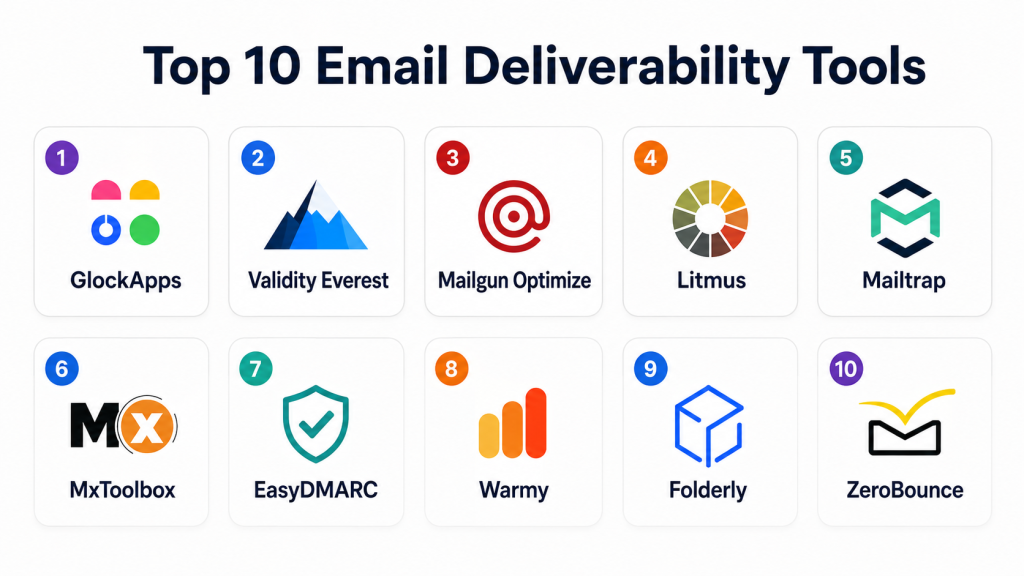
Top 10 Email Deliverability Tools
1- GlockApps
Short description:
GlockApps is an email deliverability testing and monitoring platform designed to help marketers, agencies, and businesses understand where their emails land. It provides inbox placement testing, spam testing, blacklist monitoring, DMARC analytics, and reputation tracking. The platform is useful for teams that want to test campaigns before sending and identify issues that may affect inbox placement. GlockApps is especially practical for agencies and email marketers managing multiple campaigns and sender domains. It helps users understand whether emails are reaching inboxes, spam folders, or promotional tabs across different mailbox providers.
Key Features
- Inbox placement testing
- Spam filter testing
- Blacklist monitoring
- DMARC analytics and reporting
- Email content and authentication checks
- Sender reputation monitoring
- Campaign testing before launch
Pros
- Strong inbox placement testing features.
- Useful for agencies and email marketers.
- Helps identify technical and content-related deliverability issues.
Cons
- Seed testing results should be combined with real engagement data.
- New users may need time to understand all reports.
- Advanced deliverability remediation may require expert knowledge.
Platforms / Deployment
Web / Cloud-based platform
Security & Compliance
Supports account security features and email testing workflows. Specific compliance certifications are not publicly stated.
Integrations & Ecosystem
GlockApps works with many email sending platforms because users can send test emails from their existing ESP or SMTP setup. It is useful as a diagnostic layer across email programs.
- Email service providers
- SMTP platforms
- Marketing automation tools
- DMARC reporting workflows
- Blacklist monitoring systems
- Agency reporting workflows
- Campaign testing processes
Support & Community
GlockApps provides documentation, help resources, deliverability guidance, and support options. It is widely used by email marketers and deliverability-focused teams.
2- Validity Everest
Short description:
Validity Everest is an email success and deliverability platform designed for serious email marketing teams, enterprises, and high-volume senders. It helps users monitor inbox placement, sender reputation, engagement, list quality, and campaign performance. Everest is built for teams that need a more complete view of deliverability across campaigns, domains, and sending infrastructure. It is especially relevant for larger marketing organizations that need deep diagnostics, analytics, and strategic deliverability insights. The platform combines monitoring, testing, and optimization features to help teams improve email performance at scale.
Key Features
- Inbox placement monitoring
- Sender reputation insights
- Email validation and list quality tools
- Engagement and performance analytics
- Deliverability dashboards
- Campaign pre-send testing
- Enterprise reporting and alerts
Pros
- Strong fit for high-volume and enterprise senders.
- Comprehensive deliverability and reputation visibility.
- Useful for teams needing deeper campaign intelligence.
Cons
- May be more advanced than small senders need.
- Pricing may not fit every small business.
- Implementation can require planning and training.
Platforms / Deployment
Web / Cloud-based platform
Security & Compliance
Supports enterprise-grade access and security workflows. Specific certifications should be validated based on plan and customer requirements.
Integrations & Ecosystem
Validity Everest is designed to work across major email programs, marketing operations, and data workflows. It supports teams that need deliverability analytics connected with broader email performance management.
- Email service providers
- Marketing automation platforms
- CRM systems
- Data quality workflows
- Campaign analytics
- Enterprise reporting
- List validation workflows
Support & Community
Validity offers documentation, customer support, onboarding resources, and deliverability expertise. It is suitable for organizations that need strategic guidance and advanced reporting.
3- Mailgun Optimize
Short description:
Mailgun Optimize is an email deliverability and testing solution connected with Mailgun’s email infrastructure ecosystem. It helps teams validate email lists, monitor inbox placement, test content, track reputation, and improve sending performance. The tool is useful for developers, SaaS companies, product teams, and transactional email senders who need better visibility into email deliverability. Mailgun Optimize is especially practical for businesses already using Mailgun for email sending. It helps reduce bounces, improve technical configuration, and diagnose issues before they impact users or campaigns.
Key Features
- Inbox placement testing
- Email validation
- Reputation monitoring
- Blacklist monitoring
- Content testing and spam checks
- Deliverability insights
- Integration with Mailgun sending workflows
Pros
- Strong fit for transactional and developer-led email teams.
- Useful email validation and testing capabilities.
- Good option for Mailgun users needing deliverability visibility.
Cons
- Best value is often within the Mailgun ecosystem.
- May not replace a full enterprise deliverability platform.
- Teams using other ESPs should validate workflow fit.
Platforms / Deployment
Web / Cloud-based platform
Security & Compliance
Security features depend on Mailgun account settings and service configuration. Specific compliance details should be validated based on plan and business requirements.
Integrations & Ecosystem
Mailgun Optimize integrates naturally with Mailgun’s email API and SMTP services. It is useful for developer teams that want deliverability testing alongside programmatic email sending.
- Mailgun email API
- SMTP workflows
- Transactional email systems
- Web applications
- Email validation workflows
- Monitoring dashboards
- Developer tools
Support & Community
Mailgun provides documentation, API guides, support options, and developer-focused resources for email sending and deliverability workflows.
4- Litmus
Short description:
Litmus is an email marketing testing and optimization platform widely used by marketing teams to preview, test, and improve email campaigns before sending. While it is known for email previews and rendering tests, it also supports spam testing, QA workflows, link checks, and campaign validation. Litmus is useful for brands that want to ensure emails look correct across clients and avoid common issues that hurt performance. It helps teams improve email quality, reduce errors, and maintain brand consistency. For deliverability, Litmus is most helpful in pre-send testing, spam checks, and email QA rather than deep sender reputation management.
Key Features
- Email previews across clients and devices
- Spam testing and pre-send checks
- Link validation
- Accessibility checks
- Email QA workflows
- Collaboration tools for marketing teams
- Campaign performance insights
Pros
- Excellent for email QA and rendering checks.
- Strong fit for marketing teams and agencies.
- Helps reduce campaign errors before sending.
Cons
- Not a full sender reputation management platform.
- Deliverability depth may be limited compared with dedicated tools.
- Pricing may be high for very small teams.
Platforms / Deployment
Web / Cloud-based platform
Security & Compliance
Supports account security features and team-based workflows. Specific compliance details should be validated based on plan and enterprise needs.
Integrations & Ecosystem
Litmus integrates with many email marketing and marketing operations workflows. It is useful for teams that need campaign testing, approvals, QA, and pre-send validation.
- Email service providers
- Marketing automation platforms
- Collaboration workflows
- Design systems
- Campaign QA processes
- Analytics workflows
- Email production tools
Support & Community
Litmus provides documentation, training resources, support options, educational content, and a strong community presence among email marketers.
5- Mailtrap
Short description:
Mailtrap is an email delivery and testing platform used by developers, QA teams, product teams, and marketers to test, inspect, and send emails safely. It provides email sandbox testing, deliverability checks, SMTP testing, email previews, and production sending capabilities. Mailtrap is especially useful during application development because teams can test transactional emails without accidentally sending them to real users. It also helps validate headers, content, links, and email structure before production deployment. For SaaS and product-led teams, Mailtrap is practical for improving email reliability across development and production environments.
Key Features
- Email sandbox testing
- SMTP and API email testing
- Email preview and inspection
- Deliverability and spam checks
- Transactional email sending
- Team collaboration features
- Debugging for development workflows
Pros
- Excellent for developers and QA teams.
- Helps prevent accidental email sending during testing.
- Useful for transactional email testing and debugging.
Cons
- Not primarily an enterprise sender reputation platform.
- Marketing deliverability features may be less deep than dedicated tools.
- Best fit depends on technical team involvement.
Platforms / Deployment
Web / Cloud-based platform
Security & Compliance
Supports secure testing workflows and account-level controls. Specific compliance certifications are not publicly stated.
Integrations & Ecosystem
Mailtrap integrates well with development, testing, and transactional email workflows. It is useful for teams building web apps, SaaS products, and automated email systems.
- SMTP workflows
- Email APIs
- Web applications
- Development frameworks
- QA environments
- CI/CD pipelines
- Transactional email workflows
Support & Community
Mailtrap provides documentation, developer guides, support resources, and strong adoption among development and QA teams.
6- MxToolbox
Short description:
MxToolbox is a diagnostic platform for email, DNS, blacklist, and domain health monitoring. It is widely used by IT teams, administrators, email managers, and support teams to troubleshoot email delivery problems. MxToolbox helps users check MX records, SPF, DKIM, DMARC, blacklist status, DNS configuration, SMTP health, and domain reputation signals. It is especially useful when teams need quick technical checks to identify why emails are bouncing, failing authentication, or being blocked. While it is not a full marketing deliverability suite, it is a practical tool for technical diagnostics and monitoring.
Key Features
- MX record lookup
- SPF, DKIM, and DMARC checks
- Blacklist monitoring
- SMTP diagnostics
- DNS health checks
- Domain reputation checks
- Alerting and monitoring options
Pros
- Useful for fast technical email diagnostics.
- Good fit for IT teams and administrators.
- Helps identify DNS and blacklist issues quickly.
Cons
- Not a full campaign deliverability optimization tool.
- Limited marketing analytics compared with dedicated platforms.
- Some advanced features may require paid plans.
Platforms / Deployment
Web / Cloud-based diagnostic platform
Security & Compliance
Supports domain and email diagnostics. Specific compliance certifications are not publicly stated.
Integrations & Ecosystem
MxToolbox is commonly used alongside email platforms, DNS providers, hosting providers, and IT monitoring workflows.
- DNS systems
- Email servers
- SMTP systems
- Domain monitoring workflows
- IT support workflows
- Blacklist monitoring
- Authentication checks
Support & Community
MxToolbox provides documentation, diagnostic tools, monitoring resources, and support options. It is widely known among IT administrators and email troubleshooting teams.
7- EasyDMARC
Short description:
EasyDMARC is an email authentication and domain protection platform focused on DMARC monitoring, SPF, DKIM, BIMI, and anti-spoofing workflows. It helps businesses understand who is sending email on behalf of their domains and whether messages are properly authenticated. EasyDMARC is especially useful for organizations that want to protect domains from phishing, spoofing, impersonation, and unauthorized sending. It provides reporting, alerts, guided setup, and visibility into authentication failures. While it is not a complete inbox placement testing suite, it is highly relevant for deliverability because authentication health directly affects trust and inbox performance.
Key Features
- DMARC reporting and monitoring
- SPF and DKIM checks
- BIMI support guidance
- Domain spoofing visibility
- Authentication failure analysis
- Alerts and reporting dashboards
- Managed DMARC workflows
Pros
- Strong focus on domain authentication and protection.
- Useful for reducing spoofing and impersonation risk.
- Helps improve trust signals for mailbox providers.
Cons
- Not a full inbox placement testing platform.
- Requires DNS changes and ongoing monitoring.
- Some advanced features may be more useful for larger teams.
Platforms / Deployment
Web / Cloud-based platform
Security & Compliance
Focuses on domain authentication, DMARC enforcement, anti-spoofing, and email security visibility. Specific compliance certifications are not publicly stated.
Integrations & Ecosystem
EasyDMARC works across email environments because DMARC reporting is based on domain-level authentication records and aggregate reports.
- DNS providers
- Email service providers
- Microsoft email environments
- Google email environments
- Security operations workflows
- Reporting dashboards
- Domain protection processes
Support & Community
EasyDMARC provides documentation, guided setup, support resources, and educational materials for DMARC, SPF, DKIM, and BIMI adoption.
8- Warmy
Short description:
Warmy is an email warm-up and deliverability platform designed to help users improve sender reputation and inbox placement. It is commonly used by outbound sales teams, cold email teams, agencies, and businesses launching new domains or inboxes. Warmy focuses on gradually building sending reputation, monitoring inbox placement, and helping users identify deliverability problems. It is especially useful for teams doing outbound email who need to avoid sudden sending spikes, spam folder placement, and domain reputation issues. It should be used with responsible outreach practices, clean lists, and proper authentication.
Key Features
- Email warm-up workflows
- Inbox placement monitoring
- Sender reputation improvement support
- Spam folder tracking
- Deliverability analytics
- Domain and mailbox health insights
- Cold outreach deliverability support
Pros
- Useful for outbound sales and cold email teams.
- Helps manage warm-up for new domains and inboxes.
- Provides practical visibility into inbox placement.
Cons
- Warm-up tools should not replace proper list quality.
- Not ideal for every marketing email program.
- Results depend on sending practices and audience quality.
Platforms / Deployment
Web / Cloud-based platform
Security & Compliance
Supports account-level workflows and email reputation monitoring. Specific compliance certifications are not publicly stated.
Integrations & Ecosystem
Warmy is commonly used with outbound email systems, mailboxes, and sales engagement workflows to support domain and inbox warming.
- Google email environments
- Microsoft email environments
- SMTP workflows
- Sales engagement tools
- Cold outreach workflows
- Deliverability monitoring
- Inbox placement tracking
Support & Community
Warmy provides user guidance, support resources, and deliverability-focused onboarding for sales and outbound teams.
9- Folderly
Short description:
Folderly is an email deliverability platform focused on improving inbox placement, sender reputation, and email performance for businesses, agencies, and outbound teams. It provides deliverability monitoring, spam issue detection, authentication checks, and practical recommendations to help users improve email health. Folderly is especially useful for teams that rely heavily on outbound campaigns or email marketing and need a clearer view of why emails may be landing in spam. It focuses on both technical setup and ongoing deliverability improvement. The platform is suitable for users who want guided remediation rather than only raw diagnostics.
Key Features
- Inbox placement monitoring
- Spam issue detection
- Domain and mailbox health checks
- Authentication review
- Deliverability recommendations
- Campaign performance insights
- Ongoing reputation monitoring
Pros
- Useful for teams needing guided deliverability improvements.
- Good fit for outbound and sales email programs.
- Helps identify spam placement and domain health issues.
Cons
- May be more focused on outbound than broad enterprise email.
- Buyers should validate fit with their email platform.
- Advanced deliverability cases may still need expert consultation.
Platforms / Deployment
Web / Cloud-based platform
Security & Compliance
Supports domain and mailbox monitoring workflows. Specific compliance certifications are not publicly stated.
Integrations & Ecosystem
Folderly works with mailbox systems, outbound workflows, and deliverability monitoring processes. It is often used by sales and marketing teams that need better inbox placement.
- Google email environments
- Microsoft email environments
- Outbound email tools
- Sales workflows
- Domain health checks
- Campaign monitoring
- Deliverability reporting
Support & Community
Folderly provides onboarding, support resources, deliverability guidance, and customer education materials.
10- ZeroBounce
Short description:
ZeroBounce is an email validation and deliverability platform focused on improving list quality, reducing bounces, and helping teams maintain sender reputation. It is useful for marketers, agencies, SaaS companies, and sales teams that need to clean email lists before sending campaigns. ZeroBounce checks email validity, detects risky addresses, identifies disposable emails, flags abuse emails, and provides list quality insights. It also offers deliverability-related tools that support better campaign performance. While it is not only an inbox placement tool, list hygiene is a major part of deliverability, making ZeroBounce highly relevant for email health.
Key Features
- Email validation and verification
- Bounce reduction tools
- Disposable email detection
- Abuse and spam trap risk detection
- Email scoring
- Deliverability testing features
- API and bulk list processing
Pros
- Strong fit for improving list quality.
- Helps reduce bounces and protect sender reputation.
- Useful API and bulk verification workflows.
Cons
- Not a complete inbox placement monitoring suite.
- List cleaning does not guarantee inbox placement.
- Ongoing deliverability still requires authentication and engagement management.
Platforms / Deployment
Web / Cloud-based platform / API
Security & Compliance
Supports secure data processing workflows and account controls. Specific compliance details should be validated based on customer requirements.
Integrations & Ecosystem
ZeroBounce integrates with marketing, CRM, and email workflows where list quality is important before campaign sending.
- CRM platforms
- Email marketing platforms
- Marketing automation tools
- APIs
- Bulk list processing
- Lead generation workflows
- Campaign preparation workflows
Support & Community
ZeroBounce provides documentation, API resources, support options, and educational content for email validation and deliverability improvement.
Comparison Table Top 10
| Tool Name | Best For | Platforms Supported | Deployment | Standout Feature | Public Rating |
|---|---|---|---|---|---|
| GlockApps | Inbox placement testing | Web | Cloud | Seed testing and spam diagnostics | N/A |
| Validity Everest | Enterprise email programs | Web | Cloud | Full deliverability intelligence | N/A |
| Mailgun Optimize | Developers and transactional senders | Web / API | Cloud | Deliverability testing with Mailgun ecosystem | N/A |
| Litmus | Email QA and campaign testing | Web | Cloud | Email preview and pre-send QA | N/A |
| Mailtrap | Developers and QA teams | Web / API | Cloud | Email sandbox and testing workflows | N/A |
| MxToolbox | IT and DNS diagnostics | Web | Cloud | DNS, blacklist, and SMTP checks | N/A |
| EasyDMARC | Authentication and domain protection | Web | Cloud | DMARC, SPF, DKIM, and BIMI monitoring | N/A |
| Warmy | Cold outreach and mailbox warm-up | Web | Cloud | Email warm-up and inbox tracking | N/A |
| Folderly | Outbound deliverability improvement | Web | Cloud | Guided spam and inbox remediation | N/A |
| ZeroBounce | List hygiene and bounce reduction | Web / API | Cloud | Email validation and list quality | N/A |
Evaluation & Scoring of Email Deliverability Tools
The scoring below is comparative and designed to help buyers shortlist platforms based on common deliverability needs. A higher score does not mean the tool is best for every team. For example, an enterprise sender may need Validity Everest, a developer team may prefer Mailtrap or Mailgun Optimize, a cold outreach team may need Warmy or Folderly, and a security-focused domain team may need EasyDMARC. Buyers should test tools against their real sending setup before making a final decision.
| Tool Name | Core 25% | Ease 15% | Integrations 15% | Security 10% | Performance 10% | Support 10% | Value 15% | Weighted Total 0–10 |
| GlockApps | 8.5 | 8.0 | 8.0 | 7.5 | 8.0 | 8.0 | 8.5 | 8.15 |
| Validity Everest | 9.5 | 7.5 | 9.0 | 8.5 | 9.0 | 9.0 | 7.5 | 8.70 |
| Mailgun Optimize | 8.5 | 8.0 | 8.5 | 8.0 | 8.5 | 8.0 | 8.0 | 8.25 |
| Litmus | 8.0 | 8.5 | 8.5 | 8.0 | 8.0 | 8.5 | 7.5 | 8.15 |
| Mailtrap | 8.0 | 8.5 | 8.5 | 8.0 | 8.0 | 8.0 | 8.5 | 8.25 |
| MxToolbox | 7.5 | 8.5 | 7.0 | 7.5 | 8.0 | 7.5 | 8.5 | 7.85 |
| EasyDMARC | 8.0 | 8.0 | 7.5 | 8.5 | 8.0 | 8.0 | 8.0 | 8.00 |
| Warmy | 7.5 | 8.5 | 7.5 | 7.0 | 8.0 | 8.0 | 8.0 | 7.85 |
| Folderly | 8.0 | 8.0 | 7.5 | 7.5 | 8.0 | 8.0 | 7.5 | 7.80 |
| ZeroBounce | 8.0 | 8.5 | 8.5 | 8.0 | 8.0 | 8.0 | 8.5 | 8.25 |
How to interpret the scores:
- 8.5 and above: Strong platforms for advanced or enterprise-level deliverability programs.
- 8.0 to 8.4: Strong tools with clear strengths for specific deliverability needs.
- 7.5 to 7.9: Practical tools that work well when matched to the right use case.
- Below 7.5: May still be useful, but should be tested carefully before relying on it.
- Use the score as a shortlist guide, not as a universal ranking.
Which Email Deliverability Tool Is Right for You?
Solo / Freelancer
Solo users and freelancers usually need simple tools to test campaigns, check spam score, validate lists, and monitor domain setup. GlockApps, MxToolbox, and ZeroBounce are practical options because they help with inbox testing, DNS diagnostics, and list quality. If you are doing cold outreach, Warmy can also help with mailbox warm-up and reputation monitoring.
SMB
Small and mid-sized businesses need a balanced setup that covers inbox placement, list hygiene, authentication, and campaign quality. GlockApps, ZeroBounce, EasyDMARC, and Litmus are useful choices depending on the team’s needs. SMBs running transactional email may also consider Mailgun Optimize or Mailtrap if developers are involved in the email workflow.
Mid-Market
Mid-market companies often send higher volumes and need better reporting, technical monitoring, and reputation management. Validity Everest, Mailgun Optimize, Litmus, EasyDMARC, and ZeroBounce are strong options. Teams should prioritize authentication, inbox placement testing, segmentation, list quality, and alerting before scaling send volume.
Enterprise
Enterprises need strong visibility across brands, domains, IPs, business units, and sending platforms. Validity Everest is a strong option for enterprise deliverability intelligence. EasyDMARC is useful for domain authentication and protection. Litmus helps marketing teams manage email QA at scale, while ZeroBounce supports list quality and bounce reduction. Enterprises should also ensure that internal teams have clear governance around email sending.
Budget vs Premium
Budget-focused teams can start with MxToolbox, GlockApps, ZeroBounce, or EasyDMARC depending on the need. Premium buyers with large email programs should consider Validity Everest, Litmus, and advanced deliverability workflows. The best budget decision is not always the cheapest tool, but the one that prevents spam placement, domain damage, and lost revenue.
Feature Depth vs Ease of Use
If you want feature depth, Validity Everest, GlockApps, Litmus, and EasyDMARC provide strong monitoring and diagnostic capabilities. If ease of use matters more, ZeroBounce, MxToolbox, Warmy, and Mailtrap are easier starting points for many teams. Developer-led teams may prefer Mailtrap or Mailgun Optimize because they fit technical workflows.
Integrations & Scalability
For large campaigns, choose tools that integrate with your ESP, CRM, marketing automation platform, and reporting workflows. Validity Everest, Litmus, ZeroBounce, and Mailgun Optimize are useful for scaling teams. For authentication monitoring across domains, EasyDMARC is a good fit. For outbound sales programs, Warmy and Folderly may be more relevant.
Security & Compliance Needs
Security-focused teams should prioritize DMARC, SPF, DKIM, BIMI, domain spoofing visibility, access controls, and audit-friendly workflows. EasyDMARC is highly relevant for domain authentication and protection. Enterprises should also monitor unauthorized sending sources, enforce authentication policies, and maintain clean ownership of email domains.
Frequently Asked Questions FAQs
1. What are email deliverability tools?
Email deliverability tools help businesses improve the chances that emails reach the inbox instead of spam or junk folders. They monitor sender reputation, authentication, inbox placement, blacklist status, content issues, and list quality.
2. Why do emails land in spam?
Emails may land in spam because of poor sender reputation, missing authentication, high bounce rates, spammy content, low engagement, bad lists, suspicious links, or high complaint rates. Deliverability tools help identify and fix these issues.
3. What is inbox placement testing?
Inbox placement testing checks where emails land across different mailbox providers and test inboxes. It helps teams see whether a message reaches the inbox, spam folder, promotions tab, or gets filtered before sending a major campaign.
4. What is sender reputation?
Sender reputation is a trust signal mailbox providers use to decide whether to deliver emails to the inbox. It is influenced by domain reputation, IP reputation, bounce rates, complaints, engagement, authentication, and sending behavior.
5. Why are SPF, DKIM, and DMARC important?
SPF, DKIM, and DMARC help mailbox providers verify that emails are sent by authorized systems. Proper authentication improves trust, reduces spoofing risk, and supports better deliverability when combined with healthy sending practices.
6. Do email deliverability tools guarantee inbox placement?
No tool can guarantee inbox placement because mailbox providers use many signals and algorithms. Deliverability tools help diagnose problems, improve setup, monitor risks, and guide best practices, but list quality and engagement still matter.
7. What is email list validation?
Email list validation checks whether email addresses are valid, risky, disposable, inactive, or likely to bounce. It helps reduce bounce rates, protect sender reputation, and improve campaign quality before sending.
8. Are warm-up tools useful for cold email?
Warm-up tools can help new inboxes or domains build sending patterns gradually, but they are not a shortcut for poor outreach practices. Teams still need clean lists, personalization, low complaint rates, and proper authentication.
9. Which tool is best for email authentication?
EasyDMARC is a strong choice for DMARC, SPF, DKIM, BIMI, and domain protection workflows. MxToolbox is also useful for quick DNS and authentication checks, especially for IT teams troubleshooting setup issues.
10. Which tool is best for agencies?
Agencies often need inbox testing, reporting, list validation, and multi-client monitoring. GlockApps, Validity Everest, Litmus, ZeroBounce, and EasyDMARC can be useful depending on whether the agency focuses on campaigns, security, or technical diagnostics.
Conclusion
Email deliverability tools help businesses protect sender reputation, improve inbox placement, reduce bounces, monitor authentication, and diagnose issues before they damage campaign performance. The best tool depends on your use case: GlockApps is strong for inbox testing, Validity Everest fits enterprise programs, Mailgun Optimize and Mailtrap work well for developer-led email workflows, Litmus is excellent for campaign QA, MxToolbox is practical for technical diagnostics, EasyDMARC is strong for authentication and domain protection, Warmy and Folderly support outbound deliverability, and ZeroBounce is valuable for list hygiene. The right next step is to shortlist two or three tools, test them with real campaigns, review authentication and DNS health, clean your lists, monitor inbox placement, and build a repeatable deliverability process before scaling email volume.
