Introduction
Enterprise App Distribution Platforms help organizations deploy, manage, and distribute mobile, desktop, and internal business applications across a range of devices and user groups. Unlike public app stores, which focus on consumer distribution, enterprise platforms enable targeted delivery to employees, partners, contractors, and pilot groups while maintaining control, security, and compliance. They support workflows including beta testing, staged rollouts, internal app catalogs, remote installation, update management, access control, and device policy enforcement.
In and beyond, enterprise app distribution is a strategic part of digital transformation. With remote work, Bring Your Own Device (BYOD) policies, multi‑OS environments, and strict compliance requirements, teams need solutions that combine ease of distribution with governance and security. These platforms reduce friction for IT, increase deployment visibility for engineering teams, and streamline feedback and version control across app lifecycles.
Real‑world use cases include:
- Internal mobile app delivery: Distribute iOS and Android business apps outside public app stores.
- Beta and pilot testing: Roll out trial versions to selected user groups before general release.
- Cross‑department software deployment: Manage desktop and mobile app access across teams.
- Staged rollout: Gradually expose new features or versions to minimize disruption.
- Remote installation & updates: Push app versions to devices securely.
- Access & compliance control: Enforce policies, credentials, and usage restrictions.
Evaluation Criteria for Buyers:
- Platform support (iOS, Android, desktop, web)
- Deployment & staged rollout workflows
- Access control & identity integration (SSO, directory sync)
- Security & compliance features
- Automation & CI/CD integrations
- Analytics & usage reporting
- Developer tooling & SDKs
- Scalability & enterprise readiness
- Update management & versioning
- Feedback & testing workflows
Best for: Enterprises, large IT organizations, engineering teams, DevOps groups, security and compliance teams, and businesses delivering private or regulated applications.
Not ideal for: Consumer‑only distribution or small teams that rely solely on public app stores for deployment.
Key Trends in App Distribution Platforms (Enterprise)
- Zero‑touch deployment: Automated installation without manual intervention.
- Conditional access: Identity‑based controls and device posture checks.
- Integration with MDM/UEM: Unified mobility and endpoint management.
- Beta management & staged release: Controlled rollouts with telemetry insights.
- CI/CD distribution pipelines: Automated distribution tied to build systems.
- Multi‑platform orchestration: Unified delivery across mobile, desktop, and web contexts.
- Security & compliance guardrails: Encryption, audit logs, access policies.
- Insight dashboards: Usage, adoption, crash telemetry, and release analytics.
- Self‑service catalogs: Internal app catalogs for employees and partners.
- Version rollback controls: Easy revert to previous releases when issues arise.
How We Selected These Tools (Methodology)
- Enterprise adoption: Platforms widely used by IT and engineering teams for internal distribution.
- Feature richness: Deployment workflows, staged rollout, access control, feedback loops.
- Cross‑platform support: iOS, Android, desktop (Windows/macOS), and hybrid support.
- Security & compliance: Identity integrations, encryption, audit capability.
- Automation & CI/CD: Support for build‑to‑distribution pipelines.
- Developer & IT experience: SDKs, APIs, management consoles.
- Analytics & reporting: Usage, version adoption, error insights.
- Scalability & performance: Suitability for large enterprises.
- Support & documentation: Quality enterprise support options.
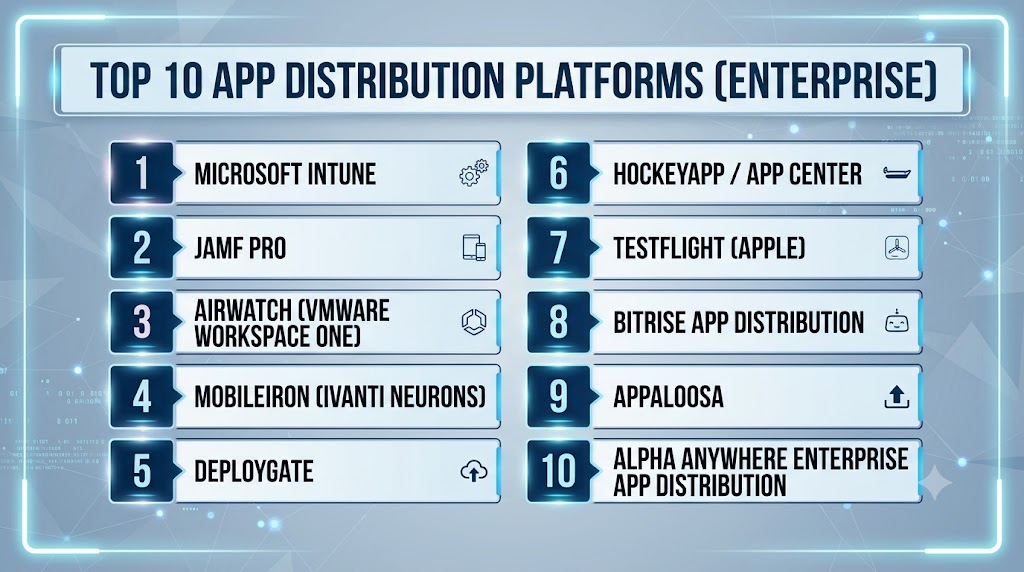
Top 10 App Distribution Platforms (Enterprise)
1 — Microsoft Intune
Short description:
Microsoft Intune is a leading Unified Endpoint Management (UEM) platform that includes enterprise app distribution for mobile apps, desktop applications, and web apps. Intune helps IT teams deploy, update, and manage applications across devices while enforcing security policies and compliance requirements. Widely used across enterprises, Intune supports integration with Azure Active Directory for role‑based access and identity federation.
Key Features
- UEM with app distribution
- iOS, Android, Windows, macOS support
- Conditional access and identity integration
- Staged and policy‑based deployments
- Self‑service enterprise app portal
- CI/CD distribution integrations
- Usage and compliance reporting
Pros
- Deep Microsoft ecosystem integration
- Strong governance and access control
- Broad device and OS support
Cons
- Complexity for small teams
- Licensing tied to Microsoft 365 plans
- UI can be dense for first‑time users
Platforms / Deployment
iOS / Android / Windows / macOS / Cloud
Security & Compliance
SSO, MFA, conditional access, encryption, audit logs, compliance reporting
Integrations & Ecosystem
Azure AD, Microsoft 365, Endpoint Manager, CI/CD workflows, identity ecosystems
Support & Community
Enterprise support tiers, Microsoft documentation, global community
2 — Jamf Pro
Short description:
Jamf Pro is an enterprise management platform focused on Apple devices (iOS, macOS). It provides app distribution, policy enforcement, configuration management, and security controls. Organizations that predominantly use Apple devices choose Jamf for its robust Apple‑centric features, scalability, and deep integration with Apple APIs and services.
Key Features
- App deployment for iOS and macOS
- Config profiles and device policies
- Managed distribution and staged rollout
- Self‑service app catalog
- Identity and access integrations
- Usage and adoption analytics
Pros
- Best‑in‑class Apple support
- Strong device and configuration management
- Scalable for large Apple fleets
Cons
- Focused on Apple (limited cross‑OS parity)
- Pricing may be high for smaller fleets
- Requires Apple ecosystem expertise
Platforms / Deployment
iOS / macOS / Cloud
Security & Compliance
Device posture checks, SSO integration, policy enforcement, audit logs
Integrations & Ecosystem
Apple APIs, directory services, security tools, management consoles
Support & Community
Enterprise support, documentation, community forums
3 — AirWatch (VMware Workspace ONE)
Short description:
VMware Workspace ONE (AirWatch) is a UEM and enterprise distribution platform that provides app deployment across mobile, desktop, and IoT endpoints. It supports staged distribution, compliance policies, identity integration, and analytics. Workspace ONE is popular with enterprises that need unified endpoint and app management at scale.
Key Features
- App distribution across mobile and desktop
- Identity & conditional access
- Compliance rules and policies
- Staged rollouts and version controls
- Self‑service app storefront
- Analytics and reporting
Pros
- Broad device and OS support
- Deep enterprise security controls
- Unified endpoint and app management
Cons
- Enterprise complexity
- Cost and licensing considerations
- Requires planning for full deployment
Platforms / Deployment
iOS / Android / Windows / macOS / UEM
Security & Compliance
SSO, MFA, encryption, compliance and audit reporting
Integrations & Ecosystem
Identity providers, security tools, device fleets, VPNs
Support & Community
VMware enterprise support, documentation, training
4 — MobileIron (Ivanti Neurons)
Short description:
MobileIron (now part of Ivanti Neurons) provides enterprise app distribution along with unified endpoint and mobile security management. It enables secure deployment of mobile applications, version control, staged rollouts, and analytics, combined with strong compliance and security governance.
Key Features
- App distribution and lifecycle management
- Device posture and compliance
- Identity and access control
- Policy enforcement and versioning
- Self‑service enterprise apps
Pros
- Strong mobile security focus
- Unified endpoint insights
- Scalable governance tools
Cons
- Learning curve for complex policies
- Integration planning required
- Cost depending on tier
Platforms / Deployment
iOS / Android / Windows / macOS / Cloud
Security & Compliance
Access controls, encryption, audit logs, policy compliance
Integrations & Ecosystem
Identity providers, SIEM, security stacks, device management
Support & Community
Documentation, support tiers, enterprise resources
5 — DeployGate
Short description:
DeployGate is a distribution platform targeted at mobile developers and enterprise teams. It offers staged distribution, beta testing management, version control, crash feedback, and team collaboration tools. It is practical for organizations managing internal mobile app versions and iterative builds.
Key Features
- Distribution for iOS and Android
- Staged rollout and beta distribution
- Version control and build history
- Feedback and crash reports
- Team collaboration tools
Pros
- Focused on mobile distribution workflows
- Easy beta and pilot app management
- Collaboration features
Cons
- Not a full UEM solution
- Limited desktop support
- Enterprise governance less extensive
Platforms / Deployment
iOS / Android / Cloud
Security & Compliance
Access controls and secure links; enterprise privacy tools vary
Integrations & Ecosystem
CI/CD systems, feedback tools, analytics platforms
Support & Community
Documentation and support channels for teams
6 — HockeyApp / App Center
Short description:
Microsoft App Center (evolved from HockeyApp) provides mobile build, test, distribution, and analytics. It enables enterprises to distribute mobile apps to testers or internal groups, monitor usage, and integrate with build pipelines. It’s useful for organizations that want continuous delivery workflows for mobile apps.
Key Features
- Build, test, and distribution pipelines
- Distribution to groups or stores
- Crash and usage analytics
- Integration with CI/CD
- Automated builds
Pros
- Integrated build and distribution workflows
- Useful for DevOps teams
- Integration with Microsoft ecosystem
Cons
- Focus on mobile (no desktop)
- Enterprise governance limited
- Evolving feature set
Platforms / Deployment
iOS / Android / Cloud
Security & Compliance
Microsoft account security model, privacy options
Integrations & Ecosystem
Build/CD systems, crash analytics, DevOps tools
Support & Community
Microsoft docs, support tiers
7 — TestFlight (Apple)
Short description:
TestFlight is Apple’s beta distribution platform for iOS and iPadOS apps. While not a full enterprise distribution system, enterprises use TestFlight for controlled beta testing and staged rollouts before wider deployment. It integrates with Apple developer workflows and provides tester management.
Key Features
- Beta distribution for iOS and iPadOS
- Tester groups and invites
- Version control and release notes
- Integration with build workflows
Pros
- Official Apple support
- Easy beta distribution management
- Familiar workflow for iOS teams
Cons
- iOS only
- Not a full enterprise app store
- Limited governance controls
Platforms / Deployment
iOS / iPadOS / Cloud
Security & Compliance
Apple account permissions, privacy guardrails
Integrations & Ecosystem
Apple development ecosystem, test workflows
Support & Community
Apple documentation and developer support
8 — Bitrise App Distribution
Short description:
Bitrise provides mobile CI/CD workflows and app distribution for beta testing and enterprise deployments. It integrates with build, test, and deployment pipelines, enabling teams to distribute builds to testers or internal audiences. It’s useful for teams that want automated distribution tied to CI/CD.
Key Features
- CI/CD automation
- Distribution to testers and internal audiences
- Build and testing automation
- Version history and workflows
- Integration with communication tools
Pros
- Seamless CI/CD integration
- Automation for mobile delivery
- Team collaboration
Cons
- Not a UEM platform
- Desktop support limited
- Features tied to Bitrise workflow
Platforms / Deployment
iOS / Android / Cloud
Security & Compliance
Access controls and secure workflows
Integrations & Ecosystem
CI/CD systems, communication tools, testing platforms
Support & Community
Documentation and community resources
9 — Appaloosa
Short description:
Appaloosa is an enterprise app store platform enabling internal app distribution across mobile and desktop environments. It provides controlled access, devices management, staged rollouts, and versioning. It’s designed for enterprises needing a centralized app catalog for internal apps.
Key Features
- Internal enterprise app store
- Versioning and staged deployments
- Access control and policies
- Cross‑platform distribution
- Analytics and reporting
Pros
- Centralized enterprise app catalog
- Cross‑platform support
- Access governance
Cons
- Deployment complexity
- Integration planning required
- Feature depth may vary by plan
Platforms / Deployment
iOS / Android / Windows / macOS / Cloud
Security & Compliance
Access policies, encryption, audit logs
Integrations & Ecosystem
Device management, CI/CD systems, identity providers
Support & Community
Documentation and enterprise support
10 — Alpha Anywhere Enterprise App Distribution
Short description:
Alpha Anywhere provides enterprise app distribution for mobile and web applications built within its platform. It supports staged rollouts, access control, update management, and integration with enterprise identity systems. It’s practical for teams using Alpha Anywhere for rapid application development.
Key Features
- Enterprise distribution workflows
- Access control integration
- Version management
- App catalogs
- Update orchestration
Pros
- Built for apps developed within Alpha Anywhere
- Integration with enterprise identity
- Access control and staged deployment
Cons
- Niche to Alpha Anywhere ecosystem
- Less broad general use
- Features tied to platform
Platforms / Deployment
Mobile / Web / Cloud
Security & Compliance
Access governance, identity integrations
Integrations & Ecosystem
Enterprise identity, internal systems
Support & Community
Vendor documentation and support
Comparison Table (Top 10)
| Tool Name | Best For | Platforms Supported | Deployment | Standout Feature | Public Rating |
|---|---|---|---|---|---|
| Microsoft Intune | UEM + app distribution | iOS/Android/Windows/macOS | Cloud | Unified endpoint & app management | N/A |
| Jamf Pro | Apple enterprises | iOS/macOS | Cloud | Best‑in‑class Apple support | N/A |
| VMware Workspace ONE | Enterprise UEM | iOS/Android/Windows/macOS | Cloud | Broad device & policy support | N/A |
| Ivanti Neurons (MobileIron) | Secure enterprise deployments | iOS/Android/Windows/macOS | Cloud | Compliance & security focus | N/A |
| DeployGate | Mobile distribution focus | iOS/Android | Cloud | Mobile beta & staged rollout | N/A |
| Microsoft App Center | Mobile CI/CD + distribution | iOS/Android | Cloud | Build + distribution integration | N/A |
| TestFlight | iOS beta testing | iOS/iPadOS | Cloud | Apple’s beta workflow | N/A |
| Bitrise App Distribution | CI/CD‑linked distribution | iOS/Android | Cloud | Automated CI/CD pipelines | N/A |
| Appaloosa | Internal app store | iOS/Android/Windows/macOS | Cloud | Enterprise internal app catalog | N/A |
| Alpha Anywhere | Platform‑specific distribution | Mobile/Web | Cloud | App catalog & access control | N/A |
Evaluation & Scoring of App Distribution Platforms
| Tool Name | Core 25% | Ease 15% | Integrations 15% | Security 10% | Performance & Reliability 10% | Support 10% | Value 15% | Weighted Total |
| Microsoft Intune | 9.5 | 8.0 | 9.0 | 9.0 | 9.0 | 8.5 | 8.0 | 8.90 |
| Jamf Pro | 9.0 | 7.5 | 8.5 | 9.0 | 8.5 | 8.5 | 7.5 | 8.50 |
| VMware Workspace ONE | 9.5 | 7.5 | 9.0 | 9.0 | 9.0 | 8.0 | 7.5 | 8.65 |
| Ivanti Neurons | 9.0 | 7.5 | 8.5 | 9.0 | 8.5 | 8.0 | 8.0 | 8.45 |
| DeployGate | 8.0 | 8.5 | 8.0 | 8.0 | 8.0 | 8.0 | 8.5 | 8.10 |
| App Center | 8.5 | 8.5 | 8.0 | 8.0 | 8.5 | 8.0 | 8.0 | 8.25 |
| TestFlight | 7.0 | 9.0 | 7.5 | 8.0 | 7.5 | 8.0 | 9.0 | 8.10 |
| Bitrise | 8.0 | 8.5 | 8.0 | 7.5 | 7.5 | 8.0 | 8.5 | 8.00 |
| Appaloosa | 8.5 | 7.5 | 8.0 | 8.5 | 8.5 | 8.0 | 7.5 | 8.10 |
| Alpha Anywhere | 7.5 | 7.5 | 7.0 | 8.0 | 7.0 | 7.5 | 8.0 | 7.55 |
Interpretation:
- 8.5+ indicates strong enterprise app distribution with security, scalability, and integrations.
- 8.0–8.4 are solid options tailored for workflows at moderate enterprise scale.
- 7.5–7.9 are useful in specific niches or workflows.
- Always test with real deployment scenarios before final selection.
Which App Distribution Platform Is Right for You?
Solo / Freelancer
If you’re distributing small enterprise apps, DeployGate or TestFlight (for iOS) offers simple beta and staging workflows.
SMB
Mid‑sized organizations may prefer App Center or DeployGate for easy mobile distribution with developer‑friendly integration.
Mid‑Market
Jamf Pro and Ivanti Neurons provide stronger device governance and app distribution controls for larger teams.
Enterprise
Microsoft Intune, VMware Workspace ONE, and Jamf Pro are enterprise‑grade options with deep security, identity, compliance, and cross‑OS support.
Budget vs Premium
For limited budgets, TestFlight and DeployGate provide cost‑effective options. Premium enterprise governance leans toward Intune, Workspace ONE, or Jamf.
Feature Depth vs Ease of Use
If governance and compliance matter most, Intune and Workspace ONE shine. For ease of internal distribution, App Center and DeployGate are practical.
Integrations & Scalability
Large fleets with identity and security needs should prioritize Intune, Workspace ONE, and Ivanti Neurons for scalability and integrations.
Security & Compliance Needs
Enterprises should validate SSO, MFA, auditing, policy enforcement, and device posture checks — Intune and Jamf Pro are strong candidates.
Frequently Asked Questions (FAQs)
1. What is an enterprise app distribution platform?
It’s a system for deploying and managing internal applications across devices without relying on public app stores, with governance, access control, and structured workflows.
2. Why do enterprises need app distribution platforms?
They enable secure deployment, staged rollouts, compliance, update control, and integration with identity and device policies.
3. Can enterprise platforms handle staged rollouts?
Yes, most enterprise platforms support phased deployments to reduce risk and monitor adoption.
4. How do access controls work?
They integrate with identity systems like SSO, directory services, and role‑based access to govern who can install or update apps.
5. Are desktop apps supported?
Platforms like Intune, Workspace ONE, and Appaloosa support Windows and macOS in addition to mobile.
6. What about beta testing?
Tools like DeployGate, TestFlight, and App Center are designed for beta testing and pilot rollout workflows.
7. Do these platforms support CI/CD?
Many support CI/CD integration for automated distribution after builds or tests complete.
8. What security features matter most?
Encryption, identity integration, conditional access, audit logs, compliance reporting, and device posture checks.
9. Can these tools handle BYOD scenarios?
Yes, platforms with UEM integration (like Intune and Workspace ONE) handle BYOD policies and device posture.
10. How do I measure adoption?
Enterprise tools typically provide dashboards with install counts, version usage, compliance status, and engagement metrics.
Conclusion
Enterprise App Distribution Platforms are essential for secure, controlled, and scalable delivery of internal applications across devices. Microsoft Intune, VMware Workspace ONE, and Jamf Pro lead with enterprise governance, identity controls, multi‑OS support, and compliance tools. Ivanti Neurons and Appaloosa provide strong catalog and distribution workflows. Developer and QA teams benefit from DeployGate, App Center, and Bitrise App Distribution for beta workflows and CI/CD integration, while TestFlight remains a useful tool for iOS beta testing. Choosing the right platform depends on device diversity, governance needs, CI/CD workflows, and enterprise policy requirements. Shortlist two or three platforms, pilot internal distribution scenarios, validate integration with identity and device management, and align platform capabilities with compliance and update workflows for your organization’s needs.
