Introduction
IVR (Interactive Voice Response) Design Tools are software solutions that allow organizations to build, manage, and optimize automated phone menus and voice interactions. These tools help businesses create structured call flows, automate customer routing, and integrate AI-driven voice assistants, enhancing efficiency and user experience. IVR design tools range from visual drag-and-drop platforms to developer-centric programmable solutions, enabling teams to deploy professional-grade voice systems without complex coding.
In , IVR remains critical for customer support, contact centers, and automated services. Modern IVR systems incorporate AI for natural language understanding, sentiment detection, and personalized call routing. Companies leveraging IVR design tools can reduce call handling times, improve customer satisfaction, and gather actionable insights from voice interactions.
Real-World Use Cases:
- Customer support routing: Automatically directing callers to the appropriate department or agent.
- Payment and billing automation: Handling transactions, account inquiries, and service updates.
- Appointment scheduling: Booking or rescheduling appointments with minimal human intervention.
- Surveys and feedback collection: Capturing customer sentiment and feedback after interactions.
- Healthcare triage: Screening patient calls and providing information or escalation to staff.
Evaluation Criteria for Buyers:
- Ease of use and visual design interface
- Multi-level call flow customization
- AI/NLP capabilities for voice interactions
- Integration with CRM, helpdesk, and analytics platforms
- Deployment flexibility (cloud, hybrid, on-premise)
- Reporting and analytics capabilities
- Security and compliance for sensitive data
- Multi-language and IVR localization support
- Scalability and performance reliability
- Support and community resources
Best for: Contact centers, telecom operators, healthcare providers, banks, and enterprises managing high call volumes with automation needs.
Not ideal for: Small businesses with low call volume or where human-only call handling is sufficient, or for organizations with minimal voice interaction requirements.
Key Trends in IVR Design Tools
- AI-driven call routing: Intelligent systems dynamically route callers based on intent and behavior.
- Natural language understanding (NLU): Voice interactions handle conversational input instead of rigid menu options.
- Omnichannel voice integration: Supports mobile, web, and smart speaker interactions alongside traditional phone systems.
- Low-code/no-code flow design: Drag-and-drop interfaces for rapid IVR development without programming expertise.
- Cloud-native IVR deployment: Elastic scaling and multi-region availability for enterprise-grade reliability.
- Integration with CRM and analytics platforms: Real-time data insights for better customer experience management.
- Compliance automation: GDPR, HIPAA, SOC 2 adherence for voice data storage and transmission.
- Personalization and dynamic scripting: Tailoring IVR messages based on caller profile and history.
- AI-assisted testing and optimization: Simulating calls and analyzing performance to refine flows.
- Flexible pricing models: Subscription, per-minute, or pay-as-you-go options for varying business sizes.
How We Selected These Tools (Methodology)
- Evaluated market adoption and presence across enterprise, SMB, and developer-centric users.
- Reviewed feature completeness, including AI, call routing, multi-channel support, and analytics.
- Assessed reliability and performance through reported uptime, call handling efficiency, and scalability.
- Examined security and compliance, ensuring encryption, access control, and regulatory adherence.
- Evaluated integration ecosystem with CRMs, ticketing platforms, and monitoring tools.
- Considered customer fit across industries and organizational sizes.
- Tested ease of customization and low-code/no-code capabilities for business teams.
- Factored support, documentation, and community resources for onboarding and troubleshooting.
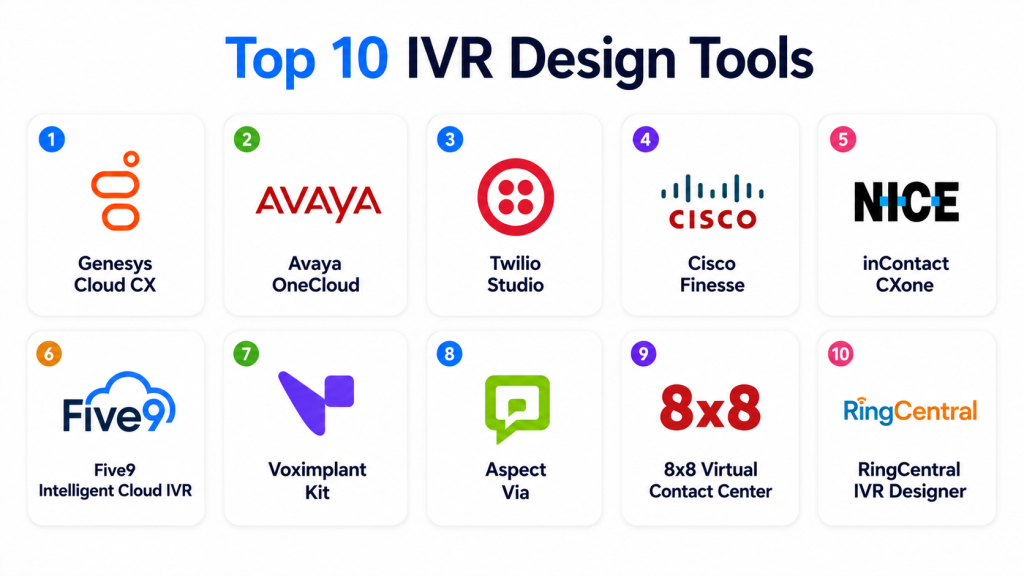
Top 10 IVR Design Tools
1- Genesys Cloud CX
Short description: Genesys Cloud CX offers a robust IVR design platform for enterprises, combining drag-and-drop call flow creation, AI integration, and analytics. Ideal for large-scale contact centers managing high call volumes.
Key Features
- Drag-and-drop IVR designer
- AI-driven call routing
- Multi-language voice support
- Real-time analytics and reporting
- Integration with CRM and ticketing systems
- Cloud-native deployment with elastic scaling
Pros
- Highly scalable for enterprise operations
- Strong AI and personalization capabilities
Cons
- Premium pricing may be high for SMBs
- Complexity requires training for full feature utilization
Platforms / Deployment
- Web / iOS / Android
- Cloud
Security & Compliance
- SSO/SAML, MFA, encryption
- SOC 2, GDPR, HIPAA
Integrations & Ecosystem
- Salesforce, ServiceNow, Microsoft Dynamics
- APIs for custom routing and analytics
- Integration with workforce optimization and monitoring tools
Support & Community
- Tiered enterprise support
- Documentation, tutorials, and training
- Active user community
2- Avaya OneCloud
Short description: Avaya OneCloud provides a comprehensive IVR solution for enterprise communications, enabling voice, digital, and AI-powered interactions.
Key Features
- Visual call flow builder
- AI and speech recognition
- Multi-channel IVR support
- Real-time monitoring dashboards
- CRM and helpdesk integration
Pros
- Reliable for large-scale deployments
- Multi-channel voice automation
Cons
- High initial configuration complexity
- Requires Avaya ecosystem familiarity
Platforms / Deployment
- Web / Windows / iOS / Android
- Cloud / Hybrid
Security & Compliance
- Encryption, RBAC, audit logs
- SOC 2, GDPR
Integrations & Ecosystem
- Salesforce, Microsoft Dynamics, Zendesk
- API and webhooks for custom workflows
- Contact center software integration
Support & Community
- Enterprise support plans
- Documentation and onboarding guides
- Community forums
3- Twilio Studio
Short description: Twilio Studio is a low-code IVR design tool enabling developers to create programmable voice workflows with visual editing. Suitable for SMBs and mid-market companies.
Key Features
- Drag-and-drop flow editor
- Programmable voice and SMS
- Integration with Twilio APIs
- AI and NLP support
- Real-time call monitoring
- Multi-channel deployment
Pros
- Highly flexible for developers
- Scalable and programmable
Cons
- Requires some developer expertise
- Costs scale with usage
Platforms / Deployment
- Web
- Cloud
Security & Compliance
- SSO/SAML, encryption
- GDPR, SOC 2
Integrations & Ecosystem
- CRM, marketing automation, ticketing
- Twilio API and SDK integration
- Custom workflow extensions
Support & Community
- Documentation and tutorials
- Developer support plans
- Active community forum
4- Cisco Finesse
Short description: Cisco Finesse IVR tools provide enterprise-grade voice automation integrated with Cisco Contact Center solutions, ideal for regulated industries.
Key Features
- Visual call flow builder
- AI and natural language integration
- Real-time dashboards
- Multi-language voice prompts
- CRM and ERP integration
Pros
- Enterprise-level reliability
- Strong integration with Cisco ecosystem
Cons
- Requires Cisco infrastructure
- High cost for smaller teams
Platforms / Deployment
- Web / Windows / iOS
- Cloud / On-premise / Hybrid
Security & Compliance
- Encryption, RBAC
- SOC 2, ISO 27001
Integrations & Ecosystem
- Salesforce, ServiceNow, Oracle CRM
- API support
- Contact center tools
Support & Community
- Cisco enterprise support
- Documentation and training
- Community forums
5- NICE inContact CXone
Short description: CXone by NICE inContact offers a cloud-based IVR designer with AI-driven routing and advanced analytics for contact centers.
Key Features
- Visual drag-and-drop designer
- AI and speech recognition
- Multi-channel voice support
- Analytics dashboards
- CRM and ticketing integrations
Pros
- High reliability and scalability
- AI-driven automation improves efficiency
Cons
- Enterprise pricing
- Requires training to use advanced features
Platforms / Deployment
- Web / iOS / Android
- Cloud
Security & Compliance
- SSO, encryption
- SOC 2, GDPR
Integrations & Ecosystem
- Salesforce, Microsoft Dynamics, ServiceNow
- API for custom workflows
- Analytics and reporting tools
Support & Community
- Enterprise support tiers
- Tutorials and documentation
- Active forums
6- Five9 Intelligent Cloud IVR
Short description: Five9 provides cloud IVR tools designed for intelligent call routing, AI integration, and advanced analytics. Suitable for contact centers of all sizes.
Key Features
- AI-based call routing
- Visual IVR design
- Speech recognition
- CRM integration
- Analytics and reporting
Pros
- Cloud-native scalability
- Easy to integrate with existing contact centers
Cons
- Premium pricing for advanced AI
- Limited offline options
Platforms / Deployment
- Web / iOS / Android
- Cloud
Security & Compliance
- Encryption, audit logs
- SOC 2, GDPR
Integrations & Ecosystem
- Salesforce, HubSpot, Zendesk
- API access for customization
- Call center software integration
Support & Community
- Enterprise support
- Documentation and tutorials
- Community forums
7- Voximplant Kit
Short description: Voximplant Kit offers programmable IVR and voice automation, allowing developers to build custom workflows and AI-enhanced call flows.
Key Features
- Low-code voice workflow builder
- AI and speech recognition
- Multi-channel deployment
- Analytics and monitoring
- API for custom integrations
Pros
- Flexible for developer-driven solutions
- Rapid prototyping and deployment
Cons
- Requires technical expertise
- Not turnkey for non-developers
Platforms / Deployment
- Web / iOS / Android
- Cloud
Security & Compliance
- Not publicly stated
Integrations & Ecosystem
- CRM, ticketing systems
- API extensibility
- Webhooks and analytics connectors
Support & Community
- Documentation and developer support
- Online tutorials and guides
8- Aspect Via
Short description: Aspect Via IVR platform offers voice automation with AI-driven call flows and analytics for mid-market and enterprise contact centers.
Key Features
- Visual call flow designer
- AI and speech recognition
- CRM and ERP integration
- Multi-channel support
- Real-time analytics
Pros
- Scalable for mid-market and enterprise
- Easy-to-use interface
Cons
- Advanced AI features require premium plan
- Limited outside Aspect ecosystem
Platforms / Deployment
- Web / iOS / Android
- Cloud / Hybrid
Security & Compliance
- Encryption, RBAC
- SOC 2, GDPR
Integrations & Ecosystem
- Salesforce, ServiceNow
- API for workflow customization
- Analytics connectors
Support & Community
- Enterprise support tiers
- Documentation and onboarding
- Active forums
9- 8×8 Virtual Contact Center
Short description: 8×8 provides IVR design tools integrated with cloud contact center solutions, supporting AI-driven routing and analytics.
Key Features
- Drag-and-drop IVR editor
- AI speech recognition
- Multi-channel routing
- Analytics dashboards
- CRM integration
Pros
- Cloud-native and scalable
- Multi-channel support
Cons
- Premium plans for advanced AI
- Some integrations require setup
Platforms / Deployment
- Web / iOS / Android
- Cloud
Security & Compliance
- Encryption, RBAC
- SOC 2, GDPR
Integrations & Ecosystem
- Salesforce, HubSpot
- API for custom flows
- Analytics tools
Support & Community
- Enterprise support
- Documentation and tutorials
- Community forums
10- RingCentral IVR Designer
Short description: RingCentral IVR Designer offers cloud-based IVR creation and management with AI integration, multi-channel deployment, and analytics capabilities.
Key Features
- Visual call flow designer
- AI-based speech recognition
- Multi-language support
- CRM and ticketing integration
- Real-time analytics
Pros
- Easy-to-use interface
- Cloud deployment for flexibility
Cons
- Enterprise pricing
- Limited advanced AI compared to competitors
Platforms / Deployment
- Web / iOS / Android
- Cloud
Security & Compliance
- SSO, encryption
- SOC 2, GDPR
Integrations & Ecosystem
- Salesforce, ServiceNow
- API access for custom flows
- Analytics dashboards
Support & Community
- Enterprise support plans
- Documentation and tutorials
- Active community forums
Comparison Table (Top 10)
| Tool Name | Best For | Platform(s) Supported | Deployment | Standout Feature | Public Rating |
|---|---|---|---|---|---|
| Genesys Cloud CX | Enterprise contact centers | Web, iOS, Android | Cloud | AI-driven call routing | N/A |
| Avaya OneCloud | Large-scale voice automation | Web, Windows, iOS, Android | Cloud / Hybrid | Multi-channel IVR | N/A |
| Twilio Studio | Developers & SMBs | Web | Cloud | Low-code programmable IVR | N/A |
| Cisco Finesse | Regulated industries | Web, Windows, iOS | Cloud / Hybrid | Cisco ecosystem integration | N/A |
| NICE inContact CXone | Contact center automation | Web, iOS, Android | Cloud | AI routing + analytics | N/A |
| Five9 Intelligent Cloud IVR | Mid-market & enterprise | Web, iOS, Android | Cloud | Intelligent call routing | N/A |
| Voximplant Kit | Developer-driven IVR | Web, iOS, Android | Cloud | Programmable workflows | N/A |
| Aspect Via | Mid-market/enterprise | Web, iOS, Android | Cloud / Hybrid | AI-enhanced call flows | N/A |
| 8×8 Virtual Contact Center | Cloud contact centers | Web, iOS, Android | Cloud | Multi-channel IVR | N/A |
| RingCentral IVR Designer | SMB & enterprise | Web, iOS, Android | Cloud | Visual call flow builder | N/A |
Evaluation & Scoring
| Tool Name | Core | Ease | Integrations | Security | Performance | Support | Value | Weighted Total |
|---|---|---|---|---|---|---|---|---|
| Genesys Cloud CX | 9 | 8 | 8 | 9 | 9 | 8 | 7 | 8.3 |
| Avaya OneCloud | 8 | 7 | 8 | 9 | 8 | 7 | 7 | 7.8 |
| Twilio Studio | 8 | 9 | 8 | 8 | 8 | 7 | 7 | 8.0 |
| Cisco Finesse | 8 | 7 | 7 | 9 | 8 | 7 | 6 | 7.5 |
| NICE inContact CXone | 9 | 8 | 8 | 8 | 9 | 8 | 7 | 8.2 |
| Five9 Intelligent Cloud IVR | 8 | 8 | 7 | 8 | 8 | 7 | 7 | 7.8 |
| Voximplant Kit | 7 | 8 | 7 | 7 | 8 | 6 | 7 | 7.2 |
| Aspect Via | 8 | 7 | 7 | 8 | 8 | 7 | 6 | 7.5 |
| 8×8 Virtual Contact Center | 8 | 8 | 7 | 8 | 8 | 7 | 6 | 7.6 |
| RingCentral IVR Designer | 7 | 8 | 7 | 7 | 8 | 6 | 7 | 7.2 |
Interpretation: Weighted totals highlight comparative strengths in call flow design, AI capabilities, integrations, security, and overall usability. Higher scores indicate better overall balance for enterprise and mid-market use cases.
Which IVR Design Tool Is Right for You?
Solo / Freelancer
Twilio Studio and Voximplant Kit provide low-code or developer-friendly environments for small projects and experimental deployments.
SMB
RingCentral IVR Designer, 8×8, and Five9 balance affordability, ease of use, and scalable automation for growing teams.
Mid-Market
Aspect Via, NICE inContact CXone, and Cisco Finesse offer multi-channel support, AI integration, and analytics for moderate call volumes.
Enterprise
Genesys Cloud CX and Avaya OneCloud provide enterprise-scale AI-powered routing, compliance, and analytics for large contact centers.
Budget vs Premium
Open-source or smaller platforms like Twilio Studio and RingCentral reduce costs, whereas Genesys, Avaya, and NICE inContact deliver full-featured premium solutions.
Feature Depth vs Ease of Use
Genesys and Avaya offer rich AI and automation capabilities but may require training, whereas RingCentral and Twilio Studio provide faster deployment and simpler interfaces.
Integrations & Scalability
Enterprise platforms support complex CRM, analytics, and workforce optimization integrations while handling high call volumes.
Security & Compliance Needs
Genesys, NICE inContact, Avaya, and Cisco Finesse provide enterprise-grade security and compliance for regulated industries.
Frequently Asked Questions (FAQs)
1- What pricing models do IVR design tools use?
Most offer subscription-based pricing, per-minute usage, or enterprise licensing. Low-code platforms may have tiered plans for SMBs.
2- How long does onboarding typically take?
Small cloud-based IVR tools can be deployed in days, while enterprise-grade systems may require weeks of configuration and testing.
3- Can IVR fully replace human agents?
IVR handles routine tasks and simple queries, but complex calls, escalations, and sensitive interactions still require human support.
4- Are these tools secure for sensitive voice data?
Leading platforms implement encryption, access control, MFA, and comply with SOC 2, GDPR, or HIPAA as needed.
5- How scalable are these platforms?
Cloud-native IVR tools can scale across multiple regions and high call volumes. Enterprise tools handle thousands of simultaneous interactions.
6- Do they support multiple languages?
Yes, top IVR tools support multi-language prompts and localization for global customer bases.
7- What integrations are available?
Common integrations include CRM systems, helpdesk software, analytics platforms, marketing automation, and APIs for custom workflows.
8- How difficult is customization?
Drag-and-drop tools like Genesys Cloud CX simplify design, whereas programmable platforms like Twilio Studio or Voximplant require developer input.
9- How do I migrate IVR flows to a new tool?
Migration involves exporting call flow logic, adapting scripts for the new platform, and testing AI and routing performance.
10- Can AI optimize IVR performance?
Yes, AI-enabled IVR tools can analyze call patterns, predict caller intent, and adjust routing for efficiency and better customer experience.
Conclusion
IVR Design Tools remain a cornerstone for efficient, scalable, and automated customer interactions in 2026+. Selection depends on call volume, business size, channel requirements, and regulatory needs. Small businesses benefit from Twilio Studio or RingCentral IVR Designer for ease of use and cost efficiency. Mid-market and enterprise organizations should prioritize Genesys Cloud CX, Avaya OneCloud, or NICE inContact for AI-driven routing, analytics, and compliance. A practical approach is to shortlist 2–3 platforms, run a pilot to validate call flows, integrations, and AI performance, and then scale full deployment. Well-designed IVR improves customer satisfaction, reduces operational costs, and provides actionable insights for continuous improvement.
